Claude Code
Desktop app for Mac, Windows and Linux. Agents run on your computer, on your own server or in the vendor's cloud.
Product websitecode.claude.com Compare with others Missing or wrong data?
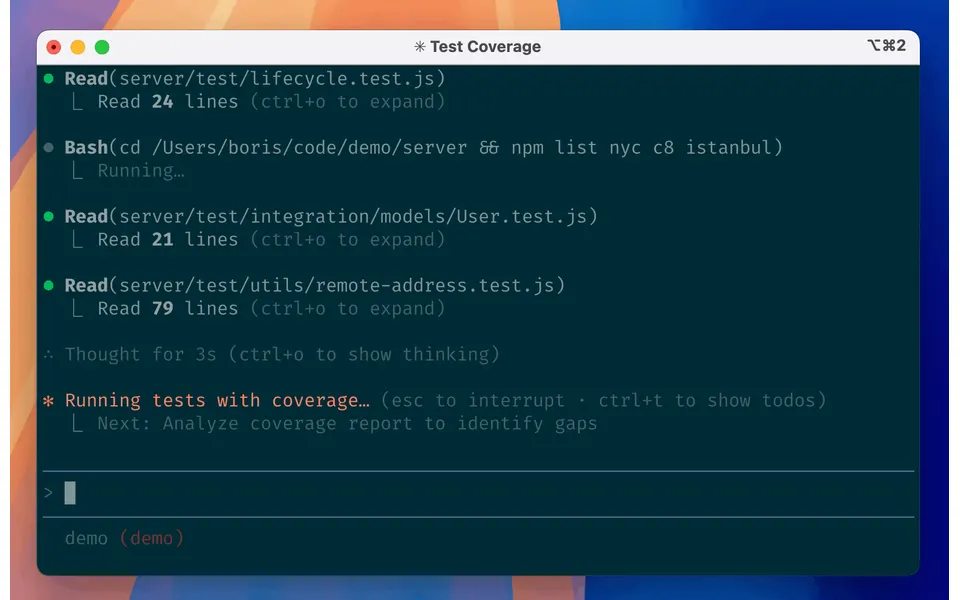
- Desktop app
- Mac, Windows and Linux
- Browser
- Yes
- Phone
- IPhone, Android and phone browser
- Command line
- Yes
- Agents
- Claude Code
- Your subscription
- Works with your own plan
- Agents run
- On your computer, on your own server and in the vendor's cloud
- Laptop closed
- Keeps going
- Isolation
- Worktree, Container and VM
- Parallel agents
- Yes
- Scheduled runs
- Yes
- Coordinator agent
- Yes
- Built-in issues
- Yes
- Pull requests
- Yes
- Review screen
- Yes
- Team
- Roles and SSO
- Self-hosting
- Yes
- Licence
- Proprietary
- Price from
- Up to $20/month
- How it charges
- Subscription, per seat, usage-based and bring your own key
- Paid plans from
- $11–20/month
Measured by ADEMark
ADEMark ran the same tests on 15 ADEs. Results for Claude Code 4.23118.0, measured up to 12 November 2026 on a Mac mini M4, 16 GB, macOS 27 · Claude Opus 5.5, effort high. Data CC BY 4.0, shown unchanged.
Speed
- Cold start
- 2.43 s7th of 12median of 9 runs, 2.21 s to 2.69 s · Bare CLI 0.69 s
- New thread, ready to type
- Not measuredADEMark: it talks only to its maker's cloud, so our local replay server cannot answer it
- First word on screen
- Not measuredADEMark: it talks only to its maker's cloud, so our local replay server cannot answer it
- Typing lag, 5 agents streaming
- Not measuredADEMark: it talks only to its maker's cloud, so our local replay server cannot answer it
- Open a 2,000-message thread
- Not measuredADEMark: it talks only to its maker's cloud, so our local replay server cannot answer it
Weight
- Memory at rest, 5 threads
- 1.66 GB10th of 121 run · Bare CLI 0.99 GB
- Idle CPU
- 0.71%4th of 131 run · Bare CLI 0.37%
- Memory under load
- Not measuredADEMark: it talks only to its maker's cloud, so our local replay server cannot answer it
Tokens
- Tokens to answer “hi”
- 75.5K tokens12th of 13median of 3 runs, 75.5K tokens to 75.6K tokens · Bare CLI 38.2K tokens
- Tokens for one real question
- 294.3K tokens12th of 131 run · Bare CLI 168.3K tokens
Build
- Team build: hidden tests passed
- Not measured
Place counts only apps with a value; lower is better except passed tests. ADEMark publishes no overall score and treats close medians as ties, so read places as an order, not a verdict. The Bare CLI is Claude Code in a terminal, run as an unranked control. Method and every test on ademark.dev · Imported data · How we use it
Receipts
- Checked
- · oldest answer 2026-10-09
- Findings
- 51 published · 41 cross-checked by a second agent · read them all
- Sources
- 127 public pages on 6 sites: code.claude.com, github.com, claude.com, support.claude.com and 2 more
- Screenshot
- github.com, retrieved · first party repository · shows appearance, not capability
- Method
- Same rules for all 103 researched ADEs. How we check · Report wrong data
What it does
Where you use it
Claude Code has CLI, Desktop, IDE, browser and mobile clients. Execution is local or cloud by surface; mobile is a client only. Desktop Linux is beta; 3P Desktop has separately documented provider and Console-key routes.
Source and scope for Where you use itAgents it runs
Claude Code embeds its own harness and runs Claude models only. Providers: Anthropic (subscription or Console), Amazon Bedrock, Google Cloud Agent Platform, Microsoft Foundry, Claude Platform on AWS, and gateways that expose an Anthropic-format API. Anthropic does not support routing to non-Claude models and the docs state that workers in every multi-agent mode are Claude sessions.
Source and scope for Agents it runsAccounts and subscriptions
Pro, Max, Ultra, Team and Enterprise include Claude Code. Console/API and third-party cloud-provider routes are separate. Free excludes Code; platform API credits bundled with Max/Ultra cannot pay Code usage.
Source and scope for Accounts and subscriptionsWhere agents run
Claude Code runs locally by default; cloud sessions run on Anthropic VMs (4 vCPU, 16 GB, 30 GB) with no separate compute charge; cloud sessions are available on Pro, Max, Ultra and Team plans, and for Enterprise users with premium seats or Chat + Claude Code seats, optionally on customer-run self-hosted runners (Team/Enterprise beta); Remote Control lets other devices drive a local session.
Source and scope for Where agents runHow work is kept apart
Isolation options: git worktrees per session, an OS-level sandbox for shell commands (macOS/Linux/WSL2, off by default), dev containers or the sandbox runtime for the whole process, and a fresh VM per cloud session. The CLI by default runs with the user permissions and file tools outside the sandbox.
Source and scope for How work is kept apartParallel work
Parallel work is supported locally (multiple terminals, worktrees, subagents, agent view background sessions, Remote Control server mode with default capacity 32) and in the cloud; every parallel session draws on the same subscription limits.
Source and scope for Parallel workScheduled runs
Cloud scheduled tasks, formerly routines, support schedule/API/GitHub triggers independently of the laptop. Desktop local schedules and session /loop have separate uptime and expiry rules.
Source and scope for Scheduled runsGit and pull requests
The CLI supports git workflows: it can create commits and pull requests on request, run in isolated worktrees, link sessions to PRs, and (cloud) auto-fix CI failures and review comments on GitHub.
Source and scope for Git and pull requestsLicence and source
Claude Code is proprietary: the public repository LICENSE.md states "© Anthropic PBC. All rights reserved. Use is subject to Anthropic's Commercial Terms of Service." The sandbox runtime (Apache-2.0) and the Python Agent SDK (MIT, per GitHub) are open source components.
Source and scope for Licence and sourcePrice
Pro $20/month or $200/year; Max $100/month; Ultra $200/month. Team seats $25/$125 monthly or $20/$100 monthly-equivalent annual. Enterprise $20/seat/month annual with 20-seat minimum, plus API usage.
Source and scope for PriceTyped filters
Every value links to its receipt below. Read plan and surface restrictions before using a filter to decide.
| Filter | Value |
|---|---|
| Desktop OS: macOS | Yes |
| Desktop OS: Windows | Yes |
| Desktop OS: Linux | Yes |
| Web client | Yes |
| Phone access: Native iOS | Yes |
| Phone access: Native Android | Yes |
| Phone access: Phone browser | Yes |
| CLI | Yes |
| Coding agents: Claude Code | Yes cross-checked |
| Coding agents: Codex | No |
| Coding agents: Cursor Agent | No |
| Coding agents: Gemini CLI | No |
| Coding agents: OpenCode | No |
| Coding agents: Pi | No |
| Coding agents: Grok | No |
| Coding agents: Aider | No |
| Coding agents: Antigravity | No |
| Use my subscription | Yes cross-checked |
| Where agents run: On your computer | Yes cross-checked |
| Where agents run: On your own server | Yes cross-checked |
| Where agents run: In the vendor's cloud | Yes cross-checked |
| Workspace isolation: Git worktree | Yes cross-checked |
| Workspace isolation: Container | Yes cross-checked |
| Workspace isolation: VM or microVM | Yes cross-checked |
| Parallel runs | Yes cross-checked |
| Coordinator | Yes cross-checked |
| Native issue tracking | Yes |
| Unattended triggers | Yes cross-checked |
| Shared prompting | Unknown |
| Team roles | Yes cross-checked |
| SSO | Yes cross-checked |
| Pull request workflow | Yes cross-checked |
| Review interface | Yes cross-checked |
| Product license: Apache-2.0 | No. Proprietary cross-checked |
| Product license: MIT | No. Proprietary cross-checked |
| Product license: GPL-3.0 | No. Proprietary cross-checked |
| Product license: GPL-3.0-or-later | No. Proprietary cross-checked |
| Product license: AGPL-3.0 | No. Proprietary cross-checked |
| Product license: AGPL-3.0-or-later | No. Proprietary cross-checked |
| Product license: Elastic License 2.0 | No. Proprietary cross-checked |
| Product license: Custom terms | No. Proprietary cross-checked |
| Product license: Proprietary | Yes. Proprietary cross-checked |
| Self-hosting | Yes |
| Telemetry opt-out | Yes cross-checked |
| Free access | No cross-checked |
| Starting price: Free | No. Up to $20/month |
| Starting price: Up to $20/month | Yes. Up to $20/month |
| Starting price: $21–40/month | No. Up to $20/month |
| Starting price: $41–100/month | No. Up to $20/month |
| Starting price: Over $100/month | No. Up to $20/month |
| Starting price: Contact for pricing | No. Up to $20/month |
| Pricing model: Free, no paid plan | No |
| Pricing model: Free plan | No cross-checked |
| Pricing model: Subscription | Yes cross-checked |
| Pricing model: Per seat | Yes cross-checked |
| Pricing model: Usage-based | Yes cross-checked |
| Pricing model: Per machine or compute | No |
| Pricing model: Bring your own key | Yes cross-checked |
| Pricing model: One-time purchase | No |
| Paid plans from: No paid plan | No. $11–20/month |
| Paid plans from: $10 or less/month | No. $11–20/month |
| Paid plans from: $11–20/month | Yes. $11–20/month |
| Paid plans from: $21–40/month | No. $11–20/month |
| Paid plans from: $41–100/month | No. $11–20/month |
| Paid plans from: Over $100/month | No. $11–20/month |
| Paid plans from: Contact sales | No. $11–20/month |
| Lifecycle status: Active | Unknown |
| Lifecycle status: Sunsetting | Unknown |
| Keeps going with laptop closed | Yes cross-checked |
| Open-source license | No. Proprietary cross-checked |
| Any desktop app | Yes |
| Paid plan up to $20/month | Yes. $11–20/month |
| Paid plan up to $40/month | Yes. $11–20/month |
| Any phone client | Yes |
Filter receipts
Desktop OS: macOS: Yes
Desktop OS: macOS
Typed value: Yes.
Claude Code has CLI, Desktop, IDE, browser and mobile clients. Execution is local or cloud by surface; mobile is a client only. Desktop Linux is beta; 3P Desktop has separately documented provider and Console-key routes.
- Desktop os: CLI supports macOS, Windows and Linux; Desktop supports macOS/Windows with Linux beta on Ubuntu/Debian. Direct CLI --desktop launch and managed 3P Desktop are separate auth paths.
- Cli: CLI: macOS 13+, Windows 10 1809+/Server 2019+, Ubuntu 20.04+, Debian 10+, Alpine 3.19+, x64 or ARM64, 4 GB+ RAM; the built-in sandbox works on macOS, Linux and WSL2 only.
- Capabilities and authentication differ across CLI, Desktop, IDE, mobile and cloud.
- No installed-client or authenticated scenario was run.
- Desktop 3P supports the documented Console-key route; mobile/cloud still require eligible claude.ai accounts.
-
Finding: CLI runs on macOS 13+, Windows 10 1809+/Server 2019+, Ubuntu 20.04+, Debian 10+, Alpine 3.19+; 4 GB+ RAM; x64 or ARM64; internet required; Bash, Zsh, PowerShell or CMD.
-
Finding: Desktop Code tab has parallel sessions with Git isolation, diff review and comments, app preview, integrated terminal, permission modes, scheduled tasks and Dispatch from phone; needs a paid subscription; Desktop does not accept a Console API key directly.
-
Claude Desktop on Linux (beta)
Finding: Linux desktop app is beta on Ubuntu 22.04+/Debian 12+; Fedora/Arch should use the CLI; signs in with claude.ai subscription or SSO, not a Console API key.
-
Finding: Local CLI features work across supported providers. Desktop is an exception: gateway/3P deployments can run Code on Bedrock, Google Agent Platform, Foundry, self-hosted gateways and the Claude API with Console key. Subscription-only features have separate plan restrictions.
Desktop OS: Windows: Yes
Desktop OS: Windows
Typed value: Yes.
Claude Code has CLI, Desktop, IDE, browser and mobile clients. Execution is local or cloud by surface; mobile is a client only. Desktop Linux is beta; 3P Desktop has separately documented provider and Console-key routes.
- Desktop os: CLI supports macOS, Windows and Linux; Desktop supports macOS/Windows with Linux beta on Ubuntu/Debian. Direct CLI --desktop launch and managed 3P Desktop are separate auth paths.
- Cli: CLI: macOS 13+, Windows 10 1809+/Server 2019+, Ubuntu 20.04+, Debian 10+, Alpine 3.19+, x64 or ARM64, 4 GB+ RAM; the built-in sandbox works on macOS, Linux and WSL2 only.
- Capabilities and authentication differ across CLI, Desktop, IDE, mobile and cloud.
- No installed-client or authenticated scenario was run.
- Desktop 3P supports the documented Console-key route; mobile/cloud still require eligible claude.ai accounts.
-
Finding: CLI runs on macOS 13+, Windows 10 1809+/Server 2019+, Ubuntu 20.04+, Debian 10+, Alpine 3.19+; 4 GB+ RAM; x64 or ARM64; internet required; Bash, Zsh, PowerShell or CMD.
-
Finding: Desktop Code tab has parallel sessions with Git isolation, diff review and comments, app preview, integrated terminal, permission modes, scheduled tasks and Dispatch from phone; needs a paid subscription; Desktop does not accept a Console API key directly.
-
Claude Desktop on Linux (beta)
Finding: Linux desktop app is beta on Ubuntu 22.04+/Debian 12+; Fedora/Arch should use the CLI; signs in with claude.ai subscription or SSO, not a Console API key.
-
Finding: Local CLI features work across supported providers. Desktop is an exception: gateway/3P deployments can run Code on Bedrock, Google Agent Platform, Foundry, self-hosted gateways and the Claude API with Console key. Subscription-only features have separate plan restrictions.
Desktop OS: Linux: Yes
Desktop OS: Linux
Typed value: Yes.
Claude Code has CLI, Desktop, IDE, browser and mobile clients. Execution is local or cloud by surface; mobile is a client only. Desktop Linux is beta; 3P Desktop has separately documented provider and Console-key routes.
- Desktop os: CLI supports macOS, Windows and Linux; Desktop supports macOS/Windows with Linux beta on Ubuntu/Debian. Direct CLI --desktop launch and managed 3P Desktop are separate auth paths.
- Cli: CLI: macOS 13+, Windows 10 1809+/Server 2019+, Ubuntu 20.04+, Debian 10+, Alpine 3.19+, x64 or ARM64, 4 GB+ RAM; the built-in sandbox works on macOS, Linux and WSL2 only.
- Capabilities and authentication differ across CLI, Desktop, IDE, mobile and cloud.
- No installed-client or authenticated scenario was run.
- Desktop 3P supports the documented Console-key route; mobile/cloud still require eligible claude.ai accounts.
-
Finding: CLI runs on macOS 13+, Windows 10 1809+/Server 2019+, Ubuntu 20.04+, Debian 10+, Alpine 3.19+; 4 GB+ RAM; x64 or ARM64; internet required; Bash, Zsh, PowerShell or CMD.
-
Finding: Desktop Code tab has parallel sessions with Git isolation, diff review and comments, app preview, integrated terminal, permission modes, scheduled tasks and Dispatch from phone; needs a paid subscription; Desktop does not accept a Console API key directly.
-
Claude Desktop on Linux (beta)
Finding: Linux desktop app is beta on Ubuntu 22.04+/Debian 12+; Fedora/Arch should use the CLI; signs in with claude.ai subscription or SSO, not a Console API key.
-
Finding: Local CLI features work across supported providers. Desktop is an exception: gateway/3P deployments can run Code on Bedrock, Google Agent Platform, Foundry, self-hosted gateways and the Claude API with Console key. Subscription-only features have separate plan restrictions.
Web client: Yes
Web client
Typed value: Yes.
Claude Code has CLI, Desktop, IDE, browser and mobile clients. Execution is local or cloud by surface; mobile is a client only. Desktop Linux is beta; 3P Desktop has separately documented provider and Console-key routes.
- Browser: Cloud sessions run from claude.ai/code on desktop browsers.
- Cross device continuity: Cloud sessions persist across devices; Remote Control continues a local CLI/Desktop/VS Code session from phone or browser while the machine stays on; /teleport pulls a cloud session into the terminal; /desktop continues a CLI session in Desktop. A terminal session cannot be pushed to the cloud (handoff is one-way); a desktop-to-phone move was not tested.
- Capabilities and authentication differ across CLI, Desktop, IDE, mobile and cloud.
- No installed-client or authenticated scenario was run.
- Desktop 3P supports the documented Console-key route; mobile/cloud still require eligible claude.ai accounts.
-
Finding: Documents terminal (macOS/Linux/WSL/Windows), VS Code, desktop (macOS, Windows x64/ARM64, Ubuntu/Debian beta), web and JetBrains surfaces; most surfaces need a Claude subscription or Console account; CLI, VS Code and JetBrains also support third-party providers.
-
Finding: Cloud sessions on Pro, Max, Team and Enterprise (premium seats); Anthropic-managed VM by default; clone/PR creation requires GitHub (GHES for Team/Enterprise); non-GitHub repos via local bundle <100 MB; idle sessions pause and VMs are reclaimed, conversation history restored on reopen; shared rate limits, no separate compute charge; CLI --cloud and --teleport (one-way cloud to terminal); auto-fix of PR CI failures and review comments needs the Claude GitHub App.
Phone access: Native iOS: Yes
Phone access: Native iOS
Typed value: Yes.
Claude Code has CLI, Desktop, IDE, browser and mobile clients. Execution is local or cloud by surface; mobile is a client only. Desktop Linux is beta; 3P Desktop has separately documented provider and Console-key routes.
- Mobile apps: Claude iOS and Android apps (iPad uses the iOS app) have a Code tab for cloud sessions, projects, Remote Control and Dispatch; code never runs on the phone.
- Task actions: Mobile reaches cloud sessions, Remote Control local sessions, or Desktop Dispatch. Dispatch is on Pro/Max/Ultra; the host must stay awake for local execution.
- Notifications: Push notifications to the phone when Remote Control is active (task finished or decision needed), Dispatch notifications, terminal bell/desktop notification settings in the CLI, and a Notification hook.
- Cross device continuity: Cloud sessions persist across devices; Remote Control continues a local CLI/Desktop/VS Code session from phone or browser while the machine stays on; /teleport pulls a cloud session into the terminal; /desktop continues a CLI session in Desktop. A terminal session cannot be pushed to the cloud (handoff is one-way); a desktop-to-phone move was not tested.
- Capabilities and authentication differ across CLI, Desktop, IDE, mobile and cloud.
- No installed-client or authenticated scenario was run.
- Desktop 3P supports the documented Console-key route; mobile/cloud still require eligible claude.ai accounts.
-
Finding: The Claude iOS/Android app is a client for cloud sessions, projects, Remote Control and Dispatch (no code runs on the phone). Push notifications when Remote Control is active; local-only commands such as /plugin and /resume do not work; Bypass permissions cannot be selected from the app.
Phone access: Native Android: Yes
Phone access: Native Android
Typed value: Yes.
Claude Code has CLI, Desktop, IDE, browser and mobile clients. Execution is local or cloud by surface; mobile is a client only. Desktop Linux is beta; 3P Desktop has separately documented provider and Console-key routes.
- Mobile apps: Claude iOS and Android apps (iPad uses the iOS app) have a Code tab for cloud sessions, projects, Remote Control and Dispatch; code never runs on the phone.
- Task actions: Mobile reaches cloud sessions, Remote Control local sessions, or Desktop Dispatch. Dispatch is on Pro/Max/Ultra; the host must stay awake for local execution.
- Notifications: Push notifications to the phone when Remote Control is active (task finished or decision needed), Dispatch notifications, terminal bell/desktop notification settings in the CLI, and a Notification hook.
- Cross device continuity: Cloud sessions persist across devices; Remote Control continues a local CLI/Desktop/VS Code session from phone or browser while the machine stays on; /teleport pulls a cloud session into the terminal; /desktop continues a CLI session in Desktop. A terminal session cannot be pushed to the cloud (handoff is one-way); a desktop-to-phone move was not tested.
- Capabilities and authentication differ across CLI, Desktop, IDE, mobile and cloud.
- No installed-client or authenticated scenario was run.
- Desktop 3P supports the documented Console-key route; mobile/cloud still require eligible claude.ai accounts.
-
Finding: The Claude iOS/Android app is a client for cloud sessions, projects, Remote Control and Dispatch (no code runs on the phone). Push notifications when Remote Control is active; local-only commands such as /plugin and /resume do not work; Bypass permissions cannot be selected from the app.
Phone access: Phone browser: Yes
Phone access: Phone browser
Typed value: Yes.
Claude Code has CLI, Desktop, IDE, browser and mobile clients. Execution is local or cloud by surface; mobile is a client only. Desktop Linux is beta; 3P Desktop has separately documented provider and Console-key routes.
- Mobile browser: A phone browser can open the Remote Control session at claude.ai/code and send instructions. An eligible subscription and an awake local host are required.
- Capabilities and authentication differ across CLI, Desktop, IDE, mobile and cloud.
- No installed-client or authenticated scenario was run.
- Desktop 3P supports the documented Console-key route; mobile/cloud still require eligible claude.ai accounts.
-
Continue local sessions from any device with Remote Control
Finding: Remote Control connects claude.ai/code or the mobile apps to a local Claude session. Users can send messages from the terminal, browser and phone; the local host must remain running. Eligible Claude subscriptions are required.
CLI: Yes
CLI
Typed value: Yes.
Claude Code has CLI, Desktop, IDE, browser and mobile clients. Execution is local or cloud by surface; mobile is a client only. Desktop Linux is beta; 3P Desktop has separately documented provider and Console-key routes.
- Desktop os: CLI supports macOS, Windows and Linux; Desktop supports macOS/Windows with Linux beta on Ubuntu/Debian. Direct CLI --desktop launch and managed 3P Desktop are separate auth paths.
- Cli: CLI: macOS 13+, Windows 10 1809+/Server 2019+, Ubuntu 20.04+, Debian 10+, Alpine 3.19+, x64 or ARM64, 4 GB+ RAM; the built-in sandbox works on macOS, Linux and WSL2 only.
- Capabilities and authentication differ across CLI, Desktop, IDE, mobile and cloud.
- No installed-client or authenticated scenario was run.
- Desktop 3P supports the documented Console-key route; mobile/cloud still require eligible claude.ai accounts.
-
Finding: CLI runs on macOS 13+, Windows 10 1809+/Server 2019+, Ubuntu 20.04+, Debian 10+, Alpine 3.19+; 4 GB+ RAM; x64 or ARM64; internet required; Bash, Zsh, PowerShell or CMD.
-
Configure the sandboxed Bash tool
Finding: OS-enforced sandbox for shell commands on macOS, Linux and WSL2 (off by default; native Windows runs unsandboxed); built on open source sandbox-runtime; reads allowed broadly by default, writes limited to working directory, network via domain-allowlist proxy; file tools, MCP servers and hooks run outside it.
Coding agents: Claude Code: Yes cross-checked
Coding agents: Claude Code
Typed value: Yes.
Claude Code embeds its own harness and runs Claude models only. Providers: Anthropic (subscription or Console), Amazon Bedrock, Google Cloud Agent Platform, Microsoft Foundry, Claude Platform on AWS, and gateways that expose an Anthropic-format API. Anthropic does not support routing to non-Claude models and the docs state that workers in every multi-agent mode are Claude sessions.
- Harnesses: One harness: Claude Code itself. Subagents, agent view, teams, workflows and projects all run Claude sessions.
- Model providers: Anthropic API (claude.ai or Console login), Amazon Bedrock, Google Cloud Agent Platform, Microsoft Foundry, Claude Platform on AWS, Claude apps gateway and compatible LLM gateways. Claude models only.
- Custom adapters: Gateways that expose a supported Anthropic API format are supported; other tools can be added as MCP servers. No adapter mechanism for running a different agent harness inside Claude Code was found in the pages checked.
- Session integration: Claude Code is the harness; it can be driven programmatically through claude -p, the Python/TypeScript Agent SDK, or as a stdio MCP server (claude mcp serve).
- Mixed harness operation: Docs state "In every approach the workers are Claude sessions. To involve a different tool, expose it to Claude as an MCP server", so mixed-harness operation is not offered natively.
- Scope is the Claude Code harness; unofficial third-party routing to other model families is not covered by the documentation and was not tested.
-
Finding: Account types: Claude Pro/Max, Teams/Enterprise, Claude Console, Bedrock/Vertex(Agent Platform)/Foundry, Claude apps gateway. Multiple accounts via separate CLAUDE_CONFIG_DIR directories. ANTHROPIC_API_KEY approval skips login.
-
Run Claude Code programmatically
Finding: claude -p runs non-interactively with exit codes, --output-format json/stream-json, --bare, --allowedTools; Agent SDK for Python/TypeScript.
-
Finding: Python and TypeScript libraries run the Claude Code agent loop with built-in tools, hooks, subagents, MCP, permissions and sessions; non-Python/TS languages can drive the CLI as a subprocess.
-
Finding: Subagents, agent view (research preview), agent teams (experimental), dynamic workflows, and Projects. In every approach the workers are Claude sessions; other tools are exposed via MCP. Worktrees isolate parallel sessions.
-
Connect Claude Code to tools via MCP
Finding: MCP client supports http, sse, stdio and websocket servers with OAuth 2.0, local/project/user scopes and claude.ai connectors; claude mcp serve exposes Claude Code as a stdio MCP server; channels push events.
-
Finding: Local CLI features work across supported providers. Desktop is an exception: gateway/3P deployments can run Code on Bedrock, Google Agent Platform, Foundry, self-hosted gateways and the Claude API with Console key. Subscription-only features have separate plan restrictions.
-
Finding: Any gateway exposing a supported Anthropic API format works; Anthropic does not support routing Claude Code to non-Claude models through any gateway.
Coding agents: Codex: No
Coding agents: Codex
Typed value: No.
Claude Code embeds its own harness and runs Claude models only. Providers: Anthropic (subscription or Console), Amazon Bedrock, Google Cloud Agent Platform, Microsoft Foundry, Claude Platform on AWS, and gateways that expose an Anthropic-format API. Anthropic does not support routing to non-Claude models and the docs state that workers in every multi-agent mode are Claude sessions.
- Harnesses: One harness: Claude Code itself. Subagents, agent view, teams, workflows and projects all run Claude sessions.
- Custom adapters: Gateways that expose a supported Anthropic API format are supported; other tools can be added as MCP servers. No adapter mechanism for running a different agent harness inside Claude Code was found in the pages checked.
- Mixed harness operation: Docs state "In every approach the workers are Claude sessions. To involve a different tool, expose it to Claude as an MCP server", so mixed-harness operation is not offered natively.
- Scope is the Claude Code harness; unofficial third-party routing to other model families is not covered by the documentation and was not tested.
-
Finding: Subagents, agent view (research preview), agent teams (experimental), dynamic workflows, and Projects. In every approach the workers are Claude sessions; other tools are exposed via MCP. Worktrees isolate parallel sessions.
Coding agents: Cursor Agent: No
Coding agents: Cursor Agent
Typed value: No.
Claude Code embeds its own harness and runs Claude models only. Providers: Anthropic (subscription or Console), Amazon Bedrock, Google Cloud Agent Platform, Microsoft Foundry, Claude Platform on AWS, and gateways that expose an Anthropic-format API. Anthropic does not support routing to non-Claude models and the docs state that workers in every multi-agent mode are Claude sessions.
- Harnesses: One harness: Claude Code itself. Subagents, agent view, teams, workflows and projects all run Claude sessions.
- Custom adapters: Gateways that expose a supported Anthropic API format are supported; other tools can be added as MCP servers. No adapter mechanism for running a different agent harness inside Claude Code was found in the pages checked.
- Mixed harness operation: Docs state "In every approach the workers are Claude sessions. To involve a different tool, expose it to Claude as an MCP server", so mixed-harness operation is not offered natively.
- Scope is the Claude Code harness; unofficial third-party routing to other model families is not covered by the documentation and was not tested.
-
Finding: Subagents, agent view (research preview), agent teams (experimental), dynamic workflows, and Projects. In every approach the workers are Claude sessions; other tools are exposed via MCP. Worktrees isolate parallel sessions.
Coding agents: Gemini CLI: No
Coding agents: Gemini CLI
Typed value: No.
Claude Code embeds its own harness and runs Claude models only. Providers: Anthropic (subscription or Console), Amazon Bedrock, Google Cloud Agent Platform, Microsoft Foundry, Claude Platform on AWS, and gateways that expose an Anthropic-format API. Anthropic does not support routing to non-Claude models and the docs state that workers in every multi-agent mode are Claude sessions.
- Harnesses: One harness: Claude Code itself. Subagents, agent view, teams, workflows and projects all run Claude sessions.
- Custom adapters: Gateways that expose a supported Anthropic API format are supported; other tools can be added as MCP servers. No adapter mechanism for running a different agent harness inside Claude Code was found in the pages checked.
- Mixed harness operation: Docs state "In every approach the workers are Claude sessions. To involve a different tool, expose it to Claude as an MCP server", so mixed-harness operation is not offered natively.
- Scope is the Claude Code harness; unofficial third-party routing to other model families is not covered by the documentation and was not tested.
-
Finding: Subagents, agent view (research preview), agent teams (experimental), dynamic workflows, and Projects. In every approach the workers are Claude sessions; other tools are exposed via MCP. Worktrees isolate parallel sessions.
Coding agents: OpenCode: No
Coding agents: OpenCode
Typed value: No.
Claude Code embeds its own harness and runs Claude models only. Providers: Anthropic (subscription or Console), Amazon Bedrock, Google Cloud Agent Platform, Microsoft Foundry, Claude Platform on AWS, and gateways that expose an Anthropic-format API. Anthropic does not support routing to non-Claude models and the docs state that workers in every multi-agent mode are Claude sessions.
- Harnesses: One harness: Claude Code itself. Subagents, agent view, teams, workflows and projects all run Claude sessions.
- Custom adapters: Gateways that expose a supported Anthropic API format are supported; other tools can be added as MCP servers. No adapter mechanism for running a different agent harness inside Claude Code was found in the pages checked.
- Mixed harness operation: Docs state "In every approach the workers are Claude sessions. To involve a different tool, expose it to Claude as an MCP server", so mixed-harness operation is not offered natively.
- Scope is the Claude Code harness; unofficial third-party routing to other model families is not covered by the documentation and was not tested.
-
Finding: Subagents, agent view (research preview), agent teams (experimental), dynamic workflows, and Projects. In every approach the workers are Claude sessions; other tools are exposed via MCP. Worktrees isolate parallel sessions.
Coding agents: Pi: No
Coding agents: Pi
Typed value: No.
Claude Code embeds its own harness and runs Claude models only. Providers: Anthropic (subscription or Console), Amazon Bedrock, Google Cloud Agent Platform, Microsoft Foundry, Claude Platform on AWS, and gateways that expose an Anthropic-format API. Anthropic does not support routing to non-Claude models and the docs state that workers in every multi-agent mode are Claude sessions.
- Harnesses: One harness: Claude Code itself. Subagents, agent view, teams, workflows and projects all run Claude sessions.
- Custom adapters: Gateways that expose a supported Anthropic API format are supported; other tools can be added as MCP servers. No adapter mechanism for running a different agent harness inside Claude Code was found in the pages checked.
- Mixed harness operation: Docs state "In every approach the workers are Claude sessions. To involve a different tool, expose it to Claude as an MCP server", so mixed-harness operation is not offered natively.
- Scope is the Claude Code harness; unofficial third-party routing to other model families is not covered by the documentation and was not tested.
-
Finding: Subagents, agent view (research preview), agent teams (experimental), dynamic workflows, and Projects. In every approach the workers are Claude sessions; other tools are exposed via MCP. Worktrees isolate parallel sessions.
Coding agents: Grok: No
Coding agents: Grok
Typed value: No.
Claude Code embeds its own harness and runs Claude models only. Providers: Anthropic (subscription or Console), Amazon Bedrock, Google Cloud Agent Platform, Microsoft Foundry, Claude Platform on AWS, and gateways that expose an Anthropic-format API. Anthropic does not support routing to non-Claude models and the docs state that workers in every multi-agent mode are Claude sessions.
- Harnesses: One harness: Claude Code itself. Subagents, agent view, teams, workflows and projects all run Claude sessions.
- Custom adapters: Gateways that expose a supported Anthropic API format are supported; other tools can be added as MCP servers. No adapter mechanism for running a different agent harness inside Claude Code was found in the pages checked.
- Mixed harness operation: Docs state "In every approach the workers are Claude sessions. To involve a different tool, expose it to Claude as an MCP server", so mixed-harness operation is not offered natively.
- Scope is the Claude Code harness; unofficial third-party routing to other model families is not covered by the documentation and was not tested.
-
Finding: Subagents, agent view (research preview), agent teams (experimental), dynamic workflows, and Projects. In every approach the workers are Claude sessions; other tools are exposed via MCP. Worktrees isolate parallel sessions.
Coding agents: Aider: No
Coding agents: Aider
Typed value: No.
Claude Code embeds its own harness and runs Claude models only. Providers: Anthropic (subscription or Console), Amazon Bedrock, Google Cloud Agent Platform, Microsoft Foundry, Claude Platform on AWS, and gateways that expose an Anthropic-format API. Anthropic does not support routing to non-Claude models and the docs state that workers in every multi-agent mode are Claude sessions.
- Harnesses: One harness: Claude Code itself. Subagents, agent view, teams, workflows and projects all run Claude sessions.
- Custom adapters: Gateways that expose a supported Anthropic API format are supported; other tools can be added as MCP servers. No adapter mechanism for running a different agent harness inside Claude Code was found in the pages checked.
- Mixed harness operation: Docs state "In every approach the workers are Claude sessions. To involve a different tool, expose it to Claude as an MCP server", so mixed-harness operation is not offered natively.
- Scope is the Claude Code harness; unofficial third-party routing to other model families is not covered by the documentation and was not tested.
-
Finding: Subagents, agent view (research preview), agent teams (experimental), dynamic workflows, and Projects. In every approach the workers are Claude sessions; other tools are exposed via MCP. Worktrees isolate parallel sessions.
Coding agents: Antigravity: No
Coding agents: Antigravity
Typed value: No.
Claude Code embeds its own harness and runs Claude models only. Providers: Anthropic (subscription or Console), Amazon Bedrock, Google Cloud Agent Platform, Microsoft Foundry, Claude Platform on AWS, and gateways that expose an Anthropic-format API. Anthropic does not support routing to non-Claude models and the docs state that workers in every multi-agent mode are Claude sessions.
- Harnesses: One harness: Claude Code itself. Subagents, agent view, teams, workflows and projects all run Claude sessions.
- Custom adapters: Gateways that expose a supported Anthropic API format are supported; other tools can be added as MCP servers. No adapter mechanism for running a different agent harness inside Claude Code was found in the pages checked.
- Mixed harness operation: Docs state "In every approach the workers are Claude sessions. To involve a different tool, expose it to Claude as an MCP server", so mixed-harness operation is not offered natively.
- Scope is the Claude Code harness; unofficial third-party routing to other model families is not covered by the documentation and was not tested.
-
Finding: Subagents, agent view (research preview), agent teams (experimental), dynamic workflows, and Projects. In every approach the workers are Claude sessions; other tools are exposed via MCP. Worktrees isolate parallel sessions.
Use my subscription: Yes cross-checked
Use my subscription
Typed value: Yes.
Pro, Max, Ultra, Team and Enterprise include Claude Code. Console/API and third-party cloud-provider routes are separate. Free excludes Code; platform API credits bundled with Max/Ultra cannot pay Code usage.
- Agent subscriptions: Pro/Max/Ultra/Team/Enterprise include Code, sharing subscription usage with other Claude clients.
- Vendor credits: Paid usage credits can extend limits; bundled Max/Ultra Claude Platform API credits cannot pay Claude Code or usage credits.
- Account switching: Separate CLAUDE_CONFIG_DIR directories keep settings, session history and claude.ai logins separate, so several accounts can stay signed in; /login and /logout switch accounts. Two Console sign-ins without API keys are not isolated by config directory because their credentials are stored outside it (authentication page).
- Local-model statement is the vendor support position; unofficial base-URL workarounds were not tested.
- No trial or promotional pricing beyond the public pricing page was checked.
- Two Console sign-ins without API keys are not isolated by config directory (authentication page); the account_switching atom is partial for that case.
-
Finding: Current list prices: Pro $20 monthly or $200/year displayed as $17/month; Max $100 monthly; Ultra $200 monthly. Team 2-150 users: Standard $25 monthly/$20 annual per month, Premium $125/$100. Enterprise $20/seat/month annual, 20-seat minimum, plus API usage. All paid plans include Code; taxes excluded. Max/Ultra platform API credits cannot pay Code usage.
-
Use Claude Code with your Pro or Max plan
Finding: Pro, Max and Ultra include Code in a shared subscription quota; Max and Ultra platform API credits cannot pay Code usage. ANTHROPIC_API_KEY causes API billing instead of subscription. No workload usage test.
Where agents run: On your computer: Yes cross-checked
Where agents run: On your computer
Typed value: Yes.
Claude Code runs locally by default; cloud sessions run on Anthropic VMs (4 vCPU, 16 GB, 30 GB) with no separate compute charge; cloud sessions are available on Pro, Max, Ultra and Team plans, and for Enterprise users with premium seats or Chat + Claude Code seats, optionally on customer-run self-hosted runners (Team/Enterprise beta); Remote Control lets other devices drive a local session.
- Local: The CLI runs on the user machine.
- Region and exact idle-expiry durations were not found.
-
Finding: Documents terminal (macOS/Linux/WSL/Windows), VS Code, desktop (macOS, Windows x64/ARM64, Ubuntu/Debian beta), web and JetBrains surfaces; most surfaces need a Claude subscription or Console account; CLI, VS Code and JetBrains also support third-party providers.
Where agents run: On your own server: Yes cross-checked
Where agents run: On your own server
Typed value: Yes.
Claude Code runs locally by default; cloud sessions run on Anthropic VMs (4 vCPU, 16 GB, 30 GB) with no separate compute charge; cloud sessions are available on Pro, Max, Ultra and Team plans, and for Enterprise users with premium seats or Chat + Claude Code seats, optionally on customer-run self-hosted runners (Team/Enterprise beta); Remote Control lets other devices drive a local session.
- Byo remote: Remote Control on an own always-on machine; Desktop supports configured SSH sessions.
- Self hosted: Self-hosted environments run cloud sessions on customer runners (public beta, Team/Enterprise, not with ZDR/HIPAA).
- Region and exact idle-expiry durations were not found.
-
Finding: Public beta on Team and Enterprise (off by default); runners on customer infrastructure execute cloud sessions; unavailable with ZDR or HIPAA; model inference still via Anthropic API unless Bedrock/Agent Platform configured; session content goes to Anthropic.
Where agents run: In the vendor's cloud: Yes cross-checked
Where agents run: In the vendor's cloud
Typed value: Yes.
Claude Code runs locally by default; cloud sessions run on Anthropic VMs (4 vCPU, 16 GB, 30 GB) with no separate compute charge; cloud sessions are available on Pro, Max, Ultra and Team plans, and for Enterprise users with premium seats or Chat + Claude Code seats, optionally on customer-run self-hosted runners (Team/Enterprise beta); Remote Control lets other devices drive a local session.
- Managed cloud: Cloud sessions run in Anthropic-managed Ubuntu 24.04 VMs.
- Hybrid: Projects threads can run on the user computer via Remote Control; claude --cloud and /teleport move work between terminal and cloud (one direction each).
- Provisioning: Fresh VM per session with a cached setup-script snapshot.
- Payer: Cloud VM use has no separate compute charge; it consumes the account subscription limits.
- Resources: Anthropic-hosted environments: 4 vCPUs, 16 GB RAM, 30 GB disk.
- Expiry: Idle VMs pause after a few minutes and can later be reclaimed; reopening provisions a fresh VM with history restored.
- Client disconnect: Cloud sessions continue after disconnect; Remote Control and local sessions need the machine on.
- Region and exact idle-expiry durations were not found.
-
Finding: Cloud sessions on Pro, Max, Team and Enterprise (premium seats); Anthropic-managed VM by default; clone/PR creation requires GitHub (GHES for Team/Enterprise); non-GitHub repos via local bundle <100 MB; idle sessions pause and VMs are reclaimed, conversation history restored on reopen; shared rate limits, no separate compute charge; CLI --cloud and --teleport (one-way cloud to terminal); auto-fix of PR CI failures and review comments needs the Claude GitHub App.
-
Finding: Anthropic-hosted sessions use fresh Ubuntu 24.04 x86_64 VMs with approximate ceilings of 4 vCPUs, 16 GB RAM and 30 GB disk. Setup under roughly five minutes is cached as a filesystem snapshot, expiring after roughly seven days. Foreground Bash defaults to two minutes, up to ten; timed-out commands move to background except sleep-prefixed commands. Unattended background commands have a separate time limit. Idle VMs pause and can be reclaimed. Network secrets are available on Pro, Max, Ultra, Team and Enterprise, with role/configuration requirements.
Workspace isolation: Git worktree: Yes cross-checked
Workspace isolation: Git worktree
Typed value: Yes.
Isolation options: git worktrees per session, an OS-level sandbox for shell commands (macOS/Linux/WSL2, off by default), dev containers or the sandbox runtime for the whole process, and a fresh VM per cloud session. The CLI by default runs with the user permissions and file tools outside the sandbox.
- Worktree: claude --worktree, subagent isolation: worktree, and background sessions moving into worktrees before editing.
- No escape or boundary test was run.
-
Run parallel sessions with worktrees
Finding: The --worktree or -w flag starts a session in a separate Git working directory, by default .claude/worktrees/<name>, on a new worktree-<name> branch. Subagents can use isolation: worktree. Worktrees share repository history and Git metadata; this documents file separation, not a security sandbox. Source check only; no session was run.
Workspace isolation: Container: Yes cross-checked
Workspace isolation: Container
Typed value: Yes.
Isolation options: git worktrees per session, an OS-level sandbox for shell commands (macOS/Linux/WSL2, off by default), dev containers or the sandbox runtime for the whole process, and a fresh VM per cloud session. The CLI by default runs with the user permissions and file tools outside the sandbox.
- Container: Dev containers and Docker are documented isolation options but are user-configured.
- No escape or boundary test was run.
-
Finding: Compares built-in sandbox, sandbox runtime, dev containers, containers and VMs for isolating Claude Code.
Workspace isolation: VM or microVM: Yes cross-checked
Workspace isolation: VM or microVM
Typed value: Yes.
Isolation options: git worktrees per session, an OS-level sandbox for shell commands (macOS/Linux/WSL2, off by default), dev containers or the sandbox runtime for the whole process, and a fresh VM per cloud session. The CLI by default runs with the user permissions and file tools outside the sandbox.
- Vm: Each Anthropic-hosted cloud session gets a fresh VM.
- Network: Sandboxed commands reach hosts only through a domain-allowlist proxy; cloud environments have network access levels.
- Secrets: Sandbox inherits environment secrets by default; credential protection settings exist; cloud network secrets are available on Pro, Max, Ultra, Team and Enterprise, subject to the documented role and configuration requirements.
- Code separation: Self-hosted runners lock to a single session owner, running only that owner’s sessions until the runner exits. Cloud sessions separately receive fresh VMs; no boundary test ran.
- No escape or boundary test was run.
-
Finding: Anthropic-hosted sessions use fresh Ubuntu 24.04 x86_64 VMs with approximate ceilings of 4 vCPUs, 16 GB RAM and 30 GB disk. Setup under roughly five minutes is cached as a filesystem snapshot, expiring after roughly seven days. Foreground Bash defaults to two minutes, up to ten; timed-out commands move to background except sleep-prefixed commands. Unattended background commands have a separate time limit. Idle VMs pause and can be reclaimed. Network secrets are available on Pro, Max, Ultra, Team and Enterprise, with role/configuration requirements.
Parallel runs: Yes cross-checked
Parallel runs
Typed value: Yes.
Parallel work is supported locally (multiple terminals, worktrees, subagents, agent view background sessions, Remote Control server mode with default capacity 32) and in the cloud; every parallel session draws on the same subscription limits.
- Concurrent sessions: Several sessions can run at once in separate terminals or worktrees, as background sessions in agent view, or as cloud sessions; Remote Control server mode defaults to 32 concurrent sessions.
- Concurrent tasks: Background subagents and background Bash commands run alongside the main conversation; agent view dispatches independent sessions.
- Quotas: Parallel sessions share one set of subscription limits; the docs say ten agents use quota roughly ten times as fast; agent view is local and stops if the machine shuts down.
- Status visibility: claude agents shows each session as working, needing input or completed; /tasks lists background work in a session; /workflows lists workflow runs.
- Agent view is research preview; no concurrency stress test was run, so observed_concurrency is unknown.
-
Finding: Drive a local CLI/Desktop/VS Code session from claude.ai/code or the mobile app; machine must stay on; Pro/Max/Team/Enterprise only (no API keys, Bedrock/Vertex/Foundry, gateways); server mode default capacity 32; transcript stored on Anthropic servers while connected.
-
Finding: Subagents, agent view (research preview), agent teams (experimental), dynamic workflows, and Projects. In every approach the workers are Claude sessions; other tools are exposed via MCP. Worktrees isolate parallel sessions.
-
Manage multiple agents with agent view
Finding: Research preview. claude agents dispatches and monitors background local sessions; sessions move into git worktrees before editing; background sessions use subscription quota like interactive ones, stop if the machine shuts down; claude agents --json output.
Coordinator: Yes cross-checked
Coordinator
Typed value: Yes.
Delegation is inspectable through subagents (own model, effort, tools), agent teams, cross-session messaging and dynamic workflows. All workers are Claude sessions; agent teams are experimental and off by default.
- Roles: Lead and teammates in agent teams; custom subagents with their own system prompt and tools.
- Model harness effort: Subagent frontmatter sets model and effort; the harness is always Claude Code.
- Messages: Teammates message each other directly; cross-session messaging passes text between sessions.
- Results return: Subagents return a summary to the spawning conversation; agent-view sessions report only to the user.
- Cross harness: Docs state every approach runs Claude sessions; other tools are only MCP servers.
- Orchestration owner: Claude Code itself (team runtime, subagent runtime, workflow runtime) owns orchestration.
- Activation: Agent teams are disabled by default and need CLAUDE_CODE_EXPERIMENTAL_AGENT_TEAMS=1; subagents and fork mode are on in interactive sessions; workflows need enabling on Pro.
- Live progress: Agent view rows, /tasks and /workflows show run state. A background subagent result arrives later as a completion notification, and Claude reports the subagent as still running if asked about progress first.
- Followup: A human can open and prompt any teammate; stopped subagents can be resumed.
- Invocation: Claude spawns subagents with the Agent tool, users @-mention named agents, or start a session with --agent.
- Agent teams are experimental; in-process teammates are not restored on resume.
-
Finding: Experimental, disabled by default (CLAUDE_CODE_EXPERIMENTAL_AGENT_TEAMS=1). Lead plus independent teammates with own context, direct messaging, shared task list with pending/in-progress/completed states and task dependencies, file-locked claiming; limitations include no in-process teammate resume, one team per session, status lag.
-
Finding: Subagents, agent view (research preview), agent teams (experimental), dynamic workflows, and Projects. In every approach the workers are Claude sessions; other tools are exposed via MCP. Worktrees isolate parallel sessions.
-
Manage multiple agents with agent view
Finding: Research preview. claude agents dispatches and monitors background local sessions; sessions move into git worktrees before editing; background sessions use subscription quota like interactive ones, stop if the machine shuts down; claude agents --json output.
-
Finding: Subagents have their own context, tools, permissions, model, effort, maxTurns and optional worktree isolation; background subagents run concurrently; results return to the spawning conversation.
-
Message your other Claude Code sessions
Finding: Claude can list and message other sessions on the same or another machine or in the cloud; v2.1.224+ on macOS/Linux, v2.1.234+ on Windows; messages are text only.
-
Finding: A JavaScript script Claude writes orchestrates many subagents in the background; on all paid plans, API, Bedrock, Agent Platform and Foundry; /workflows lists runs.
Native issue tracking: Yes
Native issue tracking
Typed value: Yes.
Claude Code has persistent native task checklists with optional cross-session lists and experimental team assignment/dependencies. A full issue backlog is not established.
- Create: TaskCreate adds a native checklist task when Task tools are enabled; this is not a full issue backlog.
- Edit: TaskUpdate changes task details and status, dependencies or deletes a task.
- Assign: Experimental team leads can assign tasks and teammates can self-claim unblocked tasks.
- Task session separation: Tasks live in ~/.claude/tasks/<list>/ separately from session transcripts and background process lists; named lists can be shared across sessions.
- Metadata: Task records contain details, status, dependencies and ownership. Labels and priority fields were not established.
- Durable states: Team tasks have pending, in-progress and completed states, and task-list directories remain on disk after sessions end.
- External tracker requirement: Native checklist tracking uses product Task tools and disk storage rather than an external tracker. Complete issue/backlog management remains unestablished.
- Task tools are absent by default on newer interactive models unless enabled; this is a checklist rather than a full issue tracker. Team assignment requires experimental teams.
-
Finding: Product Task tools create, read, update and delete tasks. They are model-dependent or opt-in since v2.1.268, and provided across models in cloud/background sessions.
-
Finding: Task checklists are distinct from running shells/subagents, retain state through compaction and resume, and can share a named on-disk task directory across sessions.
-
Finding: Experimental teams use pending, in-progress and completed tasks, dependencies, explicit assignment and file-locked self-claims. Task directories remain after sessions end.
Unattended triggers: Yes cross-checked
Unattended triggers
Typed value: Yes.
Cloud scheduled tasks, formerly routines, support schedule/API/GitHub triggers independently of the laptop. Desktop local schedules and session /loop have separate uptime and expiry rules.
- Schedules: Cloud scheduled tasks are shared across web/Desktop/CLI for one account; /schedule creates them and /routines remains an alias. Local Desktop tasks require app and host awake; /loop is session-scoped.
- Events: Routines trigger on GitHub events and API calls; channels push webhooks and chat messages into an open session.
- Recurring tasks: Routines and Desktop tasks recur indefinitely; /loop tasks expire 7 days after creation.
- Completion conditions: /goal keeps a session working until a model judges the condition met; routines are prompt runs with no documented completion condition.
- Scheduler location: Anthropic cloud (or a self-hosted environment) for routines; the user machine for Desktop tasks and /loop.
- Client independence: Cloud routines run with the laptop closed; /loop and Desktop tasks need Claude Code or the app running.
- Routines are research preview with experimental API; no scheduled run was executed.
-
Finding: Cloud routines are now named cloud scheduled tasks; shared web/Desktop/CLI account records, schedule/API/GitHub triggers, research preview fire endpoint, and per-account execution. /schedule creates them and /routines remains an alias.
-
Finding: /loop and cron tools are session-scoped (1 minute minimum, recurring tasks expire after 7 days, only fire while Claude Code is running and idle, no catch-up for missed fires); cloud routines minimum 1 hour; Desktop tasks need machine on.
-
Schedule recurring tasks in Claude Code Desktop
Finding: Local Desktop scheduled tasks run on the user machine and fire only while the app is open and the computer is awake; remote routines run in the cloud.
Team roles: Yes cross-checked
Team roles
Typed value: Yes.
Roles and access are managed at the Claude account level: Owners and admins configure cloud environments and settings; Team adds SSO and central billing; Enterprise adds role-based access, SCIM, audit logs and spend limits.
- Organization roles: Owners configure shared cloud environments and defaults; admins govern settings; Enterprise lists role-based access with fine-grained permissioning.
- Membership: Admins invite members; Console logins require an admin invitation.
- Sso: SSO is listed for Team and Enterprise; Claude apps gateway sign-in uses corporate SSO.
- Provisioning: SCIM is listed for Enterprise and configured at the Claude account level; seat assignment is separate.
- Plan scope: Pricing page separates Team (SSO, central billing) and Enterprise (RBAC, SCIM, audit logs, spend limits, IP allowlisting).
- Project-level and task-level roles were not found; role definitions were not read in detail.
-
Set up Claude Code for your organization
Finding: Managed settings delivered via claude.ai admin console, MDM or file; SSO, SCIM and seat assignment at the Claude account level; Owners govern cloud environments and the default environment; org effort limits enforced server-side.
-
Finding: Free $0 (Claude Code: No); Pro $17/month annual or $20 monthly (Claude Code: Yes); Max from $100/month (5x or 20x Pro usage); Team standard seat $20 annual/$25 monthly, premium seat $100 annual/$125 monthly (Claude Code included); Enterprise US$20/seat/month plus usage at API rates; usage limits apply; prices exclude tax; model training opt-out on consumer plans, none by default on Team/Enterprise.
SSO: Yes cross-checked
SSO
Typed value: Yes.
Roles and access are managed at the Claude account level: Owners and admins configure cloud environments and settings; Team adds SSO and central billing; Enterprise adds role-based access, SCIM, audit logs and spend limits.
- Organization roles: Owners configure shared cloud environments and defaults; admins govern settings; Enterprise lists role-based access with fine-grained permissioning.
- Membership: Admins invite members; Console logins require an admin invitation.
- Sso: SSO is listed for Team and Enterprise; Claude apps gateway sign-in uses corporate SSO.
- Provisioning: SCIM is listed for Enterprise and configured at the Claude account level; seat assignment is separate.
- Plan scope: Pricing page separates Team (SSO, central billing) and Enterprise (RBAC, SCIM, audit logs, spend limits, IP allowlisting).
- Project-level and task-level roles were not found; role definitions were not read in detail.
-
Finding: Account types: Claude Pro/Max, Teams/Enterprise, Claude Console, Bedrock/Vertex(Agent Platform)/Foundry, Claude apps gateway. Multiple accounts via separate CLAUDE_CONFIG_DIR directories. ANTHROPIC_API_KEY approval skips login.
-
Finding: Free $0 (Claude Code: No); Pro $17/month annual or $20 monthly (Claude Code: Yes); Max from $100/month (5x or 20x Pro usage); Team standard seat $20 annual/$25 monthly, premium seat $100 annual/$125 monthly (Claude Code included); Enterprise US$20/seat/month plus usage at API rates; usage limits apply; prices exclude tax; model training opt-out on consumer plans, none by default on Team/Enterprise.
Pull request workflow: Yes cross-checked
Pull request workflow
Typed value: Yes.
The CLI supports git workflows: it can create commits and pull requests on request, run in isolated worktrees, link sessions to PRs, and (cloud) auto-fix CI failures and review comments on GitHub.
- Commits: Claude creates commits when asked.
- Pull requests: Claude creates pull requests when asked.
- GitHub is the supported PR host for cloud features.
-
Finding: Claude can create commits and pull requests on request; --from-pr finds the session linked to a PR; images can be pasted or referenced by path; Claude reads files fresh on each tool call.
Review interface: Yes cross-checked
Review interface
Typed value: Yes.
Outputs include diffs (/diff, Desktop diff view), live Artifact pages published to claude.ai, Desktop app preview, and session links to PRs. An artifact gallery lists created artifacts. Retention of test outputs and recordings was not established.
- Diffs: /diff reviews working-tree changes; Desktop and IDE show diffs.
- Previews: Desktop previews the running app in a Browser pane.
- Artifact availability requires a claude.ai login and plan; no output retention test was run.
-
Finding: Desktop Code tab has parallel sessions with Git isolation, diff review and comments, app preview, integrated terminal, permission modes, scheduled tasks and Dispatch from phone; needs a paid subscription; Desktop does not accept a Console API key directly.
-
Finding: Plugin runs the separately installed claude CLI in the IDE terminal and adds diff viewing, selection and diagnostic sharing; it does not bundle the CLI.
-
Finding: Lists /usage, /export, /import (Codex, Gemini CLI, Cursor), /rewind, /branch, /fork, /goal, /loop, /schedule, /teleport, /desktop, /code-review, /security-review, /install-github-app, /web-setup, /tasks, /sandbox, /diff.
Product license: Apache-2.0: No. Proprietary cross-checked
Product license: Apache-2.0
Typed value: No. Proprietary.
Claude Code is proprietary: the public repository LICENSE.md states "© Anthropic PBC. All rights reserved. Use is subject to Anthropic's Commercial Terms of Service." The sandbox runtime (Apache-2.0) and the Python Agent SDK (MIT, per GitHub) are open source components.
- Client license: LICENSE.md: "© Anthropic PBC. All rights reserved. Use is subject to Anthropic's Commercial Terms of Service." The GitHub API reports no license for the repository.
- Source visibility: A public GitHub repository exists for issues, changelog, plugins and examples; the CLI source was not inspected.
- Source revision: Latest release is v2.1.295 (2026-10-08); its tag resolves to commit 602df92 (release page). v2.1.294 is the prior release. The stored head commit 71cdddec623889d38af14b7a489670a03186f659 is not shown on the release page and was not re-verified on 2026-10-09; no source file was inspected.
- No source-inspected evidence recorded.
- Head commit 71cdddec623889d38af14b7a489670a03186f659 was not re-verified on 2026-10-09; the repository main page did not expose it.
-
anthropics/claude-code repository
Finding: Releases page marks v2.1.295 (08 Oct 19:48) as Latest, above stored v2.1.294. Issues tab shows 13,889 open (stored 14,591). Main page shows 149.8k stars; no license name or head commit visible.
-
anthropics/claude-code LICENSE.md (main branch)
Finding: The whole file reads: "© Anthropic PBC. All rights reserved. Use is subject to Anthropic's Commercial Terms of Service." No open-source license grant appears in the file.
Product license: MIT: No. Proprietary cross-checked
Product license: MIT
Typed value: No. Proprietary.
Claude Code is proprietary: the public repository LICENSE.md states "© Anthropic PBC. All rights reserved. Use is subject to Anthropic's Commercial Terms of Service." The sandbox runtime (Apache-2.0) and the Python Agent SDK (MIT, per GitHub) are open source components.
- Client license: LICENSE.md: "© Anthropic PBC. All rights reserved. Use is subject to Anthropic's Commercial Terms of Service." The GitHub API reports no license for the repository.
- Source visibility: A public GitHub repository exists for issues, changelog, plugins and examples; the CLI source was not inspected.
- Source revision: Latest release is v2.1.295 (2026-10-08); its tag resolves to commit 602df92 (release page). v2.1.294 is the prior release. The stored head commit 71cdddec623889d38af14b7a489670a03186f659 is not shown on the release page and was not re-verified on 2026-10-09; no source file was inspected.
- No source-inspected evidence recorded.
- Head commit 71cdddec623889d38af14b7a489670a03186f659 was not re-verified on 2026-10-09; the repository main page did not expose it.
-
anthropics/claude-code repository
Finding: Releases page marks v2.1.295 (08 Oct 19:48) as Latest, above stored v2.1.294. Issues tab shows 13,889 open (stored 14,591). Main page shows 149.8k stars; no license name or head commit visible.
-
anthropics/claude-code LICENSE.md (main branch)
Finding: The whole file reads: "© Anthropic PBC. All rights reserved. Use is subject to Anthropic's Commercial Terms of Service." No open-source license grant appears in the file.
Product license: GPL-3.0: No. Proprietary cross-checked
Product license: GPL-3.0
Typed value: No. Proprietary.
Claude Code is proprietary: the public repository LICENSE.md states "© Anthropic PBC. All rights reserved. Use is subject to Anthropic's Commercial Terms of Service." The sandbox runtime (Apache-2.0) and the Python Agent SDK (MIT, per GitHub) are open source components.
- Client license: LICENSE.md: "© Anthropic PBC. All rights reserved. Use is subject to Anthropic's Commercial Terms of Service." The GitHub API reports no license for the repository.
- Source visibility: A public GitHub repository exists for issues, changelog, plugins and examples; the CLI source was not inspected.
- Source revision: Latest release is v2.1.295 (2026-10-08); its tag resolves to commit 602df92 (release page). v2.1.294 is the prior release. The stored head commit 71cdddec623889d38af14b7a489670a03186f659 is not shown on the release page and was not re-verified on 2026-10-09; no source file was inspected.
- No source-inspected evidence recorded.
- Head commit 71cdddec623889d38af14b7a489670a03186f659 was not re-verified on 2026-10-09; the repository main page did not expose it.
-
anthropics/claude-code repository
Finding: Releases page marks v2.1.295 (08 Oct 19:48) as Latest, above stored v2.1.294. Issues tab shows 13,889 open (stored 14,591). Main page shows 149.8k stars; no license name or head commit visible.
-
anthropics/claude-code LICENSE.md (main branch)
Finding: The whole file reads: "© Anthropic PBC. All rights reserved. Use is subject to Anthropic's Commercial Terms of Service." No open-source license grant appears in the file.
Product license: GPL-3.0-or-later: No. Proprietary cross-checked
Product license: GPL-3.0-or-later
Typed value: No. Proprietary.
Claude Code is proprietary: the public repository LICENSE.md states "© Anthropic PBC. All rights reserved. Use is subject to Anthropic's Commercial Terms of Service." The sandbox runtime (Apache-2.0) and the Python Agent SDK (MIT, per GitHub) are open source components.
- Client license: LICENSE.md: "© Anthropic PBC. All rights reserved. Use is subject to Anthropic's Commercial Terms of Service." The GitHub API reports no license for the repository.
- Source visibility: A public GitHub repository exists for issues, changelog, plugins and examples; the CLI source was not inspected.
- Source revision: Latest release is v2.1.295 (2026-10-08); its tag resolves to commit 602df92 (release page). v2.1.294 is the prior release. The stored head commit 71cdddec623889d38af14b7a489670a03186f659 is not shown on the release page and was not re-verified on 2026-10-09; no source file was inspected.
- No source-inspected evidence recorded.
- Head commit 71cdddec623889d38af14b7a489670a03186f659 was not re-verified on 2026-10-09; the repository main page did not expose it.
-
anthropics/claude-code repository
Finding: Releases page marks v2.1.295 (08 Oct 19:48) as Latest, above stored v2.1.294. Issues tab shows 13,889 open (stored 14,591). Main page shows 149.8k stars; no license name or head commit visible.
-
anthropics/claude-code LICENSE.md (main branch)
Finding: The whole file reads: "© Anthropic PBC. All rights reserved. Use is subject to Anthropic's Commercial Terms of Service." No open-source license grant appears in the file.
Product license: AGPL-3.0: No. Proprietary cross-checked
Product license: AGPL-3.0
Typed value: No. Proprietary.
Claude Code is proprietary: the public repository LICENSE.md states "© Anthropic PBC. All rights reserved. Use is subject to Anthropic's Commercial Terms of Service." The sandbox runtime (Apache-2.0) and the Python Agent SDK (MIT, per GitHub) are open source components.
- Client license: LICENSE.md: "© Anthropic PBC. All rights reserved. Use is subject to Anthropic's Commercial Terms of Service." The GitHub API reports no license for the repository.
- Source visibility: A public GitHub repository exists for issues, changelog, plugins and examples; the CLI source was not inspected.
- Source revision: Latest release is v2.1.295 (2026-10-08); its tag resolves to commit 602df92 (release page). v2.1.294 is the prior release. The stored head commit 71cdddec623889d38af14b7a489670a03186f659 is not shown on the release page and was not re-verified on 2026-10-09; no source file was inspected.
- No source-inspected evidence recorded.
- Head commit 71cdddec623889d38af14b7a489670a03186f659 was not re-verified on 2026-10-09; the repository main page did not expose it.
-
anthropics/claude-code repository
Finding: Releases page marks v2.1.295 (08 Oct 19:48) as Latest, above stored v2.1.294. Issues tab shows 13,889 open (stored 14,591). Main page shows 149.8k stars; no license name or head commit visible.
-
anthropics/claude-code LICENSE.md (main branch)
Finding: The whole file reads: "© Anthropic PBC. All rights reserved. Use is subject to Anthropic's Commercial Terms of Service." No open-source license grant appears in the file.
Product license: AGPL-3.0-or-later: No. Proprietary cross-checked
Product license: AGPL-3.0-or-later
Typed value: No. Proprietary.
Claude Code is proprietary: the public repository LICENSE.md states "© Anthropic PBC. All rights reserved. Use is subject to Anthropic's Commercial Terms of Service." The sandbox runtime (Apache-2.0) and the Python Agent SDK (MIT, per GitHub) are open source components.
- Client license: LICENSE.md: "© Anthropic PBC. All rights reserved. Use is subject to Anthropic's Commercial Terms of Service." The GitHub API reports no license for the repository.
- Source visibility: A public GitHub repository exists for issues, changelog, plugins and examples; the CLI source was not inspected.
- Source revision: Latest release is v2.1.295 (2026-10-08); its tag resolves to commit 602df92 (release page). v2.1.294 is the prior release. The stored head commit 71cdddec623889d38af14b7a489670a03186f659 is not shown on the release page and was not re-verified on 2026-10-09; no source file was inspected.
- No source-inspected evidence recorded.
- Head commit 71cdddec623889d38af14b7a489670a03186f659 was not re-verified on 2026-10-09; the repository main page did not expose it.
-
anthropics/claude-code repository
Finding: Releases page marks v2.1.295 (08 Oct 19:48) as Latest, above stored v2.1.294. Issues tab shows 13,889 open (stored 14,591). Main page shows 149.8k stars; no license name or head commit visible.
-
anthropics/claude-code LICENSE.md (main branch)
Finding: The whole file reads: "© Anthropic PBC. All rights reserved. Use is subject to Anthropic's Commercial Terms of Service." No open-source license grant appears in the file.
Product license: Elastic License 2.0: No. Proprietary cross-checked
Product license: Elastic License 2.0
Typed value: No. Proprietary.
Claude Code is proprietary: the public repository LICENSE.md states "© Anthropic PBC. All rights reserved. Use is subject to Anthropic's Commercial Terms of Service." The sandbox runtime (Apache-2.0) and the Python Agent SDK (MIT, per GitHub) are open source components.
- Client license: LICENSE.md: "© Anthropic PBC. All rights reserved. Use is subject to Anthropic's Commercial Terms of Service." The GitHub API reports no license for the repository.
- Source visibility: A public GitHub repository exists for issues, changelog, plugins and examples; the CLI source was not inspected.
- Source revision: Latest release is v2.1.295 (2026-10-08); its tag resolves to commit 602df92 (release page). v2.1.294 is the prior release. The stored head commit 71cdddec623889d38af14b7a489670a03186f659 is not shown on the release page and was not re-verified on 2026-10-09; no source file was inspected.
- No source-inspected evidence recorded.
- Head commit 71cdddec623889d38af14b7a489670a03186f659 was not re-verified on 2026-10-09; the repository main page did not expose it.
-
anthropics/claude-code repository
Finding: Releases page marks v2.1.295 (08 Oct 19:48) as Latest, above stored v2.1.294. Issues tab shows 13,889 open (stored 14,591). Main page shows 149.8k stars; no license name or head commit visible.
-
anthropics/claude-code LICENSE.md (main branch)
Finding: The whole file reads: "© Anthropic PBC. All rights reserved. Use is subject to Anthropic's Commercial Terms of Service." No open-source license grant appears in the file.
Product license: Custom terms: No. Proprietary cross-checked
Product license: Custom terms
Typed value: No. Proprietary.
Claude Code is proprietary: the public repository LICENSE.md states "© Anthropic PBC. All rights reserved. Use is subject to Anthropic's Commercial Terms of Service." The sandbox runtime (Apache-2.0) and the Python Agent SDK (MIT, per GitHub) are open source components.
- Client license: LICENSE.md: "© Anthropic PBC. All rights reserved. Use is subject to Anthropic's Commercial Terms of Service." The GitHub API reports no license for the repository.
- Source visibility: A public GitHub repository exists for issues, changelog, plugins and examples; the CLI source was not inspected.
- Source revision: Latest release is v2.1.295 (2026-10-08); its tag resolves to commit 602df92 (release page). v2.1.294 is the prior release. The stored head commit 71cdddec623889d38af14b7a489670a03186f659 is not shown on the release page and was not re-verified on 2026-10-09; no source file was inspected.
- No source-inspected evidence recorded.
- Head commit 71cdddec623889d38af14b7a489670a03186f659 was not re-verified on 2026-10-09; the repository main page did not expose it.
-
anthropics/claude-code repository
Finding: Releases page marks v2.1.295 (08 Oct 19:48) as Latest, above stored v2.1.294. Issues tab shows 13,889 open (stored 14,591). Main page shows 149.8k stars; no license name or head commit visible.
-
anthropics/claude-code LICENSE.md (main branch)
Finding: The whole file reads: "© Anthropic PBC. All rights reserved. Use is subject to Anthropic's Commercial Terms of Service." No open-source license grant appears in the file.
Product license: Proprietary: Yes. Proprietary cross-checked
Product license: Proprietary
Typed value: Yes. Proprietary.
Claude Code is proprietary: the public repository LICENSE.md states "© Anthropic PBC. All rights reserved. Use is subject to Anthropic's Commercial Terms of Service." The sandbox runtime (Apache-2.0) and the Python Agent SDK (MIT, per GitHub) are open source components.
- Client license: LICENSE.md: "© Anthropic PBC. All rights reserved. Use is subject to Anthropic's Commercial Terms of Service." The GitHub API reports no license for the repository.
- Source visibility: A public GitHub repository exists for issues, changelog, plugins and examples; the CLI source was not inspected.
- Source revision: Latest release is v2.1.295 (2026-10-08); its tag resolves to commit 602df92 (release page). v2.1.294 is the prior release. The stored head commit 71cdddec623889d38af14b7a489670a03186f659 is not shown on the release page and was not re-verified on 2026-10-09; no source file was inspected.
- No source-inspected evidence recorded.
- Head commit 71cdddec623889d38af14b7a489670a03186f659 was not re-verified on 2026-10-09; the repository main page did not expose it.
-
anthropics/claude-code repository
Finding: Releases page marks v2.1.295 (08 Oct 19:48) as Latest, above stored v2.1.294. Issues tab shows 13,889 open (stored 14,591). Main page shows 149.8k stars; no license name or head commit visible.
-
anthropics/claude-code LICENSE.md (main branch)
Finding: The whole file reads: "© Anthropic PBC. All rights reserved. Use is subject to Anthropic's Commercial Terms of Service." No open-source license grant appears in the file.
Self-hosting: Yes
Self-hosting
Typed value: Yes.
The installed Claude Code CLI can run its full agent loop, tools and context management on user-controlled infrastructure, including scripts and CI/CD. Model inference/authentication still uses Anthropic or a supported provider. This does not self-host the Claude web/desktop cloud control plane; cloud self-hosted runners are a separate worker feature.
- Self hosting: The CLI runs the full Claude Code agent loop and tools locally through claude -p, including user-managed scripts and CI/CD.
- The mapping covers the local CLI core only; hosted cloud/desktop service self-hosting is not established.
-
Run Claude Code programmatically
Finding: The CLI exposes the same agent loop, tools and context management as Claude Code through claude -p for scripts and CI/CD. The installed local core runs with model-provider credentials; this is more than a remote execution worker for the hosted web product.
Telemetry opt-out: Yes cross-checked
Telemetry opt-out
Typed value: Yes.
Prompts and outputs go to Anthropic (or the chosen provider) over TLS 1.2+; consumer plans train on data only when the setting is on, commercial plans do not by default; standard retention is 30 days for commercial and 30 days or 5 years for consumers. Usage metrics default on for the Claude API and off on Amazon Bedrock, Google Cloud's Agent Platform and Microsoft Foundry; error reports default on only for Pro, Max and Ultra sign-ins on v2.1.198+; both have documented opt-outs.
- Code data: Local files stay on the machine; code in prompts and tool results is sent to the model API; cloud sessions clone repositories into a VM.
- Prompts: Prompts and outputs are sent over TLS 1.2+ and retained per account type.
- Credentials: For Anthropic-hosted cloud sessions, GitHub credentials stay encrypted on Anthropic servers and never enter the VM. Customer-managed self-hosted runners use customer-managed Git credentials.
- Logs: Local CLI transcripts are plaintext for 30 days by default; transcripts of sessions started or most recently continued in Claude Desktop or Cowork are exempt from that cleanup by default (data-usage page).
- Retention: Consumer: 5 years if training allowed, else 30 days; commercial: 30 days, ZDR for qualified Enterprise.
- Deletion: Cloud sessions can be deleted permanently; local transcripts are swept by cleanupPeriodDays.
- Training: Consumer plans train when the setting is on; commercial plans do not by default.
- Telemetry disclosure: Metrics and error reports are described.
- Telemetry defaults: Metrics default on for the Claude API; error reports on for Pro/Max/Ultra sign-ins on v2.1.198+; both off by default on Bedrock, Foundry, Agent Platform.
- Telemetry controls: DISABLE_TELEMETRY, DISABLE_ERROR_REPORTING and CLAUDE_CODE_DISABLE_NONESSENTIAL_TRAFFIC opt out.
- Consent prompt: First-run telemetry prompts were not observed. The documented session-survey follow-up asks before any transcript upload; that is a separate consent step, not a telemetry prompt.
- Provider separation: Third-party providers default telemetry off, except that hosts setting CLAUDE_CODE_PROVIDER_MANAGED_BY_HOST default metrics on.
- Plan-specific; Remote Control and cloud flows differ.
-
Finding: Current data policy states opt-in consumer training and five-year versus thirty-day retention by choice; commercial no training by default and thirty-day standard retention. Local plaintext CLI transcripts default to thirty days, with Desktop/Cowork exemptions. Metrics and error reports have separate opt-outs. Error reports default on for direct Claude API Pro, Max and Ultra sign-ins on v2.1.198+, otherwise off. Provider-managed-host metrics are an explicit exception to third-party-provider default-off behavior.
Free access: No cross-checked
Free access
Typed value: No.
Free excludes Claude Code; all paid plans include it. Evaluation requires an eligible subscription, Console/API billing or supported provider route; bundled platform credits do not pay Code usage.
- Ongoing free: Pricing page lists Claude Code as No for the Free plan.
- Trial: Trial terms are not established. The pricing comparison marks Trials No for Team and self-serve Enterprise and Yes only for sales-assisted Enterprise (pricing page).
- Paid only: All paid Claude plans include Code; Free does not.
- Usage caps: Usage limits apply to every plan.
- Paid evaluation: Pro is $20 monthly or $17 on annual billing.
- Console API credit promotions and trials were not checked.
- Console API credit promotions were not checked; trial length and terms for sales-assisted Enterprise are not stated.
-
Finding: Current list prices: Pro $20 monthly or $200/year displayed as $17/month; Max $100 monthly; Ultra $200 monthly. Team 2-150 users: Standard $25 monthly/$20 annual per month, Premium $125/$100. Enterprise $20/seat/month annual, 20-seat minimum, plus API usage. All paid plans include Code; taxes excluded. Max/Ultra platform API credits cannot pay Code usage.
Starting price: Free: No. Up to $20/month
Starting price: Free
Typed value: No. Up to $20/month.
Free excludes Claude Code; all paid plans include it. Evaluation requires an eligible subscription, Console/API billing or supported provider route; bundled platform credits do not pay Code usage.
- Ongoing free: Pricing page lists Claude Code as No for the Free plan.
- Trial: Trial terms are not established. The pricing comparison marks Trials No for Team and self-serve Enterprise and Yes only for sales-assisted Enterprise (pricing page).
- Paid only: All paid Claude plans include Code; Free does not.
- Usage caps: Usage limits apply to every plan.
- Paid evaluation: Pro is $20 monthly or $17 on annual billing.
- Console API credit promotions and trials were not checked.
- Console API credit promotions were not checked; trial length and terms for sales-assisted Enterprise are not stated.
-
Finding: Current list prices: Pro $20 monthly or $200/year displayed as $17/month; Max $100 monthly; Ultra $200 monthly. Team 2-150 users: Standard $25 monthly/$20 annual per month, Premium $125/$100. Enterprise $20/seat/month annual, 20-seat minimum, plus API usage. All paid plans include Code; taxes excluded. Max/Ultra platform API credits cannot pay Code usage.
Starting price: Up to $20/month: Yes. Up to $20/month
Starting price: Up to $20/month
Typed value: Yes. Up to $20/month.
Free excludes Claude Code; all paid plans include it. Evaluation requires an eligible subscription, Console/API billing or supported provider route; bundled platform credits do not pay Code usage.
- Ongoing free: Pricing page lists Claude Code as No for the Free plan.
- Trial: Trial terms are not established. The pricing comparison marks Trials No for Team and self-serve Enterprise and Yes only for sales-assisted Enterprise (pricing page).
- Paid only: All paid Claude plans include Code; Free does not.
- Usage caps: Usage limits apply to every plan.
- Paid evaluation: Pro is $20 monthly or $17 on annual billing.
- Console API credit promotions and trials were not checked.
- Console API credit promotions were not checked; trial length and terms for sales-assisted Enterprise are not stated.
-
Finding: Current list prices: Pro $20 monthly or $200/year displayed as $17/month; Max $100 monthly; Ultra $200 monthly. Team 2-150 users: Standard $25 monthly/$20 annual per month, Premium $125/$100. Enterprise $20/seat/month annual, 20-seat minimum, plus API usage. All paid plans include Code; taxes excluded. Max/Ultra platform API credits cannot pay Code usage.
Starting price: $21–40/month: No. Up to $20/month
Starting price: $21–40/month
Typed value: No. Up to $20/month.
Free excludes Claude Code; all paid plans include it. Evaluation requires an eligible subscription, Console/API billing or supported provider route; bundled platform credits do not pay Code usage.
- Ongoing free: Pricing page lists Claude Code as No for the Free plan.
- Trial: Trial terms are not established. The pricing comparison marks Trials No for Team and self-serve Enterprise and Yes only for sales-assisted Enterprise (pricing page).
- Paid only: All paid Claude plans include Code; Free does not.
- Usage caps: Usage limits apply to every plan.
- Paid evaluation: Pro is $20 monthly or $17 on annual billing.
- Console API credit promotions and trials were not checked.
- Console API credit promotions were not checked; trial length and terms for sales-assisted Enterprise are not stated.
-
Finding: Current list prices: Pro $20 monthly or $200/year displayed as $17/month; Max $100 monthly; Ultra $200 monthly. Team 2-150 users: Standard $25 monthly/$20 annual per month, Premium $125/$100. Enterprise $20/seat/month annual, 20-seat minimum, plus API usage. All paid plans include Code; taxes excluded. Max/Ultra platform API credits cannot pay Code usage.
Starting price: $41–100/month: No. Up to $20/month
Starting price: $41–100/month
Typed value: No. Up to $20/month.
Free excludes Claude Code; all paid plans include it. Evaluation requires an eligible subscription, Console/API billing or supported provider route; bundled platform credits do not pay Code usage.
- Ongoing free: Pricing page lists Claude Code as No for the Free plan.
- Trial: Trial terms are not established. The pricing comparison marks Trials No for Team and self-serve Enterprise and Yes only for sales-assisted Enterprise (pricing page).
- Paid only: All paid Claude plans include Code; Free does not.
- Usage caps: Usage limits apply to every plan.
- Paid evaluation: Pro is $20 monthly or $17 on annual billing.
- Console API credit promotions and trials were not checked.
- Console API credit promotions were not checked; trial length and terms for sales-assisted Enterprise are not stated.
-
Finding: Current list prices: Pro $20 monthly or $200/year displayed as $17/month; Max $100 monthly; Ultra $200 monthly. Team 2-150 users: Standard $25 monthly/$20 annual per month, Premium $125/$100. Enterprise $20/seat/month annual, 20-seat minimum, plus API usage. All paid plans include Code; taxes excluded. Max/Ultra platform API credits cannot pay Code usage.
Starting price: Over $100/month: No. Up to $20/month
Starting price: Over $100/month
Typed value: No. Up to $20/month.
Free excludes Claude Code; all paid plans include it. Evaluation requires an eligible subscription, Console/API billing or supported provider route; bundled platform credits do not pay Code usage.
- Ongoing free: Pricing page lists Claude Code as No for the Free plan.
- Trial: Trial terms are not established. The pricing comparison marks Trials No for Team and self-serve Enterprise and Yes only for sales-assisted Enterprise (pricing page).
- Paid only: All paid Claude plans include Code; Free does not.
- Usage caps: Usage limits apply to every plan.
- Paid evaluation: Pro is $20 monthly or $17 on annual billing.
- Console API credit promotions and trials were not checked.
- Console API credit promotions were not checked; trial length and terms for sales-assisted Enterprise are not stated.
-
Finding: Current list prices: Pro $20 monthly or $200/year displayed as $17/month; Max $100 monthly; Ultra $200 monthly. Team 2-150 users: Standard $25 monthly/$20 annual per month, Premium $125/$100. Enterprise $20/seat/month annual, 20-seat minimum, plus API usage. All paid plans include Code; taxes excluded. Max/Ultra platform API credits cannot pay Code usage.
Starting price: Contact for pricing: No. Up to $20/month
Starting price: Contact for pricing
Typed value: No. Up to $20/month.
Free excludes Claude Code; all paid plans include it. Evaluation requires an eligible subscription, Console/API billing or supported provider route; bundled platform credits do not pay Code usage.
- Ongoing free: Pricing page lists Claude Code as No for the Free plan.
- Trial: Trial terms are not established. The pricing comparison marks Trials No for Team and self-serve Enterprise and Yes only for sales-assisted Enterprise (pricing page).
- Paid only: All paid Claude plans include Code; Free does not.
- Usage caps: Usage limits apply to every plan.
- Paid evaluation: Pro is $20 monthly or $17 on annual billing.
- Console API credit promotions and trials were not checked.
- Console API credit promotions were not checked; trial length and terms for sales-assisted Enterprise are not stated.
-
Finding: Current list prices: Pro $20 monthly or $200/year displayed as $17/month; Max $100 monthly; Ultra $200 monthly. Team 2-150 users: Standard $25 monthly/$20 annual per month, Premium $125/$100. Enterprise $20/seat/month annual, 20-seat minimum, plus API usage. All paid plans include Code; taxes excluded. Max/Ultra platform API credits cannot pay Code usage.
Pricing model: Free, no paid plan: No
Pricing model: Free, no paid plan
Typed value: No.
Pro $20/month or $200/year; Max $100/month; Ultra $200/month. Team seats $25/$125 monthly or $20/$100 monthly-equivalent annual. Enterprise $20/seat/month annual with 20-seat minimum, plus API usage.
- Currency: US dollar public prices; taxes excluded.
- Interval: Pro monthly or annual; Max/Ultra monthly; Team monthly/annual; Enterprise annual.
- Seats: Team Standard/Premium seats are mixable, for 2-150 users. Enterprise minimum is 20 seats.
- Seat minimum: Team 2 users; Enterprise 20 seats.
- Included usage: Paid plans include Code with shared usage limits; task/token allowance varies by workload.
- Taxes: Applicable taxes excluded.
- No workload, billing or authenticated client test was performed; unestablished details remain unknown.
-
Finding: Current list prices: Pro $20 monthly or $200/year displayed as $17/month; Max $100 monthly; Ultra $200 monthly. Team 2-150 users: Standard $25 monthly/$20 annual per month, Premium $125/$100. Enterprise $20/seat/month annual, 20-seat minimum, plus API usage. All paid plans include Code; taxes excluded. Max/Ultra platform API credits cannot pay Code usage.
Pricing model: Free plan: No cross-checked
Pricing model: Free plan
Typed value: No.
Free excludes Claude Code; all paid plans include it. Evaluation requires an eligible subscription, Console/API billing or supported provider route; bundled platform credits do not pay Code usage.
- Ongoing free: Pricing page lists Claude Code as No for the Free plan.
- Trial: Trial terms are not established. The pricing comparison marks Trials No for Team and self-serve Enterprise and Yes only for sales-assisted Enterprise (pricing page).
- Paid only: All paid Claude plans include Code; Free does not.
- Usage caps: Usage limits apply to every plan.
- Paid evaluation: Pro is $20 monthly or $17 on annual billing.
- Console API credit promotions and trials were not checked.
- Console API credit promotions were not checked; trial length and terms for sales-assisted Enterprise are not stated.
-
Finding: Current list prices: Pro $20 monthly or $200/year displayed as $17/month; Max $100 monthly; Ultra $200 monthly. Team 2-150 users: Standard $25 monthly/$20 annual per month, Premium $125/$100. Enterprise $20/seat/month annual, 20-seat minimum, plus API usage. All paid plans include Code; taxes excluded. Max/Ultra platform API credits cannot pay Code usage.
Pricing model: Subscription: Yes cross-checked
Pricing model: Subscription
Typed value: Yes.
Pro $20/month or $200/year; Max $100/month; Ultra $200/month. Team seats $25/$125 monthly or $20/$100 monthly-equivalent annual. Enterprise $20/seat/month annual with 20-seat minimum, plus API usage.
- Currency: US dollar public prices; taxes excluded.
- Interval: Pro monthly or annual; Max/Ultra monthly; Team monthly/annual; Enterprise annual.
- Seats: Team Standard/Premium seats are mixable, for 2-150 users. Enterprise minimum is 20 seats.
- Seat minimum: Team 2 users; Enterprise 20 seats.
- Included usage: Paid plans include Code with shared usage limits; task/token allowance varies by workload.
- Taxes: Applicable taxes excluded.
- No workload, billing or authenticated client test was performed; unestablished details remain unknown.
-
Finding: Current list prices: Pro $20 monthly or $200/year displayed as $17/month; Max $100 monthly; Ultra $200 monthly. Team 2-150 users: Standard $25 monthly/$20 annual per month, Premium $125/$100. Enterprise $20/seat/month annual, 20-seat minimum, plus API usage. All paid plans include Code; taxes excluded. Max/Ultra platform API credits cannot pay Code usage.
Pricing model: Per seat: Yes cross-checked
Pricing model: Per seat
Typed value: Yes.
Pro $20/month or $200/year; Max $100/month; Ultra $200/month. Team seats $25/$125 monthly or $20/$100 monthly-equivalent annual. Enterprise $20/seat/month annual with 20-seat minimum, plus API usage.
- Currency: US dollar public prices; taxes excluded.
- Interval: Pro monthly or annual; Max/Ultra monthly; Team monthly/annual; Enterprise annual.
- Seats: Team Standard/Premium seats are mixable, for 2-150 users. Enterprise minimum is 20 seats.
- Seat minimum: Team 2 users; Enterprise 20 seats.
- Included usage: Paid plans include Code with shared usage limits; task/token allowance varies by workload.
- Taxes: Applicable taxes excluded.
- No workload, billing or authenticated client test was performed; unestablished details remain unknown.
-
Finding: Current list prices: Pro $20 monthly or $200/year displayed as $17/month; Max $100 monthly; Ultra $200 monthly. Team 2-150 users: Standard $25 monthly/$20 annual per month, Premium $125/$100. Enterprise $20/seat/month annual, 20-seat minimum, plus API usage. All paid plans include Code; taxes excluded. Max/Ultra platform API credits cannot pay Code usage.
Pricing model: Usage-based: Yes cross-checked
Pricing model: Usage-based
Typed value: Yes.
Pro $20/month or $200/year; Max $100/month; Ultra $200/month. Team seats $25/$125 monthly or $20/$100 monthly-equivalent annual. Enterprise $20/seat/month annual with 20-seat minimum, plus API usage.
- Included usage: Paid plans include Code with shared usage limits; task/token allowance varies by workload.
- Credits: Max/Ultra monthly platform API credits cannot be used for Claude Code.
- Overages: Paid usage credits or Console API credits are separate billing routes.
- No workload, billing or authenticated client test was performed; unestablished details remain unknown.
-
Finding: /usage shows client-side session cost estimate at list price, plan usage bars and attribution to skills/subagents/plugins/MCP; usage credits past plan limits; --max-budget-usd and --max-turns in print mode; org spend limits for Team/Enterprise; average enterprise cost about $13 per developer per active day.
-
Use Claude Code with your Pro or Max plan
Finding: Pro, Max and Ultra include Code in a shared subscription quota; Max and Ultra platform API credits cannot pay Code usage. ANTHROPIC_API_KEY causes API billing instead of subscription. No workload usage test.
Pricing model: Per machine or compute: No
Pricing model: Per machine or compute
Typed value: No.
Pro $20/month or $200/year; Max $100/month; Ultra $200/month. Team seats $25/$125 monthly or $20/$100 monthly-equivalent annual. Enterprise $20/seat/month annual with 20-seat minimum, plus API usage.
- Compute cost: Cloud sessions have no separate compute charge under the documented subscription route.
- No workload, billing or authenticated client test was performed; unestablished details remain unknown.
-
Finding: Cloud sessions on Pro, Max, Team and Enterprise (premium seats); Anthropic-managed VM by default; clone/PR creation requires GitHub (GHES for Team/Enterprise); non-GitHub repos via local bundle <100 MB; idle sessions pause and VMs are reclaimed, conversation history restored on reopen; shared rate limits, no separate compute charge; CLI --cloud and --teleport (one-way cloud to terminal); auto-fix of PR CI failures and review comments needs the Claude GitHub App.
Pricing model: Bring your own key: Yes cross-checked
Pricing model: Bring your own key
Typed value: Yes.
Pro, Max, Ultra, Team and Enterprise include Claude Code. Console/API and third-party cloud-provider routes are separate. Free excludes Code; platform API credits bundled with Max/Ultra cannot pay Code usage.
- Api accounts: Anthropic Console API key or Console login, plus Bedrock, Google Cloud Agent Platform, Microsoft Foundry and Claude Platform on AWS credentials.
- Account switching: Separate CLAUDE_CONFIG_DIR directories keep settings, session history and claude.ai logins separate, so several accounts can stay signed in; /login and /logout switch accounts. Two Console sign-ins without API keys are not isolated by config directory because their credentials are stored outside it (authentication page).
- Local-model statement is the vendor support position; unofficial base-URL workarounds were not tested.
- No trial or promotional pricing beyond the public pricing page was checked.
- Two Console sign-ins without API keys are not isolated by config directory (authentication page); the account_switching atom is partial for that case.
-
Finding: Account types: Claude Pro/Max, Teams/Enterprise, Claude Console, Bedrock/Vertex(Agent Platform)/Foundry, Claude apps gateway. Multiple accounts via separate CLAUDE_CONFIG_DIR directories. ANTHROPIC_API_KEY approval skips login.
Pricing model: One-time purchase: No
Pricing model: One-time purchase
Typed value: No.
Pro $20/month or $200/year; Max $100/month; Ultra $200/month. Team seats $25/$125 monthly or $20/$100 monthly-equivalent annual. Enterprise $20/seat/month annual with 20-seat minimum, plus API usage.
- Currency: US dollar public prices; taxes excluded.
- Interval: Pro monthly or annual; Max/Ultra monthly; Team monthly/annual; Enterprise annual.
- Seats: Team Standard/Premium seats are mixable, for 2-150 users. Enterprise minimum is 20 seats.
- Seat minimum: Team 2 users; Enterprise 20 seats.
- Included usage: Paid plans include Code with shared usage limits; task/token allowance varies by workload.
- Taxes: Applicable taxes excluded.
- No workload, billing or authenticated client test was performed; unestablished details remain unknown.
-
Finding: Current list prices: Pro $20 monthly or $200/year displayed as $17/month; Max $100 monthly; Ultra $200 monthly. Team 2-150 users: Standard $25 monthly/$20 annual per month, Premium $125/$100. Enterprise $20/seat/month annual, 20-seat minimum, plus API usage. All paid plans include Code; taxes excluded. Max/Ultra platform API credits cannot pay Code usage.
Paid plans from: No paid plan: No. $11–20/month
Paid plans from: No paid plan
Typed value: No. $11–20/month.
Pro $20/month or $200/year; Max $100/month; Ultra $200/month. Team seats $25/$125 monthly or $20/$100 monthly-equivalent annual. Enterprise $20/seat/month annual with 20-seat minimum, plus API usage.
- Currency: US dollar public prices; taxes excluded.
- Interval: Pro monthly or annual; Max/Ultra monthly; Team monthly/annual; Enterprise annual.
- Seats: Team Standard/Premium seats are mixable, for 2-150 users. Enterprise minimum is 20 seats.
- Seat minimum: Team 2 users; Enterprise 20 seats.
- Included usage: Paid plans include Code with shared usage limits; task/token allowance varies by workload.
- Taxes: Applicable taxes excluded.
- No workload, billing or authenticated client test was performed; unestablished details remain unknown.
-
Finding: Current list prices: Pro $20 monthly or $200/year displayed as $17/month; Max $100 monthly; Ultra $200 monthly. Team 2-150 users: Standard $25 monthly/$20 annual per month, Premium $125/$100. Enterprise $20/seat/month annual, 20-seat minimum, plus API usage. All paid plans include Code; taxes excluded. Max/Ultra platform API credits cannot pay Code usage.
Paid plans from: $10 or less/month: No. $11–20/month
Paid plans from: $10 or less/month
Typed value: No. $11–20/month.
Pro $20/month or $200/year; Max $100/month; Ultra $200/month. Team seats $25/$125 monthly or $20/$100 monthly-equivalent annual. Enterprise $20/seat/month annual with 20-seat minimum, plus API usage.
- Currency: US dollar public prices; taxes excluded.
- Interval: Pro monthly or annual; Max/Ultra monthly; Team monthly/annual; Enterprise annual.
- Seats: Team Standard/Premium seats are mixable, for 2-150 users. Enterprise minimum is 20 seats.
- Seat minimum: Team 2 users; Enterprise 20 seats.
- Included usage: Paid plans include Code with shared usage limits; task/token allowance varies by workload.
- Taxes: Applicable taxes excluded.
- No workload, billing or authenticated client test was performed; unestablished details remain unknown.
-
Finding: Current list prices: Pro $20 monthly or $200/year displayed as $17/month; Max $100 monthly; Ultra $200 monthly. Team 2-150 users: Standard $25 monthly/$20 annual per month, Premium $125/$100. Enterprise $20/seat/month annual, 20-seat minimum, plus API usage. All paid plans include Code; taxes excluded. Max/Ultra platform API credits cannot pay Code usage.
Paid plans from: $11–20/month: Yes. $11–20/month
Paid plans from: $11–20/month
Typed value: Yes. $11–20/month.
Pro $20/month or $200/year; Max $100/month; Ultra $200/month. Team seats $25/$125 monthly or $20/$100 monthly-equivalent annual. Enterprise $20/seat/month annual with 20-seat minimum, plus API usage.
- Currency: US dollar public prices; taxes excluded.
- Interval: Pro monthly or annual; Max/Ultra monthly; Team monthly/annual; Enterprise annual.
- Seats: Team Standard/Premium seats are mixable, for 2-150 users. Enterprise minimum is 20 seats.
- Seat minimum: Team 2 users; Enterprise 20 seats.
- Included usage: Paid plans include Code with shared usage limits; task/token allowance varies by workload.
- Taxes: Applicable taxes excluded.
- No workload, billing or authenticated client test was performed; unestablished details remain unknown.
-
Finding: Current list prices: Pro $20 monthly or $200/year displayed as $17/month; Max $100 monthly; Ultra $200 monthly. Team 2-150 users: Standard $25 monthly/$20 annual per month, Premium $125/$100. Enterprise $20/seat/month annual, 20-seat minimum, plus API usage. All paid plans include Code; taxes excluded. Max/Ultra platform API credits cannot pay Code usage.
Paid plans from: $21–40/month: No. $11–20/month
Paid plans from: $21–40/month
Typed value: No. $11–20/month.
Pro $20/month or $200/year; Max $100/month; Ultra $200/month. Team seats $25/$125 monthly or $20/$100 monthly-equivalent annual. Enterprise $20/seat/month annual with 20-seat minimum, plus API usage.
- Currency: US dollar public prices; taxes excluded.
- Interval: Pro monthly or annual; Max/Ultra monthly; Team monthly/annual; Enterprise annual.
- Seats: Team Standard/Premium seats are mixable, for 2-150 users. Enterprise minimum is 20 seats.
- Seat minimum: Team 2 users; Enterprise 20 seats.
- Included usage: Paid plans include Code with shared usage limits; task/token allowance varies by workload.
- Taxes: Applicable taxes excluded.
- No workload, billing or authenticated client test was performed; unestablished details remain unknown.
-
Finding: Current list prices: Pro $20 monthly or $200/year displayed as $17/month; Max $100 monthly; Ultra $200 monthly. Team 2-150 users: Standard $25 monthly/$20 annual per month, Premium $125/$100. Enterprise $20/seat/month annual, 20-seat minimum, plus API usage. All paid plans include Code; taxes excluded. Max/Ultra platform API credits cannot pay Code usage.
Paid plans from: $41–100/month: No. $11–20/month
Paid plans from: $41–100/month
Typed value: No. $11–20/month.
Pro $20/month or $200/year; Max $100/month; Ultra $200/month. Team seats $25/$125 monthly or $20/$100 monthly-equivalent annual. Enterprise $20/seat/month annual with 20-seat minimum, plus API usage.
- Currency: US dollar public prices; taxes excluded.
- Interval: Pro monthly or annual; Max/Ultra monthly; Team monthly/annual; Enterprise annual.
- Seats: Team Standard/Premium seats are mixable, for 2-150 users. Enterprise minimum is 20 seats.
- Seat minimum: Team 2 users; Enterprise 20 seats.
- Included usage: Paid plans include Code with shared usage limits; task/token allowance varies by workload.
- Taxes: Applicable taxes excluded.
- No workload, billing or authenticated client test was performed; unestablished details remain unknown.
-
Finding: Current list prices: Pro $20 monthly or $200/year displayed as $17/month; Max $100 monthly; Ultra $200 monthly. Team 2-150 users: Standard $25 monthly/$20 annual per month, Premium $125/$100. Enterprise $20/seat/month annual, 20-seat minimum, plus API usage. All paid plans include Code; taxes excluded. Max/Ultra platform API credits cannot pay Code usage.
Paid plans from: Over $100/month: No. $11–20/month
Paid plans from: Over $100/month
Typed value: No. $11–20/month.
Pro $20/month or $200/year; Max $100/month; Ultra $200/month. Team seats $25/$125 monthly or $20/$100 monthly-equivalent annual. Enterprise $20/seat/month annual with 20-seat minimum, plus API usage.
- Currency: US dollar public prices; taxes excluded.
- Interval: Pro monthly or annual; Max/Ultra monthly; Team monthly/annual; Enterprise annual.
- Seats: Team Standard/Premium seats are mixable, for 2-150 users. Enterprise minimum is 20 seats.
- Seat minimum: Team 2 users; Enterprise 20 seats.
- Included usage: Paid plans include Code with shared usage limits; task/token allowance varies by workload.
- Taxes: Applicable taxes excluded.
- No workload, billing or authenticated client test was performed; unestablished details remain unknown.
-
Finding: Current list prices: Pro $20 monthly or $200/year displayed as $17/month; Max $100 monthly; Ultra $200 monthly. Team 2-150 users: Standard $25 monthly/$20 annual per month, Premium $125/$100. Enterprise $20/seat/month annual, 20-seat minimum, plus API usage. All paid plans include Code; taxes excluded. Max/Ultra platform API credits cannot pay Code usage.
Paid plans from: Contact sales: No. $11–20/month
Paid plans from: Contact sales
Typed value: No. $11–20/month.
Pro $20/month or $200/year; Max $100/month; Ultra $200/month. Team seats $25/$125 monthly or $20/$100 monthly-equivalent annual. Enterprise $20/seat/month annual with 20-seat minimum, plus API usage.
- Currency: US dollar public prices; taxes excluded.
- Interval: Pro monthly or annual; Max/Ultra monthly; Team monthly/annual; Enterprise annual.
- Seats: Team Standard/Premium seats are mixable, for 2-150 users. Enterprise minimum is 20 seats.
- Seat minimum: Team 2 users; Enterprise 20 seats.
- Included usage: Paid plans include Code with shared usage limits; task/token allowance varies by workload.
- Taxes: Applicable taxes excluded.
- No workload, billing or authenticated client test was performed; unestablished details remain unknown.
-
Finding: Current list prices: Pro $20 monthly or $200/year displayed as $17/month; Max $100 monthly; Ultra $200 monthly. Team 2-150 users: Standard $25 monthly/$20 annual per month, Premium $125/$100. Enterprise $20/seat/month annual, 20-seat minimum, plus API usage. All paid plans include Code; taxes excluded. Max/Ultra platform API credits cannot pay Code usage.
Keeps going with laptop closed: Yes cross-checked
Keeps going with laptop closed
Typed value: Yes.
Sessions persist as local transcripts and resume; cloud sessions restore history after VM reclamation but lose background processes; Remote Control reconnects after sleep, and server mode gives up after roughly 10 minutes without network; background local sessions survive sleep but not shutdown.
- Client disconnect: Cloud sessions keep running. Remote Control reconnects after a brief network loss; in server mode Claude Code gives up after roughly 10 minutes and the claude remote-control process exits. Local sessions need the machine.
- Expiry: Cloud VMs are reclaimed after inactivity; conversation history is restored on reopen but running background work is not.
- Process reconnect: claude attach re-enters a running background session; Remote Control reconnects.
- No crash or restart experiments were run; claims are from documentation.
-
Finding: Drive a local CLI/Desktop/VS Code session from claude.ai/code or the mobile app; machine must stay on; Pro/Max/Team/Enterprise only (no API keys, Bedrock/Vertex/Foundry, gateways); server mode default capacity 32; transcript stored on Anthropic servers while connected.
-
Finding: Cloud sessions on Pro, Max, Team and Enterprise (premium seats); Anthropic-managed VM by default; clone/PR creation requires GitHub (GHES for Team/Enterprise); non-GitHub repos via local bundle <100 MB; idle sessions pause and VMs are reclaimed, conversation history restored on reopen; shared rate limits, no separate compute charge; CLI --cloud and --teleport (one-way cloud to terminal); auto-fix of PR CI failures and review comments needs the Claude GitHub App.
Open-source license: No. Proprietary cross-checked
Open-source license
Typed value: No. Proprietary.
Claude Code is proprietary: the public repository LICENSE.md states "© Anthropic PBC. All rights reserved. Use is subject to Anthropic's Commercial Terms of Service." The sandbox runtime (Apache-2.0) and the Python Agent SDK (MIT, per GitHub) are open source components.
- Client license: LICENSE.md: "© Anthropic PBC. All rights reserved. Use is subject to Anthropic's Commercial Terms of Service." The GitHub API reports no license for the repository.
- Source visibility: A public GitHub repository exists for issues, changelog, plugins and examples; the CLI source was not inspected.
- Source revision: Latest release is v2.1.295 (2026-10-08); its tag resolves to commit 602df92 (release page). v2.1.294 is the prior release. The stored head commit 71cdddec623889d38af14b7a489670a03186f659 is not shown on the release page and was not re-verified on 2026-10-09; no source file was inspected.
- No source-inspected evidence recorded.
- Head commit 71cdddec623889d38af14b7a489670a03186f659 was not re-verified on 2026-10-09; the repository main page did not expose it.
-
anthropics/claude-code repository
Finding: Releases page marks v2.1.295 (08 Oct 19:48) as Latest, above stored v2.1.294. Issues tab shows 13,889 open (stored 14,591). Main page shows 149.8k stars; no license name or head commit visible.
-
anthropics/claude-code LICENSE.md (main branch)
Finding: The whole file reads: "© Anthropic PBC. All rights reserved. Use is subject to Anthropic's Commercial Terms of Service." No open-source license grant appears in the file.
Any desktop app: Yes
Any desktop app
Typed value: Yes.
Claude Code has CLI, Desktop, IDE, browser and mobile clients. Execution is local or cloud by surface; mobile is a client only. Desktop Linux is beta; 3P Desktop has separately documented provider and Console-key routes.
- Desktop os: CLI supports macOS, Windows and Linux; Desktop supports macOS/Windows with Linux beta on Ubuntu/Debian. Direct CLI --desktop launch and managed 3P Desktop are separate auth paths.
- Cli: CLI: macOS 13+, Windows 10 1809+/Server 2019+, Ubuntu 20.04+, Debian 10+, Alpine 3.19+, x64 or ARM64, 4 GB+ RAM; the built-in sandbox works on macOS, Linux and WSL2 only.
- Capabilities and authentication differ across CLI, Desktop, IDE, mobile and cloud.
- No installed-client or authenticated scenario was run.
- Desktop 3P supports the documented Console-key route; mobile/cloud still require eligible claude.ai accounts.
-
Finding: CLI runs on macOS 13+, Windows 10 1809+/Server 2019+, Ubuntu 20.04+, Debian 10+, Alpine 3.19+; 4 GB+ RAM; x64 or ARM64; internet required; Bash, Zsh, PowerShell or CMD.
-
Finding: Desktop Code tab has parallel sessions with Git isolation, diff review and comments, app preview, integrated terminal, permission modes, scheduled tasks and Dispatch from phone; needs a paid subscription; Desktop does not accept a Console API key directly.
-
Claude Desktop on Linux (beta)
Finding: Linux desktop app is beta on Ubuntu 22.04+/Debian 12+; Fedora/Arch should use the CLI; signs in with claude.ai subscription or SSO, not a Console API key.
-
Finding: Local CLI features work across supported providers. Desktop is an exception: gateway/3P deployments can run Code on Bedrock, Google Agent Platform, Foundry, self-hosted gateways and the Claude API with Console key. Subscription-only features have separate plan restrictions.
Paid plan up to $20/month: Yes. $11–20/month
Paid plan up to $20/month
Typed value: Yes. $11–20/month.
Pro $20/month or $200/year; Max $100/month; Ultra $200/month. Team seats $25/$125 monthly or $20/$100 monthly-equivalent annual. Enterprise $20/seat/month annual with 20-seat minimum, plus API usage.
- Currency: US dollar public prices; taxes excluded.
- Interval: Pro monthly or annual; Max/Ultra monthly; Team monthly/annual; Enterprise annual.
- Seats: Team Standard/Premium seats are mixable, for 2-150 users. Enterprise minimum is 20 seats.
- Seat minimum: Team 2 users; Enterprise 20 seats.
- Included usage: Paid plans include Code with shared usage limits; task/token allowance varies by workload.
- Taxes: Applicable taxes excluded.
- No workload, billing or authenticated client test was performed; unestablished details remain unknown.
-
Finding: Current list prices: Pro $20 monthly or $200/year displayed as $17/month; Max $100 monthly; Ultra $200 monthly. Team 2-150 users: Standard $25 monthly/$20 annual per month, Premium $125/$100. Enterprise $20/seat/month annual, 20-seat minimum, plus API usage. All paid plans include Code; taxes excluded. Max/Ultra platform API credits cannot pay Code usage.
Paid plan up to $40/month: Yes. $11–20/month
Paid plan up to $40/month
Typed value: Yes. $11–20/month.
Pro $20/month or $200/year; Max $100/month; Ultra $200/month. Team seats $25/$125 monthly or $20/$100 monthly-equivalent annual. Enterprise $20/seat/month annual with 20-seat minimum, plus API usage.
- Currency: US dollar public prices; taxes excluded.
- Interval: Pro monthly or annual; Max/Ultra monthly; Team monthly/annual; Enterprise annual.
- Seats: Team Standard/Premium seats are mixable, for 2-150 users. Enterprise minimum is 20 seats.
- Seat minimum: Team 2 users; Enterprise 20 seats.
- Included usage: Paid plans include Code with shared usage limits; task/token allowance varies by workload.
- Taxes: Applicable taxes excluded.
- No workload, billing or authenticated client test was performed; unestablished details remain unknown.
-
Finding: Current list prices: Pro $20 monthly or $200/year displayed as $17/month; Max $100 monthly; Ultra $200 monthly. Team 2-150 users: Standard $25 monthly/$20 annual per month, Premium $125/$100. Enterprise $20/seat/month annual, 20-seat minimum, plus API usage. All paid plans include Code; taxes excluded. Max/Ultra platform API credits cannot pay Code usage.
Any phone client: Yes
Any phone client
Typed value: Yes.
Claude Code has CLI, Desktop, IDE, browser and mobile clients. Execution is local or cloud by surface; mobile is a client only. Desktop Linux is beta; 3P Desktop has separately documented provider and Console-key routes.
- Mobile apps: Claude iOS and Android apps (iPad uses the iOS app) have a Code tab for cloud sessions, projects, Remote Control and Dispatch; code never runs on the phone.
- Task actions: Mobile reaches cloud sessions, Remote Control local sessions, or Desktop Dispatch. Dispatch is on Pro/Max/Ultra; the host must stay awake for local execution.
- Notifications: Push notifications to the phone when Remote Control is active (task finished or decision needed), Dispatch notifications, terminal bell/desktop notification settings in the CLI, and a Notification hook.
- Cross device continuity: Cloud sessions persist across devices; Remote Control continues a local CLI/Desktop/VS Code session from phone or browser while the machine stays on; /teleport pulls a cloud session into the terminal; /desktop continues a CLI session in Desktop. A terminal session cannot be pushed to the cloud (handoff is one-way); a desktop-to-phone move was not tested.
- Capabilities and authentication differ across CLI, Desktop, IDE, mobile and cloud.
- No installed-client or authenticated scenario was run.
- Desktop 3P supports the documented Console-key route; mobile/cloud still require eligible claude.ai accounts.
-
Finding: The Claude iOS/Android app is a client for cloud sessions, projects, Remote Control and Dispatch (no code runs on the phone). Push notifications when Remote Control is active; local-only commands such as /plugin and /resume do not work; Bypass permissions cannot be selected from the app.
All public findings
Findings may summarize a source. They are not presented as verbatim statements.
claude-code:ACC-01: Claude Code has CLI, Desktop, IDE, browser and mobile clients. Execution is local or cloud by surface; mobile is a client only. Desktop Linux is beta; 3P Desktop has separately documented provider and Console-key routes.
claude-code:ACC-01
Claude Code has CLI, Desktop, IDE, browser and mobile clients. Execution is local or cloud by surface; mobile is a client only. Desktop Linux is beta; 3P Desktop has separately documented provider and Console-key routes.
- Capabilities and authentication differ across CLI, Desktop, IDE, mobile and cloud.
- No installed-client or authenticated scenario was run.
- Desktop 3P supports the documented Console-key route; mobile/cloud still require eligible claude.ai accounts.
-
Finding: Documents terminal (macOS/Linux/WSL/Windows), VS Code, desktop (macOS, Windows x64/ARM64, Ubuntu/Debian beta), web and JetBrains surfaces; most surfaces need a Claude subscription or Console account; CLI, VS Code and JetBrains also support third-party providers.
-
Finding: Compares CLI, Desktop, VS Code, JetBrains, Web and Mobile; CLI is the most complete surface (scripting and Agent SDK are CLI-only); Dispatch, Remote Control, Channels, Slack, self-hosted environments and scheduled tasks listed with where Claude runs and plan requirements.
-
Finding: CLI runs on macOS 13+, Windows 10 1809+/Server 2019+, Ubuntu 20.04+, Debian 10+, Alpine 3.19+; 4 GB+ RAM; x64 or ARM64; internet required; Bash, Zsh, PowerShell or CMD.
-
Finding: The Claude iOS/Android app is a client for cloud sessions, projects, Remote Control and Dispatch (no code runs on the phone). Push notifications when Remote Control is active; local-only commands such as /plugin and /resume do not work; Bypass permissions cannot be selected from the app.
-
Finding: Drive a local CLI/Desktop/VS Code session from claude.ai/code or the mobile app; machine must stay on; Pro/Max/Team/Enterprise only (no API keys, Bedrock/Vertex/Foundry, gateways); server mode default capacity 32; transcript stored on Anthropic servers while connected.
-
Finding: Desktop Code tab has parallel sessions with Git isolation, diff review and comments, app preview, integrated terminal, permission modes, scheduled tasks and Dispatch from phone; needs a paid subscription; Desktop does not accept a Console API key directly.
-
Claude Desktop on Linux (beta)
Finding: Linux desktop app is beta on Ubuntu 22.04+/Debian 12+; Fedora/Arch should use the CLI; signs in with claude.ai subscription or SSO, not a Console API key.
-
Finding: VS Code 1.94.0+; extension version equals bundled Claude Code version; inline diffs, plan review, permission mode indicator; also installable in Cursor; shares ~/.claude settings with the CLI.
-
Finding: Plugin runs the separately installed claude CLI in the IDE terminal and adds diff viewing, selection and diagnostic sharing; it does not bundle the CLI.
-
Finding: Cloud sessions on Pro, Max, Team and Enterprise (premium seats); Anthropic-managed VM by default; clone/PR creation requires GitHub (GHES for Team/Enterprise); non-GitHub repos via local bundle <100 MB; idle sessions pause and VMs are reclaimed, conversation history restored on reopen; shared rate limits, no separate compute charge; CLI --cloud and --teleport (one-way cloud to terminal); auto-fix of PR CI failures and review comments needs the Claude GitHub App.
-
Configure the sandboxed Bash tool
Finding: OS-enforced sandbox for shell commands on macOS, Linux and WSL2 (off by default; native Windows runs unsandboxed); built on open source sandbox-runtime; reads allowed broadly by default, writes limited to working directory, network via domain-allowlist proxy; file tools, MCP servers and hooks run outside it.
-
Finding: Hooks fire on events such as PreToolUse, PostToolUse, PermissionRequest, Notification, Stop, SubagentStop, SessionStart/End, TaskCreated/Completed, WorktreeCreate and can be commands, prompts, agents or HTTP calls; can block or auto-approve actions.
-
Finding: Local CLI features work across supported providers. Desktop is an exception: gateway/3P deployments can run Code on Bedrock, Google Agent Platform, Foundry, self-hosted gateways and the Claude API with Console key. Subscription-only features have separate plan restrictions.
-
Finding: Lists /usage, /export, /import (Codex, Gemini CLI, Cursor), /rewind, /branch, /fork, /goal, /loop, /schedule, /teleport, /desktop, /code-review, /security-review, /install-github-app, /web-setup, /tasks, /sandbox, /diff.
-
Finding: Settings include agentPushNotifEnabled, inputNeededNotifEnabled, preferredNotifChannel, remoteControlAtStartup, cleanupPeriodDays, autoMemoryEnabled and sandbox keys.
-
Continue local sessions from any device with Remote Control
Finding: Remote Control connects claude.ai/code or the mobile apps to a local Claude session. Users can send messages from the terminal, browser and phone; the local host must remain running. Eligible Claude subscriptions are required.
claude-code:ACC-02: Claude Code embeds its own harness and runs Claude models only. Providers: Anthropic (subscription or Console), Amazon Bedrock, Google Cloud Agent Platform, Microsoft Foundry, Claude Platform on AWS, and gateways that expose an Anthropic-format API. Anthropic does not support routing to non-Claude models and the docs state that workers in every multi-agent mode are Claude sessions. cross-checked
claude-code:ACC-02
Claude Code embeds its own harness and runs Claude models only. Providers: Anthropic (subscription or Console), Amazon Bedrock, Google Cloud Agent Platform, Microsoft Foundry, Claude Platform on AWS, and gateways that expose an Anthropic-format API. Anthropic does not support routing to non-Claude models and the docs state that workers in every multi-agent mode are Claude sessions.
- Scope is the Claude Code harness; unofficial third-party routing to other model families is not covered by the documentation and was not tested.
-
Finding: Account types: Claude Pro/Max, Teams/Enterprise, Claude Console, Bedrock/Vertex(Agent Platform)/Foundry, Claude apps gateway. Multiple accounts via separate CLAUDE_CONFIG_DIR directories. ANTHROPIC_API_KEY approval skips login.
-
Run Claude Code programmatically
Finding: claude -p runs non-interactively with exit codes, --output-format json/stream-json, --bare, --allowedTools; Agent SDK for Python/TypeScript.
-
Finding: Python and TypeScript libraries run the Claude Code agent loop with built-in tools, hooks, subagents, MCP, permissions and sessions; non-Python/TS languages can drive the CLI as a subprocess.
-
Finding: Subagents, agent view (research preview), agent teams (experimental), dynamic workflows, and Projects. In every approach the workers are Claude sessions; other tools are exposed via MCP. Worktrees isolate parallel sessions.
-
Connect Claude Code to tools via MCP
Finding: MCP client supports http, sse, stdio and websocket servers with OAuth 2.0, local/project/user scopes and claude.ai connectors; claude mcp serve exposes Claude Code as a stdio MCP server; channels push events.
-
Finding: Local CLI features work across supported providers. Desktop is an exception: gateway/3P deployments can run Code on Bedrock, Google Agent Platform, Foundry, self-hosted gateways and the Claude API with Console key. Subscription-only features have separate plan restrictions.
-
Finding: Any gateway exposing a supported Anthropic API format works; Anthropic does not support routing Claude Code to non-Claude models through any gateway.
claude-code:ACC-03: Pro, Max, Ultra, Team and Enterprise include Claude Code. Console/API and third-party cloud-provider routes are separate. Free excludes Code; platform API credits bundled with Max/Ultra cannot pay Code usage. cross-checked
claude-code:ACC-03
Pro, Max, Ultra, Team and Enterprise include Claude Code. Console/API and third-party cloud-provider routes are separate. Free excludes Code; platform API credits bundled with Max/Ultra cannot pay Code usage.
- Local-model statement is the vendor support position; unofficial base-URL workarounds were not tested.
- No trial or promotional pricing beyond the public pricing page was checked.
- Two Console sign-ins without API keys are not isolated by config directory (authentication page); the account_switching atom is partial for that case.
-
Finding: Documents terminal (macOS/Linux/WSL/Windows), VS Code, desktop (macOS, Windows x64/ARM64, Ubuntu/Debian beta), web and JetBrains surfaces; most surfaces need a Claude subscription or Console account; CLI, VS Code and JetBrains also support third-party providers.
-
Finding: Account types: Claude Pro/Max, Teams/Enterprise, Claude Console, Bedrock/Vertex(Agent Platform)/Foundry, Claude apps gateway. Multiple accounts via separate CLAUDE_CONFIG_DIR directories. ANTHROPIC_API_KEY approval skips login.
-
Finding: The Claude iOS/Android app is a client for cloud sessions, projects, Remote Control and Dispatch (no code runs on the phone). Push notifications when Remote Control is active; local-only commands such as /plugin and /resume do not work; Bypass permissions cannot be selected from the app.
-
Finding: Drive a local CLI/Desktop/VS Code session from claude.ai/code or the mobile app; machine must stay on; Pro/Max/Team/Enterprise only (no API keys, Bedrock/Vertex/Foundry, gateways); server mode default capacity 32; transcript stored on Anthropic servers while connected.
-
Push events into a running session with channels
Finding: Research preview. MCP-based channels push Telegram/Discord/iMessage or webhook events into an open session; requires claude.ai login or Console key; not on Bedrock/Agent Platform/Foundry; Team/Enterprise must enable.
-
Finding: /usage shows client-side session cost estimate at list price, plan usage bars and attribution to skills/subagents/plugins/MCP; usage credits past plan limits; --max-budget-usd and --max-turns in print mode; org spend limits for Team/Enterprise; average enterprise cost about $13 per developer per active day.
-
Finding: Local CLI features work across supported providers. Desktop is an exception: gateway/3P deployments can run Code on Bedrock, Google Agent Platform, Foundry, self-hosted gateways and the Claude API with Console key. Subscription-only features have separate plan restrictions.
-
Finding: Any gateway exposing a supported Anthropic API format works; Anthropic does not support routing Claude Code to non-Claude models through any gateway.
-
Finding: Current list prices: Pro $20 monthly or $200/year displayed as $17/month; Max $100 monthly; Ultra $200 monthly. Team 2-150 users: Standard $25 monthly/$20 annual per month, Premium $125/$100. Enterprise $20/seat/month annual, 20-seat minimum, plus API usage. All paid plans include Code; taxes excluded. Max/Ultra platform API credits cannot pay Code usage.
-
Use Claude Code with your Pro or Max plan
Finding: Pro, Max and Ultra include Code in a shared subscription quota; Max and Ultra platform API credits cannot pay Code usage. ANTHROPIC_API_KEY causes API billing instead of subscription. No workload usage test.
claude-code:ACC-04: CLI onboarding is one install command plus browser login, and works in any directory. Worktree isolation needs git; cloud sessions need GitHub (or a local bundle). Self-hosted runners exist for Team/Enterprise. Remote Control is off by default on Team and Enterprise plans until an Owner enables it.
claude-code:ACC-04
CLI onboarding is one install command plus browser login, and works in any directory. Worktree isolation needs git; cloud sessions need GitHub (or a local bundle). Self-hosted runners exist for Team/Enterprise. Remote Control is off by default on Team and Enterprise plans until an Owner enables it.
- Onboarding was read from documentation, not timed hands-on.
- Self-hosted environments are public beta and exclude ZDR and HIPAA organizations.
-
Finding: Documents terminal (macOS/Linux/WSL/Windows), VS Code, desktop (macOS, Windows x64/ARM64, Ubuntu/Debian beta), web and JetBrains surfaces; most surfaces need a Claude subscription or Console account; CLI, VS Code and JetBrains also support third-party providers.
-
Finding: CLI runs on macOS 13+, Windows 10 1809+/Server 2019+, Ubuntu 20.04+, Debian 10+, Alpine 3.19+; 4 GB+ RAM; x64 or ARM64; internet required; Bash, Zsh, PowerShell or CMD.
-
Finding: Account types: Claude Pro/Max, Teams/Enterprise, Claude Console, Bedrock/Vertex(Agent Platform)/Foundry, Claude apps gateway. Multiple accounts via separate CLAUDE_CONFIG_DIR directories. ANTHROPIC_API_KEY approval skips login.
-
Finding: Drive a local CLI/Desktop/VS Code session from claude.ai/code or the mobile app; machine must stay on; Pro/Max/Team/Enterprise only (no API keys, Bedrock/Vertex/Foundry, gateways); server mode default capacity 32; transcript stored on Anthropic servers while connected.
-
Finding: Cloud sessions on Pro, Max, Team and Enterprise (premium seats); Anthropic-managed VM by default; clone/PR creation requires GitHub (GHES for Team/Enterprise); non-GitHub repos via local bundle <100 MB; idle sessions pause and VMs are reclaimed, conversation history restored on reopen; shared rate limits, no separate compute charge; CLI --cloud and --teleport (one-way cloud to terminal); auto-fix of PR CI failures and review comments needs the Claude GitHub App.
-
Get started with Claude Code in the cloud
Finding: Browser onboarding connects GitHub and sets up a Default cloud environment.
-
Finding: Public beta on Team and Enterprise (off by default); runners on customer infrastructure execute cloud sessions; unavailable with ZDR or HIPAA; model inference still via Anthropic API unless Bedrock/Agent Platform configured; session content goes to Anthropic.
-
Manage multiple agents with agent view
Finding: Research preview. claude agents dispatches and monitors background local sessions; sessions move into git worktrees before editing; background sessions use subscription quota like interactive ones, stop if the machine shuts down; claude agents --json output.
-
Run parallel sessions with worktrees
Finding: claude --worktree creates .claude/worktrees/<name> on a new branch; requires a git repository (hooks can replace git logic); subagents can use isolation: worktree.
-
Claude Code with GitHub Enterprise Server
Finding: Self-hosted GitHub Enterprise Server instances supported for Team and Enterprise plans.
-
Finding: Weekly digests list cross-session messaging and self-hosted environments (Week 32, public beta), auto mode default (from August 14 for Pro/Max/Team), Desktop resume of CLI sessions (Week 35), Fable 5.1 (Week 36); no future-dated commitments found.
-
Finding: Anthropic-hosted sessions use fresh Ubuntu 24.04 x86_64 VMs with approximate ceilings of 4 vCPUs, 16 GB RAM and 30 GB disk. Setup under roughly five minutes is cached as a filesystem snapshot, expiring after roughly seven days. Foreground Bash defaults to two minutes, up to ten; timed-out commands move to background except sleep-prefixed commands. Unattended background commands have a separate time limit. Idle VMs pause and can be reclaimed. Network secrets are available on Pro, Max, Ultra, Team and Enterprise, with role/configuration requirements.
claude-code:ACC-05: Programmable access is strong on the CLI: claude -p with JSON output, Python/TypeScript Agent SDK, claude mcp serve and HTTP/webhook triggers for routines. The routine /fire endpoint is experimental and several surfaces are research preview. cross-checked
claude-code:ACC-05
Programmable access is strong on the CLI: claude -p with JSON output, Python/TypeScript Agent SDK, claude mcp serve and HTTP/webhook triggers for routines. The routine /fire endpoint is experimental and several surfaces are research preview.
- API/webhook coverage is limited to routines and the SDK; no hands-on integration test.
-
Finding: Account types: Claude Pro/Max, Teams/Enterprise, Claude Console, Bedrock/Vertex(Agent Platform)/Foundry, Claude apps gateway. Multiple accounts via separate CLAUDE_CONFIG_DIR directories. ANTHROPIC_API_KEY approval skips login.
-
Finding: Cloud sessions on Pro, Max, Team and Enterprise (premium seats); Anthropic-managed VM by default; clone/PR creation requires GitHub (GHES for Team/Enterprise); non-GitHub repos via local bundle <100 MB; idle sessions pause and VMs are reclaimed, conversation history restored on reopen; shared rate limits, no separate compute charge; CLI --cloud and --teleport (one-way cloud to terminal); auto-fix of PR CI failures and review comments needs the Claude GitHub App.
-
Finding: Cloud routines are now named cloud scheduled tasks; shared web/Desktop/CLI account records, schedule/API/GitHub triggers, research preview fire endpoint, and per-account execution. /schedule creates them and /routines remains an alias.
-
Run Claude Code programmatically
Finding: claude -p runs non-interactively with exit codes, --output-format json/stream-json, --bare, --allowedTools; Agent SDK for Python/TypeScript.
-
Finding: Python and TypeScript libraries run the Claude Code agent loop with built-in tools, hooks, subagents, MCP, permissions and sessions; non-Python/TS languages can drive the CLI as a subprocess.
-
claude-agent-sdk-python repository
Finding: Public repository for the Python Agent SDK; GitHub reports an MIT license (retrieved via the GitHub repository API on 2026-10-08).
-
Manage multiple agents with agent view
Finding: Research preview. claude agents dispatches and monitors background local sessions; sessions move into git worktrees before editing; background sessions use subscription quota like interactive ones, stop if the machine shuts down; claude agents --json output.
-
Finding: Hooks fire on events such as PreToolUse, PostToolUse, PermissionRequest, Notification, Stop, SubagentStop, SessionStart/End, TaskCreated/Completed, WorktreeCreate and can be commands, prompts, agents or HTTP calls; can block or auto-approve actions.
-
Push events into a running session with channels
Finding: Research preview. MCP-based channels push Telegram/Discord/iMessage or webhook events into an open session; requires claude.ai login or Console key; not on Bedrock/Agent Platform/Foundry; Team/Enterprise must enable.
-
Connect Claude Code to tools via MCP
Finding: MCP client supports http, sse, stdio and websocket servers with OAuth 2.0, local/project/user scopes and claude.ai connectors; claude mcp serve exposes Claude Code as a stdio MCP server; channels push events.
-
Finding: Documents claude agents, claude remote-control, claude mcp, claude gateway; flags --worktree, --max-turns and --max-budget-usd (print mode only), --fallback-model, --output-format, --permission-mode, --bare, --channels.
claude-code:ACC-06: Claude Code is an MCP client (http, sse, stdio, websocket) with OAuth and scoped config, supports plugins/marketplaces, skills, hooks, custom subagents, reads AGENTS.md, and can import Codex, Gemini CLI and Cursor configuration. cross-checked
claude-code:ACC-06
Claude Code is an MCP client (http, sse, stdio, websocket) with OAuth and scoped config, supports plugins/marketplaces, skills, hooks, custom subagents, reads AGENTS.md, and can import Codex, Gemini CLI and Cursor configuration.
- Integration ownership (which connectors Anthropic maintains) was not established.
- Direct AGENTS.md reading requires Claude Code v2.1.277 or later, and in some sessions Claude cannot read AGENTS.md; the docs suggest importing it from CLAUDE.md there.
- v2.1.295 negotiates MCP protocol revision 2026-07-28 by default; MCP_PROTOCOL_NEGOTIATION=legacy opts out (changelog, 2026-10-08). The stored answers for this claim do not address protocol versions.
-
Finding: Python and TypeScript libraries run the Claude Code agent loop with built-in tools, hooks, subagents, MCP, permissions and sessions; non-Python/TS languages can drive the CLI as a subprocess.
-
Finding: Hooks fire on events such as PreToolUse, PostToolUse, PermissionRequest, Notification, Stop, SubagentStop, SessionStart/End, TaskCreated/Completed, WorktreeCreate and can be commands, prompts, agents or HTTP calls; can block or auto-approve actions.
-
How Claude remembers your project
Finding: CLAUDE.md at managed/user/project/local scope with imports and .claude/rules; AGENTS.md read when no CLAUDE.md (v2.1.277+); auto memory stored per project under ~/.claude/projects/<project>/memory/ as editable markdown; /memory browses and toggles.
-
Finding: Skills follow the Agent Skills open standard; custom commands merged into skills; bundled skills include /loop, /batch, /code-review.
-
Finding: Plugins package skills, agents, hooks and MCP servers, installed from marketplaces via /plugin.
-
Connect Claude Code to tools via MCP
Finding: MCP client supports http, sse, stdio and websocket servers with OAuth 2.0, local/project/user scopes and claude.ai connectors; claude mcp serve exposes Claude Code as a stdio MCP server; channels push events.
-
Set up Claude Code for your organization
Finding: Managed settings delivered via claude.ai admin console, MDM or file; SSO, SCIM and seat assignment at the Claude account level; Owners govern cloud environments and the default environment; org effort limits enforced server-side.
-
Finding: Lists /usage, /export, /import (Codex, Gemini CLI, Cursor), /rewind, /branch, /fork, /goal, /loop, /schedule, /teleport, /desktop, /code-review, /security-review, /install-github-app, /web-setup, /tasks, /sandbox, /diff.
-
Finding: Documents claude agents, claude remote-control, claude mcp, claude gateway; flags --worktree, --max-turns and --max-budget-usd (print mode only), --fallback-model, --output-format, --permission-mode, --bare, --channels.
claude-code:ACC-07: The mobile app is a client for cloud or Remote Control sessions, and IDE extensions wrap or bundle the CLI engine. Desktop framework and inspected-source evidence were not established. cross-checked
claude-code:ACC-07
The mobile app is a client for cloud or Remote Control sessions, and IDE extensions wrap or bundle the CLI engine. Desktop framework and inspected-source evidence were not established.
- Desktop UI framework and CLI implementation language were not established from first-party sources; the public repository holds issues, plugins and the changelog under an all-rights-reserved license, and no source inspection was done.
-
Finding: Compares CLI, Desktop, VS Code, JetBrains, Web and Mobile; CLI is the most complete surface (scripting and Agent SDK are CLI-only); Dispatch, Remote Control, Channels, Slack, self-hosted environments and scheduled tasks listed with where Claude runs and plan requirements.
-
Finding: The Claude iOS/Android app is a client for cloud sessions, projects, Remote Control and Dispatch (no code runs on the phone). Push notifications when Remote Control is active; local-only commands such as /plugin and /resume do not work; Bypass permissions cannot be selected from the app.
-
Finding: Desktop Code tab has parallel sessions with Git isolation, diff review and comments, app preview, integrated terminal, permission modes, scheduled tasks and Dispatch from phone; needs a paid subscription; Desktop does not accept a Console API key directly.
-
Finding: VS Code 1.94.0+; extension version equals bundled Claude Code version; inline diffs, plan review, permission mode indicator; also installable in Cursor; shares ~/.claude settings with the CLI.
-
Finding: Plugin runs the separately installed claude CLI in the IDE terminal and adds diff viewing, selection and diagnostic sharing; it does not bundle the CLI.
claude-code:PLAN-01: No native issue tracker was found in the documentation, changelog or repository checked; work arrives by prompt, Slack/Claude Tag mentions, GitHub @claude mentions and GitHub-event routines, and external trackers such as Linear or Notion are reached through MCP connectors. Authoritative-tracker, ID and sync semantics depend on the connector and were not established.
claude-code:PLAN-01
No native issue tracker was found in the documentation, changelog or repository checked; work arrives by prompt, Slack/Claude Tag mentions, GitHub @claude mentions and GitHub-event routines, and external trackers such as Linear or Notion are reached through MCP connectors. Authoritative-tracker, ID and sync semantics depend on the connector and were not established.
- A native issue/backlog tracker was not established; session Task tools are a separate documented checklist; the pages checked do not describe tracker identity or sync.
-
Finding: Documents terminal (macOS/Linux/WSL/Windows), VS Code, desktop (macOS, Windows x64/ARM64, Ubuntu/Debian beta), web and JetBrains surfaces; most surfaces need a Claude subscription or Console account; CLI, VS Code and JetBrains also support third-party providers.
-
Finding: Compares CLI, Desktop, VS Code, JetBrains, Web and Mobile; CLI is the most complete surface (scripting and Agent SDK are CLI-only); Dispatch, Remote Control, Channels, Slack, self-hosted environments and scheduled tasks listed with where Claude runs and plan requirements.
-
Finding: Research preview. Cloud routines with schedule, API (/fire endpoint under experimental beta header, claude.ai users only) and GitHub event triggers; Pro/Max/Team/Enterprise; run on Anthropic cloud or self-hosted environment; belong to individual account; hourly/webhook caps apply.
-
Run Claude Code programmatically
Finding: claude -p runs non-interactively with exit codes, --output-format json/stream-json, --bare, --allowedTools; Agent SDK for Python/TypeScript.
-
Manage multiple agents with agent view
Finding: Research preview. claude agents dispatches and monitors background local sessions; sessions move into git worktrees before editing; background sessions use subscription quota like interactive ones, stop if the machine shuts down; claude agents --json output.
-
Connect Claude Code to tools via MCP
Finding: MCP client supports http, sse, stdio and websocket servers with OAuth 2.0, local/project/user scopes and claude.ai connectors; claude mcp serve exposes Claude Code as a stdio MCP server; channels push events.
-
Finding: claude-code-action runs Claude Code in GitHub workflows from @claude mentions or any GitHub event; turns issues into PRs.
-
Finding: The earlier Slack bot is available on Pro, Max and Ultra only in workspaces not connected to an organization Claude Tag. Team/Enterprise use Claude Tag. The retirement notice effective October 5 applies in an organization-connected workspace using the earlier bot.
-
Finding: Product Task tools create, read, update and delete tasks. They are model-dependent or opt-in since v2.1.268, and provided across models in cloud/background sessions.
-
Finding: Task checklists are distinct from running shells/subagents, retain state through compaction and resume, and can share a named on-disk task directory across sessions.
claude-code:PLAN-02: Plan mode proposes a plan before edits and plans can be saved into the repository; /goal tracks a completion condition. Durable plan objects with revisions and acceptance-criteria editors were not found.
claude-code:PLAN-02
Plan mode proposes a plan before edits and plans can be saved into the repository; /goal tracks a completion condition. Durable plan objects with revisions and acceptance-criteria editors were not found.
- Plan files are written to ~/.claude/plans or a project-relative plansDirectory; plan revision history, amendment tracking and links from plans to implementation were not established.
-
Finding: Experimental, disabled by default (CLAUDE_CODE_EXPERIMENTAL_AGENT_TEAMS=1). Lead plus independent teammates with own context, direct messaging, shared task list with pending/in-progress/completed states and task dependencies, file-locked claiming; limitations include no in-process teammate resume, one team per session, status lag.
-
Finding: Cloud sessions on Pro, Max, Team and Enterprise (premium seats); Anthropic-managed VM by default; clone/PR creation requires GitHub (GHES for Team/Enterprise); non-GitHub repos via local bundle <100 MB; idle sessions pause and VMs are reclaimed, conversation history restored on reopen; shared rate limits, no separate compute charge; CLI --cloud and --teleport (one-way cloud to terminal); auto-fix of PR CI failures and review comments needs the Claude GitHub App.
-
Finding: /loop and cron tools are session-scoped (1 minute minimum, recurring tasks expire after 7 days, only fire while Claude Code is running and idle, no catch-up for missed fires); cloud routines minimum 1 hour; Desktop tasks need machine on.
-
Keep Claude working toward a goal
Finding: /goal sets a completion condition that a model checks after each turn; goal clears when met, judged impossible, or on an unfixable error.
-
Finding: Modes default/Manual, acceptEdits, plan, auto (classifier), dontAsk, bypassPermissions; deny rules apply in every mode; auto is the built-in starting mode for interactive terminal and VS Code sessions from v2.1.283.
-
Finding: Sessions saved continuously as local JSONL transcripts; --continue, --resume, --from-pr, /branch; running the same session in two terminals interleaves one transcript; /export writes plain text.
-
Finding: Ctrl+G opens the proposed plan in the default text editor before approval; approval exits plan mode.
-
Claude Code settings reference
Finding: plansDirectory sets where plan mode stores plan files, resolved relative to the project root; unset defaults to ~/.claude/plans, and paths outside the project root fall back to ~/.claude/plans.
claude-code:PLAN-03: Ordinary TaskUpdate changes task dependencies. Task tools are available by default on selected older model families, can be enabled on other models, and are provided on every model in background and cloud sessions. Experimental agent teams add a shared task list where unresolved dependencies block claiming. Hierarchy and epics were not established. cross-checked
claude-code:PLAN-03
Ordinary TaskUpdate changes task dependencies. Task tools are available by default on selected older model families, can be enabled on other models, and are provided on every model in background and cloud sessions. Experimental agent teams add a shared task list where unresolved dependencies block claiming. Hierarchy and epics were not established.
- Agent teams are experimental and off by default; no epic/story hierarchy, task-to-epic movement or identity retention was found.
-
Finding: Experimental, disabled by default (CLAUDE_CODE_EXPERIMENTAL_AGENT_TEAMS=1). Lead plus independent teammates with own context, direct messaging, shared task list with pending/in-progress/completed states and task dependencies, file-locked claiming; limitations include no in-process teammate resume, one team per session, status lag.
-
Finding: Hooks fire on events such as PreToolUse, PostToolUse, PermissionRequest, Notification, Stop, SubagentStop, SessionStart/End, TaskCreated/Completed, WorktreeCreate and can be commands, prompts, agents or HTTP calls; can block or auto-approve actions.
-
Finding: Lists built-in tools including TaskCreate/TaskUpdate/TaskList, TaskStop, WebFetch, WebSearch, Workflow; task tools are provided by default only on some model families.
claude-code:PLAN-04: Persistent instructions and memory are documented: CLAUDE.md at managed/user/project/local scope, AGENTS.md reading, skills, imports and rules, and editable per-project auto memory stored locally. cross-checked
claude-code:PLAN-04
Persistent instructions and memory are documented: CLAUDE.md at managed/user/project/local scope, AGENTS.md reading, skills, imports and rules, and editable per-project auto memory stored locally.
- Scope verified from documentation only; no hands-on takeover test.
- Direct AGENTS.md reading requires Claude Code v2.1.277 or later, and in some sessions Claude cannot read AGENTS.md; the docs suggest importing it from CLAUDE.md there.
-
How Claude remembers your project
Finding: CLAUDE.md at managed/user/project/local scope with imports and .claude/rules; AGENTS.md read when no CLAUDE.md (v2.1.277+); auto memory stored per project under ~/.claude/projects/<project>/memory/ as editable markdown; /memory browses and toggles.
-
Finding: Skills follow the Agent Skills open standard; custom commands merged into skills; bundled skills include /loop, /batch, /code-review.
-
Finding: Plugins package skills, agents, hooks and MCP servers, installed from marketplaces via /plugin.
claude-code:PLAN-05: Code understanding relies on agentic search (grep, glob, file reads) plus optional LSP code-intelligence plugins and user-supplied MCP indexes; images can be attached; web search and fetch tools exist. A built-in semantic index and citation or conflict-detection features were not found. cross-checked
claude-code:PLAN-05
Code understanding relies on agentic search (grep, glob, file reads) plus optional LSP code-intelligence plugins and user-supplied MCP indexes; images can be attached; web search and fetch tools exist. A built-in semantic index and citation or conflict-detection features were not found.
- No retrieval-quality or citation test was run.
-
Finding: Compares CLI, Desktop, VS Code, JetBrains, Web and Mobile; CLI is the most complete surface (scripting and Agent SDK are CLI-only); Dispatch, Remote Control, Channels, Slack, self-hosted environments and scheduled tasks listed with where Claude runs and plan requirements.
-
Finding: The Claude iOS/Android app is a client for cloud sessions, projects, Remote Control and Dispatch (no code runs on the phone). Push notifications when Remote Control is active; local-only commands such as /plugin and /resume do not work; Bypass permissions cannot be selected from the app.
-
Finding: Desktop Code tab has parallel sessions with Git isolation, diff review and comments, app preview, integrated terminal, permission modes, scheduled tasks and Dispatch from phone; needs a paid subscription; Desktop does not accept a Console API key directly.
-
Connect Claude Code to tools via MCP
Finding: MCP client supports http, sse, stdio and websocket servers with OAuth 2.0, local/project/user scopes and claude.ai connectors; claude mcp serve exposes Claude Code as a stdio MCP server; channels push events.
-
Finding: Documents claude agents, claude remote-control, claude mcp, claude gateway; flags --worktree, --max-turns and --max-budget-usd (print mode only), --fallback-model, --output-format, --permission-mode, --bare, --channels.
-
Set up Claude Code in a monorepo or large codebase
Finding: Finding symbols can cost many file reads and grep calls; LSP code intelligence plugins add definition/reference lookup; an organization code search or RAG index can be exposed as an MCP tool.
-
Finding: Claude can create commits and pull requests on request; --from-pr finds the session linked to a PR; images can be pasted or referenced by path; Claude reads files fresh on each tool call.
claude-code:PLAN-06: Claude Code has persistent native task checklists with optional cross-session lists and experimental team assignment/dependencies. A full issue backlog is not established. cross-checked
claude-code:PLAN-06
Claude Code has persistent native task checklists with optional cross-session lists and experimental team assignment/dependencies. A full issue backlog is not established.
- Task tools are absent by default on newer interactive models unless enabled; this is a checklist rather than a full issue tracker. Team assignment requires experimental teams.
-
Finding: Product Task tools create, read, update and delete tasks. They are model-dependent or opt-in since v2.1.268, and provided across models in cloud/background sessions.
-
Finding: Task checklists are distinct from running shells/subagents, retain state through compaction and resume, and can share a named on-disk task directory across sessions.
-
Finding: Experimental teams use pending, in-progress and completed tasks, dependencies, explicit assignment and file-locked self-claims. Task directories remain after sessions end.
claude-code:PLAN-07: TaskCreate, TaskGet, TaskList and TaskUpdate manage session checklists. They are available by default on selected older model families, can be enabled on other models, and are provided on every model in background and cloud sessions. Experimental agent teams add shared claiming and assignment. A native shared issue tracker was not established. cross-checked
claude-code:PLAN-07
TaskCreate, TaskGet, TaskList and TaskUpdate manage session checklists. They are available by default on selected older model families, can be enabled on other models, and are provided on every model in background and cloud sessions. Experimental agent teams add shared claiming and assignment. A native shared issue tracker was not established.
- Agent teams are experimental and disabled by default. Local foreground sessions provide task tools by default only on selected model families; other models can opt in. Background and cloud sessions provide them on every model. These are session task lists, not a native issue tracker.
-
Finding: Experimental, disabled by default (CLAUDE_CODE_EXPERIMENTAL_AGENT_TEAMS=1). Lead plus independent teammates with own context, direct messaging, shared task list with pending/in-progress/completed states and task dependencies, file-locked claiming; limitations include no in-process teammate resume, one team per session, status lag.
-
Finding: Task list checklist; automatic continue after a claude.ai usage limit resets in interactive subscription sessions; background Bash commands.
-
Finding: Lists built-in tools including TaskCreate/TaskUpdate/TaskList, TaskStop, WebFetch, WebSearch, Workflow; task tools are provided by default only on some model families.
-
Finding: Product Task tools create, read, update and delete tasks. They are model-dependent or opt-in since v2.1.268, and provided across models in cloud/background sessions.
-
Finding: Experimental teams use pending, in-progress and completed tasks, dependencies, explicit assignment and file-locked self-claims. Task directories remain after sessions end.
claude-code:PLAN-08: Living product specifications were not found as a native feature; instructions files and plans in the repository are the nearest documented mechanisms. cross-checked
claude-code:PLAN-08
Living product specifications were not found as a native feature; instructions files and plans in the repository are the nearest documented mechanisms.
- These are general instruction files, not a specification object with approvals or drift detection.
-
Finding: Cloud sessions on Pro, Max, Team and Enterprise (premium seats); Anthropic-managed VM by default; clone/PR creation requires GitHub (GHES for Team/Enterprise); non-GitHub repos via local bundle <100 MB; idle sessions pause and VMs are reclaimed, conversation history restored on reopen; shared rate limits, no separate compute charge; CLI --cloud and --teleport (one-way cloud to terminal); auto-fix of PR CI failures and review comments needs the Claude GitHub App.
-
How Claude remembers your project
Finding: CLAUDE.md at managed/user/project/local scope with imports and .claude/rules; AGENTS.md read when no CLAUDE.md (v2.1.277+); auto memory stored per project under ~/.claude/projects/<project>/memory/ as editable markdown; /memory browses and toggles.
claude-code:COORD-01: Parallel work is supported locally (multiple terminals, worktrees, subagents, agent view background sessions, Remote Control server mode with default capacity 32) and in the cloud; every parallel session draws on the same subscription limits. cross-checked
claude-code:COORD-01
Parallel work is supported locally (multiple terminals, worktrees, subagents, agent view background sessions, Remote Control server mode with default capacity 32) and in the cloud; every parallel session draws on the same subscription limits.
- Agent view is research preview; no concurrency stress test was run, so observed_concurrency is unknown.
-
Finding: Drive a local CLI/Desktop/VS Code session from claude.ai/code or the mobile app; machine must stay on; Pro/Max/Team/Enterprise only (no API keys, Bedrock/Vertex/Foundry, gateways); server mode default capacity 32; transcript stored on Anthropic servers while connected.
-
Finding: Cloud sessions on Pro, Max, Team and Enterprise (premium seats); Anthropic-managed VM by default; clone/PR creation requires GitHub (GHES for Team/Enterprise); non-GitHub repos via local bundle <100 MB; idle sessions pause and VMs are reclaimed, conversation history restored on reopen; shared rate limits, no separate compute charge; CLI --cloud and --teleport (one-way cloud to terminal); auto-fix of PR CI failures and review comments needs the Claude GitHub App.
-
Finding: Subagents, agent view (research preview), agent teams (experimental), dynamic workflows, and Projects. In every approach the workers are Claude sessions; other tools are exposed via MCP. Worktrees isolate parallel sessions.
-
Manage multiple agents with agent view
Finding: Research preview. claude agents dispatches and monitors background local sessions; sessions move into git worktrees before editing; background sessions use subscription quota like interactive ones, stop if the machine shuts down; claude agents --json output.
-
Finding: Subagents have their own context, tools, permissions, model, effort, maxTurns and optional worktree isolation; background subagents run concurrently; results return to the spawning conversation.
claude-code:COORD-02: Agent teams (experimental) document lead assignment and file-locked task claiming; outside teams, assignment is the user dispatching sessions. cross-checked
claude-code:COORD-02
Agent teams (experimental) document lead assignment and file-locked task claiming; outside teams, assignment is the user dispatching sessions.
- Agent teams are experimental and disabled by default; one team per session.
-
Finding: Experimental, disabled by default (CLAUDE_CODE_EXPERIMENTAL_AGENT_TEAMS=1). Lead plus independent teammates with own context, direct messaging, shared task list with pending/in-progress/completed states and task dependencies, file-locked claiming; limitations include no in-process teammate resume, one team per session, status lag.
-
Finding: Cloud sessions on Pro, Max, Team and Enterprise (premium seats); Anthropic-managed VM by default; clone/PR creation requires GitHub (GHES for Team/Enterprise); non-GitHub repos via local bundle <100 MB; idle sessions pause and VMs are reclaimed, conversation history restored on reopen; shared rate limits, no separate compute charge; CLI --cloud and --teleport (one-way cloud to terminal); auto-fix of PR CI failures and review comments needs the Claude GitHub App.
-
Finding: Public beta on Team and Enterprise (off by default); runners on customer infrastructure execute cloud sessions; unavailable with ZDR or HIPAA; model inference still via Anthropic API unless Bedrock/Agent Platform configured; session content goes to Anthropic.
-
Finding: Subagents, agent view (research preview), agent teams (experimental), dynamic workflows, and Projects. In every approach the workers are Claude sessions; other tools are exposed via MCP. Worktrees isolate parallel sessions.
-
Manage multiple agents with agent view
Finding: Research preview. claude agents dispatches and monitors background local sessions; sessions move into git worktrees before editing; background sessions use subscription quota like interactive ones, stop if the machine shuts down; claude agents --json output.
-
Finding: Experimental teams use pending, in-progress and completed tasks, dependencies, explicit assignment and file-locked self-claims. Task directories remain after sessions end.
claude-code:COORD-03: Delegation is inspectable through subagents (own model, effort, tools), agent teams, cross-session messaging and dynamic workflows. All workers are Claude sessions; agent teams are experimental and off by default. cross-checked
claude-code:COORD-03
Delegation is inspectable through subagents (own model, effort, tools), agent teams, cross-session messaging and dynamic workflows. All workers are Claude sessions; agent teams are experimental and off by default.
- Agent teams are experimental; in-process teammates are not restored on resume.
-
Finding: Experimental, disabled by default (CLAUDE_CODE_EXPERIMENTAL_AGENT_TEAMS=1). Lead plus independent teammates with own context, direct messaging, shared task list with pending/in-progress/completed states and task dependencies, file-locked claiming; limitations include no in-process teammate resume, one team per session, status lag.
-
Finding: Subagents, agent view (research preview), agent teams (experimental), dynamic workflows, and Projects. In every approach the workers are Claude sessions; other tools are exposed via MCP. Worktrees isolate parallel sessions.
-
Manage multiple agents with agent view
Finding: Research preview. claude agents dispatches and monitors background local sessions; sessions move into git worktrees before editing; background sessions use subscription quota like interactive ones, stop if the machine shuts down; claude agents --json output.
-
Finding: Subagents have their own context, tools, permissions, model, effort, maxTurns and optional worktree isolation; background subagents run concurrently; results return to the spawning conversation.
-
Message your other Claude Code sessions
Finding: Claude can list and message other sessions on the same or another machine or in the cloud; v2.1.224+ on macOS/Linux, v2.1.234+ on Windows; messages are text only.
-
Finding: A JavaScript script Claude writes orchestrates many subagents in the background; on all paid plans, API, Bedrock, Agent Platform and Foundry; /workflows lists runs.
claude-code:COORD-04: Cloud scheduled tasks, formerly routines, support schedule/API/GitHub triggers independently of the laptop. Desktop local schedules and session /loop have separate uptime and expiry rules. cross-checked
claude-code:COORD-04
Cloud scheduled tasks, formerly routines, support schedule/API/GitHub triggers independently of the laptop. Desktop local schedules and session /loop have separate uptime and expiry rules.
- Routines are research preview with experimental API; no scheduled run was executed.
-
Finding: Cloud routines are now named cloud scheduled tasks; shared web/Desktop/CLI account records, schedule/API/GitHub triggers, research preview fire endpoint, and per-account execution. /schedule creates them and /routines remains an alias.
-
Finding: /loop and cron tools are session-scoped (1 minute minimum, recurring tasks expire after 7 days, only fire while Claude Code is running and idle, no catch-up for missed fires); cloud routines minimum 1 hour; Desktop tasks need machine on.
-
Schedule recurring tasks in Claude Code Desktop
Finding: Local Desktop scheduled tasks run on the user machine and fire only while the app is open and the computer is awake; remote routines run in the cloud.
-
Keep Claude working toward a goal
Finding: /goal sets a completion condition that a model checks after each turn; goal clears when met, judged impossible, or on an unfixable error.
-
Push events into a running session with channels
Finding: Research preview. MCP-based channels push Telegram/Discord/iMessage or webhook events into an open session; requires claude.ai login or Console key; not on Bedrock/Agent Platform/Foundry; Team/Enterprise must enable.
claude-code:COORD-05: In the CLI a human can interrupt, stop, queue steering messages and resume sessions; background sessions show Needs input state; push notifications and hooks surface pending decisions. Some commands differ on mobile. cross-checked
claude-code:COORD-05
In the CLI a human can interrupt, stop, queue steering messages and resume sessions; background sessions show Needs input state; push notifications and hooks surface pending decisions. Some commands differ on mobile.
- Pause semantics beyond interrupt/stop, escalation policy and error visibility were not tested.
-
Finding: The Claude iOS/Android app is a client for cloud sessions, projects, Remote Control and Dispatch (no code runs on the phone). Push notifications when Remote Control is active; local-only commands such as /plugin and /resume do not work; Bypass permissions cannot be selected from the app.
-
Finding: Drive a local CLI/Desktop/VS Code session from claude.ai/code or the mobile app; machine must stay on; Pro/Max/Team/Enterprise only (no API keys, Bedrock/Vertex/Foundry, gateways); server mode default capacity 32; transcript stored on Anthropic servers while connected.
-
Finding: Cloud sessions on Pro, Max, Team and Enterprise (premium seats); Anthropic-managed VM by default; clone/PR creation requires GitHub (GHES for Team/Enterprise); non-GitHub repos via local bundle <100 MB; idle sessions pause and VMs are reclaimed, conversation history restored on reopen; shared rate limits, no separate compute charge; CLI --cloud and --teleport (one-way cloud to terminal); auto-fix of PR CI failures and review comments needs the Claude GitHub App.
-
Manage multiple agents with agent view
Finding: Research preview. claude agents dispatches and monitors background local sessions; sessions move into git worktrees before editing; background sessions use subscription quota like interactive ones, stop if the machine shuts down; claude agents --json output.
-
Finding: Hooks fire on events such as PreToolUse, PostToolUse, PermissionRequest, Notification, Stop, SubagentStop, SessionStart/End, TaskCreated/Completed, WorktreeCreate and can be commands, prompts, agents or HTTP calls; can block or auto-approve actions.
-
Finding: Sessions saved continuously as local JSONL transcripts; --continue, --resume, --from-pr, /branch; running the same session in two terminals interleaves one transcript; /export writes plain text.
-
Finding: Consumer plans: training on opt-in setting, retention 5 years if allowed else 30 days; commercial plans no training by default, 30-day standard retention, ZDR for qualified Enterprise accounts; local transcripts kept 30 days by default; telemetry/error reporting defaults per provider with env-var opt-outs.
-
Finding: Settings include agentPushNotifEnabled, inputNeededNotifEnabled, preferredNotifChannel, remoteControlAtStartup, cleanupPeriodDays, autoMemoryEnabled and sandbox keys.
-
Finding: Lists built-in tools including TaskCreate/TaskUpdate/TaskList, TaskStop, WebFetch, WebSearch, Workflow; task tools are provided by default only on some model families.
claude-code:COORD-06: Agent view (research preview) is a terminal fleet screen that groups background sessions under Needs input, Ready for review, Working and Completed, with filters, peek and attach; Desktop has a session sidebar. Dependency graphs and parent-child epic views were not found. cross-checked
claude-code:COORD-06
Agent view (research preview) is a terminal fleet screen that groups background sessions under Needs input, Ready for review, Working and Completed, with filters, peek and attach; Desktop has a session sidebar. Dependency graphs and parent-child epic views were not found.
- Agent view is research preview and shows only local background sessions; no fixture with many agents was run.
-
Manage multiple agents with agent view
Finding: Research preview. claude agents dispatches and monitors background local sessions; sessions move into git worktrees before editing; background sessions use subscription quota like interactive ones, stop if the machine shuts down; claude agents --json output.
claude-code:COORD-07: Quick tasks are one prompt away; larger efforts use subagents, agent teams, projects (cloud beta) or dynamic workflows, configured in natural language or markdown. Agent teams are experimental. cross-checked
claude-code:COORD-07
Quick tasks are one prompt away; larger efforts use subagents, agent teams, projects (cloud beta) or dynamic workflows, configured in natural language or markdown. Agent teams are experimental.
- Orchestration surfaces are spread across several preview features; no end-to-end scenario run.
-
Finding: Documents terminal (macOS/Linux/WSL/Windows), VS Code, desktop (macOS, Windows x64/ARM64, Ubuntu/Debian beta), web and JetBrains surfaces; most surfaces need a Claude subscription or Console account; CLI, VS Code and JetBrains also support third-party providers.
-
Finding: Experimental, disabled by default (CLAUDE_CODE_EXPERIMENTAL_AGENT_TEAMS=1). Lead plus independent teammates with own context, direct messaging, shared task list with pending/in-progress/completed states and task dependencies, file-locked claiming; limitations include no in-process teammate resume, one team per session, status lag.
-
Run Claude Code programmatically
Finding: claude -p runs non-interactively with exit codes, --output-format json/stream-json, --bare, --allowedTools; Agent SDK for Python/TypeScript.
-
Finding: Subagents, agent view (research preview), agent teams (experimental), dynamic workflows, and Projects. In every approach the workers are Claude sessions; other tools are exposed via MCP. Worktrees isolate parallel sessions.
-
Finding: Subagents have their own context, tools, permissions, model, effort, maxTurns and optional worktree isolation; background subagents run concurrently; results return to the spawning conversation.
-
Finding: A JavaScript script Claude writes orchestrates many subagents in the background; on all paid plans, API, Bedrock, Agent Platform and Foundry; /workflows lists runs.
-
Finding: Projects public beta gradually rolls out to Pro/Max/Ultra; not Team/Enterprise. Parallel cloud threads, optionally local through Remote Control. Projects are single-user and not shareable.
-
Finding: Skills follow the Agent Skills open standard; custom commands merged into skills; bundled skills include /loop, /batch, /code-review.
claude-code:RUN-01: Claude Code runs locally by default; cloud sessions run on Anthropic VMs (4 vCPU, 16 GB, 30 GB) with no separate compute charge; cloud sessions are available on Pro, Max, Ultra and Team plans, and for Enterprise users with premium seats or Chat + Claude Code seats, optionally on customer-run self-hosted runners (Team/Enterprise beta); Remote Control lets other devices drive a local session. cross-checked
claude-code:RUN-01
Claude Code runs locally by default; cloud sessions run on Anthropic VMs (4 vCPU, 16 GB, 30 GB) with no separate compute charge; cloud sessions are available on Pro, Max, Ultra and Team plans, and for Enterprise users with premium seats or Chat + Claude Code seats, optionally on customer-run self-hosted runners (Team/Enterprise beta); Remote Control lets other devices drive a local session.
- Region and exact idle-expiry durations were not found.
-
Finding: Documents terminal (macOS/Linux/WSL/Windows), VS Code, desktop (macOS, Windows x64/ARM64, Ubuntu/Debian beta), web and JetBrains surfaces; most surfaces need a Claude subscription or Console account; CLI, VS Code and JetBrains also support third-party providers.
-
Finding: Compares CLI, Desktop, VS Code, JetBrains, Web and Mobile; CLI is the most complete surface (scripting and Agent SDK are CLI-only); Dispatch, Remote Control, Channels, Slack, self-hosted environments and scheduled tasks listed with where Claude runs and plan requirements.
-
Finding: The Claude iOS/Android app is a client for cloud sessions, projects, Remote Control and Dispatch (no code runs on the phone). Push notifications when Remote Control is active; local-only commands such as /plugin and /resume do not work; Bypass permissions cannot be selected from the app.
-
Finding: Drive a local CLI/Desktop/VS Code session from claude.ai/code or the mobile app; machine must stay on; Pro/Max/Team/Enterprise only (no API keys, Bedrock/Vertex/Foundry, gateways); server mode default capacity 32; transcript stored on Anthropic servers while connected.
-
Finding: Cloud sessions on Pro, Max, Team and Enterprise (premium seats); Anthropic-managed VM by default; clone/PR creation requires GitHub (GHES for Team/Enterprise); non-GitHub repos via local bundle <100 MB; idle sessions pause and VMs are reclaimed, conversation history restored on reopen; shared rate limits, no separate compute charge; CLI --cloud and --teleport (one-way cloud to terminal); auto-fix of PR CI failures and review comments needs the Claude GitHub App.
-
Finding: Anthropic-hosted sessions use fresh Ubuntu 24.04 x86_64 VMs with approximate ceilings of 4 vCPUs, 16 GB RAM and 30 GB disk. Setup under roughly five minutes is cached as a filesystem snapshot, expiring after roughly seven days. Foreground Bash defaults to two minutes, up to ten; timed-out commands move to background except sleep-prefixed commands. Unattended background commands have a separate time limit. Idle VMs pause and can be reclaimed. Network secrets are available on Pro, Max, Ultra, Team and Enterprise, with role/configuration requirements.
-
Finding: Public beta on Team and Enterprise (off by default); runners on customer infrastructure execute cloud sessions; unavailable with ZDR or HIPAA; model inference still via Anthropic API unless Bedrock/Agent Platform configured; session content goes to Anthropic.
-
Finding: Projects public beta gradually rolls out to Pro/Max/Ultra; not Team/Enterprise. Parallel cloud threads, optionally local through Remote Control. Projects are single-user and not shareable.
-
Finding: Settings include agentPushNotifEnabled, inputNeededNotifEnabled, preferredNotifChannel, remoteControlAtStartup, cleanupPeriodDays, autoMemoryEnabled and sandbox keys.
claude-code:RUN-02: Isolation options: git worktrees per session, an OS-level sandbox for shell commands (macOS/Linux/WSL2, off by default), dev containers or the sandbox runtime for the whole process, and a fresh VM per cloud session. The CLI by default runs with the user permissions and file tools outside the sandbox. cross-checked
claude-code:RUN-02
Isolation options: git worktrees per session, an OS-level sandbox for shell commands (macOS/Linux/WSL2, off by default), dev containers or the sandbox runtime for the whole process, and a fresh VM per cloud session. The CLI by default runs with the user permissions and file tools outside the sandbox.
- No escape or boundary test was run.
-
Manage multiple agents with agent view
Finding: Research preview. claude agents dispatches and monitors background local sessions; sessions move into git worktrees before editing; background sessions use subscription quota like interactive ones, stop if the machine shuts down; claude agents --json output.
-
Finding: Subagents have their own context, tools, permissions, model, effort, maxTurns and optional worktree isolation; background subagents run concurrently; results return to the spawning conversation.
-
Run parallel sessions with worktrees
Finding: claude --worktree creates .claude/worktrees/<name> on a new branch; requires a git repository (hooks can replace git logic); subagents can use isolation: worktree.
-
Configure the sandboxed Bash tool
Finding: OS-enforced sandbox for shell commands on macOS, Linux and WSL2 (off by default; native Windows runs unsandboxed); built on open source sandbox-runtime; reads allowed broadly by default, writes limited to working directory, network via domain-allowlist proxy; file tools, MCP servers and hooks run outside it.
-
Finding: Compares built-in sandbox, sandbox runtime, dev containers, containers and VMs for isolating Claude Code.
-
Finding: Anthropic-hosted sessions use fresh Ubuntu 24.04 x86_64 VMs with approximate ceilings of 4 vCPUs, 16 GB RAM and 30 GB disk. Setup under roughly five minutes is cached as a filesystem snapshot, expiring after roughly seven days. Foreground Bash defaults to two minutes, up to ten; timed-out commands move to background except sleep-prefixed commands. Unattended background commands have a separate time limit. Idle VMs pause and can be reclaimed. Network secrets are available on Pro, Max, Ultra, Team and Enterprise, with role/configuration requirements.
-
Finding: Public beta on Team and Enterprise (off by default); runners on customer infrastructure execute cloud sessions; unavailable with ZDR or HIPAA; model inference still via Anthropic API unless Bedrock/Agent Platform configured; session content goes to Anthropic.
-
Run parallel sessions with worktrees
Finding: The --worktree or -w flag starts a session in a separate Git working directory, by default .claude/worktrees/<name>, on a new worktree-<name> branch. Subagents can use isolation: worktree. Worktrees share repository history and Git metadata; this documents file separation, not a security sandbox. Source check only; no session was run.
-
Finding: Compares built-in sandbox, sandbox runtime, dev containers, containers and VMs for isolating Claude Code.
claude-code:RUN-03: Sessions persist as local transcripts and resume; cloud sessions restore history after VM reclamation but lose background processes; Remote Control reconnects after sleep, and server mode gives up after roughly 10 minutes without network; background local sessions survive sleep but not shutdown. cross-checked
claude-code:RUN-03
Sessions persist as local transcripts and resume; cloud sessions restore history after VM reclamation but lose background processes; Remote Control reconnects after sleep, and server mode gives up after roughly 10 minutes without network; background local sessions survive sleep but not shutdown.
- No crash or restart experiments were run; claims are from documentation.
-
Finding: Experimental, disabled by default (CLAUDE_CODE_EXPERIMENTAL_AGENT_TEAMS=1). Lead plus independent teammates with own context, direct messaging, shared task list with pending/in-progress/completed states and task dependencies, file-locked claiming; limitations include no in-process teammate resume, one team per session, status lag.
-
Finding: Drive a local CLI/Desktop/VS Code session from claude.ai/code or the mobile app; machine must stay on; Pro/Max/Team/Enterprise only (no API keys, Bedrock/Vertex/Foundry, gateways); server mode default capacity 32; transcript stored on Anthropic servers while connected.
-
Finding: Cloud sessions on Pro, Max, Team and Enterprise (premium seats); Anthropic-managed VM by default; clone/PR creation requires GitHub (GHES for Team/Enterprise); non-GitHub repos via local bundle <100 MB; idle sessions pause and VMs are reclaimed, conversation history restored on reopen; shared rate limits, no separate compute charge; CLI --cloud and --teleport (one-way cloud to terminal); auto-fix of PR CI failures and review comments needs the Claude GitHub App.
-
Finding: /loop and cron tools are session-scoped (1 minute minimum, recurring tasks expire after 7 days, only fire while Claude Code is running and idle, no catch-up for missed fires); cloud routines minimum 1 hour; Desktop tasks need machine on.
-
Manage multiple agents with agent view
Finding: Research preview. claude agents dispatches and monitors background local sessions; sessions move into git worktrees before editing; background sessions use subscription quota like interactive ones, stop if the machine shuts down; claude agents --json output.
-
Finding: Subagents have their own context, tools, permissions, model, effort, maxTurns and optional worktree isolation; background subagents run concurrently; results return to the spawning conversation.
-
How Claude remembers your project
Finding: CLAUDE.md at managed/user/project/local scope with imports and .claude/rules; AGENTS.md read when no CLAUDE.md (v2.1.277+); auto memory stored per project under ~/.claude/projects/<project>/memory/ as editable markdown; /memory browses and toggles.
-
Finding: Sessions saved continuously as local JSONL transcripts; --continue, --resume, --from-pr, /branch; running the same session in two terminals interleaves one transcript; /export writes plain text.
-
Finding: Automatic snapshots before each prompt (100 most recent kept), /rewind restores code and/or conversation; file snapshots swept by retention (~30 days by default).
-
Finding: Consumer plans: training on opt-in setting, retention 5 years if allowed else 30 days; commercial plans no training by default, 30-day standard retention, ZDR for qualified Enterprise accounts; local transcripts kept 30 days by default; telemetry/error reporting defaults per provider with env-var opt-outs.
-
Finding: Newest entry is v2.1.295 (2026-10-08), then v2.1.294 (2026-10-08); v2.1.287 to v2.1.295 are dated Oct 1 to 8. v2.1.295 negotiates MCP protocol 2026-07-28 by default; MCP_PROTOCOL_NEGOTIATION=legacy opts out.
claude-code:RUN-04: Cloud environments offer setup scripts, a filesystem-snapshot cache, network access levels and pre-installed toolchains; local runs inherit the host. Process state, ports and automatic repair are not covered. cross-checked
claude-code:RUN-04
Cloud environments offer setup scripts, a filesystem-snapshot cache, network access levels and pre-installed toolchains; local runs inherit the host. Process state, ports and automatic repair are not covered.
- Cloud-only findings; the local CLI inherits whatever the host provides.
-
Manage multiple agents with agent view
Finding: Research preview. claude agents dispatches and monitors background local sessions; sessions move into git worktrees before editing; background sessions use subscription quota like interactive ones, stop if the machine shuts down; claude agents --json output.
-
Run parallel sessions with worktrees
Finding: claude --worktree creates .claude/worktrees/<name> on a new branch; requires a git repository (hooks can replace git logic); subagents can use isolation: worktree.
-
Finding: Hooks fire on events such as PreToolUse, PostToolUse, PermissionRequest, Notification, Stop, SubagentStop, SessionStart/End, TaskCreated/Completed, WorktreeCreate and can be commands, prompts, agents or HTTP calls; can block or auto-approve actions.
-
Finding: Anthropic-hosted sessions use fresh Ubuntu 24.04 x86_64 VMs with approximate ceilings of 4 vCPUs, 16 GB RAM and 30 GB disk. Setup under roughly five minutes is cached as a filesystem snapshot, expiring after roughly seven days. Foreground Bash defaults to two minutes, up to ten; timed-out commands move to background except sleep-prefixed commands. Unattended background commands have a separate time limit. Idle VMs pause and can be reclaimed. Network secrets are available on Pro, Max, Ultra, Team and Enterprise, with role/configuration requirements.
claude-code:RUN-05: Limits include print-mode --max-turns and --max-budget-usd (client-side estimate), subagent maxTurns, tool timeouts, plan usage limits with automatic continue, organization spend limits, 10 automatic retries and --fallback-model.
claude-code:RUN-05
Limits include print-mode --max-turns and --max-budget-usd (client-side estimate), subagent maxTurns, tool timeouts, plan usage limits with automatic continue, organization spend limits, 10 automatic retries and --fallback-model.
- --max-budget-usd and --max-turns apply to print mode only; subagent maxTurns caps individual subagents in any session.
-
Finding: Anthropic-hosted sessions use fresh Ubuntu 24.04 x86_64 VMs with approximate ceilings of 4 vCPUs, 16 GB RAM and 30 GB disk. Setup under roughly five minutes is cached as a filesystem snapshot, expiring after roughly seven days. Foreground Bash defaults to two minutes, up to ten; timed-out commands move to background except sleep-prefixed commands. Unattended background commands have a separate time limit. Idle VMs pause and can be reclaimed. Network secrets are available on Pro, Max, Ultra, Team and Enterprise, with role/configuration requirements.
-
Finding: Subagents have their own context, tools, permissions, model, effort, maxTurns and optional worktree isolation; background subagents run concurrently; results return to the spawning conversation.
-
Connect Claude Code to tools via MCP
Finding: MCP client supports http, sse, stdio and websocket servers with OAuth 2.0, local/project/user scopes and claude.ai connectors; claude mcp serve exposes Claude Code as a stdio MCP server; channels push events.
-
Finding: /usage shows client-side session cost estimate at list price, plan usage bars and attribution to skills/subagents/plugins/MCP; usage credits past plan limits; --max-budget-usd and --max-turns in print mode; org spend limits for Team/Enterprise; average enterprise cost about $13 per developer per active day.
-
Finding: Documents claude agents, claude remote-control, claude mcp, claude gateway; flags --worktree, --max-turns and --max-budget-usd (print mode only), --fallback-model, --output-format, --permission-mode, --bare, --channels.
-
Finding: Task list checklist; automatic continue after a claude.ai usage limit resets in interactive subscription sessions; background Bash commands.
-
Finding: Claude Code retries transient failures up to 10 times with exponential backoff; partial-response failures are not always retried.
-
Use Claude Code with your Pro or Max plan
Finding: Pro, Max and Ultra include Code in a shared subscription quota; Max and Ultra platform API credits cannot pay Code usage. ANTHROPIC_API_KEY causes API billing instead of subscription. No workload usage test.
claude-code:RUN-06: Operational statistics are available via /usage, /insights, OpenTelemetry metrics, logs and traces (beta), and the Team/Enterprise analytics dashboard; failure reasons are documented in the error reference. cross-checked
claude-code:RUN-06
Operational statistics are available via /usage, /insights, OpenTelemetry metrics, logs and traces (beta), and the Team/Enterprise analytics dashboard; failure reasons are documented in the error reference.
- No accuracy or latency test was run.
-
Finding: Sessions saved continuously as local JSONL transcripts; --continue, --resume, --from-pr, /branch; running the same session in two terminals interleaves one transcript; /export writes plain text.
-
Finding: /usage shows client-side session cost estimate at list price, plan usage bars and attribution to skills/subagents/plugins/MCP; usage credits past plan limits; --max-budget-usd and --max-turns in print mode; org spend limits for Team/Enterprise; average enterprise cost about $13 per developer per active day.
-
Finding: OpenTelemetry export of metrics (sessions, cost, tokens, lines of code, commits, PRs, active time), events and optional traces.
-
Track team usage with analytics
Finding: Team/Enterprise dashboard at claude.ai/analytics/claude-code with usage and contribution metrics, leaderboard and CSV export; Console dashboard for API customers.
-
Finding: Lists /usage, /export, /import (Codex, Gemini CLI, Cursor), /rewind, /branch, /fork, /goal, /loop, /schedule, /teleport, /desktop, /code-review, /security-review, /install-github-app, /web-setup, /tasks, /sandbox, /diff.
-
Finding: Claude Code retries transient failures up to 10 times with exponential backoff; partial-response failures are not always retried.
claude-code:RUN-07: Cost views: /usage session cost (client-side estimate at list price unless an administrator's managed modelPricing table sets contracted rates), plan usage bars, OTel cost and token metrics, Console and Team/Enterprise dashboards; no separate compute charge for cloud VMs. Estimates can differ from the bill. cross-checked
claude-code:RUN-07
Cost views: /usage session cost (client-side estimate at list price unless an administrator's managed modelPricing table sets contracted rates), plan usage bars, OTel cost and token metrics, Console and Team/Enterprise dashboards; no separate compute charge for cloud VMs. Estimates can differ from the bill.
- Costs reconcile against provider billing only outside Claude Code.
-
Finding: Cloud sessions on Pro, Max, Team and Enterprise (premium seats); Anthropic-managed VM by default; clone/PR creation requires GitHub (GHES for Team/Enterprise); non-GitHub repos via local bundle <100 MB; idle sessions pause and VMs are reclaimed, conversation history restored on reopen; shared rate limits, no separate compute charge; CLI --cloud and --teleport (one-way cloud to terminal); auto-fix of PR CI failures and review comments needs the Claude GitHub App.
-
Finding: /usage shows client-side session cost estimate at list price, plan usage bars and attribution to skills/subagents/plugins/MCP; usage credits past plan limits; --max-budget-usd and --max-turns in print mode; org spend limits for Team/Enterprise; average enterprise cost about $13 per developer per active day.
-
Finding: OpenTelemetry export of metrics (sessions, cost, tokens, lines of code, commits, PRs, active time), events and optional traces.
-
Track team usage with analytics
Finding: Team/Enterprise dashboard at claude.ai/analytics/claude-code with usage and contribution metrics, leaderboard and CSV export; Console dashboard for API customers.
-
Use Claude Code with your Pro or Max plan
Finding: Pro, Max and Ultra include Code in a shared subscription quota; Max and Ultra platform API credits cannot pay Code usage. ANTHROPIC_API_KEY causes API billing instead of subscription. No workload usage test.
claude-code:RUN-08: Compute-aware scheduling is limited: Remote Control and self-hosted runners cap concurrency, Bash commands have timeouts and can be cancelled, and subscription limits are shared. Workflow fan-outs run up to 16 agents by default and fewer on CPU-limited hosts, configurable from 1 to 256 (v2.1.269 or later). RAM-aware queues, check deduplication and fairness were not found.
claude-code:RUN-08
Compute-aware scheduling is limited: Remote Control and self-hosted runners cap concurrency, Bash commands have timeouts and can be cancelled, and subscription limits are shared. Workflow fan-outs run up to 16 agents by default and fewer on CPU-limited hosts, configurable from 1 to 256 (v2.1.269 or later). RAM-aware queues, check deduplication and fairness were not found.
- Workflow concurrency adapts to available CPUs; RAM-aware scheduling was not established.
-
Finding: Drive a local CLI/Desktop/VS Code session from claude.ai/code or the mobile app; machine must stay on; Pro/Max/Team/Enterprise only (no API keys, Bedrock/Vertex/Foundry, gateways); server mode default capacity 32; transcript stored on Anthropic servers while connected.
-
Finding: Public beta on Team and Enterprise (off by default); runners on customer infrastructure execute cloud sessions; unavailable with ZDR or HIPAA; model inference still via Anthropic API unless Bedrock/Agent Platform configured; session content goes to Anthropic.
-
Manage multiple agents with agent view
Finding: Research preview. claude agents dispatches and monitors background local sessions; sessions move into git worktrees before editing; background sessions use subscription quota like interactive ones, stop if the machine shuts down; claude agents --json output.
-
Finding: A JavaScript script Claude writes orchestrates many subagents in the background; on all paid plans, API, Bedrock, Agent Platform and Foundry; /workflows lists runs.
-
Finding: Task list checklist; automatic continue after a claude.ai usage limit resets in interactive subscription sessions; background Bash commands.
-
Use Claude Code with your Pro or Max plan
Finding: Pro/Max usage limits are shared across Claude and Claude Code; options at limit include usage credits, Console API credits or waiting; monthly API credits included with Max cannot be used in Claude Code; ANTHROPIC_API_KEY overrides subscription auth and causes API charges.
-
Finding: Anthropic-hosted sessions use fresh Ubuntu 24.04 x86_64 VMs with approximate ceilings of 4 vCPUs, 16 GB RAM and 30 GB disk. Setup under roughly five minutes is cached as a filesystem snapshot, expiring after roughly seven days. Foreground Bash defaults to two minutes, up to ten; timed-out commands move to background except sleep-prefixed commands. Unattended background commands have a separate time limit. Idle VMs pause and can be reclaimed. Network secrets are available on Pro, Max, Ultra, Team and Enterprise, with role/configuration requirements.
-
Orchestrate subagents at scale with dynamic workflows
Finding: Workflows run up to 16 concurrent agents by default and fewer on hosts or containers with fewer CPUs; CLAUDE_CODE_WORKFLOW_MAX_CONCURRENT_AGENTS accepts 1 to 256 and needs v2.1.269 or later.
claude-code:TEAM-01: Live multi-human collaboration is limited. Cloud sessions can be shared by link (Team visibility or public for Pro/Max) but recipients see the latest state without real-time updates; multiple terminals on one session interleave a single transcript. cross-checked
claude-code:TEAM-01
Live multi-human collaboration is limited. Cloud sessions can be shared by link (Team visibility or public for Pro/Max) but recipients see the latest state without real-time updates; multiple terminals on one session interleave a single transcript.
- No presence, co-prompting or comment threads were found for the CLI; no multi-user test was run.
-
Finding: Cloud sessions on Pro, Max, Team and Enterprise (premium seats); Anthropic-managed VM by default; clone/PR creation requires GitHub (GHES for Team/Enterprise); non-GitHub repos via local bundle <100 MB; idle sessions pause and VMs are reclaimed, conversation history restored on reopen; shared rate limits, no separate compute charge; CLI --cloud and --teleport (one-way cloud to terminal); auto-fix of PR CI failures and review comments needs the Claude GitHub App.
-
Finding: Sessions saved continuously as local JSONL transcripts; --continue, --resume, --from-pr, /branch; running the same session in two terminals interleaves one transcript; /export writes plain text.
-
Share session output as artifacts
Finding: Artifacts publish live interactive pages from a session to a private claude.ai URL that can be shared with the organization or a public link; Pro, Max, Team and Enterprise with /login.
claude-code:TEAM-02: Roles and access are managed at the Claude account level: Owners and admins configure cloud environments and settings; Team adds SSO and central billing; Enterprise adds role-based access, SCIM, audit logs and spend limits. cross-checked
claude-code:TEAM-02
Roles and access are managed at the Claude account level: Owners and admins configure cloud environments and settings; Team adds SSO and central billing; Enterprise adds role-based access, SCIM, audit logs and spend limits.
- Project-level and task-level roles were not found; role definitions were not read in detail.
-
Finding: Account types: Claude Pro/Max, Teams/Enterprise, Claude Console, Bedrock/Vertex(Agent Platform)/Foundry, Claude apps gateway. Multiple accounts via separate CLAUDE_CONFIG_DIR directories. ANTHROPIC_API_KEY approval skips login.
-
Finding: Cloud sessions on Pro, Max, Team and Enterprise (premium seats); Anthropic-managed VM by default; clone/PR creation requires GitHub (GHES for Team/Enterprise); non-GitHub repos via local bundle <100 MB; idle sessions pause and VMs are reclaimed, conversation history restored on reopen; shared rate limits, no separate compute charge; CLI --cloud and --teleport (one-way cloud to terminal); auto-fix of PR CI failures and review comments needs the Claude GitHub App.
-
Set up Claude Code for your organization
Finding: Managed settings delivered via claude.ai admin console, MDM or file; SSO, SCIM and seat assignment at the Claude account level; Owners govern cloud environments and the default environment; org effort limits enforced server-side.
-
Finding: Free $0 (Claude Code: No); Pro $17/month annual or $20 monthly (Claude Code: Yes); Max from $100/month (5x or 20x Pro usage); Team standard seat $20 annual/$25 monthly, premium seat $100 annual/$125 monthly (Claude Code included); Enterprise US$20/seat/month plus usage at API rates; usage limits apply; prices exclude tax; model training opt-out on consumer plans, none by default on Team/Enterprise.
claude-code:TEAM-03: Approvals are per-user permission prompts governed by permission modes plus allow/ask/deny rules, hooks and organization managed settings. There is no separate approver identity; mobile and Remote Control sessions can answer prompts. cross-checked
claude-code:TEAM-03
Approvals are per-user permission prompts governed by permission modes plus allow/ask/deny rules, hooks and organization managed settings. There is no separate approver identity; mobile and Remote Control sessions can answer prompts.
- Permission behaviour was read from documentation and not exercised.
-
Finding: The Claude iOS/Android app is a client for cloud sessions, projects, Remote Control and Dispatch (no code runs on the phone). Push notifications when Remote Control is active; local-only commands such as /plugin and /resume do not work; Bypass permissions cannot be selected from the app.
-
Configure the sandboxed Bash tool
Finding: OS-enforced sandbox for shell commands on macOS, Linux and WSL2 (off by default; native Windows runs unsandboxed); built on open source sandbox-runtime; reads allowed broadly by default, writes limited to working directory, network via domain-allowlist proxy; file tools, MCP servers and hooks run outside it.
-
Finding: Modes default/Manual, acceptEdits, plan, auto (classifier), dontAsk, bypassPermissions; deny rules apply in every mode; auto is the built-in starting mode for interactive terminal and VS Code sessions from v2.1.283.
-
Finding: Hooks fire on events such as PreToolUse, PostToolUse, PermissionRequest, Notification, Stop, SubagentStop, SessionStart/End, TaskCreated/Completed, WorktreeCreate and can be commands, prompts, agents or HTTP calls; can block or auto-approve actions.
-
Connect Claude Code to tools via MCP
Finding: MCP client supports http, sse, stdio and websocket servers with OAuth 2.0, local/project/user scopes and claude.ai connectors; claude mcp serve exposes Claude Code as a stdio MCP server; channels push events.
-
Set up Claude Code for your organization
Finding: Managed settings delivered via claude.ai admin console, MDM or file; SSO, SCIM and seat assignment at the Claude account level; Owners govern cloud environments and the default environment; org effort limits enforced server-side.
-
Finding: Allow, ask and deny rules for tools and Bash command patterns (for example git commit and git push patterns) layered on permission modes; deny rules apply in every mode; managed settings take precedence over local settings.
claude-code:TEAM-04: History comes from local session transcripts, checkpoints, OpenTelemetry events and, on Enterprise, audit logs. CLI transcripts default to 30 days of local retention, and Desktop and Cowork sessions are exempt by default (data-usage page); cross-user persistence and integrity guarantees were not found. cross-checked
claude-code:TEAM-04
History comes from local session transcripts, checkpoints, OpenTelemetry events and, on Enterprise, audit logs. CLI transcripts default to 30 days of local retention, and Desktop and Cowork sessions are exempt by default (data-usage page); cross-user persistence and integrity guarantees were not found.
- Audit log contents for Enterprise were not read.
-
Finding: Sessions saved continuously as local JSONL transcripts; --continue, --resume, --from-pr, /branch; running the same session in two terminals interleaves one transcript; /export writes plain text.
-
Finding: Automatic snapshots before each prompt (100 most recent kept), /rewind restores code and/or conversation; file snapshots swept by retention (~30 days by default).
-
Finding: OpenTelemetry export of metrics (sessions, cost, tokens, lines of code, commits, PRs, active time), events and optional traces.
-
Track team usage with analytics
Finding: Team/Enterprise dashboard at claude.ai/analytics/claude-code with usage and contribution metrics, leaderboard and CSV export; Console dashboard for API customers.
-
Finding: Consumer plans: training on opt-in setting, retention 5 years if allowed else 30 days; commercial plans no training by default, 30-day standard retention, ZDR for qualified Enterprise accounts; local transcripts kept 30 days by default; telemetry/error reporting defaults per provider with env-var opt-outs.
-
Finding: Lists /usage, /export, /import (Codex, Gemini CLI, Cursor), /rewind, /branch, /fork, /goal, /loop, /schedule, /teleport, /desktop, /code-review, /security-review, /install-github-app, /web-setup, /tasks, /sandbox, /diff.
claude-code:TEAM-05: Review is available through /diff, Desktop diff view with inline comments, local /code-review, and managed GitHub PR Code Review (Team/Enterprise) whose findings do not block merges. The Team and Enterprise review feature is not available for organizations with Zero Data Retention or the HIPAA configuration (code-review page). Batch review UX was not established.
claude-code:TEAM-05
Review is available through /diff, Desktop diff view with inline comments, local /code-review, and managed GitHub PR Code Review (Team/Enterprise) whose findings do not block merges. The Team and Enterprise review feature is not available for organizations with Zero Data Retention or the HIPAA configuration (code-review page). Batch review UX was not established.
- No review experience test; effort, keyboard and narrow-screen behaviour were not examined.
- Managed Code Review also excludes organizations using customer-managed encryption keys; the current page no longer labels it research preview.
-
Finding: Desktop Code tab has parallel sessions with Git isolation, diff review and comments, app preview, integrated terminal, permission modes, scheduled tasks and Dispatch from phone; needs a paid subscription; Desktop does not accept a Console API key directly.
-
Finding: Managed GitHub PR Code Review is available to eligible Team/Enterprise organizations and excludes ZDR/HIPAA and customer-managed encryption keys. Inline findings and a non-failing check do not approve or block merges. The current page does not label the service research preview. Local /code-review is a separate route.
-
Finding: Lists /usage, /export, /import (Codex, Gemini CLI, Cursor), /rewind, /branch, /fork, /goal, /loop, /schedule, /teleport, /desktop, /code-review, /security-review, /install-github-app, /web-setup, /tasks, /sandbox, /diff.
claude-code:TEAM-06: Takeover is mostly same-user: teleport and Remote Control move a session between one person own devices; colleagues can open shared cloud session links to see the latest state. Transfer of ownership between users was not found. cross-checked
claude-code:TEAM-06
Takeover is mostly same-user: teleport and Remote Control move a session between one person own devices; colleagues can open shared cloud session links to see the latest state. Transfer of ownership between users was not found.
- No colleague takeover scenario was run.
-
Finding: The Claude iOS/Android app is a client for cloud sessions, projects, Remote Control and Dispatch (no code runs on the phone). Push notifications when Remote Control is active; local-only commands such as /plugin and /resume do not work; Bypass permissions cannot be selected from the app.
-
Finding: Cloud sessions on Pro, Max, Team and Enterprise (premium seats); Anthropic-managed VM by default; clone/PR creation requires GitHub (GHES for Team/Enterprise); non-GitHub repos via local bundle <100 MB; idle sessions pause and VMs are reclaimed, conversation history restored on reopen; shared rate limits, no separate compute charge; CLI --cloud and --teleport (one-way cloud to terminal); auto-fix of PR CI failures and review comments needs the Claude GitHub App.
-
Finding: Subagents, agent view (research preview), agent teams (experimental), dynamic workflows, and Projects. In every approach the workers are Claude sessions; other tools are exposed via MCP. Worktrees isolate parallel sessions.
-
How Claude remembers your project
Finding: CLAUDE.md at managed/user/project/local scope with imports and .claude/rules; AGENTS.md read when no CLAUDE.md (v2.1.277+); auto memory stored per project under ~/.claude/projects/<project>/memory/ as editable markdown; /memory browses and toggles.
-
Finding: Sessions saved continuously as local JSONL transcripts; --continue, --resume, --from-pr, /branch; running the same session in two terminals interleaves one transcript; /export writes plain text.
claude-code:SHIP-01: Outputs include diffs (/diff, Desktop diff view), live Artifact pages published to claude.ai, Desktop app preview, and session links to PRs. An artifact gallery lists created artifacts. Retention of test outputs and recordings was not established. cross-checked
claude-code:SHIP-01
Outputs include diffs (/diff, Desktop diff view), live Artifact pages published to claude.ai, Desktop app preview, and session links to PRs. An artifact gallery lists created artifacts. Retention of test outputs and recordings was not established.
- Artifact availability requires a claude.ai login and plan; no output retention test was run.
-
Finding: Desktop Code tab has parallel sessions with Git isolation, diff review and comments, app preview, integrated terminal, permission modes, scheduled tasks and Dispatch from phone; needs a paid subscription; Desktop does not accept a Console API key directly.
-
Finding: Plugin runs the separately installed claude CLI in the IDE terminal and adds diff viewing, selection and diagnostic sharing; it does not bundle the CLI.
-
Finding: Sessions saved continuously as local JSONL transcripts; --continue, --resume, --from-pr, /branch; running the same session in two terminals interleaves one transcript; /export writes plain text.
-
Finding: Lists /usage, /export, /import (Codex, Gemini CLI, Cursor), /rewind, /branch, /fork, /goal, /loop, /schedule, /teleport, /desktop, /code-review, /security-review, /install-github-app, /web-setup, /tasks, /sandbox, /diff.
-
Finding: Claude can create commits and pull requests on request; --from-pr finds the session linked to a PR; images can be pasted or referenced by path; Claude reads files fresh on each tool call.
-
Share session output as artifacts
Finding: Artifacts publish live interactive pages from a session to a private claude.ai URL that can be shared with the organization or a public link; Pro, Max, Team and Enterprise with /login.
claude-code:SHIP-02: Verification is policy you configure: hooks run commands and can block actions or task completion (exit code 2), /verify builds and drives the app, /goal re-checks a completion condition, and /code-review and managed Code Review provide independent review. Managed settings can restrict which hooks run (allowManagedHooksOnly), but the docs do not state that a check must pass before delivery.
claude-code:SHIP-02
Verification is policy you configure: hooks run commands and can block actions or task completion (exit code 2), /verify builds and drives the app, /goal re-checks a completion condition, and /code-review and managed Code Review provide independent review. Managed settings can restrict which hooks run (allowManagedHooksOnly), but the docs do not state that a check must pass before delivery.
- No gate was exercised.
-
Finding: Experimental, disabled by default (CLAUDE_CODE_EXPERIMENTAL_AGENT_TEAMS=1). Lead plus independent teammates with own context, direct messaging, shared task list with pending/in-progress/completed states and task dependencies, file-locked claiming; limitations include no in-process teammate resume, one team per session, status lag.
-
Finding: Cloud sessions on Pro, Max, Team and Enterprise (premium seats); Anthropic-managed VM by default; clone/PR creation requires GitHub (GHES for Team/Enterprise); non-GitHub repos via local bundle <100 MB; idle sessions pause and VMs are reclaimed, conversation history restored on reopen; shared rate limits, no separate compute charge; CLI --cloud and --teleport (one-way cloud to terminal); auto-fix of PR CI failures and review comments needs the Claude GitHub App.
-
Keep Claude working toward a goal
Finding: /goal sets a completion condition that a model checks after each turn; goal clears when met, judged impossible, or on an unfixable error.
-
Finding: Hooks fire on events such as PreToolUse, PostToolUse, PermissionRequest, Notification, Stop, SubagentStop, SessionStart/End, TaskCreated/Completed, WorktreeCreate and can be commands, prompts, agents or HTTP calls; can block or auto-approve actions.
-
Set up Claude Code for your organization
Finding: Managed settings delivered via claude.ai admin console, MDM or file; SSO, SCIM and seat assignment at the Claude account level; Owners govern cloud environments and the default environment; org effort limits enforced server-side.
-
Finding: claude-code-action runs Claude Code in GitHub workflows from @claude mentions or any GitHub event; turns issues into PRs.
-
Finding: Lists /usage, /export, /import (Codex, Gemini CLI, Cursor), /rewind, /branch, /fork, /goal, /loop, /schedule, /teleport, /desktop, /code-review, /security-review, /install-github-app, /web-setup, /tasks, /sandbox, /diff.
-
Finding: Allow, ask and deny rules for tools and Bash command patterns (for example git commit and git push patterns) layered on permission modes; deny rules apply in every mode; managed settings take precedence over local settings.
-
Finding: Managed GitHub PR Code Review is available to eligible Team/Enterprise organizations and excludes ZDR/HIPAA and customer-managed encryption keys. Inline findings and a non-failing check do not approve or block merges. The current page does not label the service research preview. Local /code-review is a separate route.
claude-code:SHIP-03: The CLI supports git workflows: it can create commits and pull requests on request, run in isolated worktrees, link sessions to PRs, and (cloud) auto-fix CI failures and review comments on GitHub. cross-checked
claude-code:SHIP-03
The CLI supports git workflows: it can create commits and pull requests on request, run in isolated worktrees, link sessions to PRs, and (cloud) auto-fix CI failures and review comments on GitHub.
- GitHub is the supported PR host for cloud features.
-
Finding: Cloud sessions on Pro, Max, Team and Enterprise (premium seats); Anthropic-managed VM by default; clone/PR creation requires GitHub (GHES for Team/Enterprise); non-GitHub repos via local bundle <100 MB; idle sessions pause and VMs are reclaimed, conversation history restored on reopen; shared rate limits, no separate compute charge; CLI --cloud and --teleport (one-way cloud to terminal); auto-fix of PR CI failures and review comments needs the Claude GitHub App.
-
Run parallel sessions with worktrees
Finding: claude --worktree creates .claude/worktrees/<name> on a new branch; requires a git repository (hooks can replace git logic); subagents can use isolation: worktree.
-
Finding: Research preview managed GitHub PR review for Team/Enterprise (not with ZDR/HIPAA); findings are inline comments and do not approve or block PRs; /code-review reviews a local diff on other plans.
-
Finding: Claude can create commits and pull requests on request; --from-pr finds the session linked to a PR; images can be pasted or referenced by path; Claude reads files fresh on each tool call.
claude-code:SHIP-04: Merge and deployment authority is delegated to git/CLI permissions: Bash allow, ask or deny rules can gate push and merge commands. Dedicated approval, release and deploy workflows were not found. cross-checked
claude-code:SHIP-04
Merge and deployment authority is delegated to git/CLI permissions: Bash allow, ask or deny rules can gate push and merge commands. Dedicated approval, release and deploy workflows were not found.
- No merge or deploy flow was tested.
-
Finding: Allow, ask and deny rules for tools and Bash command patterns (for example git commit and git push patterns) layered on permission modes; deny rules apply in every mode; managed settings take precedence over local settings.
claude-code:SHIP-05: Completion evidence is session links to PRs and OTel commit/PR counts; rollback is via /rewind checkpoints on local files. Build and deployment links and stale-approval invalidation were not found. cross-checked
claude-code:SHIP-05
Completion evidence is session links to PRs and OTel commit/PR counts; rollback is via /rewind checkpoints on local files. Build and deployment links and stale-approval invalidation were not found.
- Local rewind is not a release rollback.
-
Finding: Sessions saved continuously as local JSONL transcripts; --continue, --resume, --from-pr, /branch; running the same session in two terminals interleaves one transcript; /export writes plain text.
-
Finding: Automatic snapshots before each prompt (100 most recent kept), /rewind restores code and/or conversation; file snapshots swept by retention (~30 days by default).
-
Finding: OpenTelemetry export of metrics (sessions, cost, tokens, lines of code, commits, PRs, active time), events and optional traces.
claude-code:SHIP-06: High-volume shipping features are limited: agent view summaries, /batch splitting a change into worktree subagents, and Code Review severity tags. A review queue with exact-revision approval was not found. cross-checked
claude-code:SHIP-06
High-volume shipping features are limited: agent view summaries, /batch splitting a change into worktree subagents, and Code Review severity tags. A review queue with exact-revision approval was not found.
- Not a review queue.
-
Finding: Subagents, agent view (research preview), agent teams (experimental), dynamic workflows, and Projects. In every approach the workers are Claude sessions; other tools are exposed via MCP. Worktrees isolate parallel sessions.
-
Manage multiple agents with agent view
Finding: Research preview. claude agents dispatches and monitors background local sessions; sessions move into git worktrees before editing; background sessions use subscription quota like interactive ones, stop if the machine shuts down; claude agents --json output.
-
Finding: Research preview managed GitHub PR review for Team/Enterprise (not with ZDR/HIPAA); findings are inline comments and do not approve or block PRs; /code-review reviews a local diff on other plans.
claude-code:OWN-01: Claude Code is proprietary: the public repository LICENSE.md states "© Anthropic PBC. All rights reserved. Use is subject to Anthropic's Commercial Terms of Service." The sandbox runtime (Apache-2.0) and the Python Agent SDK (MIT, per GitHub) are open source components. cross-checked
claude-code:OWN-01
Claude Code is proprietary: the public repository LICENSE.md states "© Anthropic PBC. All rights reserved. Use is subject to Anthropic's Commercial Terms of Service." The sandbox runtime (Apache-2.0) and the Python Agent SDK (MIT, per GitHub) are open source components.
- No source-inspected evidence recorded.
- Head commit 71cdddec623889d38af14b7a489670a03186f659 was not re-verified on 2026-10-09; the repository main page did not expose it.
-
claude-agent-sdk-python repository
Finding: Public repository for the Python Agent SDK; GitHub reports an MIT license (retrieved via the GitHub repository API on 2026-10-08).
-
Finding: Newest entry is v2.1.295 (2026-10-08), then v2.1.294 (2026-10-08); v2.1.287 to v2.1.295 are dated Oct 1 to 8. v2.1.295 negotiates MCP protocol 2026-07-28 by default; MCP_PROTOCOL_NEGOTIATION=legacy opts out.
-
anthropics/claude-code repository
Finding: Releases page marks v2.1.295 (08 Oct 19:48) as Latest, above stored v2.1.294. Issues tab shows 13,889 open (stored 14,591). Main page shows 149.8k stars; no license name or head commit visible.
-
Finding: Open source sandbox-runtime package used for the built-in sandbox; GitHub reports Apache-2.0.
-
Finding: Use is governed by Commercial Terms (Team, Enterprise, API) or Consumer Terms (Free, Pro, Max); products embedding Claude Code must not modify the binary or resell usage on end users behalf.
-
anthropics/claude-code LICENSE.md (main branch)
Finding: The whole file reads: "© Anthropic PBC. All rights reserved. Use is subject to Anthropic's Commercial Terms of Service." No open-source license grant appears in the file.
-
Finding: Release v2.1.295 published 08 Oct 19:48 and marked Latest; tag resolves to commit 602df92.
claude-code:OWN-02: The installed Claude Code CLI can run its full agent loop, tools and context management on user-controlled infrastructure, including scripts and CI/CD. Model inference/authentication still uses Anthropic or a supported provider. This does not self-host the Claude web/desktop cloud control plane; cloud self-hosted runners are a separate worker feature.
claude-code:OWN-02
The installed Claude Code CLI can run its full agent loop, tools and context management on user-controlled infrastructure, including scripts and CI/CD. Model inference/authentication still uses Anthropic or a supported provider. This does not self-host the Claude web/desktop cloud control plane; cloud self-hosted runners are a separate worker feature.
- The mapping covers the local CLI core only; hosted cloud/desktop service self-hosting is not established.
-
Finding: CLI runs on macOS 13+, Windows 10 1809+/Server 2019+, Ubuntu 20.04+, Debian 10+, Alpine 3.19+; 4 GB+ RAM; x64 or ARM64; internet required; Bash, Zsh, PowerShell or CMD.
-
Finding: Account types: Claude Pro/Max, Teams/Enterprise, Claude Console, Bedrock/Vertex(Agent Platform)/Foundry, Claude apps gateway. Multiple accounts via separate CLAUDE_CONFIG_DIR directories. ANTHROPIC_API_KEY approval skips login.
-
Finding: Public beta on Team and Enterprise (off by default); runners on customer infrastructure execute cloud sessions; unavailable with ZDR or HIPAA; model inference still via Anthropic API unless Bedrock/Agent Platform configured; session content goes to Anthropic.
-
How Claude remembers your project
Finding: CLAUDE.md at managed/user/project/local scope with imports and .claude/rules; AGENTS.md read when no CLAUDE.md (v2.1.277+); auto memory stored per project under ~/.claude/projects/<project>/memory/ as editable markdown; /memory browses and toggles.
-
Finding: Sessions saved continuously as local JSONL transcripts; --continue, --resume, --from-pr, /branch; running the same session in two terminals interleaves one transcript; /export writes plain text.
-
Finding: CLI, SDK, IDE extensions, subagents, hooks, skills, memory, plugins, MCP, checkpoints, sandboxing, workflows work on every provider; cloud sessions, mobile, Slack, Desktop need a claude.ai subscription.
-
Finding: Lists /usage, /export, /import (Codex, Gemini CLI, Cursor), /rewind, /branch, /fork, /goal, /loop, /schedule, /teleport, /desktop, /code-review, /security-review, /install-github-app, /web-setup, /tasks, /sandbox, /diff.
-
Finding: Free $0 (Claude Code: No); Pro $17/month annual or $20 monthly (Claude Code: Yes); Max from $100/month (5x or 20x Pro usage); Team standard seat $20 annual/$25 monthly, premium seat $100 annual/$125 monthly (Claude Code included); Enterprise US$20/seat/month plus usage at API rates; usage limits apply; prices exclude tax; model training opt-out on consumer plans, none by default on Team/Enterprise.
-
Run Claude Code programmatically
Finding: The CLI exposes the same agent loop, tools and context management as Claude Code through claude -p for scripts and CI/CD. The installed local core runs with model-provider credentials; this is more than a remote execution worker for the hosted web product.
claude-code:OWN-03: Prompts and outputs go to Anthropic (or the chosen provider) over TLS 1.2+; consumer plans train on data only when the setting is on, commercial plans do not by default; standard retention is 30 days for commercial and 30 days or 5 years for consumers. Usage metrics default on for the Claude API and off on Amazon Bedrock, Google Cloud's Agent Platform and Microsoft Foundry; error reports default on only for Pro, Max and Ultra sign-ins on v2.1.198+; both have documented opt-outs. cross-checked
claude-code:OWN-03
Prompts and outputs go to Anthropic (or the chosen provider) over TLS 1.2+; consumer plans train on data only when the setting is on, commercial plans do not by default; standard retention is 30 days for commercial and 30 days or 5 years for consumers. Usage metrics default on for the Claude API and off on Amazon Bedrock, Google Cloud's Agent Platform and Microsoft Foundry; error reports default on only for Pro, Max and Ultra sign-ins on v2.1.198+; both have documented opt-outs.
- Plan-specific; Remote Control and cloud flows differ.
-
Finding: Cloud sessions on Pro, Max, Team and Enterprise (premium seats); Anthropic-managed VM by default; clone/PR creation requires GitHub (GHES for Team/Enterprise); non-GitHub repos via local bundle <100 MB; idle sessions pause and VMs are reclaimed, conversation history restored on reopen; shared rate limits, no separate compute charge; CLI --cloud and --teleport (one-way cloud to terminal); auto-fix of PR CI failures and review comments needs the Claude GitHub App.
-
Finding: Public beta on Team and Enterprise (off by default); runners on customer infrastructure execute cloud sessions; unavailable with ZDR or HIPAA; model inference still via Anthropic API unless Bedrock/Agent Platform configured; session content goes to Anthropic.
-
Finding: /usage shows client-side session cost estimate at list price, plan usage bars and attribution to skills/subagents/plugins/MCP; usage credits past plan limits; --max-budget-usd and --max-turns in print mode; org spend limits for Team/Enterprise; average enterprise cost about $13 per developer per active day.
-
Finding: Free $0 (Claude Code: No); Pro $17/month annual or $20 monthly (Claude Code: Yes); Max from $100/month (5x or 20x Pro usage); Team standard seat $20 annual/$25 monthly, premium seat $100 annual/$125 monthly (Claude Code included); Enterprise US$20/seat/month plus usage at API rates; usage limits apply; prices exclude tax; model training opt-out on consumer plans, none by default on Team/Enterprise.
-
Finding: Current data policy states opt-in consumer training and five-year versus thirty-day retention by choice; commercial no training by default and thirty-day standard retention. Local plaintext CLI transcripts default to thirty days, with Desktop/Cowork exemptions. Metrics and error reports have separate opt-outs. Error reports default on for direct Claude API Pro, Max and Ultra sign-ins on v2.1.198+, otherwise off. Provider-managed-host metrics are an explicit exception to third-party-provider default-off behavior.
claude-code:OWN-04: Pro $20/month or $200/year; Max $100/month; Ultra $200/month. Team seats $25/$125 monthly or $20/$100 monthly-equivalent annual. Enterprise $20/seat/month annual with 20-seat minimum, plus API usage. cross-checked
claude-code:OWN-04
Pro $20/month or $200/year; Max $100/month; Ultra $200/month. Team seats $25/$125 monthly or $20/$100 monthly-equivalent annual. Enterprise $20/seat/month annual with 20-seat minimum, plus API usage.
- No workload, billing or authenticated client test was performed; unestablished details remain unknown.
-
Finding: Cloud sessions on Pro, Max, Team and Enterprise (premium seats); Anthropic-managed VM by default; clone/PR creation requires GitHub (GHES for Team/Enterprise); non-GitHub repos via local bundle <100 MB; idle sessions pause and VMs are reclaimed, conversation history restored on reopen; shared rate limits, no separate compute charge; CLI --cloud and --teleport (one-way cloud to terminal); auto-fix of PR CI failures and review comments needs the Claude GitHub App.
-
Finding: /usage shows client-side session cost estimate at list price, plan usage bars and attribution to skills/subagents/plugins/MCP; usage credits past plan limits; --max-budget-usd and --max-turns in print mode; org spend limits for Team/Enterprise; average enterprise cost about $13 per developer per active day.
-
Finding: Current list prices: Pro $20 monthly or $200/year displayed as $17/month; Max $100 monthly; Ultra $200 monthly. Team 2-150 users: Standard $25 monthly/$20 annual per month, Premium $125/$100. Enterprise $20/seat/month annual, 20-seat minimum, plus API usage. All paid plans include Code; taxes excluded. Max/Ultra platform API credits cannot pay Code usage.
-
Use Claude Code with your Pro or Max plan
Finding: Pro, Max and Ultra include Code in a shared subscription quota; Max and Ultra platform API credits cannot pay Code usage. ANTHROPIC_API_KEY causes API billing instead of subscription. No workload usage test.
claude-code:OWN-05: Fixed subscription examples: one Pro $20/month or $200/year; two Team Standard seats $50/month or $480/year; five $125/month or $1,200/year. Variable workload costs remain unknown. cross-checked
claude-code:OWN-05
Fixed subscription examples: one Pro $20/month or $200/year; two Team Standard seats $50/month or $480/year; five $125/month or $1,200/year. Variable workload costs remain unknown.
- No workload, billing or authenticated client test was performed; unestablished details remain unknown.
-
Finding: /usage shows client-side session cost estimate at list price, plan usage bars and attribution to skills/subagents/plugins/MCP; usage credits past plan limits; --max-budget-usd and --max-turns in print mode; org spend limits for Team/Enterprise; average enterprise cost about $13 per developer per active day.
-
Finding: Current list prices: Pro $20 monthly or $200/year displayed as $17/month; Max $100 monthly; Ultra $200 monthly. Team 2-150 users: Standard $25 monthly/$20 annual per month, Premium $125/$100. Enterprise $20/seat/month annual, 20-seat minimum, plus API usage. All paid plans include Code; taxes excluded. Max/Ultra platform API credits cannot pay Code usage.
-
Use Claude Code with your Pro or Max plan
Finding: Pro, Max and Ultra include Code in a shared subscription quota; Max and Ultra platform API credits cannot pay Code usage. ANTHROPIC_API_KEY causes API billing instead of subscription. No workload usage test.
claude-code:OWN-06: Current changelog lists v2.1.319. Feature preview/beta flags, country/account access and status history are documented separately; no response-time guarantee was established.
claude-code:OWN-06
Current changelog lists v2.1.319. Feature preview/beta flags, country/account access and status history are documented separately; no response-time guarantee was established.
- No SLA or support-response data was found.
-
Finding: CLI runs on macOS 13+, Windows 10 1809+/Server 2019+, Ubuntu 20.04+, Debian 10+, Alpine 3.19+; 4 GB+ RAM; x64 or ARM64; internet required; Bash, Zsh, PowerShell or CMD.
-
Finding: Public beta on Team and Enterprise (off by default); runners on customer infrastructure execute cloud sessions; unavailable with ZDR or HIPAA; model inference still via Anthropic API unless Bedrock/Agent Platform configured; session content goes to Anthropic.
-
Finding: Cloud routines are now named cloud scheduled tasks; shared web/Desktop/CLI account records, schedule/API/GitHub triggers, research preview fire endpoint, and per-account execution. /schedule creates them and /routines remains an alias.
-
Finding: Subagents, agent view (research preview), agent teams (experimental), dynamic workflows, and Projects. In every approach the workers are Claude sessions; other tools are exposed via MCP. Worktrees isolate parallel sessions.
-
Finding: References Anthropic Trust Center for SOC 2 Type 2 report and ISO 27001 certificate; documents sandbox, permissions, cloud VM isolation; HackerOne vulnerability reporting.
-
Finding: Local CLI features work across supported providers. Desktop is an exception: gateway/3P deployments can run Code on Bedrock, Google Agent Platform, Foundry, self-hosted gateways and the Claude API with Console key. Subscription-only features have separate plan restrictions.
-
Finding: Changelog reread November 7 lists v2.1.319 at the top. Historical October entries retained. No binary installed or exercised.
-
anthropics/claude-code repository
Finding: Public Claude Code repository and issue navigation reread November 7. It is a report/release repository, not proof of a product source license or reliability.
-
Use Claude Code with your Pro or Max plan
Finding: Pro, Max and Ultra include Code in a shared subscription quota; Max and Ultra platform API credits cannot pay Code usage. ANTHROPIC_API_KEY causes API billing instead of subscription. No workload usage test.
-
Finding: Vendor status page with current component states, incident history and subscription feeds reread November 7. No uptime or response commitment inferred.
-
Finding: Status summary read November 7 reports Claude Code and Console operational at retrieval. This is a point-in-time vendor status report, not uptime evidence.
-
Finding: Channels are in research preview, need claude.ai or Console authentication, and are unavailable on Bedrock, Agent Platform and Foundry.
claude-code:OWN-07: Claude Code documentation points to the Anthropic Trust Center for compliance artifacts. The Trust Center was not fetched; SOC 2 Type 2 and ISO 27001 scope, issuer, validity and whether they cover Claude Code were not verified. cross-checked
claude-code:OWN-07
Claude Code documentation points to the Anthropic Trust Center for compliance artifacts. The Trust Center was not fetched; SOC 2 Type 2 and ISO 27001 scope, issuer, validity and whether they cover Claude Code were not verified.
- Vendor-stated; no certificate or report read.
-
Finding: Consumer plans: training on opt-in setting, retention 5 years if allowed else 30 days; commercial plans no training by default, 30-day standard retention, ZDR for qualified Enterprise accounts; local transcripts kept 30 days by default; telemetry/error reporting defaults per provider with env-var opt-outs.
-
Finding: References Anthropic Trust Center for SOC 2 Type 2 report and ISO 27001 certificate; documents sandbox, permissions, cloud VM isolation; HackerOne vulnerability reporting.
claude-code:OWN-08: Free excludes Claude Code; all paid plans include it. Evaluation requires an eligible subscription, Console/API billing or supported provider route; bundled platform credits do not pay Code usage. cross-checked
claude-code:OWN-08
Free excludes Claude Code; all paid plans include it. Evaluation requires an eligible subscription, Console/API billing or supported provider route; bundled platform credits do not pay Code usage.
- Console API credit promotions and trials were not checked.
- Console API credit promotions were not checked; trial length and terms for sales-assisted Enterprise are not stated.
-
Finding: Account types: Claude Pro/Max, Teams/Enterprise, Claude Console, Bedrock/Vertex(Agent Platform)/Foundry, Claude apps gateway. Multiple accounts via separate CLAUDE_CONFIG_DIR directories. ANTHROPIC_API_KEY approval skips login.
-
Finding: Current list prices: Pro $20 monthly or $200/year displayed as $17/month; Max $100 monthly; Ultra $200 monthly. Team 2-150 users: Standard $25 monthly/$20 annual per month, Premium $125/$100. Enterprise $20/seat/month annual, 20-seat minimum, plus API usage. All paid plans include Code; taxes excluded. Max/Ultra platform API credits cannot pay Code usage.
claude-code:OWN-09: Public seat prices, plan multiples and separate API rates are stated. Enterprise has a 20-seat annual minimum; model/task costs vary, and bundled Max/Ultra platform credits exclude Code usage. cross-checked
claude-code:OWN-09
Public seat prices, plan multiples and separate API rates are stated. Enterprise has a 20-seat annual minimum; model/task costs vary, and bundled Max/Ultra platform credits exclude Code usage.
- Judgement is the researcher classification, not a vendor statement.
-
Finding: Cloud sessions on Pro, Max, Team and Enterprise (premium seats); Anthropic-managed VM by default; clone/PR creation requires GitHub (GHES for Team/Enterprise); non-GitHub repos via local bundle <100 MB; idle sessions pause and VMs are reclaimed, conversation history restored on reopen; shared rate limits, no separate compute charge; CLI --cloud and --teleport (one-way cloud to terminal); auto-fix of PR CI failures and review comments needs the Claude GitHub App.
-
Finding: /usage shows client-side session cost estimate at list price, plan usage bars and attribution to skills/subagents/plugins/MCP; usage credits past plan limits; --max-budget-usd and --max-turns in print mode; org spend limits for Team/Enterprise; average enterprise cost about $13 per developer per active day.
-
Finding: Current list prices: Pro $20 monthly or $200/year displayed as $17/month; Max $100 monthly; Ultra $200 monthly. Team 2-150 users: Standard $25 monthly/$20 annual per month, Premium $125/$100. Enterprise $20/seat/month annual, 20-seat minimum, plus API usage. All paid plans include Code; taxes excluded. Max/Ultra platform API credits cannot pay Code usage.
-
Use Claude Code with your Pro or Max plan
Finding: Pro, Max and Ultra include Code in a shared subscription quota; Max and Ultra platform API credits cannot pay Code usage. ANTHROPIC_API_KEY causes API billing instead of subscription. No workload usage test.