Devin
Desktop app for Mac, Windows and Linux. Agents run on your computer, on your own server or in the vendor's cloud.
Product websitedevin.ai Compare with others Missing or wrong data?
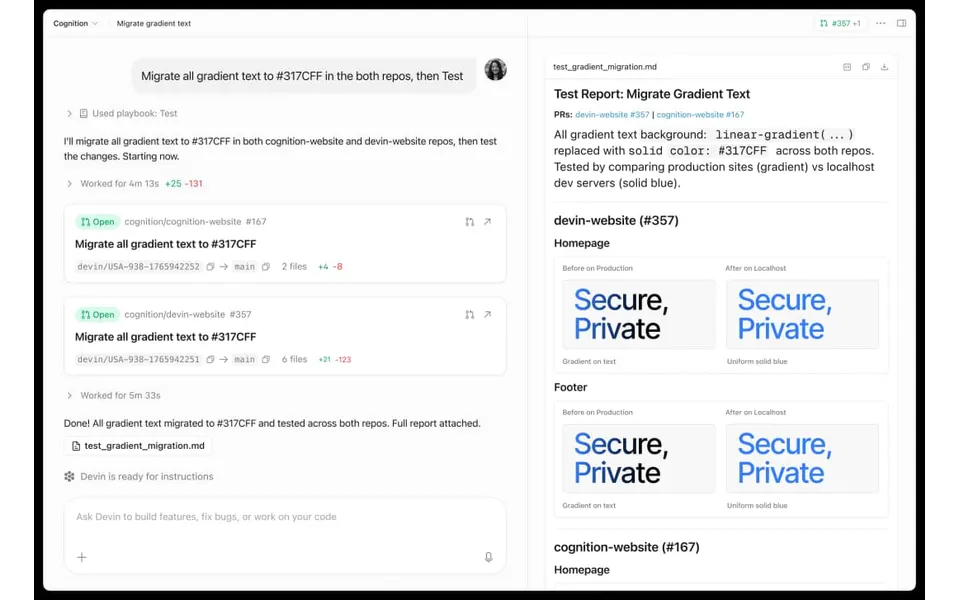
- Desktop app
- Mac, Windows and Linux
- Browser
- Yes
- Phone
- Not listed
- Command line
- Yes
- Agents
- Claude Code, Codex, Gemini CLI and OpenCode
- Your subscription
- Works with your own plan
- Agents run
- On your computer, on your own server and in the vendor's cloud
- Laptop closed
- Keeps going
- Isolation
- Worktree, Container and VM
- Parallel agents
- Yes
- Scheduled runs
- Yes
- Coordinator agent
- Yes
- Built-in issues
- Not listed
- Pull requests
- Yes
- Review screen
- Yes
- Team
- Shared sessions, roles and SSO
- Self-hosting
- No
- Licence
- Proprietary
- Price from
- Free
- How it charges
- Free plan, subscription, per seat and usage-based
- Paid plans from
- $11–20/month
Receipts
- Checked
- · oldest answer 2026-11-07
- Findings
- 35 published · 28 cross-checked by a second agent · read them all
- Sources
- 21 public pages on 3 sites: docs.devin.ai, devin.ai, cognition.ai
- Screenshot
- devin.ai, retrieved · first party marketing · shows appearance, not capability
- Data
- /products/devin.json · .md
- Method
- Same rules for all 103 researched ADEs. How we check · Report wrong data
What it does
Where you use it
Devin Desktop, formerly Windsurf, has macOS, Windows and Linux downloads; Linux packages specify glibc >=2.28 and glibcxx >=3.4.25. Vendor package and installer notes explicitly document the editor rebrand; Devin cloud and CLI remain separate surfaces. The web application exposes cloud sessions with shell, IDE and browser tools. Devin CLI is documented as a separate terminal client. Desktop users can start agent sessions, write and run code, and revisit recent sessions and projects.
Source and scope for Where you use itAgents it runs
Desktop supports Claude Code, Codex CLI, OpenCode and Gemini CLI through ACP in addition to Devin Local. Custom ACP-compatible agents are allowed; other named harnesses remain unestablished rather than excluded.
Source and scope for Agents it runsAccounts and subscriptions
Pro, Max and Teams explicitly support using a ChatGPT plan. Desktop ACP agents can also use their own native /login and provider billing; a Devin account remains required for Desktop.
Source and scope for Accounts and subscriptionsWhere agents run
Devin CLI and Desktop local sessions execute on the user computer; cloud sessions use Devin VMs. Outposts moves tool execution to user-controlled machines while the agent loop remains in Devin Cloud.
Source and scope for Where agents runHow work is kept apart
Cloud sessions run on VMs. Desktop also supports per-session Git worktrees through Devin Local and workspaces in Dev Containers; these are separate scoped isolation options.
Source and scope for How work is kept apartParallel work
The introduction describes tackling multiple cloud tasks in parallel; no measured concurrency test was run.
Source and scope for Parallel workScheduled runs
Devin management tools expose schedules; scheduler reliability and overlap handling were not established.
Source and scope for Scheduled runsGit and pull requests
The guide describes returning draft PRs for review.
Source and scope for Git and pull requestsLicence and source
Cognition provides Devin under proprietary service rights: restricted access/use is licensed to customers and all service intellectual property is reserved to Cognition.
Source and scope for Licence and sourcePrice
Prices are USD. Pro costs $20/month and Max $200/month. Teams costs $80/month plus $40/month per full developer seat, checked 7 November 2026. Teams support up to 200 users and charge $40 per full development seat monthly. Teams have an $80 monthly base fee plus seat fees. Paid usage allowances refresh daily and weekly, with model-dependent consumption. Paid users can purchase extra usage at API pricing. Model, task complexity and reasoning affect message cost.
Source and scope for PriceTyped filters
Every value links to its receipt below. Read plan and surface restrictions before using a filter to decide.
| Filter | Value |
|---|---|
| Desktop OS: macOS | Yes cross-checked |
| Desktop OS: Windows | Yes cross-checked |
| Desktop OS: Linux | Yes cross-checked |
| Web client | Yes cross-checked |
| Phone access: Native iOS | Unknown |
| Phone access: Native Android | Unknown |
| Phone access: Phone browser | Unknown |
| CLI | Yes cross-checked |
| Coding agents: Claude Code | Yes |
| Coding agents: Codex | Yes |
| Coding agents: Cursor Agent | Unknown |
| Coding agents: Gemini CLI | Yes |
| Coding agents: OpenCode | Yes |
| Coding agents: Pi | Unknown |
| Coding agents: Grok | Unknown |
| Coding agents: Aider | Unknown |
| Coding agents: Antigravity | Unknown |
| Use my subscription | Yes |
| Where agents run: On your computer | Yes |
| Where agents run: On your own server | Yes |
| Where agents run: In the vendor's cloud | Yes |
| Workspace isolation: Git worktree | Yes |
| Workspace isolation: Container | Yes |
| Workspace isolation: VM or microVM | Yes |
| Parallel runs | Yes cross-checked |
| Coordinator | Yes cross-checked |
| Native issue tracking | Unknown |
| Unattended triggers | Yes cross-checked |
| Shared prompting | Yes |
| Team roles | Yes cross-checked |
| SSO | Yes cross-checked |
| Pull request workflow | Yes cross-checked |
| Review interface | Yes cross-checked |
| Product license: Apache-2.0 | No. Proprietary |
| Product license: MIT | No. Proprietary |
| Product license: GPL-3.0 | No. Proprietary |
| Product license: GPL-3.0-or-later | No. Proprietary |
| Product license: AGPL-3.0 | No. Proprietary |
| Product license: AGPL-3.0-or-later | No. Proprietary |
| Product license: Elastic License 2.0 | No. Proprietary |
| Product license: Custom terms | No. Proprietary |
| Product license: Proprietary | Yes. Proprietary |
| Self-hosting | No |
| Telemetry opt-out | Unknown |
| Free access | Yes cross-checked |
| Starting price: Free | Yes. Free cross-checked |
| Starting price: Up to $20/month | No. Free cross-checked |
| Starting price: $21–40/month | No. Free cross-checked |
| Starting price: $41–100/month | No. Free cross-checked |
| Starting price: Over $100/month | No. Free cross-checked |
| Starting price: Contact for pricing | No. Free cross-checked |
| Pricing model: Free, no paid plan | No |
| Pricing model: Free plan | Yes cross-checked |
| Pricing model: Subscription | Yes cross-checked |
| Pricing model: Per seat | Yes cross-checked |
| Pricing model: Usage-based | Yes cross-checked |
| Pricing model: Per machine or compute | No |
| Pricing model: Bring your own key | Unknown |
| Pricing model: One-time purchase | No |
| Paid plans from: No paid plan | No. $11–20/month |
| Paid plans from: $10 or less/month | No. $11–20/month |
| Paid plans from: $11–20/month | Yes. $11–20/month |
| Paid plans from: $21–40/month | No. $11–20/month |
| Paid plans from: $41–100/month | No. $11–20/month |
| Paid plans from: Over $100/month | No. $11–20/month |
| Paid plans from: Contact sales | No. $11–20/month |
| Lifecycle status: Active | Unknown |
| Lifecycle status: Sunsetting | Unknown |
| Keeps going with laptop closed | Yes |
| Open-source license | No. Proprietary |
| Any desktop app | Yes cross-checked |
| Paid plan up to $20/month | Yes. $11–20/month |
| Paid plan up to $40/month | Yes. $11–20/month |
| Any phone client | Unknown |
Filter receipts
Desktop OS: macOS: Yes cross-checked
Desktop OS: macOS
Typed value: Yes.
Devin Desktop, formerly Windsurf, has macOS, Windows and Linux downloads; Linux packages specify glibc >=2.28 and glibcxx >=3.4.25. Vendor package and installer notes explicitly document the editor rebrand; Devin cloud and CLI remain separate surfaces. The web application exposes cloud sessions with shell, IDE and browser tools. Devin CLI is documented as a separate terminal client. Desktop users can start agent sessions, write and run code, and revisit recent sessions and projects.
- Desktop os: Devin Desktop, formerly Windsurf, has macOS, Windows and Linux downloads; Linux packages specify glibc >=2.28 and glibcxx >=3.4.25. Vendor package and installer notes explicitly document the editor rebrand; Devin cloud and CLI remain separate surfaces.
- Task actions: Desktop users can start agent sessions, write and run code, and revisit recent sessions and projects.
- Unknown after the targeted first-party documentation, release and repository pass: mobile_apps, mobile_browser, editor_extensions, notifications, cross_device_continuity. No configured product fixture was run; documentation does not establish successful hands-on behavior.
-
Finding: Devin Desktop installs on macOS, Windows and Linux; its primary local harness is Devin Local, shared with Devin CLI. A Devin account is required; cloud and local workflows remain distinct.
Desktop OS: Windows: Yes cross-checked
Desktop OS: Windows
Typed value: Yes.
Devin Desktop, formerly Windsurf, has macOS, Windows and Linux downloads; Linux packages specify glibc >=2.28 and glibcxx >=3.4.25. Vendor package and installer notes explicitly document the editor rebrand; Devin cloud and CLI remain separate surfaces. The web application exposes cloud sessions with shell, IDE and browser tools. Devin CLI is documented as a separate terminal client. Desktop users can start agent sessions, write and run code, and revisit recent sessions and projects.
- Desktop os: Devin Desktop, formerly Windsurf, has macOS, Windows and Linux downloads; Linux packages specify glibc >=2.28 and glibcxx >=3.4.25. Vendor package and installer notes explicitly document the editor rebrand; Devin cloud and CLI remain separate surfaces.
- Task actions: Desktop users can start agent sessions, write and run code, and revisit recent sessions and projects.
- Unknown after the targeted first-party documentation, release and repository pass: mobile_apps, mobile_browser, editor_extensions, notifications, cross_device_continuity. No configured product fixture was run; documentation does not establish successful hands-on behavior.
-
Finding: Devin Desktop installs on macOS, Windows and Linux; its primary local harness is Devin Local, shared with Devin CLI. A Devin account is required; cloud and local workflows remain distinct.
Desktop OS: Linux: Yes cross-checked
Desktop OS: Linux
Typed value: Yes.
Devin Desktop, formerly Windsurf, has macOS, Windows and Linux downloads; Linux packages specify glibc >=2.28 and glibcxx >=3.4.25. Vendor package and installer notes explicitly document the editor rebrand; Devin cloud and CLI remain separate surfaces. The web application exposes cloud sessions with shell, IDE and browser tools. Devin CLI is documented as a separate terminal client. Desktop users can start agent sessions, write and run code, and revisit recent sessions and projects.
- Desktop os: Devin Desktop, formerly Windsurf, has macOS, Windows and Linux downloads; Linux packages specify glibc >=2.28 and glibcxx >=3.4.25. Vendor package and installer notes explicitly document the editor rebrand; Devin cloud and CLI remain separate surfaces.
- Task actions: Desktop users can start agent sessions, write and run code, and revisit recent sessions and projects.
- Unknown after the targeted first-party documentation, release and repository pass: mobile_apps, mobile_browser, editor_extensions, notifications, cross_device_continuity. No configured product fixture was run; documentation does not establish successful hands-on behavior.
-
Finding: Devin Desktop installs on macOS, Windows and Linux; its primary local harness is Devin Local, shared with Devin CLI. A Devin account is required; cloud and local workflows remain distinct.
Web client: Yes cross-checked
Web client
Typed value: Yes.
Devin Desktop, formerly Windsurf, has macOS, Windows and Linux downloads; Linux packages specify glibc >=2.28 and glibcxx >=3.4.25. Vendor package and installer notes explicitly document the editor rebrand; Devin cloud and CLI remain separate surfaces. The web application exposes cloud sessions with shell, IDE and browser tools. Devin CLI is documented as a separate terminal client. Desktop users can start agent sessions, write and run code, and revisit recent sessions and projects.
- Browser: The web application exposes cloud sessions with shell, IDE and browser tools.
- Cli: Devin CLI is documented as a separate terminal client.
- Unknown after the targeted first-party documentation, release and repository pass: mobile_apps, mobile_browser, editor_extensions, notifications, cross_device_continuity. No configured product fixture was run; documentation does not establish successful hands-on behavior.
-
Finding: Devin cloud provides shell, IDE and interactive browser tools; local CLI can hand work to cloud.
CLI: Yes cross-checked
CLI
Typed value: Yes.
Devin Desktop, formerly Windsurf, has macOS, Windows and Linux downloads; Linux packages specify glibc >=2.28 and glibcxx >=3.4.25. Vendor package and installer notes explicitly document the editor rebrand; Devin cloud and CLI remain separate surfaces. The web application exposes cloud sessions with shell, IDE and browser tools. Devin CLI is documented as a separate terminal client. Desktop users can start agent sessions, write and run code, and revisit recent sessions and projects.
- Browser: The web application exposes cloud sessions with shell, IDE and browser tools.
- Cli: Devin CLI is documented as a separate terminal client.
- Unknown after the targeted first-party documentation, release and repository pass: mobile_apps, mobile_browser, editor_extensions, notifications, cross_device_continuity. No configured product fixture was run; documentation does not establish successful hands-on behavior.
-
Finding: Devin cloud provides shell, IDE and interactive browser tools; local CLI can hand work to cloud.
Coding agents: Claude Code: Yes
Coding agents: Claude Code
Typed value: Yes.
Desktop supports Claude Code, Codex CLI, OpenCode and Gemini CLI through ACP in addition to Devin Local. Custom ACP-compatible agents are allowed; other named harnesses remain unestablished rather than excluded.
- Harnesses: Named ACP examples: Codex CLI, Claude Code, OpenCode, Gemini CLI; plus built-in Devin Local.
- Custom adapters: Users or team admins configure a local/team ACP registry. Agent binaries must already be installed; Enterprise requires enablement.
- First-party documentation review only; no installed-product, account or multi-user scenario was executed. Unanswered atomic questions remain open.
-
Devin Desktop Agent Client Protocol
Finding: Desktop explicitly supports Codex CLI, Claude Code, OpenCode and Gemini CLI through ACP. It also supports custom ACP agents; the list is examples, not exhaustive. Agent binaries must already be installed. External agents handle their own /login and provider billing. Free/Pro/Max/Teams support ACP; Enterprise third-party agents need enablement.
Coding agents: Codex: Yes
Coding agents: Codex
Typed value: Yes.
Desktop supports Claude Code, Codex CLI, OpenCode and Gemini CLI through ACP in addition to Devin Local. Custom ACP-compatible agents are allowed; other named harnesses remain unestablished rather than excluded.
- Harnesses: Named ACP examples: Codex CLI, Claude Code, OpenCode, Gemini CLI; plus built-in Devin Local.
- Custom adapters: Users or team admins configure a local/team ACP registry. Agent binaries must already be installed; Enterprise requires enablement.
- First-party documentation review only; no installed-product, account or multi-user scenario was executed. Unanswered atomic questions remain open.
-
Devin Desktop Agent Client Protocol
Finding: Desktop explicitly supports Codex CLI, Claude Code, OpenCode and Gemini CLI through ACP. It also supports custom ACP agents; the list is examples, not exhaustive. Agent binaries must already be installed. External agents handle their own /login and provider billing. Free/Pro/Max/Teams support ACP; Enterprise third-party agents need enablement.
Coding agents: Gemini CLI: Yes
Coding agents: Gemini CLI
Typed value: Yes.
Desktop supports Claude Code, Codex CLI, OpenCode and Gemini CLI through ACP in addition to Devin Local. Custom ACP-compatible agents are allowed; other named harnesses remain unestablished rather than excluded.
- Harnesses: Named ACP examples: Codex CLI, Claude Code, OpenCode, Gemini CLI; plus built-in Devin Local.
- Custom adapters: Users or team admins configure a local/team ACP registry. Agent binaries must already be installed; Enterprise requires enablement.
- First-party documentation review only; no installed-product, account or multi-user scenario was executed. Unanswered atomic questions remain open.
-
Devin Desktop Agent Client Protocol
Finding: Desktop explicitly supports Codex CLI, Claude Code, OpenCode and Gemini CLI through ACP. It also supports custom ACP agents; the list is examples, not exhaustive. Agent binaries must already be installed. External agents handle their own /login and provider billing. Free/Pro/Max/Teams support ACP; Enterprise third-party agents need enablement.
Coding agents: OpenCode: Yes
Coding agents: OpenCode
Typed value: Yes.
Desktop supports Claude Code, Codex CLI, OpenCode and Gemini CLI through ACP in addition to Devin Local. Custom ACP-compatible agents are allowed; other named harnesses remain unestablished rather than excluded.
- Harnesses: Named ACP examples: Codex CLI, Claude Code, OpenCode, Gemini CLI; plus built-in Devin Local.
- Custom adapters: Users or team admins configure a local/team ACP registry. Agent binaries must already be installed; Enterprise requires enablement.
- First-party documentation review only; no installed-product, account or multi-user scenario was executed. Unanswered atomic questions remain open.
-
Devin Desktop Agent Client Protocol
Finding: Desktop explicitly supports Codex CLI, Claude Code, OpenCode and Gemini CLI through ACP. It also supports custom ACP agents; the list is examples, not exhaustive. Agent binaries must already be installed. External agents handle their own /login and provider billing. Free/Pro/Max/Teams support ACP; Enterprise third-party agents need enablement.
Use my subscription: Yes
Use my subscription
Typed value: Yes.
Pro, Max and Teams explicitly support using a ChatGPT plan. Desktop ACP agents can also use their own native /login and provider billing; a Devin account remains required for Desktop.
- Agent subscriptions: Use your ChatGPT plan is a listed Pro/Max/Teams benefit. ACP agents authenticate through their own /login.
- Only the cited atomic facts are established. No configured product, account, billing or multi-user scenario was run; remaining atomic answers stay unknown.
-
Devin Desktop Agent Client Protocol
Finding: Desktop explicitly supports Codex CLI, Claude Code, OpenCode and Gemini CLI through ACP. It also supports custom ACP agents; the list is examples, not exhaustive. Agent binaries must already be installed. External agents handle their own /login and provider billing. Free/Pro/Max/Teams support ACP; Enterprise third-party agents need enablement.
-
Devin current plans and pricing
Finding: Free is $0; Pro is $20/month; Max $200/month; Teams is $80/month plus $40/month per full development seat; Enterprise is contact sales. Pro, Max and Teams explicitly list Use your ChatGPT plan. Teams explicitly lists multiplayer sessions. Paid overages are at API pricing; there is no separate compute or one-time plan in the complete list.
Where agents run: On your computer: Yes
Where agents run: On your computer
Typed value: Yes.
Devin CLI and Desktop local sessions execute on the user computer; cloud sessions use Devin VMs. Outposts moves tool execution to user-controlled machines while the agent loop remains in Devin Cloud.
- Local: Devin CLI is a local coding agent and Desktop exposes local agent sessions.
- Only the cited atomic facts are established. No configured product, account, billing or multi-user scenario was run; remaining atomic answers stay unknown.
-
Finding: Devin Desktop installs on macOS, Windows and Linux; its primary local harness is Devin Local, shared with Devin CLI. A Devin account is required; cloud and local workflows remain distinct.
-
Finding: Devin CLI runs locally on macOS, Linux and Windows. Cloud Devin runs in a VM. CLI currently does not support account Knowledge, Playbooks or Secrets; these are planned, not shipped.
Where agents run: On your own server: Yes
Where agents run: On your own server
Typed value: Yes.
Devin CLI and Desktop local sessions execute on the user computer; cloud sessions use Devin VMs. Outposts moves tool execution to user-controlled machines while the agent loop remains in Devin Cloud.
- Byo remote: Outposts workers execute commands, edits and repository operations on user-controlled infrastructure.
- Self hosted: Outposts self-manages execution workers; the agent loop and queue remain hosted.
- Only the cited atomic facts are established. No configured product, account, billing or multi-user scenario was run; remaining atomic answers stay unknown.
-
Finding: Outposts runs command execution, file edits and repository access on user machines, VMs, containers or Kubernetes. The agent loop, inference and planning remain in Devin Cloud. Workers claim sessions from a named queue; N workers serve N concurrent sessions.
Where agents run: In the vendor's cloud: Yes
Where agents run: In the vendor's cloud
Typed value: Yes.
Devin CLI and Desktop local sessions execute on the user computer; cloud sessions use Devin VMs. Outposts moves tool execution to user-controlled machines while the agent loop remains in Devin Cloud.
- Managed cloud: Cloud sessions run on their own Devin VM and continue after the CLI terminal closes.
- Hybrid: Cloud work can request commands or edits on a connected local computer through Local Hands.
- Client disconnect: Closing the CLI terminal does not stop its cloud VM session.
- Other device continuation: A cloud session started through CLI, web or Desktop can be resumed by URL or ID.
- Only the cited atomic facts are established. No configured product, account, billing or multi-user scenario was run; remaining atomic answers stay unknown.
-
Finding: Cloud sessions run on their own VM and continue when the terminal closes. Resume accepts a session URL/ID. Pickup checks out the PR branch locally; Local Hands requires per-call approval.
Workspace isolation: Git worktree: Yes
Workspace isolation: Git worktree
Typed value: Yes.
Cloud sessions run on VMs. Desktop also supports per-session Git worktrees through Devin Local and workspaces in Dev Containers; these are separate scoped isolation options.
- Worktree: Devin Local can run a session in a Git worktree and merge it back.
- Only the cited atomic facts are established. No configured product, account, billing or multi-user scenario was run; remaining atomic answers stay unknown.
-
Finding: Devin Local is the Devin CLI harness inside Desktop; it can run a session in a Git worktree and merge changes back into the workspace.
Workspace isolation: Container: Yes
Workspace isolation: Container
Typed value: Yes.
Cloud sessions run on VMs. Desktop also supports per-session Git worktrees through Devin Local and workspaces in Dev Containers; these are separate scoped isolation options.
- Container: Desktop can create/reopen workspaces in configured containers or attach to running Docker containers.
- Only the cited atomic facts are established. No configured product, account, billing or multi-user scenario was run; remaining atomic answers stay unknown.
-
Devin Desktop advanced configuration
Finding: Desktop can open/reopen a workspace in a devcontainer.json-defined container or attach to a running Docker container, including from SSH windows.
Workspace isolation: VM or microVM: Yes
Workspace isolation: VM or microVM
Typed value: Yes.
Cloud sessions run on VMs. Desktop also supports per-session Git worktrees through Devin Local and workspaces in Dev Containers; these are separate scoped isolation options.
- Vm: Devin Cloud runs on a virtual machine, unlike local CLI execution.
- Only the cited atomic facts are established. No configured product, account, billing or multi-user scenario was run; remaining atomic answers stay unknown.
-
Finding: Devin CLI runs locally on macOS, Linux and Windows. Cloud Devin runs in a VM. CLI currently does not support account Knowledge, Playbooks or Secrets; these are planned, not shipped.
Parallel runs: Yes cross-checked
Parallel runs
Typed value: Yes.
The introduction describes tackling multiple cloud tasks in parallel; no measured concurrency test was run.
- Concurrent tasks: The introduction describes tackling multiple cloud tasks in parallel; no measured concurrency test was run.
- Parallel work: first-party sources in this pass did not establish concurrent_sessions, quotas, observed_concurrency, status_visibility. No concurrent-worker, duplicate-claim, delegation-retention or twelve-state fleet fixture was run. UI labels alone do not establish enforcement.
-
Finding: Devin cloud provides shell, IDE and interactive browser tools; local CLI can hand work to cloud.
Coordinator: Yes cross-checked
Coordinator
Typed value: Yes.
The CLI main agent delegates independent workers using profiles. General workers inherit the parent model; custom profiles can pin a model. The live subagent panel does not identify the child model. Devin management tools can create and message child sessions; retained-result and cross-harness behavior was not tested. The parent receives child completion and summarizes its result. The agent selects foreground or background mode for each worker. Subagent activity is available, but raw output is not directly shown to the human.
- Messages: Devin management tools can create and message child sessions; retained-result and cross-harness behavior was not tested.
- Unknown after the targeted first-party documentation, release and repository pass: cross_harness, orchestration_owner, authentication, retained_results, followup, invocation. No configured product fixture was run; documentation does not establish successful hands-on behavior.
-
Finding: Security profiles separately restrict network, external MCP, Devin-management tools and Git writes; child sessions inherit the profile chain.
Unattended triggers: Yes cross-checked
Unattended triggers
Typed value: Yes.
Devin management tools expose schedules; scheduler reliability and overlap handling were not established.
- Schedules: Devin management tools expose schedules; scheduler reliability and overlap handling were not established.
- Unattended triggers: first-party sources in this pass did not establish events, recurring_tasks, completion_conditions, scheduler_location, overlaps, retries, client_independence. No concurrent-worker, duplicate-claim, delegation-retention or twelve-state fleet fixture was run. UI labels alone do not establish enforcement.
-
Finding: Security profiles separately restrict network, external MCP, Devin-management tools and Git writes; child sessions inherit the profile chain.
Shared prompting: Yes
Shared prompting
Typed value: Yes.
Teams supports multiplayer sessions. With Slack integration, members can send replies into the same synced Devin session; every message in a dedicated code channel reaches that session.
- Discussion: Slack thread/session messages sync bidirectionally.
- Coprompting: Team members can send instructions through the same synced Slack session thread or code channel.
- Plan restrictions: The Teams plan explicitly includes multiplayer; channel/integration permissions still apply.
- First-party documentation review only; no installed-product, account or multi-user scenario was executed. Unanswered atomic questions remain open.
-
Devin current plans and pricing
Finding: Free is $0; Pro is $20/month; Max $200/month; Teams is $80/month plus $40/month per full development seat; Enterprise is contact sales. Pro, Max and Teams explicitly list Use your ChatGPT plan. Teams explicitly lists multiplayer sessions. Paid overages are at API pricing; there is no separate compute or one-time plan in the complete list.
-
Finding: Sessions sync bidirectionally with Slack threads: web messages appear in the thread and thread replies reach Devin. A code channel is dedicated to one session and every message sent in it goes to that session; documentation describes team collaboration on runs.
Team roles: Yes cross-checked
Team roles
Typed value: Yes.
Service users have roles; creating sessions as another user requires ImpersonateOrgSessions. Enterprise lists SAML/OIDC SSO and enterprise administration.
- Organization roles: Service users have roles; creating sessions as another user requires ImpersonateOrgSessions.
- Roles and access boundaries: first-party sources in this pass did not establish project_roles, task_roles, membership, provisioning, unauthorized_access, revocation, plan_scope. No two-account permission, simultaneous steering, revocation or colleague-takeover fixture was run. Sharing and presence do not establish co-prompting.
-
Finding: The v3 organization and enterprise APIs manage sessions and context resources with service users or personal tokens; attribution requires defined permissions.
SSO: Yes cross-checked
SSO
Typed value: Yes.
Service users have roles; creating sessions as another user requires ImpersonateOrgSessions. Enterprise lists SAML/OIDC SSO and enterprise administration.
- Sso: Enterprise lists SAML/OIDC SSO and enterprise administration.
- Roles and access boundaries: first-party sources in this pass did not establish project_roles, task_roles, membership, provisioning, unauthorized_access, revocation, plan_scope. No two-account permission, simultaneous steering, revocation or colleague-takeover fixture was run. Sharing and presence do not establish co-prompting.
-
Finding: Free desktop access differs from Pro cloud access; Teams has a base fee plus full developer seats, while quota amounts are not fixed in the FAQ.
Pull request workflow: Yes cross-checked
Pull request workflow
Typed value: Yes.
The guide describes returning draft PRs for review.
- Pull requests: The guide describes returning draft PRs for review.
- Git and pull request workflow: first-party sources in this pass did not establish branches, worktrees, commits, comments, ci_response, rebase, conflicts, product_state. No draft PR, failed-gate, stale-approval, rollback or six-task batch-review fixture was run. Described actions do not prove delivery authority.
-
Finding: Devin cloud provides shell, IDE and interactive browser tools; local CLI can hand work to cloud.
Review interface: Yes cross-checked
Review interface
Typed value: Yes.
The Review inbox lists authored, assigned and awaiting-review PRs. Review groups related diffs and explains behavior. Devin Review supports provider-dependent review comments. GitHub reviews can request changes in the Devin interface. Mobile review opens Changes, with Bugs and other tabs. Review history can inspect an earlier analysis.
- Pending reviews: The Review inbox lists authored, assigned and awaiting-review PRs.
- Change understanding: Review groups related diffs and explains behavior.
- Comments: Devin Review supports provider-dependent review comments.
- Request changes: GitHub reviews can request changes in the Devin interface.
- Narrow screen: Mobile review opens Changes, with Bugs and other tabs.
- Retained context: Review history can inspect an earlier analysis.
- Unknown after the targeted first-party documentation, release and repository pass: evidence_navigation, shipping_guidance, effort, missed_evidence, keyboard, context_switching, roles. No configured product fixture was run; documentation does not establish successful hands-on behavior.
-
Finding: Devin Review displays grouped diffs, supports comments and request changes, retains analyses and CI status, and offers provider-dependent PR workflow actions. Write actions require appropriate connected identities and permissions.
Product license: Apache-2.0: No. Proprietary
Product license: Apache-2.0
Typed value: No. Proprietary.
Cognition provides Devin under proprietary service rights: restricted access/use is licensed to customers and all service intellectual property is reserved to Cognition.
- Client license: Proprietary vendor software/service terms; source-visible integrations do not license the main application.
- Terms establish the main product rights; third-party dependencies and user outputs retain their separate licenses.
-
Finding: Sections 2.1 and 3.1 reserve Cognition rights in the Services and grant a non-exclusive, non-transferable and non-sublicensable right to use the Services for internal business purposes. These are proprietary service terms, separate from user ownership of outputs.
Product license: MIT: No. Proprietary
Product license: MIT
Typed value: No. Proprietary.
Cognition provides Devin under proprietary service rights: restricted access/use is licensed to customers and all service intellectual property is reserved to Cognition.
- Client license: Proprietary vendor software/service terms; source-visible integrations do not license the main application.
- Terms establish the main product rights; third-party dependencies and user outputs retain their separate licenses.
-
Finding: Sections 2.1 and 3.1 reserve Cognition rights in the Services and grant a non-exclusive, non-transferable and non-sublicensable right to use the Services for internal business purposes. These are proprietary service terms, separate from user ownership of outputs.
Product license: GPL-3.0: No. Proprietary
Product license: GPL-3.0
Typed value: No. Proprietary.
Cognition provides Devin under proprietary service rights: restricted access/use is licensed to customers and all service intellectual property is reserved to Cognition.
- Client license: Proprietary vendor software/service terms; source-visible integrations do not license the main application.
- Terms establish the main product rights; third-party dependencies and user outputs retain their separate licenses.
-
Finding: Sections 2.1 and 3.1 reserve Cognition rights in the Services and grant a non-exclusive, non-transferable and non-sublicensable right to use the Services for internal business purposes. These are proprietary service terms, separate from user ownership of outputs.
Product license: GPL-3.0-or-later: No. Proprietary
Product license: GPL-3.0-or-later
Typed value: No. Proprietary.
Cognition provides Devin under proprietary service rights: restricted access/use is licensed to customers and all service intellectual property is reserved to Cognition.
- Client license: Proprietary vendor software/service terms; source-visible integrations do not license the main application.
- Terms establish the main product rights; third-party dependencies and user outputs retain their separate licenses.
-
Finding: Sections 2.1 and 3.1 reserve Cognition rights in the Services and grant a non-exclusive, non-transferable and non-sublicensable right to use the Services for internal business purposes. These are proprietary service terms, separate from user ownership of outputs.
Product license: AGPL-3.0: No. Proprietary
Product license: AGPL-3.0
Typed value: No. Proprietary.
Cognition provides Devin under proprietary service rights: restricted access/use is licensed to customers and all service intellectual property is reserved to Cognition.
- Client license: Proprietary vendor software/service terms; source-visible integrations do not license the main application.
- Terms establish the main product rights; third-party dependencies and user outputs retain their separate licenses.
-
Finding: Sections 2.1 and 3.1 reserve Cognition rights in the Services and grant a non-exclusive, non-transferable and non-sublicensable right to use the Services for internal business purposes. These are proprietary service terms, separate from user ownership of outputs.
Product license: AGPL-3.0-or-later: No. Proprietary
Product license: AGPL-3.0-or-later
Typed value: No. Proprietary.
Cognition provides Devin under proprietary service rights: restricted access/use is licensed to customers and all service intellectual property is reserved to Cognition.
- Client license: Proprietary vendor software/service terms; source-visible integrations do not license the main application.
- Terms establish the main product rights; third-party dependencies and user outputs retain their separate licenses.
-
Finding: Sections 2.1 and 3.1 reserve Cognition rights in the Services and grant a non-exclusive, non-transferable and non-sublicensable right to use the Services for internal business purposes. These are proprietary service terms, separate from user ownership of outputs.
Product license: Elastic License 2.0: No. Proprietary
Product license: Elastic License 2.0
Typed value: No. Proprietary.
Cognition provides Devin under proprietary service rights: restricted access/use is licensed to customers and all service intellectual property is reserved to Cognition.
- Client license: Proprietary vendor software/service terms; source-visible integrations do not license the main application.
- Terms establish the main product rights; third-party dependencies and user outputs retain their separate licenses.
-
Finding: Sections 2.1 and 3.1 reserve Cognition rights in the Services and grant a non-exclusive, non-transferable and non-sublicensable right to use the Services for internal business purposes. These are proprietary service terms, separate from user ownership of outputs.
Product license: Custom terms: No. Proprietary
Product license: Custom terms
Typed value: No. Proprietary.
Cognition provides Devin under proprietary service rights: restricted access/use is licensed to customers and all service intellectual property is reserved to Cognition.
- Client license: Proprietary vendor software/service terms; source-visible integrations do not license the main application.
- Terms establish the main product rights; third-party dependencies and user outputs retain their separate licenses.
-
Finding: Sections 2.1 and 3.1 reserve Cognition rights in the Services and grant a non-exclusive, non-transferable and non-sublicensable right to use the Services for internal business purposes. These are proprietary service terms, separate from user ownership of outputs.
Product license: Proprietary: Yes. Proprietary
Product license: Proprietary
Typed value: Yes. Proprietary.
Cognition provides Devin under proprietary service rights: restricted access/use is licensed to customers and all service intellectual property is reserved to Cognition.
- Client license: Proprietary vendor software/service terms; source-visible integrations do not license the main application.
- Terms establish the main product rights; third-party dependencies and user outputs retain their separate licenses.
-
Finding: Sections 2.1 and 3.1 reserve Cognition rights in the Services and grant a non-exclusive, non-transferable and non-sublicensable right to use the Services for internal business purposes. These are proprietary service terms, separate from user ownership of outputs.
Self-hosting: No
Self-hosting
Typed value: No.
Outposts self-hosts tool execution on user infrastructure, while the agent loop, inference, planning and queue remain in Devin Cloud. It is not a self-hosted core cloud ADE.
- Self hosting: Outposts docs explicitly retain the agent loop and queue in Devin Cloud; only execution workers move.
- Vendor dependencies: Workers require an outbound connection to the Devin Cloud queue and agent loop.
- First-party documentation review only; no installed-product, account or multi-user scenario was executed. Unanswered atomic questions remain open.
-
Finding: Outposts runs command execution, file edits and repository access on user machines, VMs, containers or Kubernetes. The agent loop, inference and planning remain in Devin Cloud. Workers claim sessions from a named queue; N workers serve N concurrent sessions.
Free access: Yes cross-checked
Free access
Typed value: Yes.
Free includes a light agent quota, limited models and unlimited inline edits/Tab completion in desktop; free cloud access is not established. Pro explicitly includes access to Devin Cloud. Free has a light agent quota and limited model availability; paid allowances reset daily and weekly.
- Ongoing free: Free includes a light agent quota, limited models and unlimited inline edits/Tab completion in desktop; free cloud access is not established.
- Paid only: Pro explicitly includes access to Devin Cloud.
- Unknown after the targeted first-party documentation, release and repository pass: trial, credits_trial, self_host_cost, early_access, free_scenarios, card_required, paid_evaluation. No configured product fixture was run; documentation does not establish successful hands-on behavior.
-
Finding: Free desktop access differs from Pro cloud access; Teams has a base fee plus full developer seats, while quota amounts are not fixed in the FAQ.
Starting price: Free: Yes. Free cross-checked
Starting price: Free
Typed value: Yes. Free.
Free includes a light agent quota, limited models and unlimited inline edits/Tab completion in desktop; free cloud access is not established. Pro explicitly includes access to Devin Cloud. Free has a light agent quota and limited model availability; paid allowances reset daily and weekly.
- Ongoing free: Free includes a light agent quota, limited models and unlimited inline edits/Tab completion in desktop; free cloud access is not established.
- Paid only: Pro explicitly includes access to Devin Cloud.
- Unknown after the targeted first-party documentation, release and repository pass: trial, credits_trial, self_host_cost, early_access, free_scenarios, card_required, paid_evaluation. No configured product fixture was run; documentation does not establish successful hands-on behavior.
-
Finding: Free desktop access differs from Pro cloud access; Teams has a base fee plus full developer seats, while quota amounts are not fixed in the FAQ.
Starting price: Up to $20/month: No. Free cross-checked
Starting price: Up to $20/month
Typed value: No. Free.
Free includes a light agent quota, limited models and unlimited inline edits/Tab completion in desktop; free cloud access is not established. Pro explicitly includes access to Devin Cloud. Free has a light agent quota and limited model availability; paid allowances reset daily and weekly.
- Ongoing free: Free includes a light agent quota, limited models and unlimited inline edits/Tab completion in desktop; free cloud access is not established.
- Paid only: Pro explicitly includes access to Devin Cloud.
- Unknown after the targeted first-party documentation, release and repository pass: trial, credits_trial, self_host_cost, early_access, free_scenarios, card_required, paid_evaluation. No configured product fixture was run; documentation does not establish successful hands-on behavior.
-
Finding: Free desktop access differs from Pro cloud access; Teams has a base fee plus full developer seats, while quota amounts are not fixed in the FAQ.
Starting price: $21–40/month: No. Free cross-checked
Starting price: $21–40/month
Typed value: No. Free.
Free includes a light agent quota, limited models and unlimited inline edits/Tab completion in desktop; free cloud access is not established. Pro explicitly includes access to Devin Cloud. Free has a light agent quota and limited model availability; paid allowances reset daily and weekly.
- Ongoing free: Free includes a light agent quota, limited models and unlimited inline edits/Tab completion in desktop; free cloud access is not established.
- Paid only: Pro explicitly includes access to Devin Cloud.
- Unknown after the targeted first-party documentation, release and repository pass: trial, credits_trial, self_host_cost, early_access, free_scenarios, card_required, paid_evaluation. No configured product fixture was run; documentation does not establish successful hands-on behavior.
-
Finding: Free desktop access differs from Pro cloud access; Teams has a base fee plus full developer seats, while quota amounts are not fixed in the FAQ.
Starting price: $41–100/month: No. Free cross-checked
Starting price: $41–100/month
Typed value: No. Free.
Free includes a light agent quota, limited models and unlimited inline edits/Tab completion in desktop; free cloud access is not established. Pro explicitly includes access to Devin Cloud. Free has a light agent quota and limited model availability; paid allowances reset daily and weekly.
- Ongoing free: Free includes a light agent quota, limited models and unlimited inline edits/Tab completion in desktop; free cloud access is not established.
- Paid only: Pro explicitly includes access to Devin Cloud.
- Unknown after the targeted first-party documentation, release and repository pass: trial, credits_trial, self_host_cost, early_access, free_scenarios, card_required, paid_evaluation. No configured product fixture was run; documentation does not establish successful hands-on behavior.
-
Finding: Free desktop access differs from Pro cloud access; Teams has a base fee plus full developer seats, while quota amounts are not fixed in the FAQ.
Starting price: Over $100/month: No. Free cross-checked
Starting price: Over $100/month
Typed value: No. Free.
Free includes a light agent quota, limited models and unlimited inline edits/Tab completion in desktop; free cloud access is not established. Pro explicitly includes access to Devin Cloud. Free has a light agent quota and limited model availability; paid allowances reset daily and weekly.
- Ongoing free: Free includes a light agent quota, limited models and unlimited inline edits/Tab completion in desktop; free cloud access is not established.
- Paid only: Pro explicitly includes access to Devin Cloud.
- Unknown after the targeted first-party documentation, release and repository pass: trial, credits_trial, self_host_cost, early_access, free_scenarios, card_required, paid_evaluation. No configured product fixture was run; documentation does not establish successful hands-on behavior.
-
Finding: Free desktop access differs from Pro cloud access; Teams has a base fee plus full developer seats, while quota amounts are not fixed in the FAQ.
Starting price: Contact for pricing: No. Free cross-checked
Starting price: Contact for pricing
Typed value: No. Free.
Free includes a light agent quota, limited models and unlimited inline edits/Tab completion in desktop; free cloud access is not established. Pro explicitly includes access to Devin Cloud. Free has a light agent quota and limited model availability; paid allowances reset daily and weekly.
- Ongoing free: Free includes a light agent quota, limited models and unlimited inline edits/Tab completion in desktop; free cloud access is not established.
- Paid only: Pro explicitly includes access to Devin Cloud.
- Unknown after the targeted first-party documentation, release and repository pass: trial, credits_trial, self_host_cost, early_access, free_scenarios, card_required, paid_evaluation. No configured product fixture was run; documentation does not establish successful hands-on behavior.
-
Finding: Free desktop access differs from Pro cloud access; Teams has a base fee plus full developer seats, while quota amounts are not fixed in the FAQ.
Pricing model: Free, no paid plan: No
Pricing model: Free, no paid plan
Typed value: No.
Prices are USD. Pro costs $20/month and Max $200/month. Teams costs $80/month plus $40/month per full developer seat, checked 7 November 2026. Teams support up to 200 users and charge $40 per full development seat monthly. Teams have an $80 monthly base fee plus seat fees. Paid usage allowances refresh daily and weekly, with model-dependent consumption. Paid users can purchase extra usage at API pricing. Model, task complexity and reasoning affect message cost.
- Currency: Prices are USD.
- Seats: Teams support up to 200 users and charge $40 per full development seat monthly.
- Workspace fees: Teams have an $80 monthly base fee plus seat fees.
- Included usage: Paid usage allowances refresh daily and weekly, with model-dependent consumption.
- Overages: Paid users can purchase extra usage at API pricing.
- Model cost: Model, task complexity and reasoning affect message cost.
- Unknown after the targeted first-party documentation, release and repository pass: seat_minimum, credits, trial, taxes, compute_cost. No configured product fixture was run; documentation does not establish successful hands-on behavior.
-
Finding: Free desktop access has a light agent quota. Pro costs $20/month, Max $200. Teams charge $80/month plus $40/full-development seat. Paid usage allowances refresh daily and weekly; extra usage is at API pricing.
Pricing model: Free plan: Yes cross-checked
Pricing model: Free plan
Typed value: Yes.
Prices are USD. Pro costs $20/month and Max $200/month. Teams costs $80/month plus $40/month per full developer seat, checked 7 November 2026. Teams support up to 200 users and charge $40 per full development seat monthly. Teams have an $80 monthly base fee plus seat fees. Paid usage allowances refresh daily and weekly, with model-dependent consumption. Paid users can purchase extra usage at API pricing. Model, task complexity and reasoning affect message cost.
- Currency: Prices are USD.
- Seats: Teams support up to 200 users and charge $40 per full development seat monthly.
- Workspace fees: Teams have an $80 monthly base fee plus seat fees.
- Included usage: Paid usage allowances refresh daily and weekly, with model-dependent consumption.
- Overages: Paid users can purchase extra usage at API pricing.
- Model cost: Model, task complexity and reasoning affect message cost.
- Unknown after the targeted first-party documentation, release and repository pass: seat_minimum, credits, trial, taxes, compute_cost. No configured product fixture was run; documentation does not establish successful hands-on behavior.
-
Finding: Free desktop access has a light agent quota. Pro costs $20/month, Max $200. Teams charge $80/month plus $40/full-development seat. Paid usage allowances refresh daily and weekly; extra usage is at API pricing.
Pricing model: Subscription: Yes cross-checked
Pricing model: Subscription
Typed value: Yes.
Prices are USD. Pro costs $20/month and Max $200/month. Teams costs $80/month plus $40/month per full developer seat, checked 7 November 2026. Teams support up to 200 users and charge $40 per full development seat monthly. Teams have an $80 monthly base fee plus seat fees. Paid usage allowances refresh daily and weekly, with model-dependent consumption. Paid users can purchase extra usage at API pricing. Model, task complexity and reasoning affect message cost.
- Currency: Prices are USD.
- Seats: Teams support up to 200 users and charge $40 per full development seat monthly.
- Workspace fees: Teams have an $80 monthly base fee plus seat fees.
- Included usage: Paid usage allowances refresh daily and weekly, with model-dependent consumption.
- Overages: Paid users can purchase extra usage at API pricing.
- Model cost: Model, task complexity and reasoning affect message cost.
- Unknown after the targeted first-party documentation, release and repository pass: seat_minimum, credits, trial, taxes, compute_cost. No configured product fixture was run; documentation does not establish successful hands-on behavior.
-
Finding: Free desktop access has a light agent quota. Pro costs $20/month, Max $200. Teams charge $80/month plus $40/full-development seat. Paid usage allowances refresh daily and weekly; extra usage is at API pricing.
Pricing model: Per seat: Yes cross-checked
Pricing model: Per seat
Typed value: Yes.
Prices are USD. Pro costs $20/month and Max $200/month. Teams costs $80/month plus $40/month per full developer seat, checked 7 November 2026. Teams support up to 200 users and charge $40 per full development seat monthly. Teams have an $80 monthly base fee plus seat fees. Paid usage allowances refresh daily and weekly, with model-dependent consumption. Paid users can purchase extra usage at API pricing. Model, task complexity and reasoning affect message cost.
- Currency: Prices are USD.
- Seats: Teams support up to 200 users and charge $40 per full development seat monthly.
- Workspace fees: Teams have an $80 monthly base fee plus seat fees.
- Included usage: Paid usage allowances refresh daily and weekly, with model-dependent consumption.
- Overages: Paid users can purchase extra usage at API pricing.
- Model cost: Model, task complexity and reasoning affect message cost.
- Unknown after the targeted first-party documentation, release and repository pass: seat_minimum, credits, trial, taxes, compute_cost. No configured product fixture was run; documentation does not establish successful hands-on behavior.
-
Finding: Free desktop access has a light agent quota. Pro costs $20/month, Max $200. Teams charge $80/month plus $40/full-development seat. Paid usage allowances refresh daily and weekly; extra usage is at API pricing.
Pricing model: Usage-based: Yes cross-checked
Pricing model: Usage-based
Typed value: Yes.
Prices are USD. Pro costs $20/month and Max $200/month. Teams costs $80/month plus $40/month per full developer seat, checked 7 November 2026. Teams support up to 200 users and charge $40 per full development seat monthly. Teams have an $80 monthly base fee plus seat fees. Paid usage allowances refresh daily and weekly, with model-dependent consumption. Paid users can purchase extra usage at API pricing. Model, task complexity and reasoning affect message cost.
- Currency: Prices are USD.
- Seats: Teams support up to 200 users and charge $40 per full development seat monthly.
- Workspace fees: Teams have an $80 monthly base fee plus seat fees.
- Included usage: Paid usage allowances refresh daily and weekly, with model-dependent consumption.
- Overages: Paid users can purchase extra usage at API pricing.
- Model cost: Model, task complexity and reasoning affect message cost.
- Unknown after the targeted first-party documentation, release and repository pass: seat_minimum, credits, trial, taxes, compute_cost. No configured product fixture was run; documentation does not establish successful hands-on behavior.
-
Finding: Free desktop access has a light agent quota. Pro costs $20/month, Max $200. Teams charge $80/month plus $40/full-development seat. Paid usage allowances refresh daily and weekly; extra usage is at API pricing.
Pricing model: Per machine or compute: No
Pricing model: Per machine or compute
Typed value: No.
Prices are USD. Pro costs $20/month and Max $200/month. Teams costs $80/month plus $40/month per full developer seat, checked 7 November 2026. Teams support up to 200 users and charge $40 per full development seat monthly. Teams have an $80 monthly base fee plus seat fees. Paid usage allowances refresh daily and weekly, with model-dependent consumption. Paid users can purchase extra usage at API pricing. Model, task complexity and reasoning affect message cost.
- Currency: Prices are USD.
- Seats: Teams support up to 200 users and charge $40 per full development seat monthly.
- Workspace fees: Teams have an $80 monthly base fee plus seat fees.
- Included usage: Paid usage allowances refresh daily and weekly, with model-dependent consumption.
- Overages: Paid users can purchase extra usage at API pricing.
- Model cost: Model, task complexity and reasoning affect message cost.
- Unknown after the targeted first-party documentation, release and repository pass: seat_minimum, credits, trial, taxes, compute_cost. No configured product fixture was run; documentation does not establish successful hands-on behavior.
-
Finding: Free desktop access has a light agent quota. Pro costs $20/month, Max $200. Teams charge $80/month plus $40/full-development seat. Paid usage allowances refresh daily and weekly; extra usage is at API pricing.
Pricing model: One-time purchase: No
Pricing model: One-time purchase
Typed value: No.
Prices are USD. Pro costs $20/month and Max $200/month. Teams costs $80/month plus $40/month per full developer seat, checked 7 November 2026. Teams support up to 200 users and charge $40 per full development seat monthly. Teams have an $80 monthly base fee plus seat fees. Paid usage allowances refresh daily and weekly, with model-dependent consumption. Paid users can purchase extra usage at API pricing. Model, task complexity and reasoning affect message cost.
- Currency: Prices are USD.
- Seats: Teams support up to 200 users and charge $40 per full development seat monthly.
- Workspace fees: Teams have an $80 monthly base fee plus seat fees.
- Included usage: Paid usage allowances refresh daily and weekly, with model-dependent consumption.
- Overages: Paid users can purchase extra usage at API pricing.
- Model cost: Model, task complexity and reasoning affect message cost.
- Unknown after the targeted first-party documentation, release and repository pass: seat_minimum, credits, trial, taxes, compute_cost. No configured product fixture was run; documentation does not establish successful hands-on behavior.
-
Finding: Free desktop access has a light agent quota. Pro costs $20/month, Max $200. Teams charge $80/month plus $40/full-development seat. Paid usage allowances refresh daily and weekly; extra usage is at API pricing.
Paid plans from: No paid plan: No. $11–20/month
Paid plans from: No paid plan
Typed value: No. $11–20/month.
Prices are USD. Pro costs $20/month and Max $200/month. Teams costs $80/month plus $40/month per full developer seat, checked 7 November 2026. Teams support up to 200 users and charge $40 per full development seat monthly. Teams have an $80 monthly base fee plus seat fees. Paid usage allowances refresh daily and weekly, with model-dependent consumption. Paid users can purchase extra usage at API pricing. Model, task complexity and reasoning affect message cost.
- Currency: Prices are USD.
- Seats: Teams support up to 200 users and charge $40 per full development seat monthly.
- Workspace fees: Teams have an $80 monthly base fee plus seat fees.
- Included usage: Paid usage allowances refresh daily and weekly, with model-dependent consumption.
- Overages: Paid users can purchase extra usage at API pricing.
- Model cost: Model, task complexity and reasoning affect message cost.
- Unknown after the targeted first-party documentation, release and repository pass: seat_minimum, credits, trial, taxes, compute_cost. No configured product fixture was run; documentation does not establish successful hands-on behavior.
-
Finding: Free desktop access has a light agent quota. Pro costs $20/month, Max $200. Teams charge $80/month plus $40/full-development seat. Paid usage allowances refresh daily and weekly; extra usage is at API pricing.
Paid plans from: $10 or less/month: No. $11–20/month
Paid plans from: $10 or less/month
Typed value: No. $11–20/month.
Prices are USD. Pro costs $20/month and Max $200/month. Teams costs $80/month plus $40/month per full developer seat, checked 7 November 2026. Teams support up to 200 users and charge $40 per full development seat monthly. Teams have an $80 monthly base fee plus seat fees. Paid usage allowances refresh daily and weekly, with model-dependent consumption. Paid users can purchase extra usage at API pricing. Model, task complexity and reasoning affect message cost.
- Currency: Prices are USD.
- Seats: Teams support up to 200 users and charge $40 per full development seat monthly.
- Workspace fees: Teams have an $80 monthly base fee plus seat fees.
- Included usage: Paid usage allowances refresh daily and weekly, with model-dependent consumption.
- Overages: Paid users can purchase extra usage at API pricing.
- Model cost: Model, task complexity and reasoning affect message cost.
- Unknown after the targeted first-party documentation, release and repository pass: seat_minimum, credits, trial, taxes, compute_cost. No configured product fixture was run; documentation does not establish successful hands-on behavior.
-
Finding: Free desktop access has a light agent quota. Pro costs $20/month, Max $200. Teams charge $80/month plus $40/full-development seat. Paid usage allowances refresh daily and weekly; extra usage is at API pricing.
Paid plans from: $11–20/month: Yes. $11–20/month
Paid plans from: $11–20/month
Typed value: Yes. $11–20/month.
Prices are USD. Pro costs $20/month and Max $200/month. Teams costs $80/month plus $40/month per full developer seat, checked 7 November 2026. Teams support up to 200 users and charge $40 per full development seat monthly. Teams have an $80 monthly base fee plus seat fees. Paid usage allowances refresh daily and weekly, with model-dependent consumption. Paid users can purchase extra usage at API pricing. Model, task complexity and reasoning affect message cost.
- Currency: Prices are USD.
- Seats: Teams support up to 200 users and charge $40 per full development seat monthly.
- Workspace fees: Teams have an $80 monthly base fee plus seat fees.
- Included usage: Paid usage allowances refresh daily and weekly, with model-dependent consumption.
- Overages: Paid users can purchase extra usage at API pricing.
- Model cost: Model, task complexity and reasoning affect message cost.
- Unknown after the targeted first-party documentation, release and repository pass: seat_minimum, credits, trial, taxes, compute_cost. No configured product fixture was run; documentation does not establish successful hands-on behavior.
-
Finding: Free desktop access has a light agent quota. Pro costs $20/month, Max $200. Teams charge $80/month plus $40/full-development seat. Paid usage allowances refresh daily and weekly; extra usage is at API pricing.
Paid plans from: $21–40/month: No. $11–20/month
Paid plans from: $21–40/month
Typed value: No. $11–20/month.
Prices are USD. Pro costs $20/month and Max $200/month. Teams costs $80/month plus $40/month per full developer seat, checked 7 November 2026. Teams support up to 200 users and charge $40 per full development seat monthly. Teams have an $80 monthly base fee plus seat fees. Paid usage allowances refresh daily and weekly, with model-dependent consumption. Paid users can purchase extra usage at API pricing. Model, task complexity and reasoning affect message cost.
- Currency: Prices are USD.
- Seats: Teams support up to 200 users and charge $40 per full development seat monthly.
- Workspace fees: Teams have an $80 monthly base fee plus seat fees.
- Included usage: Paid usage allowances refresh daily and weekly, with model-dependent consumption.
- Overages: Paid users can purchase extra usage at API pricing.
- Model cost: Model, task complexity and reasoning affect message cost.
- Unknown after the targeted first-party documentation, release and repository pass: seat_minimum, credits, trial, taxes, compute_cost. No configured product fixture was run; documentation does not establish successful hands-on behavior.
-
Finding: Free desktop access has a light agent quota. Pro costs $20/month, Max $200. Teams charge $80/month plus $40/full-development seat. Paid usage allowances refresh daily and weekly; extra usage is at API pricing.
Paid plans from: $41–100/month: No. $11–20/month
Paid plans from: $41–100/month
Typed value: No. $11–20/month.
Prices are USD. Pro costs $20/month and Max $200/month. Teams costs $80/month plus $40/month per full developer seat, checked 7 November 2026. Teams support up to 200 users and charge $40 per full development seat monthly. Teams have an $80 monthly base fee plus seat fees. Paid usage allowances refresh daily and weekly, with model-dependent consumption. Paid users can purchase extra usage at API pricing. Model, task complexity and reasoning affect message cost.
- Currency: Prices are USD.
- Seats: Teams support up to 200 users and charge $40 per full development seat monthly.
- Workspace fees: Teams have an $80 monthly base fee plus seat fees.
- Included usage: Paid usage allowances refresh daily and weekly, with model-dependent consumption.
- Overages: Paid users can purchase extra usage at API pricing.
- Model cost: Model, task complexity and reasoning affect message cost.
- Unknown after the targeted first-party documentation, release and repository pass: seat_minimum, credits, trial, taxes, compute_cost. No configured product fixture was run; documentation does not establish successful hands-on behavior.
-
Finding: Free desktop access has a light agent quota. Pro costs $20/month, Max $200. Teams charge $80/month plus $40/full-development seat. Paid usage allowances refresh daily and weekly; extra usage is at API pricing.
Paid plans from: Over $100/month: No. $11–20/month
Paid plans from: Over $100/month
Typed value: No. $11–20/month.
Prices are USD. Pro costs $20/month and Max $200/month. Teams costs $80/month plus $40/month per full developer seat, checked 7 November 2026. Teams support up to 200 users and charge $40 per full development seat monthly. Teams have an $80 monthly base fee plus seat fees. Paid usage allowances refresh daily and weekly, with model-dependent consumption. Paid users can purchase extra usage at API pricing. Model, task complexity and reasoning affect message cost.
- Currency: Prices are USD.
- Seats: Teams support up to 200 users and charge $40 per full development seat monthly.
- Workspace fees: Teams have an $80 monthly base fee plus seat fees.
- Included usage: Paid usage allowances refresh daily and weekly, with model-dependent consumption.
- Overages: Paid users can purchase extra usage at API pricing.
- Model cost: Model, task complexity and reasoning affect message cost.
- Unknown after the targeted first-party documentation, release and repository pass: seat_minimum, credits, trial, taxes, compute_cost. No configured product fixture was run; documentation does not establish successful hands-on behavior.
-
Finding: Free desktop access has a light agent quota. Pro costs $20/month, Max $200. Teams charge $80/month plus $40/full-development seat. Paid usage allowances refresh daily and weekly; extra usage is at API pricing.
Paid plans from: Contact sales: No. $11–20/month
Paid plans from: Contact sales
Typed value: No. $11–20/month.
Prices are USD. Pro costs $20/month and Max $200/month. Teams costs $80/month plus $40/month per full developer seat, checked 7 November 2026. Teams support up to 200 users and charge $40 per full development seat monthly. Teams have an $80 monthly base fee plus seat fees. Paid usage allowances refresh daily and weekly, with model-dependent consumption. Paid users can purchase extra usage at API pricing. Model, task complexity and reasoning affect message cost.
- Currency: Prices are USD.
- Seats: Teams support up to 200 users and charge $40 per full development seat monthly.
- Workspace fees: Teams have an $80 monthly base fee plus seat fees.
- Included usage: Paid usage allowances refresh daily and weekly, with model-dependent consumption.
- Overages: Paid users can purchase extra usage at API pricing.
- Model cost: Model, task complexity and reasoning affect message cost.
- Unknown after the targeted first-party documentation, release and repository pass: seat_minimum, credits, trial, taxes, compute_cost. No configured product fixture was run; documentation does not establish successful hands-on behavior.
-
Finding: Free desktop access has a light agent quota. Pro costs $20/month, Max $200. Teams charge $80/month plus $40/full-development seat. Paid usage allowances refresh daily and weekly; extra usage is at API pricing.
Keeps going with laptop closed: Yes
Keeps going with laptop closed
Typed value: Yes.
Devin CLI and Desktop local sessions execute on the user computer; cloud sessions use Devin VMs. Outposts moves tool execution to user-controlled machines while the agent loop remains in Devin Cloud.
- Managed cloud: Cloud sessions run on their own Devin VM and continue after the CLI terminal closes.
- Hybrid: Cloud work can request commands or edits on a connected local computer through Local Hands.
- Client disconnect: Closing the CLI terminal does not stop its cloud VM session.
- Other device continuation: A cloud session started through CLI, web or Desktop can be resumed by URL or ID.
- Only the cited atomic facts are established. No configured product, account, billing or multi-user scenario was run; remaining atomic answers stay unknown.
-
Finding: Cloud sessions run on their own VM and continue when the terminal closes. Resume accepts a session URL/ID. Pickup checks out the PR branch locally; Local Hands requires per-call approval.
Open-source license: No. Proprietary
Open-source license
Typed value: No. Proprietary.
Cognition provides Devin under proprietary service rights: restricted access/use is licensed to customers and all service intellectual property is reserved to Cognition.
- Client license: Proprietary vendor software/service terms; source-visible integrations do not license the main application.
- Terms establish the main product rights; third-party dependencies and user outputs retain their separate licenses.
-
Finding: Sections 2.1 and 3.1 reserve Cognition rights in the Services and grant a non-exclusive, non-transferable and non-sublicensable right to use the Services for internal business purposes. These are proprietary service terms, separate from user ownership of outputs.
Any desktop app: Yes cross-checked
Any desktop app
Typed value: Yes.
Devin Desktop, formerly Windsurf, has macOS, Windows and Linux downloads; Linux packages specify glibc >=2.28 and glibcxx >=3.4.25. Vendor package and installer notes explicitly document the editor rebrand; Devin cloud and CLI remain separate surfaces. The web application exposes cloud sessions with shell, IDE and browser tools. Devin CLI is documented as a separate terminal client. Desktop users can start agent sessions, write and run code, and revisit recent sessions and projects.
- Desktop os: Devin Desktop, formerly Windsurf, has macOS, Windows and Linux downloads; Linux packages specify glibc >=2.28 and glibcxx >=3.4.25. Vendor package and installer notes explicitly document the editor rebrand; Devin cloud and CLI remain separate surfaces.
- Task actions: Desktop users can start agent sessions, write and run code, and revisit recent sessions and projects.
- Unknown after the targeted first-party documentation, release and repository pass: mobile_apps, mobile_browser, editor_extensions, notifications, cross_device_continuity. No configured product fixture was run; documentation does not establish successful hands-on behavior.
-
Finding: Devin Desktop installs on macOS, Windows and Linux; its primary local harness is Devin Local, shared with Devin CLI. A Devin account is required; cloud and local workflows remain distinct.
Paid plan up to $20/month: Yes. $11–20/month
Paid plan up to $20/month
Typed value: Yes. $11–20/month.
Prices are USD. Pro costs $20/month and Max $200/month. Teams costs $80/month plus $40/month per full developer seat, checked 7 November 2026. Teams support up to 200 users and charge $40 per full development seat monthly. Teams have an $80 monthly base fee plus seat fees. Paid usage allowances refresh daily and weekly, with model-dependent consumption. Paid users can purchase extra usage at API pricing. Model, task complexity and reasoning affect message cost.
- Currency: Prices are USD.
- Seats: Teams support up to 200 users and charge $40 per full development seat monthly.
- Workspace fees: Teams have an $80 monthly base fee plus seat fees.
- Included usage: Paid usage allowances refresh daily and weekly, with model-dependent consumption.
- Overages: Paid users can purchase extra usage at API pricing.
- Model cost: Model, task complexity and reasoning affect message cost.
- Unknown after the targeted first-party documentation, release and repository pass: seat_minimum, credits, trial, taxes, compute_cost. No configured product fixture was run; documentation does not establish successful hands-on behavior.
-
Finding: Free desktop access has a light agent quota. Pro costs $20/month, Max $200. Teams charge $80/month plus $40/full-development seat. Paid usage allowances refresh daily and weekly; extra usage is at API pricing.
Paid plan up to $40/month: Yes. $11–20/month
Paid plan up to $40/month
Typed value: Yes. $11–20/month.
Prices are USD. Pro costs $20/month and Max $200/month. Teams costs $80/month plus $40/month per full developer seat, checked 7 November 2026. Teams support up to 200 users and charge $40 per full development seat monthly. Teams have an $80 monthly base fee plus seat fees. Paid usage allowances refresh daily and weekly, with model-dependent consumption. Paid users can purchase extra usage at API pricing. Model, task complexity and reasoning affect message cost.
- Currency: Prices are USD.
- Seats: Teams support up to 200 users and charge $40 per full development seat monthly.
- Workspace fees: Teams have an $80 monthly base fee plus seat fees.
- Included usage: Paid usage allowances refresh daily and weekly, with model-dependent consumption.
- Overages: Paid users can purchase extra usage at API pricing.
- Model cost: Model, task complexity and reasoning affect message cost.
- Unknown after the targeted first-party documentation, release and repository pass: seat_minimum, credits, trial, taxes, compute_cost. No configured product fixture was run; documentation does not establish successful hands-on behavior.
-
Finding: Free desktop access has a light agent quota. Pro costs $20/month, Max $200. Teams charge $80/month plus $40/full-development seat. Paid usage allowances refresh daily and weekly; extra usage is at API pricing.
All public findings
Findings may summarize a source. They are not presented as verbatim statements.
devin:ACC-01: Devin Desktop, formerly Windsurf, has macOS, Windows and Linux downloads; Linux packages specify glibc >=2.28 and glibcxx >=3.4.25. Vendor package and installer notes explicitly document the editor rebrand; Devin cloud and CLI remain separate surfaces. The web application exposes cloud sessions with shell, IDE and browser tools. Devin CLI is documented as a separate terminal client. Desktop users can start agent sessions, write and run code, and revisit recent sessions and projects. cross-checked
devin:ACC-01
Devin Desktop, formerly Windsurf, has macOS, Windows and Linux downloads; Linux packages specify glibc >=2.28 and glibcxx >=3.4.25. Vendor package and installer notes explicitly document the editor rebrand; Devin cloud and CLI remain separate surfaces. The web application exposes cloud sessions with shell, IDE and browser tools. Devin CLI is documented as a separate terminal client. Desktop users can start agent sessions, write and run code, and revisit recent sessions and projects.
- Unknown after the targeted first-party documentation, release and repository pass: mobile_apps, mobile_browser, editor_extensions, notifications, cross_device_continuity. No configured product fixture was run; documentation does not establish successful hands-on behavior.
-
Finding: Devin cloud provides shell, IDE and interactive browser tools; local CLI can hand work to cloud.
-
Finding: Devin Desktop installs on macOS, Windows and Linux; its primary local harness is Devin Local, shared with Devin CLI. A Devin account is required; cloud and local workflows remain distinct.
-
Finding: Vendor explicitly calls windsurf repository names pre-rebrand, names devin-desktop as the new package, and retains a transitional windsurf package for existing installs. Windows installations from before the rename may retain a Windsurf folder. This establishes the editor lineage, not a former name for Devin cloud.
devin:ACC-02: Desktop supports Claude Code, Codex CLI, OpenCode and Gemini CLI through ACP in addition to Devin Local. Custom ACP-compatible agents are allowed; other named harnesses remain unestablished rather than excluded.
devin:ACC-02
Desktop supports Claude Code, Codex CLI, OpenCode and Gemini CLI through ACP in addition to Devin Local. Custom ACP-compatible agents are allowed; other named harnesses remain unestablished rather than excluded.
- First-party documentation review only; no installed-product, account or multi-user scenario was executed. Unanswered atomic questions remain open.
-
Devin Desktop Agent Client Protocol
Finding: Desktop explicitly supports Codex CLI, Claude Code, OpenCode and Gemini CLI through ACP. It also supports custom ACP agents; the list is examples, not exhaustive. Agent binaries must already be installed. External agents handle their own /login and provider billing. Free/Pro/Max/Teams support ACP; Enterprise third-party agents need enablement.
devin:ACC-03: Pro, Max and Teams explicitly support using a ChatGPT plan. Desktop ACP agents can also use their own native /login and provider billing; a Devin account remains required for Desktop.
devin:ACC-03
Pro, Max and Teams explicitly support using a ChatGPT plan. Desktop ACP agents can also use their own native /login and provider billing; a Devin account remains required for Desktop.
- Only the cited atomic facts are established. No configured product, account, billing or multi-user scenario was run; remaining atomic answers stay unknown.
-
Finding: Devin Desktop installs on macOS, Windows and Linux; its primary local harness is Devin Local, shared with Devin CLI. A Devin account is required; cloud and local workflows remain distinct.
-
Devin Desktop Agent Client Protocol
Finding: Desktop explicitly supports Codex CLI, Claude Code, OpenCode and Gemini CLI through ACP. It also supports custom ACP agents; the list is examples, not exhaustive. Agent binaries must already be installed. External agents handle their own /login and provider billing. Free/Pro/Max/Teams support ACP; Enterprise third-party agents need enablement.
-
Devin current plans and pricing
Finding: Free is $0; Pro is $20/month; Max $200/month; Teams is $80/month plus $40/month per full development seat; Enterprise is contact sales. Pro, Max and Teams explicitly list Use your ChatGPT plan. Teams explicitly lists multiplayer sessions. Paid overages are at API pricing; there is no separate compute or one-time plan in the complete list.
devin:ACC-04: Install the CLI for the host OS, restart the terminal, enter a project directory and run devin. Quickstart documents separate macOS/Linux/WSL and Windows installation paths. cross-checked
devin:ACC-04
Install the CLI for the host OS, restart the terminal, enter a project directory and run devin. Quickstart documents separate macOS/Linux/WSL and Windows installation paths.
- Unknown after the targeted first-party documentation, release and repository pass: no_git, local_git_without_remote, hosted_git, managed_cloud_setup, byo_vps_onboarding. No configured product fixture was run; documentation does not establish successful hands-on behavior.
-
Finding: Devin CLI runs locally on macOS, Linux and Windows. Cloud Devin runs in a VM. CLI currently does not support account Knowledge, Playbooks or Secrets; these are planned, not shipped.
devin:ACC-05: The REST API has organization and enterprise scopes for sessions, context and administration. Built-in Devin MCP management tools include creating/messaging child sessions and managing knowledge, playbooks and schedules; read-only profiles block writes. Further scoped facts are recorded in the atomic answers. cross-checked
devin:ACC-05
The REST API has organization and enterprise scopes for sessions, context and administration. Built-in Devin MCP management tools include creating/messaging child sessions and managing knowledge, playbooks and schedules; read-only profiles block writes. Further scoped facts are recorded in the atomic answers.
- Programmable access: first-party sources in this pass did not establish cli, sdk, webhooks, stability. Detailed client actions, provider-specific eligibility and first-run prerequisites need targeted access; no install timing or external-tool fixture was run.
-
Finding: The v3 organization and enterprise APIs manage sessions and context resources with service users or personal tokens; attribution requires defined permissions.
-
Finding: Security profiles separately restrict network, external MCP, Devin-management tools and Git writes; child sessions inherit the profile chain.
devin:ACC-06: Profiles can allowlist installed organization MCP servers independently of network destinations. cross-checked
devin:ACC-06
Profiles can allowlist installed organization MCP servers independently of network destinations.
- External tools and extensions: first-party sources in this pass did not establish plugins, custom_tools, instructions_import, authentication, permission_scope, integration_owner. Detailed client actions, provider-specific eligibility and first-run prerequisites need targeted access; no install timing or external-tool fixture was run.
-
Finding: Security profiles separately restrict network, external MCP, Devin-management tools and Git writes; child sessions inherit the profile chain.
devin:PLAN-01: Devin accepts work based on Linear/Jira tickets; tracker synchronization and authority are not established here. Slack and Teams threads can delegate work to Devin. cross-checked
devin:PLAN-01
Devin accepts work based on Linear/Jira tickets; tracker synchronization and authority are not established here. Slack and Teams threads can delegate work to Devin.
- Intake and external tracker relationship: first-party sources in this pass did not establish local_creation, prompt_intake, authoritative_tracker, stable_ids, sync, supported_edits, external_roundtrips. No shared requirement-to-implementation, backlog evolution or authoritative-record round-trip fixture was run. Instructions and per-task plans do not prove living specifications.
-
Finding: Devin cloud provides shell, IDE and interactive browser tools; local CLI can hand work to cloud.
devin:PLAN-04: Knowledge stores reusable instructions and tips; new guidance should use Skills because Knowledge is deprecated. Knowledge items can contain internal libraries and documentation. Devin retrieves relevant saved Knowledge based on trigger descriptions. Knowledge can be repo-pinned and scoped to organization or enterprise. Users edit suggestions or request regenerated suggestions and updates. Users can disable an item without deleting it; the source does not establish every deletion lifecycle. The docs recommend maintaining short current items; automatic stale-context detection is not established. cross-checked
devin:PLAN-04
Knowledge stores reusable instructions and tips; new guidance should use Skills because Knowledge is deprecated. Knowledge items can contain internal libraries and documentation. Devin retrieves relevant saved Knowledge based on trigger descriptions. Knowledge can be repo-pinned and scoped to organization or enterprise. Users edit suggestions or request regenerated suggestions and updates. Users can disable an item without deleting it; the source does not establish every deletion lifecycle. The docs recommend maintaining short current items; automatic stale-context detection is not established.
- Unknown after the targeted first-party documentation, release and repository pass: skills, provenance, takeover_continuity. No configured product fixture was run; documentation does not establish successful hands-on behavior.
-
Finding: Knowledge stores shared instructions, supports trigger retrieval and repo/organization/enterprise scope, user toggles and corrections. It is deprecated and gradually migrating to Skills in Plugins; future removal has no stated date.
devin:COORD-01: The introduction describes tackling multiple cloud tasks in parallel; no measured concurrency test was run. cross-checked
devin:COORD-01
The introduction describes tackling multiple cloud tasks in parallel; no measured concurrency test was run.
- Parallel work: first-party sources in this pass did not establish concurrent_sessions, quotas, observed_concurrency, status_visibility. No concurrent-worker, duplicate-claim, delegation-retention or twelve-state fleet fixture was run. UI labels alone do not establish enforcement.
-
Finding: Devin cloud provides shell, IDE and interactive browser tools; local CLI can hand work to cloud.
devin:COORD-03: The CLI main agent delegates independent workers using profiles. General workers inherit the parent model; custom profiles can pin a model. The live subagent panel does not identify the child model. Devin management tools can create and message child sessions; retained-result and cross-harness behavior was not tested. The parent receives child completion and summarizes its result. The agent selects foreground or background mode for each worker. Subagent activity is available, but raw output is not directly shown to the human. cross-checked
devin:COORD-03
The CLI main agent delegates independent workers using profiles. General workers inherit the parent model; custom profiles can pin a model. The live subagent panel does not identify the child model. Devin management tools can create and message child sessions; retained-result and cross-harness behavior was not tested. The parent receives child completion and summarizes its result. The agent selects foreground or background mode for each worker. Subagent activity is available, but raw output is not directly shown to the human.
- Unknown after the targeted first-party documentation, release and repository pass: cross_harness, orchestration_owner, authentication, retained_results, followup, invocation. No configured product fixture was run; documentation does not establish successful hands-on behavior.
-
Finding: Security profiles separately restrict network, external MCP, Devin-management tools and Git writes; child sessions inherit the profile chain.
-
Finding: Foreground children wait with interactive approvals; background children run concurrently and deny unapproved tools. The parent receives completion and summarizes results. Each child has independent inference costs and profile-selected model.
devin:COORD-04: Devin management tools expose schedules; scheduler reliability and overlap handling were not established. cross-checked
devin:COORD-04
Devin management tools expose schedules; scheduler reliability and overlap handling were not established.
- Unattended triggers: first-party sources in this pass did not establish events, recurring_tasks, completion_conditions, scheduler_location, overlaps, retries, client_independence. No concurrent-worker, duplicate-claim, delegation-retention or twelve-state fleet fixture was run. UI labels alone do not establish enforcement.
-
Finding: Security profiles separately restrict network, external MCP, Devin-management tools and Git writes; child sessions inherit the profile chain.
devin:COORD-05: Foreground child tool calls can request human approval; background unapproved tool calls are denied. cross-checked
devin:COORD-05
Foreground child tool calls can request human approval; background unapproved tool calls are denied.
- Unknown after the targeted first-party documentation, release and repository pass: pause, stop, resume, steer, notifications, escalation, visible_errors, chat_terminal_parity, retained_history. No configured product fixture was run; documentation does not establish successful hands-on behavior.
-
Finding: Foreground children wait with interactive approvals; background children run concurrently and deny unapproved tools. The parent receives completion and summarizes results. Each child has independent inference costs and profile-selected model.
devin:RUN-01: Devin CLI and Desktop local sessions execute on the user computer; cloud sessions use Devin VMs. Outposts moves tool execution to user-controlled machines while the agent loop remains in Devin Cloud.
devin:RUN-01
Devin CLI and Desktop local sessions execute on the user computer; cloud sessions use Devin VMs. Outposts moves tool execution to user-controlled machines while the agent loop remains in Devin Cloud.
- Only the cited atomic facts are established. No configured product, account, billing or multi-user scenario was run; remaining atomic answers stay unknown.
-
Finding: Devin cloud provides shell, IDE and interactive browser tools; local CLI can hand work to cloud.
-
Finding: Devin Desktop installs on macOS, Windows and Linux; its primary local harness is Devin Local, shared with Devin CLI. A Devin account is required; cloud and local workflows remain distinct.
-
Finding: Devin CLI runs locally on macOS, Linux and Windows. Cloud Devin runs in a VM. CLI currently does not support account Knowledge, Playbooks or Secrets; these are planned, not shipped.
-
Finding: Cloud sessions run on their own VM and continue when the terminal closes. Resume accepts a session URL/ID. Pickup checks out the PR branch locally; Local Hands requires per-call approval.
-
Finding: Outposts runs command execution, file edits and repository access on user machines, VMs, containers or Kubernetes. The agent loop, inference and planning remain in Devin Cloud. Workers claim sessions from a named queue; N workers serve N concurrent sessions.
devin:RUN-02: Cloud sessions run on VMs. Desktop also supports per-session Git worktrees through Devin Local and workspaces in Dev Containers; these are separate scoped isolation options.
devin:RUN-02
Cloud sessions run on VMs. Desktop also supports per-session Git worktrees through Devin Local and workspaces in Dev Containers; these are separate scoped isolation options.
- Only the cited atomic facts are established. No configured product, account, billing or multi-user scenario was run; remaining atomic answers stay unknown.
-
Finding: Devin CLI runs locally on macOS, Linux and Windows. Cloud Devin runs in a VM. CLI currently does not support account Knowledge, Playbooks or Secrets; these are planned, not shipped.
-
Finding: Devin Local is the Devin CLI harness inside Desktop; it can run a session in a Git worktree and merge changes back into the workspace.
-
Devin Desktop advanced configuration
Finding: Desktop can open/reopen a workspace in a devcontainer.json-defined container or attach to a running Docker container, including from SSH windows.
devin:RUN-03: A cloud session keeps running when the local terminal closes. CLI can select a recent cloud session or resume one started in web/Desktop. devin --cloud --resume reopens an existing session by ID or URL. cross-checked
devin:RUN-03
A cloud session keeps running when the local terminal closes. CLI can select a recent cloud session or resume one started in web/Desktop. devin --cloud --resume reopens an existing session by ID or URL.
- Unknown after the targeted first-party documentation, release and repository pass: worker_crash, service_restart, expiry, process_reconnect, state_reconstruction, context_loss, duplicate_actions, manual_repair, multi_day_continuity. No configured product fixture was run; documentation does not establish successful hands-on behavior.
-
Finding: Cloud sessions run on their own VM and continue when the terminal closes. Resume accepts a session URL/ID. Pickup checks out the PR branch locally; Local Hands requires per-call approval.
devin:RUN-06: The issue timeline and analysis identify problems and recommendations in completed sessions. Insights summarizes completed sessions with usage, user-message count and size category. Insights includes an issue timeline; precise runtime measurement methodology was not established. cross-checked
devin:RUN-06
The issue timeline and analysis identify problems and recommendations in completed sessions. Insights summarizes completed sessions with usage, user-message count and size category. Insights includes an issue timeline; precise runtime measurement methodology was not established.
- Unknown after the targeted first-party documentation, release and repository pass: logs, traces, usage_export, agent_stats, project_stats, failure_status, approval_status, reconnect_consistency, performance_method, responsiveness. No configured product fixture was run; documentation does not establish successful hands-on behavior.
-
Finding: Completed sessions have free Insights with usage, message count, size classification, issue timeline and knowledge analysis. Full large-session analysis is automatic; smaller sessions can request analysis through UI or API.
devin:RUN-07: Insights reports session ACU usage; this is a compute usage unit, not a complete reconciled monetary bill. Each subagent incurs its own model usage in addition to the parent. Each child has an independent context and inference calls. Prompt-based plans charge additional credits for each child, according to its model. The Insights usage card displays Agent Compute Units consumed by the session. cross-checked
devin:RUN-07
Insights reports session ACU usage; this is a compute usage unit, not a complete reconciled monetary bill. Each subagent incurs its own model usage in addition to the parent. Each child has an independent context and inference calls. Prompt-based plans charge additional credits for each child, according to its model. The Insights usage card displays Agent Compute Units consumed by the session.
- Unknown after the targeted first-party documentation, release and repository pass: task_cost, epic_cost, harness_aggregation, billed_vs_estimated, provider_reconciliation, refresh_delay, alerts, export, drilldown. No configured product fixture was run; documentation does not establish successful hands-on behavior.
-
Finding: Foreground children wait with interactive approvals; background children run concurrently and deny unapproved tools. The parent receives completion and summarizes results. Each child has independent inference costs and profile-selected model.
-
Finding: Completed sessions have free Insights with usage, message count, size classification, issue timeline and knowledge analysis. Full large-session analysis is automatic; smaller sessions can request analysis through UI or API.
devin:TEAM-01: Teams supports multiplayer sessions. With Slack integration, members can send replies into the same synced Devin session; every message in a dedicated code channel reaches that session.
devin:TEAM-01
Teams supports multiplayer sessions. With Slack integration, members can send replies into the same synced Devin session; every message in a dedicated code channel reaches that session.
- First-party documentation review only; no installed-product, account or multi-user scenario was executed. Unanswered atomic questions remain open.
-
Devin current plans and pricing
Finding: Free is $0; Pro is $20/month; Max $200/month; Teams is $80/month plus $40/month per full development seat; Enterprise is contact sales. Pro, Max and Teams explicitly list Use your ChatGPT plan. Teams explicitly lists multiplayer sessions. Paid overages are at API pricing; there is no separate compute or one-time plan in the complete list.
-
Finding: Sessions sync bidirectionally with Slack threads: web messages appear in the thread and thread replies reach Devin. A code channel is dedicated to one session and every message sent in it goes to that session; documentation describes team collaboration on runs.
devin:TEAM-02: Service users have roles; creating sessions as another user requires ImpersonateOrgSessions. Enterprise lists SAML/OIDC SSO and enterprise administration. cross-checked
devin:TEAM-02
Service users have roles; creating sessions as another user requires ImpersonateOrgSessions. Enterprise lists SAML/OIDC SSO and enterprise administration.
- Roles and access boundaries: first-party sources in this pass did not establish project_roles, task_roles, membership, provisioning, unauthorized_access, revocation, plan_scope. No two-account permission, simultaneous steering, revocation or colleague-takeover fixture was run. Sharing and presence do not establish co-prompting.
-
Finding: Free desktop access differs from Pro cloud access; Teams has a base fee plus full developer seats, while quota amounts are not fixed in the FAQ.
-
Finding: The v3 organization and enterprise APIs manage sessions and context resources with service users or personal tokens; attribution requires defined permissions.
devin:TEAM-03: Every Local Hands tool call requires user approval. Network policies apply to shell, browsing, installs and scripts; allowed destinations are subject to mandatory profile constraints. devin ssh connects to a cloud-session VM; devin forward supports port forwarding. cross-checked
devin:TEAM-03
Every Local Hands tool call requires user approval. Network policies apply to shell, browsing, installs and scripts; allowed destinations are subject to mandatory profile constraints. devin ssh connects to a cloud-session VM; devin forward supports port forwarding.
- Unknown after the targeted first-party documentation, release and repository pass: command, secret, delivery, approver_identity, lifetime, allow, deny, revoke, defaults, safer_modes, enforcement. No configured product fixture was run; documentation does not establish successful hands-on behavior.
-
Finding: Security profiles separately restrict network, external MCP, Devin-management tools and Git writes; child sessions inherit the profile chain.
-
Finding: Cloud sessions run on their own VM and continue when the terminal closes. Resume accepts a session URL/ID. Pickup checks out the PR branch locally; Local Hands requires per-call approval.
devin:TEAM-04: Sessions created as a user appear in that user's list and count toward their usage; this is documented attribution, not an integrity test. cross-checked
devin:TEAM-04
Sessions created as a user appear in that user's list and count toward their usage; this is documented attribution, not an integrity test.
- Decision and activity history: first-party sources in this pass did not establish approvals, edits, discussion, decisions, cross_user_persistence, cross_session_persistence, export, mutability, retention, integrity. No two-account permission, simultaneous steering, revocation or colleague-takeover fixture was run. Sharing and presence do not establish co-prompting.
-
Finding: The v3 organization and enterprise APIs manage sessions and context resources with service users or personal tokens; attribution requires defined permissions.
devin:TEAM-05: The Review inbox lists authored, assigned and awaiting-review PRs. Review groups related diffs and explains behavior. Devin Review supports provider-dependent review comments. GitHub reviews can request changes in the Devin interface. Mobile review opens Changes, with Bugs and other tabs. Review history can inspect an earlier analysis. cross-checked
devin:TEAM-05
The Review inbox lists authored, assigned and awaiting-review PRs. Review groups related diffs and explains behavior. Devin Review supports provider-dependent review comments. GitHub reviews can request changes in the Devin interface. Mobile review opens Changes, with Bugs and other tabs. Review history can inspect an earlier analysis.
- Unknown after the targeted first-party documentation, release and repository pass: evidence_navigation, shipping_guidance, effort, missed_evidence, keyboard, context_switching, roles. No configured product fixture was run; documentation does not establish successful hands-on behavior.
-
Finding: Devin Review displays grouped diffs, supports comments and request changes, retains analyses and CI status, and offers provider-dependent PR workflow actions. Write actions require appropriate connected identities and permissions.
devin:TEAM-06: A human can interact with the embedded IDE and browser; second-account takeover and owner-disconnect behavior were not tested. cross-checked
devin:TEAM-06
A human can interact with the embedded IDE and browser; second-account takeover and owner-disconnect behavior were not tested.
- Colleague takeover and continuity: first-party sources in this pass did not establish ongoing_takeover, same_task, session_history, decisions, artifacts, permissions, owner_disconnect, ownership, attribution, context_loss, harness_transfer. No two-account permission, simultaneous steering, revocation or colleague-takeover fixture was run. Sharing and presence do not establish co-prompting.
-
Finding: Devin cloud provides shell, IDE and interactive browser tools; local CLI can hand work to cloud.
devin:SHIP-01: Cloud sessions expose shell output and development tools; persistence and revision binding were not tested. cross-checked
devin:SHIP-01
Cloud sessions expose shell output and development tools; persistence and revision binding were not tested.
- Retained artifacts and outputs: first-party sources in this pass did not establish diffs, documents, screenshots, recordings, previews, reviewer_outputs, gallery, task_links, revision_links, persistence, child_findings, prompt_leakage. No draft PR, failed-gate, stale-approval, rollback or six-task batch-review fixture was run. Described actions do not prove delivery authority.
-
Finding: Devin cloud provides shell, IDE and interactive browser tools; local CLI can hand work to cloud.
devin:SHIP-03: The guide describes returning draft PRs for review. cross-checked
devin:SHIP-03
The guide describes returning draft PRs for review.
- Git and pull request workflow: first-party sources in this pass did not establish branches, worktrees, commits, comments, ci_response, rebase, conflicts, product_state. No draft PR, failed-gate, stale-approval, rollback or six-task batch-review fixture was run. Described actions do not prove delivery authority.
-
Finding: Devin cloud provides shell, IDE and interactive browser tools; local CLI can hand work to cloud.
devin:SHIP-04: Devin Review can submit GitHub PR approvals with the required connection. GitHub merge actions use the repository merge strategy and reflect required checks. GitHub write actions require an installed GitHub App connection; PAT connections are read-only. cross-checked
devin:SHIP-04
Devin Review can submit GitHub PR approvals with the required connection. GitHub merge actions use the repository merge strategy and reflect required checks. GitHub write actions require an installed GitHub App connection; PAT connections are read-only.
- Unknown after the targeted first-party documentation, release and repository pass: release, deploy, exact_revision. No configured product fixture was run; documentation does not establish successful hands-on behavior.
-
Finding: Security profiles separately restrict network, external MCP, Devin-management tools and Git writes; child sessions inherit the profile chain.
-
Finding: Devin Review displays grouped diffs, supports comments and request changes, retains analyses and CI status, and offers provider-dependent PR workflow actions. Write actions require appropriate connected identities and permissions.
devin:SHIP-06: Devin Review lists PRs awaiting review. Guide view groups related changes. Bug and security findings have confidence or severity labels. cross-checked
devin:SHIP-06
Devin Review lists PRs awaiting review. Guide view groups related changes. Bug and security findings have confidence or severity labels.
- Unknown after the targeted first-party documentation, release and repository pass: summaries, risk_size_filters, artifacts, request_changes, exact_revision_approval, dependency_queues, next_actions, stale_approval_invalidation, check_deduplication. No configured product fixture was run; documentation does not establish successful hands-on behavior.
-
Finding: Devin Review displays grouped diffs, supports comments and request changes, retains analyses and CI status, and offers provider-dependent PR workflow actions. Write actions require appropriate connected identities and permissions.
devin:OWN-01: Cognition provides Devin under proprietary service rights: restricted access/use is licensed to customers and all service intellectual property is reserved to Cognition.
devin:OWN-01
Cognition provides Devin under proprietary service rights: restricted access/use is licensed to customers and all service intellectual property is reserved to Cognition.
- Terms establish the main product rights; third-party dependencies and user outputs retain their separate licenses.
-
Finding: Sections 2.1 and 3.1 reserve Cognition rights in the Services and grant a non-exclusive, non-transferable and non-sublicensable right to use the Services for internal business purposes. These are proprietary service terms, separate from user ownership of outputs.
devin:OWN-02: Outposts self-hosts tool execution on user infrastructure, while the agent loop, inference, planning and queue remain in Devin Cloud. It is not a self-hosted core cloud ADE.
devin:OWN-02
Outposts self-hosts tool execution on user infrastructure, while the agent loop, inference, planning and queue remain in Devin Cloud. It is not a self-hosted core cloud ADE.
- First-party documentation review only; no installed-product, account or multi-user scenario was executed. Unanswered atomic questions remain open.
-
Finding: Outposts runs command execution, file edits and repository access on user machines, VMs, containers or Kubernetes. The agent loop, inference and planning remain in Devin Cloud. Workers claim sessions from a named queue; N workers serve N concurrent sessions.
devin:OWN-03: The web application processes user-provided data; installed integrations have separately configured access. User-provided inputs are processed to deliver and maintain the service. Customer data is retained for the customer relationship unless otherwise specified; feedback and interaction data have separate retention. By default data may train models; paid users can opt out, Teams admins control that opt-out, and Enterprise requires written consent. Paid training opt-out also enables zero data retention at model providers; this is not a telemetry-disable guarantee. cross-checked
devin:OWN-03
The web application processes user-provided data; installed integrations have separately configured access. User-provided inputs are processed to deliver and maintain the service. Customer data is retained for the customer relationship unless otherwise specified; feedback and interaction data have separate retention. By default data may train models; paid users can opt out, Teams admins control that opt-out, and Enterprise requires written consent. Paid training opt-out also enables zero data retention at model providers; this is not a telemetry-disable guarantee.
- Unknown after the targeted first-party documentation, release and repository pass: credentials, logs, artifacts, deletion, residency, subprocessors, telemetry_disclosure, telemetry_defaults, telemetry_controls, consent_prompt. No configured product fixture was run; documentation does not establish successful hands-on behavior.
-
Finding: Cognition states SOC 2 Type II since September 2024. Training is on by default except Enterprise without written consent; paid users can opt out. Customer data is retained during the relationship, while interaction/feedback retention is separately determined.
devin:OWN-04: Prices are USD. Pro costs $20/month and Max $200/month. Teams costs $80/month plus $40/month per full developer seat, checked 7 November 2026. Teams support up to 200 users and charge $40 per full development seat monthly. Teams have an $80 monthly base fee plus seat fees. Paid usage allowances refresh daily and weekly, with model-dependent consumption. Paid users can purchase extra usage at API pricing. Model, task complexity and reasoning affect message cost. cross-checked
devin:OWN-04
Prices are USD. Pro costs $20/month and Max $200/month. Teams costs $80/month plus $40/month per full developer seat, checked 7 November 2026. Teams support up to 200 users and charge $40 per full development seat monthly. Teams have an $80 monthly base fee plus seat fees. Paid usage allowances refresh daily and weekly, with model-dependent consumption. Paid users can purchase extra usage at API pricing. Model, task complexity and reasoning affect message cost.
- Unknown after the targeted first-party documentation, release and repository pass: seat_minimum, credits, trial, taxes, compute_cost. No configured product fixture was run; documentation does not establish successful hands-on behavior.
-
Finding: Free desktop access differs from Pro cloud access; Teams has a base fee plus full developer seats, while quota amounts are not fixed in the FAQ.
-
Finding: Free desktop access has a light agent quota. Pro costs $20/month, Max $200. Teams charge $80/month plus $40/full-development seat. Paid usage allowances refresh daily and weekly; extra usage is at API pricing.
devin:OWN-06: Knowledge is deprecated, with gradual automatic migration to Skills in Plugins and removal in a future undated update. cross-checked
devin:OWN-06
Knowledge is deprecated, with gradual automatic migration to Skills in Plugins and removal in a future undated update.
- Unknown after the targeted first-party documentation, release and repository pass: release_stage, access_restrictions, support, response_commitments, release_activity, status_history, export_options. No configured product fixture was run; documentation does not establish successful hands-on behavior.
-
Finding: Knowledge stores shared instructions, supports trigger retrieval and repo/organization/enterprise scope, user toggles and corrections. It is deprecated and gradually migrating to Skills in Plugins; future removal has no stated date.
devin:OWN-07: Cognition states SOC 2 Type II certification since September 2024. The security page links the Cognition Trust Center for additional details. Vendor attestation is public; the underlying audit report, period and exact scope were not inspected. cross-checked
devin:OWN-07
Cognition states SOC 2 Type II certification since September 2024. The security page links the Cognition Trust Center for additional details. Vendor attestation is public; the underlying audit report, period and exact scope were not inspected.
- Unknown after the targeted first-party documentation, release and repository pass: iso_scope, iso_issuer, iso_validity, soc2_scope, soc2_period, verification_date. No configured product fixture was run; documentation does not establish successful hands-on behavior.
-
Finding: Cognition states SOC 2 Type II since September 2024. Training is on by default except Enterprise without written consent; paid users can opt out. Customer data is retained during the relationship, while interaction/feedback retention is separately determined.
devin:OWN-08: Free includes a light agent quota, limited models and unlimited inline edits/Tab completion in desktop; free cloud access is not established. Pro explicitly includes access to Devin Cloud. Free has a light agent quota and limited model availability; paid allowances reset daily and weekly. cross-checked
devin:OWN-08
Free includes a light agent quota, limited models and unlimited inline edits/Tab completion in desktop; free cloud access is not established. Pro explicitly includes access to Devin Cloud. Free has a light agent quota and limited model availability; paid allowances reset daily and weekly.
- Unknown after the targeted first-party documentation, release and repository pass: trial, credits_trial, self_host_cost, early_access, free_scenarios, card_required, paid_evaluation. No configured product fixture was run; documentation does not establish successful hands-on behavior.
-
Finding: Free desktop access differs from Pro cloud access; Teams has a base fee plus full developer seats, while quota amounts are not fixed in the FAQ.
-
Finding: Free desktop access has a light agent quota. Pro costs $20/month, Max $200. Teams charge $80/month plus $40/full-development seat. Paid usage allowances refresh daily and weekly; extra usage is at API pricing.
devin:OWN-09: Individual usage is a daily and weekly quota, with model-dependent message consumption. Extra paid usage is consumed at API pricing. Enterprise dedicated deployment and pricing require sales contact. cross-checked
devin:OWN-09
Individual usage is a daily and weekly quota, with model-dependent message consumption. Extra paid usage is consumed at API pricing. Enterprise dedicated deployment and pricing require sales contact.
- Unknown after the targeted first-party documentation, release and repository pass: included_limits, compute_markup, model_markup, minimum_commitment, cancellation, transparency_classification. No configured product fixture was run; documentation does not establish successful hands-on behavior.
-
Finding: Free desktop access differs from Pro cloud access; Teams has a base fee plus full developer seats, while quota amounts are not fixed in the FAQ.
-
Finding: Free desktop access has a light agent quota. Pro costs $20/month, Max $200. Teams charge $80/month plus $40/full-development seat. Paid usage allowances refresh daily and weekly; extra usage is at API pricing.