JetBrains Air
Desktop app for Mac, Windows and Linux. Agents run on your computer or in the vendor's cloud.
Product websitejetbrains.com Compare with others Missing or wrong data?
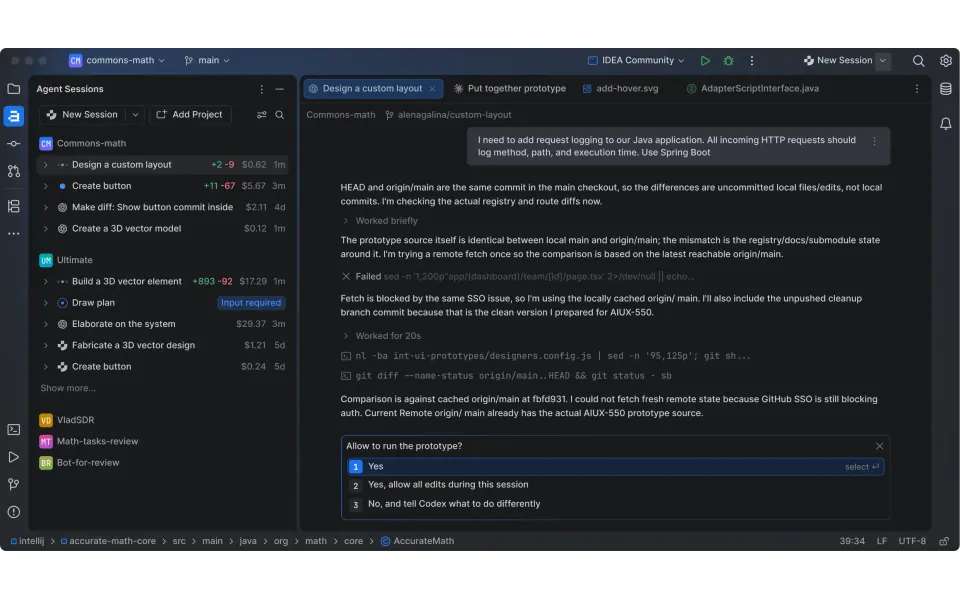
- Desktop app
- Mac, Windows and Linux
- Browser
- Yes
- Phone
- Not listed
- Command line
- Not listed
- Agents
- Claude Code, Codex, Cursor Agent, Gemini CLI, OpenCode and Pi
- Your subscription
- Works with your own plan
- Agents run
- On your computer and in the vendor's cloud
- Laptop closed
- Keeps going
- Isolation
- Worktree, Container and VM
- Parallel agents
- Yes
- Scheduled runs
- Yes
- Coordinator agent
- Not listed
- Built-in issues
- Not listed
- Pull requests
- Yes
- Review screen
- Yes
- Team
- Roles and SSO
- Self-hosting
- Not listed
- Licence
- Proprietary
- Price from
- Free
- How it charges
- Free plan, subscription, per seat, usage-based and bring your own key
- Paid plans from
- $11–20/month
Receipts
- Checked
- · oldest answer 2026-10-08
- Findings
- 44 published · 35 cross-checked by a second agent · read them all
- Sources
- 122 public pages on 3 sites: jetbrains.com, blog.jetbrains.com, plugins.jetbrains.com
- Screenshot
- jetbrains.com, retrieved · first party marketing · shows appearance, not capability
- Method
- Same rules for all 103 researched ADEs. How we check · Report wrong data
What it does
Where you use it
Air is reachable through the Air app on macOS, Linux and Windows, Air Teams in the browser, and Air in JetBrains IDEs through an EAP plugin. The Air in IDEs page now says Air Teams on mobile is coming November 15; native-app versus mobile-browser delivery remains unestablished. A separate CLI surface is not established by the Air help.
Source and scope for Where you use itAgents it runs
Air in IDEs runs local coding agents through ACP and terminal surfaces, explicitly including Claude Code, Codex and Cursor. Current Air Teams cloud agents are Claude Agent, Codex, Copilot and Junie; Gemini CLI and other custom ACP agents are local. Current help supersedes the older cloud lineup for this mapping pass.
Source and scope for Agents it runsWhere agents run
Air in IDEs runs agent sessions on the user's machine by default, with Local and Temporary Worktree modes, and Air Teams runs cloud tasks in a JetBrains-managed Docker container on a cloud VM that keep running after the browser tab closes; BYO remote and self-hosted execution are not documented.
Source and scope for Where agents runHow work is kept apart
Run environment is selectable: Local Workspace (no isolation), Git Worktree, Docker (local) and Cloud; worktree and Docker are local Air app options, and cloud tasks run in a Docker container on a cloud VM whose size is configurable.
Source and scope for How work is kept apartParallel work
The Air app runs several tasks at once across projects, Air Teams runs each cloud task in its own environment, and the IDE EAP tracks sessions across projects with unread updates, changed files and outgoing commits.
Source and scope for Parallel workScheduled runs
Air Teams automations run in the cloud on a schedule, at an interval, or from GitHub, Jira or webhook events without a person supervising each run.
Source and scope for Scheduled runsGit and pull requests
Cloud tasks commit to a task branch and push after every agent turn; a person then opens the pull request from that branch with Create PR or in the VCS provider. In the Air app, Local Workspace edits stay in the working copy for the user to commit and push; Git Worktree and Docker tasks work on an air/<task> branch that is brought back with Apply Locally or Check Out Branch Locally. Automations open a pull request only in Create a PR mode.
Source and scope for Git and pull requestsLicence and source
Air is proprietary: the EAP User Agreement (v1.0) section 3.3 prohibits reverse engineering, decompiling, trying to derive the source code and creating derivative works.
Source and scope for Licence and sourcePrice
Console Business is $20 per seat per month (monthly or annual billing); 1 AI credit equals 1 USD of provider-side LLM cost; the Air app is free of charge during the EAP. Compute for cloud agents and automations may be free during Early Access Preview, and no compute price is listed. No Air Teams–specific price is published. Cloud runs consume separately purchased JetBrains AI credits. Centrally managed BYOK is available on Business/Enterprise and local IDE API keys work on any plan.
Source and scope for PriceTyped filters
Every value links to its receipt below. Read plan and surface restrictions before using a filter to decide.
| Filter | Value |
|---|---|
| Desktop OS: macOS | Yes cross-checked |
| Desktop OS: Windows | Yes cross-checked |
| Desktop OS: Linux | Yes cross-checked |
| Web client | Yes cross-checked |
| Phone access: Native iOS | Unknown |
| Phone access: Native Android | Unknown |
| Phone access: Phone browser | Unknown |
| CLI | Unknown |
| Coding agents: Claude Code | Yes |
| Coding agents: Codex | Yes |
| Coding agents: Cursor Agent | Yes |
| Coding agents: Gemini CLI | Yes |
| Coding agents: OpenCode | Yes |
| Coding agents: Pi | Yes |
| Coding agents: Grok | Unknown |
| Coding agents: Aider | Unknown |
| Coding agents: Antigravity | Unknown |
| Use my subscription | Yes |
| Where agents run: On your computer | Yes cross-checked |
| Where agents run: On your own server | Unknown |
| Where agents run: In the vendor's cloud | Yes cross-checked |
| Workspace isolation: Git worktree | Yes |
| Workspace isolation: Container | Yes |
| Workspace isolation: VM or microVM | Yes |
| Parallel runs | Yes cross-checked |
| Coordinator | Unknown |
| Native issue tracking | Unknown |
| Unattended triggers | Yes cross-checked |
| Shared prompting | Unknown |
| Team roles | Yes |
| SSO | Yes |
| Pull request workflow | Yes |
| Review interface | Yes cross-checked |
| Product license: Apache-2.0 | No. Proprietary cross-checked |
| Product license: MIT | No. Proprietary cross-checked |
| Product license: GPL-3.0 | No. Proprietary cross-checked |
| Product license: GPL-3.0-or-later | No. Proprietary cross-checked |
| Product license: AGPL-3.0 | No. Proprietary cross-checked |
| Product license: AGPL-3.0-or-later | No. Proprietary cross-checked |
| Product license: Elastic License 2.0 | No. Proprietary cross-checked |
| Product license: Custom terms | No. Proprietary cross-checked |
| Product license: Proprietary | Yes. Proprietary cross-checked |
| Self-hosting | Unknown |
| Telemetry opt-out | Unknown |
| Free access | Yes cross-checked |
| Starting price: Free | Yes. Free cross-checked |
| Starting price: Up to $20/month | No. Free cross-checked |
| Starting price: $21–40/month | No. Free cross-checked |
| Starting price: $41–100/month | No. Free cross-checked |
| Starting price: Over $100/month | No. Free cross-checked |
| Starting price: Contact for pricing | No. Free cross-checked |
| Pricing model: Free, no paid plan | No |
| Pricing model: Free plan | Yes |
| Pricing model: Subscription | Yes |
| Pricing model: Per seat | Yes |
| Pricing model: Usage-based | Yes |
| Pricing model: Per machine or compute | Unknown |
| Pricing model: Bring your own key | Yes |
| Pricing model: One-time purchase | No |
| Paid plans from: No paid plan | No. $11–20/month |
| Paid plans from: $10 or less/month | No. $11–20/month |
| Paid plans from: $11–20/month | Yes. $11–20/month |
| Paid plans from: $21–40/month | No. $11–20/month |
| Paid plans from: $41–100/month | No. $11–20/month |
| Paid plans from: Over $100/month | No. $11–20/month |
| Paid plans from: Contact sales | No. $11–20/month |
| Lifecycle status: Active | Unknown |
| Lifecycle status: Sunsetting | Unknown |
| Keeps going with laptop closed | Yes cross-checked |
| Open-source license | No. Proprietary cross-checked |
| Any desktop app | Yes cross-checked |
| Paid plan up to $20/month | Yes. $11–20/month |
| Paid plan up to $40/month | Yes. $11–20/month |
| Any phone client | Unknown |
Filter receipts
Desktop OS: macOS: Yes cross-checked
Desktop OS: macOS
Typed value: Yes.
Air is reachable through the Air app on macOS, Linux and Windows, Air Teams in the browser, and Air in JetBrains IDEs through an EAP plugin. The Air in IDEs page now says Air Teams on mobile is coming November 15; native-app versus mobile-browser delivery remains unestablished. A separate CLI surface is not established by the Air help.
- Desktop os: macOS (download or Toolbox), Linux (install script or Toolbox) and Windows (Toolbox) per the install page (2026-09-30). The July 2026 post (date from URL path) links Windows x64 and ARM64 downloads whose URLs carry type=preview.
- Air in IDEs is EAP (Marketplace plugin air-alpha for 2026.2 IDEs, bundled in 2026.3 EAP builds, not Android Studio); Air Teams is offered to JetBrains business customers and cloud runs are rolling out gradually; some features need a JetBrains AI subscription or AI seats.
- Windows: the install page documents Toolbox install; the July 2026 post links Windows x64 and ARM64 downloads with type=preview in the URL. No hands-on run.
- The product page names Air Gateway as a CLI surface; its setup and command contract were not established in the Air help pass.
- Agent lineup statements differ by surface: the October 2026 Air in IDEs EAP post says "Air supports Codex, Gemini, GitHub Copilot, Claude Agent, and Junie out of the box", while supported-agents (2026-10-01), which covers Air Teams and the Air app, lists Claude Agent, Codex, Gemini CLI and Junie, and Copilot is added in the Air app as an ACP agent. Read as a scope difference (IDE plugin vs Air Teams and Air app); see ACC-02.
-
Finding: Page dated 2026-09-30. macOS via air.dev or Toolbox, Linux via install script or Toolbox, Windows via Toolbox. Git required; Docker Desktop only for container runs; at least one AI provider must be connected; a JetBrains AI subscription covers Claude Agent, Codex, Gemini CLI and Junie. No architectures or minimum OS versions stated.
-
Finding: Page dated 2026-10-01. Install on macOS (air.dev or Toolbox), Linux (install script or Toolbox), Windows (Toolbox). At least one provider: JetBrains AI, or sign in "with a subscription you already pay for" (Claude Pro, Max or Team given as examples) or BYOK, or ACP agents only. Trust or Preview prompt on opening a workspace. Local Workspace, Git Worktree and Docker run environments; Plan permission mode; review with a separate agent session; Apply Locally.
-
What's new: Air gets more agents, local models and Java/Kotlin code intelligence
Finding: July 2026 release post (no day shown; date from URL path): adds GitHub Copilot CLI (through its ACP server mode), OpenCode, Pi, Cline and other ACP agents; local models via ACP agents with Ollama or LM Studio; Java/Kotlin IntelliJ code engine in Beta; Docker tasks on Windows (Docker Desktop required). Windows x64 and ARM64 download links carry type=preview in their URLs; the text does not say "preview build". Claude Agent token counts.
Desktop OS: Windows: Yes cross-checked
Desktop OS: Windows
Typed value: Yes.
Air is reachable through the Air app on macOS, Linux and Windows, Air Teams in the browser, and Air in JetBrains IDEs through an EAP plugin. The Air in IDEs page now says Air Teams on mobile is coming November 15; native-app versus mobile-browser delivery remains unestablished. A separate CLI surface is not established by the Air help.
- Desktop os: macOS (download or Toolbox), Linux (install script or Toolbox) and Windows (Toolbox) per the install page (2026-09-30). The July 2026 post (date from URL path) links Windows x64 and ARM64 downloads whose URLs carry type=preview.
- Air in IDEs is EAP (Marketplace plugin air-alpha for 2026.2 IDEs, bundled in 2026.3 EAP builds, not Android Studio); Air Teams is offered to JetBrains business customers and cloud runs are rolling out gradually; some features need a JetBrains AI subscription or AI seats.
- Windows: the install page documents Toolbox install; the July 2026 post links Windows x64 and ARM64 downloads with type=preview in the URL. No hands-on run.
- The product page names Air Gateway as a CLI surface; its setup and command contract were not established in the Air help pass.
- Agent lineup statements differ by surface: the October 2026 Air in IDEs EAP post says "Air supports Codex, Gemini, GitHub Copilot, Claude Agent, and Junie out of the box", while supported-agents (2026-10-01), which covers Air Teams and the Air app, lists Claude Agent, Codex, Gemini CLI and Junie, and Copilot is added in the Air app as an ACP agent. Read as a scope difference (IDE plugin vs Air Teams and Air app); see ACC-02.
-
Finding: Page dated 2026-09-30. macOS via air.dev or Toolbox, Linux via install script or Toolbox, Windows via Toolbox. Git required; Docker Desktop only for container runs; at least one AI provider must be connected; a JetBrains AI subscription covers Claude Agent, Codex, Gemini CLI and Junie. No architectures or minimum OS versions stated.
-
Finding: Page dated 2026-10-01. Install on macOS (air.dev or Toolbox), Linux (install script or Toolbox), Windows (Toolbox). At least one provider: JetBrains AI, or sign in "with a subscription you already pay for" (Claude Pro, Max or Team given as examples) or BYOK, or ACP agents only. Trust or Preview prompt on opening a workspace. Local Workspace, Git Worktree and Docker run environments; Plan permission mode; review with a separate agent session; Apply Locally.
-
What's new: Air gets more agents, local models and Java/Kotlin code intelligence
Finding: July 2026 release post (no day shown; date from URL path): adds GitHub Copilot CLI (through its ACP server mode), OpenCode, Pi, Cline and other ACP agents; local models via ACP agents with Ollama or LM Studio; Java/Kotlin IntelliJ code engine in Beta; Docker tasks on Windows (Docker Desktop required). Windows x64 and ARM64 download links carry type=preview in their URLs; the text does not say "preview build". Claude Agent token counts.
Desktop OS: Linux: Yes cross-checked
Desktop OS: Linux
Typed value: Yes.
Air is reachable through the Air app on macOS, Linux and Windows, Air Teams in the browser, and Air in JetBrains IDEs through an EAP plugin. The Air in IDEs page now says Air Teams on mobile is coming November 15; native-app versus mobile-browser delivery remains unestablished. A separate CLI surface is not established by the Air help.
- Desktop os: macOS (download or Toolbox), Linux (install script or Toolbox) and Windows (Toolbox) per the install page (2026-09-30). The July 2026 post (date from URL path) links Windows x64 and ARM64 downloads whose URLs carry type=preview.
- Air in IDEs is EAP (Marketplace plugin air-alpha for 2026.2 IDEs, bundled in 2026.3 EAP builds, not Android Studio); Air Teams is offered to JetBrains business customers and cloud runs are rolling out gradually; some features need a JetBrains AI subscription or AI seats.
- Windows: the install page documents Toolbox install; the July 2026 post links Windows x64 and ARM64 downloads with type=preview in the URL. No hands-on run.
- The product page names Air Gateway as a CLI surface; its setup and command contract were not established in the Air help pass.
- Agent lineup statements differ by surface: the October 2026 Air in IDEs EAP post says "Air supports Codex, Gemini, GitHub Copilot, Claude Agent, and Junie out of the box", while supported-agents (2026-10-01), which covers Air Teams and the Air app, lists Claude Agent, Codex, Gemini CLI and Junie, and Copilot is added in the Air app as an ACP agent. Read as a scope difference (IDE plugin vs Air Teams and Air app); see ACC-02.
-
Finding: Page dated 2026-09-30. macOS via air.dev or Toolbox, Linux via install script or Toolbox, Windows via Toolbox. Git required; Docker Desktop only for container runs; at least one AI provider must be connected; a JetBrains AI subscription covers Claude Agent, Codex, Gemini CLI and Junie. No architectures or minimum OS versions stated.
-
Finding: Page dated 2026-10-01. Install on macOS (air.dev or Toolbox), Linux (install script or Toolbox), Windows (Toolbox). At least one provider: JetBrains AI, or sign in "with a subscription you already pay for" (Claude Pro, Max or Team given as examples) or BYOK, or ACP agents only. Trust or Preview prompt on opening a workspace. Local Workspace, Git Worktree and Docker run environments; Plan permission mode; review with a separate agent session; Apply Locally.
-
What's new: Air gets more agents, local models and Java/Kotlin code intelligence
Finding: July 2026 release post (no day shown; date from URL path): adds GitHub Copilot CLI (through its ACP server mode), OpenCode, Pi, Cline and other ACP agents; local models via ACP agents with Ollama or LM Studio; Java/Kotlin IntelliJ code engine in Beta; Docker tasks on Windows (Docker Desktop required). Windows x64 and ARM64 download links carry type=preview in their URLs; the text does not say "preview build". Claude Agent token counts.
Web client: Yes cross-checked
Web client
Typed value: Yes.
Air is reachable through the Air app on macOS, Linux and Windows, Air Teams in the browser, and Air in JetBrains IDEs through an EAP plugin. The Air in IDEs page now says Air Teams on mobile is coming November 15; native-app versus mobile-browser delivery remains unestablished. A separate CLI surface is not established by the Air help.
- Mobile apps: The product page says Air Teams on mobile is coming November 15. It does not establish a shipped native app, minimum OS or store route as of November 7.
- Browser: Air Teams runs in the browser at air.jetbrains.cloud and is the only surface with all features; the product page still invites early-access sign-up and rollout is gradual.
- Mobile browser: The mobile announcement does not distinguish phone-browser delivery from a native app; shipped mobile-browser support remains unknown.
- Cli: The product page names Air Gateway as a CLI surface and the Console names the Central CLI. The checked Air help does not establish Air Gateway setup or commands.
- Editor extensions: Air in JetBrains IDEs is the Air plugin: installed from JetBrains Marketplace on 2026.2 IDE versions (slug air-alpha) and bundled in 2026.3 EAP builds; it works in all JetBrains IDEs except Android Studio. The EAP post calls it an EAP release.
- Task actions: Cloud tasks can be started from the browser, the Air app and IntelliJ-based IDEs; the browser can comment on diffs and stop the agent. The browser is the only surface with everything: automations are managed in the browser (automations, 2026-09-30), and the Air app help says projects, automations, environment configurations, connectors and repository access stay in the browser. No per-client action matrix is published.
- Cross device continuity: Tasks started in the IDE can be followed in the browser or Air app, and the IDE session tree lists cloud runs from the web or another machine. The Air in IDEs product page separately announces Air Teams mobile for November 15; current mobile availability and delivery type are not established.
- Air in IDEs is EAP (Marketplace plugin air-alpha for 2026.2 IDEs, bundled in 2026.3 EAP builds, not Android Studio); Air Teams is offered to JetBrains business customers and cloud runs are rolling out gradually; some features need a JetBrains AI subscription or AI seats.
- Windows: the install page documents Toolbox install; the July 2026 post links Windows x64 and ARM64 downloads with type=preview in the URL. No hands-on run.
- The product page names Air Gateway as a CLI surface; its setup and command contract were not established in the Air help pass.
- Agent lineup statements differ by surface: the October 2026 Air in IDEs EAP post says "Air supports Codex, Gemini, GitHub Copilot, Claude Agent, and Junie out of the box", while supported-agents (2026-10-01), which covers Air Teams and the Air app, lists Claude Agent, Codex, Gemini CLI and Junie, and Copilot is added in the Air app as an ACP agent. Read as a scope difference (IDE plugin vs Air Teams and Air app); see ACC-02.
-
JetBrains Air: One system for building software with agents
Finding: Product page, no date (re-read 2026-10-09): surfaces JetBrains IDEs, Web, CLI, Mobile (mobile coming soon); agents Claude Agent, Codex, Junie, Copilot, OpenCode plus ACP agents; "Bring your existing provider subscription or API keys" and "Switch between subscriptions - even mid-session"; credits billed at public API rates; "Cloud runs are already available for some customers in JetBrains IDEs and the browser" with gradual rollout; Air Teams early-access button. No roadmap, changelog or issue-tracker link. The page's product illustration shows an Automations table with columns Automation, Trigger, Runs, Last Run and "AI Credits Spent", and a credit amount per agent reply (for example "0.58 credits · 4s"); these are illustrations, not documentation.
-
Finding: Three documented surfaces: browser (air.jetbrains.cloud, only surface with everything, tasks keep running after tab closes), JetBrains IDEs (start a cloud task, follow in browser or Air app), Air app. No CLI or mobile surface documented. No availability labels stated.
Coding agents: Claude Code: Yes
Coding agents: Claude Code
Typed value: Yes.
Air in IDEs runs local coding agents through ACP and terminal surfaces, explicitly including Claude Code, Codex and Cursor. Current Air Teams cloud agents are Claude Agent, Codex, Copilot and Junie; Gemini CLI and other custom ACP agents are local. Current help supersedes the older cloud lineup for this mapping pass.
- Custom ACP agents run locally. The cloud lineup and its JetBrains AI account are separately restricted.
-
Air in IDEs Claude subscription
Finding: Air in IDEs runs the installed Claude Code CLI in its terminal surface using Claude Pro/Max login. Its chat SDK integration does not allow Claude subscriptions.
Coding agents: Codex: Yes
Coding agents: Codex
Typed value: Yes.
Air in IDEs runs local coding agents through ACP and terminal surfaces, explicitly including Claude Code, Codex and Cursor. Current Air Teams cloud agents are Claude Agent, Codex, Copilot and Junie; Gemini CLI and other custom ACP agents are local. Current help supersedes the older cloud lineup for this mapping pass.
- Model providers: Providers are Anthropic, OpenAI, Google and the JetBrains AI provider; model and effort are chosen per task and local models are reachable through an agent that supports them (Ollama or LM Studio via ACP). No provider list beyond the agent vendors is published in the help.
- Custom adapters: Any installed ACP-compatible agent can be added through acp.json in the Air app; acp.json agents are explicitly not available in Air Teams cloud tasks or the browser. GitHub Copilot reaches the cloud as a JetBrains-integrated agent, not through acp.json.
- Custom ACP agents run locally. The cloud lineup and its JetBrains AI account are separately restricted.
-
Finding: Page dated 2026-10-01. Air Teams: one account, JetBrains AI; cloud tasks and automation runs always use JetBrains AI credits; acp.json agents are not available in Air Teams. Air app: a local task can use JetBrains AI or an own account, either a subscription "such as Claude Pro, Max, or Team" or an API billing account (BYOK). Claude Agent section: "connect your Anthropic Console account with API billing"; the app uses the Anthropic API key, including from Docker. Codex: ChatGPT Plus, Pro or Team, or OpenAI Platform API billing. Gemini CLI: Google Account or AI Studio API billing. Own ACP agents use their own subscriptions and a Claude Free, Pro or Max subscription does not work with them.
Coding agents: Cursor Agent: Yes
Coding agents: Cursor Agent
Typed value: Yes.
Air in IDEs runs local coding agents through ACP and terminal surfaces, explicitly including Claude Code, Codex and Cursor. Current Air Teams cloud agents are Claude Agent, Codex, Copilot and Junie; Gemini CLI and other custom ACP agents are local. Current help supersedes the older cloud lineup for this mapping pass.
- Harnesses: Air Teams currently offers Claude Agent, Codex, Copilot and Junie; Air in IDEs locally runs Cursor and other installed/curated ACP agents.
- Custom ACP agents run locally. The cloud lineup and its JetBrains AI account are separately restricted.
-
Finding: Air in IDEs explicitly runs Claude Code, Codex and Cursor and reuses existing provider subscriptions for local sessions. Claude Code native subscription login uses the terminal or full-screen editor surface. The page still dates Air Teams mobile availability to November 15.
Coding agents: Gemini CLI: Yes
Coding agents: Gemini CLI
Typed value: Yes.
Air in IDEs runs local coding agents through ACP and terminal surfaces, explicitly including Claude Code, Codex and Cursor. Current Air Teams cloud agents are Claude Agent, Codex, Copilot and Junie; Gemini CLI and other custom ACP agents are local. Current help supersedes the older cloud lineup for this mapping pass.
- Model providers: Providers are Anthropic, OpenAI, Google and the JetBrains AI provider; model and effort are chosen per task and local models are reachable through an agent that supports them (Ollama or LM Studio via ACP). No provider list beyond the agent vendors is published in the help.
- Custom adapters: Any installed ACP-compatible agent can be added through acp.json in the Air app; acp.json agents are explicitly not available in Air Teams cloud tasks or the browser. GitHub Copilot reaches the cloud as a JetBrains-integrated agent, not through acp.json.
- Custom ACP agents run locally. The cloud lineup and its JetBrains AI account are separately restricted.
-
Finding: Page dated 2026-10-01. Air Teams: one account, JetBrains AI; cloud tasks and automation runs always use JetBrains AI credits; acp.json agents are not available in Air Teams. Air app: a local task can use JetBrains AI or an own account, either a subscription "such as Claude Pro, Max, or Team" or an API billing account (BYOK). Claude Agent section: "connect your Anthropic Console account with API billing"; the app uses the Anthropic API key, including from Docker. Codex: ChatGPT Plus, Pro or Team, or OpenAI Platform API billing. Gemini CLI: Google Account or AI Studio API billing. Own ACP agents use their own subscriptions and a Claude Free, Pro or Max subscription does not work with them.
Coding agents: OpenCode: Yes
Coding agents: OpenCode
Typed value: Yes.
Air in IDEs runs local coding agents through ACP and terminal surfaces, explicitly including Claude Code, Codex and Cursor. Current Air Teams cloud agents are Claude Agent, Codex, Copilot and Junie; Gemini CLI and other custom ACP agents are local. Current help supersedes the older cloud lineup for this mapping pass.
- Model providers: Providers are Anthropic, OpenAI, Google and the JetBrains AI provider; model and effort are chosen per task and local models are reachable through an agent that supports them (Ollama or LM Studio via ACP). No provider list beyond the agent vendors is published in the help.
- Custom ACP agents run locally. The cloud lineup and its JetBrains AI account are separately restricted.
-
What's new: Air gets more agents, local models and Java/Kotlin code intelligence
Finding: July 2026 release post (no day shown; date from URL path): adds GitHub Copilot CLI (through its ACP server mode), OpenCode, Pi, Cline and other ACP agents; local models via ACP agents with Ollama or LM Studio; Java/Kotlin IntelliJ code engine in Beta; Docker tasks on Windows (Docker Desktop required). Windows x64 and ARM64 download links carry type=preview in their URLs; the text does not say "preview build". Claude Agent token counts.
Coding agents: Pi: Yes
Coding agents: Pi
Typed value: Yes.
Air in IDEs runs local coding agents through ACP and terminal surfaces, explicitly including Claude Code, Codex and Cursor. Current Air Teams cloud agents are Claude Agent, Codex, Copilot and Junie; Gemini CLI and other custom ACP agents are local. Current help supersedes the older cloud lineup for this mapping pass.
- Model providers: Providers are Anthropic, OpenAI, Google and the JetBrains AI provider; model and effort are chosen per task and local models are reachable through an agent that supports them (Ollama or LM Studio via ACP). No provider list beyond the agent vendors is published in the help.
- Custom ACP agents run locally. The cloud lineup and its JetBrains AI account are separately restricted.
-
What's new: Air gets more agents, local models and Java/Kotlin code intelligence
Finding: July 2026 release post (no day shown; date from URL path): adds GitHub Copilot CLI (through its ACP server mode), OpenCode, Pi, Cline and other ACP agents; local models via ACP agents with Ollama or LM Studio; Java/Kotlin IntelliJ code engine in Beta; Docker tasks on Windows (Docker Desktop required). Windows x64 and ARM64 download links carry type=preview in their URLs; the text does not say "preview build". Claude Agent token counts.
Use my subscription: Yes
Use my subscription
Typed value: Yes.
Air in IDEs runs local coding agents through ACP and terminal surfaces, explicitly including Claude Code, Codex and Cursor. Current Air Teams cloud agents are Claude Agent, Codex, Copilot and Junie; Gemini CLI and other custom ACP agents are local. Current help supersedes the older cloud lineup for this mapping pass.
- Harnesses: Air Teams currently offers Claude Agent, Codex, Copilot and Junie; Air in IDEs locally runs Cursor and other installed/curated ACP agents.
- Custom ACP agents run locally. The cloud lineup and its JetBrains AI account are separately restricted.
-
Finding: Air in IDEs explicitly runs Claude Code, Codex and Cursor and reuses existing provider subscriptions for local sessions. Claude Code native subscription login uses the terminal or full-screen editor surface. The page still dates Air Teams mobile availability to November 15.
Where agents run: On your computer: Yes cross-checked
Where agents run: On your computer
Typed value: Yes.
Air in IDEs runs agent sessions on the user's machine by default, with Local and Temporary Worktree modes, and Air Teams runs cloud tasks in a JetBrains-managed Docker container on a cloud VM that keep running after the browser tab closes; BYO remote and self-hosted execution are not documented.
- Local: Air in IDEs sessions run on your machine by default, in the Local or Temporary Worktree run mode.
- Region, own-server execution and a shipped hybrid offering are not established.
- The standalone Air app pages now redirect; local-run facts are scoped to Air in IDEs.
- An earlier 3 November 2026 blog post said GitHub Copilot cloud tasks use the Copilot plan; the 6 November credits page says all cloud tasks spend JetBrains AI credits, and the newer docs page is used here.
-
Start, continue, or fork a session
Finding: A session runs on your machine by default; run modes are Local, Temporary Worktree and Cloud, the last when the organization provides cloud runs.
Where agents run: In the vendor's cloud: Yes cross-checked
Where agents run: In the vendor's cloud
Typed value: Yes.
Air in IDEs runs agent sessions on the user's machine by default, with Local and Temporary Worktree modes, and Air Teams runs cloud tasks in a JetBrains-managed Docker container on a cloud VM that keep running after the browser tab closes; BYO remote and self-hosted execution are not documented.
- Managed cloud: Cloud tasks run in a JetBrains-managed Docker container on a cloud VM with configurable VM size, internet access, variables and secrets.
- Provisioning: An environment is created when a task starts and can start from a snapshot.
- Client disconnect: Tasks keep running after the browser tab closes.
- Other device continuation: A cloud run started from Air in IDEs can be followed in the IDE, and running tasks open in the browser.
- Region, own-server execution and a shipped hybrid offering are not established.
- The standalone Air app pages now redirect; local-run facts are scoped to Air in IDEs.
- An earlier 3 November 2026 blog post said GitHub Copilot cloud tasks use the Copilot plan; the 6 November credits page says all cloud tasks spend JetBrains AI credits, and the newer docs page is used here.
-
Finding: Page dated 2026-10-05. An environment is a Docker container on a cloud VM created per task; configurations set image, VM size, variables, secrets, internet access rules, ports open to the browser and startup commands; personal configurations can be shared or moved into a project; project configurations are shared with members. VM size values and region not listed.
-
Finding: In the browser nothing is installed and the task keeps running after you close the tab. Air in IDEs can run an agent in the cloud and follow the run in the IDE.
Workspace isolation: Git worktree: Yes
Workspace isolation: Git worktree
Typed value: Yes.
Run environment is selectable: Local Workspace (no isolation), Git Worktree, Docker (local) and Cloud; worktree and Docker are local Air app options, and cloud tasks run in a Docker container on a cloud VM whose size is configurable.
- Checkout: Local Workspace edits the project folder directly; cloud uses a shallow checkout that clones only the latest commit.
- Branch: For an isolated task the Air app creates "a dedicated branch for the task (for example, air/<task>)" in the Git worktree or Docker container (accept-changes); cloud tasks commit to a separate task branch.
- Worktree: Git Worktree option in the Air app with .air/worktree.json setup.
- Container: Docker option locally, which needs Docker Desktop with a valid license; the July 2026 release post adds Windows support. Cloud environments are Docker containers on a cloud VM (configure-environments, 2026-10-05).
- Filesystem: Docker keeps edits and dependencies inside the container; worktree isolates files.
- Network: Cloud internet access can be restricted or expanded; local environments have no documented controls.
- Secrets: In .air/worktree.json and .air/docker.json, env entries without a value inherit host values and envFile entries load variables from a .env file; cloud secrets are stored in Air Teams or read from HashiCorp Vault, and a Secrets provider replaces copies in Air Teams.
- Network controls for local environments and OS sandboxing are not described.
- Git Worktree isolates files and branches but not the host environment; Local Workspace has no isolation.
- Docker needs Docker Desktop with a valid license; Windows Docker tasks were added in July 2026, and Claude Agent in Docker uses Anthropic API billing or JetBrains AI credits, not a Claude subscription.
-
Finding: Worktree and Docker are local Air app options (isolation described); cloud tasks run in a separate managed environment. Page last updated 2026-09-30.
-
Finding: Page dated 2026-09-30. Local Workspace (no isolation), Git Worktree (.air/worktree.json, per-OS setup and cleanup; files and branches isolated, host not), Docker (.air/docker.json setup commands; isolated container; Docker Desktop with a valid license), Cloud (task branch pushed). env and envFile entries; reserved variables. Claude Agent cannot run in a container on a Claude subscription because the subscription login stays on the machine and the app never holds a copy. Network controls not described.
Workspace isolation: Container: Yes
Workspace isolation: Container
Typed value: Yes.
Run environment is selectable: Local Workspace (no isolation), Git Worktree, Docker (local) and Cloud; worktree and Docker are local Air app options, and cloud tasks run in a Docker container on a cloud VM whose size is configurable.
- Checkout: Local Workspace edits the project folder directly; cloud uses a shallow checkout that clones only the latest commit.
- Branch: For an isolated task the Air app creates "a dedicated branch for the task (for example, air/<task>)" in the Git worktree or Docker container (accept-changes); cloud tasks commit to a separate task branch.
- Worktree: Git Worktree option in the Air app with .air/worktree.json setup.
- Container: Docker option locally, which needs Docker Desktop with a valid license; the July 2026 release post adds Windows support. Cloud environments are Docker containers on a cloud VM (configure-environments, 2026-10-05).
- Vm: Cloud environments run on a cloud VM whose size is configurable.
- Filesystem: Docker keeps edits and dependencies inside the container; worktree isolates files.
- Network: Cloud internet access can be restricted or expanded; local environments have no documented controls.
- Secrets: In .air/worktree.json and .air/docker.json, env entries without a value inherit host values and envFile entries load variables from a .env file; cloud secrets are stored in Air Teams or read from HashiCorp Vault, and a Secrets provider replaces copies in Air Teams.
- Network controls for local environments and OS sandboxing are not described.
- Git Worktree isolates files and branches but not the host environment; Local Workspace has no isolation.
- Docker needs Docker Desktop with a valid license; Windows Docker tasks were added in July 2026, and Claude Agent in Docker uses Anthropic API billing or JetBrains AI credits, not a Claude subscription.
-
Finding: Worktree and Docker are local Air app options (isolation described); cloud tasks run in a separate managed environment. Page last updated 2026-09-30.
-
Finding: Page dated 2026-10-05. An environment is a Docker container on a cloud VM created per task; configurations set image, VM size, variables, secrets, internet access rules, ports open to the browser and startup commands; personal configurations can be shared or moved into a project; project configurations are shared with members. VM size values and region not listed.
-
Finding: Page dated 2026-09-30. Local Workspace (no isolation), Git Worktree (.air/worktree.json, per-OS setup and cleanup; files and branches isolated, host not), Docker (.air/docker.json setup commands; isolated container; Docker Desktop with a valid license), Cloud (task branch pushed). env and envFile entries; reserved variables. Claude Agent cannot run in a container on a Claude subscription because the subscription login stays on the machine and the app never holds a copy. Network controls not described.
-
What's new: Air gets more agents, local models and Java/Kotlin code intelligence
Finding: July 2026 release post (no day shown; date from URL path): adds GitHub Copilot CLI (through its ACP server mode), OpenCode, Pi, Cline and other ACP agents; local models via ACP agents with Ollama or LM Studio; Java/Kotlin IntelliJ code engine in Beta; Docker tasks on Windows (Docker Desktop required). Windows x64 and ARM64 download links carry type=preview in their URLs; the text does not say "preview build". Claude Agent token counts.
Workspace isolation: VM or microVM: Yes
Workspace isolation: VM or microVM
Typed value: Yes.
Run environment is selectable: Local Workspace (no isolation), Git Worktree, Docker (local) and Cloud; worktree and Docker are local Air app options, and cloud tasks run in a Docker container on a cloud VM whose size is configurable.
- Container: Docker option locally, which needs Docker Desktop with a valid license; the July 2026 release post adds Windows support. Cloud environments are Docker containers on a cloud VM (configure-environments, 2026-10-05).
- Vm: Cloud environments run on a cloud VM whose size is configurable.
- Network controls for local environments and OS sandboxing are not described.
- Git Worktree isolates files and branches but not the host environment; Local Workspace has no isolation.
- Docker needs Docker Desktop with a valid license; Windows Docker tasks were added in July 2026, and Claude Agent in Docker uses Anthropic API billing or JetBrains AI credits, not a Claude subscription.
-
Finding: Page dated 2026-10-05. An environment is a Docker container on a cloud VM created per task; configurations set image, VM size, variables, secrets, internet access rules, ports open to the browser and startup commands; personal configurations can be shared or moved into a project; project configurations are shared with members. VM size values and region not listed.
Parallel runs: Yes cross-checked
Parallel runs
Typed value: Yes.
The Air app runs several tasks at once across projects, Air Teams runs each cloud task in its own environment, and the IDE EAP tracks sessions across projects with unread updates, changed files and outgoing commits.
- Concurrent sessions: Several tasks run at once in one or across all open projects.
- Concurrent tasks: Each task has its own state in the Tasks tool; cloud tasks each get their own environment.
- Status visibility: Tasks show states such as Input required, Suspended, Starting, Done, Archived and Problem; the IDE shows unread updates, changed files and outgoing commits.
- No parallel-task limit or quota is stated and no concurrency run was performed.
-
Finding: Several tasks run at once in one or across open projects; Tasks tool groups by date, status or target; Input required state with notification and Open Task; isolated tasks are suspended when the app closes. No parallel task limit stated.
-
A New Agentic Experience: JetBrains Air in IDEs - EAP Now Open
Finding: October 2026 post (day not shown; date from URL) by Dominique Rolink and Denis Shiryaev: Air in IDEs EAP as a Marketplace plugin or native in 2026.3 EAP builds; ships with no agents; works with Codex, GitHub Copilot, Junie, Cursor; Codex, Gemini, Copilot, Claude Agent and Junie supported out of the box; "you can also use your Claude subscription in Air's terminal and full-screen tab"; no JetBrains AI subscription needed for own agents; Junie Lite free after sign-in; cloud runs need a JetBrains AI subscription and are "Currently available to orgs with AI seats"; per-session cost shown; mobile "coming soon"; no data leaves the machine until sign-in; feedback via YouTrack; installing from the AI Assistant notification disables AI Assistant.
Unattended triggers: Yes cross-checked
Unattended triggers
Typed value: Yes.
Air Teams automations run in the cloud on a schedule, at an interval, or from GitHub, Jira or webhook events without a person supervising each run.
- Schedules: Triggers run at a time on selected days or repeat at a fixed interval.
- Events: GitHub PR, issue and workflow events, Jira events and incoming webhooks start runs.
- Recurring tasks: Repeat every interval and scheduled runs create recurring cloud tasks.
- Completion conditions: Change handling per trigger decides the outcome (no changes, push to source branch, new branch, or create a PR); no explicit completion conditions.
- Overlap handling and retries are not documented.
- Automations are managed in the browser only.
-
Finding: Page dated 2026-09-30. At time, Repeat every, GitHub and GHES events (PR, issue, workflow or job failed; comments do not trigger), Jira events, incoming webhook (HTTP POST with token). Change handling: no code changes, push to source branch, push to new branch, create a PR; Jira triggers allow only Create a PR and No code changes. Overlap and retries not covered.
Team roles: Yes
Team roles
Typed value: Yes.
Air Teams uses organization membership and project admin/member roles. Air Governance explicitly offers SSO and access control on Basic and higher plans; custom identity provisioning remains announced rather than shipped.
- Organization roles: Organization administrator role runs setup and Console policies apply per user, group or service account.
- The scoped first-party source pass does not establish task_roles, provisioning. No hands-on scenario was run.
-
Set up Air Teams (organization setup)
Finding: Organization needs a JetBrains Central Console account; admins enable Air Teams, grant repository access and set AI policies; developer-owned AI accounts work only for local tasks; Gemini CLI temporarily unavailable for cloud tasks. The page no longer states desktop operating systems.
-
AI governance (JetBrains Central Console)
Finding: AI access can be granted to the organization or to users, groups or service accounts; paid plans also need an AI seat; monthly credit limits per principal; only JetBrains AI usage consumes credits.
-
Configure AI policies (JetBrains Central Console)
Finding: Page dated 2026-10-08. General tab: Cloud tasks (default on), AI provider (default JetBrains AI, default policy only), monthly credit limit per user and service account (0 stops spending without revoking access; with several overriding policies the highest applies). MCP and Agents tabs choose servers and agents. Tools tab: third-party AI providers (BYOK) and custom ACP agents for AI Assistant, third-party MCP connectors for Air web. Changes take minutes to apply.
SSO: Yes
SSO
Typed value: Yes.
Air Teams uses organization membership and project admin/member roles. Air Governance explicitly offers SSO and access control on Basic and higher plans; custom identity provisioning remains announced rather than shipped.
- Sso: Air Governance explicitly offers SSO and access control on Basic and higher plans. This does not establish the future enterprise IdP/SCIM provisioning feature.
- The scoped first-party source pass does not establish task_roles, provisioning. No hands-on scenario was run.
-
Air Governance access and pricing
Finding: Air Governance explicitly advertises SSO and OAuth for developer/admin access, and lists SSO/access control in the Basic plan. This is governance access, separate from the future IdP/SCIM provisioning item.
Pull request workflow: Yes
Pull request workflow
Typed value: Yes.
Cloud tasks commit to a task branch and push after every agent turn; a person then opens the pull request from that branch with Create PR or in the VCS provider. In the Air app, Local Workspace edits stay in the working copy for the user to commit and push; Git Worktree and Docker tasks work on an air/<task> branch that is brought back with Apply Locally or Check Out Branch Locally. Automations open a pull request only in Create a PR mode.
- Branches: Git Worktree, Docker and cloud tasks each work on a dedicated task branch, for example air/<task>.
- Commits: Cloud tasks commit to the task branch and push it after every agent turn (tasks page, 2026-10-01). Local tasks are committed by the user; Generate Commit Message drafts the message (accept-changes), and the Changes tool commits selected files.
- Pull requests: Cloud tasks: a person opens the pull request from the pushed task branch with Create PR in the task or directly in the VCS provider; Air Teams acts through the user's GitHub app authorization or GitLab api scope. Local tasks: the user commits and pushes, or creates a branch and opens a pull request. Automations: only Create a PR opens one; Push to source branch and Push to new branch push without opening a pull request, and No code changes commits nothing.
- Comments: An automation can start on a GitHub 'Review received' pull-request event, filtered to approvals, change requests or review comments; plain PR and issue comments do not fire triggers (use a webhook instead). Replying to individual review threads is not documented.
- Ci response: Automations can react to failed GitHub Actions workflows.
- Rebase and product state are not documented; conflict resolution is documented only for Air in IDEs (Resolve with Agent).
- The Air Teams post (September 2026; date from URL path), in its Automations section, says "Every code change arrives as a pull request, and an engineer decides whether to merge it." The help pages settle the shipped workflows: cloud tasks push a task branch and a person opens the pull request from it (tasks, create-a-pull-request); local tasks commit and push, or open a branch and pull request (accept-changes); automations open a pull request only in Create a PR mode, while Push to source branch and Push to new branch open none (automation-triggers). The blog sentence is not used as evidence.
- Push timing wording differs between help pages: the run-environments overview says cloud changes are pushed "after the task is done", while the tasks page and run-cloud page say after every agent turn. The answer follows the newer, more detailed pages.
-
Finding: States Starting, Done, Suspended (75 minutes inactivity), Archived (24 hours inactivity, chat history only), Problem. Results committed and pushed to a task branch after every agent turn. Resume restores uncommitted changes and installed packages but not running processes. Snapshots are personal and can expire. No accept step.
-
Finding: Page dated 2026-09-30. Local Workspace: commit with Generate Commit Message and push. Worktree or Docker: Apply Locally or Check Out Branch Locally (-copy branch). Cloud: already pushed; open a pull request from the branch. Task Changes tab reverts file by file or all at once; after a commit, roll the branch back instead (links Undo changes). Conflicts and CI not covered.
-
Finding: Page dated 2026-09-30. At time, Repeat every, GitHub and GHES events (PR, issue, workflow or job failed; comments do not trigger), Jira events, incoming webhook (HTTP POST with token). Change handling: no code changes, push to source branch, push to new branch, create a PR; Jira triggers allow only Create a PR and No code changes. Overlap and retries not covered.
-
Finding: Cloud tasks reach code through a VCS provider connection; GitHub app and GitLab api scope can open pull or merge requests on the user's behalf; non-git projects not mentioned.
-
Finding: Page dated 2026-09-30. A cloud task commits to its own branch and pushes it; "You apply it by opening a pull request from that branch": open the task, click Create PR, then complete the pull request in the VCS provider, or create it directly in the VCS provider. Automation runs: with Create a PR the pull request is already open; with Push to new branch the run pushes a branch and leaves the pull request to the user.
Review interface: Yes cross-checked
Review interface
Typed value: Yes.
Diffs are reviewed in the Task Changes tab and their commits remain on the task branch; plans are Markdown files in .air/plans; screenshots, recordings and previews as retained outputs are not documented.
- Diffs: Merged Task Changes diff and commits on the task branch.
- Uploaded screenshots are inputs, not retained outputs.
-
Finding: States Starting, Done, Suspended (75 minutes inactivity), Archived (24 hours inactivity, chat history only), Problem. Results committed and pushed to a task branch after every agent turn. Resume restores uncommitted changes and installed packages but not running processes. Snapshots are personal and can expire. No accept step.
-
Finding: Merged diff in Task Changes tab with unified or side-by-side view and hunk navigation; line comments collected and sent to start the next iteration; Comments tool lists comments. Keyboard shortcuts not mentioned.
Product license: Apache-2.0: No. Proprietary cross-checked
Product license: Apache-2.0
Typed value: No. Proprietary.
Air is proprietary: the EAP User Agreement (v1.0) section 3.3 prohibits reverse engineering, decompiling, trying to derive the source code and creating derivative works.
- Client license: JetBrains Air EAP User Agreement v1.0 (effective 2025-12-01): section 3.1 allows installation on any number of machines free of charge during the EAP; section 3.3 sets proprietary restrictions.
- Source visibility: The EAP agreement restricts reverse engineering and deriving source; it does not establish whether source is publicly available. Public source availability remains unverified.
- Server and hosted-extension licensing is not stated; agreement is the EAP version 1.0 (effective 2025-12-01).
-
JetBrains Air EAP User Agreement
Finding: Version 1.0, effective 2025-12-01. 3.1: install on any number of machines free of charge and use during the EAP term. 3.3(b): may not reverse-engineer, disassemble or decompile the Product or try to derive its source code; 3.3(c): no derivative works. 5.1: "We do not see or have access to Your Data in the Product by default without Your consent"; inputs, data and outputs go directly between user and AI Service Provider. 5.2: the Product "collects in the default mode telemetry data". 6.3: the Product is provided free of charge.
Product license: MIT: No. Proprietary cross-checked
Product license: MIT
Typed value: No. Proprietary.
Air is proprietary: the EAP User Agreement (v1.0) section 3.3 prohibits reverse engineering, decompiling, trying to derive the source code and creating derivative works.
- Client license: JetBrains Air EAP User Agreement v1.0 (effective 2025-12-01): section 3.1 allows installation on any number of machines free of charge during the EAP; section 3.3 sets proprietary restrictions.
- Source visibility: The EAP agreement restricts reverse engineering and deriving source; it does not establish whether source is publicly available. Public source availability remains unverified.
- Server and hosted-extension licensing is not stated; agreement is the EAP version 1.0 (effective 2025-12-01).
-
JetBrains Air EAP User Agreement
Finding: Version 1.0, effective 2025-12-01. 3.1: install on any number of machines free of charge and use during the EAP term. 3.3(b): may not reverse-engineer, disassemble or decompile the Product or try to derive its source code; 3.3(c): no derivative works. 5.1: "We do not see or have access to Your Data in the Product by default without Your consent"; inputs, data and outputs go directly between user and AI Service Provider. 5.2: the Product "collects in the default mode telemetry data". 6.3: the Product is provided free of charge.
Product license: GPL-3.0: No. Proprietary cross-checked
Product license: GPL-3.0
Typed value: No. Proprietary.
Air is proprietary: the EAP User Agreement (v1.0) section 3.3 prohibits reverse engineering, decompiling, trying to derive the source code and creating derivative works.
- Client license: JetBrains Air EAP User Agreement v1.0 (effective 2025-12-01): section 3.1 allows installation on any number of machines free of charge during the EAP; section 3.3 sets proprietary restrictions.
- Source visibility: The EAP agreement restricts reverse engineering and deriving source; it does not establish whether source is publicly available. Public source availability remains unverified.
- Server and hosted-extension licensing is not stated; agreement is the EAP version 1.0 (effective 2025-12-01).
-
JetBrains Air EAP User Agreement
Finding: Version 1.0, effective 2025-12-01. 3.1: install on any number of machines free of charge and use during the EAP term. 3.3(b): may not reverse-engineer, disassemble or decompile the Product or try to derive its source code; 3.3(c): no derivative works. 5.1: "We do not see or have access to Your Data in the Product by default without Your consent"; inputs, data and outputs go directly between user and AI Service Provider. 5.2: the Product "collects in the default mode telemetry data". 6.3: the Product is provided free of charge.
Product license: GPL-3.0-or-later: No. Proprietary cross-checked
Product license: GPL-3.0-or-later
Typed value: No. Proprietary.
Air is proprietary: the EAP User Agreement (v1.0) section 3.3 prohibits reverse engineering, decompiling, trying to derive the source code and creating derivative works.
- Client license: JetBrains Air EAP User Agreement v1.0 (effective 2025-12-01): section 3.1 allows installation on any number of machines free of charge during the EAP; section 3.3 sets proprietary restrictions.
- Source visibility: The EAP agreement restricts reverse engineering and deriving source; it does not establish whether source is publicly available. Public source availability remains unverified.
- Server and hosted-extension licensing is not stated; agreement is the EAP version 1.0 (effective 2025-12-01).
-
JetBrains Air EAP User Agreement
Finding: Version 1.0, effective 2025-12-01. 3.1: install on any number of machines free of charge and use during the EAP term. 3.3(b): may not reverse-engineer, disassemble or decompile the Product or try to derive its source code; 3.3(c): no derivative works. 5.1: "We do not see or have access to Your Data in the Product by default without Your consent"; inputs, data and outputs go directly between user and AI Service Provider. 5.2: the Product "collects in the default mode telemetry data". 6.3: the Product is provided free of charge.
Product license: AGPL-3.0: No. Proprietary cross-checked
Product license: AGPL-3.0
Typed value: No. Proprietary.
Air is proprietary: the EAP User Agreement (v1.0) section 3.3 prohibits reverse engineering, decompiling, trying to derive the source code and creating derivative works.
- Client license: JetBrains Air EAP User Agreement v1.0 (effective 2025-12-01): section 3.1 allows installation on any number of machines free of charge during the EAP; section 3.3 sets proprietary restrictions.
- Source visibility: The EAP agreement restricts reverse engineering and deriving source; it does not establish whether source is publicly available. Public source availability remains unverified.
- Server and hosted-extension licensing is not stated; agreement is the EAP version 1.0 (effective 2025-12-01).
-
JetBrains Air EAP User Agreement
Finding: Version 1.0, effective 2025-12-01. 3.1: install on any number of machines free of charge and use during the EAP term. 3.3(b): may not reverse-engineer, disassemble or decompile the Product or try to derive its source code; 3.3(c): no derivative works. 5.1: "We do not see or have access to Your Data in the Product by default without Your consent"; inputs, data and outputs go directly between user and AI Service Provider. 5.2: the Product "collects in the default mode telemetry data". 6.3: the Product is provided free of charge.
Product license: AGPL-3.0-or-later: No. Proprietary cross-checked
Product license: AGPL-3.0-or-later
Typed value: No. Proprietary.
Air is proprietary: the EAP User Agreement (v1.0) section 3.3 prohibits reverse engineering, decompiling, trying to derive the source code and creating derivative works.
- Client license: JetBrains Air EAP User Agreement v1.0 (effective 2025-12-01): section 3.1 allows installation on any number of machines free of charge during the EAP; section 3.3 sets proprietary restrictions.
- Source visibility: The EAP agreement restricts reverse engineering and deriving source; it does not establish whether source is publicly available. Public source availability remains unverified.
- Server and hosted-extension licensing is not stated; agreement is the EAP version 1.0 (effective 2025-12-01).
-
JetBrains Air EAP User Agreement
Finding: Version 1.0, effective 2025-12-01. 3.1: install on any number of machines free of charge and use during the EAP term. 3.3(b): may not reverse-engineer, disassemble or decompile the Product or try to derive its source code; 3.3(c): no derivative works. 5.1: "We do not see or have access to Your Data in the Product by default without Your consent"; inputs, data and outputs go directly between user and AI Service Provider. 5.2: the Product "collects in the default mode telemetry data". 6.3: the Product is provided free of charge.
Product license: Elastic License 2.0: No. Proprietary cross-checked
Product license: Elastic License 2.0
Typed value: No. Proprietary.
Air is proprietary: the EAP User Agreement (v1.0) section 3.3 prohibits reverse engineering, decompiling, trying to derive the source code and creating derivative works.
- Client license: JetBrains Air EAP User Agreement v1.0 (effective 2025-12-01): section 3.1 allows installation on any number of machines free of charge during the EAP; section 3.3 sets proprietary restrictions.
- Source visibility: The EAP agreement restricts reverse engineering and deriving source; it does not establish whether source is publicly available. Public source availability remains unverified.
- Server and hosted-extension licensing is not stated; agreement is the EAP version 1.0 (effective 2025-12-01).
-
JetBrains Air EAP User Agreement
Finding: Version 1.0, effective 2025-12-01. 3.1: install on any number of machines free of charge and use during the EAP term. 3.3(b): may not reverse-engineer, disassemble or decompile the Product or try to derive its source code; 3.3(c): no derivative works. 5.1: "We do not see or have access to Your Data in the Product by default without Your consent"; inputs, data and outputs go directly between user and AI Service Provider. 5.2: the Product "collects in the default mode telemetry data". 6.3: the Product is provided free of charge.
Product license: Custom terms: No. Proprietary cross-checked
Product license: Custom terms
Typed value: No. Proprietary.
Air is proprietary: the EAP User Agreement (v1.0) section 3.3 prohibits reverse engineering, decompiling, trying to derive the source code and creating derivative works.
- Client license: JetBrains Air EAP User Agreement v1.0 (effective 2025-12-01): section 3.1 allows installation on any number of machines free of charge during the EAP; section 3.3 sets proprietary restrictions.
- Source visibility: The EAP agreement restricts reverse engineering and deriving source; it does not establish whether source is publicly available. Public source availability remains unverified.
- Server and hosted-extension licensing is not stated; agreement is the EAP version 1.0 (effective 2025-12-01).
-
JetBrains Air EAP User Agreement
Finding: Version 1.0, effective 2025-12-01. 3.1: install on any number of machines free of charge and use during the EAP term. 3.3(b): may not reverse-engineer, disassemble or decompile the Product or try to derive its source code; 3.3(c): no derivative works. 5.1: "We do not see or have access to Your Data in the Product by default without Your consent"; inputs, data and outputs go directly between user and AI Service Provider. 5.2: the Product "collects in the default mode telemetry data". 6.3: the Product is provided free of charge.
Product license: Proprietary: Yes. Proprietary cross-checked
Product license: Proprietary
Typed value: Yes. Proprietary.
Air is proprietary: the EAP User Agreement (v1.0) section 3.3 prohibits reverse engineering, decompiling, trying to derive the source code and creating derivative works.
- Client license: JetBrains Air EAP User Agreement v1.0 (effective 2025-12-01): section 3.1 allows installation on any number of machines free of charge during the EAP; section 3.3 sets proprietary restrictions.
- Source visibility: The EAP agreement restricts reverse engineering and deriving source; it does not establish whether source is publicly available. Public source availability remains unverified.
- Server and hosted-extension licensing is not stated; agreement is the EAP version 1.0 (effective 2025-12-01).
-
JetBrains Air EAP User Agreement
Finding: Version 1.0, effective 2025-12-01. 3.1: install on any number of machines free of charge and use during the EAP term. 3.3(b): may not reverse-engineer, disassemble or decompile the Product or try to derive its source code; 3.3(c): no derivative works. 5.1: "We do not see or have access to Your Data in the Product by default without Your consent"; inputs, data and outputs go directly between user and AI Service Provider. 5.2: the Product "collects in the default mode telemetry data". 6.3: the Product is provided free of charge.
Free access: Yes cross-checked
Free access
Typed value: Yes.
Air app EAP terms allow free app use; AI usage is separate. Governance Basic is free, former free Business EAP access has ended, and eligible organizations can start a separate 30-day Business trial.
- Ongoing free: Air app EAP software is free under its EAP term; Governance Basic is free, but JetBrains AI usage still consumes credits.
- Trial: Eligible organizations can start a separate 30-day Business trial; former free EAP Business access ended and organizations moved to Basic.
- Credits trial: Some organizations may receive AI credits as trial grants; eligibility and amounts are not stated. Organizations can buy AI credits without a paid Console plan.
- Trial terms, card requirement and usage caps are not documented.
- Model costs depend on the selected provider or local-model route; provider charges are not universal to every local task.
-
Plans and pricing (JetBrains Central Console)
Finding: Current Air plans page: Basic free, Business $20/AI seat/month, Enterprise on request; usage billed separately. Former EAP Business access has ended and organizations switched to Basic; eligible organizations may start a separate 30-day Business trial. Coming-soon Enterprise items remain labelled. Purchased seats billed, no reduction during paid period; LLM credits 1 per USD provider cost.
-
JetBrains Air EAP User Agreement
Finding: Version 1.0, effective 2025-12-01. 3.1: install on any number of machines free of charge and use during the EAP term. 3.3(b): may not reverse-engineer, disassemble or decompile the Product or try to derive its source code; 3.3(c): no derivative works. 5.1: "We do not see or have access to Your Data in the Product by default without Your consent"; inputs, data and outputs go directly between user and AI Service Provider. 5.2: the Product "collects in the default mode telemetry data". 6.3: the Product is provided free of charge.
Starting price: Free: Yes. Free cross-checked
Starting price: Free
Typed value: Yes. Free.
Air app EAP terms allow free app use; AI usage is separate. Governance Basic is free, former free Business EAP access has ended, and eligible organizations can start a separate 30-day Business trial.
- Ongoing free: Air app EAP software is free under its EAP term; Governance Basic is free, but JetBrains AI usage still consumes credits.
- Trial: Eligible organizations can start a separate 30-day Business trial; former free EAP Business access ended and organizations moved to Basic.
- Credits trial: Some organizations may receive AI credits as trial grants; eligibility and amounts are not stated. Organizations can buy AI credits without a paid Console plan.
- Trial terms, card requirement and usage caps are not documented.
- Model costs depend on the selected provider or local-model route; provider charges are not universal to every local task.
-
Plans and pricing (JetBrains Central Console)
Finding: Current Air plans page: Basic free, Business $20/AI seat/month, Enterprise on request; usage billed separately. Former EAP Business access has ended and organizations switched to Basic; eligible organizations may start a separate 30-day Business trial. Coming-soon Enterprise items remain labelled. Purchased seats billed, no reduction during paid period; LLM credits 1 per USD provider cost.
-
JetBrains Air EAP User Agreement
Finding: Version 1.0, effective 2025-12-01. 3.1: install on any number of machines free of charge and use during the EAP term. 3.3(b): may not reverse-engineer, disassemble or decompile the Product or try to derive its source code; 3.3(c): no derivative works. 5.1: "We do not see or have access to Your Data in the Product by default without Your consent"; inputs, data and outputs go directly between user and AI Service Provider. 5.2: the Product "collects in the default mode telemetry data". 6.3: the Product is provided free of charge.
Starting price: Up to $20/month: No. Free cross-checked
Starting price: Up to $20/month
Typed value: No. Free.
Air app EAP terms allow free app use; AI usage is separate. Governance Basic is free, former free Business EAP access has ended, and eligible organizations can start a separate 30-day Business trial.
- Ongoing free: Air app EAP software is free under its EAP term; Governance Basic is free, but JetBrains AI usage still consumes credits.
- Trial: Eligible organizations can start a separate 30-day Business trial; former free EAP Business access ended and organizations moved to Basic.
- Credits trial: Some organizations may receive AI credits as trial grants; eligibility and amounts are not stated. Organizations can buy AI credits without a paid Console plan.
- Trial terms, card requirement and usage caps are not documented.
- Model costs depend on the selected provider or local-model route; provider charges are not universal to every local task.
-
Plans and pricing (JetBrains Central Console)
Finding: Current Air plans page: Basic free, Business $20/AI seat/month, Enterprise on request; usage billed separately. Former EAP Business access has ended and organizations switched to Basic; eligible organizations may start a separate 30-day Business trial. Coming-soon Enterprise items remain labelled. Purchased seats billed, no reduction during paid period; LLM credits 1 per USD provider cost.
-
JetBrains Air EAP User Agreement
Finding: Version 1.0, effective 2025-12-01. 3.1: install on any number of machines free of charge and use during the EAP term. 3.3(b): may not reverse-engineer, disassemble or decompile the Product or try to derive its source code; 3.3(c): no derivative works. 5.1: "We do not see or have access to Your Data in the Product by default without Your consent"; inputs, data and outputs go directly between user and AI Service Provider. 5.2: the Product "collects in the default mode telemetry data". 6.3: the Product is provided free of charge.
Starting price: $21–40/month: No. Free cross-checked
Starting price: $21–40/month
Typed value: No. Free.
Air app EAP terms allow free app use; AI usage is separate. Governance Basic is free, former free Business EAP access has ended, and eligible organizations can start a separate 30-day Business trial.
- Ongoing free: Air app EAP software is free under its EAP term; Governance Basic is free, but JetBrains AI usage still consumes credits.
- Trial: Eligible organizations can start a separate 30-day Business trial; former free EAP Business access ended and organizations moved to Basic.
- Credits trial: Some organizations may receive AI credits as trial grants; eligibility and amounts are not stated. Organizations can buy AI credits without a paid Console plan.
- Trial terms, card requirement and usage caps are not documented.
- Model costs depend on the selected provider or local-model route; provider charges are not universal to every local task.
-
Plans and pricing (JetBrains Central Console)
Finding: Current Air plans page: Basic free, Business $20/AI seat/month, Enterprise on request; usage billed separately. Former EAP Business access has ended and organizations switched to Basic; eligible organizations may start a separate 30-day Business trial. Coming-soon Enterprise items remain labelled. Purchased seats billed, no reduction during paid period; LLM credits 1 per USD provider cost.
-
JetBrains Air EAP User Agreement
Finding: Version 1.0, effective 2025-12-01. 3.1: install on any number of machines free of charge and use during the EAP term. 3.3(b): may not reverse-engineer, disassemble or decompile the Product or try to derive its source code; 3.3(c): no derivative works. 5.1: "We do not see or have access to Your Data in the Product by default without Your consent"; inputs, data and outputs go directly between user and AI Service Provider. 5.2: the Product "collects in the default mode telemetry data". 6.3: the Product is provided free of charge.
Starting price: $41–100/month: No. Free cross-checked
Starting price: $41–100/month
Typed value: No. Free.
Air app EAP terms allow free app use; AI usage is separate. Governance Basic is free, former free Business EAP access has ended, and eligible organizations can start a separate 30-day Business trial.
- Ongoing free: Air app EAP software is free under its EAP term; Governance Basic is free, but JetBrains AI usage still consumes credits.
- Trial: Eligible organizations can start a separate 30-day Business trial; former free EAP Business access ended and organizations moved to Basic.
- Credits trial: Some organizations may receive AI credits as trial grants; eligibility and amounts are not stated. Organizations can buy AI credits without a paid Console plan.
- Trial terms, card requirement and usage caps are not documented.
- Model costs depend on the selected provider or local-model route; provider charges are not universal to every local task.
-
Plans and pricing (JetBrains Central Console)
Finding: Current Air plans page: Basic free, Business $20/AI seat/month, Enterprise on request; usage billed separately. Former EAP Business access has ended and organizations switched to Basic; eligible organizations may start a separate 30-day Business trial. Coming-soon Enterprise items remain labelled. Purchased seats billed, no reduction during paid period; LLM credits 1 per USD provider cost.
-
JetBrains Air EAP User Agreement
Finding: Version 1.0, effective 2025-12-01. 3.1: install on any number of machines free of charge and use during the EAP term. 3.3(b): may not reverse-engineer, disassemble or decompile the Product or try to derive its source code; 3.3(c): no derivative works. 5.1: "We do not see or have access to Your Data in the Product by default without Your consent"; inputs, data and outputs go directly between user and AI Service Provider. 5.2: the Product "collects in the default mode telemetry data". 6.3: the Product is provided free of charge.
Starting price: Over $100/month: No. Free cross-checked
Starting price: Over $100/month
Typed value: No. Free.
Air app EAP terms allow free app use; AI usage is separate. Governance Basic is free, former free Business EAP access has ended, and eligible organizations can start a separate 30-day Business trial.
- Ongoing free: Air app EAP software is free under its EAP term; Governance Basic is free, but JetBrains AI usage still consumes credits.
- Trial: Eligible organizations can start a separate 30-day Business trial; former free EAP Business access ended and organizations moved to Basic.
- Credits trial: Some organizations may receive AI credits as trial grants; eligibility and amounts are not stated. Organizations can buy AI credits without a paid Console plan.
- Trial terms, card requirement and usage caps are not documented.
- Model costs depend on the selected provider or local-model route; provider charges are not universal to every local task.
-
Plans and pricing (JetBrains Central Console)
Finding: Current Air plans page: Basic free, Business $20/AI seat/month, Enterprise on request; usage billed separately. Former EAP Business access has ended and organizations switched to Basic; eligible organizations may start a separate 30-day Business trial. Coming-soon Enterprise items remain labelled. Purchased seats billed, no reduction during paid period; LLM credits 1 per USD provider cost.
-
JetBrains Air EAP User Agreement
Finding: Version 1.0, effective 2025-12-01. 3.1: install on any number of machines free of charge and use during the EAP term. 3.3(b): may not reverse-engineer, disassemble or decompile the Product or try to derive its source code; 3.3(c): no derivative works. 5.1: "We do not see or have access to Your Data in the Product by default without Your consent"; inputs, data and outputs go directly between user and AI Service Provider. 5.2: the Product "collects in the default mode telemetry data". 6.3: the Product is provided free of charge.
Starting price: Contact for pricing: No. Free cross-checked
Starting price: Contact for pricing
Typed value: No. Free.
Air app EAP terms allow free app use; AI usage is separate. Governance Basic is free, former free Business EAP access has ended, and eligible organizations can start a separate 30-day Business trial.
- Ongoing free: Air app EAP software is free under its EAP term; Governance Basic is free, but JetBrains AI usage still consumes credits.
- Trial: Eligible organizations can start a separate 30-day Business trial; former free EAP Business access ended and organizations moved to Basic.
- Credits trial: Some organizations may receive AI credits as trial grants; eligibility and amounts are not stated. Organizations can buy AI credits without a paid Console plan.
- Trial terms, card requirement and usage caps are not documented.
- Model costs depend on the selected provider or local-model route; provider charges are not universal to every local task.
-
Plans and pricing (JetBrains Central Console)
Finding: Current Air plans page: Basic free, Business $20/AI seat/month, Enterprise on request; usage billed separately. Former EAP Business access has ended and organizations switched to Basic; eligible organizations may start a separate 30-day Business trial. Coming-soon Enterprise items remain labelled. Purchased seats billed, no reduction during paid period; LLM credits 1 per USD provider cost.
-
JetBrains Air EAP User Agreement
Finding: Version 1.0, effective 2025-12-01. 3.1: install on any number of machines free of charge and use during the EAP term. 3.3(b): may not reverse-engineer, disassemble or decompile the Product or try to derive its source code; 3.3(c): no derivative works. 5.1: "We do not see or have access to Your Data in the Product by default without Your consent"; inputs, data and outputs go directly between user and AI Service Provider. 5.2: the Product "collects in the default mode telemetry data". 6.3: the Product is provided free of charge.
Pricing model: Free, no paid plan: No
Pricing model: Free, no paid plan
Typed value: No.
Console Business is $20 per seat per month (monthly or annual billing); 1 AI credit equals 1 USD of provider-side LLM cost; the Air app is free of charge during the EAP. Compute for cloud agents and automations may be free during Early Access Preview, and no compute price is listed. No Air Teams–specific price is published. Cloud runs consume separately purchased JetBrains AI credits. Centrally managed BYOK is available on Business/Enterprise and local IDE API keys work on any plan.
- Model cost: Cloud runs consume separately purchased JetBrains AI credits. Centrally managed BYOK is available on Business/Enterprise and local IDE API keys work on any plan.
- The scoped first-party source pass does not establish seat_minimum, included_usage, overages, taxes. No hands-on scenario was run.
-
JetBrains Air plans and pricing
Finding: Air Governance offers free Basic, Business at $20 per seat/month and Enterprise on request. AI usage credits are separate. Business/Enterprise add centrally managed BYOK; own API keys in the IDE work on any plan. Hybrid deployment and identity provisioning are marked coming soon.
Pricing model: Free plan: Yes
Pricing model: Free plan
Typed value: Yes.
Console Business is $20 per seat per month (monthly or annual billing); 1 AI credit equals 1 USD of provider-side LLM cost; the Air app is free of charge during the EAP. Compute for cloud agents and automations may be free during Early Access Preview, and no compute price is listed. No Air Teams–specific price is published. Cloud runs consume separately purchased JetBrains AI credits. Centrally managed BYOK is available on Business/Enterprise and local IDE API keys work on any plan.
- Currency: USD.
- Interval: Business billed monthly or annually.
- Seats: Business $20 per seat per month; Basic free; Enterprise custom.
- Workspace fees: Standalone Air app EAP license says software is free under its EAP term; Air Teams AI usage and Governance seats are separate.
- Credits: 1 AI credit = 1 USD; regular credits expire after 12 months.
- Trial: Eligible organizations can start a separate 30-day Business trial. Former free EAP Business access ended and organizations switched to Basic.
- Compute cost: The plans page says services in Early Access Preview "may be available free of charge", including compute infrastructure for cloud agents and automations; no compute price is listed.
- The scoped first-party source pass does not establish seat_minimum, included_usage, overages, taxes. No hands-on scenario was run.
-
Plans and pricing (JetBrains Central Console)
Finding: Current Air plans page: Basic free, Business $20/AI seat/month, Enterprise on request; usage billed separately. Former EAP Business access has ended and organizations switched to Basic; eligible organizations may start a separate 30-day Business trial. Coming-soon Enterprise items remain labelled. Purchased seats billed, no reduction during paid period; LLM credits 1 per USD provider cost.
Pricing model: Subscription: Yes
Pricing model: Subscription
Typed value: Yes.
Console Business is $20 per seat per month (monthly or annual billing); 1 AI credit equals 1 USD of provider-side LLM cost; the Air app is free of charge during the EAP. Compute for cloud agents and automations may be free during Early Access Preview, and no compute price is listed. No Air Teams–specific price is published. Cloud runs consume separately purchased JetBrains AI credits. Centrally managed BYOK is available on Business/Enterprise and local IDE API keys work on any plan.
- Model cost: Cloud runs consume separately purchased JetBrains AI credits. Centrally managed BYOK is available on Business/Enterprise and local IDE API keys work on any plan.
- The scoped first-party source pass does not establish seat_minimum, included_usage, overages, taxes. No hands-on scenario was run.
-
JetBrains Air plans and pricing
Finding: Air Governance offers free Basic, Business at $20 per seat/month and Enterprise on request. AI usage credits are separate. Business/Enterprise add centrally managed BYOK; own API keys in the IDE work on any plan. Hybrid deployment and identity provisioning are marked coming soon.
Pricing model: Per seat: Yes
Pricing model: Per seat
Typed value: Yes.
Console Business is $20 per seat per month (monthly or annual billing); 1 AI credit equals 1 USD of provider-side LLM cost; the Air app is free of charge during the EAP. Compute for cloud agents and automations may be free during Early Access Preview, and no compute price is listed. No Air Teams–specific price is published. Cloud runs consume separately purchased JetBrains AI credits. Centrally managed BYOK is available on Business/Enterprise and local IDE API keys work on any plan.
- Currency: USD.
- Interval: Business billed monthly or annually.
- Seats: Business $20 per seat per month; Basic free; Enterprise custom.
- Workspace fees: Standalone Air app EAP license says software is free under its EAP term; Air Teams AI usage and Governance seats are separate.
- Credits: 1 AI credit = 1 USD; regular credits expire after 12 months.
- Trial: Eligible organizations can start a separate 30-day Business trial. Former free EAP Business access ended and organizations switched to Basic.
- Compute cost: The plans page says services in Early Access Preview "may be available free of charge", including compute infrastructure for cloud agents and automations; no compute price is listed.
- The scoped first-party source pass does not establish seat_minimum, included_usage, overages, taxes. No hands-on scenario was run.
-
Plans and pricing (JetBrains Central Console)
Finding: Current Air plans page: Basic free, Business $20/AI seat/month, Enterprise on request; usage billed separately. Former EAP Business access has ended and organizations switched to Basic; eligible organizations may start a separate 30-day Business trial. Coming-soon Enterprise items remain labelled. Purchased seats billed, no reduction during paid period; LLM credits 1 per USD provider cost.
Pricing model: Usage-based: Yes
Pricing model: Usage-based
Typed value: Yes.
Console Business is $20 per seat per month (monthly or annual billing); 1 AI credit equals 1 USD of provider-side LLM cost; the Air app is free of charge during the EAP. Compute for cloud agents and automations may be free during Early Access Preview, and no compute price is listed. No Air Teams–specific price is published. Cloud runs consume separately purchased JetBrains AI credits. Centrally managed BYOK is available on Business/Enterprise and local IDE API keys work on any plan.
- Currency: USD.
- Interval: Business billed monthly or annually.
- Seats: Business $20 per seat per month; Basic free; Enterprise custom.
- Workspace fees: Standalone Air app EAP license says software is free under its EAP term; Air Teams AI usage and Governance seats are separate.
- Credits: 1 AI credit = 1 USD; regular credits expire after 12 months.
- Trial: Eligible organizations can start a separate 30-day Business trial. Former free EAP Business access ended and organizations switched to Basic.
- Compute cost: The plans page says services in Early Access Preview "may be available free of charge", including compute infrastructure for cloud agents and automations; no compute price is listed.
- The scoped first-party source pass does not establish seat_minimum, included_usage, overages, taxes. No hands-on scenario was run.
-
Plans and pricing (JetBrains Central Console)
Finding: Current Air plans page: Basic free, Business $20/AI seat/month, Enterprise on request; usage billed separately. Former EAP Business access has ended and organizations switched to Basic; eligible organizations may start a separate 30-day Business trial. Coming-soon Enterprise items remain labelled. Purchased seats billed, no reduction during paid period; LLM credits 1 per USD provider cost.
Pricing model: Bring your own key: Yes
Pricing model: Bring your own key
Typed value: Yes.
Console Business is $20 per seat per month (monthly or annual billing); 1 AI credit equals 1 USD of provider-side LLM cost; the Air app is free of charge during the EAP. Compute for cloud agents and automations may be free during Early Access Preview, and no compute price is listed. No Air Teams–specific price is published. Cloud runs consume separately purchased JetBrains AI credits. Centrally managed BYOK is available on Business/Enterprise and local IDE API keys work on any plan.
- Model cost: Cloud runs consume separately purchased JetBrains AI credits. Centrally managed BYOK is available on Business/Enterprise and local IDE API keys work on any plan.
- The scoped first-party source pass does not establish seat_minimum, included_usage, overages, taxes. No hands-on scenario was run.
-
JetBrains Air plans and pricing
Finding: Air Governance offers free Basic, Business at $20 per seat/month and Enterprise on request. AI usage credits are separate. Business/Enterprise add centrally managed BYOK; own API keys in the IDE work on any plan. Hybrid deployment and identity provisioning are marked coming soon.
Pricing model: One-time purchase: No
Pricing model: One-time purchase
Typed value: No.
Console Business is $20 per seat per month (monthly or annual billing); 1 AI credit equals 1 USD of provider-side LLM cost; the Air app is free of charge during the EAP. Compute for cloud agents and automations may be free during Early Access Preview, and no compute price is listed. No Air Teams–specific price is published. Cloud runs consume separately purchased JetBrains AI credits. Centrally managed BYOK is available on Business/Enterprise and local IDE API keys work on any plan.
- Model cost: Cloud runs consume separately purchased JetBrains AI credits. Centrally managed BYOK is available on Business/Enterprise and local IDE API keys work on any plan.
- The scoped first-party source pass does not establish seat_minimum, included_usage, overages, taxes. No hands-on scenario was run.
-
JetBrains Air plans and pricing
Finding: Air Governance offers free Basic, Business at $20 per seat/month and Enterprise on request. AI usage credits are separate. Business/Enterprise add centrally managed BYOK; own API keys in the IDE work on any plan. Hybrid deployment and identity provisioning are marked coming soon.
Paid plans from: No paid plan: No. $11–20/month
Paid plans from: No paid plan
Typed value: No. $11–20/month.
Console Business is $20 per seat per month (monthly or annual billing); 1 AI credit equals 1 USD of provider-side LLM cost; the Air app is free of charge during the EAP. Compute for cloud agents and automations may be free during Early Access Preview, and no compute price is listed. No Air Teams–specific price is published. Cloud runs consume separately purchased JetBrains AI credits. Centrally managed BYOK is available on Business/Enterprise and local IDE API keys work on any plan.
- Currency: USD.
- Interval: Business billed monthly or annually.
- Seats: Business $20 per seat per month; Basic free; Enterprise custom.
- Workspace fees: Standalone Air app EAP license says software is free under its EAP term; Air Teams AI usage and Governance seats are separate.
- Credits: 1 AI credit = 1 USD; regular credits expire after 12 months.
- Trial: Eligible organizations can start a separate 30-day Business trial. Former free EAP Business access ended and organizations switched to Basic.
- Compute cost: The plans page says services in Early Access Preview "may be available free of charge", including compute infrastructure for cloud agents and automations; no compute price is listed.
- The scoped first-party source pass does not establish seat_minimum, included_usage, overages, taxes. No hands-on scenario was run.
-
Plans and pricing (JetBrains Central Console)
Finding: Current Air plans page: Basic free, Business $20/AI seat/month, Enterprise on request; usage billed separately. Former EAP Business access has ended and organizations switched to Basic; eligible organizations may start a separate 30-day Business trial. Coming-soon Enterprise items remain labelled. Purchased seats billed, no reduction during paid period; LLM credits 1 per USD provider cost.
Paid plans from: $10 or less/month: No. $11–20/month
Paid plans from: $10 or less/month
Typed value: No. $11–20/month.
Console Business is $20 per seat per month (monthly or annual billing); 1 AI credit equals 1 USD of provider-side LLM cost; the Air app is free of charge during the EAP. Compute for cloud agents and automations may be free during Early Access Preview, and no compute price is listed. No Air Teams–specific price is published. Cloud runs consume separately purchased JetBrains AI credits. Centrally managed BYOK is available on Business/Enterprise and local IDE API keys work on any plan.
- Currency: USD.
- Interval: Business billed monthly or annually.
- Seats: Business $20 per seat per month; Basic free; Enterprise custom.
- Workspace fees: Standalone Air app EAP license says software is free under its EAP term; Air Teams AI usage and Governance seats are separate.
- Credits: 1 AI credit = 1 USD; regular credits expire after 12 months.
- Trial: Eligible organizations can start a separate 30-day Business trial. Former free EAP Business access ended and organizations switched to Basic.
- Compute cost: The plans page says services in Early Access Preview "may be available free of charge", including compute infrastructure for cloud agents and automations; no compute price is listed.
- The scoped first-party source pass does not establish seat_minimum, included_usage, overages, taxes. No hands-on scenario was run.
-
Plans and pricing (JetBrains Central Console)
Finding: Current Air plans page: Basic free, Business $20/AI seat/month, Enterprise on request; usage billed separately. Former EAP Business access has ended and organizations switched to Basic; eligible organizations may start a separate 30-day Business trial. Coming-soon Enterprise items remain labelled. Purchased seats billed, no reduction during paid period; LLM credits 1 per USD provider cost.
Paid plans from: $11–20/month: Yes. $11–20/month
Paid plans from: $11–20/month
Typed value: Yes. $11–20/month.
Console Business is $20 per seat per month (monthly or annual billing); 1 AI credit equals 1 USD of provider-side LLM cost; the Air app is free of charge during the EAP. Compute for cloud agents and automations may be free during Early Access Preview, and no compute price is listed. No Air Teams–specific price is published. Cloud runs consume separately purchased JetBrains AI credits. Centrally managed BYOK is available on Business/Enterprise and local IDE API keys work on any plan.
- Currency: USD.
- Interval: Business billed monthly or annually.
- Seats: Business $20 per seat per month; Basic free; Enterprise custom.
- Workspace fees: Standalone Air app EAP license says software is free under its EAP term; Air Teams AI usage and Governance seats are separate.
- Credits: 1 AI credit = 1 USD; regular credits expire after 12 months.
- Trial: Eligible organizations can start a separate 30-day Business trial. Former free EAP Business access ended and organizations switched to Basic.
- Compute cost: The plans page says services in Early Access Preview "may be available free of charge", including compute infrastructure for cloud agents and automations; no compute price is listed.
- The scoped first-party source pass does not establish seat_minimum, included_usage, overages, taxes. No hands-on scenario was run.
-
Plans and pricing (JetBrains Central Console)
Finding: Current Air plans page: Basic free, Business $20/AI seat/month, Enterprise on request; usage billed separately. Former EAP Business access has ended and organizations switched to Basic; eligible organizations may start a separate 30-day Business trial. Coming-soon Enterprise items remain labelled. Purchased seats billed, no reduction during paid period; LLM credits 1 per USD provider cost.
Paid plans from: $21–40/month: No. $11–20/month
Paid plans from: $21–40/month
Typed value: No. $11–20/month.
Console Business is $20 per seat per month (monthly or annual billing); 1 AI credit equals 1 USD of provider-side LLM cost; the Air app is free of charge during the EAP. Compute for cloud agents and automations may be free during Early Access Preview, and no compute price is listed. No Air Teams–specific price is published. Cloud runs consume separately purchased JetBrains AI credits. Centrally managed BYOK is available on Business/Enterprise and local IDE API keys work on any plan.
- Currency: USD.
- Interval: Business billed monthly or annually.
- Seats: Business $20 per seat per month; Basic free; Enterprise custom.
- Workspace fees: Standalone Air app EAP license says software is free under its EAP term; Air Teams AI usage and Governance seats are separate.
- Credits: 1 AI credit = 1 USD; regular credits expire after 12 months.
- Trial: Eligible organizations can start a separate 30-day Business trial. Former free EAP Business access ended and organizations switched to Basic.
- Compute cost: The plans page says services in Early Access Preview "may be available free of charge", including compute infrastructure for cloud agents and automations; no compute price is listed.
- The scoped first-party source pass does not establish seat_minimum, included_usage, overages, taxes. No hands-on scenario was run.
-
Plans and pricing (JetBrains Central Console)
Finding: Current Air plans page: Basic free, Business $20/AI seat/month, Enterprise on request; usage billed separately. Former EAP Business access has ended and organizations switched to Basic; eligible organizations may start a separate 30-day Business trial. Coming-soon Enterprise items remain labelled. Purchased seats billed, no reduction during paid period; LLM credits 1 per USD provider cost.
Paid plans from: $41–100/month: No. $11–20/month
Paid plans from: $41–100/month
Typed value: No. $11–20/month.
Console Business is $20 per seat per month (monthly or annual billing); 1 AI credit equals 1 USD of provider-side LLM cost; the Air app is free of charge during the EAP. Compute for cloud agents and automations may be free during Early Access Preview, and no compute price is listed. No Air Teams–specific price is published. Cloud runs consume separately purchased JetBrains AI credits. Centrally managed BYOK is available on Business/Enterprise and local IDE API keys work on any plan.
- Currency: USD.
- Interval: Business billed monthly or annually.
- Seats: Business $20 per seat per month; Basic free; Enterprise custom.
- Workspace fees: Standalone Air app EAP license says software is free under its EAP term; Air Teams AI usage and Governance seats are separate.
- Credits: 1 AI credit = 1 USD; regular credits expire after 12 months.
- Trial: Eligible organizations can start a separate 30-day Business trial. Former free EAP Business access ended and organizations switched to Basic.
- Compute cost: The plans page says services in Early Access Preview "may be available free of charge", including compute infrastructure for cloud agents and automations; no compute price is listed.
- The scoped first-party source pass does not establish seat_minimum, included_usage, overages, taxes. No hands-on scenario was run.
-
Plans and pricing (JetBrains Central Console)
Finding: Current Air plans page: Basic free, Business $20/AI seat/month, Enterprise on request; usage billed separately. Former EAP Business access has ended and organizations switched to Basic; eligible organizations may start a separate 30-day Business trial. Coming-soon Enterprise items remain labelled. Purchased seats billed, no reduction during paid period; LLM credits 1 per USD provider cost.
Paid plans from: Over $100/month: No. $11–20/month
Paid plans from: Over $100/month
Typed value: No. $11–20/month.
Console Business is $20 per seat per month (monthly or annual billing); 1 AI credit equals 1 USD of provider-side LLM cost; the Air app is free of charge during the EAP. Compute for cloud agents and automations may be free during Early Access Preview, and no compute price is listed. No Air Teams–specific price is published. Cloud runs consume separately purchased JetBrains AI credits. Centrally managed BYOK is available on Business/Enterprise and local IDE API keys work on any plan.
- Currency: USD.
- Interval: Business billed monthly or annually.
- Seats: Business $20 per seat per month; Basic free; Enterprise custom.
- Workspace fees: Standalone Air app EAP license says software is free under its EAP term; Air Teams AI usage and Governance seats are separate.
- Credits: 1 AI credit = 1 USD; regular credits expire after 12 months.
- Trial: Eligible organizations can start a separate 30-day Business trial. Former free EAP Business access ended and organizations switched to Basic.
- Compute cost: The plans page says services in Early Access Preview "may be available free of charge", including compute infrastructure for cloud agents and automations; no compute price is listed.
- The scoped first-party source pass does not establish seat_minimum, included_usage, overages, taxes. No hands-on scenario was run.
-
Plans and pricing (JetBrains Central Console)
Finding: Current Air plans page: Basic free, Business $20/AI seat/month, Enterprise on request; usage billed separately. Former EAP Business access has ended and organizations switched to Basic; eligible organizations may start a separate 30-day Business trial. Coming-soon Enterprise items remain labelled. Purchased seats billed, no reduction during paid period; LLM credits 1 per USD provider cost.
Paid plans from: Contact sales: No. $11–20/month
Paid plans from: Contact sales
Typed value: No. $11–20/month.
Console Business is $20 per seat per month (monthly or annual billing); 1 AI credit equals 1 USD of provider-side LLM cost; the Air app is free of charge during the EAP. Compute for cloud agents and automations may be free during Early Access Preview, and no compute price is listed. No Air Teams–specific price is published. Cloud runs consume separately purchased JetBrains AI credits. Centrally managed BYOK is available on Business/Enterprise and local IDE API keys work on any plan.
- Currency: USD.
- Interval: Business billed monthly or annually.
- Seats: Business $20 per seat per month; Basic free; Enterprise custom.
- Workspace fees: Standalone Air app EAP license says software is free under its EAP term; Air Teams AI usage and Governance seats are separate.
- Credits: 1 AI credit = 1 USD; regular credits expire after 12 months.
- Trial: Eligible organizations can start a separate 30-day Business trial. Former free EAP Business access ended and organizations switched to Basic.
- Compute cost: The plans page says services in Early Access Preview "may be available free of charge", including compute infrastructure for cloud agents and automations; no compute price is listed.
- The scoped first-party source pass does not establish seat_minimum, included_usage, overages, taxes. No hands-on scenario was run.
-
Plans and pricing (JetBrains Central Console)
Finding: Current Air plans page: Basic free, Business $20/AI seat/month, Enterprise on request; usage billed separately. Former EAP Business access has ended and organizations switched to Basic; eligible organizations may start a separate 30-day Business trial. Coming-soon Enterprise items remain labelled. Purchased seats billed, no reduction during paid period; LLM credits 1 per USD provider cost.
Keeps going with laptop closed: Yes cross-checked
Keeps going with laptop closed
Typed value: Yes.
Air in IDEs runs agent sessions on the user's machine by default, with Local and Temporary Worktree modes, and Air Teams runs cloud tasks in a JetBrains-managed Docker container on a cloud VM that keep running after the browser tab closes; BYO remote and self-hosted execution are not documented.
- Client disconnect: Tasks keep running after the browser tab closes.
- Other device continuation: A cloud run started from Air in IDEs can be followed in the IDE, and running tasks open in the browser.
- Region, own-server execution and a shipped hybrid offering are not established.
- The standalone Air app pages now redirect; local-run facts are scoped to Air in IDEs.
- An earlier 3 November 2026 blog post said GitHub Copilot cloud tasks use the Copilot plan; the 6 November credits page says all cloud tasks spend JetBrains AI credits, and the newer docs page is used here.
-
Finding: In the browser nothing is installed and the task keeps running after you close the tab. Air in IDEs can run an agent in the cloud and follow the run in the IDE.
Open-source license: No. Proprietary cross-checked
Open-source license
Typed value: No. Proprietary.
Air is proprietary: the EAP User Agreement (v1.0) section 3.3 prohibits reverse engineering, decompiling, trying to derive the source code and creating derivative works.
- Client license: JetBrains Air EAP User Agreement v1.0 (effective 2025-12-01): section 3.1 allows installation on any number of machines free of charge during the EAP; section 3.3 sets proprietary restrictions.
- Source visibility: The EAP agreement restricts reverse engineering and deriving source; it does not establish whether source is publicly available. Public source availability remains unverified.
- Server and hosted-extension licensing is not stated; agreement is the EAP version 1.0 (effective 2025-12-01).
-
JetBrains Air EAP User Agreement
Finding: Version 1.0, effective 2025-12-01. 3.1: install on any number of machines free of charge and use during the EAP term. 3.3(b): may not reverse-engineer, disassemble or decompile the Product or try to derive its source code; 3.3(c): no derivative works. 5.1: "We do not see or have access to Your Data in the Product by default without Your consent"; inputs, data and outputs go directly between user and AI Service Provider. 5.2: the Product "collects in the default mode telemetry data". 6.3: the Product is provided free of charge.
Any desktop app: Yes cross-checked
Any desktop app
Typed value: Yes.
Air is reachable through the Air app on macOS, Linux and Windows, Air Teams in the browser, and Air in JetBrains IDEs through an EAP plugin. The Air in IDEs page now says Air Teams on mobile is coming November 15; native-app versus mobile-browser delivery remains unestablished. A separate CLI surface is not established by the Air help.
- Desktop os: macOS (download or Toolbox), Linux (install script or Toolbox) and Windows (Toolbox) per the install page (2026-09-30). The July 2026 post (date from URL path) links Windows x64 and ARM64 downloads whose URLs carry type=preview.
- Air in IDEs is EAP (Marketplace plugin air-alpha for 2026.2 IDEs, bundled in 2026.3 EAP builds, not Android Studio); Air Teams is offered to JetBrains business customers and cloud runs are rolling out gradually; some features need a JetBrains AI subscription or AI seats.
- Windows: the install page documents Toolbox install; the July 2026 post links Windows x64 and ARM64 downloads with type=preview in the URL. No hands-on run.
- The product page names Air Gateway as a CLI surface; its setup and command contract were not established in the Air help pass.
- Agent lineup statements differ by surface: the October 2026 Air in IDEs EAP post says "Air supports Codex, Gemini, GitHub Copilot, Claude Agent, and Junie out of the box", while supported-agents (2026-10-01), which covers Air Teams and the Air app, lists Claude Agent, Codex, Gemini CLI and Junie, and Copilot is added in the Air app as an ACP agent. Read as a scope difference (IDE plugin vs Air Teams and Air app); see ACC-02.
-
Finding: Page dated 2026-09-30. macOS via air.dev or Toolbox, Linux via install script or Toolbox, Windows via Toolbox. Git required; Docker Desktop only for container runs; at least one AI provider must be connected; a JetBrains AI subscription covers Claude Agent, Codex, Gemini CLI and Junie. No architectures or minimum OS versions stated.
-
Finding: Page dated 2026-10-01. Install on macOS (air.dev or Toolbox), Linux (install script or Toolbox), Windows (Toolbox). At least one provider: JetBrains AI, or sign in "with a subscription you already pay for" (Claude Pro, Max or Team given as examples) or BYOK, or ACP agents only. Trust or Preview prompt on opening a workspace. Local Workspace, Git Worktree and Docker run environments; Plan permission mode; review with a separate agent session; Apply Locally.
-
What's new: Air gets more agents, local models and Java/Kotlin code intelligence
Finding: July 2026 release post (no day shown; date from URL path): adds GitHub Copilot CLI (through its ACP server mode), OpenCode, Pi, Cline and other ACP agents; local models via ACP agents with Ollama or LM Studio; Java/Kotlin IntelliJ code engine in Beta; Docker tasks on Windows (Docker Desktop required). Windows x64 and ARM64 download links carry type=preview in their URLs; the text does not say "preview build". Claude Agent token counts.
Paid plan up to $20/month: Yes. $11–20/month
Paid plan up to $20/month
Typed value: Yes. $11–20/month.
Console Business is $20 per seat per month (monthly or annual billing); 1 AI credit equals 1 USD of provider-side LLM cost; the Air app is free of charge during the EAP. Compute for cloud agents and automations may be free during Early Access Preview, and no compute price is listed. No Air Teams–specific price is published. Cloud runs consume separately purchased JetBrains AI credits. Centrally managed BYOK is available on Business/Enterprise and local IDE API keys work on any plan.
- Currency: USD.
- Interval: Business billed monthly or annually.
- Seats: Business $20 per seat per month; Basic free; Enterprise custom.
- Workspace fees: Standalone Air app EAP license says software is free under its EAP term; Air Teams AI usage and Governance seats are separate.
- Credits: 1 AI credit = 1 USD; regular credits expire after 12 months.
- Trial: Eligible organizations can start a separate 30-day Business trial. Former free EAP Business access ended and organizations switched to Basic.
- Compute cost: The plans page says services in Early Access Preview "may be available free of charge", including compute infrastructure for cloud agents and automations; no compute price is listed.
- The scoped first-party source pass does not establish seat_minimum, included_usage, overages, taxes. No hands-on scenario was run.
-
Plans and pricing (JetBrains Central Console)
Finding: Current Air plans page: Basic free, Business $20/AI seat/month, Enterprise on request; usage billed separately. Former EAP Business access has ended and organizations switched to Basic; eligible organizations may start a separate 30-day Business trial. Coming-soon Enterprise items remain labelled. Purchased seats billed, no reduction during paid period; LLM credits 1 per USD provider cost.
Paid plan up to $40/month: Yes. $11–20/month
Paid plan up to $40/month
Typed value: Yes. $11–20/month.
Console Business is $20 per seat per month (monthly or annual billing); 1 AI credit equals 1 USD of provider-side LLM cost; the Air app is free of charge during the EAP. Compute for cloud agents and automations may be free during Early Access Preview, and no compute price is listed. No Air Teams–specific price is published. Cloud runs consume separately purchased JetBrains AI credits. Centrally managed BYOK is available on Business/Enterprise and local IDE API keys work on any plan.
- Currency: USD.
- Interval: Business billed monthly or annually.
- Seats: Business $20 per seat per month; Basic free; Enterprise custom.
- Workspace fees: Standalone Air app EAP license says software is free under its EAP term; Air Teams AI usage and Governance seats are separate.
- Credits: 1 AI credit = 1 USD; regular credits expire after 12 months.
- Trial: Eligible organizations can start a separate 30-day Business trial. Former free EAP Business access ended and organizations switched to Basic.
- Compute cost: The plans page says services in Early Access Preview "may be available free of charge", including compute infrastructure for cloud agents and automations; no compute price is listed.
- The scoped first-party source pass does not establish seat_minimum, included_usage, overages, taxes. No hands-on scenario was run.
-
Plans and pricing (JetBrains Central Console)
Finding: Current Air plans page: Basic free, Business $20/AI seat/month, Enterprise on request; usage billed separately. Former EAP Business access has ended and organizations switched to Basic; eligible organizations may start a separate 30-day Business trial. Coming-soon Enterprise items remain labelled. Purchased seats billed, no reduction during paid period; LLM credits 1 per USD provider cost.
All public findings
Findings may summarize a source. They are not presented as verbatim statements.
jetbrains-air:ACC-01: Air is reachable through the Air app on macOS, Linux and Windows, Air Teams in the browser, and Air in JetBrains IDEs through an EAP plugin. The Air in IDEs page now says Air Teams on mobile is coming November 15; native-app versus mobile-browser delivery remains unestablished. A separate CLI surface is not established by the Air help. cross-checked
jetbrains-air:ACC-01
Air is reachable through the Air app on macOS, Linux and Windows, Air Teams in the browser, and Air in JetBrains IDEs through an EAP plugin. The Air in IDEs page now says Air Teams on mobile is coming November 15; native-app versus mobile-browser delivery remains unestablished. A separate CLI surface is not established by the Air help.
- Air in IDEs is EAP (Marketplace plugin air-alpha for 2026.2 IDEs, bundled in 2026.3 EAP builds, not Android Studio); Air Teams is offered to JetBrains business customers and cloud runs are rolling out gradually; some features need a JetBrains AI subscription or AI seats.
- Windows: the install page documents Toolbox install; the July 2026 post links Windows x64 and ARM64 downloads with type=preview in the URL. No hands-on run.
- The product page names Air Gateway as a CLI surface; its setup and command contract were not established in the Air help pass.
- Agent lineup statements differ by surface: the October 2026 Air in IDEs EAP post says "Air supports Codex, Gemini, GitHub Copilot, Claude Agent, and Junie out of the box", while supported-agents (2026-10-01), which covers Air Teams and the Air app, lists Claude Agent, Codex, Gemini CLI and Junie, and Copilot is added in the Air app as an ACP agent. Read as a scope difference (IDE plugin vs Air Teams and Air app); see ACC-02.
-
JetBrains Air: One system for building software with agents
Finding: Product page, no date (re-read 2026-10-09): surfaces JetBrains IDEs, Web, CLI, Mobile (mobile coming soon); agents Claude Agent, Codex, Junie, Copilot, OpenCode plus ACP agents; "Bring your existing provider subscription or API keys" and "Switch between subscriptions - even mid-session"; credits billed at public API rates; "Cloud runs are already available for some customers in JetBrains IDEs and the browser" with gradual rollout; Air Teams early-access button. No roadmap, changelog or issue-tracker link. The page's product illustration shows an Automations table with columns Automation, Trigger, Runs, Last Run and "AI Credits Spent", and a credit amount per agent reply (for example "0.58 credits · 4s"); these are illustrations, not documentation.
-
Air - IntelliJ IDEs Plugin (Marketplace)
Finding: Marketplace page shell exposed only the title "Air - IntelliJ IDEs Plugin" on 2026-10-09; version, update date and changelog were not readable. The Air in IDEs help links the plugin as air-alpha.
-
Finding: Page dated 2026-09-30. macOS via air.dev or Toolbox, Linux via install script or Toolbox, Windows via Toolbox. Git required; Docker Desktop only for container runs; at least one AI provider must be connected; a JetBrains AI subscription covers Claude Agent, Codex, Gemini CLI and Junie. No architectures or minimum OS versions stated.
-
Finding: Page dated 2026-10-01. Install on macOS (air.dev or Toolbox), Linux (install script or Toolbox), Windows (Toolbox). At least one provider: JetBrains AI, or sign in "with a subscription you already pay for" (Claude Pro, Max or Team given as examples) or BYOK, or ACP agents only. Trust or Preview prompt on opening a workspace. Local Workspace, Git Worktree and Docker run environments; Plan permission mode; review with a separate agent session; Apply Locally.
-
Finding: Standalone desktop client with local workspace, worktree and Docker runs, plan mode, agentic review. Same JetBrains Account gives Air Teams access, can start cloud tasks and open tasks started elsewhere. Projects, automations, environment configs, connectors and repository access remain browser-only. Without an organization only local tasks with own provider account work.
-
Finding: Three documented surfaces: browser (air.jetbrains.cloud, only surface with everything, tasks keep running after tab closes), JetBrains IDEs (start a cloud task, follow in browser or Air app), Air app. No CLI or mobile surface documented. No availability labels stated.
-
Finding: Page dated 2026-10-01. Air Teams: one account, JetBrains AI; cloud tasks and automation runs always use JetBrains AI credits; acp.json agents are not available in Air Teams. Air app: a local task can use JetBrains AI or an own account, either a subscription "such as Claude Pro, Max, or Team" or an API billing account (BYOK). Claude Agent section: "connect your Anthropic Console account with API billing"; the app uses the Anthropic API key, including from Docker. Codex: ChatGPT Plus, Pro or Team, or OpenAI Platform API billing. Gemini CLI: Google Account or AI Studio API billing. Own ACP agents use their own subscriptions and a Claude Free, Pro or Max subscription does not work with them.
-
Finding: Cloud runs start from browser, Air app or IntelliJ-based IDE AI Chat in Cloud mode; agent fixed after start; 75 minute suspend, 24 hour archive; working tree, packages and caches kept on resume, running processes are not.
-
Finding: Browser new-task page chooses repository, branch, environment, agent, model with effort, permission mode. Diff comments sent to agent; prompts cannot be queued while the agent works (wait or stop). No built-in review pass in browser. Mobile browser not covered.
-
Finding: Several tasks run at once in one or across open projects; Tasks tool groups by date, status or target; Input required state with notification and Open Task; isolated tasks are suspended when the app closes. No parallel task limit stated.
-
Finding: Automations are cloud tasks run when a trigger fires (schedule or external events); managed in the browser; results kept on the Automations page; templates for reuse.
-
Finding: Personal or project scope; each run is a cloud task with its own environment consuming AI credits; optional notifications including outgoing webhooks; personal automations visible only to the owner, project admins manage project automations and members can view and run manually.
-
What's new: Air gets more agents, local models and Java/Kotlin code intelligence
Finding: July 2026 release post (no day shown; date from URL path): adds GitHub Copilot CLI (through its ACP server mode), OpenCode, Pi, Cline and other ACP agents; local models via ACP agents with Ollama or LM Studio; Java/Kotlin IntelliJ code engine in Beta; Docker tasks on Windows (Docker Desktop required). Windows x64 and ARM64 download links carry type=preview in their URLs; the text does not say "preview build". Claude Agent token counts.
-
A New Agentic Experience: JetBrains Air in IDEs - EAP Now Open
Finding: October 2026 post (day not shown; date from URL) by Dominique Rolink and Denis Shiryaev: Air in IDEs EAP as a Marketplace plugin or native in 2026.3 EAP builds; ships with no agents; works with Codex, GitHub Copilot, Junie, Cursor; Codex, Gemini, Copilot, Claude Agent and Junie supported out of the box; "you can also use your Claude subscription in Air's terminal and full-screen tab"; no JetBrains AI subscription needed for own agents; Junie Lite free after sign-in; cloud runs need a JetBrains AI subscription and are "Currently available to orgs with AI seats"; per-session cost shown; mobile "coming soon"; no data leaves the machine until sign-in; feedback via YouTrack; installing from the AI Assistant notification disables AI Assistant.
-
About JetBrains Central Console
Finding: JetBrains Console centrally manages JetBrains products, AI access, billing and consumption. Current docs have moved under /help/air.
-
JetBrains Air in IDEs overview
Finding: Air in IDEs is a plugin for all JetBrains IDEs except Android Studio: Marketplace install on 2026.2, bundled in 2026.3 EAP builds; described as an experiment. Agents come from local installs or the ACP registry and communicate through ACP. JetBrains AI is supported but not required and cannot be an authorization source in China. "A Claude subscription cannot be used to authorize Claude Agent in the chat surface"; Claude Code in the terminal surface can use it. Presets save agent, model and access-level combinations; sessions run in parallel.
-
Manage agent sessions (Air in IDEs)
Finding: Page dated 2026-10-05. Agent Sessions tree lists IDE sessions, sessions from external tools such as the Codex app, and cloud runs started on the web or another machine. Filter and View Options: Filter sessions Active (default), Done, All; Statuses In Progress, Input Required, Unread, Draft; Group by Date, Status, Unread, Project, None. Header counters and an optional Caps Lock LED signal; mark done and reopen; Fork Session. Show > Cost displays a per-session cost that comes from the agent or provider and may be approximate or missing.
-
JetBrains Air in JetBrains IDEs (product page)
Finding: Product page, no date: agents Claude Agent, Codex, Junie, Copilot, OpenCode and ACP agents; "Start locally and then hand longer tasks to cloud-based agents"; "Follow along from the web or your mobile device with Air Teams". No availability labels visible.
-
Air Teams: Bring Your Best Agentic Workflows to the Whole Team
Finding: September 2026 post (day not shown; date from URL) by Vladimir Gromozdin: "Air Teams is already available to JetBrains business customers, with plans to expand access to individual customers later." Project admins manage membership, environments, connectors and automations; members use shared environments, create their own automations and see every run's results. "Every code change arrives as a pull request, and an engineer decides whether to merge it." Each run keeps the full conversation and tool calls. Mobile "soon"; "more trigger types on the way". No pricing.
-
Air in IDEs mobile availability clarification
Finding: The current product page explicitly says Air Teams on mobile is coming on November 15. This qualifies the general mobile marketing wording as a future availability statement; no native versus browser delivery details are given.
jetbrains-air:ACC-02: Air in IDEs runs local coding agents through ACP and terminal surfaces, explicitly including Claude Code, Codex and Cursor. Current Air Teams cloud agents are Claude Agent, Codex, Copilot and Junie; Gemini CLI and other custom ACP agents are local. Current help supersedes the older cloud lineup for this mapping pass.
jetbrains-air:ACC-02
Air in IDEs runs local coding agents through ACP and terminal surfaces, explicitly including Claude Code, Codex and Cursor. Current Air Teams cloud agents are Claude Agent, Codex, Copilot and Junie; Gemini CLI and other custom ACP agents are local. Current help supersedes the older cloud lineup for this mapping pass.
- Custom ACP agents run locally. The cloud lineup and its JetBrains AI account are separately restricted.
-
Finding: Page dated 2026-10-01. Air Teams: one account, JetBrains AI; cloud tasks and automation runs always use JetBrains AI credits; acp.json agents are not available in Air Teams. Air app: a local task can use JetBrains AI or an own account, either a subscription "such as Claude Pro, Max, or Team" or an API billing account (BYOK). Claude Agent section: "connect your Anthropic Console account with API billing"; the app uses the Anthropic API key, including from Docker. Codex: ChatGPT Plus, Pro or Team, or OpenAI Platform API billing. Gemini CLI: Google Account or AI Studio API billing. Own ACP agents use their own subscriptions and a Claude Free, Pro or Max subscription does not work with them.
-
What's new: Air gets more agents, local models and Java/Kotlin code intelligence
Finding: July 2026 release post (no day shown; date from URL path): adds GitHub Copilot CLI (through its ACP server mode), OpenCode, Pi, Cline and other ACP agents; local models via ACP agents with Ollama or LM Studio; Java/Kotlin IntelliJ code engine in Beta; Docker tasks on Windows (Docker Desktop required). Windows x64 and ARM64 download links carry type=preview in their URLs; the text does not say "preview build". Claude Agent token counts.
-
A New Agentic Experience: JetBrains Air in IDEs - EAP Now Open
Finding: October 2026 post (day not shown; date from URL) by Dominique Rolink and Denis Shiryaev: Air in IDEs EAP as a Marketplace plugin or native in 2026.3 EAP builds; ships with no agents; works with Codex, GitHub Copilot, Junie, Cursor; Codex, Gemini, Copilot, Claude Agent and Junie supported out of the box; "you can also use your Claude subscription in Air's terminal and full-screen tab"; no JetBrains AI subscription needed for own agents; Junie Lite free after sign-in; cloud runs need a JetBrains AI subscription and are "Currently available to orgs with AI seats"; per-session cost shown; mobile "coming soon"; no data leaves the machine until sign-in; feedback via YouTrack; installing from the AI Assistant notification disables AI Assistant.
-
JetBrains Air: One system for building software with agents
Finding: Product page, no date (re-read 2026-10-09): surfaces JetBrains IDEs, Web, CLI, Mobile (mobile coming soon); agents Claude Agent, Codex, Junie, Copilot, OpenCode plus ACP agents; "Bring your existing provider subscription or API keys" and "Switch between subscriptions - even mid-session"; credits billed at public API rates; "Cloud runs are already available for some customers in JetBrains IDEs and the browser" with gradual rollout; Air Teams early-access button. No roadmap, changelog or issue-tracker link. The page's product illustration shows an Automations table with columns Automation, Trigger, Runs, Last Run and "AI Credits Spent", and a credit amount per agent reply (for example "0.58 credits · 4s"); these are illustrations, not documentation.
-
Finding: Agent chosen per task; model changeable within the same provider group, provider fixed after start. ACP agents added via acp.json in the Air app only, using their own subscriptions. Local models are respected if the agent supports them.
-
Finding: Page dated 2026-09-30. Review with agent runs in a separate session; agent and model selectable and may differ from the author; Air app only; scopes task changes, local changes, files, commits, branches; global prompt and project prompt in .air/review/review-prompt.md; accepted comments go to the main task; does not replace human review; retention not stated.
-
Finding: Browser new-task page chooses repository, branch, environment, agent, model with effort, permission mode. Diff comments sent to agent; prompts cannot be queued while the agent works (wait or stop). No built-in review pass in browser. Mobile browser not covered.
-
JetBrains Air in IDEs overview
Finding: Air in IDEs is a plugin for all JetBrains IDEs except Android Studio: Marketplace install on 2026.2, bundled in 2026.3 EAP builds; described as an experiment. Agents come from local installs or the ACP registry and communicate through ACP. JetBrains AI is supported but not required and cannot be an authorization source in China. "A Claude subscription cannot be used to authorize Claude Agent in the chat surface"; Claude Code in the terminal surface can use it. Presets save agent, model and access-level combinations; sessions run in parallel.
-
Manage agent sessions (Air in IDEs)
Finding: Page dated 2026-10-05. Agent Sessions tree lists IDE sessions, sessions from external tools such as the Codex app, and cloud runs started on the web or another machine. Filter and View Options: Filter sessions Active (default), Done, All; Statuses In Progress, Input Required, Unread, Draft; Group by Date, Status, Unread, Project, None. Header counters and an optional Caps Lock LED signal; mark done and reopen; Fork Session. Show > Cost displays a per-session cost that comes from the agent or provider and may be approximate or missing.
-
Finding: Requires JetBrains Central Console organization account; admins set AI access, credit limits, available agents, cloud tasks and connector policies; defaults allow everything; SSO not mentioned; Gemini CLI temporarily unavailable for cloud tasks.
-
Air in IDEs Claude subscription
Finding: Air in IDEs runs the installed Claude Code CLI in its terminal surface using Claude Pro/Max login. Its chat SDK integration does not allow Claude subscriptions.
-
Use Your GitHub Copilot Plan in JetBrains Air - in Your IDE and in the Cloud
Finding: JetBrains post (Vladimir Gromozdin) says GitHub Copilot can now be picked as the agent in Air in JetBrains IDEs (local, via the Copilot CLI over ACP, Copilot subscription required, no Air Teams needed) and in Air Teams cloud tasks started from the web or IDE, and in automations. These tasks and automation runs use the user's Copilot plan, not JetBrains AI credits; Air does not track or limit Copilot usage. Cloud Copilot runs in a Docker container on a per-task VM behind a proxy.
-
Finding: Air in IDEs explicitly runs Claude Code, Codex and Cursor and reuses existing provider subscriptions for local sessions. Claude Code native subscription login uses the terminal or full-screen editor surface. The page still dates Air Teams mobile availability to November 15.
-
Finding: Current cloud lineup is Claude Agent, Codex, Copilot and Junie, all billed through JetBrains AI per the current help. Other ACP agents, including Gemini CLI, run locally in Air in IDEs. This updates the earlier cloud lineup; it does not close the local custom-agent list.
jetbrains-air:ACC-04: First local task needs Git, the Air app and one connected provider; cloud tasks need an organization set up in Central Console and a connected GitHub, GitLab or self-managed VCS provider. cross-checked
jetbrains-air:ACC-04
First local task needs Git, the Air app and one connected provider; cloud tasks need an organization set up in Central Console and a connected GitHub, GitLab or self-managed VCS provider.
- Non-git and no-remote project behavior is not documented.
- No hands-on onboarding was run.
-
Set up Air Teams (organization setup)
Finding: Organization needs a JetBrains Central Console account; admins enable Air Teams, grant repository access and set AI policies; developer-owned AI accounts work only for local tasks; Gemini CLI temporarily unavailable for cloud tasks. The page no longer states desktop operating systems.
-
Finding: Page dated 2026-09-30. macOS via air.dev or Toolbox, Linux via install script or Toolbox, Windows via Toolbox. Git required; Docker Desktop only for container runs; at least one AI provider must be connected; a JetBrains AI subscription covers Claude Agent, Codex, Gemini CLI and Junie. No architectures or minimum OS versions stated.
-
Finding: Page dated 2026-10-01. Install on macOS (air.dev or Toolbox), Linux (install script or Toolbox), Windows (Toolbox). At least one provider: JetBrains AI, or sign in "with a subscription you already pay for" (Claude Pro, Max or Team given as examples) or BYOK, or ACP agents only. Trust or Preview prompt on opening a workspace. Local Workspace, Git Worktree and Docker run environments; Plan permission mode; review with a separate agent session; Apply Locally.
-
Finding: Page dated 2026-10-01. Onboarding wizard at air.jetbrains.cloud; GitHub, GitLab, GitHub Enterprise Server, GitLab Self-Managed. Environment configurations set variables, secrets (Air Teams or HashiCorp Vault), VM size, restricted or expanded internet; an agent can draft the configuration and asks for variables and secrets it cannot find. Personal secrets are encrypted, available only to the owner and exposed as environment variables. No usage limits or VM specs.
-
Finding: VCS provider connection needed before cloud tasks; GitHub, GitHub Enterprise Server, GitLab, GitLab Self-Managed; a cloud task runs against one repository; authorization does not grant access to repositories the user cannot already reach.
-
Organization repository access
Finding: Admin steps per VCS provider; only repositories granted to the app appear in Air Teams.
-
Finding: Requires JetBrains Central Console organization account; admins set AI access, credit limits, available agents, cloud tasks and connector policies; defaults allow everything; SSO not mentioned; Gemini CLI temporarily unavailable for cloud tasks.
jetbrains-air:ACC-05: Air Teams automations can be started by an incoming webhook and can send outgoing webhook notifications; the Central Console offers an Analytics API for usage data. No task API, SDK or public CLI is documented in the Air help. cross-checked
jetbrains-air:ACC-05
Air Teams automations can be started by an incoming webhook and can send outgoing webhook notifications; the Central Console offers an Analytics API for usage data. No task API, SDK or public CLI is documented in the Air help.
- No API for creating or controlling tasks, SDK, MCP server or CLI was found in the Air help on 2026-10-09.
- The Analytics API is a paid feature; the plans page lists it for Business and Enterprise.
-
Finding: Page dated 2026-09-30. At time, Repeat every, GitHub and GHES events (PR, issue, workflow or job failed; comments do not trigger), Jira events, incoming webhook (HTTP POST with token). Change handling: no code changes, push to source branch, push to new branch, create a PR; Jira triggers allow only Create a PR and No code changes. Overlap and retries not covered.
-
Finding: Personal or project scope; each run is a cloud task with its own environment consuming AI credits; optional notifications including outgoing webhooks; personal automations visible only to the owner, project admins manage project automations and members can view and run manually.
-
Plans and pricing (JetBrains Central Console)
Finding: Page dated 2026-10-06. Basic free, Business $20 per seat per month (monthly or annual), Enterprise custom; hybrid deployments, AI audit logs, workspaces, identity provisioning and priority support are Enterprise and marked coming soon. Seats billed as purchased, can be added any time, cannot be reduced within a paid period. 1 AI credit = 1 USD of provider cost; credit types and expiry; trial and compensation credits for some organizations; credits can be bought without a paid plan; BYOK does not consume credits; compute for cloud agents and automations and context engine queries may be free during Early Access Preview; former EAP organizations get Business features free for a limited time. "SOC 2 Type II certification covers JetBrains Central Console and the underlying governance layer"; GDPR compliant; per-model token prices listed.
-
AI analytics (JetBrains Central Console)
Finding: Segments for adoption, activity, credit consumption by tool, tokens by provider and model, and a session explorer showing who ran each session, agents, models, duration and consumption; CSV export and Analytics API.
-
Analytics API (JetBrains Central Console)
Finding: Page dated 2026-10-06. Paid feature giving programmatic access to AI usage data (adoption, activity, credit consumption). Service account client ID and secret exchanged for a bearer token valid 60 minutes; the role needs View AI analytics and data is limited to the role scope. API v2 is current; v1 kept for compatibility and "will be officially deprecated in the future" (no date).
jetbrains-air:ACC-06: Air supports MCP in the Air app (global scope available in all projects on the machine, local scope in .air/mcp.json and workspace scope through the repository .mcp.json) and in Air Teams cloud tasks (personal and project connectors plus a repository .mcp.json); it reads CLAUDE.md, AGENTS.md and skills folders. cross-checked
jetbrains-air:ACC-06
Air supports MCP in the Air app (global scope available in all projects on the machine, local scope in .air/mcp.json and workspace scope through the repository .mcp.json) and in Air Teams cloud tasks (personal and project connectors plus a repository .mcp.json); it reads CLAUDE.md, AGENTS.md and skills folders.
- MCP tool approval workflow and plugin support are not documented.
- Connectors have personal and project scope; organization AI policy decides whether they are available in cloud environments.
- Connectors to services on the user's own server are reached from the Air Teams connector service, "so the address has to be reachable from the internet"; internal or VPN-only servers need a repository mcp.json (connectors, 2026-09-30).
- The cloud has no MCP settings screen; configuration comes from the repository or connectors.
-
Finding: Page dated 2026-09-30. Air Teams connectors for Confluence, Figma, GitLab, Grafana, Jira, Linear, Sentry, TeamCity, YouTrack plus automatic GitHub; personal vs project scope; project connectors via shared admin sign-in; org AI policy must allow connectors. Services on the user's own server ask for its address; the connector service reaches it, "so the address has to be reachable from the internet"; internal or VPN-only services need a repository mcp.json and an environment that can reach them.
-
Finding: Page dated 2026-09-30. Air app MCP servers in Settings: global, local (.air/mcp.json) and workspace (.mcp.json, needs "Launch workspace MCP servers") scopes. No-auth or bearer-token servers connect immediately; OAuth servers show Connect; ${VARIABLE} keeps tokens out of the file. In the cloud, MCP comes from the repository or Air Teams connectors. Approvals and per-tool permissions not covered.
-
Finding: Uses CLAUDE.md, .claude folder and AGENTS.md as-is; repository files apply wherever a task runs; project AI settings stored in .air and shareable; memory not mentioned.
-
Finding: Skills loaded from .agents/skills shared plus per-agent folders (.claude, .codex, .gemini, .junie); slash menu; work in browser tasks; plugins not mentioned.
-
Finding: Built-in Review with agent and Upload File; per-agent custom commands (.claude/commands, .gemini/commands, .junie/commands).
-
Finding: Requires JetBrains Central Console organization account; admins set AI access, credit limits, available agents, cloud tasks and connector policies; defaults allow everything; SSO not mentioned; Gemini CLI temporarily unavailable for cloud tasks.
-
Configure AI policies (JetBrains Central Console)
Finding: Page dated 2026-10-08. General tab: Cloud tasks (default on), AI provider (default JetBrains AI, default policy only), monthly credit limit per user and service account (0 stops spending without revoking access; with several overriding policies the highest applies). MCP and Agents tabs choose servers and agents. Tools tab: third-party AI providers (BYOK) and custom ACP agents for AI Assistant, third-party MCP connectors for Air web. Changes take minutes to apply.
jetbrains-air:PLAN-01: Tasks are created from a prompt in the Air app or browser; automations can start from GitHub, Jira or webhook events. No tracker-backed task import with stable IDs is documented. cross-checked
jetbrains-air:PLAN-01
Tasks are created from a prompt in the Air app or browser; automations can start from GitHub, Jira or webhook events. No tracker-backed task import with stable IDs is documented.
- Authoritative tracker, sync and external round trips were not established.
- Comments do not trigger GitHub automations.
-
Finding: Chat task setup supports plan mode, explicit context (@ mentions, Add context), local Whisper voice input, run environments Local Workspace, Git Worktree, Docker, Cloud. Browser new-task page offers less.
-
Finding: Page dated 2026-09-30. Air Teams connectors for Confluence, Figma, GitLab, Grafana, Jira, Linear, Sentry, TeamCity, YouTrack plus automatic GitHub; personal vs project scope; project connectors via shared admin sign-in; org AI policy must allow connectors. Services on the user's own server ask for its address; the connector service reaches it, "so the address has to be reachable from the internet"; internal or VPN-only services need a repository mcp.json and an environment that can reach them.
-
Finding: Browser new-task page chooses repository, branch, environment, agent, model with effort, permission mode. Diff comments sent to agent; prompts cannot be queued while the agent works (wait or stop). No built-in review pass in browser. Mobile browser not covered.
-
Finding: Several tasks run at once in one or across open projects; Tasks tool groups by date, status or target; Input required state with notification and Open Task; isolated tasks are suspended when the app closes. No parallel task limit stated.
-
Finding: Page dated 2026-09-30. At time, Repeat every, GitHub and GHES events (PR, issue, workflow or job failed; comments do not trigger), Jira events, incoming webhook (HTTP POST with token). Change handling: no code changes, push to source branch, push to new branch, create a PR; Jira triggers allow only Create a PR and No code changes. Overlap and retries not covered.
jetbrains-air:PLAN-02: Plan mode lets the agent write a plan as a Markdown file in .air/plans before implementation and the user approves in an Implement dialog; the browser has no plan mode of its own.
jetbrains-air:PLAN-02
Plan mode lets the agent write a plan as a Markdown file in .air/plans before implementation and the user approves in an Implement dialog; the browser has no plan mode of its own.
- Plan editing, revisions, acceptance criteria and amendment are not documented.
- Browser planning depends on the selected agent (Claude Agent Plan permission mode).
-
Finding: Chat task setup supports plan mode, explicit context (@ mentions, Add context), local Whisper voice input, run environments Local Workspace, Git Worktree, Docker, Cloud. Browser new-task page offers less.
-
Finding: In the Air app plan mode works for all agents; plan written as Markdown in .air/plans; Implement dialog approves moving to implementation. Browser has no plan mode of its own (depends on Claude Agent plan permission mode). Editing and acceptance criteria not covered.
jetbrains-air:PLAN-04: Air picks up CLAUDE.md and the .claude folder for Claude Agent, reads AGENTS.md for agent workflows, and loads skills from .agents/skills and per-agent skill folders; project AI settings live in .air and can be committed. cross-checked
jetbrains-air:PLAN-04
Air picks up CLAUDE.md and the .claude folder for Claude Agent, reads AGENTS.md for agent workflows, and loads skills from .agents/skills and per-agent skill folders; project AI settings live in .air and can be committed.
- Memory, provenance, correction, deletion and project docs are not documented.
- Scope: Air app and Air Teams cloud tasks; instruction files reach cloud tasks through the repository checkout.
-
Finding: Uses CLAUDE.md, .claude folder and AGENTS.md as-is; repository files apply wherever a task runs; project AI settings stored in .air and shareable; memory not mentioned.
-
Finding: Skills loaded from .agents/skills shared plus per-agent folders (.claude, .codex, .gemini, .junie); slash menu; work in browser tasks; plugins not mentioned.
jetbrains-air:PLAN-05: Task context can reference files, folders, symbols, Git branches and commits, local changes, terminals and uploaded files; the Air app also takes voice input through a local Whisper model; the Air in IDEs EAP post says built-in IDE skills and tools give supported agents access to workflows for tasks like debugging, performance profiling, database exploration and semantic code search; Java and Kotlin language intelligence in the Air app is Beta. The Air help does not describe a task-context index. cross-checked
jetbrains-air:PLAN-05
Task context can reference files, folders, symbols, Git branches and commits, local changes, terminals and uploaded files; the Air app also takes voice input through a local Whisper model; the Air in IDEs EAP post says built-in IDE skills and tools give supported agents access to workflows for tasks like debugging, performance profiling, database exploration and semantic code search; Java and Kotlin language intelligence in the Air app is Beta. The Air help does not describe a task-context index.
- Indexing, freshness, citations and conflict detection are not documented in the Air help.
- Retrieval quality was not tested.
-
Finding: Chat task setup supports plan mode, explicit context (@ mentions, Add context), local Whisper voice input, run environments Local Workspace, Git Worktree, Docker, Cloud. Browser new-task page offers less.
-
JetBrains Air: Building a System of Products for Agentic Software Development
Finding: 2026-09-22 post: Air in JetBrains IDEs available today; Air Teams new product; Air Governance (formerly JetBrains Central); some products available now and others introduced through rolling releases; Governance designed to extend cost visibility across providers; roadmap includes mobile and remote experiences. No plans or pricing mentioned.
-
Finding: Page dated 2026-09-30. Air Teams connectors for Confluence, Figma, GitLab, Grafana, Jira, Linear, Sentry, TeamCity, YouTrack plus automatic GitHub; personal vs project scope; project connectors via shared admin sign-in; org AI policy must allow connectors. Services on the user's own server ask for its address; the connector service reaches it, "so the address has to be reachable from the internet"; internal or VPN-only services need a repository mcp.json and an environment that can reach them.
-
Finding: Browser new-task page chooses repository, branch, environment, agent, model with effort, permission mode. Diff comments sent to agent; prompts cannot be queued while the agent works (wait or stop). No built-in review pass in browser. Mobile browser not covered.
-
Finding: Context items: files, folders, symbols, Git branches and commits, local changes, terminals; Upload File from Computer (logs, screenshots, sample data); indexing not mentioned.
-
What's new: Air gets more agents, local models and Java/Kotlin code intelligence
Finding: July 2026 release post (no day shown; date from URL path): adds GitHub Copilot CLI (through its ACP server mode), OpenCode, Pi, Cline and other ACP agents; local models via ACP agents with Ollama or LM Studio; Java/Kotlin IntelliJ code engine in Beta; Docker tasks on Windows (Docker Desktop required). Windows x64 and ARM64 download links carry type=preview in their URLs; the text does not say "preview build". Claude Agent token counts.
-
A New Agentic Experience: JetBrains Air in IDEs - EAP Now Open
Finding: October 2026 post (day not shown; date from URL) by Dominique Rolink and Denis Shiryaev: Air in IDEs EAP as a Marketplace plugin or native in 2026.3 EAP builds; ships with no agents; works with Codex, GitHub Copilot, Junie, Cursor; Codex, Gemini, Copilot, Claude Agent and Junie supported out of the box; "you can also use your Claude subscription in Air's terminal and full-screen tab"; no JetBrains AI subscription needed for own agents; Junie Lite free after sign-in; cloud runs need a JetBrains AI subscription and are "Currently available to orgs with AI seats"; per-session cost shown; mobile "coming soon"; no data leaves the machine until sign-in; feedback via YouTrack; installing from the AI Assistant notification disables AI Assistant.
-
Plans and pricing (JetBrains Central Console)
Finding: Page dated 2026-10-06. Basic free, Business $20 per seat per month (monthly or annual), Enterprise custom; hybrid deployments, AI audit logs, workspaces, identity provisioning and priority support are Enterprise and marked coming soon. Seats billed as purchased, can be added any time, cannot be reduced within a paid period. 1 AI credit = 1 USD of provider cost; credit types and expiry; trial and compensation credits for some organizations; credits can be bought without a paid plan; BYOK does not consume credits; compute for cloud agents and automations and context engine queries may be free during Early Access Preview; former EAP organizations get Business features free for a limited time. "SOC 2 Type II certification covers JetBrains Central Console and the underlying governance layer"; GDPR compliant; per-model token prices listed.
jetbrains-air:PLAN-08: Air app Plan mode stores Markdown plans and asks for implementation approval. A dedicated living specification, revision ledger and drift detection remain unestablished. cross-checked
jetbrains-air:PLAN-08
Air app Plan mode stores Markdown plans and asks for implementation approval. A dedicated living specification, revision ledger and drift detection remain unestablished.
- Browser planning is selected-agent behavior; no complete specification revision or drift workflow is documented.
-
Finding: Air app agents write plans in .air/plans and show an Implement approval dialog. Browser planning depends on the selected agent.
jetbrains-air:COORD-01: The Air app runs several tasks at once across projects, Air Teams runs each cloud task in its own environment, and the IDE EAP tracks sessions across projects with unread updates, changed files and outgoing commits. cross-checked
jetbrains-air:COORD-01
The Air app runs several tasks at once across projects, Air Teams runs each cloud task in its own environment, and the IDE EAP tracks sessions across projects with unread updates, changed files and outgoing commits.
- No parallel-task limit or quota is stated and no concurrency run was performed.
-
Finding: States Starting, Done, Suspended (75 minutes inactivity), Archived (24 hours inactivity, chat history only), Problem. Results committed and pushed to a task branch after every agent turn. Resume restores uncommitted changes and installed packages but not running processes. Snapshots are personal and can expire. No accept step.
-
Finding: Several tasks run at once in one or across open projects; Tasks tool groups by date, status or target; Input required state with notification and Open Task; isolated tasks are suspended when the app closes. No parallel task limit stated.
-
Finding: Page dated 2026-10-05. An environment is a Docker container on a cloud VM created per task; configurations set image, VM size, variables, secrets, internet access rules, ports open to the browser and startup commands; personal configurations can be shared or moved into a project; project configurations are shared with members. VM size values and region not listed.
-
A New Agentic Experience: JetBrains Air in IDEs - EAP Now Open
Finding: October 2026 post (day not shown; date from URL) by Dominique Rolink and Denis Shiryaev: Air in IDEs EAP as a Marketplace plugin or native in 2026.3 EAP builds; ships with no agents; works with Codex, GitHub Copilot, Junie, Cursor; Codex, Gemini, Copilot, Claude Agent and Junie supported out of the box; "you can also use your Claude subscription in Air's terminal and full-screen tab"; no JetBrains AI subscription needed for own agents; Junie Lite free after sign-in; cloud runs need a JetBrains AI subscription and are "Currently available to orgs with AI seats"; per-session cost shown; mobile "coming soon"; no data leaves the machine until sign-in; feedback via YouTrack; installing from the AI Assistant notification disables AI Assistant.
jetbrains-air:COORD-03: A review pass can run in a separate agent session with a different agent and model and its accepted comments are returned to the main task; general multi-agent delegation is not documented. cross-checked
jetbrains-air:COORD-03
A review pass can run in a separate agent session with a different agent and model and its accepted comments are returned to the main task; general multi-agent delegation is not documented.
- Review with agent is Air app only; browser has no built-in review pass.
-
Finding: Agent chosen per task; model changeable within the same provider group, provider fixed after start. ACP agents added via acp.json in the Air app only, using their own subscriptions. Local models are respected if the agent supports them.
-
Finding: Modes Plan, Ask, Edit, Full Access (names vary by agent) plus effort levels; Full Access advised only for trusted projects. Allow/deny rules and per-tool detail not covered.
-
Finding: Page dated 2026-09-30. Review with agent runs in a separate session; agent and model selectable and may differ from the author; Air app only; scopes task changes, local changes, files, commits, branches; global prompt and project prompt in .air/review/review-prompt.md; accepted comments go to the main task; does not replace human review; retention not stated.
-
Finding: Built-in Review with agent and Upload File; per-agent custom commands (.claude/commands, .gemini/commands, .junie/commands).
jetbrains-air:COORD-04: Air Teams automations run in the cloud on a schedule, at an interval, or from GitHub, Jira or webhook events without a person supervising each run. cross-checked
jetbrains-air:COORD-04
Air Teams automations run in the cloud on a schedule, at an interval, or from GitHub, Jira or webhook events without a person supervising each run.
- Overlap handling and retries are not documented.
- Automations are managed in the browser only.
-
Finding: Automations are cloud tasks run when a trigger fires (schedule or external events); managed in the browser; results kept on the Automations page; templates for reuse.
-
Finding: Page dated 2026-09-30. At time, Repeat every, GitHub and GHES events (PR, issue, workflow or job failed; comments do not trigger), Jira events, incoming webhook (HTTP POST with token). Change handling: no code changes, push to source branch, push to new branch, create a PR; Jira triggers allow only Create a PR and No code changes. Overlap and retries not covered.
-
Finding: A successful automation can trigger another with results and branch links. Failures and stops halt the chain; rerun continues it. Loops are not automatically prevented.
-
Air automations done by a person
Finding: Human steps wait without timeout. Submissions record name/time once, permissions control stopping, and a run retains its initial instructions. Scheduled ticks can accumulate waiting runs.
jetbrains-air:COORD-05: Automations can be paused and resumed and a run in progress can be stopped; suspended cloud environments and suspended isolated local tasks (Docker or Git Worktree) can be resumed; a task needing input shows Input required with a notification and Open Task action in the Air app. In the browser prompts cannot be stacked while the agent works; live redirection is not described. cross-checked
jetbrains-air:COORD-05
Automations can be paused and resumed and a run in progress can be stopped; suspended cloud environments and suspended isolated local tasks (Docker or Git Worktree) can be resumed; a task needing input shows Input required with a notification and Open Task action in the Air app. In the browser prompts cannot be stacked while the agent works; live redirection is not described.
- Browser prompts cannot be queued while the agent works (wait or stop).
- Mid-run steering, escalation and chat/terminal parity are not described in the pages read.
- Edit-approval flows are documented only as permission modes.
-
Finding: States Starting, Done, Suspended (75 minutes inactivity), Archived (24 hours inactivity, chat history only), Problem. Results committed and pushed to a task branch after every agent turn. Resume restores uncommitted changes and installed packages but not running processes. Snapshots are personal and can expire. No accept step.
-
Finding: Browser new-task page chooses repository, branch, environment, agent, model with effort, permission mode. Diff comments sent to agent; prompts cannot be queued while the agent works (wait or stop). No built-in review pass in browser. Mobile browser not covered.
-
Finding: Several tasks run at once in one or across open projects; Tasks tool groups by date, status or target; Input required state with notification and Open Task; isolated tasks are suspended when the app closes. No parallel task limit stated.
-
Finding: Modes Plan, Ask, Edit, Full Access (names vary by agent) plus effort levels; Full Access advised only for trusted projects. Allow/deny rules and per-tool detail not covered.
-
Finding: Merged diff in Task Changes tab with unified or side-by-side view and hunk navigation; line comments collected and sent to start the next iteration; Comments tool lists comments. Keyboard shortcuts not mentioned.
-
Finding: Personal or project scope; each run is a cloud task with its own environment consuming AI credits; optional notifications including outgoing webhooks; personal automations visible only to the owner, project admins manage project automations and members can view and run manually.
-
Finding: Page dated 2026-10-05. Pause and resume, Run Now with branch, change handling and optional context, stop a running run. Project automations on project credits auto-pause when the GitLab token is missing, invalid or lacks access. Overlap, retries and numeric limits not covered.
-
Finding: Failed tasks show Problem status with error; Collect Logs downloads cloud-side logs ZIP; Contact Support from user menu; shallow clone only; failed task keeps its original environment; transient failures often succeed on retry.
-
What's new: Air gets more agents, local models and Java/Kotlin code intelligence
Finding: July 2026 release post (no day shown; date from URL path): adds GitHub Copilot CLI (through its ACP server mode), OpenCode, Pi, Cline and other ACP agents; local models via ACP agents with Ollama or LM Studio; Java/Kotlin IntelliJ code engine in Beta; Docker tasks on Windows (Docker Desktop required). Windows x64 and ARM64 download links carry type=preview in their URLs; the text does not say "preview build". Claude Agent token counts.
jetbrains-air:COORD-06: Air app tasks group by date, status or target and flag Input required. Air in IDEs EAP shows cross-project sessions and nests child sessions with Show Sub-agents; dependency views remain unestablished. cross-checked
jetbrains-air:COORD-06
Air app tasks group by date, status or target and flag Input required. Air in IDEs EAP shows cross-project sessions and nests child sessions with Show Sub-agents; dependency views remain unestablished.
- No fleet fixture was run.
-
Finding: Several tasks run at once in one or across open projects; Tasks tool groups by date, status or target; Input required state with notification and Open Task; isolated tasks are suspended when the app closes. No parallel task limit stated.
-
A New Agentic Experience: JetBrains Air in IDEs - EAP Now Open
Finding: October 2026 post (day not shown; date from URL) by Dominique Rolink and Denis Shiryaev: Air in IDEs EAP as a Marketplace plugin or native in 2026.3 EAP builds; ships with no agents; works with Codex, GitHub Copilot, Junie, Cursor; Codex, Gemini, Copilot, Claude Agent and Junie supported out of the box; "you can also use your Claude subscription in Air's terminal and full-screen tab"; no JetBrains AI subscription needed for own agents; Junie Lite free after sign-in; cloud runs need a JetBrains AI subscription and are "Currently available to orgs with AI seats"; per-session cost shown; mobile "coming soon"; no data leaves the machine until sign-in; feedback via YouTrack; installing from the AI Assistant notification disables AI Assistant.
-
Manage agent sessions (Air in IDEs)
Finding: Page dated 2026-10-05. Agent Sessions tree lists IDE sessions, sessions from external tools such as the Codex app, and cloud runs started on the web or another machine. Filter and View Options: Filter sessions Active (default), Done, All; Statuses In Progress, Input Required, Unread, Draft; Group by Date, Status, Unread, Project, None. Header counters and an optional Caps Lock LED signal; mark done and reopen; Fork Session. Show > Cost displays a per-session cost that comes from the agent or provider and may be approximate or missing.
jetbrains-air:COORD-07: A task starts from text typed in the task input. The agent is chosen when the task is created, and model, effort and permission mode can be chosen per task. The agent is fixed once a task starts, while the model can change within the provider group. Air in IDEs presets save agent, model and access-level combinations; Air Teams automation templates and shared environment configurations are reusable setups that the help does not describe as pre-filling task starts. Epics and orchestration roles are not documented. cross-checked
jetbrains-air:COORD-07
A task starts from text typed in the task input. The agent is chosen when the task is created, and model, effort and permission mode can be chosen per task. The agent is fixed once a task starts, while the model can change within the provider group. Air in IDEs presets save agent, model and access-level combinations; Air Teams automation templates and shared environment configurations are reusable setups that the help does not describe as pre-filling task starts. Epics and orchestration roles are not documented.
- Epics and live role visualization were not found in the docs.
-
Finding: Chat task setup supports plan mode, explicit context (@ mentions, Add context), local Whisper voice input, run environments Local Workspace, Git Worktree, Docker, Cloud. Browser new-task page offers less.
-
Finding: Agent chosen per task; model changeable within the same provider group, provider fixed after start. ACP agents added via acp.json in the Air app only, using their own subscriptions. Local models are respected if the agent supports them.
-
Finding: Browser new-task page chooses repository, branch, environment, agent, model with effort, permission mode. Diff comments sent to agent; prompts cannot be queued while the agent works (wait or stop). No built-in review pass in browser. Mobile browser not covered.
-
Finding: Modes Plan, Ask, Edit, Full Access (names vary by agent) plus effort levels; Full Access advised only for trusted projects. Allow/deny rules and per-tool detail not covered.
-
Finding: Reusable templates (By Air and Organization groups) with parameters, instructions, model, triggers and connectors; created automations do not follow later template changes.
-
Finding: Page dated 2026-10-05. An environment is a Docker container on a cloud VM created per task; configurations set image, VM size, variables, secrets, internet access rules, ports open to the browser and startup commands; personal configurations can be shared or moved into a project; project configurations are shared with members. VM size values and region not listed.
-
JetBrains Air in IDEs overview
Finding: Air in IDEs is a plugin for all JetBrains IDEs except Android Studio: Marketplace install on 2026.2, bundled in 2026.3 EAP builds; described as an experiment. Agents come from local installs or the ACP registry and communicate through ACP. JetBrains AI is supported but not required and cannot be an authorization source in China. "A Claude subscription cannot be used to authorize Claude Agent in the chat surface"; Claude Code in the terminal surface can use it. Presets save agent, model and access-level combinations; sessions run in parallel.
jetbrains-air:RUN-01: Air in IDEs runs agent sessions on the user's machine by default, with Local and Temporary Worktree modes, and Air Teams runs cloud tasks in a JetBrains-managed Docker container on a cloud VM that keep running after the browser tab closes; BYO remote and self-hosted execution are not documented. cross-checked
jetbrains-air:RUN-01
Air in IDEs runs agent sessions on the user's machine by default, with Local and Temporary Worktree modes, and Air Teams runs cloud tasks in a JetBrains-managed Docker container on a cloud VM that keep running after the browser tab closes; BYO remote and self-hosted execution are not documented.
- Region, own-server execution and a shipped hybrid offering are not established.
- The standalone Air app pages now redirect; local-run facts are scoped to Air in IDEs.
- An earlier 3 November 2026 blog post said GitHub Copilot cloud tasks use the Copilot plan; the 6 November credits page says all cloud tasks spend JetBrains AI credits, and the newer docs page is used here.
-
Finding: States Starting, Done, Suspended (75 minutes inactivity), Archived (24 hours inactivity, chat history only), Problem. Results committed and pushed to a task branch after every agent turn. Resume restores uncommitted changes and installed packages but not running processes. Snapshots are personal and can expire. No accept step.
-
Finding: Page dated 2026-10-01. Onboarding wizard at air.jetbrains.cloud; GitHub, GitLab, GitHub Enterprise Server, GitLab Self-Managed. Environment configurations set variables, secrets (Air Teams or HashiCorp Vault), VM size, restricted or expanded internet; an agent can draft the configuration and asks for variables and secrets it cannot find. Personal secrets are encrypted, available only to the owner and exposed as environment variables. No usage limits or VM specs.
-
Finding: Cloud runs start from browser, Air app or IntelliJ-based IDE AI Chat in Cloud mode; agent fixed after start; 75 minute suspend, 24 hour archive; working tree, packages and caches kept on resume, running processes are not.
-
Finding: Page dated 2026-10-05. An environment is a Docker container on a cloud VM created per task; configurations set image, VM size, variables, secrets, internet access rules, ports open to the browser and startup commands; personal configurations can be shared or moved into a project; project configurations are shared with members. VM size values and region not listed.
-
Plans and pricing (JetBrains Central Console)
Finding: Current Air plans page: Basic free, Business $20/AI seat/month, Enterprise on request; usage billed separately. Former EAP Business access has ended and organizations switched to Basic; eligible organizations may start a separate 30-day Business trial. Coming-soon Enterprise items remain labelled. Purchased seats billed, no reduction during paid period; LLM credits 1 per USD provider cost.
-
Finding: Cloud VMs range from Small 2 CPU/8 GB RAM/20 GB disk to Extra Large 16 CPU/64 GB RAM/100 GB disk; Medium is 4/16/30 and Large 8/32/50. Custom sizes are not yet available.
-
Start, continue, or fork a session
Finding: A session runs on your machine by default; run modes are Local, Temporary Worktree and Cloud, the last when the organization provides cloud runs.
-
Finding: Air Teams runs use the JetBrains AI provider whatever agent you pick; cloud tasks always spend your JetBrains AI credits.
-
Finding: In the browser nothing is installed and the task keeps running after you close the tab. Air in IDEs can run an agent in the cloud and follow the run in the IDE.
-
Air run environments (redirected)
Finding: run-environments.html, quick-start-with-air.html and air-app.html now redirect to the Air Teams editor page; the standalone Air app documentation is no longer served.
jetbrains-air:RUN-02: Run environment is selectable: Local Workspace (no isolation), Git Worktree, Docker (local) and Cloud; worktree and Docker are local Air app options, and cloud tasks run in a Docker container on a cloud VM whose size is configurable.
jetbrains-air:RUN-02
Run environment is selectable: Local Workspace (no isolation), Git Worktree, Docker (local) and Cloud; worktree and Docker are local Air app options, and cloud tasks run in a Docker container on a cloud VM whose size is configurable.
- Network controls for local environments and OS sandboxing are not described.
- Git Worktree isolates files and branches but not the host environment; Local Workspace has no isolation.
- Docker needs Docker Desktop with a valid license; Windows Docker tasks were added in July 2026, and Claude Agent in Docker uses Anthropic API billing or JetBrains AI credits, not a Claude subscription.
-
Finding: Worktree and Docker are local Air app options (isolation described); cloud tasks run in a separate managed environment. Page last updated 2026-09-30.
-
Finding: States Starting, Done, Suspended (75 minutes inactivity), Archived (24 hours inactivity, chat history only), Problem. Results committed and pushed to a task branch after every agent turn. Resume restores uncommitted changes and installed packages but not running processes. Snapshots are personal and can expire. No accept step.
-
Finding: Page dated 2026-10-01. Onboarding wizard at air.jetbrains.cloud; GitHub, GitLab, GitHub Enterprise Server, GitLab Self-Managed. Environment configurations set variables, secrets (Air Teams or HashiCorp Vault), VM size, restricted or expanded internet; an agent can draft the configuration and asks for variables and secrets it cannot find. Personal secrets are encrypted, available only to the owner and exposed as environment variables. No usage limits or VM specs.
-
Finding: Cloud runs start from browser, Air app or IntelliJ-based IDE AI Chat in Cloud mode; agent fixed after start; 75 minute suspend, 24 hour archive; working tree, packages and caches kept on resume, running processes are not.
-
Finding: Page dated 2026-09-30. Local Workspace: commit with Generate Commit Message and push. Worktree or Docker: Apply Locally or Check Out Branch Locally (-copy branch). Cloud: already pushed; open a pull request from the branch. Task Changes tab reverts file by file or all at once; after a commit, roll the branch back instead (links Undo changes). Conflicts and CI not covered.
-
Finding: Projects group environments, automations, connectors, secrets providers and members; project decides whose AI credits automations use; roles, permission levels and task visibility not covered.
-
Finding: Page dated 2026-10-05. An environment is a Docker container on a cloud VM created per task; configurations set image, VM size, variables, secrets, internet access rules, ports open to the browser and startup commands; personal configurations can be shared or moved into a project; project configurations are shared with members. VM size values and region not listed.
-
Finding: Failed tasks show Problem status with error; Collect Logs downloads cloud-side logs ZIP; Contact Support from user menu; shallow clone only; failed task keeps its original environment; transient failures often succeed on retry.
-
Finding: VCS provider connection needed before cloud tasks; GitHub, GitHub Enterprise Server, GitLab, GitLab Self-Managed; a cloud task runs against one repository; authorization does not grant access to repositories the user cannot already reach.
-
Finding: Page dated 2026-09-30. Local Workspace (no isolation), Git Worktree (.air/worktree.json, per-OS setup and cleanup; files and branches isolated, host not), Docker (.air/docker.json setup commands; isolated container; Docker Desktop with a valid license), Cloud (task branch pushed). env and envFile entries; reserved variables. Claude Agent cannot run in a container on a Claude subscription because the subscription login stays on the machine and the app never holds a copy. Network controls not described.
-
What's new: Air gets more agents, local models and Java/Kotlin code intelligence
Finding: July 2026 release post (no day shown; date from URL path): adds GitHub Copilot CLI (through its ACP server mode), OpenCode, Pi, Cline and other ACP agents; local models via ACP agents with Ollama or LM Studio; Java/Kotlin IntelliJ code engine in Beta; Docker tasks on Windows (Docker Desktop required). Windows x64 and ARM64 download links carry type=preview in their URLs; the text does not say "preview build". Claude Agent token counts.
-
Finding: States Starting, Done, Suspended (75 minutes inactivity), Archived (24 hours inactivity, chat history only), Problem. Results committed and pushed to a task branch after every agent turn. Resume restores uncommitted changes and installed packages but not running processes. Snapshots are personal and can expire. No accept step.
-
Finding: Page dated 2026-09-30. Local Workspace (no isolation), Git Worktree (.air/worktree.json, per-OS setup and cleanup; files and branches isolated, host not), Docker (.air/docker.json setup commands; isolated container; Docker Desktop with a valid license), Cloud (task branch pushed). env and envFile entries; reserved variables. Claude Agent cannot run in a container on a Claude subscription because the subscription login stays on the machine and the app never holds a copy. Network controls not described.
jetbrains-air:RUN-03: Cloud tasks keep running after the browser tab closes. Resuming a suspended task restores the environment, including uncommitted changes and installed packages, but running processes are not restored and archived tasks cannot be resumed. cross-checked
jetbrains-air:RUN-03
Cloud tasks keep running after the browser tab closes. Resuming a suspended task restores the environment, including uncommitted changes and installed packages, but running processes are not restored and archived tasks cannot be resumed.
- Worker crash and service restart behavior were not documented.
-
Finding: Three documented surfaces: browser (air.jetbrains.cloud, only surface with everything, tasks keep running after tab closes), JetBrains IDEs (start a cloud task, follow in browser or Air app), Air app. No CLI or mobile surface documented. No availability labels stated.
-
Finding: States Starting, Done, Suspended (75 minutes inactivity), Archived (24 hours inactivity, chat history only), Problem. Results committed and pushed to a task branch after every agent turn. Resume restores uncommitted changes and installed packages but not running processes. Snapshots are personal and can expire. No accept step.
-
Finding: Cloud runs start from browser, Air app or IntelliJ-based IDE AI Chat in Cloud mode; agent fixed after start; 75 minute suspend, 24 hour archive; working tree, packages and caches kept on resume, running processes are not.
-
Finding: Failed tasks show Problem status with error; Collect Logs downloads cloud-side logs ZIP; Contact Support from user menu; shallow clone only; failed task keeps its original environment; transient failures often succeed on retry.
jetbrains-air:RUN-04: Cloud environments use a startup script, snapshots and shared configurations; worktree and Docker tasks use .air/worktree.json and .air/docker.json setup commands. cross-checked
jetbrains-air:RUN-04
Cloud environments use a startup script, snapshots and shared configurations; worktree and Docker tasks use .air/worktree.json and .air/docker.json setup commands.
- Startup scripts must be idempotent; Git Worktree tasks may need dependencies reinstalled or location-specific setup repeated for every new task, configured through .air/worktree.json.
-
Finding: States Starting, Done, Suspended (75 minutes inactivity), Archived (24 hours inactivity, chat history only), Problem. Results committed and pushed to a task branch after every agent turn. Resume restores uncommitted changes and installed packages but not running processes. Snapshots are personal and can expire. No accept step.
-
Finding: Page dated 2026-10-01. Onboarding wizard at air.jetbrains.cloud; GitHub, GitLab, GitHub Enterprise Server, GitLab Self-Managed. Environment configurations set variables, secrets (Air Teams or HashiCorp Vault), VM size, restricted or expanded internet; an agent can draft the configuration and asks for variables and secrets it cannot find. Personal secrets are encrypted, available only to the owner and exposed as environment variables. No usage limits or VM specs.
-
Finding: Cloud runs start from browser, Air app or IntelliJ-based IDE AI Chat in Cloud mode; agent fixed after start; 75 minute suspend, 24 hour archive; working tree, packages and caches kept on resume, running processes are not.
-
Finding: Page dated 2026-10-05. An environment is a Docker container on a cloud VM created per task; configurations set image, VM size, variables, secrets, internet access rules, ports open to the browser and startup commands; personal configurations can be shared or moved into a project; project configurations are shared with members. VM size values and region not listed.
-
Finding: Startup script .air/cloud/startup.sh runs on every environment launch including resume, 600 s default timeout (1-3600 s), non-zero exit does not stop the task; must be idempotent.
-
Finding: Page dated 2026-09-30. Local Workspace (no isolation), Git Worktree (.air/worktree.json, per-OS setup and cleanup; files and branches isolated, host not), Docker (.air/docker.json setup commands; isolated container; Docker Desktop with a valid license), Cloud (task branch pushed). env and envFile entries; reserved variables. Claude Agent cannot run in a container on a Claude subscription because the subscription login stays on the machine and the app never holds a copy. Network controls not described.
jetbrains-air:RUN-05: Documented limits are the monthly credit limit, a startup script timeout (default 600 s, 1-3600 s) and inactivity suspend/archive timers; turn and token limits are not documented. cross-checked
jetbrains-air:RUN-05
Documented limits are the monthly credit limit, a startup script timeout (default 600 s, 1-3600 s) and inactivity suspend/archive timers; turn and token limits are not documented.
- No turn, token or run-time limits found.
-
Finding: Page dated 2026-09-30. Everything in Air Teams spends JetBrains AI credits; cloud tasks and automations always do. Local Air app tasks can spend an own provider account instead: a subscription counted against the plan quota ("such as Claude Pro, Max, or Team") or an API billing account (BYOK). Own account comes before JetBrains AI credits. Docker tasks cannot use a Claude subscription. Air Teams tracks JetBrains AI usage only; direct providers are checked in their own console.
-
Finding: States Starting, Done, Suspended (75 minutes inactivity), Archived (24 hours inactivity, chat history only), Problem. Results committed and pushed to a task branch after every agent turn. Resume restores uncommitted changes and installed packages but not running processes. Snapshots are personal and can expire. No accept step.
-
Finding: Startup script .air/cloud/startup.sh runs on every environment launch including resume, 600 s default timeout (1-3600 s), non-zero exit does not stop the task; must be idempotent.
-
Configure AI policies (JetBrains Central Console)
Finding: Page dated 2026-10-08. General tab: Cloud tasks (default on), AI provider (default JetBrains AI, default policy only), monthly credit limit per user and service account (0 stops spending without revoking access; with several overriding policies the highest applies). MCP and Agents tabs choose servers and agents. Tools tab: third-party AI providers (BYOK) and custom ACP agents for AI Assistant, third-party MCP connectors for Air web. Changes take minutes to apply.
jetbrains-air:RUN-06: Cloud tasks expose a Problem status with the error at the top of the task page, downloadable logs (Collect Logs and startup script output), read-only automation chat transcripts with tool calls, and Console analytics with CSV export; the Console Analytics API (Business and Enterprise plans) gives programmatic access to organization AI usage data. cross-checked
jetbrains-air:RUN-06
Cloud tasks expose a Problem status with the error at the top of the task page, downloadable logs (Collect Logs and startup script output), read-only automation chat transcripts with tool calls, and Console analytics with CSV export; the Console Analytics API (Business and Enterprise plans) gives programmatic access to organization AI usage data.
- Project-level stats and reconnect consistency were not documented.
- Air Teams tracks JetBrains AI usage only; the Analytics API page does not state its provider coverage.
-
Finding: Merged diff in Task Changes tab with unified or side-by-side view and hunk navigation; line comments collected and sent to start the next iteration; Comments tool lists comments. Keyboard shortcuts not mentioned.
-
Finding: Page dated 2026-09-30. Results depend on change handling; Show full chat reveals the task, reasoning and every tool call read-only; Continue in New Task and Rerun (consumes credits) are available. Logs, retention and per-run cost not stated.
-
Finding: Startup script .air/cloud/startup.sh runs on every environment launch including resume, 600 s default timeout (1-3600 s), non-zero exit does not stop the task; must be idempotent.
-
Finding: Failed tasks show Problem status with error; Collect Logs downloads cloud-side logs ZIP; Contact Support from user menu; shallow clone only; failed task keeps its original environment; transient failures often succeed on retry.
-
Plans and pricing (JetBrains Central Console)
Finding: Page dated 2026-10-06. Basic free, Business $20 per seat per month (monthly or annual), Enterprise custom; hybrid deployments, AI audit logs, workspaces, identity provisioning and priority support are Enterprise and marked coming soon. Seats billed as purchased, can be added any time, cannot be reduced within a paid period. 1 AI credit = 1 USD of provider cost; credit types and expiry; trial and compensation credits for some organizations; credits can be bought without a paid plan; BYOK does not consume credits; compute for cloud agents and automations and context engine queries may be free during Early Access Preview; former EAP organizations get Business features free for a limited time. "SOC 2 Type II certification covers JetBrains Central Console and the underlying governance layer"; GDPR compliant; per-model token prices listed.
-
AI analytics (JetBrains Central Console)
Finding: Segments for adoption, activity, credit consumption by tool, tokens by provider and model, and a session explorer showing who ran each session, agents, models, duration and consumption; CSV export and Analytics API.
-
Analytics API (JetBrains Central Console)
Finding: Page dated 2026-10-06. Paid feature giving programmatic access to AI usage data (adoption, activity, credit consumption). Service account client ID and secret exchanged for a bearer token valid 60 minutes; the role needs View AI analytics and data is limited to the role scope. API v2 is current; v1 kept for compatibility and "will be officially deprecated in the future" (no date).
jetbrains-air:RUN-07: In the documented current release, Air Teams usage tracking covers JetBrains AI only, and the Air app credit counter sits under the JetBrains provider. The IDE EAP shows per-session cost, which its help says comes from the agent or provider and may be approximate or missing; Console analytics (Basic, Business and Enterprise plans) show AI credits by consumer, group and tool, tokens by provider and model, and a session explorer. Usage on directly connected provider accounts is checked in the provider's console and a BYOK provider bills the organization directly. The 2026-09-22 announcement says Air Governance is designed to extend cost governance across providers; no dated availability is given, so cross-provider cost reconciliation is unknown. cross-checked
jetbrains-air:RUN-07
In the documented current release, Air Teams usage tracking covers JetBrains AI only, and the Air app credit counter sits under the JetBrains provider. The IDE EAP shows per-session cost, which its help says comes from the agent or provider and may be approximate or missing; Console analytics (Basic, Business and Enterprise plans) show AI credits by consumer, group and tool, tokens by provider and model, and a session explorer. Usage on directly connected provider accounts is checked in the provider's console and a BYOK provider bills the organization directly. The 2026-09-22 announcement says Air Governance is designed to extend cost governance across providers; no dated availability is given, so cross-provider cost reconciliation is unknown.
- Scope: JetBrains AI credits and tokens routed through JetBrains AI only; directly connected provider usage is not shown in Air or Console analytics as documented.
- Per-child and epic cost, refresh delay, alerts and invoice reconciliation are not established; IDE session cost values may be approximate or missing.
- Compute cost may be free during Early Access Preview (Console plans page, 2026-10-06); no compute price was found there.
-
Finding: Page dated 2026-09-30. Everything in Air Teams spends JetBrains AI credits; cloud tasks and automations always do. Local Air app tasks can spend an own provider account instead: a subscription counted against the plan quota ("such as Claude Pro, Max, or Team") or an API billing account (BYOK). Own account comes before JetBrains AI credits. Docker tasks cannot use a Claude subscription. Air Teams tracks JetBrains AI usage only; direct providers are checked in their own console.
-
JetBrains Air: Building a System of Products for Agentic Software Development
Finding: 2026-09-22 post: Air in JetBrains IDEs available today; Air Teams new product; Air Governance (formerly JetBrains Central); some products available now and others introduced through rolling releases; Governance designed to extend cost visibility across providers; roadmap includes mobile and remote experiences. No plans or pricing mentioned.
-
JetBrains Air: One system for building software with agents
Finding: Product page, no date (re-read 2026-10-09): surfaces JetBrains IDEs, Web, CLI, Mobile (mobile coming soon); agents Claude Agent, Codex, Junie, Copilot, OpenCode plus ACP agents; "Bring your existing provider subscription or API keys" and "Switch between subscriptions - even mid-session"; credits billed at public API rates; "Cloud runs are already available for some customers in JetBrains IDEs and the browser" with gradual rollout; Air Teams early-access button. No roadmap, changelog or issue-tracker link. The page's product illustration shows an Automations table with columns Automation, Trigger, Runs, Last Run and "AI Credits Spent", and a credit amount per agent reply (for example "0.58 credits · 4s"); these are illustrations, not documentation.
-
What's new: Air gets more agents, local models and Java/Kotlin code intelligence
Finding: July 2026 release post (no day shown; date from URL path): adds GitHub Copilot CLI (through its ACP server mode), OpenCode, Pi, Cline and other ACP agents; local models via ACP agents with Ollama or LM Studio; Java/Kotlin IntelliJ code engine in Beta; Docker tasks on Windows (Docker Desktop required). Windows x64 and ARM64 download links carry type=preview in their URLs; the text does not say "preview build". Claude Agent token counts.
-
A New Agentic Experience: JetBrains Air in IDEs - EAP Now Open
Finding: October 2026 post (day not shown; date from URL) by Dominique Rolink and Denis Shiryaev: Air in IDEs EAP as a Marketplace plugin or native in 2026.3 EAP builds; ships with no agents; works with Codex, GitHub Copilot, Junie, Cursor; Codex, Gemini, Copilot, Claude Agent and Junie supported out of the box; "you can also use your Claude subscription in Air's terminal and full-screen tab"; no JetBrains AI subscription needed for own agents; Junie Lite free after sign-in; cloud runs need a JetBrains AI subscription and are "Currently available to orgs with AI seats"; per-session cost shown; mobile "coming soon"; no data leaves the machine until sign-in; feedback via YouTrack; installing from the AI Assistant notification disables AI Assistant.
-
Plans and pricing (JetBrains Central Console)
Finding: Current Air plans page: Basic free, Business $20/AI seat/month, Enterprise on request; usage billed separately. Former EAP Business access has ended and organizations switched to Basic; eligible organizations may start a separate 30-day Business trial. Coming-soon Enterprise items remain labelled. Purchased seats billed, no reduction during paid period; LLM credits 1 per USD provider cost.
-
AI governance (JetBrains Central Console)
Finding: AI access can be granted to the organization or to users, groups or service accounts; paid plans also need an AI seat; monthly credit limits per principal; only JetBrains AI usage consumes credits.
-
AI analytics (JetBrains Central Console)
Finding: Segments for adoption, activity, credit consumption by tool, tokens by provider and model, and a session explorer showing who ran each session, agents, models, duration and consumption; CSV export and Analytics API.
-
Analytics API (JetBrains Central Console)
Finding: Page dated 2026-10-06. Paid feature giving programmatic access to AI usage data (adoption, activity, credit consumption). Service account client ID and secret exchanged for a bearer token valid 60 minutes; the role needs View AI analytics and data is limited to the role scope. API v2 is current; v1 kept for compatibility and "will be officially deprecated in the future" (no date).
-
Manage agent sessions (Air in IDEs)
Finding: Page dated 2026-10-05. Agent Sessions tree lists IDE sessions, sessions from external tools such as the Codex app, and cloud runs started on the web or another machine. Filter and View Options: Filter sessions Active (default), Done, All; Statuses In Progress, Input Required, Unread, Draft; Group by Date, Status, Unread, Project, None. Header counters and an optional Caps Lock LED signal; mark done and reopen; Fork Session. Show > Cost displays a per-session cost that comes from the agent or provider and may be approximate or missing.
jetbrains-air:RUN-08: Air Teams documents only per-task capacity and stopping: a cloud task runs on a selected predefined VM size, and a running browser task or a waiting automation run can be stopped. Concurrency limits, queues, backpressure, fairness and shared limits are not documented; no hands-on scenario was run.
jetbrains-air:RUN-08
Air Teams documents only per-task capacity and stopping: a cloud task runs on a selected predefined VM size, and a running browser task or a waiting automation run can be stopped. Concurrency limits, queues, backpressure, fairness and shared limits are not documented; no hands-on scenario was run.
- Only per-task VM sizing and stopping a running task are documented; concurrency limits, queues, backpressure, fairness and shared limits were not established.
- Documentation only; no cloud task was run or stopped.
-
Finding: Cloud VMs range from Small 2 CPU/8 GB RAM/20 GB disk to Extra Large 16 CPU/64 GB RAM/100 GB disk; Medium is 4/16/30 and Large 8/32/50. Custom sizes are not yet available.
-
Work with a task in the browser | JetBrains Air Documentation
Finding: Prompts cannot be queued while the agent works in a browser task; the user waits for it to finish or stops it and sends the next prompt. The agent is fixed for the life of the task.
jetbrains-air:TEAM-01: Air Teams projects share environments, connectors and automation results. The product page advertises shared sessions; detailed task visibility, presence and co-prompting mechanics remain unestablished. cross-checked
jetbrains-air:TEAM-01
Air Teams projects share environments, connectors and automation results. The product page advertises shared sessions; detailed task visibility, presence and co-prompting mechanics remain unestablished.
- The product page provides a shared-session assertion, not a tested collaboration or permission model.
-
JetBrains Air: One system for building software with agents
Finding: Product page, no date (re-read 2026-10-09): surfaces JetBrains IDEs, Web, CLI, Mobile (mobile coming soon); agents Claude Agent, Codex, Junie, Copilot, OpenCode plus ACP agents; "Bring your existing provider subscription or API keys" and "Switch between subscriptions - even mid-session"; credits billed at public API rates; "Cloud runs are already available for some customers in JetBrains IDEs and the browser" with gradual rollout; Air Teams early-access button. No roadmap, changelog or issue-tracker link. The page's product illustration shows an Automations table with columns Automation, Trigger, Runs, Last Run and "AI Credits Spent", and a credit amount per agent reply (for example "0.58 credits · 4s"); these are illustrations, not documentation.
-
Finding: Personal or project scope; each run is a cloud task with its own environment consuming AI credits; optional notifications including outgoing webhooks; personal automations visible only to the owner, project admins manage project automations and members can view and run manually.
-
Finding: Projects group environments, automations, connectors, secrets providers and members; project decides whose AI credits automations use; roles, permission levels and task visibility not covered.
jetbrains-air:TEAM-02: Air Teams uses organization membership and project admin/member roles. Air Governance explicitly offers SSO and access control on Basic and higher plans; custom identity provisioning remains announced rather than shipped.
jetbrains-air:TEAM-02
Air Teams uses organization membership and project admin/member roles. Air Governance explicitly offers SSO and access control on Basic and higher plans; custom identity provisioning remains announced rather than shipped.
- The scoped first-party source pass does not establish task_roles, provisioning. No hands-on scenario was run.
-
Set up Air Teams (organization setup)
Finding: Organization needs a JetBrains Central Console account; admins enable Air Teams, grant repository access and set AI policies; developer-owned AI accounts work only for local tasks; Gemini CLI temporarily unavailable for cloud tasks. The page no longer states desktop operating systems.
-
Finding: Personal or project scope; each run is a cloud task with its own environment consuming AI credits; optional notifications including outgoing webhooks; personal automations visible only to the owner, project admins manage project automations and members can view and run manually.
-
Finding: Page dated 2026-10-05. Pause and resume, Run Now with branch, change handling and optional context, stop a running run. Project automations on project credits auto-pause when the GitLab token is missing, invalid or lacks access. Overlap, retries and numeric limits not covered.
-
Finding: Projects group environments, automations, connectors, secrets providers and members; project decides whose AI credits automations use; roles, permission levels and task visibility not covered.
-
Finding: VCS provider connection needed before cloud tasks; GitHub, GitHub Enterprise Server, GitLab, GitLab Self-Managed; a cloud task runs against one repository; authorization does not grant access to repositories the user cannot already reach.
-
Finding: Requires JetBrains Central Console organization account; admins set AI access, credit limits, available agents, cloud tasks and connector policies; defaults allow everything; SSO not mentioned; Gemini CLI temporarily unavailable for cloud tasks.
-
Plans and pricing (JetBrains Central Console)
Finding: Page dated 2026-10-06. Basic free, Business $20 per seat per month (monthly or annual), Enterprise custom; hybrid deployments, AI audit logs, workspaces, identity provisioning and priority support are Enterprise and marked coming soon. Seats billed as purchased, can be added any time, cannot be reduced within a paid period. 1 AI credit = 1 USD of provider cost; credit types and expiry; trial and compensation credits for some organizations; credits can be bought without a paid plan; BYOK does not consume credits; compute for cloud agents and automations and context engine queries may be free during Early Access Preview; former EAP organizations get Business features free for a limited time. "SOC 2 Type II certification covers JetBrains Central Console and the underlying governance layer"; GDPR compliant; per-model token prices listed.
-
AI governance (JetBrains Central Console)
Finding: AI access can be granted to the organization or to users, groups or service accounts; paid plans also need an AI seat; monthly credit limits per principal; only JetBrains AI usage consumes credits.
-
Configure AI policies (JetBrains Central Console)
Finding: Page dated 2026-10-08. General tab: Cloud tasks (default on), AI provider (default JetBrains AI, default policy only), monthly credit limit per user and service account (0 stops spending without revoking access; with several overriding policies the highest applies). MCP and Agents tabs choose servers and agents. Tools tab: third-party AI providers (BYOK) and custom ACP agents for AI Assistant, third-party MCP connectors for Air web. Changes take minutes to apply.
-
Air Teams: Bring Your Best Agentic Workflows to the Whole Team
Finding: September 2026 post (day not shown; date from URL) by Vladimir Gromozdin: "Air Teams is already available to JetBrains business customers, with plans to expand access to individual customers later." Project admins manage membership, environments, connectors and automations; members use shared environments, create their own automations and see every run's results. "Every code change arrives as a pull request, and an engineer decides whether to merge it." Each run keeps the full conversation and tool calls. Mobile "soon"; "more trigger types on the way". No pricing.
-
Finding: Page dated 2026-09-30. Two project roles; the project creator becomes admin. Admin: rename the project, invite and remove members, change member roles, create, edit and share project automations and environment configurations, delete the project. Member: run cloud tasks with the project's environment configurations and use its automations; cannot change the project, its configurations or automations. Invite: Projects page > Invite > search name or email > choose role > Add; the invitation email goes to the member's JetBrains Account address registered in Central Console. No SSO statement.
-
Air Governance access and pricing
Finding: Air Governance explicitly advertises SSO and OAuth for developer/admin access, and lists SSO/access control in the Basic plan. This is governance access, separate from the future IdP/SCIM provisioning item.
jetbrains-air:TEAM-03: The Air app offers Plan, Ask, Edit and Full Access permission modes; Ask requires approval before changes or commands run. Allow/deny rules, approver identity and mode defaults are not documented.
jetbrains-air:TEAM-03
The Air app offers Plan, Ask, Edit and Full Access permission modes; Ask requires approval before changes or commands run. Allow/deny rules, approver identity and mode defaults are not documented.
- Mode names and behavior vary by agent; Full Access is advised only for trusted projects.
-
Finding: Modes Plan, Ask, Edit, Full Access (names vary by agent) plus effort levels; Full Access advised only for trusted projects. Allow/deny rules and per-tool detail not covered.
-
Air automations done by a person
Finding: Human steps wait without timeout. Submissions record name/time once, permissions control stopping, and a run retains its initial instructions. Scheduled ticks can accumulate waiting runs.
-
Finding: Internet is allowed by default; required-only, specified-domain and trusted-domain modes restrict egress alongside mandatory agent/service domains.
-
Finding: Cloud variables can be plaintext, encrypted personal/shared secrets or references read from HashiCorp Vault at environment start without storing the value in Air.
jetbrains-air:TEAM-04: Central Console keeps an immutable audit log of organization administration changes (not AI activity) with CSV export; AI audit logs are Enterprise and coming soon.
jetbrains-air:TEAM-04
Central Console keeps an immutable audit log of organization administration changes (not AI activity) with CSV export; AI audit logs are Enterprise and coming soon.
- The audit log excludes AI usage and agent actions; Session explorer covers session-level AI usage only, without per-action, MCP or repository detail.
- Retention period not stated.
-
Plans and pricing (JetBrains Central Console)
Finding: Page dated 2026-10-06. Basic free, Business $20 per seat per month (monthly or annual), Enterprise custom; hybrid deployments, AI audit logs, workspaces, identity provisioning and priority support are Enterprise and marked coming soon. Seats billed as purchased, can be added any time, cannot be reduced within a paid period. 1 AI credit = 1 USD of provider cost; credit types and expiry; trial and compensation credits for some organizations; credits can be bought without a paid plan; BYOK does not consume credits; compute for cloud agents and automations and context engine queries may be free during Early Access Preview; former EAP organizations get Business features free for a limited time. "SOC 2 Type II certification covers JetBrains Central Console and the underlying governance layer"; GDPR compliant; per-model token prices listed.
-
Audit (JetBrains Central Console)
Finding: Audit log covers user management, role assignments, AI access and credit limit changes only; does not show AI usage; events immutable; table filter last 90 days; CSV export up to 50,000 events; retention period not stated.
-
Air automations done by a person
Finding: Human steps wait without timeout. Submissions record name/time once, permissions control stopping, and a run retains its initial instructions. Scheduled ticks can accumulate waiting runs.
-
Session explorer | JetBrains Air Documentation
Finding: Air Governance Session explorer lists AI sessions that agents report with a session ID, across JetBrains IDEs, Air and Air Gateway: initiator, agent, models, duration, tokens and AI credits, with CSV download and an Analytics API endpoint. It does not show MCP tool usage or accessed repositories, updates in batches, and identities can be hidden on request.
jetbrains-air:TEAM-05: The Air app shows a merged Task Changes diff with unified or side-by-side views, line comments and Add to Task fragments sent back to the agent, and an agentic review pass (Air app only; the browser has no built-in review pass). The IDE EAP shows sessions with unread updates, changed files and outgoing commits. cross-checked
jetbrains-air:TEAM-05
The Air app shows a merged Task Changes diff with unified or side-by-side views, line comments and Add to Task fragments sent back to the agent, and an agentic review pass (Air app only; the browser has no built-in review pass). The IDE EAP shows sessions with unread updates, changed files and outgoing commits.
- The browser has no built-in review pass; keyboard use, queueing and narrow-screen behavior are not documented.
-
JetBrains Air: One system for building software with agents
Finding: Product page, no date (re-read 2026-10-09): surfaces JetBrains IDEs, Web, CLI, Mobile (mobile coming soon); agents Claude Agent, Codex, Junie, Copilot, OpenCode plus ACP agents; "Bring your existing provider subscription or API keys" and "Switch between subscriptions - even mid-session"; credits billed at public API rates; "Cloud runs are already available for some customers in JetBrains IDEs and the browser" with gradual rollout; Air Teams early-access button. No roadmap, changelog or issue-tracker link. The page's product illustration shows an Automations table with columns Automation, Trigger, Runs, Last Run and "AI Credits Spent", and a credit amount per agent reply (for example "0.58 credits · 4s"); these are illustrations, not documentation.
-
Finding: Several tasks run at once in one or across open projects; Tasks tool groups by date, status or target; Input required state with notification and Open Task; isolated tasks are suspended when the app closes. No parallel task limit stated.
-
Finding: Page dated 2026-09-30. Review with agent runs in a separate session; agent and model selectable and may differ from the author; Air app only; scopes task changes, local changes, files, commits, branches; global prompt and project prompt in .air/review/review-prompt.md; accepted comments go to the main task; does not replace human review; retention not stated.
-
Finding: Merged diff in Task Changes tab with unified or side-by-side view and hunk navigation; line comments collected and sent to start the next iteration; Comments tool lists comments. Keyboard shortcuts not mentioned.
-
What's new: Air gets more agents, local models and Java/Kotlin code intelligence
Finding: July 2026 release post (no day shown; date from URL path): adds GitHub Copilot CLI (through its ACP server mode), OpenCode, Pi, Cline and other ACP agents; local models via ACP agents with Ollama or LM Studio; Java/Kotlin IntelliJ code engine in Beta; Docker tasks on Windows (Docker Desktop required). Windows x64 and ARM64 download links carry type=preview in their URLs; the text does not say "preview build". Claude Agent token counts.
-
A New Agentic Experience: JetBrains Air in IDEs - EAP Now Open
Finding: October 2026 post (day not shown; date from URL) by Dominique Rolink and Denis Shiryaev: Air in IDEs EAP as a Marketplace plugin or native in 2026.3 EAP builds; ships with no agents; works with Codex, GitHub Copilot, Junie, Cursor; Codex, Gemini, Copilot, Claude Agent and Junie supported out of the box; "you can also use your Claude subscription in Air's terminal and full-screen tab"; no JetBrains AI subscription needed for own agents; Junie Lite free after sign-in; cloud runs need a JetBrains AI subscription and are "Currently available to orgs with AI seats"; per-session cost shown; mobile "coming soon"; no data leaves the machine until sign-in; feedback via YouTrack; installing from the AI Assistant notification disables AI Assistant.
jetbrains-air:SHIP-01: Diffs are reviewed in the Task Changes tab and their commits remain on the task branch; plans are Markdown files in .air/plans; screenshots, recordings and previews as retained outputs are not documented. cross-checked
jetbrains-air:SHIP-01
Diffs are reviewed in the Task Changes tab and their commits remain on the task branch; plans are Markdown files in .air/plans; screenshots, recordings and previews as retained outputs are not documented.
- Uploaded screenshots are inputs, not retained outputs.
-
Finding: States Starting, Done, Suspended (75 minutes inactivity), Archived (24 hours inactivity, chat history only), Problem. Results committed and pushed to a task branch after every agent turn. Resume restores uncommitted changes and installed packages but not running processes. Snapshots are personal and can expire. No accept step.
-
Finding: In the Air app plan mode works for all agents; plan written as Markdown in .air/plans; Implement dialog approves moving to implementation. Browser has no plan mode of its own (depends on Claude Agent plan permission mode). Editing and acceptance criteria not covered.
-
Finding: Page dated 2026-09-30. Review with agent runs in a separate session; agent and model selectable and may differ from the author; Air app only; scopes task changes, local changes, files, commits, branches; global prompt and project prompt in .air/review/review-prompt.md; accepted comments go to the main task; does not replace human review; retention not stated.
-
Finding: Merged diff in Task Changes tab with unified or side-by-side view and hunk navigation; line comments collected and sent to start the next iteration; Comments tool lists comments. Keyboard shortcuts not mentioned.
jetbrains-air:SHIP-02: In the Air app, agentic review runs in a separate agent session; the browser has no built-in review pass. Automations can react to failed GitHub Actions workflows. Test, lint and type gates and required checks are not documented. cross-checked
jetbrains-air:SHIP-02
In the Air app, agentic review runs in a separate agent session; the browser has no built-in review pass. Automations can react to failed GitHub Actions workflows. Test, lint and type gates and required checks are not documented.
- Agentic review does not replace human review.
- Review with agent is an Air app feature; in the browser review is manual or uses the agent's own review command or skill.
-
Finding: Page dated 2026-09-30. Review with agent runs in a separate session; agent and model selectable and may differ from the author; Air app only; scopes task changes, local changes, files, commits, branches; global prompt and project prompt in .air/review/review-prompt.md; accepted comments go to the main task; does not replace human review; retention not stated.
-
Finding: Page dated 2026-09-30. At time, Repeat every, GitHub and GHES events (PR, issue, workflow or job failed; comments do not trigger), Jira events, incoming webhook (HTTP POST with token). Change handling: no code changes, push to source branch, push to new branch, create a PR; Jira triggers allow only Create a PR and No code changes. Overlap and retries not covered.
jetbrains-air:SHIP-03: Cloud tasks commit to a task branch and push after every agent turn; a person then opens the pull request from that branch with Create PR or in the VCS provider. In the Air app, Local Workspace edits stay in the working copy for the user to commit and push; Git Worktree and Docker tasks work on an air/<task> branch that is brought back with Apply Locally or Check Out Branch Locally. Automations open a pull request only in Create a PR mode.
jetbrains-air:SHIP-03
Cloud tasks commit to a task branch and push after every agent turn; a person then opens the pull request from that branch with Create PR or in the VCS provider. In the Air app, Local Workspace edits stay in the working copy for the user to commit and push; Git Worktree and Docker tasks work on an air/<task> branch that is brought back with Apply Locally or Check Out Branch Locally. Automations open a pull request only in Create a PR mode.
- Rebase and product state are not documented; conflict resolution is documented only for Air in IDEs (Resolve with Agent).
- The Air Teams post (September 2026; date from URL path), in its Automations section, says "Every code change arrives as a pull request, and an engineer decides whether to merge it." The help pages settle the shipped workflows: cloud tasks push a task branch and a person opens the pull request from it (tasks, create-a-pull-request); local tasks commit and push, or open a branch and pull request (accept-changes); automations open a pull request only in Create a PR mode, while Push to source branch and Push to new branch open none (automation-triggers). The blog sentence is not used as evidence.
- Push timing wording differs between help pages: the run-environments overview says cloud changes are pushed "after the task is done", while the tasks page and run-cloud page say after every agent turn. The answer follows the newer, more detailed pages.
-
Finding: Worktree and Docker are local Air app options (isolation described); cloud tasks run in a separate managed environment. Page last updated 2026-09-30.
-
Finding: States Starting, Done, Suspended (75 minutes inactivity), Archived (24 hours inactivity, chat history only), Problem. Results committed and pushed to a task branch after every agent turn. Resume restores uncommitted changes and installed packages but not running processes. Snapshots are personal and can expire. No accept step.
-
Finding: Cloud runs start from browser, Air app or IntelliJ-based IDE AI Chat in Cloud mode; agent fixed after start; 75 minute suspend, 24 hour archive; working tree, packages and caches kept on resume, running processes are not.
-
Finding: Page dated 2026-09-30. Local Workspace: commit with Generate Commit Message and push. Worktree or Docker: Apply Locally or Check Out Branch Locally (-copy branch). Cloud: already pushed; open a pull request from the branch. Task Changes tab reverts file by file or all at once; after a commit, roll the branch back instead (links Undo changes). Conflicts and CI not covered.
-
Finding: Page dated 2026-09-30. At time, Repeat every, GitHub and GHES events (PR, issue, workflow or job failed; comments do not trigger), Jira events, incoming webhook (HTTP POST with token). Change handling: no code changes, push to source branch, push to new branch, create a PR; Jira triggers allow only Create a PR and No code changes. Overlap and retries not covered.
-
Finding: Cloud tasks reach code through a VCS provider connection; GitHub app and GitLab api scope can open pull or merge requests on the user's behalf; non-git projects not mentioned.
-
Finding: Changes tool: view diffs, commit or amend, revert changes in one file or all files. This page is tool documentation, not a release log.
-
Air Teams: Bring Your Best Agentic Workflows to the Whole Team
Finding: September 2026 post (day not shown; date from URL) by Vladimir Gromozdin: "Air Teams is already available to JetBrains business customers, with plans to expand access to individual customers later." Project admins manage membership, environments, connectors and automations; members use shared environments, create their own automations and see every run's results. "Every code change arrives as a pull request, and an engineer decides whether to merge it." Each run keeps the full conversation and tool calls. Mobile "soon"; "more trigger types on the way". No pricing.
-
Finding: Page dated 2026-09-30. A cloud task commits to its own branch and pushes it; "You apply it by opening a pull request from that branch": open the task, click Create PR, then complete the pull request in the VCS provider, or create it directly in the VCS provider. Automation runs: with Create a PR the pull request is already open; with Push to new branch the run pushes a branch and leaves the pull request to the user.
-
Air in IDEs review and commit changes
Finding: IDE review supports code notes, generated commit messages and agent-assisted merge-conflict resolution.
jetbrains-air:SHIP-04: Cloud tasks push changes to a task branch. The user clicks Create PR or opens a pull request in the VCS provider, then reviews and completes it there; exact-revision approval enforcement remains unestablished. cross-checked
jetbrains-air:SHIP-04
Cloud tasks push changes to a task branch. The user clicks Create PR or opens a pull request in the VCS provider, then reviews and completes it there; exact-revision approval enforcement remains unestablished.
- No release, deployment or exact-revision approval enforcement was tested or established.
-
Finding: Page dated 2026-09-30. A cloud task commits to its own branch and pushes it; "You apply it by opening a pull request from that branch": open the task, click Create PR, then complete the pull request in the VCS provider, or create it directly in the VCS provider. Automation runs: with Create a PR the pull request is already open; with Push to new branch the run pushes a branch and leaves the pull request to the user.
jetbrains-air:SHIP-05: Before a commit, the Task Changes tab and the Changes tool revert changes file by file or all at once. After a commit, accept-changes says to roll the branch back and links an Undo changes page that was not read. Rollback after merge and delivery evidence links are not documented. cross-checked
jetbrains-air:SHIP-05
Before a commit, the Task Changes tab and the Changes tool revert changes file by file or all at once. After a commit, accept-changes says to roll the branch back and links an Undo changes page that was not read. Rollback after merge and delivery evidence links are not documented.
- Revert is documented for uncommitted local task changes; rollback after a commit or merge is not described in the pages read.
-
Finding: Page dated 2026-09-30. Local Workspace: commit with Generate Commit Message and push. Worktree or Docker: Apply Locally or Check Out Branch Locally (-copy branch). Cloud: already pushed; open a pull request from the branch. Task Changes tab reverts file by file or all at once; after a commit, roll the branch back instead (links Undo changes). Conflicts and CI not covered.
-
Finding: Changes tool: view diffs, commit or amend, revert changes in one file or all files. This page is tool documentation, not a release log.
jetbrains-air:SHIP-06: The Comments tool can show comments for the current task or across tasks, diff stats summarize size, and Tasks tool groups by date, status or target; risk filters and exact-revision approval are not documented. cross-checked
jetbrains-air:SHIP-06
The Comments tool can show comments for the current task or across tasks, diff stats summarize size, and Tasks tool groups by date, status or target; risk filters and exact-revision approval are not documented.
- No batch review queue documented.
-
Finding: Several tasks run at once in one or across open projects; Tasks tool groups by date, status or target; Input required state with notification and Open Task; isolated tasks are suspended when the app closes. No parallel task limit stated.
-
Finding: Page dated 2026-09-30. Review with agent runs in a separate session; agent and model selectable and may differ from the author; Air app only; scopes task changes, local changes, files, commits, branches; global prompt and project prompt in .air/review/review-prompt.md; accepted comments go to the main task; does not replace human review; retention not stated.
-
Finding: Merged diff in Task Changes tab with unified or side-by-side view and hunk navigation; line comments collected and sent to start the next iteration; Comments tool lists comments. Keyboard shortcuts not mentioned.
jetbrains-air:OWN-01: Air is proprietary: the EAP User Agreement (v1.0) section 3.3 prohibits reverse engineering, decompiling, trying to derive the source code and creating derivative works. cross-checked
jetbrains-air:OWN-01
Air is proprietary: the EAP User Agreement (v1.0) section 3.3 prohibits reverse engineering, decompiling, trying to derive the source code and creating derivative works.
- Server and hosted-extension licensing is not stated; agreement is the EAP version 1.0 (effective 2025-12-01).
-
JetBrains Air EAP User Agreement
Finding: Version 1.0, effective 2025-12-01. 3.1: install on any number of machines free of charge and use during the EAP term. 3.3(b): may not reverse-engineer, disassemble or decompile the Product or try to derive its source code; 3.3(c): no derivative works. 5.1: "We do not see or have access to Your Data in the Product by default without Your consent"; inputs, data and outputs go directly between user and AI Service Provider. 5.2: the Product "collects in the default mode telemetry data". 6.3: the Product is provided free of charge.
jetbrains-air:OWN-02: The Air app can run local tasks without Air Teams or an organization on the user's own provider account. Results stay in Git, by mode: Local Workspace edits are left uncommitted in the working copy for the user to commit; Git Worktree and Docker tasks work on a separate air/<task> branch; cloud tasks commit and push to a task branch after every agent turn. Self-hosting, export and history portability are not documented. cross-checked
jetbrains-air:OWN-02
The Air app can run local tasks without Air Teams or an organization on the user's own provider account. Results stay in Git, by mode: Local Workspace edits are left uncommitted in the working copy for the user to commit; Git Worktree and Docker tasks work on a separate air/<task> branch; cloud tasks commit and push to a task branch after every agent turn. Self-hosting, export and history portability are not documented.
- Hybrid deployment is Enterprise and coming soon.
-
Finding: Page dated 2026-09-30. Everything in Air Teams spends JetBrains AI credits; cloud tasks and automations always do. Local Air app tasks can spend an own provider account instead: a subscription counted against the plan quota ("such as Claude Pro, Max, or Team") or an API billing account (BYOK). Own account comes before JetBrains AI credits. Docker tasks cannot use a Claude subscription. Air Teams tracks JetBrains AI usage only; direct providers are checked in their own console.
-
Finding: Standalone desktop client with local workspace, worktree and Docker runs, plan mode, agentic review. Same JetBrains Account gives Air Teams access, can start cloud tasks and open tasks started elsewhere. Projects, automations, environment configs, connectors and repository access remain browser-only. Without an organization only local tasks with own provider account work.
-
Finding: States Starting, Done, Suspended (75 minutes inactivity), Archived (24 hours inactivity, chat history only), Problem. Results committed and pushed to a task branch after every agent turn. Resume restores uncommitted changes and installed packages but not running processes. Snapshots are personal and can expire. No accept step.
-
Finding: Page dated 2026-09-30. Local Workspace: commit with Generate Commit Message and push. Worktree or Docker: Apply Locally or Check Out Branch Locally (-copy branch). Cloud: already pushed; open a pull request from the branch. Task Changes tab reverts file by file or all at once; after a commit, roll the branch back instead (links Undo changes). Conflicts and CI not covered.
-
Finding: Page dated 2026-09-30. Local Workspace (no isolation), Git Worktree (.air/worktree.json, per-OS setup and cleanup; files and branches isolated, host not), Docker (.air/docker.json setup commands; isolated container; Docker Desktop with a valid license), Cloud (task branch pushed). env and envFile entries; reserved variables. Claude Agent cannot run in a container on a Claude subscription because the subscription login stays on the machine and the app never holds a copy. Network controls not described.
jetbrains-air:OWN-03: The EAP agreement says JetBrains does not see or access user Data in the product by default without consent and that third-party agent data goes directly to the provider; telemetry is collected in the EAP default mode. The JetBrains AI Platform terms (v3.0) bar training language models on user inputs without express agreement and say inputs, data, outputs and suggestions may be monitored for security and "may be stored and used for a limited period"; no period is given. cross-checked
jetbrains-air:OWN-03
The EAP agreement says JetBrains does not see or access user Data in the product by default without consent and that third-party agent data goes directly to the provider; telemetry is collected in the EAP default mode. The JetBrains AI Platform terms (v3.0) bar training language models on user inputs without express agreement and say inputs, data, outputs and suggestions may be monitored for security and "may be stored and used for a limited period"; no period is given.
- Retention periods, residency, deletion and cloud environment data handling are not published for Air; terms are for the EAP and JetBrains AI platform.
-
Finding: Page dated 2026-10-01. Onboarding wizard at air.jetbrains.cloud; GitHub, GitLab, GitHub Enterprise Server, GitLab Self-Managed. Environment configurations set variables, secrets (Air Teams or HashiCorp Vault), VM size, restricted or expanded internet; an agent can draft the configuration and asks for variables and secrets it cannot find. Personal secrets are encrypted, available only to the owner and exposed as environment variables. No usage limits or VM specs.
-
Finding: VCS provider connection needed before cloud tasks; GitHub, GitHub Enterprise Server, GitLab, GitLab Self-Managed; a cloud task runs against one repository; authorization does not grant access to repositories the user cannot already reach.
-
Finding: Page dated 2026-09-30. Local Workspace (no isolation), Git Worktree (.air/worktree.json, per-OS setup and cleanup; files and branches isolated, host not), Docker (.air/docker.json setup commands; isolated container; Docker Desktop with a valid license), Cloud (task branch pushed). env and envFile entries; reserved variables. Claude Agent cannot run in a container on a Claude subscription because the subscription login stays on the machine and the app never holds a copy. Network controls not described.
-
A New Agentic Experience: JetBrains Air in IDEs - EAP Now Open
Finding: October 2026 post (day not shown; date from URL) by Dominique Rolink and Denis Shiryaev: Air in IDEs EAP as a Marketplace plugin or native in 2026.3 EAP builds; ships with no agents; works with Codex, GitHub Copilot, Junie, Cursor; Codex, Gemini, Copilot, Claude Agent and Junie supported out of the box; "you can also use your Claude subscription in Air's terminal and full-screen tab"; no JetBrains AI subscription needed for own agents; Junie Lite free after sign-in; cloud runs need a JetBrains AI subscription and are "Currently available to orgs with AI seats"; per-session cost shown; mobile "coming soon"; no data leaves the machine until sign-in; feedback via YouTrack; installing from the AI Assistant notification disables AI Assistant.
-
JetBrains Air EAP User Agreement
Finding: Version 1.0, effective 2025-12-01. 3.1: install on any number of machines free of charge and use during the EAP term. 3.3(b): may not reverse-engineer, disassemble or decompile the Product or try to derive its source code; 3.3(c): no derivative works. 5.1: "We do not see or have access to Your Data in the Product by default without Your consent"; inputs, data and outputs go directly between user and AI Service Provider. 5.2: the Product "collects in the default mode telemetry data". 6.3: the Product is provided free of charge.
-
Finding: Version 3.0: no training of language models on inputs, data, outputs unless expressly agreed; subcontractors bound likewise; content may be stored for a limited period for security monitoring; no retention periods or zero-retention promise; third-party providers listed on JetBrains website.
jetbrains-air:OWN-04: Console Business is $20 per seat per month (monthly or annual billing); 1 AI credit equals 1 USD of provider-side LLM cost; the Air app is free of charge during the EAP. Compute for cloud agents and automations may be free during Early Access Preview, and no compute price is listed. No Air Teams–specific price is published. Cloud runs consume separately purchased JetBrains AI credits. Centrally managed BYOK is available on Business/Enterprise and local IDE API keys work on any plan.
jetbrains-air:OWN-04
Console Business is $20 per seat per month (monthly or annual billing); 1 AI credit equals 1 USD of provider-side LLM cost; the Air app is free of charge during the EAP. Compute for cloud agents and automations may be free during Early Access Preview, and no compute price is listed. No Air Teams–specific price is published. Cloud runs consume separately purchased JetBrains AI credits. Centrally managed BYOK is available on Business/Enterprise and local IDE API keys work on any plan.
- The scoped first-party source pass does not establish seat_minimum, included_usage, overages, taxes. No hands-on scenario was run.
-
Plans and pricing (JetBrains Central Console)
Finding: Current Air plans page: Basic free, Business $20/AI seat/month, Enterprise on request; usage billed separately. Former EAP Business access has ended and organizations switched to Basic; eligible organizations may start a separate 30-day Business trial. Coming-soon Enterprise items remain labelled. Purchased seats billed, no reduction during paid period; LLM credits 1 per USD provider cost.
-
JetBrains Air EAP User Agreement
Finding: Version 1.0, effective 2025-12-01. 3.1: install on any number of machines free of charge and use during the EAP term. 3.3(b): may not reverse-engineer, disassemble or decompile the Product or try to derive its source code; 3.3(c): no derivative works. 5.1: "We do not see or have access to Your Data in the Product by default without Your consent"; inputs, data and outputs go directly between user and AI Service Provider. 5.2: the Product "collects in the default mode telemetry data". 6.3: the Product is provided free of charge.
-
JetBrains Air plans and pricing
Finding: Air Governance offers free Basic, Business at $20 per seat/month and Enterprise on request. AI usage credits are separate. Business/Enterprise add centrally managed BYOK; own API keys in the IDE work on any plan. Hybrid deployment and identity provisioning are marked coming soon.
jetbrains-air:OWN-05: Fixed Air Governance Business seats are $20, $40 and $100 per month for one, two and five users. AI credits, provider usage and compute are separate; no workload total is established. cross-checked
jetbrains-air:OWN-05
Fixed Air Governance Business seats are $20, $40 and $100 per month for one, two and five users. AI credits, provider usage and compute are separate; no workload total is established.
- No workload, billing or authenticated client test was performed; unestablished details remain unknown.
-
Finding: Page dated 2026-09-30. Everything in Air Teams spends JetBrains AI credits; cloud tasks and automations always do. Local Air app tasks can spend an own provider account instead: a subscription counted against the plan quota ("such as Claude Pro, Max, or Team") or an API billing account (BYOK). Own account comes before JetBrains AI credits. Docker tasks cannot use a Claude subscription. Air Teams tracks JetBrains AI usage only; direct providers are checked in their own console.
-
Plans and pricing (JetBrains Central Console)
Finding: Current Air plans page: Basic free, Business $20/AI seat/month, Enterprise on request; usage billed separately. Former EAP Business access has ended and organizations switched to Basic; eligible organizations may start a separate 30-day Business trial. Coming-soon Enterprise items remain labelled. Purchased seats billed, no reduction during paid period; LLM credits 1 per USD provider cost.
jetbrains-air:OWN-06: Air is in early access: the Air app is under an EAP user agreement, Air in IDEs is EAP, Air Teams is available to JetBrains business customers with cloud runs rolling out gradually, and mobile is coming soon. JetBrains blog posts from July and August 2026 (release posts) and September and October 2026 (announcements) carry no visible publication day; their dates come from the URL path. cross-checked
jetbrains-air:OWN-06
Air is in early access: the Air app is under an EAP user agreement, Air in IDEs is EAP, Air Teams is available to JetBrains business customers with cloud runs rolling out gradually, and mobile is coming soon. JetBrains blog posts from July and August 2026 (release posts) and September and October 2026 (announcements) carry no visible publication day; their dates come from the URL path.
- Support commitments, status history, deprecation policy and export options were not established.
- Blog post dates come from URL paths (July 2026, August 2026, 2026-09-22, September 2026, October 2026); the pages show no publication day.
- Former EAP free Business access has ended; current Governance and trial terms are on the November 6 plans page.
-
JetBrains Air: Building a System of Products for Agentic Software Development
Finding: 2026-09-22 post: Air in JetBrains IDEs available today; Air Teams new product; Air Governance (formerly JetBrains Central); some products available now and others introduced through rolling releases; Governance designed to extend cost visibility across providers; roadmap includes mobile and remote experiences. No plans or pricing mentioned.
-
JetBrains Air: One system for building software with agents
Finding: Product page, no date (re-read 2026-10-09): surfaces JetBrains IDEs, Web, CLI, Mobile (mobile coming soon); agents Claude Agent, Codex, Junie, Copilot, OpenCode plus ACP agents; "Bring your existing provider subscription or API keys" and "Switch between subscriptions - even mid-session"; credits billed at public API rates; "Cloud runs are already available for some customers in JetBrains IDEs and the browser" with gradual rollout; Air Teams early-access button. No roadmap, changelog or issue-tracker link. The page's product illustration shows an Automations table with columns Automation, Trigger, Runs, Last Run and "AI Credits Spent", and a credit amount per agent reply (for example "0.58 credits · 4s"); these are illustrations, not documentation.
-
Finding: Failed tasks show Problem status with error; Collect Logs downloads cloud-side logs ZIP; Contact Support from user menu; shallow clone only; failed task keeps its original environment; transient failures often succeed on retry.
-
Finding: Requires JetBrains Central Console organization account; admins set AI access, credit limits, available agents, cloud tasks and connector policies; defaults allow everything; SSO not mentioned; Gemini CLI temporarily unavailable for cloud tasks.
-
What's new: Air gets more agents, local models and Java/Kotlin code intelligence
Finding: July 2026 release post (no day shown; date from URL path): adds GitHub Copilot CLI (through its ACP server mode), OpenCode, Pi, Cline and other ACP agents; local models via ACP agents with Ollama or LM Studio; Java/Kotlin IntelliJ code engine in Beta; Docker tasks on Windows (Docker Desktop required). Windows x64 and ARM64 download links carry type=preview in their URLs; the text does not say "preview build". Claude Agent token counts.
-
A New Agentic Experience: JetBrains Air in IDEs - EAP Now Open
Finding: October 2026 post (day not shown; date from URL) by Dominique Rolink and Denis Shiryaev: Air in IDEs EAP as a Marketplace plugin or native in 2026.3 EAP builds; ships with no agents; works with Codex, GitHub Copilot, Junie, Cursor; Codex, Gemini, Copilot, Claude Agent and Junie supported out of the box; "you can also use your Claude subscription in Air's terminal and full-screen tab"; no JetBrains AI subscription needed for own agents; Junie Lite free after sign-in; cloud runs need a JetBrains AI subscription and are "Currently available to orgs with AI seats"; per-session cost shown; mobile "coming soon"; no data leaves the machine until sign-in; feedback via YouTrack; installing from the AI Assistant notification disables AI Assistant.
-
Plans and pricing (JetBrains Central Console)
Finding: Current Air plans page: Basic free, Business $20/AI seat/month, Enterprise on request; usage billed separately. Former EAP Business access has ended and organizations switched to Basic; eligible organizations may start a separate 30-day Business trial. Coming-soon Enterprise items remain labelled. Purchased seats billed, no reduction during paid period; LLM credits 1 per USD provider cost.
-
Configure AI policies (JetBrains Central Console)
Finding: Page dated 2026-10-08. General tab: Cloud tasks (default on), AI provider (default JetBrains AI, default policy only), monthly credit limit per user and service account (0 stops spending without revoking access; with several overriding policies the highest applies). MCP and Agents tabs choose servers and agents. Tools tab: third-party AI providers (BYOK) and custom ACP agents for AI Assistant, third-party MCP connectors for Air web. Changes take minutes to apply.
-
JetBrains Air EAP User Agreement
Finding: Version 1.0, effective 2025-12-01. 3.1: install on any number of machines free of charge and use during the EAP term. 3.3(b): may not reverse-engineer, disassemble or decompile the Product or try to derive its source code; 3.3(c): no derivative works. 5.1: "We do not see or have access to Your Data in the Product by default without Your consent"; inputs, data and outputs go directly between user and AI Service Provider. 5.2: the Product "collects in the default mode telemetry data". 6.3: the Product is provided free of charge.
-
Air Teams: Bring Your Best Agentic Workflows to the Whole Team
Finding: September 2026 post (day not shown; date from URL) by Vladimir Gromozdin: "Air Teams is already available to JetBrains business customers, with plans to expand access to individual customers later." Project admins manage membership, environments, connectors and automations; members use shared environments, create their own automations and see every run's results. "Every code change arrives as a pull request, and an engineer decides whether to merge it." Each run keeps the full conversation and tool calls. Mobile "soon"; "more trigger types on the way". No pricing.
-
New in Air: Multiproject View, a New Markdown Editor, and IME on Windows
Finding: August 2026 release post (day not shown; date from URL): multiproject view with tasks grouped by project, inline Markdown editor, Windows IME fix, first-launch customize screen, Agent Review agent and model choice. No app version named.
jetbrains-air:OWN-07: JetBrains states SOC 2 Type II covers the Central Console and its governance layer and that all plans are GDPR compliant; Air app and cloud environment coverage and ISO certification are not stated. cross-checked
jetbrains-air:OWN-07
JetBrains states SOC 2 Type II covers the Central Console and its governance layer and that all plans are GDPR compliant; Air app and cloud environment coverage and ISO certification are not stated.
- SOC 2 scope is the Console; no report or period was inspected.
-
Plans and pricing (JetBrains Central Console)
Finding: Page dated 2026-10-06. Basic free, Business $20 per seat per month (monthly or annual), Enterprise custom; hybrid deployments, AI audit logs, workspaces, identity provisioning and priority support are Enterprise and marked coming soon. Seats billed as purchased, can be added any time, cannot be reduced within a paid period. 1 AI credit = 1 USD of provider cost; credit types and expiry; trial and compensation credits for some organizations; credits can be bought without a paid plan; BYOK does not consume credits; compute for cloud agents and automations and context engine queries may be free during Early Access Preview; former EAP organizations get Business features free for a limited time. "SOC 2 Type II certification covers JetBrains Central Console and the underlying governance layer"; GDPR compliant; per-model token prices listed.
jetbrains-air:OWN-08: Air app EAP terms allow free app use; AI usage is separate. Governance Basic is free, former free Business EAP access has ended, and eligible organizations can start a separate 30-day Business trial. cross-checked
jetbrains-air:OWN-08
Air app EAP terms allow free app use; AI usage is separate. Governance Basic is free, former free Business EAP access has ended, and eligible organizations can start a separate 30-day Business trial.
- Trial terms, card requirement and usage caps are not documented.
- Model costs depend on the selected provider or local-model route; provider charges are not universal to every local task.
-
JetBrains Air: One system for building software with agents
Finding: Product page, no date (re-read 2026-10-09): surfaces JetBrains IDEs, Web, CLI, Mobile (mobile coming soon); agents Claude Agent, Codex, Junie, Copilot, OpenCode plus ACP agents; "Bring your existing provider subscription or API keys" and "Switch between subscriptions - even mid-session"; credits billed at public API rates; "Cloud runs are already available for some customers in JetBrains IDEs and the browser" with gradual rollout; Air Teams early-access button. No roadmap, changelog or issue-tracker link. The page's product illustration shows an Automations table with columns Automation, Trigger, Runs, Last Run and "AI Credits Spent", and a credit amount per agent reply (for example "0.58 credits · 4s"); these are illustrations, not documentation.
-
Finding: Standalone desktop client with local workspace, worktree and Docker runs, plan mode, agentic review. Same JetBrains Account gives Air Teams access, can start cloud tasks and open tasks started elsewhere. Projects, automations, environment configs, connectors and repository access remain browser-only. Without an organization only local tasks with own provider account work.
-
Finding: Page dated 2026-10-01. Air Teams: one account, JetBrains AI; cloud tasks and automation runs always use JetBrains AI credits; acp.json agents are not available in Air Teams. Air app: a local task can use JetBrains AI or an own account, either a subscription "such as Claude Pro, Max, or Team" or an API billing account (BYOK). Claude Agent section: "connect your Anthropic Console account with API billing"; the app uses the Anthropic API key, including from Docker. Codex: ChatGPT Plus, Pro or Team, or OpenAI Platform API billing. Gemini CLI: Google Account or AI Studio API billing. Own ACP agents use their own subscriptions and a Claude Free, Pro or Max subscription does not work with them.
-
What's new: Air gets more agents, local models and Java/Kotlin code intelligence
Finding: July 2026 release post (no day shown; date from URL path): adds GitHub Copilot CLI (through its ACP server mode), OpenCode, Pi, Cline and other ACP agents; local models via ACP agents with Ollama or LM Studio; Java/Kotlin IntelliJ code engine in Beta; Docker tasks on Windows (Docker Desktop required). Windows x64 and ARM64 download links carry type=preview in their URLs; the text does not say "preview build". Claude Agent token counts.
-
A New Agentic Experience: JetBrains Air in IDEs - EAP Now Open
Finding: October 2026 post (day not shown; date from URL) by Dominique Rolink and Denis Shiryaev: Air in IDEs EAP as a Marketplace plugin or native in 2026.3 EAP builds; ships with no agents; works with Codex, GitHub Copilot, Junie, Cursor; Codex, Gemini, Copilot, Claude Agent and Junie supported out of the box; "you can also use your Claude subscription in Air's terminal and full-screen tab"; no JetBrains AI subscription needed for own agents; Junie Lite free after sign-in; cloud runs need a JetBrains AI subscription and are "Currently available to orgs with AI seats"; per-session cost shown; mobile "coming soon"; no data leaves the machine until sign-in; feedback via YouTrack; installing from the AI Assistant notification disables AI Assistant.
-
Plans and pricing (JetBrains Central Console)
Finding: Current Air plans page: Basic free, Business $20/AI seat/month, Enterprise on request; usage billed separately. Former EAP Business access has ended and organizations switched to Basic; eligible organizations may start a separate 30-day Business trial. Coming-soon Enterprise items remain labelled. Purchased seats billed, no reduction during paid period; LLM credits 1 per USD provider cost.
-
JetBrains Air EAP User Agreement
Finding: Version 1.0, effective 2025-12-01. 3.1: install on any number of machines free of charge and use during the EAP term. 3.3(b): may not reverse-engineer, disassemble or decompile the Product or try to derive its source code; 3.3(c): no derivative works. 5.1: "We do not see or have access to Your Data in the Product by default without Your consent"; inputs, data and outputs go directly between user and AI Service Provider. 5.2: the Product "collects in the default mode telemetry data". 6.3: the Product is provided free of charge.
-
JetBrains Air in JetBrains IDEs (product page)
Finding: Product page, no date: agents Claude Agent, Codex, Junie, Copilot, OpenCode and ACP agents; "Start locally and then hand longer tasks to cloud-based agents"; "Follow along from the web or your mobile device with Air Teams". No availability labels visible.
-
Air Teams: Bring Your Best Agentic Workflows to the Whole Team
Finding: September 2026 post (day not shown; date from URL) by Vladimir Gromozdin: "Air Teams is already available to JetBrains business customers, with plans to expand access to individual customers later." Project admins manage membership, environments, connectors and automations; members use shared environments, create their own automations and see every run's results. "Every code change arrives as a pull request, and an engineer decides whether to merge it." Each run keeps the full conversation and tool calls. Mobile "soon"; "more trigger types on the way". No pricing.
jetbrains-air:OWN-09: Units are AI credits (1 credit per 1 USD of provider-side LLM cost) and Business plan AI seats at $20 per seat per month; model prices are listed per million tokens; compute and Air Teams pricing and Enterprise terms are not published. cross-checked
jetbrains-air:OWN-09
Units are AI credits (1 credit per 1 USD of provider-side LLM cost) and Business plan AI seats at $20 per seat per month; model prices are listed per million tokens; compute and Air Teams pricing and Enterprise terms are not published.
- Enterprise is custom pricing.
-
JetBrains Air: One system for building software with agents
Finding: Product page, no date (re-read 2026-10-09): surfaces JetBrains IDEs, Web, CLI, Mobile (mobile coming soon); agents Claude Agent, Codex, Junie, Copilot, OpenCode plus ACP agents; "Bring your existing provider subscription or API keys" and "Switch between subscriptions - even mid-session"; credits billed at public API rates; "Cloud runs are already available for some customers in JetBrains IDEs and the browser" with gradual rollout; Air Teams early-access button. No roadmap, changelog or issue-tracker link. The page's product illustration shows an Automations table with columns Automation, Trigger, Runs, Last Run and "AI Credits Spent", and a credit amount per agent reply (for example "0.58 credits · 4s"); these are illustrations, not documentation.
-
Plans and pricing (JetBrains Central Console)
Finding: Current Air plans page: Basic free, Business $20/AI seat/month, Enterprise on request; usage billed separately. Former EAP Business access has ended and organizations switched to Basic; eligible organizations may start a separate 30-day Business trial. Coming-soon Enterprise items remain labelled. Purchased seats billed, no reduction during paid period; LLM credits 1 per USD provider cost.