Lanes Desktop
Mac app. Agents run on your computer.
Product websitelanes.sh Compare with others Missing or wrong data?
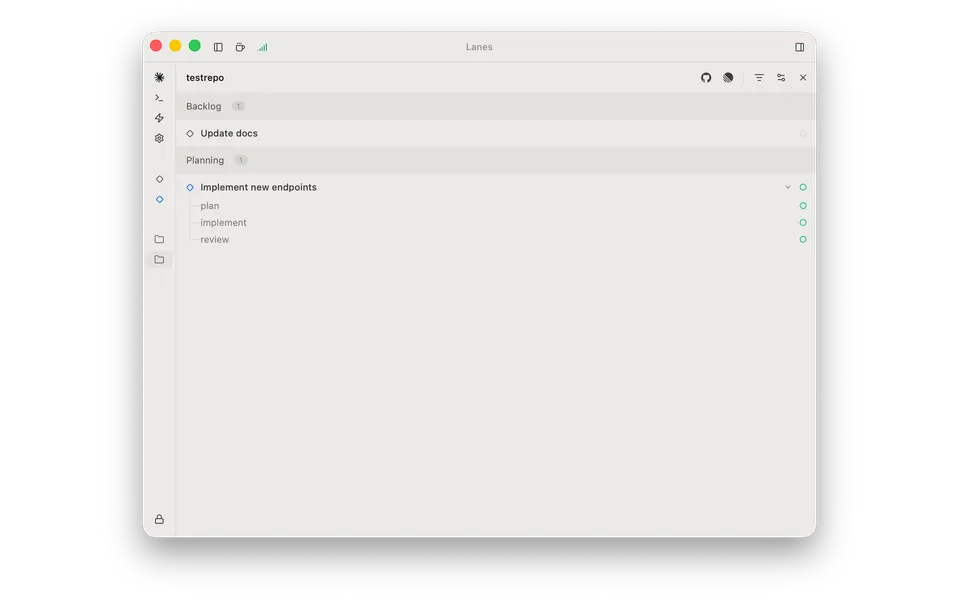
- Desktop app
- Mac
- Browser
- No
- Phone
- No
- Command line
- Not listed
- Agents
- Claude Code and Codex
- Your subscription
- Works with your own plan
- Agents run
- On your computer
- Laptop closed
- No
- Isolation
- Worktree
- Parallel agents
- Yes
- Scheduled runs
- Yes
- Coordinator agent
- Yes
- Built-in issues
- Yes
- Pull requests
- Yes
- Review screen
- Yes
- Team
- Not listed
- Self-hosting
- Yes
- Licence
- Proprietary
- Price from
- Free
- How it charges
- Free plan, subscription and bring your own key
- Paid plans from
- $11–20/month
Receipts
- Checked
- Findings
- 40 published · 29 cross-checked by a second agent · read them all
- Sources
- 22 public pages on 2 sites: lanes.sh, github.com
- Screenshot
- lanes.sh, retrieved · first party docs · shows appearance, not capability
- Data
- /products/lanes.json · .md
- Method
- Same rules for all 103 researched ADEs. How we check · Report wrong data
What it does
Where you use it
Lanes Desktop is available for macOS Ventura+; other desktop platforms remain roadmap items. The complete primary client inventory is the native macOS Desktop application; the web account dashboard and separate Forms/Link products are not agent workspace clients. The complete Lanes Desktop client distribution lists only the native macOS app, with no native phone application. The complete primary client inventory is the native Desktop application and does not include a phone-browser agent workspace.
Source and scope for Where you use itAgents it runs
Claude Code and Codex have first-class integration; provider gateway support is scoped.
Source and scope for Agents it runsAccounts and subscriptions
Existing agent authentication is reused; gateway profiles add own-key/local-model routes.
Source and scope for Accounts and subscriptionsWhere agents run
Desktop sessions execute locally; remote board sync is not proof of remote agent compute.
Source and scope for Where agents runHow work is kept apart
Each issue can get a branch/worktree; sibling sessions share it.
Source and scope for How work is kept apartParallel work
Concurrent sessions can run on one or several issues.
Source and scope for Parallel workScheduled runs
Unattended loops are configured in the connected harness and require the desktop app.
Source and scope for Scheduled runsGit and pull requests
Git UI commits/publishes branches; session gh creates PRs.
Source and scope for Git and pull requestsLicence and source
Desktop README specifies proprietary licensing; separate Lanes Link is not the desktop license.
Source and scope for Licence and sourceTyped filters
Every value links to its receipt below. Read plan and surface restrictions before using a filter to decide.
| Filter | Value |
|---|---|
| Desktop OS: macOS | Yes |
| Desktop OS: Windows | No |
| Desktop OS: Linux | No |
| Web client | No |
| Phone access: Native iOS | No |
| Phone access: Native Android | No |
| Phone access: Phone browser | No |
| CLI | Unknown |
| Coding agents: Claude Code | Yes cross-checked |
| Coding agents: Codex | Yes cross-checked |
| Coding agents: Cursor Agent | No |
| Coding agents: Gemini CLI | No |
| Coding agents: OpenCode | No |
| Coding agents: Pi | No |
| Coding agents: Grok | No |
| Coding agents: Aider | No |
| Coding agents: Antigravity | No |
| Use my subscription | Yes cross-checked |
| Where agents run: On your computer | Yes cross-checked |
| Where agents run: On your own server | No |
| Where agents run: In the vendor's cloud | No |
| Workspace isolation: Git worktree | Yes cross-checked |
| Workspace isolation: Container | Unknown |
| Workspace isolation: VM or microVM | Unknown |
| Parallel runs | Yes cross-checked |
| Coordinator | Yes cross-checked |
| Native issue tracking | Yes cross-checked |
| Unattended triggers | Yes |
| Shared prompting | Unknown |
| Team roles | Unknown |
| SSO | Unknown |
| Pull request workflow | Yes cross-checked |
| Review interface | Yes cross-checked |
| Product license: Apache-2.0 | No. Proprietary cross-checked |
| Product license: MIT | No. Proprietary cross-checked |
| Product license: GPL-3.0 | No. Proprietary cross-checked |
| Product license: GPL-3.0-or-later | No. Proprietary cross-checked |
| Product license: AGPL-3.0 | No. Proprietary cross-checked |
| Product license: AGPL-3.0-or-later | No. Proprietary cross-checked |
| Product license: Elastic License 2.0 | No. Proprietary cross-checked |
| Product license: Custom terms | No. Proprietary cross-checked |
| Product license: Proprietary | Yes. Proprietary cross-checked |
| Self-hosting | Yes cross-checked |
| Telemetry opt-out | Unknown |
| Free access | Yes cross-checked |
| Starting price: Free | Yes. Free cross-checked |
| Starting price: Up to $20/month | No. Free cross-checked |
| Starting price: $21–40/month | No. Free cross-checked |
| Starting price: $41–100/month | No. Free cross-checked |
| Starting price: Over $100/month | No. Free cross-checked |
| Starting price: Contact for pricing | No. Free cross-checked |
| Pricing model: Free, no paid plan | No |
| Pricing model: Free plan | Yes cross-checked |
| Pricing model: Subscription | Yes cross-checked |
| Pricing model: Per seat | No |
| Pricing model: Usage-based | No |
| Pricing model: Per machine or compute | No |
| Pricing model: Bring your own key | Yes cross-checked |
| Pricing model: One-time purchase | No |
| Paid plans from: No paid plan | No. $11–20/month |
| Paid plans from: $10 or less/month | No. $11–20/month |
| Paid plans from: $11–20/month | Yes. $11–20/month |
| Paid plans from: $21–40/month | No. $11–20/month |
| Paid plans from: $41–100/month | No. $11–20/month |
| Paid plans from: Over $100/month | No. $11–20/month |
| Paid plans from: Contact sales | No. $11–20/month |
| Lifecycle status: Active | Unknown |
| Lifecycle status: Sunsetting | Unknown |
| Keeps going with laptop closed | No |
| Open-source license | No. Proprietary cross-checked |
| Any desktop app | Yes |
| Paid plan up to $20/month | Yes. $11–20/month |
| Paid plan up to $40/month | Yes. $11–20/month |
| Any phone client | No |
Filter receipts
Desktop OS: macOS: Yes
Desktop OS: macOS
Typed value: Yes.
Lanes Desktop is available for macOS Ventura+; other desktop platforms remain roadmap items. The complete primary client inventory is the native macOS Desktop application; the web account dashboard and separate Forms/Link products are not agent workspace clients. The complete Lanes Desktop client distribution lists only the native macOS app, with no native phone application. The complete primary client inventory is the native Desktop application and does not include a phone-browser agent workspace.
- Desktop os: macOS Ventura+ on Apple Silicon and Intel; other platforms are on the roadmap.
- Task actions: Create/edit issues, start/stop sessions and review code in desktop UI.
- Notifications: A configurable Done sound plays when an issue reaches Done; board cards show awaiting-input attention indicators.
- The scoped first-party source pass does not establish cli, editor_extensions, cross_device_continuity. No hands-on scenario was run.
-
Finding: Multiple named PTY sessions share an issue worktree with separate transcripts, tokens/cost/runtime metrics and lifecycle state. Claude sessions resume history; users stop/steer through terminals.
-
Finding: macOS Ventura+ native Intel/Apple Silicon app. Other platforms are on the roadmap. Existing CLI login/API keys are reused; code/prompts/terminal data stay local.
Desktop OS: Windows: No
Desktop OS: Windows
Typed value: No.
Lanes Desktop is available for macOS Ventura+; other desktop platforms remain roadmap items. The complete primary client inventory is the native macOS Desktop application; the web account dashboard and separate Forms/Link products are not agent workspace clients. The complete Lanes Desktop client distribution lists only the native macOS app, with no native phone application. The complete primary client inventory is the native Desktop application and does not include a phone-browser agent workspace.
- Desktop os: macOS Ventura+ on Apple Silicon and Intel; other platforms are on the roadmap.
- Task actions: Create/edit issues, start/stop sessions and review code in desktop UI.
- Notifications: A configurable Done sound plays when an issue reaches Done; board cards show awaiting-input attention indicators.
- The scoped first-party source pass does not establish cli, editor_extensions, cross_device_continuity. No hands-on scenario was run.
-
Finding: Multiple named PTY sessions share an issue worktree with separate transcripts, tokens/cost/runtime metrics and lifecycle state. Claude sessions resume history; users stop/steer through terminals.
-
Finding: macOS Ventura+ native Intel/Apple Silicon app. Other platforms are on the roadmap. Existing CLI login/API keys are reused; code/prompts/terminal data stay local.
Desktop OS: Linux: No
Desktop OS: Linux
Typed value: No.
Lanes Desktop is available for macOS Ventura+; other desktop platforms remain roadmap items. The complete primary client inventory is the native macOS Desktop application; the web account dashboard and separate Forms/Link products are not agent workspace clients. The complete Lanes Desktop client distribution lists only the native macOS app, with no native phone application. The complete primary client inventory is the native Desktop application and does not include a phone-browser agent workspace.
- Desktop os: macOS Ventura+ on Apple Silicon and Intel; other platforms are on the roadmap.
- Task actions: Create/edit issues, start/stop sessions and review code in desktop UI.
- Notifications: A configurable Done sound plays when an issue reaches Done; board cards show awaiting-input attention indicators.
- The scoped first-party source pass does not establish cli, editor_extensions, cross_device_continuity. No hands-on scenario was run.
-
Finding: Multiple named PTY sessions share an issue worktree with separate transcripts, tokens/cost/runtime metrics and lifecycle state. Claude sessions resume history; users stop/steer through terminals.
-
Finding: macOS Ventura+ native Intel/Apple Silicon app. Other platforms are on the roadmap. Existing CLI login/API keys are reused; code/prompts/terminal data stay local.
Web client: No
Web client
Typed value: No.
Lanes Desktop is available for macOS Ventura+; other desktop platforms remain roadmap items. The complete primary client inventory is the native macOS Desktop application; the web account dashboard and separate Forms/Link products are not agent workspace clients. The complete Lanes Desktop client distribution lists only the native macOS app, with no native phone application. The complete primary client inventory is the native Desktop application and does not include a phone-browser agent workspace.
- Mobile apps: The complete Lanes Desktop client distribution lists only the native macOS app, with no native phone application.
- Browser: The complete primary client inventory is the native macOS Desktop application; the web account dashboard and separate Forms/Link products are not agent workspace clients.
- Mobile browser: The complete primary client inventory is the native Desktop application and does not include a phone-browser agent workspace.
- The scoped first-party source pass does not establish cli, editor_extensions, cross_device_continuity. No hands-on scenario was run.
-
Lanes primary client and public repository scope
Finding: The official repository presents Lanes Desktop as a native macOS application. Its complete installation/client description names no browser or native phone client. The public tree contains plugin documentation, not the proprietary desktop execution core. Separate Link, Forms and Compute products are not Desktop clients.
Phone access: Native iOS: No
Phone access: Native iOS
Typed value: No.
Lanes Desktop is available for macOS Ventura+; other desktop platforms remain roadmap items. The complete primary client inventory is the native macOS Desktop application; the web account dashboard and separate Forms/Link products are not agent workspace clients. The complete Lanes Desktop client distribution lists only the native macOS app, with no native phone application. The complete primary client inventory is the native Desktop application and does not include a phone-browser agent workspace.
- Mobile apps: The complete Lanes Desktop client distribution lists only the native macOS app, with no native phone application.
- Browser: The complete primary client inventory is the native macOS Desktop application; the web account dashboard and separate Forms/Link products are not agent workspace clients.
- Mobile browser: The complete primary client inventory is the native Desktop application and does not include a phone-browser agent workspace.
- The scoped first-party source pass does not establish cli, editor_extensions, cross_device_continuity. No hands-on scenario was run.
-
Lanes primary client and public repository scope
Finding: The official repository presents Lanes Desktop as a native macOS application. Its complete installation/client description names no browser or native phone client. The public tree contains plugin documentation, not the proprietary desktop execution core. Separate Link, Forms and Compute products are not Desktop clients.
Phone access: Native Android: No
Phone access: Native Android
Typed value: No.
Lanes Desktop is available for macOS Ventura+; other desktop platforms remain roadmap items. The complete primary client inventory is the native macOS Desktop application; the web account dashboard and separate Forms/Link products are not agent workspace clients. The complete Lanes Desktop client distribution lists only the native macOS app, with no native phone application. The complete primary client inventory is the native Desktop application and does not include a phone-browser agent workspace.
- Mobile apps: The complete Lanes Desktop client distribution lists only the native macOS app, with no native phone application.
- Browser: The complete primary client inventory is the native macOS Desktop application; the web account dashboard and separate Forms/Link products are not agent workspace clients.
- Mobile browser: The complete primary client inventory is the native Desktop application and does not include a phone-browser agent workspace.
- The scoped first-party source pass does not establish cli, editor_extensions, cross_device_continuity. No hands-on scenario was run.
-
Lanes primary client and public repository scope
Finding: The official repository presents Lanes Desktop as a native macOS application. Its complete installation/client description names no browser or native phone client. The public tree contains plugin documentation, not the proprietary desktop execution core. Separate Link, Forms and Compute products are not Desktop clients.
Phone access: Phone browser: No
Phone access: Phone browser
Typed value: No.
Lanes Desktop is available for macOS Ventura+; other desktop platforms remain roadmap items. The complete primary client inventory is the native macOS Desktop application; the web account dashboard and separate Forms/Link products are not agent workspace clients. The complete Lanes Desktop client distribution lists only the native macOS app, with no native phone application. The complete primary client inventory is the native Desktop application and does not include a phone-browser agent workspace.
- Mobile apps: The complete Lanes Desktop client distribution lists only the native macOS app, with no native phone application.
- Browser: The complete primary client inventory is the native macOS Desktop application; the web account dashboard and separate Forms/Link products are not agent workspace clients.
- Mobile browser: The complete primary client inventory is the native Desktop application and does not include a phone-browser agent workspace.
- The scoped first-party source pass does not establish cli, editor_extensions, cross_device_continuity. No hands-on scenario was run.
-
Lanes primary client and public repository scope
Finding: The official repository presents Lanes Desktop as a native macOS application. Its complete installation/client description names no browser or native phone client. The public tree contains plugin documentation, not the proprietary desktop execution core. Separate Link, Forms and Compute products are not Desktop clients.
Coding agents: Claude Code: Yes cross-checked
Coding agents: Claude Code
Typed value: Yes.
Claude Code and Codex have first-class integration; provider gateway support is scoped.
- Harnesses: Claude Code and OpenAI Codex; other CLIs can run as plain shell terminals.
- Model providers: Gateway profiles support Anthropic-compatible endpoints including Ollama, LM Studio, vLLM, OpenRouter and z.ai.
- Session integration: Lanes launches installed CLIs and reads their on-disk state/transcripts.
- Mixed harness operation: Each concurrent session chooses its own harness/model/effort.
- Not established by this source pass: custom_adapters.
-
Finding: Multiple named PTY sessions share an issue worktree with separate transcripts, tokens/cost/runtime metrics and lifecycle state. Claude sessions resume history; users stop/steer through terminals.
-
Finding: Claude Code and Codex are first-class; others run as plain shell sessions. Detects installed versions and offers install/update.
Coding agents: Codex: Yes cross-checked
Coding agents: Codex
Typed value: Yes.
Claude Code and Codex have first-class integration; provider gateway support is scoped.
- Harnesses: Claude Code and OpenAI Codex; other CLIs can run as plain shell terminals.
- Model providers: Gateway profiles support Anthropic-compatible endpoints including Ollama, LM Studio, vLLM, OpenRouter and z.ai.
- Session integration: Lanes launches installed CLIs and reads their on-disk state/transcripts.
- Mixed harness operation: Each concurrent session chooses its own harness/model/effort.
- Not established by this source pass: custom_adapters.
-
Finding: Multiple named PTY sessions share an issue worktree with separate transcripts, tokens/cost/runtime metrics and lifecycle state. Claude sessions resume history; users stop/steer through terminals.
-
Finding: Claude Code and Codex are first-class; others run as plain shell sessions. Detects installed versions and offers install/update.
Coding agents: Cursor Agent: No
Coding agents: Cursor Agent
Typed value: No.
Claude Code and Codex have first-class integration; provider gateway support is scoped.
- Harnesses: Claude Code and OpenAI Codex; other CLIs can run as plain shell terminals.
- Model providers: Gateway profiles support Anthropic-compatible endpoints including Ollama, LM Studio, vLLM, OpenRouter and z.ai.
- Session integration: Lanes launches installed CLIs and reads their on-disk state/transcripts.
- Mixed harness operation: Each concurrent session chooses its own harness/model/effort.
- Not established by this source pass: custom_adapters.
-
Finding: Claude Code and Codex are first-class; others run as plain shell sessions. Detects installed versions and offers install/update.
Coding agents: Gemini CLI: No
Coding agents: Gemini CLI
Typed value: No.
Claude Code and Codex have first-class integration; provider gateway support is scoped.
- Harnesses: Claude Code and OpenAI Codex; other CLIs can run as plain shell terminals.
- Model providers: Gateway profiles support Anthropic-compatible endpoints including Ollama, LM Studio, vLLM, OpenRouter and z.ai.
- Session integration: Lanes launches installed CLIs and reads their on-disk state/transcripts.
- Mixed harness operation: Each concurrent session chooses its own harness/model/effort.
- Not established by this source pass: custom_adapters.
-
Finding: Claude Code and Codex are first-class; others run as plain shell sessions. Detects installed versions and offers install/update.
Coding agents: OpenCode: No
Coding agents: OpenCode
Typed value: No.
Claude Code and Codex have first-class integration; provider gateway support is scoped.
- Harnesses: Claude Code and OpenAI Codex; other CLIs can run as plain shell terminals.
- Model providers: Gateway profiles support Anthropic-compatible endpoints including Ollama, LM Studio, vLLM, OpenRouter and z.ai.
- Session integration: Lanes launches installed CLIs and reads their on-disk state/transcripts.
- Mixed harness operation: Each concurrent session chooses its own harness/model/effort.
- Not established by this source pass: custom_adapters.
-
Finding: Claude Code and Codex are first-class; others run as plain shell sessions. Detects installed versions and offers install/update.
Coding agents: Pi: No
Coding agents: Pi
Typed value: No.
Claude Code and Codex have first-class integration; provider gateway support is scoped.
- Harnesses: Claude Code and OpenAI Codex; other CLIs can run as plain shell terminals.
- Model providers: Gateway profiles support Anthropic-compatible endpoints including Ollama, LM Studio, vLLM, OpenRouter and z.ai.
- Session integration: Lanes launches installed CLIs and reads their on-disk state/transcripts.
- Mixed harness operation: Each concurrent session chooses its own harness/model/effort.
- Not established by this source pass: custom_adapters.
-
Finding: Claude Code and Codex are first-class; others run as plain shell sessions. Detects installed versions and offers install/update.
Coding agents: Grok: No
Coding agents: Grok
Typed value: No.
Claude Code and Codex have first-class integration; provider gateway support is scoped.
- Harnesses: Claude Code and OpenAI Codex; other CLIs can run as plain shell terminals.
- Model providers: Gateway profiles support Anthropic-compatible endpoints including Ollama, LM Studio, vLLM, OpenRouter and z.ai.
- Session integration: Lanes launches installed CLIs and reads their on-disk state/transcripts.
- Mixed harness operation: Each concurrent session chooses its own harness/model/effort.
- Not established by this source pass: custom_adapters.
-
Finding: Claude Code and Codex are first-class; others run as plain shell sessions. Detects installed versions and offers install/update.
Coding agents: Aider: No
Coding agents: Aider
Typed value: No.
Claude Code and Codex have first-class integration; provider gateway support is scoped.
- Harnesses: Claude Code and OpenAI Codex; other CLIs can run as plain shell terminals.
- Model providers: Gateway profiles support Anthropic-compatible endpoints including Ollama, LM Studio, vLLM, OpenRouter and z.ai.
- Session integration: Lanes launches installed CLIs and reads their on-disk state/transcripts.
- Mixed harness operation: Each concurrent session chooses its own harness/model/effort.
- Not established by this source pass: custom_adapters.
-
Finding: Claude Code and Codex are first-class; others run as plain shell sessions. Detects installed versions and offers install/update.
Coding agents: Antigravity: No
Coding agents: Antigravity
Typed value: No.
Claude Code and Codex have first-class integration; provider gateway support is scoped.
- Harnesses: Claude Code and OpenAI Codex; other CLIs can run as plain shell terminals.
- Model providers: Gateway profiles support Anthropic-compatible endpoints including Ollama, LM Studio, vLLM, OpenRouter and z.ai.
- Session integration: Lanes launches installed CLIs and reads their on-disk state/transcripts.
- Mixed harness operation: Each concurrent session chooses its own harness/model/effort.
- Not established by this source pass: custom_adapters.
-
Finding: Claude Code and Codex are first-class; others run as plain shell sessions. Detects installed versions and offers install/update.
Use my subscription: Yes cross-checked
Use my subscription
Typed value: Yes.
Existing agent authentication is reused; gateway profiles add own-key/local-model routes.
- Agent subscriptions: Existing CLI native login and subscription remain in use; no new Lanes agent subscription is needed.
- Api accounts: Existing CLI API keys or gateway token credentials.
- Local models: Gateway supports local Ollama/LM Studio and network vLLM.
- Provider restrictions: Gateway built-in mapping is Claude-specific; Codex file-based provider configuration cannot be driven by those environment fields.
- Not established by this source pass: vendor_credits, account_switching, vendor_account_requirement.
-
Finding: Gateway changes provider through session environment, chiefly Claude Code Anthropic-compatible endpoints. Supports Ollama/LM Studio/vLLM and token providers; Codex file config is not driven by environment mappings.
-
Finding: macOS Ventura+ native Intel/Apple Silicon app. Other platforms are on the roadmap. Existing CLI login/API keys are reused; code/prompts/terminal data stay local.
Where agents run: On your computer: Yes cross-checked
Where agents run: On your computer
Typed value: Yes.
Desktop sessions execute locally; remote board sync is not proof of remote agent compute.
- Local: Terminal processes, files and CLI output run on the Mac.
- Not established by this source pass: byo_remote, self_hosted, managed_cloud, hybrid, provisioning, payer, resources, region, expiry, other_device_continuation.
-
Finding: macOS Ventura+ native Intel/Apple Silicon app. Other platforms are on the roadmap. Existing CLI login/API keys are reused; code/prompts/terminal data stay local.
Where agents run: On your own server: No
Where agents run: On your own server
Typed value: No.
Desktop sessions execute locally; remote board sync is not proof of remote agent compute.
- Client disconnect: Closing the detail panel keeps sessions running on the same host; laptop-disconnect survival is not established.
- Not established by this source pass: byo_remote, self_hosted, managed_cloud, hybrid, provisioning, payer, resources, region, expiry, other_device_continuation.
-
Finding: Multiple named PTY sessions share an issue worktree with separate transcripts, tokens/cost/runtime metrics and lifecycle state. Claude sessions resume history; users stop/steer through terminals.
Where agents run: In the vendor's cloud: No
Where agents run: In the vendor's cloud
Typed value: No.
Desktop sessions execute locally; remote board sync is not proof of remote agent compute.
- Client disconnect: Closing the detail panel keeps sessions running on the same host; laptop-disconnect survival is not established.
- Not established by this source pass: byo_remote, self_hosted, managed_cloud, hybrid, provisioning, payer, resources, region, expiry, other_device_continuation.
-
Finding: Multiple named PTY sessions share an issue worktree with separate transcripts, tokens/cost/runtime metrics and lifecycle state. Claude sessions resume history; users stop/steer through terminals.
Workspace isolation: Git worktree: Yes cross-checked
Workspace isolation: Git worktree
Typed value: Yes.
Each issue can get a branch/worktree; sibling sessions share it.
- Checkout: Separate working directory per issue.
- Branch: Generated branch based on configured base.
- Worktree: Create/select/none strategies.
- Code separation: Different issues can separate files; siblings share the issue worktree.
- Security boundary: Git worktrees separate files, not a documented security sandbox.
- Not established by this source pass: container, vm, os_sandbox, filesystem, process, network, secrets.
-
Finding: Multiple named PTY sessions share an issue worktree with separate transcripts, tokens/cost/runtime metrics and lifecycle state. Claude sessions resume history; users stop/steer through terminals.
-
Finding: Issue worktrees have separate branches/directories. Sibling sessions share one issue worktree. User scripts run tests; complete-and-merge commits/merges and cleans up with dirty-work warnings.
Parallel runs: Yes cross-checked
Parallel runs
Typed value: Yes.
Concurrent sessions can run on one or several issues.
- Concurrent sessions: Multiple independent PTYs per issue.
- Concurrent tasks: Parallel sessions across issue worktrees.
- Status visibility: Board aggregates active session status/counts.
- Not established by this source pass: quotas, observed_concurrency.
-
Finding: Multiple named PTY sessions share an issue worktree with separate transcripts, tokens/cost/runtime metrics and lifecycle state. Claude sessions resume history; users stop/steer through terminals.
Coordinator: Yes cross-checked
Coordinator
Typed value: Yes.
An external MCP-connected agent can launch and inspect Lanes sessions.
- Model harness effort: MCP session start selects Claude Code, Codex or shell, plan mode, prompt, CLI flags and environment variables; explicit model or effort selection through MCP is not stated.
- Messages: Parent can read live terminal and message history.
- Results return: Inspect session history, metrics and issue diffs.
- Orchestration owner: Lanes supplies the delegation tools through its MCP server and one-click agent connection; the connected third-party agent does the reasoning.
- Live progress: Query session state and terminal output.
- Retained results: Per-session transcript is inspectable.
- Followup: Resume a stopped session through MCP.
- Not established by this source pass: roles, cross_harness, activation, authentication, invocation.
- Lanes Desktop MCP is labelled a research preview; its tool surface may change.
-
Finding: Opt-in research-preview local SSE server lets agents create/read/edit/move issues, start/stop/resume sessions, read history/statistics/terminal output and bridge GitHub/Linear.
-
Finding: Lanes Desktop MCP is a research preview enabled under Settings > Integrations > Lanes MCP, with one-click connection for supported agents. Its tools start Claude Code, Codex or shell sessions against issues, stop and resume them, check status across running sessions and pull session message history.
Native issue tracking: Yes cross-checked
Native issue tracking
Typed value: Yes.
Native board issues persist independently of sessions.
- Create: New issue dialog.
- Edit: Title/description/instructions auto-save.
- Prioritize: Manual order and sort controls.
- Label: Per-repository labels can be assigned to issues.
- Filter: Project and worktree tabs; label, working-directory and workflow-step filters.
- Reopen: Move completed issue to earlier column and start session.
- Idea parking: Backlog can hold planning notes without sessions.
- Explicit dispatch: Start Plan or Implement on an issue.
- Metadata: Title, description, instructions, CLI and worktree settings.
- Durable states: Customizable statuses across Not started/In progress/Done.
- Not established by this source pass: discuss, assign, search, archive, project_epic_views, external_tracker_requirement.
-
Finding: Issues have title, description, instructions, CLI and worktree settings. Board statuses are customizable; issue edits auto-save; label/project/worktree filtering and bulk actions exist.
Unattended triggers: Yes
Unattended triggers
Typed value: Yes.
Unattended loops are configured in the connected harness and require the desktop app.
- Schedules: Documented /loop schedules repeatedly select issues via MCP.
- Completion conditions: Loop polls terminal status and checks diffs/tests before advancing.
- Scheduler location: Harness loop drives MCP; Lanes desktop must remain running.
- Retries: Guidance requires max iterations and wall-clock timeout.
- Not established by this source pass: events, recurring_tasks, overlaps, client_independence.
- Lanes Desktop MCP is labelled a research preview; its tool surface may change.
-
Finding: External agents drive MCP to start/check sessions and advance issues. Examples use harness loop/schedules; desktop must stay running. Verification and bounded retries/time are workflow guidance.
Pull request workflow: Yes cross-checked
Pull request workflow
Typed value: Yes.
Git UI commits/publishes branches; session gh creates PRs.
- Branches: Create/switch/base/delete branches.
- Worktrees: Per-issue branch checkout.
- Commits: Commit all changes, inspect history and uncommit latest unpushed commit.
- Pull requests: PR creation runs local gh from a session.
- Comments: MCP posts comments to GitHub issues/PRs.
- Conflicts: Conflict resolution and interactive rebase use terminal; no conflict-resolution GUI.
- Product state: Changes pane shows ahead/behind counts and commit history.
- Not established by this source pass: ci_response, rebase.
-
Finding: Issue worktrees have separate branches/directories. Sibling sessions share one issue worktree. User scripts run tests; complete-and-merge commits/merges and cleans up with dirty-work warnings.
-
Finding: Monaco inline diff and commit history are available. Commits stage everything; no hunk staging, side-by-side diff or conflict-resolution UI. Uncommit/discard applies only to latest unpushed commit.
-
Finding: Imports external issues with source URL, refreshes title/body after overwrite warning, and supports write-back comments. PR creation uses local gh within a session; no PR MCP tool.
Review interface: Yes cross-checked
Review interface
Typed value: Yes.
Built-in inline diff and commit history support review.
- Change understanding: Monaco inline diff with file badges and line counts.
- Evidence navigation: Click recent commit to inspect file diffs.
- Retained context: Issue-scoped diff compares the whole worktree against its base branch.
- Not established by this source pass: pending_reviews, comments, request_changes, shipping_guidance, effort, missed_evidence, keyboard, narrow_screen, context_switching, roles.
-
Finding: Monaco inline diff and commit history are available. Commits stage everything; no hunk staging, side-by-side diff or conflict-resolution UI. Uncommit/discard applies only to latest unpushed commit.
Product license: Apache-2.0: No. Proprietary cross-checked
Product license: Apache-2.0
Typed value: No. Proprietary.
Desktop README specifies proprietary licensing; separate Lanes Link is not the desktop license.
- Client license: Proprietary, all rights reserved, per Desktop repository License section.
- Source visibility: Public app repository provides documentation/plugins/releases; full desktop-source availability is not established.
- Not established by this source pass: server_license, hosted_extensions, source_revision, hosted_parity.
-
Finding: Desktop uses Tauri 2/React/Rust/SQLite; local issues/settings stay in SQLite. Crash reporting is on by default with Settings > User > General opt-out. License section says Proprietary, all rights reserved.
Product license: MIT: No. Proprietary cross-checked
Product license: MIT
Typed value: No. Proprietary.
Desktop README specifies proprietary licensing; separate Lanes Link is not the desktop license.
- Client license: Proprietary, all rights reserved, per Desktop repository License section.
- Source visibility: Public app repository provides documentation/plugins/releases; full desktop-source availability is not established.
- Not established by this source pass: server_license, hosted_extensions, source_revision, hosted_parity.
-
Finding: Desktop uses Tauri 2/React/Rust/SQLite; local issues/settings stay in SQLite. Crash reporting is on by default with Settings > User > General opt-out. License section says Proprietary, all rights reserved.
Product license: GPL-3.0: No. Proprietary cross-checked
Product license: GPL-3.0
Typed value: No. Proprietary.
Desktop README specifies proprietary licensing; separate Lanes Link is not the desktop license.
- Client license: Proprietary, all rights reserved, per Desktop repository License section.
- Source visibility: Public app repository provides documentation/plugins/releases; full desktop-source availability is not established.
- Not established by this source pass: server_license, hosted_extensions, source_revision, hosted_parity.
-
Finding: Desktop uses Tauri 2/React/Rust/SQLite; local issues/settings stay in SQLite. Crash reporting is on by default with Settings > User > General opt-out. License section says Proprietary, all rights reserved.
Product license: GPL-3.0-or-later: No. Proprietary cross-checked
Product license: GPL-3.0-or-later
Typed value: No. Proprietary.
Desktop README specifies proprietary licensing; separate Lanes Link is not the desktop license.
- Client license: Proprietary, all rights reserved, per Desktop repository License section.
- Source visibility: Public app repository provides documentation/plugins/releases; full desktop-source availability is not established.
- Not established by this source pass: server_license, hosted_extensions, source_revision, hosted_parity.
-
Finding: Desktop uses Tauri 2/React/Rust/SQLite; local issues/settings stay in SQLite. Crash reporting is on by default with Settings > User > General opt-out. License section says Proprietary, all rights reserved.
Product license: AGPL-3.0: No. Proprietary cross-checked
Product license: AGPL-3.0
Typed value: No. Proprietary.
Desktop README specifies proprietary licensing; separate Lanes Link is not the desktop license.
- Client license: Proprietary, all rights reserved, per Desktop repository License section.
- Source visibility: Public app repository provides documentation/plugins/releases; full desktop-source availability is not established.
- Not established by this source pass: server_license, hosted_extensions, source_revision, hosted_parity.
-
Finding: Desktop uses Tauri 2/React/Rust/SQLite; local issues/settings stay in SQLite. Crash reporting is on by default with Settings > User > General opt-out. License section says Proprietary, all rights reserved.
Product license: AGPL-3.0-or-later: No. Proprietary cross-checked
Product license: AGPL-3.0-or-later
Typed value: No. Proprietary.
Desktop README specifies proprietary licensing; separate Lanes Link is not the desktop license.
- Client license: Proprietary, all rights reserved, per Desktop repository License section.
- Source visibility: Public app repository provides documentation/plugins/releases; full desktop-source availability is not established.
- Not established by this source pass: server_license, hosted_extensions, source_revision, hosted_parity.
-
Finding: Desktop uses Tauri 2/React/Rust/SQLite; local issues/settings stay in SQLite. Crash reporting is on by default with Settings > User > General opt-out. License section says Proprietary, all rights reserved.
Product license: Elastic License 2.0: No. Proprietary cross-checked
Product license: Elastic License 2.0
Typed value: No. Proprietary.
Desktop README specifies proprietary licensing; separate Lanes Link is not the desktop license.
- Client license: Proprietary, all rights reserved, per Desktop repository License section.
- Source visibility: Public app repository provides documentation/plugins/releases; full desktop-source availability is not established.
- Not established by this source pass: server_license, hosted_extensions, source_revision, hosted_parity.
-
Finding: Desktop uses Tauri 2/React/Rust/SQLite; local issues/settings stay in SQLite. Crash reporting is on by default with Settings > User > General opt-out. License section says Proprietary, all rights reserved.
Product license: Custom terms: No. Proprietary cross-checked
Product license: Custom terms
Typed value: No. Proprietary.
Desktop README specifies proprietary licensing; separate Lanes Link is not the desktop license.
- Client license: Proprietary, all rights reserved, per Desktop repository License section.
- Source visibility: Public app repository provides documentation/plugins/releases; full desktop-source availability is not established.
- Not established by this source pass: server_license, hosted_extensions, source_revision, hosted_parity.
-
Finding: Desktop uses Tauri 2/React/Rust/SQLite; local issues/settings stay in SQLite. Crash reporting is on by default with Settings > User > General opt-out. License section says Proprietary, all rights reserved.
Product license: Proprietary: Yes. Proprietary cross-checked
Product license: Proprietary
Typed value: Yes. Proprietary.
Desktop README specifies proprietary licensing; separate Lanes Link is not the desktop license.
- Client license: Proprietary, all rights reserved, per Desktop repository License section.
- Source visibility: Public app repository provides documentation/plugins/releases; full desktop-source availability is not established.
- Not established by this source pass: server_license, hosted_extensions, source_revision, hosted_parity.
-
Finding: Desktop uses Tauri 2/React/Rust/SQLite; local issues/settings stay in SQLite. Crash reporting is on by default with Settings > User > General opt-out. License section says Proprietary, all rights reserved.
Self-hosting: Yes cross-checked
Self-hosting
Typed value: Yes.
Local desktop issues/settings use user-machine SQLite; hosted parity is not established.
- Self hosting: Core desktop application runs locally on user-controlled Mac.
- Formats: SQLite stores local issue/session/settings records; .lanes settings are JSON.
- Not established by this source pass: vendor_dependencies, export, import, cancellation, account_independence, history_portability.
-
Finding: Desktop uses Tauri 2/React/Rust/SQLite; local issues/settings stay in SQLite. Crash reporting is on by default with Settings > User > General opt-out. License section says Proprietary, all rights reserved.
Free access: Yes cross-checked
Free access
Typed value: Yes.
Free-forever one-user plan includes Desktop and unlimited local sessions.
- Ongoing free: Free $0 forever, one user.
- Free scenarios: Solo local multi-agent/worktree workflows.
- Usage caps: Desktop local sessions unlimited; collaboration paid.
- Paid evaluation: Pro collaboration $19/month up to ten users.
- Not established by this source pass: trial, credits_trial, self_host_cost, paid_only, early_access, card_required.
-
Finding: macOS Ventura+ native Intel/Apple Silicon app. Other platforms are on the roadmap. Existing CLI login/API keys are reused; code/prompts/terminal data stay local.
-
Finding: Free forever one-user plan; Pro $19/month up to ten members. Desktop included on every plan. Remote workspaces, Slack and automations are labeled Coming soon.
Starting price: Free: Yes. Free cross-checked
Starting price: Free
Typed value: Yes. Free.
Free-forever one-user plan includes Desktop and unlimited local sessions.
- Ongoing free: Free $0 forever, one user.
- Free scenarios: Solo local multi-agent/worktree workflows.
- Usage caps: Desktop local sessions unlimited; collaboration paid.
- Paid evaluation: Pro collaboration $19/month up to ten users.
- Not established by this source pass: trial, credits_trial, self_host_cost, paid_only, early_access, card_required.
-
Finding: macOS Ventura+ native Intel/Apple Silicon app. Other platforms are on the roadmap. Existing CLI login/API keys are reused; code/prompts/terminal data stay local.
-
Finding: Free forever one-user plan; Pro $19/month up to ten members. Desktop included on every plan. Remote workspaces, Slack and automations are labeled Coming soon.
Starting price: Up to $20/month: No. Free cross-checked
Starting price: Up to $20/month
Typed value: No. Free.
Free-forever one-user plan includes Desktop and unlimited local sessions.
- Ongoing free: Free $0 forever, one user.
- Free scenarios: Solo local multi-agent/worktree workflows.
- Usage caps: Desktop local sessions unlimited; collaboration paid.
- Paid evaluation: Pro collaboration $19/month up to ten users.
- Not established by this source pass: trial, credits_trial, self_host_cost, paid_only, early_access, card_required.
-
Finding: macOS Ventura+ native Intel/Apple Silicon app. Other platforms are on the roadmap. Existing CLI login/API keys are reused; code/prompts/terminal data stay local.
-
Finding: Free forever one-user plan; Pro $19/month up to ten members. Desktop included on every plan. Remote workspaces, Slack and automations are labeled Coming soon.
Starting price: $21–40/month: No. Free cross-checked
Starting price: $21–40/month
Typed value: No. Free.
Free-forever one-user plan includes Desktop and unlimited local sessions.
- Ongoing free: Free $0 forever, one user.
- Free scenarios: Solo local multi-agent/worktree workflows.
- Usage caps: Desktop local sessions unlimited; collaboration paid.
- Paid evaluation: Pro collaboration $19/month up to ten users.
- Not established by this source pass: trial, credits_trial, self_host_cost, paid_only, early_access, card_required.
-
Finding: macOS Ventura+ native Intel/Apple Silicon app. Other platforms are on the roadmap. Existing CLI login/API keys are reused; code/prompts/terminal data stay local.
-
Finding: Free forever one-user plan; Pro $19/month up to ten members. Desktop included on every plan. Remote workspaces, Slack and automations are labeled Coming soon.
Starting price: $41–100/month: No. Free cross-checked
Starting price: $41–100/month
Typed value: No. Free.
Free-forever one-user plan includes Desktop and unlimited local sessions.
- Ongoing free: Free $0 forever, one user.
- Free scenarios: Solo local multi-agent/worktree workflows.
- Usage caps: Desktop local sessions unlimited; collaboration paid.
- Paid evaluation: Pro collaboration $19/month up to ten users.
- Not established by this source pass: trial, credits_trial, self_host_cost, paid_only, early_access, card_required.
-
Finding: macOS Ventura+ native Intel/Apple Silicon app. Other platforms are on the roadmap. Existing CLI login/API keys are reused; code/prompts/terminal data stay local.
-
Finding: Free forever one-user plan; Pro $19/month up to ten members. Desktop included on every plan. Remote workspaces, Slack and automations are labeled Coming soon.
Starting price: Over $100/month: No. Free cross-checked
Starting price: Over $100/month
Typed value: No. Free.
Free-forever one-user plan includes Desktop and unlimited local sessions.
- Ongoing free: Free $0 forever, one user.
- Free scenarios: Solo local multi-agent/worktree workflows.
- Usage caps: Desktop local sessions unlimited; collaboration paid.
- Paid evaluation: Pro collaboration $19/month up to ten users.
- Not established by this source pass: trial, credits_trial, self_host_cost, paid_only, early_access, card_required.
-
Finding: macOS Ventura+ native Intel/Apple Silicon app. Other platforms are on the roadmap. Existing CLI login/API keys are reused; code/prompts/terminal data stay local.
-
Finding: Free forever one-user plan; Pro $19/month up to ten members. Desktop included on every plan. Remote workspaces, Slack and automations are labeled Coming soon.
Starting price: Contact for pricing: No. Free cross-checked
Starting price: Contact for pricing
Typed value: No. Free.
Free-forever one-user plan includes Desktop and unlimited local sessions.
- Ongoing free: Free $0 forever, one user.
- Free scenarios: Solo local multi-agent/worktree workflows.
- Usage caps: Desktop local sessions unlimited; collaboration paid.
- Paid evaluation: Pro collaboration $19/month up to ten users.
- Not established by this source pass: trial, credits_trial, self_host_cost, paid_only, early_access, card_required.
-
Finding: macOS Ventura+ native Intel/Apple Silicon app. Other platforms are on the roadmap. Existing CLI login/API keys are reused; code/prompts/terminal data stay local.
-
Finding: Free forever one-user plan; Pro $19/month up to ten members. Desktop included on every plan. Remote workspaces, Slack and automations are labeled Coming soon.
Pricing model: Free, no paid plan: No
Pricing model: Free, no paid plan
Typed value: No.
Free solo plan and $19/month Pro workspace plan include Desktop.
- Currency: USD.
- Interval: Pro $19/month.
- Seats: Pro up to ten members.
- Seat minimum: Free one user.
- Included usage: Desktop app and unlimited local sessions in plan table.
- Not established by this source pass: workspace_fees, credits, trial, overages, taxes.
-
Finding: Free forever one-user plan; Pro $19/month up to ten members. Desktop included on every plan. Remote workspaces, Slack and automations are labeled Coming soon.
Pricing model: Free plan: Yes cross-checked
Pricing model: Free plan
Typed value: Yes.
Free solo plan and $19/month Pro workspace plan include Desktop.
- Currency: USD.
- Interval: Pro $19/month.
- Seats: Pro up to ten members.
- Seat minimum: Free one user.
- Included usage: Desktop app and unlimited local sessions in plan table.
- Not established by this source pass: workspace_fees, credits, trial, overages, taxes.
-
Finding: Free forever one-user plan; Pro $19/month up to ten members. Desktop included on every plan. Remote workspaces, Slack and automations are labeled Coming soon.
Pricing model: Subscription: Yes cross-checked
Pricing model: Subscription
Typed value: Yes.
Free solo plan and $19/month Pro workspace plan include Desktop.
- Currency: USD.
- Interval: Pro $19/month.
- Seats: Pro up to ten members.
- Seat minimum: Free one user.
- Included usage: Desktop app and unlimited local sessions in plan table.
- Not established by this source pass: workspace_fees, credits, trial, overages, taxes.
-
Finding: Free forever one-user plan; Pro $19/month up to ten members. Desktop included on every plan. Remote workspaces, Slack and automations are labeled Coming soon.
Pricing model: Per seat: No
Pricing model: Per seat
Typed value: No.
Free solo plan and $19/month Pro workspace plan include Desktop.
- Currency: USD.
- Interval: Pro $19/month.
- Seats: Pro up to ten members.
- Seat minimum: Free one user.
- Included usage: Desktop app and unlimited local sessions in plan table.
- Not established by this source pass: workspace_fees, credits, trial, overages, taxes.
-
Finding: Free forever one-user plan; Pro $19/month up to ten members. Desktop included on every plan. Remote workspaces, Slack and automations are labeled Coming soon.
Pricing model: Usage-based: No
Pricing model: Usage-based
Typed value: No.
Free solo plan and $19/month Pro workspace plan include Desktop.
- Currency: USD.
- Interval: Pro $19/month.
- Seats: Pro up to ten members.
- Seat minimum: Free one user.
- Included usage: Desktop app and unlimited local sessions in plan table.
- Not established by this source pass: workspace_fees, credits, trial, overages, taxes.
-
Finding: Free forever one-user plan; Pro $19/month up to ten members. Desktop included on every plan. Remote workspaces, Slack and automations are labeled Coming soon.
Pricing model: Per machine or compute: No
Pricing model: Per machine or compute
Typed value: No.
Free solo plan and $19/month Pro workspace plan include Desktop.
- Currency: USD.
- Interval: Pro $19/month.
- Seats: Pro up to ten members.
- Seat minimum: Free one user.
- Included usage: Desktop app and unlimited local sessions in plan table.
- Not established by this source pass: workspace_fees, credits, trial, overages, taxes.
-
Finding: Free forever one-user plan; Pro $19/month up to ten members. Desktop included on every plan. Remote workspaces, Slack and automations are labeled Coming soon.
Pricing model: Bring your own key: Yes cross-checked
Pricing model: Bring your own key
Typed value: Yes.
Existing agent authentication is reused; gateway profiles add own-key/local-model routes.
- Agent subscriptions: Existing CLI native login and subscription remain in use; no new Lanes agent subscription is needed.
- Api accounts: Existing CLI API keys or gateway token credentials.
- Local models: Gateway supports local Ollama/LM Studio and network vLLM.
- Provider restrictions: Gateway built-in mapping is Claude-specific; Codex file-based provider configuration cannot be driven by those environment fields.
- Not established by this source pass: vendor_credits, account_switching, vendor_account_requirement.
-
Finding: macOS Ventura+ native Intel/Apple Silicon app. Other platforms are on the roadmap. Existing CLI login/API keys are reused; code/prompts/terminal data stay local.
Pricing model: One-time purchase: No
Pricing model: One-time purchase
Typed value: No.
Free solo plan and $19/month Pro workspace plan include Desktop.
- Currency: USD.
- Interval: Pro $19/month.
- Seats: Pro up to ten members.
- Seat minimum: Free one user.
- Included usage: Desktop app and unlimited local sessions in plan table.
- Not established by this source pass: workspace_fees, credits, trial, overages, taxes.
-
Finding: Free forever one-user plan; Pro $19/month up to ten members. Desktop included on every plan. Remote workspaces, Slack and automations are labeled Coming soon.
Paid plans from: No paid plan: No. $11–20/month
Paid plans from: No paid plan
Typed value: No. $11–20/month.
Free solo plan and $19/month Pro workspace plan include Desktop.
- Currency: USD.
- Interval: Pro $19/month.
- Seats: Pro up to ten members.
- Seat minimum: Free one user.
- Included usage: Desktop app and unlimited local sessions in plan table.
- Not established by this source pass: workspace_fees, credits, trial, overages, taxes.
-
Finding: Free forever one-user plan; Pro $19/month up to ten members. Desktop included on every plan. Remote workspaces, Slack and automations are labeled Coming soon.
Paid plans from: $10 or less/month: No. $11–20/month
Paid plans from: $10 or less/month
Typed value: No. $11–20/month.
Free solo plan and $19/month Pro workspace plan include Desktop.
- Currency: USD.
- Interval: Pro $19/month.
- Seats: Pro up to ten members.
- Seat minimum: Free one user.
- Included usage: Desktop app and unlimited local sessions in plan table.
- Not established by this source pass: workspace_fees, credits, trial, overages, taxes.
-
Finding: Free forever one-user plan; Pro $19/month up to ten members. Desktop included on every plan. Remote workspaces, Slack and automations are labeled Coming soon.
Paid plans from: $11–20/month: Yes. $11–20/month
Paid plans from: $11–20/month
Typed value: Yes. $11–20/month.
Free solo plan and $19/month Pro workspace plan include Desktop.
- Currency: USD.
- Interval: Pro $19/month.
- Seats: Pro up to ten members.
- Seat minimum: Free one user.
- Included usage: Desktop app and unlimited local sessions in plan table.
- Not established by this source pass: workspace_fees, credits, trial, overages, taxes.
-
Finding: Free forever one-user plan; Pro $19/month up to ten members. Desktop included on every plan. Remote workspaces, Slack and automations are labeled Coming soon.
Paid plans from: $21–40/month: No. $11–20/month
Paid plans from: $21–40/month
Typed value: No. $11–20/month.
Free solo plan and $19/month Pro workspace plan include Desktop.
- Currency: USD.
- Interval: Pro $19/month.
- Seats: Pro up to ten members.
- Seat minimum: Free one user.
- Included usage: Desktop app and unlimited local sessions in plan table.
- Not established by this source pass: workspace_fees, credits, trial, overages, taxes.
-
Finding: Free forever one-user plan; Pro $19/month up to ten members. Desktop included on every plan. Remote workspaces, Slack and automations are labeled Coming soon.
Paid plans from: $41–100/month: No. $11–20/month
Paid plans from: $41–100/month
Typed value: No. $11–20/month.
Free solo plan and $19/month Pro workspace plan include Desktop.
- Currency: USD.
- Interval: Pro $19/month.
- Seats: Pro up to ten members.
- Seat minimum: Free one user.
- Included usage: Desktop app and unlimited local sessions in plan table.
- Not established by this source pass: workspace_fees, credits, trial, overages, taxes.
-
Finding: Free forever one-user plan; Pro $19/month up to ten members. Desktop included on every plan. Remote workspaces, Slack and automations are labeled Coming soon.
Paid plans from: Over $100/month: No. $11–20/month
Paid plans from: Over $100/month
Typed value: No. $11–20/month.
Free solo plan and $19/month Pro workspace plan include Desktop.
- Currency: USD.
- Interval: Pro $19/month.
- Seats: Pro up to ten members.
- Seat minimum: Free one user.
- Included usage: Desktop app and unlimited local sessions in plan table.
- Not established by this source pass: workspace_fees, credits, trial, overages, taxes.
-
Finding: Free forever one-user plan; Pro $19/month up to ten members. Desktop included on every plan. Remote workspaces, Slack and automations are labeled Coming soon.
Paid plans from: Contact sales: No. $11–20/month
Paid plans from: Contact sales
Typed value: No. $11–20/month.
Free solo plan and $19/month Pro workspace plan include Desktop.
- Currency: USD.
- Interval: Pro $19/month.
- Seats: Pro up to ten members.
- Seat minimum: Free one user.
- Included usage: Desktop app and unlimited local sessions in plan table.
- Not established by this source pass: workspace_fees, credits, trial, overages, taxes.
-
Finding: Free forever one-user plan; Pro $19/month up to ten members. Desktop included on every plan. Remote workspaces, Slack and automations are labeled Coming soon.
Keeps going with laptop closed: No
Keeps going with laptop closed
Typed value: No.
Desktop sessions execute locally; remote board sync is not proof of remote agent compute.
- Client disconnect: Closing the detail panel keeps sessions running on the same host; laptop-disconnect survival is not established.
- Not established by this source pass: byo_remote, self_hosted, managed_cloud, hybrid, provisioning, payer, resources, region, expiry, other_device_continuation.
-
Finding: Multiple named PTY sessions share an issue worktree with separate transcripts, tokens/cost/runtime metrics and lifecycle state. Claude sessions resume history; users stop/steer through terminals.
Open-source license: No. Proprietary cross-checked
Open-source license
Typed value: No. Proprietary.
Desktop README specifies proprietary licensing; separate Lanes Link is not the desktop license.
- Client license: Proprietary, all rights reserved, per Desktop repository License section.
- Source visibility: Public app repository provides documentation/plugins/releases; full desktop-source availability is not established.
- Not established by this source pass: server_license, hosted_extensions, source_revision, hosted_parity.
-
Finding: Desktop uses Tauri 2/React/Rust/SQLite; local issues/settings stay in SQLite. Crash reporting is on by default with Settings > User > General opt-out. License section says Proprietary, all rights reserved.
Any desktop app: Yes
Any desktop app
Typed value: Yes.
Lanes Desktop is available for macOS Ventura+; other desktop platforms remain roadmap items. The complete primary client inventory is the native macOS Desktop application; the web account dashboard and separate Forms/Link products are not agent workspace clients. The complete Lanes Desktop client distribution lists only the native macOS app, with no native phone application. The complete primary client inventory is the native Desktop application and does not include a phone-browser agent workspace.
- Desktop os: macOS Ventura+ on Apple Silicon and Intel; other platforms are on the roadmap.
- Task actions: Create/edit issues, start/stop sessions and review code in desktop UI.
- Notifications: A configurable Done sound plays when an issue reaches Done; board cards show awaiting-input attention indicators.
- The scoped first-party source pass does not establish cli, editor_extensions, cross_device_continuity. No hands-on scenario was run.
-
Finding: Multiple named PTY sessions share an issue worktree with separate transcripts, tokens/cost/runtime metrics and lifecycle state. Claude sessions resume history; users stop/steer through terminals.
-
Finding: macOS Ventura+ native Intel/Apple Silicon app. Other platforms are on the roadmap. Existing CLI login/API keys are reused; code/prompts/terminal data stay local.
Paid plan up to $20/month: Yes. $11–20/month
Paid plan up to $20/month
Typed value: Yes. $11–20/month.
Free solo plan and $19/month Pro workspace plan include Desktop.
- Currency: USD.
- Interval: Pro $19/month.
- Seats: Pro up to ten members.
- Seat minimum: Free one user.
- Included usage: Desktop app and unlimited local sessions in plan table.
- Not established by this source pass: workspace_fees, credits, trial, overages, taxes.
-
Finding: Free forever one-user plan; Pro $19/month up to ten members. Desktop included on every plan. Remote workspaces, Slack and automations are labeled Coming soon.
Paid plan up to $40/month: Yes. $11–20/month
Paid plan up to $40/month
Typed value: Yes. $11–20/month.
Free solo plan and $19/month Pro workspace plan include Desktop.
- Currency: USD.
- Interval: Pro $19/month.
- Seats: Pro up to ten members.
- Seat minimum: Free one user.
- Included usage: Desktop app and unlimited local sessions in plan table.
- Not established by this source pass: workspace_fees, credits, trial, overages, taxes.
-
Finding: Free forever one-user plan; Pro $19/month up to ten members. Desktop included on every plan. Remote workspaces, Slack and automations are labeled Coming soon.
Any phone client: No
Any phone client
Typed value: No.
Lanes Desktop is available for macOS Ventura+; other desktop platforms remain roadmap items. The complete primary client inventory is the native macOS Desktop application; the web account dashboard and separate Forms/Link products are not agent workspace clients. The complete Lanes Desktop client distribution lists only the native macOS app, with no native phone application. The complete primary client inventory is the native Desktop application and does not include a phone-browser agent workspace.
- Mobile apps: The complete Lanes Desktop client distribution lists only the native macOS app, with no native phone application.
- Browser: The complete primary client inventory is the native macOS Desktop application; the web account dashboard and separate Forms/Link products are not agent workspace clients.
- Mobile browser: The complete primary client inventory is the native Desktop application and does not include a phone-browser agent workspace.
- The scoped first-party source pass does not establish cli, editor_extensions, cross_device_continuity. No hands-on scenario was run.
-
Lanes primary client and public repository scope
Finding: The official repository presents Lanes Desktop as a native macOS application. Its complete installation/client description names no browser or native phone client. The public tree contains plugin documentation, not the proprietary desktop execution core. Separate Link, Forms and Compute products are not Desktop clients.
All public findings
Findings may summarize a source. They are not presented as verbatim statements.
lanes:ACC-01: Lanes Desktop is available for macOS Ventura+; other desktop platforms remain roadmap items. The complete primary client inventory is the native macOS Desktop application; the web account dashboard and separate Forms/Link products are not agent workspace clients. The complete Lanes Desktop client distribution lists only the native macOS app, with no native phone application. The complete primary client inventory is the native Desktop application and does not include a phone-browser agent workspace.
lanes:ACC-01
Lanes Desktop is available for macOS Ventura+; other desktop platforms remain roadmap items. The complete primary client inventory is the native macOS Desktop application; the web account dashboard and separate Forms/Link products are not agent workspace clients. The complete Lanes Desktop client distribution lists only the native macOS app, with no native phone application. The complete primary client inventory is the native Desktop application and does not include a phone-browser agent workspace.
- The scoped first-party source pass does not establish cli, editor_extensions, cross_device_continuity. No hands-on scenario was run.
-
Finding: Multiple named PTY sessions share an issue worktree with separate transcripts, tokens/cost/runtime metrics and lifecycle state. Claude sessions resume history; users stop/steer through terminals.
-
Finding: Project JSON controls quick commands, labels, CLI flags and base branch. PR opening moves issue to Review; Done may stop sessions. Folder-access checks and launch flags are documented.
-
Finding: macOS Ventura+ native Intel/Apple Silicon app. Other platforms are on the roadmap. Existing CLI login/API keys are reused; code/prompts/terminal data stay local.
-
Lanes primary client and public repository scope
Finding: The official repository presents Lanes Desktop as a native macOS application. Its complete installation/client description names no browser or native phone client. The public tree contains plugin documentation, not the proprietary desktop execution core. Separate Link, Forms and Compute products are not Desktop clients.
lanes:ACC-02: Claude Code and Codex have first-class integration; provider gateway support is scoped. cross-checked
lanes:ACC-02
Claude Code and Codex have first-class integration; provider gateway support is scoped.
- Not established by this source pass: custom_adapters.
-
Finding: Multiple named PTY sessions share an issue worktree with separate transcripts, tokens/cost/runtime metrics and lifecycle state. Claude sessions resume history; users stop/steer through terminals.
-
Finding: Claude Code and Codex are first-class; others run as plain shell sessions. Detects installed versions and offers install/update.
-
Finding: Gateway changes provider through session environment, chiefly Claude Code Anthropic-compatible endpoints. Supports Ollama/LM Studio/vLLM and token providers; Codex file config is not driven by environment mappings.
lanes:ACC-03: Existing agent authentication is reused; gateway profiles add own-key/local-model routes. cross-checked
lanes:ACC-03
Existing agent authentication is reused; gateway profiles add own-key/local-model routes.
- Not established by this source pass: vendor_credits, account_switching, vendor_account_requirement.
-
Finding: Gateway changes provider through session environment, chiefly Claude Code Anthropic-compatible endpoints. Supports Ollama/LM Studio/vLLM and token providers; Codex file config is not driven by environment mappings.
-
Finding: macOS Ventura+ native Intel/Apple Silicon app. Other platforms are on the roadmap. Existing CLI login/API keys are reused; code/prompts/terminal data stay local.
lanes:ACC-04: Install Mac app, add project and installed harness, then start issue session.
lanes:ACC-04
Install Mac app, add project and installed harness, then start issue session.
- Not established by this source pass: no_git, hosted_git, managed_cloud_setup, byo_vps_onboarding.
-
Finding: Claude Code and Codex are first-class; others run as plain shell sessions. Detects installed versions and offers install/update.
-
Finding: Issue worktrees have separate branches/directories. Sibling sessions share one issue worktree. User scripts run tests; complete-and-merge commits/merges and cleans up with dirty-work warnings.
-
Finding: macOS Ventura+ native Intel/Apple Silicon app. Other platforms are on the roadmap. Existing CLI login/API keys are reused; code/prompts/terminal data stay local.
-
Finding: Homebrew install, Add a project, Cmd+N creates a draft Backlog issue with Instructions, then Plan or Implement starts a session.
lanes:ACC-05: Local Desktop MCP exposes board, session and history operations as research preview.
lanes:ACC-05
Local Desktop MCP exposes board, session and history operations as research preview.
- Not established by this source pass: cli, api, sdk, webhooks, authentication.
- Lanes Desktop MCP is labelled a research preview; its tool surface may change.
-
Finding: Opt-in research-preview local SSE server lets agents create/read/edit/move issues, start/stop/resume sessions, read history/statistics/terminal output and bridge GitHub/Linear.
lanes:ACC-06: Product plugins teach agents the built-in MCP and tracker workflows.
lanes:ACC-06
Product plugins teach agents the built-in MCP and tracker workflows.
- Not established by this source pass: mcp_client, instructions_import, authentication, permission_scope.
- Lanes Desktop MCP is labelled a research preview; its tool surface may change.
-
Finding: Opt-in research-preview local SSE server lets agents create/read/edit/move issues, start/stop/resume sessions, read history/statistics/terminal output and bridge GitHub/Linear.
lanes:ACC-07: Desktop is built with Tauri 2, React, Rust and SQLite. cross-checked
lanes:ACC-07
Desktop is built with Tauri 2, React, Rust and SQLite.
- Not established by this source pass: mobile_implementation.
-
Finding: Desktop uses Tauri 2/React/Rust/SQLite; local issues/settings stay in SQLite. Crash reporting is on by default with Settings > User > General opt-out. License section says Proprietary, all rights reserved.
lanes:PLAN-01: Native issues can import GitHub/Linear tickets and post results upstream. cross-checked
lanes:PLAN-01
Native issues can import GitHub/Linear tickets and post results upstream.
- Not established by this source pass: chat_git_triggers, supported_edits.
-
Finding: Issues have title, description, instructions, CLI and worktree settings. Board statuses are customizable; issue edits auto-save; label/project/worktree filtering and bulk actions exist.
-
Finding: Imports external issues with source URL, refreshes title/body after overwrite warning, and supports write-back comments. PR creation uses local gh within a session; no PR MCP tool.
-
Finding: Imports Linear title/body/state/URL; MCP reads/creates/comments on tickets. Projects/cycles/priority are not mapped and state mapping is not automatic.
lanes:PLAN-02: Issues retain instructions, and plan-mode sessions propose work before editing. cross-checked
lanes:PLAN-02
Issues retain instructions, and plan-mode sessions propose work before editing.
- Not established by this source pass: acceptance_criteria, revisions, implementation_links, amendment.
-
Finding: Issues have title, description, instructions, CLI and worktree settings. Board statuses are customizable; issue edits auto-save; label/project/worktree filtering and bulk actions exist.
-
Finding: Multiple named PTY sessions share an issue worktree with separate transcripts, tokens/cost/runtime metrics and lifecycle state. Claude sessions resume history; users stop/steer through terminals.
lanes:PLAN-03: Dependency edges govern automatic pickup but allow manual board movement. cross-checked
lanes:PLAN-03
Dependency edges govern automatic pickup but allow manual board movement.
- Not established by this source pass: epics, hierarchy, task_to_epic, identity_retention, workflow_constraints.
-
Finding: Dependencies reject cycles and skip blocked issues during queue auto-pickup. Humans can manually move blocked issues; prerequisites reaching Done unblock dependents.
lanes:PLAN-04: Versioned project JSON shares reusable commands and launch settings. cross-checked
lanes:PLAN-04
Versioned project JSON shares reusable commands and launch settings.
- Not established by this source pass: skills, memory, provenance, deletion, freshness, takeover_continuity.
-
Finding: Project JSON controls quick commands, labels, CLI flags and base branch. PR opening moves issue to Review; Done may stop sessions. Folder-access checks and launch flags are documented.
lanes:PLAN-06: Native board issues persist independently of sessions. cross-checked
lanes:PLAN-06
Native board issues persist independently of sessions.
- Not established by this source pass: discuss, assign, search, archive, project_epic_views, external_tracker_requirement.
-
Finding: Issues have title, description, instructions, CLI and worktree settings. Board statuses are customizable; issue edits auto-save; label/project/worktree filtering and bulk actions exist.
-
Finding: Multiple named PTY sessions share an issue worktree with separate transcripts, tokens/cost/runtime metrics and lifecycle state. Claude sessions resume history; users stop/steer through terminals.
-
Finding: Per-repository labels can be assigned to issues; the board filters by label, working directory and workflow step, with sort controls.
lanes:PLAN-07: Agents read and mutate the same native issue board through Desktop MCP.
lanes:PLAN-07
Agents read and mutate the same native issue board through Desktop MCP.
- Not established by this source pass: claim, assign, dependencies, children, attribution, permissions, conflicts.
- Lanes Desktop MCP is labelled a research preview; its tool surface may change.
-
Finding: Opt-in research-preview local SSE server lets agents create/read/edit/move issues, start/stop/resume sessions, read history/statistics/terminal output and bridge GitHub/Linear.
lanes:COORD-01: Concurrent sessions can run on one or several issues. cross-checked
lanes:COORD-01
Concurrent sessions can run on one or several issues.
- Not established by this source pass: quotas, observed_concurrency.
-
Finding: Multiple named PTY sessions share an issue worktree with separate transcripts, tokens/cost/runtime metrics and lifecycle state. Claude sessions resume history; users stop/steer through terminals.
lanes:COORD-02: Agents can dispatch sessions; auto-pickup respects blocking edges.
lanes:COORD-02
Agents can dispatch sessions; auto-pickup respects blocking edges.
- Not established by this source pass: claims, routing, duplicate_prevention.
-
Finding: Multiple named PTY sessions share an issue worktree with separate transcripts, tokens/cost/runtime metrics and lifecycle state. Claude sessions resume history; users stop/steer through terminals.
-
Finding: Dependencies reject cycles and skip blocked issues during queue auto-pickup. Humans can manually move blocked issues; prerequisites reaching Done unblock dependents.
-
Finding: Opt-in research-preview local SSE server lets agents create/read/edit/move issues, start/stop/resume sessions, read history/statistics/terminal output and bridge GitHub/Linear.
-
Finding: Remote synced workspaces document Admin/Editor permissions, workspace chat/presence and shared board. Active issues lock takeover; AI takeover starts fresh and clears terminal history. Pricing availability conflicts remain.
-
Finding: Free forever one-user plan; Pro $19/month up to ten members. Desktop included on every plan. Remote workspaces, Slack and automations are labeled Coming soon.
lanes:COORD-03: An external MCP-connected agent can launch and inspect Lanes sessions. cross-checked
lanes:COORD-03
An external MCP-connected agent can launch and inspect Lanes sessions.
- Not established by this source pass: roles, cross_harness, activation, authentication, invocation.
- Lanes Desktop MCP is labelled a research preview; its tool surface may change.
-
Finding: Opt-in research-preview local SSE server lets agents create/read/edit/move issues, start/stop/resume sessions, read history/statistics/terminal output and bridge GitHub/Linear.
-
Finding: External agents drive MCP to start/check sessions and advance issues. Examples use harness loop/schedules; desktop must stay running. Verification and bounded retries/time are workflow guidance.
-
Finding: Lanes Desktop MCP is a research preview enabled under Settings > Integrations > Lanes MCP, with one-click connection for supported agents. Its tools start Claude Code, Codex or shell sessions against issues, stop and resume them, check status across running sessions and pull session message history.
lanes:COORD-04: Unattended loops are configured in the connected harness and require the desktop app.
lanes:COORD-04
Unattended loops are configured in the connected harness and require the desktop app.
- Not established by this source pass: events, recurring_tasks, overlaps, client_independence.
- Lanes Desktop MCP is labelled a research preview; its tool surface may change.
-
Finding: External agents drive MCP to start/check sessions and advance issues. Examples use harness loop/schedules; desktop must stay running. Verification and bounded retries/time are workflow guidance.
lanes:COORD-05: Terminal steering, session stop/resume and attention state are documented. cross-checked
lanes:COORD-05
Terminal steering, session stop/resume and attention state are documented.
- Not established by this source pass: pause, notifications, escalation, chat_terminal_parity.
-
Finding: Multiple named PTY sessions share an issue worktree with separate transcripts, tokens/cost/runtime metrics and lifecycle state. Claude sessions resume history; users stop/steer through terminals.
-
Finding: Project JSON controls quick commands, labels, CLI flags and base branch. PR opening moves issue to Review; Done may stop sessions. Folder-access checks and launch flags are documented.
lanes:COORD-06: Board shows work, dependencies, runtime attention and history. cross-checked
lanes:COORD-06
Board shows work, dependencies, runtime attention and history.
- Not established by this source pass: fleet_fixture, parent_child, navigation_errors, fixture_mode.
-
Finding: Issues have title, description, instructions, CLI and worktree settings. Board statuses are customizable; issue edits auto-save; label/project/worktree filtering and bulk actions exist.
-
Finding: Multiple named PTY sessions share an issue worktree with separate transcripts, tokens/cost/runtime metrics and lifecycle state. Claude sessions resume history; users stop/steer through terminals.
-
Finding: Dependencies reject cycles and skip blocked issues during queue auto-pickup. Humans can manually move blocked issues; prerequisites reaching Done unblock dependents.
lanes:COORD-07: Quick commands and MCP workflows support configurable session chains. cross-checked
lanes:COORD-07
Quick commands and MCP workflows support configurable session chains.
- Not established by this source pass: growing_epic, in_run_changes, retained_relationships, discoverability, auth_friction.
-
Finding: Multiple named PTY sessions share an issue worktree with separate transcripts, tokens/cost/runtime metrics and lifecycle state. Claude sessions resume history; users stop/steer through terminals.
-
Finding: Project JSON controls quick commands, labels, CLI flags and base branch. PR opening moves issue to Review; Done may stop sessions. Folder-access checks and launch flags are documented.
-
Finding: External agents drive MCP to start/check sessions and advance issues. Examples use harness loop/schedules; desktop must stay running. Verification and bounded retries/time are workflow guidance.
lanes:RUN-01: Desktop sessions execute locally; remote board sync is not proof of remote agent compute. cross-checked
lanes:RUN-01
Desktop sessions execute locally; remote board sync is not proof of remote agent compute.
- Not established by this source pass: byo_remote, self_hosted, managed_cloud, hybrid, provisioning, payer, resources, region, expiry, other_device_continuation.
-
Finding: Multiple named PTY sessions share an issue worktree with separate transcripts, tokens/cost/runtime metrics and lifecycle state. Claude sessions resume history; users stop/steer through terminals.
-
Finding: macOS Ventura+ native Intel/Apple Silicon app. Other platforms are on the roadmap. Existing CLI login/API keys are reused; code/prompts/terminal data stay local.
lanes:RUN-02: Each issue can get a branch/worktree; sibling sessions share it. cross-checked
lanes:RUN-02
Each issue can get a branch/worktree; sibling sessions share it.
- Not established by this source pass: container, vm, os_sandbox, filesystem, process, network, secrets.
-
Finding: Multiple named PTY sessions share an issue worktree with separate transcripts, tokens/cost/runtime metrics and lifecycle state. Claude sessions resume history; users stop/steer through terminals.
-
Finding: Issue worktrees have separate branches/directories. Sibling sessions share one issue worktree. User scripts run tests; complete-and-merge commits/merges and cleans up with dirty-work warnings.
lanes:RUN-03: Session history can resume; worktree cleanup warns about dirty work. cross-checked
lanes:RUN-03
Session history can resume; worktree cleanup warns about dirty work.
- Not established by this source pass: worker_crash, service_restart, expiry, process_reconnect, task_resume, state_reconstruction, context_loss, duplicate_actions, multi_day_continuity.
-
Finding: Multiple named PTY sessions share an issue worktree with separate transcripts, tokens/cost/runtime metrics and lifecycle state. Claude sessions resume history; users stop/steer through terminals.
-
Finding: Issue worktrees have separate branches/directories. Sibling sessions share one issue worktree. User scripts run tests; complete-and-merge commits/merges and cleans up with dirty-work warnings.
lanes:RUN-04: Per-worktree quick commands and setup scripts prepare development.
lanes:RUN-04
Per-worktree quick commands and setup scripts prepare development.
- Not established by this source pass: caches, snapshots, secrets, duplicate_installs, collisions, remote_setup, automatic_repair.
-
Finding: Issue worktrees have separate branches/directories. Sibling sessions share one issue worktree. User scripts run tests; complete-and-merge commits/merges and cleans up with dirty-work warnings.
-
Finding: Project JSON controls quick commands, labels, CLI flags and base branch. PR opening moves issue to Review; Done may stop sessions. Folder-access checks and launch flags are documented.
-
Finding: Desktop uses Tauri 2/React/Rust/SQLite; local issues/settings stay in SQLite. Crash reporting is on by default with Settings > User > General opt-out. License section says Proprietary, all rights reserved.
lanes:RUN-06: Live states and retained history expose operational progress. cross-checked
lanes:RUN-06
Live states and retained history expose operational progress.
- Not established by this source pass: traces, usage_export, task_stats, project_stats, approval_status, reconnect_consistency, performance_method, responsiveness.
-
Finding: Multiple named PTY sessions share an issue worktree with separate transcripts, tokens/cost/runtime metrics and lifecycle state. Claude sessions resume history; users stop/steer through terminals.
lanes:RUN-07: Session metrics include token usage and cost without a stated billing reconciliation. cross-checked
lanes:RUN-07
Session metrics include token usage and cost without a stated billing reconciliation.
- Not established by this source pass: task_cost, child_cost, epic_cost, harness_aggregation, billed_vs_estimated, subscription_allowance, provider_reconciliation, compute_cost, refresh_delay, alerts, export.
-
Finding: Multiple named PTY sessions share an issue worktree with separate transcripts, tokens/cost/runtime metrics and lifecycle state. Claude sessions resume history; users stop/steer through terminals.
lanes:RUN-08: Queue auto-pickup and bounded external loop guidance are documented.
lanes:RUN-08
Queue auto-pickup and bounded external loop guidance are documented.
- Not established by this source pass: cpu_ram, backpressure, host_awareness, check_reuse, check_deduplication, fairness, recovery, shared_limits.
-
Finding: Multiple named PTY sessions share an issue worktree with separate transcripts, tokens/cost/runtime metrics and lifecycle state. Claude sessions resume history; users stop/steer through terminals.
-
Finding: Dependencies reject cycles and skip blocked issues during queue auto-pickup. Humans can manually move blocked issues; prerequisites reaching Done unblock dependents.
-
Finding: External agents drive MCP to start/check sessions and advance issues. Examples use harness loop/schedules; desktop must stay running. Verification and bounded retries/time are workflow guidance.
lanes:TEAM-05: Built-in inline diff and commit history support review. cross-checked
lanes:TEAM-05
Built-in inline diff and commit history support review.
- Not established by this source pass: pending_reviews, comments, request_changes, shipping_guidance, effort, missed_evidence, keyboard, narrow_screen, context_switching, roles.
-
Finding: Monaco inline diff and commit history are available. Commits stage everything; no hunk staging, side-by-side diff or conflict-resolution UI. Uncommit/discard applies only to latest unpushed commit.
lanes:SHIP-01: Issue worktree diffs and transcript/tool outputs are inspectable. cross-checked
lanes:SHIP-01
Issue worktree diffs and transcript/tool outputs are inspectable.
- Not established by this source pass: documents, screenshots, recordings, previews, reviewer_outputs, gallery, persistence, child_findings, prompt_leakage.
-
Finding: Multiple named PTY sessions share an issue worktree with separate transcripts, tokens/cost/runtime metrics and lifecycle state. Claude sessions resume history; users stop/steer through terminals.
-
Finding: Monaco inline diff and commit history are available. Commits stage everything; no hunk staging, side-by-side diff or conflict-resolution UI. Uncommit/discard applies only to latest unpushed commit.
lanes:SHIP-02: Test Worktree runs user tests; separate checker loops are documented workflow patterns. cross-checked
lanes:SHIP-02
Test Worktree runs user tests; separate checker loops are documented workflow patterns.
- Not established by this source pass: lint, types, ci, spec_checks, required_checks, failure_blocking, requirement_conflicts.
-
Finding: Issue worktrees have separate branches/directories. Sibling sessions share one issue worktree. User scripts run tests; complete-and-merge commits/merges and cleans up with dirty-work warnings.
-
Finding: External agents drive MCP to start/check sessions and advance issues. Examples use harness loop/schedules; desktop must stay running. Verification and bounded retries/time are workflow guidance.
lanes:SHIP-03: Git UI commits/publishes branches; session gh creates PRs. cross-checked
lanes:SHIP-03
Git UI commits/publishes branches; session gh creates PRs.
- Not established by this source pass: ci_response, rebase.
-
Finding: Issue worktrees have separate branches/directories. Sibling sessions share one issue worktree. User scripts run tests; complete-and-merge commits/merges and cleans up with dirty-work warnings.
-
Finding: Monaco inline diff and commit history are available. Commits stage everything; no hunk staging, side-by-side diff or conflict-resolution UI. Uncommit/discard applies only to latest unpushed commit.
-
Finding: Imports external issues with source URL, refreshes title/body after overwrite warning, and supports write-back comments. PR creation uses local gh within a session; no PR MCP tool.
lanes:SHIP-04: Complete & Merge can commit/merge a worktree and finish its issue. cross-checked
lanes:SHIP-04
Complete & Merge can commit/merge a worktree and finish its issue.
- Not established by this source pass: release, deploy, exact_revision, authority_enforcement.
-
Finding: Issue worktrees have separate branches/directories. Sibling sessions share one issue worktree. User scripts run tests; complete-and-merge commits/merges and cleans up with dirty-work warnings.
lanes:SHIP-05: Commit history supports undoing the latest unpushed local commit. cross-checked
lanes:SHIP-05
Commit history supports undoing the latest unpushed local commit.
- Not established by this source pass: pr_links, build_links, deployment_links, delivery_status, retained_evidence, rollback, stale_approval_invalidation.
-
Finding: Monaco inline diff and commit history are available. Commits stage everything; no hunk staging, side-by-side diff or conflict-resolution UI. Uncommit/discard applies only to latest unpushed commit.
lanes:OWN-01: Desktop README specifies proprietary licensing; separate Lanes Link is not the desktop license. cross-checked
lanes:OWN-01
Desktop README specifies proprietary licensing; separate Lanes Link is not the desktop license.
- Not established by this source pass: server_license, hosted_extensions, source_revision, hosted_parity.
-
Finding: Desktop uses Tauri 2/React/Rust/SQLite; local issues/settings stay in SQLite. Crash reporting is on by default with Settings > User > General opt-out. License section says Proprietary, all rights reserved.
lanes:OWN-02: Local desktop issues/settings use user-machine SQLite; hosted parity is not established. cross-checked
lanes:OWN-02
Local desktop issues/settings use user-machine SQLite; hosted parity is not established.
- Not established by this source pass: vendor_dependencies, export, import, cancellation, account_independence, history_portability.
-
Finding: Project JSON controls quick commands, labels, CLI flags and base branch. PR opening moves issue to Review; Done may stop sessions. Folder-access checks and launch flags are documented.
-
Finding: Desktop uses Tauri 2/React/Rust/SQLite; local issues/settings stay in SQLite. Crash reporting is on by default with Settings > User > General opt-out. License section says Proprietary, all rights reserved.
lanes:OWN-03: Local data and a crash-reporting opt-out are documented; a usage-telemetry opt-out is not established.
lanes:OWN-03
Local data and a crash-reporting opt-out are documented; a usage-telemetry opt-out is not established.
- Not established by this source pass: prompts, logs, artifacts, retention, deletion, training, residency, subprocessors, consent_prompt.
- The documented control covers crash reporting only; an opt-out for the anonymous usage telemetry disclosed in the privacy policy is not established.
-
Finding: Imports external issues with source URL, refreshes title/body after overwrite warning, and supports write-back comments. PR creation uses local gh within a session; no PR MCP tool.
-
Finding: Project JSON controls quick commands, labels, CLI flags and base branch. PR opening moves issue to Review; Done may stop sessions. Folder-access checks and launch flags are documented.
-
Finding: macOS Ventura+ native Intel/Apple Silicon app. Other platforms are on the roadmap. Existing CLI login/API keys are reused; code/prompts/terminal data stay local.
-
Finding: Desktop uses Tauri 2/React/Rust/SQLite; local issues/settings stay in SQLite. Crash reporting is on by default with Settings > User > General opt-out. License section says Proprietary, all rights reserved.
-
Finding: Policy covering the Lanes desktop application discloses anonymous telemetry (feature-usage events, health pings, session duration, app version, OS, crash reports) via Google Analytics 4/Firebase and Sentry. It names no telemetry opt-out control.
lanes:OWN-04: Free solo plan and $19/month Pro workspace plan include Desktop. cross-checked
lanes:OWN-04
Free solo plan and $19/month Pro workspace plan include Desktop.
- Not established by this source pass: workspace_fees, credits, trial, overages, taxes.
-
Finding: macOS Ventura+ native Intel/Apple Silicon app. Other platforms are on the roadmap. Existing CLI login/API keys are reused; code/prompts/terminal data stay local.
-
Finding: Free forever one-user plan; Pro $19/month up to ten members. Desktop included on every plan. Remote workspaces, Slack and automations are labeled Coming soon.
lanes:OWN-06: Mac desktop v0.50.0 released; MCP and gateway are research previews.
lanes:OWN-06
Mac desktop v0.50.0 released; MCP and gateway are research previews.
- Not established by this source pass: access_restrictions, response_commitments, status_history, deprecation, export_options.
-
Finding: Opt-in research-preview local SSE server lets agents create/read/edit/move issues, start/stop/resume sessions, read history/statistics/terminal output and bridge GitHub/Linear.
-
Finding: macOS Ventura+ native Intel/Apple Silicon app. Other platforms are on the roadmap. Existing CLI login/API keys are reused; code/prompts/terminal data stay local.
-
Finding: Desktop uses Tauri 2/React/Rust/SQLite; local issues/settings stay in SQLite. Crash reporting is on by default with Settings > User > General opt-out. License section says Proprietary, all rights reserved.
-
Finding: Released 2026-10-31 with custom statuses and a setting controlling stop-on-Done.
lanes:OWN-08: Free-forever one-user plan includes Desktop and unlimited local sessions. cross-checked
lanes:OWN-08
Free-forever one-user plan includes Desktop and unlimited local sessions.
- Not established by this source pass: trial, credits_trial, self_host_cost, paid_only, early_access, card_required.
-
Finding: macOS Ventura+ native Intel/Apple Silicon app. Other platforms are on the roadmap. Existing CLI login/API keys are reused; code/prompts/terminal data stay local.
-
Finding: Free forever one-user plan; Pro $19/month up to ten members. Desktop included on every plan. Remote workspaces, Slack and automations are labeled Coming soon.
lanes:OWN-09: Public workspace price is disclosed; external provider charges remain separate. cross-checked
lanes:OWN-09
Public workspace price is disclosed; external provider charges remain separate.
- Not established by this source pass: overages, compute_markup, minimum_commitment, cancellation, sales_only_unknowns.
-
Finding: macOS Ventura+ native Intel/Apple Silicon app. Other platforms are on the roadmap. Existing CLI login/API keys are reused; code/prompts/terminal data stay local.
-
Finding: Free forever one-user plan; Pro $19/month up to ten members. Desktop included on every plan. Remote workspaces, Slack and automations are labeled Coming soon.