Maestro
Open-source desktop app for Mac, Windows and Linux. Agents run on your computer or on your own server.
Product websiterunmaestro.ai Compare with others Missing or wrong data?
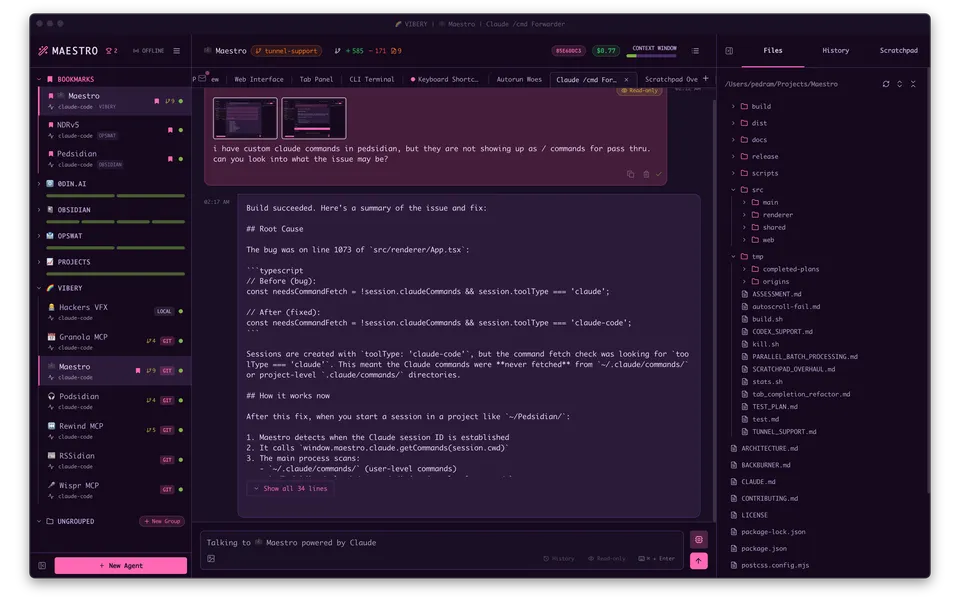
- Desktop app
- Mac, Windows and Linux
- Browser
- Yes
- Phone
- Phone browser
- Command line
- Yes
- Agents
- Claude Code, Codex, OpenCode, Pi, Grok and Antigravity
- Your subscription
- Works with your own plan
- Agents run
- On your computer and on your own server
- Laptop closed
- Not listed
- Isolation
- Worktree
- Parallel agents
- Yes
- Scheduled runs
- Yes
- Coordinator agent
- Yes
- Built-in issues
- Yes
- Pull requests
- Yes
- Review screen
- Yes
- Team
- Shared sessions
- Self-hosting
- Yes
- Licence
- AGPL-3.0
- Price from
- Free
- How it charges
- No paid plan and bring your own key
- Paid plans from
- Not listed
Receipts
- Checked
- · oldest answer 2026-11-07
- Findings
- 35 published · 20 cross-checked by a second agent · read them all
- Sources
- 45 public pages on 3 sites: github.com, docs.runmaestro.ai, runmaestro.ai
- Screenshot
- github.com, retrieved · first party repository · shows appearance, not capability
- Data
- /products/maestro.json · .md
- Method
- Same rules for all 103 researched ADEs. How we check · Report wrong data
What it does
Where you use it
Maestro documents cross-platform desktop and phone-browser control. Native distribution targets are macOS, Windows and Linux; phones use the built-in web interface, with no native iOS or Android target in this release.
Source and scope for Where you use itAgents it runs
Maestro integrates several coding CLIs with provider-specific capabilities. At v1.0.2 the released providers also include Pi and Grok CLI (added in v1.0.0), while Gemini CLI is hidden and documented as not yet supported. Maestro v1.0.2 ships Antigravity CLI as an agy provider with headless stream-json output, conversation resume and permission-mode arguments.
Source and scope for Agents it runsAccounts and subscriptions
Provider credentials decide subscription versus API billing.
Source and scope for Accounts and subscriptionsWhere agents run
Desktop/SSH execution and headless Cue server pipelines are user-operated. The scoped launcher has no vendor-managed runtime.
Source and scope for Where agents runHow work is kept apart
Worktree agents use separate directories and branches. The scoped launcher starts local or SSH processes without provisioning per-agent containers or VMs.
Source and scope for How work is kept apartParallel work
Maestro documents multiple agent processes and worktree agents.
Source and scope for Parallel workScheduled runs
Released desktop Cue sends prompts on file changes, timers, scheduled times, agent completions and GitHub events. Online headless-server documentation describes an additional deployment whose parity with this pinned release remains unestablished.
Source and scope for Scheduled runsGit and pull requests
Git menu integrates worktrees, branch changes, push/pull and PR creation.
Source and scope for Git and pull requestsPrice
Maestro is AGPL-3.0 open source and downloaded from GitHub Releases, with no price or paid plan published; model usage runs on your own provider accounts and plan quotas (e.g. Claude Max). Provider API keys can also fund model usage directly.
Source and scope for PriceTyped filters
Every value links to its receipt below. Read plan and surface restrictions before using a filter to decide.
| Filter | Value |
|---|---|
| Desktop OS: macOS | Yes |
| Desktop OS: Windows | Yes |
| Desktop OS: Linux | Yes |
| Web client | Yes |
| Phone access: Native iOS | No |
| Phone access: Native Android | No |
| Phone access: Phone browser | Yes |
| CLI | Yes |
| Coding agents: Claude Code | Yes cross-checked |
| Coding agents: Codex | Yes cross-checked |
| Coding agents: Cursor Agent | No |
| Coding agents: Gemini CLI | No cross-checked |
| Coding agents: OpenCode | Yes cross-checked |
| Coding agents: Pi | Yes cross-checked |
| Coding agents: Grok | Yes cross-checked |
| Coding agents: Aider | No |
| Coding agents: Antigravity | Yes cross-checked |
| Use my subscription | Yes cross-checked |
| Where agents run: On your computer | Yes |
| Where agents run: On your own server | Yes |
| Where agents run: In the vendor's cloud | No |
| Workspace isolation: Git worktree | Yes |
| Workspace isolation: Container | No |
| Workspace isolation: VM or microVM | No |
| Parallel runs | Yes cross-checked |
| Coordinator | Yes cross-checked |
| Native issue tracking | Yes |
| Unattended triggers | Yes |
| Shared prompting | Yes |
| Team roles | No |
| SSO | No |
| Pull request workflow | Yes cross-checked |
| Review interface | Yes cross-checked |
| Product license: Apache-2.0 | No. AGPL-3.0 cross-checked |
| Product license: MIT | No. AGPL-3.0 cross-checked |
| Product license: GPL-3.0 | No. AGPL-3.0 cross-checked |
| Product license: GPL-3.0-or-later | No. AGPL-3.0 cross-checked |
| Product license: AGPL-3.0 | Yes. AGPL-3.0 cross-checked |
| Product license: AGPL-3.0-or-later | No. AGPL-3.0 cross-checked |
| Product license: Elastic License 2.0 | No. AGPL-3.0 cross-checked |
| Product license: Custom terms | No. AGPL-3.0 cross-checked |
| Product license: Proprietary | No. AGPL-3.0 cross-checked |
| Self-hosting | Yes cross-checked |
| Telemetry opt-out | Yes cross-checked |
| Free access | Yes cross-checked |
| Starting price: Free | Yes. Free |
| Starting price: Up to $20/month | No. Free |
| Starting price: $21–40/month | No. Free |
| Starting price: $41–100/month | No. Free |
| Starting price: Over $100/month | No. Free |
| Starting price: Contact for pricing | No. Free |
| Pricing model: Free, no paid plan | Yes |
| Pricing model: Free plan | No |
| Pricing model: Subscription | No |
| Pricing model: Per seat | No |
| Pricing model: Usage-based | No |
| Pricing model: Per machine or compute | No |
| Pricing model: Bring your own key | Yes |
| Pricing model: One-time purchase | No |
| Paid plans from: No paid plan | Unknown |
| Paid plans from: $10 or less/month | Unknown |
| Paid plans from: $11–20/month | Unknown |
| Paid plans from: $21–40/month | Unknown |
| Paid plans from: $41–100/month | Unknown |
| Paid plans from: Over $100/month | Unknown |
| Paid plans from: Contact sales | Unknown |
| Lifecycle status: Active | Unknown |
| Lifecycle status: Sunsetting | Unknown |
| Keeps going with laptop closed | Unknown |
| Open-source license | Yes. AGPL-3.0 cross-checked |
| Any desktop app | Yes |
| Paid plan up to $20/month | Unknown |
| Paid plan up to $40/month | Unknown |
| Any phone client | Yes |
Filter receipts
Desktop OS: macOS: Yes
Desktop OS: macOS
Typed value: Yes.
Maestro documents cross-platform desktop and phone-browser control. Native distribution targets are macOS, Windows and Linux; phones use the built-in web interface, with no native iOS or Android target in this release.
- Desktop os: macOS, Windows and Linux.
- Browser: Full host UI in browser.
- Mobile browser: Phone layout with same agents, transcripts and settings.
- Only the named atomic answers are established by this source pass. Remaining atomic answers retain their documented gaps.
-
Finding: Cross-platform Electron workspace with parallel agent sessions, Auto Run Markdown checklists or goal loops, remote control, usage views and Git worktree tools. Feature docs may include prerelease behavior.
-
Finding: A browser/phone client uses the full host UI. URL token grants full control; LIVE-off returns loopback-only and rotates the token.
Desktop OS: Windows: Yes
Desktop OS: Windows
Typed value: Yes.
Maestro documents cross-platform desktop and phone-browser control. Native distribution targets are macOS, Windows and Linux; phones use the built-in web interface, with no native iOS or Android target in this release.
- Desktop os: macOS, Windows and Linux.
- Browser: Full host UI in browser.
- Mobile browser: Phone layout with same agents, transcripts and settings.
- Only the named atomic answers are established by this source pass. Remaining atomic answers retain their documented gaps.
-
Finding: Cross-platform Electron workspace with parallel agent sessions, Auto Run Markdown checklists or goal loops, remote control, usage views and Git worktree tools. Feature docs may include prerelease behavior.
-
Finding: A browser/phone client uses the full host UI. URL token grants full control; LIVE-off returns loopback-only and rotates the token.
Desktop OS: Linux: Yes
Desktop OS: Linux
Typed value: Yes.
Maestro documents cross-platform desktop and phone-browser control. Native distribution targets are macOS, Windows and Linux; phones use the built-in web interface, with no native iOS or Android target in this release.
- Desktop os: macOS, Windows and Linux.
- Browser: Full host UI in browser.
- Mobile browser: Phone layout with same agents, transcripts and settings.
- Only the named atomic answers are established by this source pass. Remaining atomic answers retain their documented gaps.
-
Finding: Cross-platform Electron workspace with parallel agent sessions, Auto Run Markdown checklists or goal loops, remote control, usage views and Git worktree tools. Feature docs may include prerelease behavior.
-
Finding: A browser/phone client uses the full host UI. URL token grants full control; LIVE-off returns loopback-only and rotates the token.
Web client: Yes
Web client
Typed value: Yes.
Maestro documents cross-platform desktop and phone-browser control. Native distribution targets are macOS, Windows and Linux; phones use the built-in web interface, with no native iOS or Android target in this release.
- Desktop os: macOS, Windows and Linux.
- Browser: Full host UI in browser.
- Mobile browser: Phone layout with same agents, transcripts and settings.
- Only the named atomic answers are established by this source pass. Remaining atomic answers retain their documented gaps.
-
Finding: Cross-platform Electron workspace with parallel agent sessions, Auto Run Markdown checklists or goal loops, remote control, usage views and Git worktree tools. Feature docs may include prerelease behavior.
-
Finding: A browser/phone client uses the full host UI. URL token grants full control; LIVE-off returns loopback-only and rotates the token.
Phone access: Native iOS: No
Phone access: Native iOS
Typed value: No.
Maestro documents cross-platform desktop and phone-browser control. Native distribution targets are macOS, Windows and Linux; phones use the built-in web interface, with no native iOS or Android target in this release.
- Mobile apps: The complete application build targets are desktop Electron packages. Phone access uses the built-in browser client; no native phone package is shipped.
- Only the named atomic answers are established by this source pass. Remaining atomic answers retain their documented gaps.
-
Finding: The scoped distribution builds Electron desktop packages for macOS, Windows and Linux. The phone client is the built-in browser interface; no native iOS or Android package exists in the inspected build targets.
Phone access: Native Android: No
Phone access: Native Android
Typed value: No.
Maestro documents cross-platform desktop and phone-browser control. Native distribution targets are macOS, Windows and Linux; phones use the built-in web interface, with no native iOS or Android target in this release.
- Mobile apps: The complete application build targets are desktop Electron packages. Phone access uses the built-in browser client; no native phone package is shipped.
- Only the named atomic answers are established by this source pass. Remaining atomic answers retain their documented gaps.
-
Finding: The scoped distribution builds Electron desktop packages for macOS, Windows and Linux. The phone client is the built-in browser interface; no native iOS or Android package exists in the inspected build targets.
Phone access: Phone browser: Yes
Phone access: Phone browser
Typed value: Yes.
Maestro documents cross-platform desktop and phone-browser control. Native distribution targets are macOS, Windows and Linux; phones use the built-in web interface, with no native iOS or Android target in this release.
- Desktop os: macOS, Windows and Linux.
- Browser: Full host UI in browser.
- Mobile browser: Phone layout with same agents, transcripts and settings.
- Only the named atomic answers are established by this source pass. Remaining atomic answers retain their documented gaps.
-
Finding: Cross-platform Electron workspace with parallel agent sessions, Auto Run Markdown checklists or goal loops, remote control, usage views and Git worktree tools. Feature docs may include prerelease behavior.
-
Finding: A browser/phone client uses the full host UI. URL token grants full control; LIVE-off returns loopback-only and rotates the token.
CLI: Yes
CLI
Typed value: Yes.
Maestro documents cross-platform desktop and phone-browser control. Native distribution targets are macOS, Windows and Linux; phones use the built-in web interface, with no native iOS or Android target in this release.
- Cli: maestro-cli is bundled with the desktop.
- Only the named atomic answers are established by this source pass. Remaining atomic answers retain their documented gaps.
-
Finding: CLI sends/resumes agent sessions, runs playbooks and exposes structured JSON and failure codes. Some commands require the app reachable.
Coding agents: Claude Code: Yes cross-checked
Coding agents: Claude Code
Typed value: Yes.
Maestro integrates several coding CLIs with provider-specific capabilities. At v1.0.2 the released providers also include Pi and Grok CLI (added in v1.0.0), while Gemini CLI is hidden and documented as not yet supported. Maestro v1.0.2 ships Antigravity CLI as an agy provider with headless stream-json output, conversation resume and permission-mode arguments.
- Harnesses: The v1.0.2 release includes Claude Code, Codex, OpenCode, Pi, Grok CLI and Antigravity CLI among its providers. Gemini CLI is hidden and documented as not yet supported.
- Model providers: Provider model configuration varies by CLI.
- Session integration: Batch, interactive TUI wrapper and provider-specific transports.
- The remaining atomic questions and the rubric scenario are unverified. Documentation is not a successful product test.
- Antigravity requires its own CLI and login. Its provider definition cannot enforce read-only mode or disable tools.
-
Finding: Documents CLI transports, credential funding and provider-specific limits, including Standard-mode restrictions over SSH.
Coding agents: Codex: Yes cross-checked
Coding agents: Codex
Typed value: Yes.
Maestro integrates several coding CLIs with provider-specific capabilities. At v1.0.2 the released providers also include Pi and Grok CLI (added in v1.0.0), while Gemini CLI is hidden and documented as not yet supported. Maestro v1.0.2 ships Antigravity CLI as an agy provider with headless stream-json output, conversation resume and permission-mode arguments.
- Harnesses: The v1.0.2 release includes Claude Code, Codex, OpenCode, Pi, Grok CLI and Antigravity CLI among its providers. Gemini CLI is hidden and documented as not yet supported.
- Model providers: Provider model configuration varies by CLI.
- Session integration: Batch, interactive TUI wrapper and provider-specific transports.
- The remaining atomic questions and the rubric scenario are unverified. Documentation is not a successful product test.
- Antigravity requires its own CLI and login. Its provider definition cannot enforce read-only mode or disable tools.
-
Finding: Documents CLI transports, credential funding and provider-specific limits, including Standard-mode restrictions over SSH.
Coding agents: Cursor Agent: No
Coding agents: Cursor Agent
Typed value: No.
Maestro integrates several coding CLIs with provider-specific capabilities. At v1.0.2 the released providers also include Pi and Grok CLI (added in v1.0.0), while Gemini CLI is hidden and documented as not yet supported. Maestro v1.0.2 ships Antigravity CLI as an agy provider with headless stream-json output, conversation resume and permission-mode arguments.
- The remaining atomic questions and the rubric scenario are unverified. Documentation is not a successful product test.
- Antigravity requires its own CLI and login. Its provider definition cannot enforce read-only mode or disable tools.
-
Finding: The canonical agent ID list at v1.0.2 includes claude-code, codex, gemini-cli, antigravity, qwen3-coder, opencode, factory-droid, hermes, pi, copilot-cli, omp and grok.
Coding agents: Gemini CLI: No cross-checked
Coding agents: Gemini CLI
Typed value: No.
Maestro integrates several coding CLIs with provider-specific capabilities. At v1.0.2 the released providers also include Pi and Grok CLI (added in v1.0.0), while Gemini CLI is hidden and documented as not yet supported. Maestro v1.0.2 ships Antigravity CLI as an agy provider with headless stream-json output, conversation resume and permission-mode arguments.
- The remaining atomic questions and the rubric scenario are unverified. Documentation is not a successful product test.
- Antigravity requires its own CLI and login. Its provider definition cannot enforce read-only mode or disable tools.
-
Maestro Gemini CLI agent definition
Finding: The gemini-cli definition is marked hidden and commented as not shipping, superseded by Antigravity, and kept only for type compatibility.
-
Maestro README supported agents
Finding: README lists the supported coding CLIs and says Gemini CLI support is planned based on user demand, i.e. not currently supported. Line 106 repeats that Gemini CLI may be added in future releases.
Coding agents: OpenCode: Yes cross-checked
Coding agents: OpenCode
Typed value: Yes.
Maestro integrates several coding CLIs with provider-specific capabilities. At v1.0.2 the released providers also include Pi and Grok CLI (added in v1.0.0), while Gemini CLI is hidden and documented as not yet supported. Maestro v1.0.2 ships Antigravity CLI as an agy provider with headless stream-json output, conversation resume and permission-mode arguments.
- Harnesses: The v1.0.2 release includes Claude Code, Codex, OpenCode, Pi, Grok CLI and Antigravity CLI among its providers. Gemini CLI is hidden and documented as not yet supported.
- Model providers: Provider model configuration varies by CLI.
- Session integration: Batch, interactive TUI wrapper and provider-specific transports.
- The remaining atomic questions and the rubric scenario are unverified. Documentation is not a successful product test.
- Antigravity requires its own CLI and login. Its provider definition cannot enforce read-only mode or disable tools.
-
Finding: Documents CLI transports, credential funding and provider-specific limits, including Standard-mode restrictions over SSH.
Coding agents: Pi: Yes cross-checked
Coding agents: Pi
Typed value: Yes.
Maestro integrates several coding CLIs with provider-specific capabilities. At v1.0.2 the released providers also include Pi and Grok CLI (added in v1.0.0), while Gemini CLI is hidden and documented as not yet supported. Maestro v1.0.2 ships Antigravity CLI as an agy provider with headless stream-json output, conversation resume and permission-mode arguments.
- The remaining atomic questions and the rubric scenario are unverified. Documentation is not a successful product test.
- Antigravity requires its own CLI and login. Its provider definition cannot enforce read-only mode or disable tools.
-
Finding: The visible Pi definition spawns the pi binary in JSON output mode with session resume, read-only tool restriction and model override.
-
Finding: Documents Pi provider features (image attachments, session resume, read-only mode, cost tracking, model selection) and that Maestro uses Pi's JSON output mode.
-
Finding: v1.0.0 release notes say Antigravity CLI, Grok CLI, Hermes, Oh My Pi and Pi joined the providers, running locally or over SSH.
Coding agents: Grok: Yes cross-checked
Coding agents: Grok
Typed value: Yes.
Maestro integrates several coding CLIs with provider-specific capabilities. At v1.0.2 the released providers also include Pi and Grok CLI (added in v1.0.0), while Gemini CLI is hidden and documented as not yet supported. Maestro v1.0.2 ships Antigravity CLI as an agy provider with headless stream-json output, conversation resume and permission-mode arguments.
- The remaining atomic questions and the rubric scenario are unverified. Documentation is not a successful product test.
- Antigravity requires its own CLI and login. Its provider definition cannot enforce read-only mode or disable tools.
-
Maestro Grok CLI agent definition
Finding: The visible Grok CLI definition spawns the grok binary in batch mode with streaming JSON output and resume; there is no interactive PTY integration.
-
Finding: v1.0.0 release notes say Antigravity CLI, Grok CLI, Hermes, Oh My Pi and Pi joined the providers, running locally or over SSH.
Coding agents: Aider: No
Coding agents: Aider
Typed value: No.
Maestro integrates several coding CLIs with provider-specific capabilities. At v1.0.2 the released providers also include Pi and Grok CLI (added in v1.0.0), while Gemini CLI is hidden and documented as not yet supported. Maestro v1.0.2 ships Antigravity CLI as an agy provider with headless stream-json output, conversation resume and permission-mode arguments.
- The remaining atomic questions and the rubric scenario are unverified. Documentation is not a successful product test.
- Antigravity requires its own CLI and login. Its provider definition cannot enforce read-only mode or disable tools.
-
Finding: The canonical agent ID list at v1.0.2 includes claude-code, codex, gemini-cli, antigravity, qwen3-coder, opencode, factory-droid, hermes, pi, copilot-cli, omp and grok.
Coding agents: Antigravity: Yes cross-checked
Coding agents: Antigravity
Typed value: Yes.
Maestro integrates several coding CLIs with provider-specific capabilities. At v1.0.2 the released providers also include Pi and Grok CLI (added in v1.0.0), while Gemini CLI is hidden and documented as not yet supported. Maestro v1.0.2 ships Antigravity CLI as an agy provider with headless stream-json output, conversation resume and permission-mode arguments.
- Harnesses: The v1.0.2 release includes Claude Code, Codex, OpenCode, Pi, Grok CLI and Antigravity CLI among its providers. Gemini CLI is hidden and documented as not yet supported.
- The remaining atomic questions and the rubric scenario are unverified. Documentation is not a successful product test.
- Antigravity requires its own CLI and login. Its provider definition cannot enforce read-only mode or disable tools.
-
Maestro Antigravity support at v1.0.2
Finding: Maestro v1.0.2 ships Antigravity CLI as an agy provider with headless stream-json output, conversation resume and permission-mode arguments.
-
Maestro Antigravity support at v1.0.2
Finding: Maestro v1.0.2 ships Antigravity CLI as an agy provider with headless stream-json output, conversation resume and permission-mode arguments.
Use my subscription: Yes cross-checked
Use my subscription
Typed value: Yes.
Provider credentials decide subscription versus API billing.
- Agent subscriptions: Claude plans can fund compatible transports.
- Api accounts: API keys/gateways/Bedrock/Vertex can fund Claude calls.
- Provider restrictions: SSH lacks Standard permission relay; TUI wrapper requires remote maestro-p.
- The remaining atomic questions and the rubric scenario are unverified. Documentation is not a successful product test.
-
Finding: Documents CLI transports, credential funding and provider-specific limits, including Standard-mode restrictions over SSH.
Where agents run: On your computer: Yes
Where agents run: On your computer
Typed value: Yes.
Desktop/SSH execution and headless Cue server pipelines are user-operated. The scoped launcher has no vendor-managed runtime.
- Local: Local desktop host.
- Byo remote: SSH host executes agents.
- Provisioning: User configures host and agent CLIs.
- Other device continuation: Browser controls the running desktop host. No disconnect fixture was run.
- Only the named atomic answers are established by this source pass. Remaining atomic answers retain their documented gaps.
-
Finding: Agents run on user-provided SSH hosts; remote CLI installation and credentials are prerequisites. Optional per-session shared history writes per-hostname JSONL files to the remote project, shown with hostname badges.
-
Finding: A browser/phone client uses the full host UI. URL token grants full control; LIVE-off returns loopback-only and rotates the token.
Where agents run: On your own server: Yes
Where agents run: On your own server
Typed value: Yes.
Desktop/SSH execution and headless Cue server pipelines are user-operated. The scoped launcher has no vendor-managed runtime.
- Local: Local desktop host.
- Byo remote: SSH host executes agents.
- Provisioning: User configures host and agent CLIs.
- Other device continuation: Browser controls the running desktop host. No disconnect fixture was run.
- Only the named atomic answers are established by this source pass. Remaining atomic answers retain their documented gaps.
-
Finding: Agents run on user-provided SSH hosts; remote CLI installation and credentials are prerequisites. Optional per-session shared history writes per-hostname JSONL files to the remote project, shown with hostname badges.
-
Finding: A browser/phone client uses the full host UI. URL token grants full control; LIVE-off returns loopback-only and rotates the token.
Where agents run: In the vendor's cloud: No
Where agents run: In the vendor's cloud
Typed value: No.
Desktop/SSH execution and headless Cue server pipelines are user-operated. The scoped launcher has no vendor-managed runtime.
- Managed cloud: Execution uses local host processes or user-supplied SSH hosts; the inspected launch paths do not provision a Maestro cloud runtime.
- Only the named atomic answers are established by this source pass. Remaining atomic answers retain their documented gaps.
-
Finding: Agent launch selects local PTY/child processes or SSH commands on a user-configured host. The inspected process-manager spawners and runners do not provision a vendor runtime or per-agent containers or VMs. A user may separately choose to run its host in a VM or container.
Workspace isolation: Git worktree: Yes
Workspace isolation: Git worktree
Typed value: Yes.
Worktree agents use separate directories and branches. The scoped launcher starts local or SSH processes without provisioning per-agent containers or VMs.
- Branch: Worktree branch.
- Worktree: Separate Git worktree directory.
- Filesystem: Code separation, not evidence of hostile-code containment.
- Only the named atomic answers are established by this source pass. Remaining atomic answers retain their documented gaps.
-
Finding: Git log/diff and PR actions integrate with nested worktree agents. Setup scripts run before first agent prompt, on the selected local/SSH host.
Workspace isolation: Container: No
Workspace isolation: Container
Typed value: No.
Worktree agents use separate directories and branches. The scoped launcher starts local or SSH processes without provisioning per-agent containers or VMs.
- Container: The scoped process spawners and runners launch host processes or SSH commands, without creating a per-agent container.
- Vm: The scoped process spawners and runners launch host processes or SSH commands, without creating a per-agent vm.
- Only the named atomic answers are established by this source pass. Remaining atomic answers retain their documented gaps.
-
Finding: Agent launch selects local PTY/child processes or SSH commands on a user-configured host. The inspected process-manager spawners and runners do not provision a vendor runtime or per-agent containers or VMs. A user may separately choose to run its host in a VM or container.
Workspace isolation: VM or microVM: No
Workspace isolation: VM or microVM
Typed value: No.
Worktree agents use separate directories and branches. The scoped launcher starts local or SSH processes without provisioning per-agent containers or VMs.
- Container: The scoped process spawners and runners launch host processes or SSH commands, without creating a per-agent container.
- Vm: The scoped process spawners and runners launch host processes or SSH commands, without creating a per-agent vm.
- Only the named atomic answers are established by this source pass. Remaining atomic answers retain their documented gaps.
-
Finding: Agent launch selects local PTY/child processes or SSH commands on a user-configured host. The inspected process-manager spawners and runners do not provision a vendor runtime or per-agent containers or VMs. A user may separately choose to run its host in a VM or container.
Parallel runs: Yes cross-checked
Parallel runs
Typed value: Yes.
Maestro documents multiple agent processes and worktree agents.
- Concurrent sessions: Multiple active agents.
- The remaining atomic questions and the rubric scenario are unverified. Documentation is not a successful product test.
-
Finding: Cross-platform Electron workspace with parallel agent sessions, Auto Run Markdown checklists or goal loops, remote control, usage views and Git worktree tools. Feature docs may include prerelease behavior.
Coordinator: Yes cross-checked
Coordinator
Typed value: Yes.
Group Chat has a moderator, follow-up rounds and named local/remote participants.
- Roles: Moderator and participants.
- Messages: Moderator routes @mentions.
- Results return: Moderator synthesizes participant answers.
- Orchestration owner: Maestro Group Chat.
- Followup: Moderator can request another round.
- Invocation: Create group, select moderator and @mention agents.
- The remaining atomic questions and the rubric scenario are unverified. Documentation is not a successful product test.
- Only the named atomic facts are established by documentation. Remaining rubric scenarios and unknown answers were not demonstrated.
-
Finding: A moderator coordinates named agents over multiple turns and routes results. Participants do not automatically see each other replies.
Native issue tracking: Yes
Native issue tracking
Typed value: Yes.
Markdown tasks can be saved and selected before explicit Auto Run.
- Idea parking: Documents can exist before running, rather than a verified multi-user issue backlog.
- Explicit dispatch: Run dialog and Go start selected documents.
- Durable states: Checkboxes update on disk; issue lifecycle semantics unverified.
- The remaining atomic questions and the rubric scenario are unverified. Documentation is not a successful product test.
-
Maestro Auto Run and Playbooks
Finding: Markdown checklists or goal loops run explicitly; active documents are read-only except paused runs. Per-run model and effort overrides are supported.
Unattended triggers: Yes
Unattended triggers
Typed value: Yes.
Released desktop Cue sends prompts on file changes, timers, scheduled times, agent completions and GitHub events. Online headless-server documentation describes an additional deployment whose parity with this pinned release remains unestablished.
- Schedules: Desktop Cue time.heartbeat and time.scheduled provide interval and scheduled triggers.
- Events: Desktop Cue subscriptions react to file changes, agent completions and GitHub activity.
- Recurring tasks: Cue time.heartbeat subscriptions repeat at a set interval and time.scheduled fires at set times and weekdays, in the released desktop app (v1.0.2). Not tested.
- Scheduler location: The established scheduler is the released desktop Cue engine.
- The release source establishes desktop Cue. Headless-server parity remains unestablished and is excluded from the current availability claim. Completion conditions and automatic retries remain unknown.
-
Finding: Cue is an event-driven automation engine, on by default, that sends prompts to agents when file changes, timers, agent completions, GitHub activity or pending tasks fire, defined as subscriptions in .maestro/cue.yaml.
-
Finding: time.heartbeat fires on a repeating interval and catches up after system sleep; time.scheduled is a cron-like trigger for specific times and weekdays.
-
Finding: The github.pull_request event polls GitHub for new pull requests via the gh CLI and triggers a subscription prompt; github.issue, github.label and webhook.received events follow in the same file.
Shared prompting: Yes
Shared prompting
Typed value: Yes.
Multiple people can prompt the same Maestro through browser clients. Optional Web Login attributes each browser message to its sender; browser agent/tab selections stay independent.
- Coprompting: Multiple signed-in browser users can send messages to the same Maestro agent sessions.
- Attribution: History entries carry a user pill, sender filter and user_name usage column for signed-in browser prompts.
- Only the named atomic answers are established by this source pass. Remaining atomic answers retain their documented gaps.
-
Finding: Multiple people can drive the same Maestro through optional Web Login. Browser prompts have per-user attribution and independent active tabs. The documentation explicitly says there are no roles; every account is an equal operator.
Team roles: No
Team roles
Typed value: No.
The scoped Web Login uses local username/password accounts. Every account is an equal operator, with no organization, project or task roles. Inspection of the web authentication implementation found no SAML, OIDC or other SSO integration.
- Organization roles: All web accounts are equal operators; no organization role system is provided.
- Project roles: There are no scoped project roles; logged-in users operate the same desktop.
- Task roles: There are no scoped task roles.
- Sso: The inspected web auth store and routes implement local passwords and sessions, with no identity-provider federation.
- Only the named atomic answers are established by this source pass. Remaining atomic answers retain their documented gaps.
-
Finding: Multiple people can drive the same Maestro through optional Web Login. Browser prompts have per-user attribution and independent active tabs. The documentation explicitly says there are no roles; every account is an equal operator.
-
Finding: The scoped web authentication implementation persists local username/password accounts and browser sessions. Inspection of src/main/web-server/auth and routes/authRoutes.ts for SSO, SAML, OIDC and OAuth found no identity-provider login implementation.
SSO: No
SSO
Typed value: No.
The scoped Web Login uses local username/password accounts. Every account is an equal operator, with no organization, project or task roles. Inspection of the web authentication implementation found no SAML, OIDC or other SSO integration.
- Organization roles: All web accounts are equal operators; no organization role system is provided.
- Project roles: There are no scoped project roles; logged-in users operate the same desktop.
- Task roles: There are no scoped task roles.
- Sso: The inspected web auth store and routes implement local passwords and sessions, with no identity-provider federation.
- Only the named atomic answers are established by this source pass. Remaining atomic answers retain their documented gaps.
-
Finding: Multiple people can drive the same Maestro through optional Web Login. Browser prompts have per-user attribution and independent active tabs. The documentation explicitly says there are no roles; every account is an equal operator.
-
Finding: The scoped web authentication implementation persists local username/password accounts and browser sessions. Inspection of src/main/web-server/auth and routes/authRoutes.ts for SSO, SAML, OIDC and OAuth found no identity-provider login implementation.
Pull request workflow: Yes cross-checked
Pull request workflow
Typed value: Yes.
Git menu integrates worktrees, branch changes, push/pull and PR creation.
- Branches: Branch picker.
- Worktrees: Nested worktree agents.
- Pull requests: Create Pull Request action.
- Product state: Ahead/behind counts and branch context.
- The remaining atomic questions and the rubric scenario are unverified. Documentation is not a successful product test.
-
Finding: Git log/diff and PR actions integrate with nested worktree agents. Setup scripts run before first agent prompt, on the selected local/SSH host.
Review interface: Yes cross-checked
Review interface
Typed value: Yes.
History links completed Auto Run summaries to sessions and Git tools expose diffs.
- Diffs: Working-tree and commit diff views.
- Task links: History entry has linked session ID.
- Persistence: History stores summaries/full response content; full artifact-gallery semantics unverified.
- The remaining atomic questions and the rubric scenario are unverified. Documentation is not a successful product test.
-
Finding: Git log/diff and PR actions integrate with nested worktree agents. Setup scripts run before first agent prompt, on the selected local/SSH host.
-
Finding: Timestamped AUTO/USER/AGENT/CUE entries can be searched and reopened by session ID; immutability is not established.
Product license: Apache-2.0: No. AGPL-3.0 cross-checked
Product license: Apache-2.0
Typed value: No. AGPL-3.0.
Maestro root distribution uses AGPL-3.0.
- Client license: AGPL-3.0, subject to component notices.
- Source visibility: Public repository.
- Source revision: afd833d808cc3134ba9a2439f11513faf97c17e5
- The remaining atomic questions and the rubric scenario are unverified. Documentation is not a successful product test.
-
Finding: The cited root license governs this repository distribution, subject to component notices.
Product license: MIT: No. AGPL-3.0 cross-checked
Product license: MIT
Typed value: No. AGPL-3.0.
Maestro root distribution uses AGPL-3.0.
- Client license: AGPL-3.0, subject to component notices.
- Source visibility: Public repository.
- Source revision: afd833d808cc3134ba9a2439f11513faf97c17e5
- The remaining atomic questions and the rubric scenario are unverified. Documentation is not a successful product test.
-
Finding: The cited root license governs this repository distribution, subject to component notices.
Product license: GPL-3.0: No. AGPL-3.0 cross-checked
Product license: GPL-3.0
Typed value: No. AGPL-3.0.
Maestro root distribution uses AGPL-3.0.
- Client license: AGPL-3.0, subject to component notices.
- Source visibility: Public repository.
- Source revision: afd833d808cc3134ba9a2439f11513faf97c17e5
- The remaining atomic questions and the rubric scenario are unverified. Documentation is not a successful product test.
-
Finding: The cited root license governs this repository distribution, subject to component notices.
Product license: GPL-3.0-or-later: No. AGPL-3.0 cross-checked
Product license: GPL-3.0-or-later
Typed value: No. AGPL-3.0.
Maestro root distribution uses AGPL-3.0.
- Client license: AGPL-3.0, subject to component notices.
- Source visibility: Public repository.
- Source revision: afd833d808cc3134ba9a2439f11513faf97c17e5
- The remaining atomic questions and the rubric scenario are unverified. Documentation is not a successful product test.
-
Finding: The cited root license governs this repository distribution, subject to component notices.
Product license: AGPL-3.0: Yes. AGPL-3.0 cross-checked
Product license: AGPL-3.0
Typed value: Yes. AGPL-3.0.
Maestro root distribution uses AGPL-3.0.
- Client license: AGPL-3.0, subject to component notices.
- Source visibility: Public repository.
- Source revision: afd833d808cc3134ba9a2439f11513faf97c17e5
- The remaining atomic questions and the rubric scenario are unverified. Documentation is not a successful product test.
-
Finding: The cited root license governs this repository distribution, subject to component notices.
Product license: AGPL-3.0-or-later: No. AGPL-3.0 cross-checked
Product license: AGPL-3.0-or-later
Typed value: No. AGPL-3.0.
Maestro root distribution uses AGPL-3.0.
- Client license: AGPL-3.0, subject to component notices.
- Source visibility: Public repository.
- Source revision: afd833d808cc3134ba9a2439f11513faf97c17e5
- The remaining atomic questions and the rubric scenario are unverified. Documentation is not a successful product test.
-
Finding: The cited root license governs this repository distribution, subject to component notices.
Product license: Elastic License 2.0: No. AGPL-3.0 cross-checked
Product license: Elastic License 2.0
Typed value: No. AGPL-3.0.
Maestro root distribution uses AGPL-3.0.
- Client license: AGPL-3.0, subject to component notices.
- Source visibility: Public repository.
- Source revision: afd833d808cc3134ba9a2439f11513faf97c17e5
- The remaining atomic questions and the rubric scenario are unverified. Documentation is not a successful product test.
-
Finding: The cited root license governs this repository distribution, subject to component notices.
Product license: Custom terms: No. AGPL-3.0 cross-checked
Product license: Custom terms
Typed value: No. AGPL-3.0.
Maestro root distribution uses AGPL-3.0.
- Client license: AGPL-3.0, subject to component notices.
- Source visibility: Public repository.
- Source revision: afd833d808cc3134ba9a2439f11513faf97c17e5
- The remaining atomic questions and the rubric scenario are unverified. Documentation is not a successful product test.
-
Finding: The cited root license governs this repository distribution, subject to component notices.
Product license: Proprietary: No. AGPL-3.0 cross-checked
Product license: Proprietary
Typed value: No. AGPL-3.0.
Maestro root distribution uses AGPL-3.0.
- Client license: AGPL-3.0, subject to component notices.
- Source visibility: Public repository.
- Source revision: afd833d808cc3134ba9a2439f11513faf97c17e5
- The remaining atomic questions and the rubric scenario are unverified. Documentation is not a successful product test.
-
Finding: The cited root license governs this repository distribution, subject to component notices.
Self-hosting: Yes cross-checked
Self-hosting
Typed value: Yes.
Maestro runs locally and can export Cue bundles for user-owned headless servers.
- Self hosting: Core desktop is user-operated; exported Cue pipeline engine also runs headless on Linux/container.
- Only the named atomic facts are established by documentation. Remaining rubric scenarios and unknown answers were not demonstrated.
- Headless Cue is documented online but absent from the pinned release source, as recorded in COORD-04; no released headless parity claim is made.
-
Finding: Maestro passes prompts to locally configured provider CLIs and inherits their MCP tools, skills, permissions and authentication. Desktop installation supports user-owned operation. Its documentation MCP server searches docs rather than controlling tasks.
Telemetry opt-out: Yes cross-checked
Telemetry opt-out
Typed value: Yes.
Anonymous check-in and optional folder sync have explicit data and conflict limits.
- Prompts: Check-in excludes prompts and agent output.
- Telemetry disclosure: Install UUID, version, platform, arch and theme.
- Telemetry defaults: Launch/daily check-in with update checking; first-run consent was not observed.
- Telemetry controls: Disable Check for updates on startup to disable check-in.
- The remaining atomic questions and the rubric scenario are unverified. Documentation is not a successful product test.
- Only the named atomic facts are established by documentation. Remaining rubric scenarios and unknown answers were not demonstrated.
- Cross-device sync is labelled Beta, supports one device at a time and has no conflict resolution.
-
Finding: Update check sends UUID/version/platform/theme telemetry, disabled with update checking. Folder sync warns against simultaneous devices and has no conflict resolution.
Free access: Yes cross-checked
Free access
Typed value: Yes.
Maestro is a free AGPL-3.0 desktop download from GitHub Releases for macOS, Windows and Linux, and the website, README and licence show no paid tier. Model usage is paid separately through the user's own provider accounts.
- Ongoing free: The whole desktop app is a free download under AGPL-3.0, with no paid tier on the website or in the README.
- Self host cost: No ADE fee is published; users pay their own model providers and supply any SSH hosts.
- No installed-product test was run.
- Card or account requirements for download were not checked beyond the public release page.
-
Finding: The latest stable release publishes free downloadable installers for macOS, Windows and Linux on GitHub Releases.
-
Finding: The website describes Maestro as open source under AGPL-3.0, downloaded from GitHub Releases, and shows no prices, paid plans, tiers, native phone apps, cloud service or team/SSO features.
Starting price: Free: Yes. Free
Starting price: Free
Typed value: Yes. Free.
Maestro is a free AGPL-3.0 desktop download from GitHub Releases for macOS, Windows and Linux, and the website, README and licence show no paid tier. Model usage is paid separately through the user's own provider accounts.
- Ongoing free: The whole desktop app is a free download under AGPL-3.0, with no paid tier on the website or in the README.
- Self host cost: No ADE fee is published; users pay their own model providers and supply any SSH hosts.
- No installed-product test was run.
- Card or account requirements for download were not checked beyond the public release page.
-
Finding: The latest stable release publishes free downloadable installers for macOS, Windows and Linux on GitHub Releases.
-
Finding: The website describes Maestro as open source under AGPL-3.0, downloaded from GitHub Releases, and shows no prices, paid plans, tiers, native phone apps, cloud service or team/SSO features.
Starting price: Up to $20/month: No. Free
Starting price: Up to $20/month
Typed value: No. Free.
Maestro is a free AGPL-3.0 desktop download from GitHub Releases for macOS, Windows and Linux, and the website, README and licence show no paid tier. Model usage is paid separately through the user's own provider accounts.
- Ongoing free: The whole desktop app is a free download under AGPL-3.0, with no paid tier on the website or in the README.
- Self host cost: No ADE fee is published; users pay their own model providers and supply any SSH hosts.
- No installed-product test was run.
- Card or account requirements for download were not checked beyond the public release page.
-
Finding: The latest stable release publishes free downloadable installers for macOS, Windows and Linux on GitHub Releases.
-
Finding: The website describes Maestro as open source under AGPL-3.0, downloaded from GitHub Releases, and shows no prices, paid plans, tiers, native phone apps, cloud service or team/SSO features.
Starting price: $21–40/month: No. Free
Starting price: $21–40/month
Typed value: No. Free.
Maestro is a free AGPL-3.0 desktop download from GitHub Releases for macOS, Windows and Linux, and the website, README and licence show no paid tier. Model usage is paid separately through the user's own provider accounts.
- Ongoing free: The whole desktop app is a free download under AGPL-3.0, with no paid tier on the website or in the README.
- Self host cost: No ADE fee is published; users pay their own model providers and supply any SSH hosts.
- No installed-product test was run.
- Card or account requirements for download were not checked beyond the public release page.
-
Finding: The latest stable release publishes free downloadable installers for macOS, Windows and Linux on GitHub Releases.
-
Finding: The website describes Maestro as open source under AGPL-3.0, downloaded from GitHub Releases, and shows no prices, paid plans, tiers, native phone apps, cloud service or team/SSO features.
Starting price: $41–100/month: No. Free
Starting price: $41–100/month
Typed value: No. Free.
Maestro is a free AGPL-3.0 desktop download from GitHub Releases for macOS, Windows and Linux, and the website, README and licence show no paid tier. Model usage is paid separately through the user's own provider accounts.
- Ongoing free: The whole desktop app is a free download under AGPL-3.0, with no paid tier on the website or in the README.
- Self host cost: No ADE fee is published; users pay their own model providers and supply any SSH hosts.
- No installed-product test was run.
- Card or account requirements for download were not checked beyond the public release page.
-
Finding: The latest stable release publishes free downloadable installers for macOS, Windows and Linux on GitHub Releases.
-
Finding: The website describes Maestro as open source under AGPL-3.0, downloaded from GitHub Releases, and shows no prices, paid plans, tiers, native phone apps, cloud service or team/SSO features.
Starting price: Over $100/month: No. Free
Starting price: Over $100/month
Typed value: No. Free.
Maestro is a free AGPL-3.0 desktop download from GitHub Releases for macOS, Windows and Linux, and the website, README and licence show no paid tier. Model usage is paid separately through the user's own provider accounts.
- Ongoing free: The whole desktop app is a free download under AGPL-3.0, with no paid tier on the website or in the README.
- Self host cost: No ADE fee is published; users pay their own model providers and supply any SSH hosts.
- No installed-product test was run.
- Card or account requirements for download were not checked beyond the public release page.
-
Finding: The latest stable release publishes free downloadable installers for macOS, Windows and Linux on GitHub Releases.
-
Finding: The website describes Maestro as open source under AGPL-3.0, downloaded from GitHub Releases, and shows no prices, paid plans, tiers, native phone apps, cloud service or team/SSO features.
Starting price: Contact for pricing: No. Free
Starting price: Contact for pricing
Typed value: No. Free.
Maestro is a free AGPL-3.0 desktop download from GitHub Releases for macOS, Windows and Linux, and the website, README and licence show no paid tier. Model usage is paid separately through the user's own provider accounts.
- Ongoing free: The whole desktop app is a free download under AGPL-3.0, with no paid tier on the website or in the README.
- Self host cost: No ADE fee is published; users pay their own model providers and supply any SSH hosts.
- No installed-product test was run.
- Card or account requirements for download were not checked beyond the public release page.
-
Finding: The latest stable release publishes free downloadable installers for macOS, Windows and Linux on GitHub Releases.
-
Finding: The website describes Maestro as open source under AGPL-3.0, downloaded from GitHub Releases, and shows no prices, paid plans, tiers, native phone apps, cloud service or team/SSO features.
Pricing model: Free, no paid plan: Yes
Pricing model: Free, no paid plan
Typed value: Yes.
Maestro is AGPL-3.0 open source and downloaded from GitHub Releases, with no price or paid plan published; model usage runs on your own provider accounts and plan quotas (e.g. Claude Max). Provider API keys can also fund model usage directly.
- Only the named atomic answers are established by this source pass. Remaining atomic answers retain their documented gaps.
-
Finding: Says Maestro is open source under AGPL-3.0. Downloads come from GitHub Releases, and the page shows no price or pricing page. maestro-p is described as running claude -p on your own Claude Max quota.
-
Finding: The docs index describes running several accounts of the same provider and spreading work across their plan quotas, so model usage stays on your own provider accounts. No pricing page is listed.
Pricing model: Free plan: No
Pricing model: Free plan
Typed value: No.
Maestro is AGPL-3.0 open source and downloaded from GitHub Releases, with no price or paid plan published; model usage runs on your own provider accounts and plan quotas (e.g. Claude Max). Provider API keys can also fund model usage directly.
- Only the named atomic answers are established by this source pass. Remaining atomic answers retain their documented gaps.
-
Finding: Says Maestro is open source under AGPL-3.0. Downloads come from GitHub Releases, and the page shows no price or pricing page. maestro-p is described as running claude -p on your own Claude Max quota.
-
Finding: The docs index describes running several accounts of the same provider and spreading work across their plan quotas, so model usage stays on your own provider accounts. No pricing page is listed.
Pricing model: Subscription: No
Pricing model: Subscription
Typed value: No.
Maestro is AGPL-3.0 open source and downloaded from GitHub Releases, with no price or paid plan published; model usage runs on your own provider accounts and plan quotas (e.g. Claude Max). Provider API keys can also fund model usage directly.
- Only the named atomic answers are established by this source pass. Remaining atomic answers retain their documented gaps.
-
Finding: Says Maestro is open source under AGPL-3.0. Downloads come from GitHub Releases, and the page shows no price or pricing page. maestro-p is described as running claude -p on your own Claude Max quota.
-
Finding: The docs index describes running several accounts of the same provider and spreading work across their plan quotas, so model usage stays on your own provider accounts. No pricing page is listed.
Pricing model: Per seat: No
Pricing model: Per seat
Typed value: No.
Maestro is AGPL-3.0 open source and downloaded from GitHub Releases, with no price or paid plan published; model usage runs on your own provider accounts and plan quotas (e.g. Claude Max). Provider API keys can also fund model usage directly.
- Only the named atomic answers are established by this source pass. Remaining atomic answers retain their documented gaps.
-
Finding: Says Maestro is open source under AGPL-3.0. Downloads come from GitHub Releases, and the page shows no price or pricing page. maestro-p is described as running claude -p on your own Claude Max quota.
-
Finding: The docs index describes running several accounts of the same provider and spreading work across their plan quotas, so model usage stays on your own provider accounts. No pricing page is listed.
Pricing model: Usage-based: No
Pricing model: Usage-based
Typed value: No.
Maestro is AGPL-3.0 open source and downloaded from GitHub Releases, with no price or paid plan published; model usage runs on your own provider accounts and plan quotas (e.g. Claude Max). Provider API keys can also fund model usage directly.
- Only the named atomic answers are established by this source pass. Remaining atomic answers retain their documented gaps.
-
Finding: Says Maestro is open source under AGPL-3.0. Downloads come from GitHub Releases, and the page shows no price or pricing page. maestro-p is described as running claude -p on your own Claude Max quota.
-
Finding: The docs index describes running several accounts of the same provider and spreading work across their plan quotas, so model usage stays on your own provider accounts. No pricing page is listed.
Pricing model: Per machine or compute: No
Pricing model: Per machine or compute
Typed value: No.
Maestro is AGPL-3.0 open source and downloaded from GitHub Releases, with no price or paid plan published; model usage runs on your own provider accounts and plan quotas (e.g. Claude Max). Provider API keys can also fund model usage directly.
- Only the named atomic answers are established by this source pass. Remaining atomic answers retain their documented gaps.
-
Finding: Says Maestro is open source under AGPL-3.0. Downloads come from GitHub Releases, and the page shows no price or pricing page. maestro-p is described as running claude -p on your own Claude Max quota.
-
Finding: The docs index describes running several accounts of the same provider and spreading work across their plan quotas, so model usage stays on your own provider accounts. No pricing page is listed.
Pricing model: Bring your own key: Yes
Pricing model: Bring your own key
Typed value: Yes.
Maestro is AGPL-3.0 open source and downloaded from GitHub Releases, with no price or paid plan published; model usage runs on your own provider accounts and plan quotas (e.g. Claude Max). Provider API keys can also fund model usage directly.
- Model cost: The user pays through provider subscriptions or provider API credentials.
- Only the named atomic answers are established by this source pass. Remaining atomic answers retain their documented gaps.
-
Finding: Claude Code can use the user subscription login or an API key, gateway or cloud-provider credential in the agent environment; API credentials are billed by their provider.
Pricing model: One-time purchase: No
Pricing model: One-time purchase
Typed value: No.
Maestro is AGPL-3.0 open source and downloaded from GitHub Releases, with no price or paid plan published; model usage runs on your own provider accounts and plan quotas (e.g. Claude Max). Provider API keys can also fund model usage directly.
- Only the named atomic answers are established by this source pass. Remaining atomic answers retain their documented gaps.
-
Finding: Says Maestro is open source under AGPL-3.0. Downloads come from GitHub Releases, and the page shows no price or pricing page. maestro-p is described as running claude -p on your own Claude Max quota.
-
Finding: The docs index describes running several accounts of the same provider and spreading work across their plan quotas, so model usage stays on your own provider accounts. No pricing page is listed.
Open-source license: Yes. AGPL-3.0 cross-checked
Open-source license
Typed value: Yes. AGPL-3.0.
Maestro root distribution uses AGPL-3.0.
- Client license: AGPL-3.0, subject to component notices.
- Source visibility: Public repository.
- Source revision: afd833d808cc3134ba9a2439f11513faf97c17e5
- The remaining atomic questions and the rubric scenario are unverified. Documentation is not a successful product test.
-
Finding: The cited root license governs this repository distribution, subject to component notices.
Any desktop app: Yes
Any desktop app
Typed value: Yes.
Maestro documents cross-platform desktop and phone-browser control. Native distribution targets are macOS, Windows and Linux; phones use the built-in web interface, with no native iOS or Android target in this release.
- Desktop os: macOS, Windows and Linux.
- Browser: Full host UI in browser.
- Mobile browser: Phone layout with same agents, transcripts and settings.
- Only the named atomic answers are established by this source pass. Remaining atomic answers retain their documented gaps.
-
Finding: Cross-platform Electron workspace with parallel agent sessions, Auto Run Markdown checklists or goal loops, remote control, usage views and Git worktree tools. Feature docs may include prerelease behavior.
-
Finding: A browser/phone client uses the full host UI. URL token grants full control; LIVE-off returns loopback-only and rotates the token.
Any phone client: Yes
Any phone client
Typed value: Yes.
Maestro documents cross-platform desktop and phone-browser control. Native distribution targets are macOS, Windows and Linux; phones use the built-in web interface, with no native iOS or Android target in this release.
- Desktop os: macOS, Windows and Linux.
- Browser: Full host UI in browser.
- Mobile browser: Phone layout with same agents, transcripts and settings.
- Only the named atomic answers are established by this source pass. Remaining atomic answers retain their documented gaps.
-
Finding: Cross-platform Electron workspace with parallel agent sessions, Auto Run Markdown checklists or goal loops, remote control, usage views and Git worktree tools. Feature docs may include prerelease behavior.
-
Finding: A browser/phone client uses the full host UI. URL token grants full control; LIVE-off returns loopback-only and rotates the token.
All public findings
Findings may summarize a source. They are not presented as verbatim statements.
maestro:ACC-01: Maestro documents cross-platform desktop and phone-browser control. Native distribution targets are macOS, Windows and Linux; phones use the built-in web interface, with no native iOS or Android target in this release.
maestro:ACC-01
Maestro documents cross-platform desktop and phone-browser control. Native distribution targets are macOS, Windows and Linux; phones use the built-in web interface, with no native iOS or Android target in this release.
- Only the named atomic answers are established by this source pass. Remaining atomic answers retain their documented gaps.
-
Finding: Cross-platform Electron workspace with parallel agent sessions, Auto Run Markdown checklists or goal loops, remote control, usage views and Git worktree tools. Feature docs may include prerelease behavior.
-
Finding: CLI sends/resumes agent sessions, runs playbooks and exposes structured JSON and failure codes. Some commands require the app reachable.
-
Finding: A browser/phone client uses the full host UI. URL token grants full control; LIVE-off returns loopback-only and rotates the token.
-
Finding: The scoped distribution builds Electron desktop packages for macOS, Windows and Linux. The phone client is the built-in browser interface; no native iOS or Android package exists in the inspected build targets.
maestro:ACC-02: Maestro integrates several coding CLIs with provider-specific capabilities. At v1.0.2 the released providers also include Pi and Grok CLI (added in v1.0.0), while Gemini CLI is hidden and documented as not yet supported. Maestro v1.0.2 ships Antigravity CLI as an agy provider with headless stream-json output, conversation resume and permission-mode arguments. cross-checked
maestro:ACC-02
Maestro integrates several coding CLIs with provider-specific capabilities. At v1.0.2 the released providers also include Pi and Grok CLI (added in v1.0.0), while Gemini CLI is hidden and documented as not yet supported. Maestro v1.0.2 ships Antigravity CLI as an agy provider with headless stream-json output, conversation resume and permission-mode arguments.
- The remaining atomic questions and the rubric scenario are unverified. Documentation is not a successful product test.
- Antigravity requires its own CLI and login. Its provider definition cannot enforce read-only mode or disable tools.
-
Finding: Documents CLI transports, credential funding and provider-specific limits, including Standard-mode restrictions over SSH.
-
Finding: The canonical agent ID list at v1.0.2 includes claude-code, codex, gemini-cli, antigravity, qwen3-coder, opencode, factory-droid, hermes, pi, copilot-cli, omp and grok.
-
Finding: The visible Pi definition spawns the pi binary in JSON output mode with session resume, read-only tool restriction and model override.
-
Maestro Grok CLI agent definition
Finding: The visible Grok CLI definition spawns the grok binary in batch mode with streaming JSON output and resume; there is no interactive PTY integration.
-
Maestro Gemini CLI agent definition
Finding: The gemini-cli definition is marked hidden and commented as not shipping, superseded by Antigravity, and kept only for type compatibility.
-
Maestro README supported agents
Finding: README lists the supported coding CLIs and says Gemini CLI support is planned based on user demand, i.e. not currently supported. Line 106 repeats that Gemini CLI may be added in future releases.
-
Finding: Documents Pi provider features (image attachments, session resume, read-only mode, cost tracking, model selection) and that Maestro uses Pi's JSON output mode.
-
Finding: v1.0.0 release notes say Antigravity CLI, Grok CLI, Hermes, Oh My Pi and Pi joined the providers, running locally or over SSH.
-
Maestro Antigravity support at v1.0.2
Finding: Maestro v1.0.2 ships Antigravity CLI as an agy provider with headless stream-json output, conversation resume and permission-mode arguments.
-
Maestro Antigravity support at v1.0.2
Finding: Maestro v1.0.2 ships Antigravity CLI as an agy provider with headless stream-json output, conversation resume and permission-mode arguments.
maestro:ACC-03: Provider credentials decide subscription versus API billing. cross-checked
maestro:ACC-03
Provider credentials decide subscription versus API billing.
- The remaining atomic questions and the rubric scenario are unverified. Documentation is not a successful product test.
-
Finding: Documents CLI transports, credential funding and provider-specific limits, including Standard-mode restrictions over SSH.
maestro:ACC-05: Maestro has bundled CLI control plus a separate read-only documentation-search MCP server. cross-checked
maestro:ACC-05
Maestro has bundled CLI control plus a separate read-only documentation-search MCP server.
- The remaining atomic questions and the rubric scenario are unverified. Documentation is not a successful product test.
- Only the named atomic facts are established by documentation. Remaining rubric scenarios and unknown answers were not demonstrated.
-
Finding: CLI sends/resumes agent sessions, runs playbooks and exposes structured JSON and failure codes. Some commands require the app reachable.
-
Maestro Overview; Available tools; Technical details
Finding: Mintlify-hosted public read-only MCP exposes SearchMaestro for documentation search/retrieval, not session/task control. HTTP transport needs no authentication.
maestro:ACC-06: Maestro inherits MCP tools, skills and authentication from configured coding providers. cross-checked
maestro:ACC-06
Maestro inherits MCP tools, skills and authentication from configured coding providers.
- Only the named atomic facts are established by documentation. Remaining rubric scenarios and unknown answers were not demonstrated.
-
Finding: Maestro passes prompts to locally configured provider CLIs and inherits their MCP tools, skills, permissions and authentication. Desktop installation supports user-owned operation. Its documentation MCP server searches docs rather than controlling tasks.
maestro:ACC-07: The desktop package uses Electron. cross-checked
maestro:ACC-07
The desktop package uses Electron.
- The remaining atomic questions and the rubric scenario are unverified. Documentation is not a successful product test.
-
Finding: Pinned build metadata identifies the implementation used by the documented application.
maestro:PLAN-02: Auto Run uses editable Markdown plans with on-disk checkboxes and resettable run copies.
maestro:PLAN-02
Auto Run uses editable Markdown plans with on-disk checkboxes and resettable run copies.
- The remaining atomic questions and the rubric scenario are unverified. Documentation is not a successful product test.
- Only the named atomic facts are established by documentation. Remaining rubric scenarios and unknown answers were not demonstrated.
-
Maestro Auto Run and Playbooks
Finding: Markdown checklists or goal loops run explicitly; active documents are read-only except paused runs. Per-run model and effort overrides are supported.
-
Maestro docs/autorun-playbooks.md
Finding: Goal runs stop on completion, deadlock, finite iteration cap or three stalled iterations. Desktop HITL markers pause until Done, Resume; CLI emits document_gated and skips the document. Three no-progress dispatches abandon a document. Halt markers stop the playbook and prevent replay until removed. Per-run auto-resume defaults to five attempts. Steering notes typed in the Thought Stream are delivered at the start of the next task. Checkboxes and the editor reopen while a run is paused; Reset on Completion keeps working copies in runs/.
maestro:PLAN-04: Maestro exposes Claude Code project memory for reading, editing and deletion, and passes provider-configured skills through to the underlying CLI.
maestro:PLAN-04
Maestro exposes Claude Code project memory for reading, editing and deletion, and passes provider-configured skills through to the underlying CLI.
- The remaining atomic questions and the rubric scenario are unverified. Documentation is not a successful product test.
- Only the named atomic facts are established by documentation. Remaining rubric scenarios and unknown answers were not demonstrated.
-
Finding: Claude-only project memory viewer reads/edits/deletes Markdown memory; other providers do not expose this panel.
-
Finding: Maestro passes prompts to locally configured provider CLIs and inherits their MCP tools, skills, permissions and authentication. Desktop installation supports user-owned operation. Its documentation MCP server searches docs rather than controlling tasks.
maestro:PLAN-06: Markdown tasks can be saved and selected before explicit Auto Run. cross-checked
maestro:PLAN-06
Markdown tasks can be saved and selected before explicit Auto Run.
- The remaining atomic questions and the rubric scenario are unverified. Documentation is not a successful product test.
-
Maestro Auto Run and Playbooks
Finding: Markdown checklists or goal loops run explicitly; active documents are read-only except paused runs. Per-run model and effort overrides are supported.
maestro:COORD-01: Maestro documents multiple agent processes and worktree agents. cross-checked
maestro:COORD-01
Maestro documents multiple agent processes and worktree agents.
- The remaining atomic questions and the rubric scenario are unverified. Documentation is not a successful product test.
-
Finding: Cross-platform Electron workspace with parallel agent sessions, Auto Run Markdown checklists or goal loops, remote control, usage views and Git worktree tools. Feature docs may include prerelease behavior.
-
Finding: Update check sends UUID/version/platform/theme telemetry, disabled with update checking. Folder sync warns against simultaneous devices and has no conflict resolution.
maestro:COORD-02: Group Chat queues busy agents by default, with an explicit unsafe concurrent-edit alternative. cross-checked
maestro:COORD-02
Group Chat queues busy agents by default, with an explicit unsafe concurrent-edit alternative.
- Only the named atomic facts are established by documentation. Remaining rubric scenarios and unknown answers were not demonstrated.
-
Finding: Group Chat moderators coordinate named local/remote agents. By default busy agents wait up to 15 minutes; disabling that safeguard permits concurrent file edits without a lock. Chat queues persist across reload/quit, restart paused, and retain failed sends until manual resume. Group chats can be deleted with their conversation history.
maestro:COORD-03: Group Chat has a moderator, follow-up rounds and named local/remote participants. cross-checked
maestro:COORD-03
Group Chat has a moderator, follow-up rounds and named local/remote participants.
- The remaining atomic questions and the rubric scenario are unverified. Documentation is not a successful product test.
- Only the named atomic facts are established by documentation. Remaining rubric scenarios and unknown answers were not demonstrated.
-
Finding: A moderator coordinates named agents over multiple turns and routes results. Participants do not automatically see each other replies.
-
Finding: Group Chat moderators coordinate named local/remote agents. By default busy agents wait up to 15 minutes; disabling that safeguard permits concurrent file edits without a lock. Chat queues persist across reload/quit, restart paused, and retain failed sends until manual resume. Group chats can be deleted with their conversation history.
maestro:COORD-04: Released desktop Cue sends prompts on file changes, timers, scheduled times, agent completions and GitHub events. Online headless-server documentation describes an additional deployment whose parity with this pinned release remains unestablished.
maestro:COORD-04
Released desktop Cue sends prompts on file changes, timers, scheduled times, agent completions and GitHub events. Online headless-server documentation describes an additional deployment whose parity with this pinned release remains unestablished.
- The release source establishes desktop Cue. Headless-server parity remains unestablished and is excluded from the current availability claim. Completion conditions and automatic retries remain unknown.
-
Finding: Current public docs describe a source-built Linux/systemd or container runner for exported pipelines and agents. It runs unattended in YOLO, with server-side credentials. The same path is absent at the pinned repository revision.
-
Maestro Before you start; Operate; Known limits
Finding: Cue can run exported pipelines on Linux/systemd or containers without a desktop or logged-in user. Agents use server-side logins and YOLO permissions. Run database stores activity without output; engine logs hold output. In-flight runs become failed after engine restart. Stopping SSH shell steps stops the SSH client, not the remote command.
-
Finding: Cue is an event-driven automation engine, on by default, that sends prompts to agents when file changes, timers, agent completions, GitHub activity or pending tasks fire, defined as subscriptions in .maestro/cue.yaml.
-
Finding: time.heartbeat fires on a repeating interval and catches up after system sleep; time.scheduled is a cron-like trigger for specific times and weekdays.
-
Finding: The github.pull_request event polls GitHub for new pull requests via the gh CLI and triggers a subscription prompt; github.issue, github.label and webhook.received events follow in the same file.
-
Maestro Cue concurrency control
Finding: max_concurrent limits parallel Cue runs per agent (default 1, so events run one at a time); extra events are queued up to queue_size and overflow is dropped with a toast.
maestro:COORD-06: Nested worktree agents expose parent relationships; the fleet fixture remains untested. cross-checked
maestro:COORD-06
Nested worktree agents expose parent relationships; the fleet fixture remains untested.
- The remaining atomic questions and the rubric scenario are unverified. Documentation is not a successful product test.
-
Finding: Git log/diff and PR actions integrate with nested worktree agents. Setup scripts run before first agent prompt, on the selected local/SSH host.
maestro:COORD-07: Auto Run supports presets, model options and queued steering notes between tasks.
maestro:COORD-07
Auto Run supports presets, model options and queued steering notes between tasks.
- The remaining atomic questions and the rubric scenario are unverified. Documentation is not a successful product test.
- Only the named atomic facts are established by documentation. Remaining rubric scenarios and unknown answers were not demonstrated.
-
Maestro Auto Run and Playbooks
Finding: Markdown checklists or goal loops run explicitly; active documents are read-only except paused runs. Per-run model and effort overrides are supported.
-
Maestro docs/autorun-playbooks.md
Finding: Goal runs stop on completion, deadlock, finite iteration cap or three stalled iterations. Desktop HITL markers pause until Done, Resume; CLI emits document_gated and skips the document. Three no-progress dispatches abandon a document. Halt markers stop the playbook and prevent replay until removed. Per-run auto-resume defaults to five attempts. Steering notes typed in the Thought Stream are delivered at the start of the next task. Checkboxes and the editor reopen while a run is paused; Reset on Completion keeps working copies in runs/.
maestro:RUN-01: Desktop/SSH execution and headless Cue server pipelines are user-operated. The scoped launcher has no vendor-managed runtime.
maestro:RUN-01
Desktop/SSH execution and headless Cue server pipelines are user-operated. The scoped launcher has no vendor-managed runtime.
- Only the named atomic answers are established by this source pass. Remaining atomic answers retain their documented gaps.
-
Finding: Agents run on user-provided SSH hosts; remote CLI installation and credentials are prerequisites. Optional per-session shared history writes per-hostname JSONL files to the remote project, shown with hostname badges.
-
Finding: A browser/phone client uses the full host UI. URL token grants full control; LIVE-off returns loopback-only and rotates the token.
-
Maestro Before you start; Operate; Known limits
Finding: Cue can run exported pipelines on Linux/systemd or containers without a desktop or logged-in user. Agents use server-side logins and YOLO permissions. Run database stores activity without output; engine logs hold output. In-flight runs become failed after engine restart. Stopping SSH shell steps stops the SSH client, not the remote command.
-
Finding: Agent launch selects local PTY/child processes or SSH commands on a user-configured host. The inspected process-manager spawners and runners do not provision a vendor runtime or per-agent containers or VMs. A user may separately choose to run its host in a VM or container.
maestro:RUN-02: Worktree agents use separate directories and branches. The scoped launcher starts local or SSH processes without provisioning per-agent containers or VMs.
maestro:RUN-02
Worktree agents use separate directories and branches. The scoped launcher starts local or SSH processes without provisioning per-agent containers or VMs.
- Only the named atomic answers are established by this source pass. Remaining atomic answers retain their documented gaps.
-
Finding: Git log/diff and PR actions integrate with nested worktree agents. Setup scripts run before first agent prompt, on the selected local/SSH host.
-
Finding: Agent launch selects local PTY/child processes or SSH commands on a user-configured host. The inspected process-manager spawners and runners do not provision a vendor runtime or per-agent containers or VMs. A user may separately choose to run its host in a VM or container.
maestro:RUN-03: Agent Resilience pending retries do not survive quitting the app; Cue engine restarts mark in-flight runs failed, and Group Chat queues come back paused.
maestro:RUN-03
Agent Resilience pending retries do not survive quitting the app; Cue engine restarts mark in-flight runs failed, and Group Chat queues come back paused.
- The remaining atomic questions and the rubric scenario are unverified. Documentation is not a successful product test.
- Only the named atomic facts are established by documentation. Remaining rubric scenarios and unknown answers were not demonstrated.
- service_restart and state_reconstruction come from the headless Cue server guide, which is absent from the pinned release source; released parity is unresolved.
-
Finding: Provider overload/quota errors retry with visible cards; credential/permission/crash failures do not. Pending retries do not survive app quit.
-
Finding: Group Chat moderators coordinate named local/remote agents. By default busy agents wait up to 15 minutes; disabling that safeguard permits concurrent file edits without a lock. Chat queues persist across reload/quit, restart paused, and retain failed sends until manual resume. Group chats can be deleted with their conversation history.
-
Maestro Before you start; Operate; Known limits
Finding: Cue can run exported pipelines on Linux/systemd or containers without a desktop or logged-in user. Agents use server-side logins and YOLO permissions. Run database stores activity without output; engine logs hold output. In-flight runs become failed after engine restart. Stopping SSH shell steps stops the SSH client, not the remote command.
maestro:RUN-04: Worktree setup scripts prepare missing files before agents start. cross-checked
maestro:RUN-04
Worktree setup scripts prepare missing files before agents start.
- The remaining atomic questions and the rubric scenario are unverified. Documentation is not a successful product test.
-
Finding: Git log/diff and PR actions integrate with nested worktree agents. Setup scripts run before first agent prompt, on the selected local/SSH host.
maestro:RUN-05: Maestro documents provider retries, per-run auto-resume caps and stalled-goal/document stops.
maestro:RUN-05
Maestro documents provider retries, per-run auto-resume caps and stalled-goal/document stops.
- The remaining atomic questions and the rubric scenario are unverified. Documentation is not a successful product test.
- Only the named atomic facts are established by documentation. Remaining rubric scenarios and unknown answers were not demonstrated.
-
Finding: Provider overload/quota errors retry with visible cards; credential/permission/crash failures do not. Pending retries do not survive app quit.
-
Maestro docs/autorun-playbooks.md
Finding: Goal runs stop on completion, deadlock, finite iteration cap or three stalled iterations. Desktop HITL markers pause until Done, Resume; CLI emits document_gated and skips the document. Three no-progress dispatches abandon a document. Halt markers stop the playbook and prevent replay until removed. Per-run auto-resume defaults to five attempts. Steering notes typed in the Thought Stream are delivered at the start of the next task. Checkboxes and the editor reopen while a run is paused; Reset on Completion keeps working copies in runs/.
maestro:RUN-08: Group Chat queues busy agents and exposes explicit queue pause/resume. Resource-aware scheduling remains unknown. cross-checked
maestro:RUN-08
Group Chat queues busy agents and exposes explicit queue pause/resume. Resource-aware scheduling remains unknown.
- Only the named atomic facts are established by documentation. Remaining rubric scenarios and unknown answers were not demonstrated.
-
Finding: Group Chat moderators coordinate named local/remote agents. By default busy agents wait up to 15 minutes; disabling that safeguard permits concurrent file edits without a lock. Chat queues persist across reload/quit, restart paused, and retain failed sends until manual resume. Group chats can be deleted with their conversation history.
maestro:TEAM-01: Multiple people can prompt the same Maestro through browser clients. Optional Web Login attributes each browser message to its sender; browser agent/tab selections stay independent.
maestro:TEAM-01
Multiple people can prompt the same Maestro through browser clients. Optional Web Login attributes each browser message to its sender; browser agent/tab selections stay independent.
- Only the named atomic answers are established by this source pass. Remaining atomic answers retain their documented gaps.
-
Finding: Agents run on user-provided SSH hosts; remote CLI installation and credentials are prerequisites. Optional per-session shared history writes per-hostname JSONL files to the remote project, shown with hostname badges.
-
Finding: Multiple people can drive the same Maestro through optional Web Login. Browser prompts have per-user attribution and independent active tabs. The documentation explicitly says there are no roles; every account is an equal operator.
maestro:TEAM-02: The scoped Web Login uses local username/password accounts. Every account is an equal operator, with no organization, project or task roles. Inspection of the web authentication implementation found no SAML, OIDC or other SSO integration.
maestro:TEAM-02
The scoped Web Login uses local username/password accounts. Every account is an equal operator, with no organization, project or task roles. Inspection of the web authentication implementation found no SAML, OIDC or other SSO integration.
- Only the named atomic answers are established by this source pass. Remaining atomic answers retain their documented gaps.
-
Finding: Multiple people can drive the same Maestro through optional Web Login. Browser prompts have per-user attribution and independent active tabs. The documentation explicitly says there are no roles; every account is an equal operator.
-
Finding: The scoped web authentication implementation persists local username/password accounts and browser sessions. Inspection of src/main/web-server/auth and routes/authRoutes.ts for SSO, SAML, OIDC and OAuth found no identity-provider login implementation.
maestro:TEAM-03: Phone access uses a bearer URL token with full host control. cross-checked
maestro:TEAM-03
Phone access uses a bearer URL token with full host control.
- The remaining atomic questions and the rubric scenario are unverified. Documentation is not a successful product test.
-
Finding: A browser/phone client uses the full host UI. URL token grants full control; LIVE-off returns loopback-only and rotates the token.
maestro:TEAM-04: History persists summaries with session links, supports deletion and has a configured buffer.
maestro:TEAM-04
History persists summaries with session links, supports deletion and has a configured buffer.
- The remaining atomic questions and the rubric scenario are unverified. Documentation is not a successful product test.
- Only the named atomic facts are established by documentation. Remaining rubric scenarios and unknown answers were not demonstrated.
-
Finding: Agents run on user-provided SSH hosts; remote CLI installation and credentials are prerequisites. Optional per-session shared history writes per-hostname JSONL files to the remote project, shown with hostname badges.
-
Finding: Timestamped AUTO/USER/AGENT/CUE entries can be searched and reopened by session ID; immutability is not established.
-
Finding: History links summaries, session IDs, timestamps and output. Validated is only a personal bookmark, not an execution gate. Entries can be deleted. JSON history defaults to 10000 entries per session; cross-host shared history is enabled per session through SSH Remote Execution.
maestro:TEAM-05: Git menus and keyboard shortcuts expose diff and commit context. cross-checked
maestro:TEAM-05
Git menus and keyboard shortcuts expose diff and commit context.
- The remaining atomic questions and the rubric scenario are unverified. Documentation is not a successful product test.
-
Finding: Git log/diff and PR actions integrate with nested worktree agents. Setup scripts run before first agent prompt, on the selected local/SSH host.
maestro:SHIP-01: History links completed Auto Run summaries to sessions and Git tools expose diffs. cross-checked
maestro:SHIP-01
History links completed Auto Run summaries to sessions and Git tools expose diffs.
- The remaining atomic questions and the rubric scenario are unverified. Documentation is not a successful product test.
-
Finding: Git log/diff and PR actions integrate with nested worktree agents. Setup scripts run before first agent prompt, on the selected local/SSH host.
-
Finding: Timestamped AUTO/USER/AGENT/CUE entries can be searched and reopened by session ID; immutability is not established.
maestro:SHIP-02: Auto Run has human-gate and halt markers; History Validated is explicitly only a bookmark.
maestro:SHIP-02
Auto Run has human-gate and halt markers; History Validated is explicitly only a bookmark.
- Only the named atomic facts are established by documentation. Remaining rubric scenarios and unknown answers were not demonstrated.
-
Maestro docs/autorun-playbooks.md
Finding: Goal runs stop on completion, deadlock, finite iteration cap or three stalled iterations. Desktop HITL markers pause until Done, Resume; CLI emits document_gated and skips the document. Three no-progress dispatches abandon a document. Halt markers stop the playbook and prevent replay until removed. Per-run auto-resume defaults to five attempts. Steering notes typed in the Thought Stream are delivered at the start of the next task. Checkboxes and the editor reopen while a run is paused; Reset on Completion keeps working copies in runs/.
-
Finding: History links summaries, session IDs, timestamps and output. Validated is only a personal bookmark, not an execution gate. Entries can be deleted. JSON history defaults to 10000 entries per session; cross-host shared history is enabled per session through SSH Remote Execution.
maestro:SHIP-03: Git menu integrates worktrees, branch changes, push/pull and PR creation. cross-checked
maestro:SHIP-03
Git menu integrates worktrees, branch changes, push/pull and PR creation.
- The remaining atomic questions and the rubric scenario are unverified. Documentation is not a successful product test.
-
Finding: Git log/diff and PR actions integrate with nested worktree agents. Setup scripts run before first agent prompt, on the selected local/SSH host.
maestro:OWN-01: Maestro root distribution uses AGPL-3.0. cross-checked
maestro:OWN-01
Maestro root distribution uses AGPL-3.0.
- The remaining atomic questions and the rubric scenario are unverified. Documentation is not a successful product test.
-
Finding: The cited root license governs this repository distribution, subject to component notices.
maestro:OWN-02: Maestro runs locally and can export Cue bundles for user-owned headless servers. cross-checked
maestro:OWN-02
Maestro runs locally and can export Cue bundles for user-owned headless servers.
- Only the named atomic facts are established by documentation. Remaining rubric scenarios and unknown answers were not demonstrated.
- Headless Cue is documented online but absent from the pinned release source, as recorded in COORD-04; no released headless parity claim is made.
-
Finding: Maestro passes prompts to locally configured provider CLIs and inherits their MCP tools, skills, permissions and authentication. Desktop installation supports user-owned operation. Its documentation MCP server searches docs rather than controlling tasks.
-
Maestro Before you start; Operate; Known limits
Finding: Cue can run exported pipelines on Linux/systemd or containers without a desktop or logged-in user. Agents use server-side logins and YOLO permissions. Run database stores activity without output; engine logs hold output. In-flight runs become failed after engine restart. Stopping SSH shell steps stops the SSH client, not the remote command.
maestro:OWN-03: Anonymous check-in and optional folder sync have explicit data and conflict limits. cross-checked
maestro:OWN-03
Anonymous check-in and optional folder sync have explicit data and conflict limits.
- The remaining atomic questions and the rubric scenario are unverified. Documentation is not a successful product test.
- Only the named atomic facts are established by documentation. Remaining rubric scenarios and unknown answers were not demonstrated.
- Cross-device sync is labelled Beta, supports one device at a time and has no conflict resolution.
-
Finding: Update check sends UUID/version/platform/theme telemetry, disabled with update checking. Folder sync warns against simultaneous devices and has no conflict resolution.
-
Finding: Maestro passes prompts to locally configured provider CLIs and inherits their MCP tools, skills, permissions and authentication. Desktop installation supports user-owned operation. Its documentation MCP server searches docs rather than controlling tasks.
-
Finding: Update-linked anonymous check-ins exclude prompts, agent output, file paths and project names. Disabling startup update checks disables check-ins. Optional cloud-folder sync includes settings/sessions/groups; simultaneous devices can conflict with last write winning and no conflict resolution.
maestro:OWN-04: Maestro is AGPL-3.0 open source and downloaded from GitHub Releases, with no price or paid plan published; model usage runs on your own provider accounts and plan quotas (e.g. Claude Max). Provider API keys can also fund model usage directly.
maestro:OWN-04
Maestro is AGPL-3.0 open source and downloaded from GitHub Releases, with no price or paid plan published; model usage runs on your own provider accounts and plan quotas (e.g. Claude Max). Provider API keys can also fund model usage directly.
- Only the named atomic answers are established by this source pass. Remaining atomic answers retain their documented gaps.
-
Finding: Says Maestro is open source under AGPL-3.0. Downloads come from GitHub Releases, and the page shows no price or pricing page. maestro-p is described as running claude -p on your own Claude Max quota.
-
Finding: The docs index describes running several accounts of the same provider and spreading work across their plan quotas, so model usage stays on your own provider accounts. No pricing page is listed.
-
Finding: Claude Code can use the user subscription login or an API key, gateway or cloud-provider credential in the agent environment; API credentials are billed by their provider.
maestro:OWN-06: Maestro has public issue support and released/RC scopes that differ.
maestro:OWN-06
Maestro has public issue support and released/RC scopes that differ.
- Only the named atomic facts are established by documentation. Remaining rubric scenarios and unknown answers were not demonstrated.
-
Finding: Maestro passes prompts to locally configured provider CLIs and inherits their MCP tools, skills, permissions and authentication. Desktop installation supports user-owned operation. Its documentation MCP server searches docs rather than controlling tasks.
maestro:OWN-08: Maestro is a free AGPL-3.0 desktop download from GitHub Releases for macOS, Windows and Linux, and the website, README and licence show no paid tier. Model usage is paid separately through the user's own provider accounts. cross-checked
maestro:OWN-08
Maestro is a free AGPL-3.0 desktop download from GitHub Releases for macOS, Windows and Linux, and the website, README and licence show no paid tier. Model usage is paid separately through the user's own provider accounts.
- No installed-product test was run.
- Card or account requirements for download were not checked beyond the public release page.
-
Finding: README states the project is under the AGPL-3.0 licence and does not mention any paid tier or price.
-
Finding: The latest stable release publishes free downloadable installers for macOS, Windows and Linux on GitHub Releases.
-
Finding: The website describes Maestro as open source under AGPL-3.0, downloaded from GitHub Releases, and shows no prices, paid plans, tiers, native phone apps, cloud service or team/SSO features.