OpenChamber
Open-source desktop app for Mac, Windows and Linux. Agents run on your computer or on your own server.
Product websitegithub.com Compare with others Missing or wrong data?
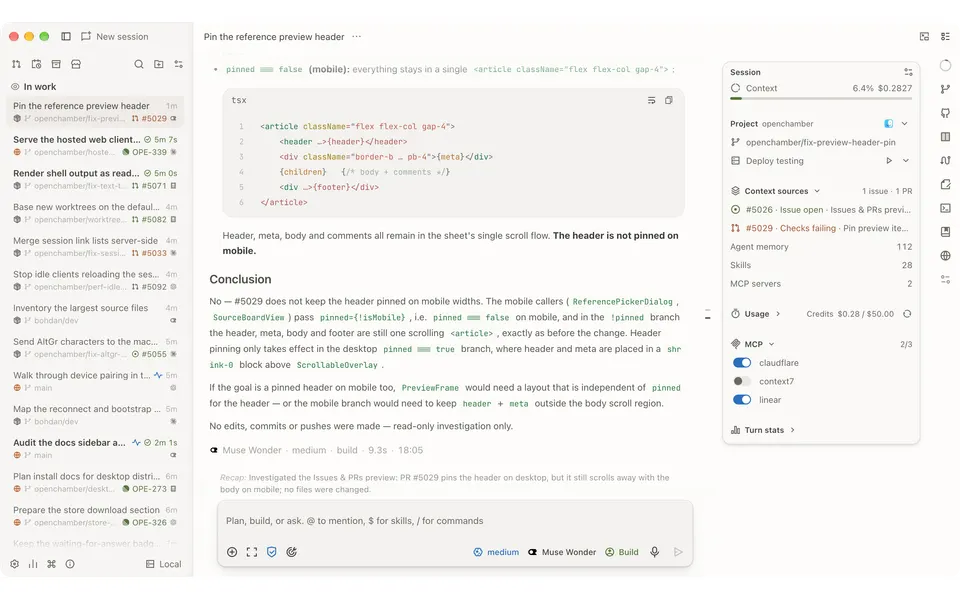
- Desktop app
- Mac, Windows and Linux
- Browser
- Yes
- Phone
- IPhone, Android and phone browser
- Command line
- Yes
- Agents
- Claude Code and OpenCode
- Your subscription
- Works with your own plan
- Agents run
- On your computer and on your own server
- Laptop closed
- Keeps going
- Isolation
- Worktree
- Parallel agents
- Yes
- Scheduled runs
- Yes
- Coordinator agent
- Yes
- Built-in issues
- Yes
- Pull requests
- Yes
- Review screen
- Yes
- Team
- Not listed
- Self-hosting
- Yes
- Licence
- MIT
- Price from
- Free
- How it charges
- No paid plan and bring your own key
- Paid plans from
- Not listed
Receipts
- Checked
- · oldest answer 2026-11-08
- Findings
- 43 published · 37 cross-checked by a second agent · read them all
- Sources
- 52 public pages on 1 site: github.com
- Screenshot
- github.com, retrieved · first party repository · shows appearance, not capability
- Method
- Same rules for all 103 researched ADEs. How we check · Report wrong data
What it does
Where you use it
OpenChamber has macOS, Windows and Linux desktop clients, a web/PWA client, VS Code extension and a CLI/server. Desktop bundles a matching OpenCode CLI; web/VS Code use an installed OpenCode CLI. Native iOS uses TestFlight beta and Android is a Canary APK. Phone apps can view sessions, reply and manage work; Safari/Chrome phone browsers can install the PWA. These clients connect to the user server.
Source and scope for Where you use itAgents it runs
The core workspace uses OpenCode to run coding agents. Model/provider selection through OpenCode does not establish another named harness by itself. The optional Claude Code integration uses the official Claude Agent SDK with the installed Claude Code CLI and supported sign-in. This is distinct from ordinary OpenCode provider configuration. OpenChamber v2.7.0 lists Antigravity as a quota provider reading OpenCode Antigravity account files. That does not establish an Antigravity coding-harness adapter. The scoped native session adapters have no integration for Codex, Cursor Agent, Gemini CLI, Pi, Grok, Aider or Antigravity harness sessions.
Source and scope for Agents it runsAccounts and subscriptions
The Claude Code integration reuses Claude Pro or Max through the local Claude Code CLI sign-in without API keys. Setup can install the CLI and sign in. OpenCode stores provider API keys and device-flow sign-ins. Custom OpenAI-compatible providers are configurable; signing into a model provider is separate from a native agent subscription.
Source and scope for Accounts and subscriptionsWhere agents run
OpenChamber can run as desktop app or CLI/server on a workstation or the user's own server. Its goal loop runs in that server, so closing the browser tab or locking the phone leaves the agent working; the desktop app or openchamber process must stay running. The scoped startup code provisions a local/user-hosted OpenCode process; Private Relay carries traffic and is not vendor execution.
Source and scope for Where agents runHow work is kept apart
A worktree session has its own checkout and branch to isolate concurrent edits; optional multi-run isolation creates one per model. Nongit folders do not get worktree isolation.
Source and scope for How work is kept apartParallel work
Multi-run starts several model sessions from one prompt, optionally each in its own worktree/branch. A failure to start one session does not prevent the rest from launching.
Source and scope for Parallel workScheduled runs
Native scheduled tasks send prompts in new sessions once, daily, weekly or by cron, optionally as goals. The OpenChamber server must stay running. Repository loop files require local enablement and renewed approval after material changes.
Source and scope for Scheduled runsGit and pull requests
The Git panel can create/update PRs, mark drafts ready and merge, with equivalent merge requests or Gerrit changes per host. Issues/PRs can start scoped worktree sessions.
Source and scope for Git and pull requestsLicence and source
The OpenChamber application source is MIT licensed at the pinned revision. OpenCode and optional provider plugins retain separate component terms.
Source and scope for Licence and sourcePrice
The source application is available under a free-of-charge MIT grant. User model/provider usage and runtime hardware remain separate costs.
Source and scope for PriceTyped filters
Every value links to its receipt below. Read plan and surface restrictions before using a filter to decide.
| Filter | Value |
|---|---|
| Desktop OS: macOS | Yes cross-checked |
| Desktop OS: Windows | Yes cross-checked |
| Desktop OS: Linux | Yes cross-checked |
| Web client | Yes cross-checked |
| Phone access: Native iOS | Yes cross-checked |
| Phone access: Native Android | Yes cross-checked |
| Phone access: Phone browser | Yes cross-checked |
| CLI | Yes cross-checked |
| Coding agents: Claude Code | Yes |
| Coding agents: Codex | No |
| Coding agents: Cursor Agent | No |
| Coding agents: Gemini CLI | No |
| Coding agents: OpenCode | Yes |
| Coding agents: Pi | No |
| Coding agents: Grok | No |
| Coding agents: Aider | No |
| Coding agents: Antigravity | No |
| Use my subscription | Yes cross-checked |
| Where agents run: On your computer | Yes |
| Where agents run: On your own server | Yes |
| Where agents run: In the vendor's cloud | No |
| Workspace isolation: Git worktree | Yes cross-checked |
| Workspace isolation: Container | Unknown |
| Workspace isolation: VM or microVM | Unknown |
| Parallel runs | Yes cross-checked |
| Coordinator | Yes cross-checked |
| Native issue tracking | Yes cross-checked |
| Unattended triggers | Yes cross-checked |
| Shared prompting | Unknown |
| Team roles | No |
| SSO | No |
| Pull request workflow | Yes cross-checked |
| Review interface | Yes cross-checked |
| Product license: Apache-2.0 | No. MIT cross-checked |
| Product license: MIT | Yes. MIT cross-checked |
| Product license: GPL-3.0 | No. MIT cross-checked |
| Product license: GPL-3.0-or-later | No. MIT cross-checked |
| Product license: AGPL-3.0 | No. MIT cross-checked |
| Product license: AGPL-3.0-or-later | No. MIT cross-checked |
| Product license: Elastic License 2.0 | No. MIT cross-checked |
| Product license: Custom terms | No. MIT cross-checked |
| Product license: Proprietary | No. MIT cross-checked |
| Self-hosting | Yes cross-checked |
| Telemetry opt-out | Yes cross-checked |
| Free access | Yes cross-checked |
| Starting price: Free | Yes. Free cross-checked |
| Starting price: Up to $20/month | No. Free cross-checked |
| Starting price: $21–40/month | No. Free cross-checked |
| Starting price: $41–100/month | No. Free cross-checked |
| Starting price: Over $100/month | No. Free cross-checked |
| Starting price: Contact for pricing | No. Free cross-checked |
| Pricing model: Free, no paid plan | Yes cross-checked |
| Pricing model: Free plan | No |
| Pricing model: Subscription | No |
| Pricing model: Per seat | No |
| Pricing model: Usage-based | No |
| Pricing model: Per machine or compute | No |
| Pricing model: Bring your own key | Yes cross-checked |
| Pricing model: One-time purchase | No |
| Paid plans from: No paid plan | Unknown |
| Paid plans from: $10 or less/month | Unknown |
| Paid plans from: $11–20/month | Unknown |
| Paid plans from: $21–40/month | Unknown |
| Paid plans from: $41–100/month | Unknown |
| Paid plans from: Over $100/month | Unknown |
| Paid plans from: Contact sales | Unknown |
| Lifecycle status: Active | Unknown |
| Lifecycle status: Sunsetting | Unknown |
| Keeps going with laptop closed | Yes |
| Open-source license | Yes. MIT cross-checked |
| Any desktop app | Yes cross-checked |
| Paid plan up to $20/month | Unknown |
| Paid plan up to $40/month | Unknown |
| Any phone client | Yes cross-checked |
Filter receipts
Desktop OS: macOS: Yes cross-checked
Desktop OS: macOS
Typed value: Yes.
OpenChamber has macOS, Windows and Linux desktop clients, a web/PWA client, VS Code extension and a CLI/server. Desktop bundles a matching OpenCode CLI; web/VS Code use an installed OpenCode CLI. Native iOS uses TestFlight beta and Android is a Canary APK. Phone apps can view sessions, reply and manage work; Safari/Chrome phone browsers can install the PWA. These clients connect to the user server.
- Desktop os: OpenChamber has macOS, Windows and Linux desktop clients, a web/PWA client, VS Code extension and a CLI/server. Desktop bundles a matching OpenCode CLI; web/VS Code use an installed OpenCode CLI.
- Mobile apps: Native iOS uses TestFlight beta and Android is a Canary APK. Phone apps can view sessions, reply and manage work; Safari/Chrome phone browsers can install the PWA. These clients connect to the user server.
- Browser: OpenChamber has macOS, Windows and Linux desktop clients, a web/PWA client, VS Code extension and a CLI/server. Desktop bundles a matching OpenCode CLI; web/VS Code use an installed OpenCode CLI.
- Mobile browser: Native iOS uses TestFlight beta and Android is a Canary APK. Phone apps can view sessions, reply and manage work; Safari/Chrome phone browsers can install the PWA. These clients connect to the user server.
- Cli: OpenChamber has macOS, Windows and Linux desktop clients, a web/PWA client, VS Code extension and a CLI/server. Desktop bundles a matching OpenCode CLI; web/VS Code use an installed OpenCode CLI.
- Editor extensions: OpenChamber has macOS, Windows and Linux desktop clients, a web/PWA client, VS Code extension and a CLI/server. Desktop bundles a matching OpenCode CLI; web/VS Code use an installed OpenCode CLI.
- Task actions: Native iOS uses TestFlight beta and Android is a Canary APK. Phone apps can view sessions, reply and manage work; Safari/Chrome phone browsers can install the PWA. These clients connect to the user server.
- Cross device continuity: Native iOS uses TestFlight beta and Android is a Canary APK. Phone apps can view sessions, reply and manage work; Safari/Chrome phone browsers can install the PWA. These clients connect to the user server.
- Documentation evidence only. Remaining atomic questions and enforcement under failure have not been established by a bounded workflow test.
-
OpenChamber: Use it where you work; Quick start
Finding: OpenChamber has macOS, Windows and Linux desktop clients, a web/PWA client, VS Code extension and a CLI/server. Desktop bundles a matching OpenCode CLI; web/VS Code use an installed OpenCode CLI.
-
OpenChamber: Install the app; PWA
Finding: Native iOS uses TestFlight beta and Android is a Canary APK. Phone apps can view sessions, reply and manage work; Safari/Chrome phone browsers can install the PWA. These clients connect to the user server.
Desktop OS: Windows: Yes cross-checked
Desktop OS: Windows
Typed value: Yes.
OpenChamber has macOS, Windows and Linux desktop clients, a web/PWA client, VS Code extension and a CLI/server. Desktop bundles a matching OpenCode CLI; web/VS Code use an installed OpenCode CLI. Native iOS uses TestFlight beta and Android is a Canary APK. Phone apps can view sessions, reply and manage work; Safari/Chrome phone browsers can install the PWA. These clients connect to the user server.
- Desktop os: OpenChamber has macOS, Windows and Linux desktop clients, a web/PWA client, VS Code extension and a CLI/server. Desktop bundles a matching OpenCode CLI; web/VS Code use an installed OpenCode CLI.
- Mobile apps: Native iOS uses TestFlight beta and Android is a Canary APK. Phone apps can view sessions, reply and manage work; Safari/Chrome phone browsers can install the PWA. These clients connect to the user server.
- Browser: OpenChamber has macOS, Windows and Linux desktop clients, a web/PWA client, VS Code extension and a CLI/server. Desktop bundles a matching OpenCode CLI; web/VS Code use an installed OpenCode CLI.
- Mobile browser: Native iOS uses TestFlight beta and Android is a Canary APK. Phone apps can view sessions, reply and manage work; Safari/Chrome phone browsers can install the PWA. These clients connect to the user server.
- Cli: OpenChamber has macOS, Windows and Linux desktop clients, a web/PWA client, VS Code extension and a CLI/server. Desktop bundles a matching OpenCode CLI; web/VS Code use an installed OpenCode CLI.
- Editor extensions: OpenChamber has macOS, Windows and Linux desktop clients, a web/PWA client, VS Code extension and a CLI/server. Desktop bundles a matching OpenCode CLI; web/VS Code use an installed OpenCode CLI.
- Task actions: Native iOS uses TestFlight beta and Android is a Canary APK. Phone apps can view sessions, reply and manage work; Safari/Chrome phone browsers can install the PWA. These clients connect to the user server.
- Cross device continuity: Native iOS uses TestFlight beta and Android is a Canary APK. Phone apps can view sessions, reply and manage work; Safari/Chrome phone browsers can install the PWA. These clients connect to the user server.
- Documentation evidence only. Remaining atomic questions and enforcement under failure have not been established by a bounded workflow test.
-
OpenChamber: Use it where you work; Quick start
Finding: OpenChamber has macOS, Windows and Linux desktop clients, a web/PWA client, VS Code extension and a CLI/server. Desktop bundles a matching OpenCode CLI; web/VS Code use an installed OpenCode CLI.
-
OpenChamber: Install the app; PWA
Finding: Native iOS uses TestFlight beta and Android is a Canary APK. Phone apps can view sessions, reply and manage work; Safari/Chrome phone browsers can install the PWA. These clients connect to the user server.
Desktop OS: Linux: Yes cross-checked
Desktop OS: Linux
Typed value: Yes.
OpenChamber has macOS, Windows and Linux desktop clients, a web/PWA client, VS Code extension and a CLI/server. Desktop bundles a matching OpenCode CLI; web/VS Code use an installed OpenCode CLI. Native iOS uses TestFlight beta and Android is a Canary APK. Phone apps can view sessions, reply and manage work; Safari/Chrome phone browsers can install the PWA. These clients connect to the user server.
- Desktop os: OpenChamber has macOS, Windows and Linux desktop clients, a web/PWA client, VS Code extension and a CLI/server. Desktop bundles a matching OpenCode CLI; web/VS Code use an installed OpenCode CLI.
- Mobile apps: Native iOS uses TestFlight beta and Android is a Canary APK. Phone apps can view sessions, reply and manage work; Safari/Chrome phone browsers can install the PWA. These clients connect to the user server.
- Browser: OpenChamber has macOS, Windows and Linux desktop clients, a web/PWA client, VS Code extension and a CLI/server. Desktop bundles a matching OpenCode CLI; web/VS Code use an installed OpenCode CLI.
- Mobile browser: Native iOS uses TestFlight beta and Android is a Canary APK. Phone apps can view sessions, reply and manage work; Safari/Chrome phone browsers can install the PWA. These clients connect to the user server.
- Cli: OpenChamber has macOS, Windows and Linux desktop clients, a web/PWA client, VS Code extension and a CLI/server. Desktop bundles a matching OpenCode CLI; web/VS Code use an installed OpenCode CLI.
- Editor extensions: OpenChamber has macOS, Windows and Linux desktop clients, a web/PWA client, VS Code extension and a CLI/server. Desktop bundles a matching OpenCode CLI; web/VS Code use an installed OpenCode CLI.
- Task actions: Native iOS uses TestFlight beta and Android is a Canary APK. Phone apps can view sessions, reply and manage work; Safari/Chrome phone browsers can install the PWA. These clients connect to the user server.
- Cross device continuity: Native iOS uses TestFlight beta and Android is a Canary APK. Phone apps can view sessions, reply and manage work; Safari/Chrome phone browsers can install the PWA. These clients connect to the user server.
- Documentation evidence only. Remaining atomic questions and enforcement under failure have not been established by a bounded workflow test.
-
OpenChamber: Use it where you work; Quick start
Finding: OpenChamber has macOS, Windows and Linux desktop clients, a web/PWA client, VS Code extension and a CLI/server. Desktop bundles a matching OpenCode CLI; web/VS Code use an installed OpenCode CLI.
-
OpenChamber: Install the app; PWA
Finding: Native iOS uses TestFlight beta and Android is a Canary APK. Phone apps can view sessions, reply and manage work; Safari/Chrome phone browsers can install the PWA. These clients connect to the user server.
Web client: Yes cross-checked
Web client
Typed value: Yes.
OpenChamber has macOS, Windows and Linux desktop clients, a web/PWA client, VS Code extension and a CLI/server. Desktop bundles a matching OpenCode CLI; web/VS Code use an installed OpenCode CLI. Native iOS uses TestFlight beta and Android is a Canary APK. Phone apps can view sessions, reply and manage work; Safari/Chrome phone browsers can install the PWA. These clients connect to the user server.
- Desktop os: OpenChamber has macOS, Windows and Linux desktop clients, a web/PWA client, VS Code extension and a CLI/server. Desktop bundles a matching OpenCode CLI; web/VS Code use an installed OpenCode CLI.
- Mobile apps: Native iOS uses TestFlight beta and Android is a Canary APK. Phone apps can view sessions, reply and manage work; Safari/Chrome phone browsers can install the PWA. These clients connect to the user server.
- Browser: OpenChamber has macOS, Windows and Linux desktop clients, a web/PWA client, VS Code extension and a CLI/server. Desktop bundles a matching OpenCode CLI; web/VS Code use an installed OpenCode CLI.
- Mobile browser: Native iOS uses TestFlight beta and Android is a Canary APK. Phone apps can view sessions, reply and manage work; Safari/Chrome phone browsers can install the PWA. These clients connect to the user server.
- Cli: OpenChamber has macOS, Windows and Linux desktop clients, a web/PWA client, VS Code extension and a CLI/server. Desktop bundles a matching OpenCode CLI; web/VS Code use an installed OpenCode CLI.
- Editor extensions: OpenChamber has macOS, Windows and Linux desktop clients, a web/PWA client, VS Code extension and a CLI/server. Desktop bundles a matching OpenCode CLI; web/VS Code use an installed OpenCode CLI.
- Task actions: Native iOS uses TestFlight beta and Android is a Canary APK. Phone apps can view sessions, reply and manage work; Safari/Chrome phone browsers can install the PWA. These clients connect to the user server.
- Cross device continuity: Native iOS uses TestFlight beta and Android is a Canary APK. Phone apps can view sessions, reply and manage work; Safari/Chrome phone browsers can install the PWA. These clients connect to the user server.
- Documentation evidence only. Remaining atomic questions and enforcement under failure have not been established by a bounded workflow test.
-
OpenChamber: Use it where you work; Quick start
Finding: OpenChamber has macOS, Windows and Linux desktop clients, a web/PWA client, VS Code extension and a CLI/server. Desktop bundles a matching OpenCode CLI; web/VS Code use an installed OpenCode CLI.
-
OpenChamber: Install the app; PWA
Finding: Native iOS uses TestFlight beta and Android is a Canary APK. Phone apps can view sessions, reply and manage work; Safari/Chrome phone browsers can install the PWA. These clients connect to the user server.
Phone access: Native iOS: Yes cross-checked
Phone access: Native iOS
Typed value: Yes.
OpenChamber has macOS, Windows and Linux desktop clients, a web/PWA client, VS Code extension and a CLI/server. Desktop bundles a matching OpenCode CLI; web/VS Code use an installed OpenCode CLI. Native iOS uses TestFlight beta and Android is a Canary APK. Phone apps can view sessions, reply and manage work; Safari/Chrome phone browsers can install the PWA. These clients connect to the user server.
- Desktop os: OpenChamber has macOS, Windows and Linux desktop clients, a web/PWA client, VS Code extension and a CLI/server. Desktop bundles a matching OpenCode CLI; web/VS Code use an installed OpenCode CLI.
- Mobile apps: Native iOS uses TestFlight beta and Android is a Canary APK. Phone apps can view sessions, reply and manage work; Safari/Chrome phone browsers can install the PWA. These clients connect to the user server.
- Browser: OpenChamber has macOS, Windows and Linux desktop clients, a web/PWA client, VS Code extension and a CLI/server. Desktop bundles a matching OpenCode CLI; web/VS Code use an installed OpenCode CLI.
- Mobile browser: Native iOS uses TestFlight beta and Android is a Canary APK. Phone apps can view sessions, reply and manage work; Safari/Chrome phone browsers can install the PWA. These clients connect to the user server.
- Cli: OpenChamber has macOS, Windows and Linux desktop clients, a web/PWA client, VS Code extension and a CLI/server. Desktop bundles a matching OpenCode CLI; web/VS Code use an installed OpenCode CLI.
- Editor extensions: OpenChamber has macOS, Windows and Linux desktop clients, a web/PWA client, VS Code extension and a CLI/server. Desktop bundles a matching OpenCode CLI; web/VS Code use an installed OpenCode CLI.
- Task actions: Native iOS uses TestFlight beta and Android is a Canary APK. Phone apps can view sessions, reply and manage work; Safari/Chrome phone browsers can install the PWA. These clients connect to the user server.
- Cross device continuity: Native iOS uses TestFlight beta and Android is a Canary APK. Phone apps can view sessions, reply and manage work; Safari/Chrome phone browsers can install the PWA. These clients connect to the user server.
- Documentation evidence only. Remaining atomic questions and enforcement under failure have not been established by a bounded workflow test.
-
OpenChamber: Use it where you work; Quick start
Finding: OpenChamber has macOS, Windows and Linux desktop clients, a web/PWA client, VS Code extension and a CLI/server. Desktop bundles a matching OpenCode CLI; web/VS Code use an installed OpenCode CLI.
-
OpenChamber: Install the app; PWA
Finding: Native iOS uses TestFlight beta and Android is a Canary APK. Phone apps can view sessions, reply and manage work; Safari/Chrome phone browsers can install the PWA. These clients connect to the user server.
Phone access: Native Android: Yes cross-checked
Phone access: Native Android
Typed value: Yes.
OpenChamber has macOS, Windows and Linux desktop clients, a web/PWA client, VS Code extension and a CLI/server. Desktop bundles a matching OpenCode CLI; web/VS Code use an installed OpenCode CLI. Native iOS uses TestFlight beta and Android is a Canary APK. Phone apps can view sessions, reply and manage work; Safari/Chrome phone browsers can install the PWA. These clients connect to the user server.
- Desktop os: OpenChamber has macOS, Windows and Linux desktop clients, a web/PWA client, VS Code extension and a CLI/server. Desktop bundles a matching OpenCode CLI; web/VS Code use an installed OpenCode CLI.
- Mobile apps: Native iOS uses TestFlight beta and Android is a Canary APK. Phone apps can view sessions, reply and manage work; Safari/Chrome phone browsers can install the PWA. These clients connect to the user server.
- Browser: OpenChamber has macOS, Windows and Linux desktop clients, a web/PWA client, VS Code extension and a CLI/server. Desktop bundles a matching OpenCode CLI; web/VS Code use an installed OpenCode CLI.
- Mobile browser: Native iOS uses TestFlight beta and Android is a Canary APK. Phone apps can view sessions, reply and manage work; Safari/Chrome phone browsers can install the PWA. These clients connect to the user server.
- Cli: OpenChamber has macOS, Windows and Linux desktop clients, a web/PWA client, VS Code extension and a CLI/server. Desktop bundles a matching OpenCode CLI; web/VS Code use an installed OpenCode CLI.
- Editor extensions: OpenChamber has macOS, Windows and Linux desktop clients, a web/PWA client, VS Code extension and a CLI/server. Desktop bundles a matching OpenCode CLI; web/VS Code use an installed OpenCode CLI.
- Task actions: Native iOS uses TestFlight beta and Android is a Canary APK. Phone apps can view sessions, reply and manage work; Safari/Chrome phone browsers can install the PWA. These clients connect to the user server.
- Cross device continuity: Native iOS uses TestFlight beta and Android is a Canary APK. Phone apps can view sessions, reply and manage work; Safari/Chrome phone browsers can install the PWA. These clients connect to the user server.
- Documentation evidence only. Remaining atomic questions and enforcement under failure have not been established by a bounded workflow test.
-
OpenChamber: Use it where you work; Quick start
Finding: OpenChamber has macOS, Windows and Linux desktop clients, a web/PWA client, VS Code extension and a CLI/server. Desktop bundles a matching OpenCode CLI; web/VS Code use an installed OpenCode CLI.
-
OpenChamber: Install the app; PWA
Finding: Native iOS uses TestFlight beta and Android is a Canary APK. Phone apps can view sessions, reply and manage work; Safari/Chrome phone browsers can install the PWA. These clients connect to the user server.
Phone access: Phone browser: Yes cross-checked
Phone access: Phone browser
Typed value: Yes.
OpenChamber has macOS, Windows and Linux desktop clients, a web/PWA client, VS Code extension and a CLI/server. Desktop bundles a matching OpenCode CLI; web/VS Code use an installed OpenCode CLI. Native iOS uses TestFlight beta and Android is a Canary APK. Phone apps can view sessions, reply and manage work; Safari/Chrome phone browsers can install the PWA. These clients connect to the user server.
- Desktop os: OpenChamber has macOS, Windows and Linux desktop clients, a web/PWA client, VS Code extension and a CLI/server. Desktop bundles a matching OpenCode CLI; web/VS Code use an installed OpenCode CLI.
- Mobile apps: Native iOS uses TestFlight beta and Android is a Canary APK. Phone apps can view sessions, reply and manage work; Safari/Chrome phone browsers can install the PWA. These clients connect to the user server.
- Browser: OpenChamber has macOS, Windows and Linux desktop clients, a web/PWA client, VS Code extension and a CLI/server. Desktop bundles a matching OpenCode CLI; web/VS Code use an installed OpenCode CLI.
- Mobile browser: Native iOS uses TestFlight beta and Android is a Canary APK. Phone apps can view sessions, reply and manage work; Safari/Chrome phone browsers can install the PWA. These clients connect to the user server.
- Cli: OpenChamber has macOS, Windows and Linux desktop clients, a web/PWA client, VS Code extension and a CLI/server. Desktop bundles a matching OpenCode CLI; web/VS Code use an installed OpenCode CLI.
- Editor extensions: OpenChamber has macOS, Windows and Linux desktop clients, a web/PWA client, VS Code extension and a CLI/server. Desktop bundles a matching OpenCode CLI; web/VS Code use an installed OpenCode CLI.
- Task actions: Native iOS uses TestFlight beta and Android is a Canary APK. Phone apps can view sessions, reply and manage work; Safari/Chrome phone browsers can install the PWA. These clients connect to the user server.
- Cross device continuity: Native iOS uses TestFlight beta and Android is a Canary APK. Phone apps can view sessions, reply and manage work; Safari/Chrome phone browsers can install the PWA. These clients connect to the user server.
- Documentation evidence only. Remaining atomic questions and enforcement under failure have not been established by a bounded workflow test.
-
OpenChamber: Use it where you work; Quick start
Finding: OpenChamber has macOS, Windows and Linux desktop clients, a web/PWA client, VS Code extension and a CLI/server. Desktop bundles a matching OpenCode CLI; web/VS Code use an installed OpenCode CLI.
-
OpenChamber: Install the app; PWA
Finding: Native iOS uses TestFlight beta and Android is a Canary APK. Phone apps can view sessions, reply and manage work; Safari/Chrome phone browsers can install the PWA. These clients connect to the user server.
CLI: Yes cross-checked
CLI
Typed value: Yes.
Product CLI commands expose status, connect QR links, tunnels, startup control, logs, stop and update. A stable public session API was not inferred merely from the internal web app.
- Cli: Product CLI commands expose status, connect QR links, tunnels, startup control, logs, stop and update. A stable public session API was not inferred merely from the internal web app.
- Operations: Product CLI commands expose status, connect QR links, tunnels, startup control, logs, stop and update. A stable public session API was not inferred merely from the internal web app.
- Documentation evidence only. Remaining atomic questions and enforcement under failure have not been established by a bounded workflow test.
-
OpenChamber: CLI for Web and PWA
Finding: Product CLI commands expose status, connect QR links, tunnels, startup control, logs, stop and update. A stable public session API was not inferred merely from the internal web app.
Coding agents: Claude Code: Yes
Coding agents: Claude Code
Typed value: Yes.
The core workspace uses OpenCode to run coding agents. Model/provider selection through OpenCode does not establish another named harness by itself. The optional Claude Code integration uses the official Claude Agent SDK with the installed Claude Code CLI and supported sign-in. This is distinct from ordinary OpenCode provider configuration. OpenChamber v2.7.0 lists Antigravity as a quota provider reading OpenCode Antigravity account files. That does not establish an Antigravity coding-harness adapter. The scoped native session adapters have no integration for Codex, Cursor Agent, Gemini CLI, Pi, Grok, Aider or Antigravity harness sessions.
- Harnesses: The optional Claude Code integration uses the official Claude Agent SDK with the installed Claude Code CLI and supported sign-in. This is distinct from ordinary OpenCode provider configuration. OpenChamber v2.7.0 lists Antigravity as a quota provider reading OpenCode Antigravity account files. That does not establish an Antigravity coding-harness adapter.
- Session integration: The native layer manages OpenCode sessions; the documented optional Claude Code SDK/CLI integration is separate. Other model/quota providers are not native external coding-harness session adapters.
- Only the named atomic answers are established by this source pass. Remaining atomic answers retain their documented gaps.
-
Finding: The core workspace uses OpenCode to run coding agents. Model/provider selection through OpenCode does not establish another named harness by itself.
-
Finding: The optional Claude Code integration uses the official Claude Agent SDK with the installed Claude Code CLI and supported sign-in. This is distinct from ordinary OpenCode provider configuration.
Coding agents: Codex: No
Coding agents: Codex
Typed value: No.
The core workspace uses OpenCode to run coding agents. Model/provider selection through OpenCode does not establish another named harness by itself. The optional Claude Code integration uses the official Claude Agent SDK with the installed Claude Code CLI and supported sign-in. This is distinct from ordinary OpenCode provider configuration. OpenChamber v2.7.0 lists Antigravity as a quota provider reading OpenCode Antigravity account files. That does not establish an Antigravity coding-harness adapter. The scoped native session adapters have no integration for Codex, Cursor Agent, Gemini CLI, Pi, Grok, Aider or Antigravity harness sessions.
- Session integration: The native layer manages OpenCode sessions; the documented optional Claude Code SDK/CLI integration is separate. Other model/quota providers are not native external coding-harness session adapters.
- Only the named atomic answers are established by this source pass. Remaining atomic answers retain their documented gaps.
-
OpenChamber agent session adapter
Finding: The scoped agent/session layer creates OpenCode sessions with provider/model selections. The separately documented Claude Code integration uses the official SDK/CLI. Bounded inspection of server startup, session/workflow adapters and integrations found no Codex, Cursor Agent, Gemini CLI, Pi, Grok, Aider or Antigravity coding-harness adapter. Quota/provider entries alone are not those harnesses.
Coding agents: Cursor Agent: No
Coding agents: Cursor Agent
Typed value: No.
The core workspace uses OpenCode to run coding agents. Model/provider selection through OpenCode does not establish another named harness by itself. The optional Claude Code integration uses the official Claude Agent SDK with the installed Claude Code CLI and supported sign-in. This is distinct from ordinary OpenCode provider configuration. OpenChamber v2.7.0 lists Antigravity as a quota provider reading OpenCode Antigravity account files. That does not establish an Antigravity coding-harness adapter. The scoped native session adapters have no integration for Codex, Cursor Agent, Gemini CLI, Pi, Grok, Aider or Antigravity harness sessions.
- Session integration: The native layer manages OpenCode sessions; the documented optional Claude Code SDK/CLI integration is separate. Other model/quota providers are not native external coding-harness session adapters.
- Only the named atomic answers are established by this source pass. Remaining atomic answers retain their documented gaps.
-
OpenChamber agent session adapter
Finding: The scoped agent/session layer creates OpenCode sessions with provider/model selections. The separately documented Claude Code integration uses the official SDK/CLI. Bounded inspection of server startup, session/workflow adapters and integrations found no Codex, Cursor Agent, Gemini CLI, Pi, Grok, Aider or Antigravity coding-harness adapter. Quota/provider entries alone are not those harnesses.
Coding agents: Gemini CLI: No
Coding agents: Gemini CLI
Typed value: No.
The core workspace uses OpenCode to run coding agents. Model/provider selection through OpenCode does not establish another named harness by itself. The optional Claude Code integration uses the official Claude Agent SDK with the installed Claude Code CLI and supported sign-in. This is distinct from ordinary OpenCode provider configuration. OpenChamber v2.7.0 lists Antigravity as a quota provider reading OpenCode Antigravity account files. That does not establish an Antigravity coding-harness adapter. The scoped native session adapters have no integration for Codex, Cursor Agent, Gemini CLI, Pi, Grok, Aider or Antigravity harness sessions.
- Session integration: The native layer manages OpenCode sessions; the documented optional Claude Code SDK/CLI integration is separate. Other model/quota providers are not native external coding-harness session adapters.
- Only the named atomic answers are established by this source pass. Remaining atomic answers retain their documented gaps.
-
OpenChamber agent session adapter
Finding: The scoped agent/session layer creates OpenCode sessions with provider/model selections. The separately documented Claude Code integration uses the official SDK/CLI. Bounded inspection of server startup, session/workflow adapters and integrations found no Codex, Cursor Agent, Gemini CLI, Pi, Grok, Aider or Antigravity coding-harness adapter. Quota/provider entries alone are not those harnesses.
Coding agents: OpenCode: Yes
Coding agents: OpenCode
Typed value: Yes.
The core workspace uses OpenCode to run coding agents. Model/provider selection through OpenCode does not establish another named harness by itself. The optional Claude Code integration uses the official Claude Agent SDK with the installed Claude Code CLI and supported sign-in. This is distinct from ordinary OpenCode provider configuration. OpenChamber v2.7.0 lists Antigravity as a quota provider reading OpenCode Antigravity account files. That does not establish an Antigravity coding-harness adapter. The scoped native session adapters have no integration for Codex, Cursor Agent, Gemini CLI, Pi, Grok, Aider or Antigravity harness sessions.
- Harnesses: The optional Claude Code integration uses the official Claude Agent SDK with the installed Claude Code CLI and supported sign-in. This is distinct from ordinary OpenCode provider configuration. OpenChamber v2.7.0 lists Antigravity as a quota provider reading OpenCode Antigravity account files. That does not establish an Antigravity coding-harness adapter.
- Session integration: The native layer manages OpenCode sessions; the documented optional Claude Code SDK/CLI integration is separate. Other model/quota providers are not native external coding-harness session adapters.
- Only the named atomic answers are established by this source pass. Remaining atomic answers retain their documented gaps.
-
Finding: The core workspace uses OpenCode to run coding agents. Model/provider selection through OpenCode does not establish another named harness by itself.
-
Finding: The optional Claude Code integration uses the official Claude Agent SDK with the installed Claude Code CLI and supported sign-in. This is distinct from ordinary OpenCode provider configuration.
Coding agents: Pi: No
Coding agents: Pi
Typed value: No.
The core workspace uses OpenCode to run coding agents. Model/provider selection through OpenCode does not establish another named harness by itself. The optional Claude Code integration uses the official Claude Agent SDK with the installed Claude Code CLI and supported sign-in. This is distinct from ordinary OpenCode provider configuration. OpenChamber v2.7.0 lists Antigravity as a quota provider reading OpenCode Antigravity account files. That does not establish an Antigravity coding-harness adapter. The scoped native session adapters have no integration for Codex, Cursor Agent, Gemini CLI, Pi, Grok, Aider or Antigravity harness sessions.
- Session integration: The native layer manages OpenCode sessions; the documented optional Claude Code SDK/CLI integration is separate. Other model/quota providers are not native external coding-harness session adapters.
- Only the named atomic answers are established by this source pass. Remaining atomic answers retain their documented gaps.
-
OpenChamber agent session adapter
Finding: The scoped agent/session layer creates OpenCode sessions with provider/model selections. The separately documented Claude Code integration uses the official SDK/CLI. Bounded inspection of server startup, session/workflow adapters and integrations found no Codex, Cursor Agent, Gemini CLI, Pi, Grok, Aider or Antigravity coding-harness adapter. Quota/provider entries alone are not those harnesses.
Coding agents: Grok: No
Coding agents: Grok
Typed value: No.
The core workspace uses OpenCode to run coding agents. Model/provider selection through OpenCode does not establish another named harness by itself. The optional Claude Code integration uses the official Claude Agent SDK with the installed Claude Code CLI and supported sign-in. This is distinct from ordinary OpenCode provider configuration. OpenChamber v2.7.0 lists Antigravity as a quota provider reading OpenCode Antigravity account files. That does not establish an Antigravity coding-harness adapter. The scoped native session adapters have no integration for Codex, Cursor Agent, Gemini CLI, Pi, Grok, Aider or Antigravity harness sessions.
- Session integration: The native layer manages OpenCode sessions; the documented optional Claude Code SDK/CLI integration is separate. Other model/quota providers are not native external coding-harness session adapters.
- Only the named atomic answers are established by this source pass. Remaining atomic answers retain their documented gaps.
-
OpenChamber agent session adapter
Finding: The scoped agent/session layer creates OpenCode sessions with provider/model selections. The separately documented Claude Code integration uses the official SDK/CLI. Bounded inspection of server startup, session/workflow adapters and integrations found no Codex, Cursor Agent, Gemini CLI, Pi, Grok, Aider or Antigravity coding-harness adapter. Quota/provider entries alone are not those harnesses.
Coding agents: Aider: No
Coding agents: Aider
Typed value: No.
The core workspace uses OpenCode to run coding agents. Model/provider selection through OpenCode does not establish another named harness by itself. The optional Claude Code integration uses the official Claude Agent SDK with the installed Claude Code CLI and supported sign-in. This is distinct from ordinary OpenCode provider configuration. OpenChamber v2.7.0 lists Antigravity as a quota provider reading OpenCode Antigravity account files. That does not establish an Antigravity coding-harness adapter. The scoped native session adapters have no integration for Codex, Cursor Agent, Gemini CLI, Pi, Grok, Aider or Antigravity harness sessions.
- Session integration: The native layer manages OpenCode sessions; the documented optional Claude Code SDK/CLI integration is separate. Other model/quota providers are not native external coding-harness session adapters.
- Only the named atomic answers are established by this source pass. Remaining atomic answers retain their documented gaps.
-
OpenChamber agent session adapter
Finding: The scoped agent/session layer creates OpenCode sessions with provider/model selections. The separately documented Claude Code integration uses the official SDK/CLI. Bounded inspection of server startup, session/workflow adapters and integrations found no Codex, Cursor Agent, Gemini CLI, Pi, Grok, Aider or Antigravity coding-harness adapter. Quota/provider entries alone are not those harnesses.
Coding agents: Antigravity: No
Coding agents: Antigravity
Typed value: No.
The core workspace uses OpenCode to run coding agents. Model/provider selection through OpenCode does not establish another named harness by itself. The optional Claude Code integration uses the official Claude Agent SDK with the installed Claude Code CLI and supported sign-in. This is distinct from ordinary OpenCode provider configuration. OpenChamber v2.7.0 lists Antigravity as a quota provider reading OpenCode Antigravity account files. That does not establish an Antigravity coding-harness adapter. The scoped native session adapters have no integration for Codex, Cursor Agent, Gemini CLI, Pi, Grok, Aider or Antigravity harness sessions.
- Session integration: The native layer manages OpenCode sessions; the documented optional Claude Code SDK/CLI integration is separate. Other model/quota providers are not native external coding-harness session adapters.
- Only the named atomic answers are established by this source pass. Remaining atomic answers retain their documented gaps.
-
OpenChamber agent session adapter
Finding: The scoped agent/session layer creates OpenCode sessions with provider/model selections. The separately documented Claude Code integration uses the official SDK/CLI. Bounded inspection of server startup, session/workflow adapters and integrations found no Codex, Cursor Agent, Gemini CLI, Pi, Grok, Aider or Antigravity coding-harness adapter. Quota/provider entries alone are not those harnesses.
Use my subscription: Yes cross-checked
Use my subscription
Typed value: Yes.
The Claude Code integration reuses Claude Pro or Max through the local Claude Code CLI sign-in without API keys. Setup can install the CLI and sign in. OpenCode stores provider API keys and device-flow sign-ins. Custom OpenAI-compatible providers are configurable; signing into a model provider is separate from a native agent subscription.
- Agent subscriptions: The Claude Code integration reuses Claude Pro or Max through the local Claude Code CLI sign-in without API keys. Setup can install the CLI and sign in.
- Api accounts: OpenCode stores provider API keys and device-flow sign-ins. Custom OpenAI-compatible providers are configurable; signing into a model provider is separate from a native agent subscription.
- Account switching: OpenCode stores provider API keys and device-flow sign-ins. Custom OpenAI-compatible providers are configurable; signing into a model provider is separate from a native agent subscription.
- Provider restrictions: OpenCode stores provider API keys and device-flow sign-ins. Custom OpenAI-compatible providers are configurable; signing into a model provider is separate from a native agent subscription.
- Documentation evidence only. Remaining atomic questions and enforcement under failure have not been established by a bounded workflow test.
-
Finding: The Claude Code integration reuses Claude Pro or Max through the local Claude Code CLI sign-in without API keys. Setup can install the CLI and sign in.
-
OpenChamber: Connect a provider; Where sign-ins live
Finding: OpenCode stores provider API keys and device-flow sign-ins. Custom OpenAI-compatible providers are configurable; signing into a model provider is separate from a native agent subscription.
Where agents run: On your computer: Yes
Where agents run: On your computer
Typed value: Yes.
OpenChamber can run as desktop app or CLI/server on a workstation or the user's own server. Its goal loop runs in that server, so closing the browser tab or locking the phone leaves the agent working; the desktop app or openchamber process must stay running. The scoped startup code provisions a local/user-hosted OpenCode process; Private Relay carries traffic and is not vendor execution.
- Local: The desktop app or CLI/server runs on the user's workstation.
- Byo remote: The CLI/server can run on the user's own server.
- Self hosted: The full workspace/server runs on the user's workstation or server.
- Client disconnect: The goal loop runs in the server and keeps working after the browser tab closes or the phone locks.
- Other device continuation: Work continues in the server while a phone is locked or a tab is closed, with a notification when the goal settles.
- Only the named atomic answers are established by this source pass. Remaining atomic answers retain their documented gaps.
-
Finding: The goal loop runs in the OpenChamber server, not the browser tab; closing the tab or locking the phone leaves the agent working, and the desktop app or openchamber process must stay running.
-
OpenChamber: CLI for Web and PWA; Why OpenCode?
Finding: The full workspace/server can run on a user workstation or own server; optional Private Relay and tunnels provide connectivity rather than replacing the user runtime.
Where agents run: On your own server: Yes
Where agents run: On your own server
Typed value: Yes.
OpenChamber can run as desktop app or CLI/server on a workstation or the user's own server. Its goal loop runs in that server, so closing the browser tab or locking the phone leaves the agent working; the desktop app or openchamber process must stay running. The scoped startup code provisions a local/user-hosted OpenCode process; Private Relay carries traffic and is not vendor execution.
- Local: The desktop app or CLI/server runs on the user's workstation.
- Byo remote: The CLI/server can run on the user's own server.
- Self hosted: The full workspace/server runs on the user's workstation or server.
- Client disconnect: The goal loop runs in the server and keeps working after the browser tab closes or the phone locks.
- Other device continuation: Work continues in the server while a phone is locked or a tab is closed, with a notification when the goal settles.
- Only the named atomic answers are established by this source pass. Remaining atomic answers retain their documented gaps.
-
Finding: The goal loop runs in the OpenChamber server, not the browser tab; closing the tab or locking the phone leaves the agent working, and the desktop app or openchamber process must stay running.
-
OpenChamber: CLI for Web and PWA; Why OpenCode?
Finding: The full workspace/server can run on a user workstation or own server; optional Private Relay and tunnels provide connectivity rather than replacing the user runtime.
Where agents run: In the vendor's cloud: No
Where agents run: In the vendor's cloud
Typed value: No.
OpenChamber can run as desktop app or CLI/server on a workstation or the user's own server. Its goal loop runs in that server, so closing the browser tab or locking the phone leaves the agent working; the desktop app or openchamber process must stay running. The scoped startup code provisions a local/user-hosted OpenCode process; Private Relay carries traffic and is not vendor execution.
- Local: The desktop app or CLI/server runs on the user's workstation.
- Byo remote: The CLI/server can run on the user's own server.
- Self hosted: The full workspace/server runs on the user's workstation or server.
- Managed cloud: The native managed process runs on the user workstation/server; the relay is connectivity and supplies no vendor runtime.
- Only the named atomic answers are established by this source pass. Remaining atomic answers retain their documented gaps.
-
OpenChamber: CLI for Web and PWA; Why OpenCode?
Finding: The full workspace/server can run on a user workstation or own server; optional Private Relay and tunnels provide connectivity rather than replacing the user runtime.
-
OpenChamber managed runtime startup
Finding: The scoped server manages an installed/bundled OpenCode process on the workstation or user-operated server. Private Relay/tunnel access transports client traffic to that process rather than supplying vendor-operated execution.
Workspace isolation: Git worktree: Yes cross-checked
Workspace isolation: Git worktree
Typed value: Yes.
A worktree session has its own checkout and branch to isolate concurrent edits; optional multi-run isolation creates one per model. Nongit folders do not get worktree isolation.
- Branch: A worktree session has its own checkout and branch to isolate concurrent edits; optional multi-run isolation creates one per model. Nongit folders do not get worktree isolation.
- Worktree: A worktree session has its own checkout and branch to isolate concurrent edits; optional multi-run isolation creates one per model. Nongit folders do not get worktree isolation.
- Code separation: Worktree sessions keep parallel sessions off each other's files; Multi-run can give each run its own worktree and branch, which requires a git repository.
- Documentation evidence only. Remaining atomic questions and enforcement under failure have not been established by a bounded workflow test.
-
OpenChamber: Worktree Sessions
Finding: A worktree session has its own checked-out copy of the repository on its own branch, keeping parallel sessions from editing the same files.
Parallel runs: Yes cross-checked
Parallel runs
Typed value: Yes.
Multi-run starts several model sessions from one prompt, optionally each in its own worktree/branch. A failure to start one session does not prevent the rest from launching.
- Concurrent sessions: Multi-run starts several model sessions from one prompt, optionally each in its own worktree/branch. A failure to start one session does not prevent the rest from launching.
- Concurrent tasks: Multi-run starts several model sessions from one prompt, optionally each in its own worktree/branch. A failure to start one session does not prevent the rest from launching.
- Status visibility: Multi-run starts several model sessions from one prompt, optionally each in its own worktree/branch. A failure to start one session does not prevent the rest from launching.
- Documentation evidence only. Remaining atomic questions and enforcement under failure have not been established by a bounded workflow test.
-
Finding: Multi-run starts several model sessions from one prompt, optionally each in its own worktree/branch. A failure to start one session does not prevent the rest from launching.
Coordinator: Yes cross-checked
Coordinator
Typed value: Yes.
An agent can create a child session with a selected model, list status, read the latest assistant response and send follow-ups. These tools belong to OpenChamber-managed OpenCode installations, not external servers or VS Code.
- Model harness effort: An agent can create a child session with a selected model, list status, read the latest assistant response and send follow-ups. These tools belong to OpenChamber-managed OpenCode installations, not external servers or VS Code.
- Messages: An agent can create a child session with a selected model, list status, read the latest assistant response and send follow-ups. These tools belong to OpenChamber-managed OpenCode installations, not external servers or VS Code.
- Results return: An agent can create a child session with a selected model, list status, read the latest assistant response and send follow-ups. These tools belong to OpenChamber-managed OpenCode installations, not external servers or VS Code.
- Orchestration owner: An agent can create a child session with a selected model, list status, read the latest assistant response and send follow-ups. These tools belong to OpenChamber-managed OpenCode installations, not external servers or VS Code.
- Activation: An agent can create a child session with a selected model, list status, read the latest assistant response and send follow-ups. These tools belong to OpenChamber-managed OpenCode installations, not external servers or VS Code.
- Live progress: An agent can create a child session with a selected model, list status, read the latest assistant response and send follow-ups. These tools belong to OpenChamber-managed OpenCode installations, not external servers or VS Code.
- Followup: An agent can create a child session with a selected model, list status, read the latest assistant response and send follow-ups. These tools belong to OpenChamber-managed OpenCode installations, not external servers or VS Code.
- Invocation: An agent can create a child session with a selected model, list status, read the latest assistant response and send follow-ups. These tools belong to OpenChamber-managed OpenCode installations, not external servers or VS Code.
- Documentation evidence only. Remaining atomic questions and enforcement under failure have not been established by a bounded workflow test.
-
OpenChamber: What you can ask; Keep in mind
Finding: An agent can create a child session with a selected model, list status, read the latest assistant response and send follow-ups. These tools belong to OpenChamber-managed OpenCode installations, not external servers or VS Code.
Native issue tracking: Yes cross-checked
Native issue tracking
Typed value: Yes.
The native project todo checklist persists across sessions, supports checked completion and ordering, and can dispatch an item into current/new/worktree sessions. It is separate from external tracker items and the chat-session list.
- Create: The native project todo checklist persists across sessions, supports checked completion and ordering, and can dispatch an item into current/new/worktree sessions. It is separate from external tracker items and the chat-session list.
- Edit: The native project todo checklist persists across sessions, supports checked completion and ordering, and can dispatch an item into current/new/worktree sessions. It is separate from external tracker items and the chat-session list.
- Prioritize: The native project todo checklist persists across sessions, supports checked completion and ordering, and can dispatch an item into current/new/worktree sessions. It is separate from external tracker items and the chat-session list.
- Search: The native project todo checklist persists across sessions, supports checked completion and ordering, and can dispatch an item into current/new/worktree sessions. It is separate from external tracker items and the chat-session list.
- Explicit dispatch: The native project todo checklist persists across sessions, supports checked completion and ordering, and can dispatch an item into current/new/worktree sessions. It is separate from external tracker items and the chat-session list.
- Task session separation: The native project todo checklist persists across sessions, supports checked completion and ordering, and can dispatch an item into current/new/worktree sessions. It is separate from external tracker items and the chat-session list.
- Durable states: The native project todo checklist persists across sessions, supports checked completion and ordering, and can dispatch an item into current/new/worktree sessions. It is separate from external tracker items and the chat-session list.
- Documentation evidence only. Remaining atomic questions and enforcement under failure have not been established by a bounded workflow test.
-
OpenChamber: Project Notes, Todos and Plans; Todos
Finding: The native project todo checklist persists across sessions, supports checked completion and ordering, and can dispatch an item into current/new/worktree sessions. It is separate from external tracker items and the chat-session list.
Unattended triggers: Yes cross-checked
Unattended triggers
Typed value: Yes.
Native scheduled tasks send prompts in new sessions once, daily, weekly or by cron, optionally as goals. The OpenChamber server must stay running. Repository loop files require local enablement and renewed approval after material changes.
- Schedules: Native scheduled tasks send prompts in new sessions once, daily, weekly or by cron, optionally as goals. The OpenChamber server must stay running. Repository loop files require local enablement and renewed approval after material changes.
- Recurring tasks: Native scheduled tasks send prompts in new sessions once, daily, weekly or by cron, optionally as goals. The OpenChamber server must stay running. Repository loop files require local enablement and renewed approval after material changes.
- Scheduler location: Native scheduled tasks send prompts in new sessions once, daily, weekly or by cron, optionally as goals. The OpenChamber server must stay running. Repository loop files require local enablement and renewed approval after material changes.
- Client independence: Native scheduled tasks send prompts in new sessions once, daily, weekly or by cron, optionally as goals. The OpenChamber server must stay running. Repository loop files require local enablement and renewed approval after material changes.
- Documentation evidence only. Remaining atomic questions and enforcement under failure have not been established by a bounded workflow test.
-
OpenChamber: Create a task; Keep in mind
Finding: Native scheduled tasks send prompts in new sessions once, daily, weekly or by cron, optionally as goals. The OpenChamber server must stay running. Repository loop files require local enablement and renewed approval after material changes.
Team roles: No
Team roles
Typed value: No.
The scoped native authentication uses a shared server password, passkeys and device credentials. The inspected modules have no named workspace/organization human roles or SAML/OIDC team SSO integration.
- Organization roles: The native authentication modules have no organization roles system; device credentials share one server identity.
- Project roles: The native authentication modules have no project roles system; device credentials share one server identity.
- Sso: The native authentication modules have no sso system; device credentials share one server identity.
- Only the named atomic answers are established by this source pass. Remaining atomic answers retain their documented gaps.
-
OpenChamber native browser and device authentication
Finding: Native browser access uses a server password, passkeys and paired/trusted-device credentials under one shared server identity. Inspection of ui-auth and client-auth modules found no named human workspace/organization roles or SAML/OIDC enterprise SSO. Multiple paired devices do not establish distinct human shared prompting.
SSO: No
SSO
Typed value: No.
The scoped native authentication uses a shared server password, passkeys and device credentials. The inspected modules have no named workspace/organization human roles or SAML/OIDC team SSO integration.
- Organization roles: The native authentication modules have no organization roles system; device credentials share one server identity.
- Project roles: The native authentication modules have no project roles system; device credentials share one server identity.
- Sso: The native authentication modules have no sso system; device credentials share one server identity.
- Only the named atomic answers are established by this source pass. Remaining atomic answers retain their documented gaps.
-
OpenChamber native browser and device authentication
Finding: Native browser access uses a server password, passkeys and paired/trusted-device credentials under one shared server identity. Inspection of ui-auth and client-auth modules found no named human workspace/organization roles or SAML/OIDC enterprise SSO. Multiple paired devices do not establish distinct human shared prompting.
Pull request workflow: Yes cross-checked
Pull request workflow
Typed value: Yes.
The Git panel can create/update PRs, mark drafts ready and merge, with equivalent merge requests or Gerrit changes per host. Issues/PRs can start scoped worktree sessions.
- Branches: The Git panel can create/update PRs, mark drafts ready and merge, with equivalent merge requests or Gerrit changes per host. Issues/PRs can start scoped worktree sessions.
- Worktrees: The Git panel can create/update PRs, mark drafts ready and merge, with equivalent merge requests or Gerrit changes per host. Issues/PRs can start scoped worktree sessions.
- Commits: The Git panel can create/update PRs, mark drafts ready and merge, with equivalent merge requests or Gerrit changes per host. Issues/PRs can start scoped worktree sessions.
- Pull requests: The Git panel can create/update PRs, mark drafts ready and merge, with equivalent merge requests or Gerrit changes per host. Issues/PRs can start scoped worktree sessions.
- Comments: The Git panel can create/update PRs, mark drafts ready and merge, with equivalent merge requests or Gerrit changes per host. Issues/PRs can start scoped worktree sessions.
- Ci response: The Git panel can create/update PRs, mark drafts ready and merge, with equivalent merge requests or Gerrit changes per host. Issues/PRs can start scoped worktree sessions.
- Product state: The Git panel can create/update PRs, mark drafts ready and merge, with equivalent merge requests or Gerrit changes per host. Issues/PRs can start scoped worktree sessions.
- Documentation evidence only. Remaining atomic questions and enforcement under failure have not been established by a bounded workflow test.
-
OpenChamber: Open and manage pull requests
Finding: The Git panel can create/update PRs, mark drafts ready and merge, with equivalent merge requests or Gerrit changes per host. Issues/PRs can start scoped worktree sessions.
Review interface: Yes cross-checked
Review interface
Typed value: Yes.
A guided walkthrough groups related edits into ordered stops with code anchors, shows outdated/uncovered areas and supports line/file comments into chat. It is available on desktop, tablet and phone, excluding VS Code.
- Change understanding: A guided walkthrough groups related edits into ordered stops with code anchors, shows outdated/uncovered areas and supports line/file comments into chat. It is available on desktop, tablet and phone, excluding VS Code.
- Evidence navigation: A guided walkthrough groups related edits into ordered stops with code anchors, shows outdated/uncovered areas and supports line/file comments into chat. It is available on desktop, tablet and phone, excluding VS Code.
- Comments: A guided walkthrough groups related edits into ordered stops with code anchors, shows outdated/uncovered areas and supports line/file comments into chat. It is available on desktop, tablet and phone, excluding VS Code.
- Narrow screen: A guided walkthrough groups related edits into ordered stops with code anchors, shows outdated/uncovered areas and supports line/file comments into chat. It is available on desktop, tablet and phone, excluding VS Code.
- Retained context: A guided walkthrough groups related edits into ordered stops with code anchors, shows outdated/uncovered areas and supports line/file comments into chat. It is available on desktop, tablet and phone, excluding VS Code.
- Documentation evidence only. Remaining atomic questions and enforcement under failure have not been established by a bounded workflow test.
-
OpenChamber: Changes Walkthrough; Notes
Finding: A guided walkthrough groups related edits into ordered stops with code anchors, shows outdated/uncovered areas and supports line/file comments into chat. It is available on desktop, tablet and phone, excluding VS Code.
Product license: Apache-2.0: No. MIT cross-checked
Product license: Apache-2.0
Typed value: No. MIT.
The OpenChamber application source is MIT licensed at the pinned revision. OpenCode and optional provider plugins retain separate component terms.
- Client license: The OpenChamber application source is MIT licensed at the pinned revision. OpenCode and optional provider plugins retain separate component terms.
- Server license: The OpenChamber application source is MIT licensed at the pinned revision. OpenCode and optional provider plugins retain separate component terms.
- Source visibility: The OpenChamber application source is MIT licensed at the pinned revision. OpenCode and optional provider plugins retain separate component terms.
- Source revision: The OpenChamber application source is MIT licensed at the pinned revision. OpenCode and optional provider plugins retain separate component terms.
- Documentation evidence only. Remaining atomic questions and enforcement under failure have not been established by a bounded workflow test.
-
Finding: The OpenChamber application source is MIT licensed at the pinned revision. OpenCode and optional provider plugins retain separate component terms.
Product license: MIT: Yes. MIT cross-checked
Product license: MIT
Typed value: Yes. MIT.
The OpenChamber application source is MIT licensed at the pinned revision. OpenCode and optional provider plugins retain separate component terms.
- Client license: The OpenChamber application source is MIT licensed at the pinned revision. OpenCode and optional provider plugins retain separate component terms.
- Server license: The OpenChamber application source is MIT licensed at the pinned revision. OpenCode and optional provider plugins retain separate component terms.
- Source visibility: The OpenChamber application source is MIT licensed at the pinned revision. OpenCode and optional provider plugins retain separate component terms.
- Source revision: The OpenChamber application source is MIT licensed at the pinned revision. OpenCode and optional provider plugins retain separate component terms.
- Documentation evidence only. Remaining atomic questions and enforcement under failure have not been established by a bounded workflow test.
-
Finding: The OpenChamber application source is MIT licensed at the pinned revision. OpenCode and optional provider plugins retain separate component terms.
Product license: GPL-3.0: No. MIT cross-checked
Product license: GPL-3.0
Typed value: No. MIT.
The OpenChamber application source is MIT licensed at the pinned revision. OpenCode and optional provider plugins retain separate component terms.
- Client license: The OpenChamber application source is MIT licensed at the pinned revision. OpenCode and optional provider plugins retain separate component terms.
- Server license: The OpenChamber application source is MIT licensed at the pinned revision. OpenCode and optional provider plugins retain separate component terms.
- Source visibility: The OpenChamber application source is MIT licensed at the pinned revision. OpenCode and optional provider plugins retain separate component terms.
- Source revision: The OpenChamber application source is MIT licensed at the pinned revision. OpenCode and optional provider plugins retain separate component terms.
- Documentation evidence only. Remaining atomic questions and enforcement under failure have not been established by a bounded workflow test.
-
Finding: The OpenChamber application source is MIT licensed at the pinned revision. OpenCode and optional provider plugins retain separate component terms.
Product license: GPL-3.0-or-later: No. MIT cross-checked
Product license: GPL-3.0-or-later
Typed value: No. MIT.
The OpenChamber application source is MIT licensed at the pinned revision. OpenCode and optional provider plugins retain separate component terms.
- Client license: The OpenChamber application source is MIT licensed at the pinned revision. OpenCode and optional provider plugins retain separate component terms.
- Server license: The OpenChamber application source is MIT licensed at the pinned revision. OpenCode and optional provider plugins retain separate component terms.
- Source visibility: The OpenChamber application source is MIT licensed at the pinned revision. OpenCode and optional provider plugins retain separate component terms.
- Source revision: The OpenChamber application source is MIT licensed at the pinned revision. OpenCode and optional provider plugins retain separate component terms.
- Documentation evidence only. Remaining atomic questions and enforcement under failure have not been established by a bounded workflow test.
-
Finding: The OpenChamber application source is MIT licensed at the pinned revision. OpenCode and optional provider plugins retain separate component terms.
Product license: AGPL-3.0: No. MIT cross-checked
Product license: AGPL-3.0
Typed value: No. MIT.
The OpenChamber application source is MIT licensed at the pinned revision. OpenCode and optional provider plugins retain separate component terms.
- Client license: The OpenChamber application source is MIT licensed at the pinned revision. OpenCode and optional provider plugins retain separate component terms.
- Server license: The OpenChamber application source is MIT licensed at the pinned revision. OpenCode and optional provider plugins retain separate component terms.
- Source visibility: The OpenChamber application source is MIT licensed at the pinned revision. OpenCode and optional provider plugins retain separate component terms.
- Source revision: The OpenChamber application source is MIT licensed at the pinned revision. OpenCode and optional provider plugins retain separate component terms.
- Documentation evidence only. Remaining atomic questions and enforcement under failure have not been established by a bounded workflow test.
-
Finding: The OpenChamber application source is MIT licensed at the pinned revision. OpenCode and optional provider plugins retain separate component terms.
Product license: AGPL-3.0-or-later: No. MIT cross-checked
Product license: AGPL-3.0-or-later
Typed value: No. MIT.
The OpenChamber application source is MIT licensed at the pinned revision. OpenCode and optional provider plugins retain separate component terms.
- Client license: The OpenChamber application source is MIT licensed at the pinned revision. OpenCode and optional provider plugins retain separate component terms.
- Server license: The OpenChamber application source is MIT licensed at the pinned revision. OpenCode and optional provider plugins retain separate component terms.
- Source visibility: The OpenChamber application source is MIT licensed at the pinned revision. OpenCode and optional provider plugins retain separate component terms.
- Source revision: The OpenChamber application source is MIT licensed at the pinned revision. OpenCode and optional provider plugins retain separate component terms.
- Documentation evidence only. Remaining atomic questions and enforcement under failure have not been established by a bounded workflow test.
-
Finding: The OpenChamber application source is MIT licensed at the pinned revision. OpenCode and optional provider plugins retain separate component terms.
Product license: Elastic License 2.0: No. MIT cross-checked
Product license: Elastic License 2.0
Typed value: No. MIT.
The OpenChamber application source is MIT licensed at the pinned revision. OpenCode and optional provider plugins retain separate component terms.
- Client license: The OpenChamber application source is MIT licensed at the pinned revision. OpenCode and optional provider plugins retain separate component terms.
- Server license: The OpenChamber application source is MIT licensed at the pinned revision. OpenCode and optional provider plugins retain separate component terms.
- Source visibility: The OpenChamber application source is MIT licensed at the pinned revision. OpenCode and optional provider plugins retain separate component terms.
- Source revision: The OpenChamber application source is MIT licensed at the pinned revision. OpenCode and optional provider plugins retain separate component terms.
- Documentation evidence only. Remaining atomic questions and enforcement under failure have not been established by a bounded workflow test.
-
Finding: The OpenChamber application source is MIT licensed at the pinned revision. OpenCode and optional provider plugins retain separate component terms.
Product license: Custom terms: No. MIT cross-checked
Product license: Custom terms
Typed value: No. MIT.
The OpenChamber application source is MIT licensed at the pinned revision. OpenCode and optional provider plugins retain separate component terms.
- Client license: The OpenChamber application source is MIT licensed at the pinned revision. OpenCode and optional provider plugins retain separate component terms.
- Server license: The OpenChamber application source is MIT licensed at the pinned revision. OpenCode and optional provider plugins retain separate component terms.
- Source visibility: The OpenChamber application source is MIT licensed at the pinned revision. OpenCode and optional provider plugins retain separate component terms.
- Source revision: The OpenChamber application source is MIT licensed at the pinned revision. OpenCode and optional provider plugins retain separate component terms.
- Documentation evidence only. Remaining atomic questions and enforcement under failure have not been established by a bounded workflow test.
-
Finding: The OpenChamber application source is MIT licensed at the pinned revision. OpenCode and optional provider plugins retain separate component terms.
Product license: Proprietary: No. MIT cross-checked
Product license: Proprietary
Typed value: No. MIT.
The OpenChamber application source is MIT licensed at the pinned revision. OpenCode and optional provider plugins retain separate component terms.
- Client license: The OpenChamber application source is MIT licensed at the pinned revision. OpenCode and optional provider plugins retain separate component terms.
- Server license: The OpenChamber application source is MIT licensed at the pinned revision. OpenCode and optional provider plugins retain separate component terms.
- Source visibility: The OpenChamber application source is MIT licensed at the pinned revision. OpenCode and optional provider plugins retain separate component terms.
- Source revision: The OpenChamber application source is MIT licensed at the pinned revision. OpenCode and optional provider plugins retain separate component terms.
- Documentation evidence only. Remaining atomic questions and enforcement under failure have not been established by a bounded workflow test.
-
Finding: The OpenChamber application source is MIT licensed at the pinned revision. OpenCode and optional provider plugins retain separate component terms.
Self-hosting: Yes cross-checked
Self-hosting
Typed value: Yes.
The full workspace/server can run on a user workstation or own server; optional Private Relay and tunnels provide connectivity rather than replacing the user runtime.
- Self hosting: The full workspace/server can run on a user workstation or own server; optional Private Relay and tunnels provide connectivity rather than replacing the user runtime.
- Vendor dependencies: The full workspace/server can run on a user workstation or own server; optional Private Relay and tunnels provide connectivity rather than replacing the user runtime.
- Account independence: The full workspace/server can run on a user workstation or own server; optional Private Relay and tunnels provide connectivity rather than replacing the user runtime.
- Documentation evidence only. Remaining atomic questions and enforcement under failure have not been established by a bounded workflow test.
-
OpenChamber: CLI for Web and PWA; Why OpenCode?
Finding: The full workspace/server can run on a user workstation or own server; optional Private Relay and tunnels provide connectivity rather than replacing the user runtime.
Telemetry opt-out: Yes cross-checked
Telemetry opt-out
Typed value: Yes.
A Send anonymous usage reports switch in Settings turns off usage reporting, and Enterprise mode forces it off. Enterprise mode also restricts conversation-content features to configured OpenCode providers and can pin relay endpoints and trusted extension repositories through an administrator policy file.
- Telemetry disclosure: The setting says usage reports carry app version, platform and runtime only; the update check code sends those fields plus an install id when reporting is on.
- Telemetry controls: A Send anonymous usage reports switch in Settings, General turns off usage reporting; with it off, update checks omit the install id. Enterprise mode forces it off.
- Documentation evidence only. Remaining atomic questions and enforcement under failure have not been established by a bounded workflow test.
-
OpenChamber General settings, usage reports toggle
Finding: Settings, General has a Send anonymous usage reports switch that saves reportUsage to the server settings.
-
OpenChamber update check payload
Finding: The update check sends app type, platform, version and an install id only when reportUsage is on and enterprise mode is off; with reporting off it omits the install id.
Free access: Yes cross-checked
Free access
Typed value: Yes.
The core application is free MIT software with user-hosted execution. Model and own-compute charges are excluded; mobile evaluation uses the documented beta/nightly channels.
- Ongoing free: The core application is free MIT software with user-hosted execution. Model and own-compute charges are excluded; mobile evaluation uses the documented beta/nightly channels.
- Self host cost: The core application is free MIT software with user-hosted execution. Model and own-compute charges are excluded; mobile evaluation uses the documented beta/nightly channels.
- Early access: The core application is free MIT software with user-hosted execution. Model and own-compute charges are excluded; mobile evaluation uses the documented beta/nightly channels.
- Documentation evidence only. Remaining atomic questions and enforcement under failure have not been established by a bounded workflow test.
-
Finding: The core application is free MIT software with user-hosted execution. Model and own-compute charges are excluded; mobile evaluation uses the documented beta/nightly channels.
Starting price: Free: Yes. Free cross-checked
Starting price: Free
Typed value: Yes. Free.
The core application is free MIT software with user-hosted execution. Model and own-compute charges are excluded; mobile evaluation uses the documented beta/nightly channels.
- Ongoing free: The core application is free MIT software with user-hosted execution. Model and own-compute charges are excluded; mobile evaluation uses the documented beta/nightly channels.
- Self host cost: The core application is free MIT software with user-hosted execution. Model and own-compute charges are excluded; mobile evaluation uses the documented beta/nightly channels.
- Early access: The core application is free MIT software with user-hosted execution. Model and own-compute charges are excluded; mobile evaluation uses the documented beta/nightly channels.
- Documentation evidence only. Remaining atomic questions and enforcement under failure have not been established by a bounded workflow test.
-
Finding: The core application is free MIT software with user-hosted execution. Model and own-compute charges are excluded; mobile evaluation uses the documented beta/nightly channels.
Starting price: Up to $20/month: No. Free cross-checked
Starting price: Up to $20/month
Typed value: No. Free.
The core application is free MIT software with user-hosted execution. Model and own-compute charges are excluded; mobile evaluation uses the documented beta/nightly channels.
- Ongoing free: The core application is free MIT software with user-hosted execution. Model and own-compute charges are excluded; mobile evaluation uses the documented beta/nightly channels.
- Self host cost: The core application is free MIT software with user-hosted execution. Model and own-compute charges are excluded; mobile evaluation uses the documented beta/nightly channels.
- Early access: The core application is free MIT software with user-hosted execution. Model and own-compute charges are excluded; mobile evaluation uses the documented beta/nightly channels.
- Documentation evidence only. Remaining atomic questions and enforcement under failure have not been established by a bounded workflow test.
-
Finding: The core application is free MIT software with user-hosted execution. Model and own-compute charges are excluded; mobile evaluation uses the documented beta/nightly channels.
Starting price: $21–40/month: No. Free cross-checked
Starting price: $21–40/month
Typed value: No. Free.
The core application is free MIT software with user-hosted execution. Model and own-compute charges are excluded; mobile evaluation uses the documented beta/nightly channels.
- Ongoing free: The core application is free MIT software with user-hosted execution. Model and own-compute charges are excluded; mobile evaluation uses the documented beta/nightly channels.
- Self host cost: The core application is free MIT software with user-hosted execution. Model and own-compute charges are excluded; mobile evaluation uses the documented beta/nightly channels.
- Early access: The core application is free MIT software with user-hosted execution. Model and own-compute charges are excluded; mobile evaluation uses the documented beta/nightly channels.
- Documentation evidence only. Remaining atomic questions and enforcement under failure have not been established by a bounded workflow test.
-
Finding: The core application is free MIT software with user-hosted execution. Model and own-compute charges are excluded; mobile evaluation uses the documented beta/nightly channels.
Starting price: $41–100/month: No. Free cross-checked
Starting price: $41–100/month
Typed value: No. Free.
The core application is free MIT software with user-hosted execution. Model and own-compute charges are excluded; mobile evaluation uses the documented beta/nightly channels.
- Ongoing free: The core application is free MIT software with user-hosted execution. Model and own-compute charges are excluded; mobile evaluation uses the documented beta/nightly channels.
- Self host cost: The core application is free MIT software with user-hosted execution. Model and own-compute charges are excluded; mobile evaluation uses the documented beta/nightly channels.
- Early access: The core application is free MIT software with user-hosted execution. Model and own-compute charges are excluded; mobile evaluation uses the documented beta/nightly channels.
- Documentation evidence only. Remaining atomic questions and enforcement under failure have not been established by a bounded workflow test.
-
Finding: The core application is free MIT software with user-hosted execution. Model and own-compute charges are excluded; mobile evaluation uses the documented beta/nightly channels.
Starting price: Over $100/month: No. Free cross-checked
Starting price: Over $100/month
Typed value: No. Free.
The core application is free MIT software with user-hosted execution. Model and own-compute charges are excluded; mobile evaluation uses the documented beta/nightly channels.
- Ongoing free: The core application is free MIT software with user-hosted execution. Model and own-compute charges are excluded; mobile evaluation uses the documented beta/nightly channels.
- Self host cost: The core application is free MIT software with user-hosted execution. Model and own-compute charges are excluded; mobile evaluation uses the documented beta/nightly channels.
- Early access: The core application is free MIT software with user-hosted execution. Model and own-compute charges are excluded; mobile evaluation uses the documented beta/nightly channels.
- Documentation evidence only. Remaining atomic questions and enforcement under failure have not been established by a bounded workflow test.
-
Finding: The core application is free MIT software with user-hosted execution. Model and own-compute charges are excluded; mobile evaluation uses the documented beta/nightly channels.
Starting price: Contact for pricing: No. Free cross-checked
Starting price: Contact for pricing
Typed value: No. Free.
The core application is free MIT software with user-hosted execution. Model and own-compute charges are excluded; mobile evaluation uses the documented beta/nightly channels.
- Ongoing free: The core application is free MIT software with user-hosted execution. Model and own-compute charges are excluded; mobile evaluation uses the documented beta/nightly channels.
- Self host cost: The core application is free MIT software with user-hosted execution. Model and own-compute charges are excluded; mobile evaluation uses the documented beta/nightly channels.
- Early access: The core application is free MIT software with user-hosted execution. Model and own-compute charges are excluded; mobile evaluation uses the documented beta/nightly channels.
- Documentation evidence only. Remaining atomic questions and enforcement under failure have not been established by a bounded workflow test.
-
Finding: The core application is free MIT software with user-hosted execution. Model and own-compute charges are excluded; mobile evaluation uses the documented beta/nightly channels.
Pricing model: Free, no paid plan: Yes cross-checked
Pricing model: Free, no paid plan
Typed value: Yes.
The source application is available under a free-of-charge MIT grant. User model/provider usage and runtime hardware remain separate costs.
- Model cost: The source application is available under a free-of-charge MIT grant. User model/provider usage and runtime hardware remain separate costs.
- Compute cost: The source application is available under a free-of-charge MIT grant. User model/provider usage and runtime hardware remain separate costs.
- Documentation evidence only. Remaining atomic questions and enforcement under failure have not been established by a bounded workflow test.
-
Finding: The source application is available under a free-of-charge MIT grant. User model/provider usage and runtime hardware remain separate costs.
Pricing model: Free plan: No
Pricing model: Free plan
Typed value: No.
The source application is available under a free-of-charge MIT grant. User model/provider usage and runtime hardware remain separate costs.
- Model cost: The source application is available under a free-of-charge MIT grant. User model/provider usage and runtime hardware remain separate costs.
- Compute cost: The source application is available under a free-of-charge MIT grant. User model/provider usage and runtime hardware remain separate costs.
- Documentation evidence only. Remaining atomic questions and enforcement under failure have not been established by a bounded workflow test.
-
Finding: The source application is available under a free-of-charge MIT grant. User model/provider usage and runtime hardware remain separate costs.
Pricing model: Subscription: No
Pricing model: Subscription
Typed value: No.
The source application is available under a free-of-charge MIT grant. User model/provider usage and runtime hardware remain separate costs.
- Model cost: The source application is available under a free-of-charge MIT grant. User model/provider usage and runtime hardware remain separate costs.
- Compute cost: The source application is available under a free-of-charge MIT grant. User model/provider usage and runtime hardware remain separate costs.
- Documentation evidence only. Remaining atomic questions and enforcement under failure have not been established by a bounded workflow test.
-
Finding: The source application is available under a free-of-charge MIT grant. User model/provider usage and runtime hardware remain separate costs.
Pricing model: Per seat: No
Pricing model: Per seat
Typed value: No.
The source application is available under a free-of-charge MIT grant. User model/provider usage and runtime hardware remain separate costs.
- Model cost: The source application is available under a free-of-charge MIT grant. User model/provider usage and runtime hardware remain separate costs.
- Compute cost: The source application is available under a free-of-charge MIT grant. User model/provider usage and runtime hardware remain separate costs.
- Documentation evidence only. Remaining atomic questions and enforcement under failure have not been established by a bounded workflow test.
-
Finding: The source application is available under a free-of-charge MIT grant. User model/provider usage and runtime hardware remain separate costs.
Pricing model: Usage-based: No
Pricing model: Usage-based
Typed value: No.
The source application is available under a free-of-charge MIT grant. User model/provider usage and runtime hardware remain separate costs.
- Model cost: The source application is available under a free-of-charge MIT grant. User model/provider usage and runtime hardware remain separate costs.
- Compute cost: The source application is available under a free-of-charge MIT grant. User model/provider usage and runtime hardware remain separate costs.
- Documentation evidence only. Remaining atomic questions and enforcement under failure have not been established by a bounded workflow test.
-
Finding: The source application is available under a free-of-charge MIT grant. User model/provider usage and runtime hardware remain separate costs.
Pricing model: Per machine or compute: No
Pricing model: Per machine or compute
Typed value: No.
The source application is available under a free-of-charge MIT grant. User model/provider usage and runtime hardware remain separate costs.
- Model cost: The source application is available under a free-of-charge MIT grant. User model/provider usage and runtime hardware remain separate costs.
- Compute cost: The source application is available under a free-of-charge MIT grant. User model/provider usage and runtime hardware remain separate costs.
- Documentation evidence only. Remaining atomic questions and enforcement under failure have not been established by a bounded workflow test.
-
Finding: The source application is available under a free-of-charge MIT grant. User model/provider usage and runtime hardware remain separate costs.
Pricing model: Bring your own key: Yes cross-checked
Pricing model: Bring your own key
Typed value: Yes.
The Claude Code integration reuses Claude Pro or Max through the local Claude Code CLI sign-in without API keys. Setup can install the CLI and sign in. OpenCode stores provider API keys and device-flow sign-ins. Custom OpenAI-compatible providers are configurable; signing into a model provider is separate from a native agent subscription.
- Api accounts: OpenCode stores provider API keys and device-flow sign-ins. Custom OpenAI-compatible providers are configurable; signing into a model provider is separate from a native agent subscription.
- Account switching: OpenCode stores provider API keys and device-flow sign-ins. Custom OpenAI-compatible providers are configurable; signing into a model provider is separate from a native agent subscription.
- Provider restrictions: OpenCode stores provider API keys and device-flow sign-ins. Custom OpenAI-compatible providers are configurable; signing into a model provider is separate from a native agent subscription.
- Documentation evidence only. Remaining atomic questions and enforcement under failure have not been established by a bounded workflow test.
-
OpenChamber: Connect a provider; Where sign-ins live
Finding: OpenCode stores provider API keys and device-flow sign-ins. Custom OpenAI-compatible providers are configurable; signing into a model provider is separate from a native agent subscription.
Pricing model: One-time purchase: No
Pricing model: One-time purchase
Typed value: No.
The source application is available under a free-of-charge MIT grant. User model/provider usage and runtime hardware remain separate costs.
- Model cost: The source application is available under a free-of-charge MIT grant. User model/provider usage and runtime hardware remain separate costs.
- Compute cost: The source application is available under a free-of-charge MIT grant. User model/provider usage and runtime hardware remain separate costs.
- Documentation evidence only. Remaining atomic questions and enforcement under failure have not been established by a bounded workflow test.
-
Finding: The source application is available under a free-of-charge MIT grant. User model/provider usage and runtime hardware remain separate costs.
Keeps going with laptop closed: Yes
Keeps going with laptop closed
Typed value: Yes.
OpenChamber can run as desktop app or CLI/server on a workstation or the user's own server. Its goal loop runs in that server, so closing the browser tab or locking the phone leaves the agent working; the desktop app or openchamber process must stay running. The scoped startup code provisions a local/user-hosted OpenCode process; Private Relay carries traffic and is not vendor execution.
- Local: The desktop app or CLI/server runs on the user's workstation.
- Byo remote: The CLI/server can run on the user's own server.
- Self hosted: The full workspace/server runs on the user's workstation or server.
- Client disconnect: The goal loop runs in the server and keeps working after the browser tab closes or the phone locks.
- Other device continuation: Work continues in the server while a phone is locked or a tab is closed, with a notification when the goal settles.
- Only the named atomic answers are established by this source pass. Remaining atomic answers retain their documented gaps.
-
Finding: The goal loop runs in the OpenChamber server, not the browser tab; closing the tab or locking the phone leaves the agent working, and the desktop app or openchamber process must stay running.
-
OpenChamber: CLI for Web and PWA; Why OpenCode?
Finding: The full workspace/server can run on a user workstation or own server; optional Private Relay and tunnels provide connectivity rather than replacing the user runtime.
Open-source license: Yes. MIT cross-checked
Open-source license
Typed value: Yes. MIT.
The OpenChamber application source is MIT licensed at the pinned revision. OpenCode and optional provider plugins retain separate component terms.
- Client license: The OpenChamber application source is MIT licensed at the pinned revision. OpenCode and optional provider plugins retain separate component terms.
- Server license: The OpenChamber application source is MIT licensed at the pinned revision. OpenCode and optional provider plugins retain separate component terms.
- Source visibility: The OpenChamber application source is MIT licensed at the pinned revision. OpenCode and optional provider plugins retain separate component terms.
- Source revision: The OpenChamber application source is MIT licensed at the pinned revision. OpenCode and optional provider plugins retain separate component terms.
- Documentation evidence only. Remaining atomic questions and enforcement under failure have not been established by a bounded workflow test.
-
Finding: The OpenChamber application source is MIT licensed at the pinned revision. OpenCode and optional provider plugins retain separate component terms.
Any desktop app: Yes cross-checked
Any desktop app
Typed value: Yes.
OpenChamber has macOS, Windows and Linux desktop clients, a web/PWA client, VS Code extension and a CLI/server. Desktop bundles a matching OpenCode CLI; web/VS Code use an installed OpenCode CLI. Native iOS uses TestFlight beta and Android is a Canary APK. Phone apps can view sessions, reply and manage work; Safari/Chrome phone browsers can install the PWA. These clients connect to the user server.
- Desktop os: OpenChamber has macOS, Windows and Linux desktop clients, a web/PWA client, VS Code extension and a CLI/server. Desktop bundles a matching OpenCode CLI; web/VS Code use an installed OpenCode CLI.
- Mobile apps: Native iOS uses TestFlight beta and Android is a Canary APK. Phone apps can view sessions, reply and manage work; Safari/Chrome phone browsers can install the PWA. These clients connect to the user server.
- Browser: OpenChamber has macOS, Windows and Linux desktop clients, a web/PWA client, VS Code extension and a CLI/server. Desktop bundles a matching OpenCode CLI; web/VS Code use an installed OpenCode CLI.
- Mobile browser: Native iOS uses TestFlight beta and Android is a Canary APK. Phone apps can view sessions, reply and manage work; Safari/Chrome phone browsers can install the PWA. These clients connect to the user server.
- Cli: OpenChamber has macOS, Windows and Linux desktop clients, a web/PWA client, VS Code extension and a CLI/server. Desktop bundles a matching OpenCode CLI; web/VS Code use an installed OpenCode CLI.
- Editor extensions: OpenChamber has macOS, Windows and Linux desktop clients, a web/PWA client, VS Code extension and a CLI/server. Desktop bundles a matching OpenCode CLI; web/VS Code use an installed OpenCode CLI.
- Task actions: Native iOS uses TestFlight beta and Android is a Canary APK. Phone apps can view sessions, reply and manage work; Safari/Chrome phone browsers can install the PWA. These clients connect to the user server.
- Cross device continuity: Native iOS uses TestFlight beta and Android is a Canary APK. Phone apps can view sessions, reply and manage work; Safari/Chrome phone browsers can install the PWA. These clients connect to the user server.
- Documentation evidence only. Remaining atomic questions and enforcement under failure have not been established by a bounded workflow test.
-
OpenChamber: Use it where you work; Quick start
Finding: OpenChamber has macOS, Windows and Linux desktop clients, a web/PWA client, VS Code extension and a CLI/server. Desktop bundles a matching OpenCode CLI; web/VS Code use an installed OpenCode CLI.
-
OpenChamber: Install the app; PWA
Finding: Native iOS uses TestFlight beta and Android is a Canary APK. Phone apps can view sessions, reply and manage work; Safari/Chrome phone browsers can install the PWA. These clients connect to the user server.
Any phone client: Yes cross-checked
Any phone client
Typed value: Yes.
OpenChamber has macOS, Windows and Linux desktop clients, a web/PWA client, VS Code extension and a CLI/server. Desktop bundles a matching OpenCode CLI; web/VS Code use an installed OpenCode CLI. Native iOS uses TestFlight beta and Android is a Canary APK. Phone apps can view sessions, reply and manage work; Safari/Chrome phone browsers can install the PWA. These clients connect to the user server.
- Desktop os: OpenChamber has macOS, Windows and Linux desktop clients, a web/PWA client, VS Code extension and a CLI/server. Desktop bundles a matching OpenCode CLI; web/VS Code use an installed OpenCode CLI.
- Mobile apps: Native iOS uses TestFlight beta and Android is a Canary APK. Phone apps can view sessions, reply and manage work; Safari/Chrome phone browsers can install the PWA. These clients connect to the user server.
- Browser: OpenChamber has macOS, Windows and Linux desktop clients, a web/PWA client, VS Code extension and a CLI/server. Desktop bundles a matching OpenCode CLI; web/VS Code use an installed OpenCode CLI.
- Mobile browser: Native iOS uses TestFlight beta and Android is a Canary APK. Phone apps can view sessions, reply and manage work; Safari/Chrome phone browsers can install the PWA. These clients connect to the user server.
- Cli: OpenChamber has macOS, Windows and Linux desktop clients, a web/PWA client, VS Code extension and a CLI/server. Desktop bundles a matching OpenCode CLI; web/VS Code use an installed OpenCode CLI.
- Editor extensions: OpenChamber has macOS, Windows and Linux desktop clients, a web/PWA client, VS Code extension and a CLI/server. Desktop bundles a matching OpenCode CLI; web/VS Code use an installed OpenCode CLI.
- Task actions: Native iOS uses TestFlight beta and Android is a Canary APK. Phone apps can view sessions, reply and manage work; Safari/Chrome phone browsers can install the PWA. These clients connect to the user server.
- Cross device continuity: Native iOS uses TestFlight beta and Android is a Canary APK. Phone apps can view sessions, reply and manage work; Safari/Chrome phone browsers can install the PWA. These clients connect to the user server.
- Documentation evidence only. Remaining atomic questions and enforcement under failure have not been established by a bounded workflow test.
-
OpenChamber: Use it where you work; Quick start
Finding: OpenChamber has macOS, Windows and Linux desktop clients, a web/PWA client, VS Code extension and a CLI/server. Desktop bundles a matching OpenCode CLI; web/VS Code use an installed OpenCode CLI.
-
OpenChamber: Install the app; PWA
Finding: Native iOS uses TestFlight beta and Android is a Canary APK. Phone apps can view sessions, reply and manage work; Safari/Chrome phone browsers can install the PWA. These clients connect to the user server.
All public findings
Findings may summarize a source. They are not presented as verbatim statements.
openchamber:ACC-01: OpenChamber has macOS, Windows and Linux desktop clients, a web/PWA client, VS Code extension and a CLI/server. Desktop bundles a matching OpenCode CLI; web/VS Code use an installed OpenCode CLI. Native iOS uses TestFlight beta and Android is a Canary APK. Phone apps can view sessions, reply and manage work; Safari/Chrome phone browsers can install the PWA. These clients connect to the user server. cross-checked
openchamber:ACC-01
OpenChamber has macOS, Windows and Linux desktop clients, a web/PWA client, VS Code extension and a CLI/server. Desktop bundles a matching OpenCode CLI; web/VS Code use an installed OpenCode CLI. Native iOS uses TestFlight beta and Android is a Canary APK. Phone apps can view sessions, reply and manage work; Safari/Chrome phone browsers can install the PWA. These clients connect to the user server.
- Documentation evidence only. Remaining atomic questions and enforcement under failure have not been established by a bounded workflow test.
-
OpenChamber: Use it where you work; Quick start
Finding: OpenChamber has macOS, Windows and Linux desktop clients, a web/PWA client, VS Code extension and a CLI/server. Desktop bundles a matching OpenCode CLI; web/VS Code use an installed OpenCode CLI.
-
OpenChamber: Install the app; PWA
Finding: Native iOS uses TestFlight beta and Android is a Canary APK. Phone apps can view sessions, reply and manage work; Safari/Chrome phone browsers can install the PWA. These clients connect to the user server.
openchamber:ACC-02: The core workspace uses OpenCode to run coding agents. Model/provider selection through OpenCode does not establish another named harness by itself. The optional Claude Code integration uses the official Claude Agent SDK with the installed Claude Code CLI and supported sign-in. This is distinct from ordinary OpenCode provider configuration. OpenChamber v2.7.0 lists Antigravity as a quota provider reading OpenCode Antigravity account files. That does not establish an Antigravity coding-harness adapter. The scoped native session adapters have no integration for Codex, Cursor Agent, Gemini CLI, Pi, Grok, Aider or Antigravity harness sessions.
openchamber:ACC-02
The core workspace uses OpenCode to run coding agents. Model/provider selection through OpenCode does not establish another named harness by itself. The optional Claude Code integration uses the official Claude Agent SDK with the installed Claude Code CLI and supported sign-in. This is distinct from ordinary OpenCode provider configuration. OpenChamber v2.7.0 lists Antigravity as a quota provider reading OpenCode Antigravity account files. That does not establish an Antigravity coding-harness adapter. The scoped native session adapters have no integration for Codex, Cursor Agent, Gemini CLI, Pi, Grok, Aider or Antigravity harness sessions.
- Only the named atomic answers are established by this source pass. Remaining atomic answers retain their documented gaps.
-
Finding: The core workspace uses OpenCode to run coding agents. Model/provider selection through OpenCode does not establish another named harness by itself.
-
Finding: The optional Claude Code integration uses the official Claude Agent SDK with the installed Claude Code CLI and supported sign-in. This is distinct from ordinary OpenCode provider configuration.
-
OpenChamber Antigravity support at v2.7.0
Finding: OpenChamber v2.7.0 lists Antigravity as a quota provider reading OpenCode Antigravity account files. That does not establish an Antigravity coding-harness adapter.
-
OpenChamber agent session adapter
Finding: The scoped agent/session layer creates OpenCode sessions with provider/model selections. The separately documented Claude Code integration uses the official SDK/CLI. Bounded inspection of server startup, session/workflow adapters and integrations found no Codex, Cursor Agent, Gemini CLI, Pi, Grok, Aider or Antigravity coding-harness adapter. Quota/provider entries alone are not those harnesses.
openchamber:ACC-03: The Claude Code integration reuses Claude Pro or Max through the local Claude Code CLI sign-in without API keys. Setup can install the CLI and sign in. OpenCode stores provider API keys and device-flow sign-ins. Custom OpenAI-compatible providers are configurable; signing into a model provider is separate from a native agent subscription. cross-checked
openchamber:ACC-03
The Claude Code integration reuses Claude Pro or Max through the local Claude Code CLI sign-in without API keys. Setup can install the CLI and sign in. OpenCode stores provider API keys and device-flow sign-ins. Custom OpenAI-compatible providers are configurable; signing into a model provider is separate from a native agent subscription.
- Documentation evidence only. Remaining atomic questions and enforcement under failure have not been established by a bounded workflow test.
-
Finding: The Claude Code integration reuses Claude Pro or Max through the local Claude Code CLI sign-in without API keys. Setup can install the CLI and sign in.
-
OpenChamber: Connect a provider; Where sign-ins live
Finding: OpenCode stores provider API keys and device-flow sign-ins. Custom OpenAI-compatible providers are configurable; signing into a model provider is separate from a native agent subscription.
openchamber:ACC-04: Desktop bundles OpenCode; CLI/Web requires Node.js 24.14+ and an installed OpenCode. Users start a local server protected with a UI password before connecting devices. cross-checked
openchamber:ACC-04
Desktop bundles OpenCode; CLI/Web requires Node.js 24.14+ and an installed OpenCode. Users start a local server protected with a UI password before connecting devices.
- Documentation evidence only. Remaining atomic questions and enforcement under failure have not been established by a bounded workflow test.
-
Finding: Desktop bundles OpenCode; CLI/Web requires Node.js 24.14+ and an installed OpenCode. Users start a local server protected with a UI password before connecting devices.
openchamber:ACC-05: Product CLI commands expose status, connect QR links, tunnels, startup control, logs, stop and update. A stable public session API was not inferred merely from the internal web app. cross-checked
openchamber:ACC-05
Product CLI commands expose status, connect QR links, tunnels, startup control, logs, stop and update. A stable public session API was not inferred merely from the internal web app.
- Documentation evidence only. Remaining atomic questions and enforcement under failure have not been established by a bounded workflow test.
-
OpenChamber: CLI for Web and PWA
Finding: Product CLI commands expose status, connect QR links, tunnels, startup control, logs, stop and update. A stable public session API was not inferred merely from the internal web app.
openchamber:ACC-06: Users configure local command or remote URL MCP servers with headers/environment settings, scoped personally or per project. Servers can be disabled without deletion. Extensions can add git hosts, trackers, tools, UI and notification destinations. Local services require explicit permission in extension settings. cross-checked
openchamber:ACC-06
Users configure local command or remote URL MCP servers with headers/environment settings, scoped personally or per project. Servers can be disabled without deletion. Extensions can add git hosts, trackers, tools, UI and notification destinations. Local services require explicit permission in extension settings.
- Documentation evidence only. Remaining atomic questions and enforcement under failure have not been established by a bounded workflow test.
-
OpenChamber: Add a server; Where it applies
Finding: Users configure local command or remote URL MCP servers with headers/environment settings, scoped personally or per project. Servers can be disabled without deletion.
-
Finding: Extensions can add git hosts, trackers, tools, UI and notification destinations. Local services require explicit permission in extension settings.
openchamber:PLAN-01: Git host issues and PRs become context for a new worktree/session; the message is not sent automatically. Supported hosts include GitHub, GitLab, Gitea, Forgejo and Gerrit changes. cross-checked
openchamber:PLAN-01
Git host issues and PRs become context for a new worktree/session; the message is not sent automatically. Supported hosts include GitHub, GitLab, Gitea, Forgejo and Gerrit changes.
- Documentation evidence only. Remaining atomic questions and enforcement under failure have not been established by a bounded workflow test.
-
OpenChamber: Start work from an issue or pull request
Finding: Git host issues and PRs become context for a new worktree/session; the message is not sent automatically. Supported hosts include GitHub, GitLab, Gitea, Forgejo and Gerrit changes.
openchamber:PLAN-02: Plans are editable Markdown files retained at project level, imported from text/Markdown and optionally moved into the repository. Agents update checklist steps, and the UI shows progress from the Steps section. cross-checked
openchamber:PLAN-02
Plans are editable Markdown files retained at project level, imported from text/Markdown and optionally moved into the repository. Agents update checklist steps, and the UI shows progress from the Steps section.
- Documentation evidence only. Remaining atomic questions and enforcement under failure have not been established by a bounded workflow test.
-
Finding: Plans are editable Markdown files retained at project level, imported from text/Markdown and optionally moved into the repository. Agents update checklist steps, and the UI shows progress from the Steps section.
openchamber:PLAN-03: Agents can link todos to a plan and add dependencies on other todos in that plan. Ready-todo queries return unfinished items with completed prerequisites; standalone todos have no dependencies. cross-checked
openchamber:PLAN-03
Agents can link todos to a plan and add dependencies on other todos in that plan. Ready-todo queries return unfinished items with completed prerequisites; standalone todos have no dependencies.
- Documentation evidence only. Remaining atomic questions and enforcement under failure have not been established by a bounded workflow test.
-
Finding: Agents can link todos to a plan and add dependencies on other todos in that plan. Ready-todo queries return unfinished items with completed prerequisites; standalone todos have no dependencies.
openchamber:PLAN-04: Project notes can be pinned into a session. Optional memory is off by default, scoped About you or Project, editable and forgettable, with agent-led tidy-up and visible changed markers. cross-checked
openchamber:PLAN-04
Project notes can be pinned into a session. Optional memory is off by default, scoped About you or Project, editable and forgettable, with agent-led tidy-up and visible changed markers.
- Documentation evidence only. Remaining atomic questions and enforcement under failure have not been established by a bounded workflow test.
-
Finding: Project notes can be pinned into a session. Optional memory is off by default, scoped About you or Project, editable and forgettable, with agent-led tidy-up and visible changed markers.
openchamber:PLAN-05: Changes Walkthrough groups code-related edits, reads code/docs/tests and anchors its explanation to exact diff content; outdated or uncovered changes are labeled. This is explanation, not a code-quality verdict. cross-checked
openchamber:PLAN-05
Changes Walkthrough groups code-related edits, reads code/docs/tests and anchors its explanation to exact diff content; outdated or uncovered changes are labeled. This is explanation, not a code-quality verdict.
- Documentation evidence only. Remaining atomic questions and enforcement under failure have not been established by a bounded workflow test.
-
OpenChamber: Observations; Staying honest about staleness
Finding: Changes Walkthrough groups code-related edits, reads code/docs/tests and anchors its explanation to exact diff content; outdated or uncovered changes are labeled. This is explanation, not a code-quality verdict.
openchamber:PLAN-06: The native project todo checklist persists across sessions, supports checked completion and ordering, and can dispatch an item into current/new/worktree sessions. It is separate from external tracker items and the chat-session list. cross-checked
openchamber:PLAN-06
The native project todo checklist persists across sessions, supports checked completion and ordering, and can dispatch an item into current/new/worktree sessions. It is separate from external tracker items and the chat-session list.
- Documentation evidence only. Remaining atomic questions and enforcement under failure have not been established by a bounded workflow test.
-
OpenChamber: Project Notes, Todos and Plans; Todos
Finding: The native project todo checklist persists across sessions, supports checked completion and ordering, and can dispatch an item into current/new/worktree sessions. It is separate from external tracker items and the chat-session list.
openchamber:PLAN-07: The managed-server project knowledge tool lets agents read and edit the same notes, plans and todos humans see, link dependencies and query ready work. It is unavailable with an external OpenCode server or VS Code extension. cross-checked
openchamber:PLAN-07
The managed-server project knowledge tool lets agents read and edit the same notes, plans and todos humans see, link dependencies and query ready work. It is unavailable with an external OpenCode server or VS Code extension.
- Documentation evidence only. Remaining atomic questions and enforcement under failure have not been established by a bounded workflow test.
-
Finding: The managed-server project knowledge tool lets agents read and edit the same notes, plans and todos humans see, link dependencies and query ready work. It is unavailable with an external OpenCode server or VS Code extension.
openchamber:COORD-01: Multi-run starts several model sessions from one prompt, optionally each in its own worktree/branch. A failure to start one session does not prevent the rest from launching. cross-checked
openchamber:COORD-01
Multi-run starts several model sessions from one prompt, optionally each in its own worktree/branch. A failure to start one session does not prevent the rest from launching.
- Documentation evidence only. Remaining atomic questions and enforcement under failure have not been established by a bounded workflow test.
-
Finding: Multi-run starts several model sessions from one prompt, optionally each in its own worktree/branch. A failure to start one session does not prevent the rest from launching.
openchamber:COORD-02: The native control tool creates sessions, sends prompts or follow-ups and can create worktree sessions. New-session prompts return immediately unless followed later. cross-checked
openchamber:COORD-02
The native control tool creates sessions, sends prompts or follow-ups and can create worktree sessions. New-session prompts return immediately unless followed later.
- Documentation evidence only. Remaining atomic questions and enforcement under failure have not been established by a bounded workflow test.
-
Finding: The native control tool creates sessions, sends prompts or follow-ups and can create worktree sessions. New-session prompts return immediately unless followed later.
openchamber:COORD-03: An agent can create a child session with a selected model, list status, read the latest assistant response and send follow-ups. These tools belong to OpenChamber-managed OpenCode installations, not external servers or VS Code. cross-checked
openchamber:COORD-03
An agent can create a child session with a selected model, list status, read the latest assistant response and send follow-ups. These tools belong to OpenChamber-managed OpenCode installations, not external servers or VS Code.
- Documentation evidence only. Remaining atomic questions and enforcement under failure have not been established by a bounded workflow test.
-
OpenChamber: What you can ask; Keep in mind
Finding: An agent can create a child session with a selected model, list status, read the latest assistant response and send follow-ups. These tools belong to OpenChamber-managed OpenCode installations, not external servers or VS Code.
openchamber:COORD-04: Native scheduled tasks send prompts in new sessions once, daily, weekly or by cron, optionally as goals. The OpenChamber server must stay running. Repository loop files require local enablement and renewed approval after material changes. cross-checked
openchamber:COORD-04
Native scheduled tasks send prompts in new sessions once, daily, weekly or by cron, optionally as goals. The OpenChamber server must stay running. Repository loop files require local enablement and renewed approval after material changes.
- Documentation evidence only. Remaining atomic questions and enforcement under failure have not been established by a bounded workflow test.
-
OpenChamber: Create a task; Keep in mind
Finding: Native scheduled tasks send prompts in new sessions once, daily, weekly or by cron, optionally as goals. The OpenChamber server must stay running. Repository loop files require local enablement and renewed approval after material changes.
openchamber:COORD-05: Stop and Pause abort the current turn and pause a goal; Resume re-arms it. Completion, blocking or exhausted budget emits one final notification while permission/questions/errors remain visible. cross-checked
openchamber:COORD-05
Stop and Pause abort the current turn and pause a goal; Resume re-arms it. Completion, blocking or exhausted budget emits one final notification while permission/questions/errors remain visible.
- Documentation evidence only. Remaining atomic questions and enforcement under failure have not been established by a bounded workflow test.
-
OpenChamber: Stopping and resuming; Notifications
Finding: Stop and Pause abort the current turn and pause a goal; Resume re-arms it. Completion, blocking or exhausted budget emits one final notification while permission/questions/errors remain visible.
openchamber:COORD-06: The In work sidebar groups ongoing sessions and worktrees, shows status and news, and permits marking work done or returning to it. No measured six-task navigation scenario was run. cross-checked
openchamber:COORD-06
The In work sidebar groups ongoing sessions and worktrees, shows status and news, and permits marking work done or returning to it. No measured six-task navigation scenario was run.
- Documentation evidence only. Remaining atomic questions and enforcement under failure have not been established by a bounded workflow test.
-
Finding: The In work sidebar groups ongoing sessions and worktrees, shows status and news, and permits marking work done or returning to it. No measured six-task navigation scenario was run.
openchamber:COORD-07: Natural-language requests can create another model session, an isolated worktree or a schedule, and inspect results later. Project paths and arbitrary shell actions are outside this tool. cross-checked
openchamber:COORD-07
Natural-language requests can create another model session, an isolated worktree or a schedule, and inspect results later. Project paths and arbitrary shell actions are outside this tool.
- Documentation evidence only. Remaining atomic questions and enforcement under failure have not been established by a bounded workflow test.
-
Finding: Natural-language requests can create another model session, an isolated worktree or a schedule, and inspect results later. Project paths and arbitrary shell actions are outside this tool.
openchamber:RUN-01: OpenChamber can run as desktop app or CLI/server on a workstation or the user's own server. Its goal loop runs in that server, so closing the browser tab or locking the phone leaves the agent working; the desktop app or openchamber process must stay running. The scoped startup code provisions a local/user-hosted OpenCode process; Private Relay carries traffic and is not vendor execution.
openchamber:RUN-01
OpenChamber can run as desktop app or CLI/server on a workstation or the user's own server. Its goal loop runs in that server, so closing the browser tab or locking the phone leaves the agent working; the desktop app or openchamber process must stay running. The scoped startup code provisions a local/user-hosted OpenCode process; Private Relay carries traffic and is not vendor execution.
- Only the named atomic answers are established by this source pass. Remaining atomic answers retain their documented gaps.
-
Finding: The goal loop runs in the OpenChamber server, not the browser tab; closing the tab or locking the phone leaves the agent working, and the desktop app or openchamber process must stay running.
-
OpenChamber: CLI for Web and PWA; Why OpenCode?
Finding: The full workspace/server can run on a user workstation or own server; optional Private Relay and tunnels provide connectivity rather than replacing the user runtime.
-
OpenChamber managed runtime startup
Finding: The scoped server manages an installed/bundled OpenCode process on the workstation or user-operated server. Private Relay/tunnel access transports client traffic to that process rather than supplying vendor-operated execution.
openchamber:RUN-02: A worktree session has its own checkout and branch to isolate concurrent edits; optional multi-run isolation creates one per model. Nongit folders do not get worktree isolation. cross-checked
openchamber:RUN-02
A worktree session has its own checkout and branch to isolate concurrent edits; optional multi-run isolation creates one per model. Nongit folders do not get worktree isolation.
- Documentation evidence only. Remaining atomic questions and enforcement under failure have not been established by a bounded workflow test.
-
Finding: Multi-run starts several model sessions from one prompt, optionally each in its own worktree/branch. A failure to start one session does not prevent the rest from launching.
-
OpenChamber: Worktree Sessions
Finding: A worktree session has its own checked-out copy of the repository on its own branch, keeping parallel sessions from editing the same files.
openchamber:RUN-03: Archived worktrees preserve sessions, uncommitted changes and branch data for restore, but ignored files such as node_modules and .env are not retained. Active sessions prevent archive removal. cross-checked
openchamber:RUN-03
Archived worktrees preserve sessions, uncommitted changes and branch data for restore, but ignored files such as node_modules and .env are not retained. Active sessions prevent archive removal.
- Documentation evidence only. Remaining atomic questions and enforcement under failure have not been established by a bounded workflow test.
-
Finding: Archived worktrees preserve sessions, uncommitted changes and branch data for restore, but ignored files such as node_modules and .env are not retained. Active sessions prevent archive removal.
openchamber:RUN-04: Project setup commands run after worktree creation and on restore. Ignored dependencies/secrets must be reconstructed by setup; separate-worktree uncommitted edits are not copied automatically.
openchamber:RUN-04
Project setup commands run after worktree creation and on restore. Ignored dependencies/secrets must be reconstructed by setup; separate-worktree uncommitted edits are not copied automatically.
- Documentation evidence only. Remaining atomic questions and enforcement under failure have not been established by a bounded workflow test.
-
Finding: The native control tool creates sessions, sends prompts or follow-ups and can create worktree sessions. New-session prompts return immediately unless followed later.
-
OpenChamber: Create one; Clean up
Finding: Project setup commands run after worktree creation and on restore; archived worktrees keep uncommitted changes and branches, but ignored files such as node_modules and .env are not kept, so setup commands must rebuild them.
openchamber:RUN-05: Goals have optional token budgets, an automatic-continuation cap and stop on turn errors. Blocking requires three consecutive stuck audits. Raising a budget and resuming is explicit. cross-checked
openchamber:RUN-05
Goals have optional token budgets, an automatic-continuation cap and stop on turn errors. Blocking requires three consecutive stuck audits. Raising a budget and resuming is explicit.
- Documentation evidence only. Remaining atomic questions and enforcement under failure have not been established by a bounded workflow test.
-
OpenChamber: How it works; Token budget
Finding: Goals have optional token budgets, an automatic-continuation cap and stop on turn errors. Blocking requires three consecutive stuck audits. Raising a budget and resuming is explicit.
openchamber:RUN-06: The UI shows working, waiting, finished and failed sessions with approvals, schedules, provider limits, token use and costs. These are documented statuses; reconnect consistency has not been tested. cross-checked
openchamber:RUN-06
The UI shows working, waiting, finished and failed sessions with approvals, schedules, provider limits, token use and costs. These are documented statuses; reconnect consistency has not been tested.
- Documentation evidence only. Remaining atomic questions and enforcement under failure have not been established by a bounded workflow test.
-
OpenChamber: Track work across projects
Finding: The UI shows working, waiting, finished and failed sessions with approvals, schedules, provider limits, token use and costs. These are documented statuses; reconnect consistency has not been tested.
openchamber:RUN-07: Usage shows provider windows, model breakdown and pace; the agent usage tool can query those provider numbers and resets. This is provider allowance visibility, not a reconciled task invoice. cross-checked
openchamber:RUN-07
Usage shows provider windows, model breakdown and pace; the agent usage tool can query those provider numbers and resets. This is provider allowance visibility, not a reconciled task invoice.
- Documentation evidence only. Remaining atomic questions and enforcement under failure have not been established by a bounded workflow test.
-
OpenChamber: What you see; Supported providers
Finding: Usage shows provider windows, model breakdown and pace; the agent usage tool can query those provider numbers and resets. This is provider allowance visibility, not a reconciled task invoice.
openchamber:TEAM-01: Native browser and paired-device clients can access the same server identity. This establishes multi-device access; distinct-human shared prompting remains unestablished.
openchamber:TEAM-01
Native browser and paired-device clients can access the same server identity. This establishes multi-device access; distinct-human shared prompting remains unestablished.
- Only the named atomic answers are established by this source pass. Remaining atomic answers retain their documented gaps.
-
OpenChamber native browser and device authentication
Finding: Native browser access uses a server password, passkeys and paired/trusted-device credentials under one shared server identity. Inspection of ui-auth and client-auth modules found no named human workspace/organization roles or SAML/OIDC enterprise SSO. Multiple paired devices do not establish distinct human shared prompting.
openchamber:TEAM-02: The scoped native authentication uses a shared server password, passkeys and device credentials. The inspected modules have no named workspace/organization human roles or SAML/OIDC team SSO integration.
openchamber:TEAM-02
The scoped native authentication uses a shared server password, passkeys and device credentials. The inspected modules have no named workspace/organization human roles or SAML/OIDC team SSO integration.
- Only the named atomic answers are established by this source pass. Remaining atomic answers retain their documented gaps.
-
OpenChamber native browser and device authentication
Finding: Native browser access uses a server password, passkeys and paired/trusted-device credentials under one shared server identity. Inspection of ui-auth and client-auth modules found no named human workspace/organization roles or SAML/OIDC enterprise SSO. Multiple paired devices do not establish distinct human shared prompting.
openchamber:TEAM-03: OpenCode permission rules allow, deny or ask. OpenChamber Ask every time, Safety net or Accept everything determines who answers ask; deny remains blocked. Safety net requires a classification provider and holds requests on uncertainty or timeout. cross-checked
openchamber:TEAM-03
OpenCode permission rules allow, deny or ask. OpenChamber Ask every time, Safety net or Accept everything determines who answers ask; deny remains blocked. Safety net requires a classification provider and holds requests on uncertainty or timeout.
- Documentation evidence only. Remaining atomic questions and enforcement under failure have not been established by a bounded workflow test.
-
OpenChamber: Allow ask deny; Three modes; Safety net
Finding: OpenCode permission rules allow, deny or ask. OpenChamber Ask every time, Safety net or Accept everything determines who answers ask; deny remains blocked. Safety net requires a classification provider and holds requests on uncertainty or timeout.
openchamber:TEAM-04: Agent-created notes are labeled and stale whole-document replacements can be refused against the prior text. This is not a tamper-resistant audit log. cross-checked
openchamber:TEAM-04
Agent-created notes are labeled and stale whole-document replacements can be refused against the prior text. This is not a tamper-resistant audit log.
- Documentation evidence only. Remaining atomic questions and enforcement under failure have not been established by a bounded workflow test.
-
Finding: Agent-created notes are labeled and stale whole-document replacements can be refused against the prior text. This is not a tamper-resistant audit log.
openchamber:TEAM-05: A guided walkthrough groups related edits into ordered stops with code anchors, shows outdated/uncovered areas and supports line/file comments into chat. It is available on desktop, tablet and phone, excluding VS Code. cross-checked
openchamber:TEAM-05
A guided walkthrough groups related edits into ordered stops with code anchors, shows outdated/uncovered areas and supports line/file comments into chat. It is available on desktop, tablet and phone, excluding VS Code.
- Documentation evidence only. Remaining atomic questions and enforcement under failure have not been established by a bounded workflow test.
-
OpenChamber: Changes Walkthrough; Notes
Finding: A guided walkthrough groups related edits into ordered stops with code anchors, shows outdated/uncovered areas and supports line/file comments into chat. It is available on desktop, tablet and phone, excluding VS Code.
openchamber:SHIP-01: Preview places the running app beside chat and can send element screenshots, styles and errors as agent context. Diffs and guided walkthroughs retain review context. A cross-task artifact gallery was not established. cross-checked
openchamber:SHIP-01
Preview places the running app beside chat and can send element screenshots, styles and errors as agent context. Diffs and guided walkthroughs retain review context. A cross-task artifact gallery was not established.
- Documentation evidence only. Remaining atomic questions and enforcement under failure have not been established by a bounded workflow test.
-
OpenChamber: Inspect a running app; Guided changes walkthroughs
Finding: Preview places the running app beside chat and can send element screenshots, styles and errors as agent context. Diffs and guided walkthroughs retain review context. A cross-task artifact gallery was not established.
openchamber:SHIP-02: A separate model auditor compares the latest turn to the goal, continuing until done, blocked or budget/turn limits. It only sees the objective and latest reply, so this is not a general test/CI/spec approval gate. cross-checked
openchamber:SHIP-02
A separate model auditor compares the latest turn to the goal, continuing until done, blocked or budget/turn limits. It only sees the objective and latest reply, so this is not a general test/CI/spec approval gate.
- Documentation evidence only. Remaining atomic questions and enforcement under failure have not been established by a bounded workflow test.
-
Finding: A separate model auditor compares the latest turn to the goal, continuing until done, blocked or budget/turn limits. It only sees the objective and latest reply, so this is not a general test/CI/spec approval gate.
openchamber:SHIP-03: The Git panel can create/update PRs, mark drafts ready and merge, with equivalent merge requests or Gerrit changes per host. Issues/PRs can start scoped worktree sessions. cross-checked
openchamber:SHIP-03
The Git panel can create/update PRs, mark drafts ready and merge, with equivalent merge requests or Gerrit changes per host. Issues/PRs can start scoped worktree sessions.
- Documentation evidence only. Remaining atomic questions and enforcement under failure have not been established by a bounded workflow test.
-
OpenChamber: Open and manage pull requests
Finding: The Git panel can create/update PRs, mark drafts ready and merge, with equivalent merge requests or Gerrit changes per host. Issues/PRs can start scoped worktree sessions.
openchamber:SHIP-04: Users merge from the PR panel; Gerrit Submit waits for the change submit requirements. Worktree Integrate brings commits to another branch and can ask the agent to resolve conflicts. No production deployment authority was tested.
openchamber:SHIP-04
Users merge from the PR panel; Gerrit Submit waits for the change submit requirements. Worktree Integrate brings commits to another branch and can ask the agent to resolve conflicts. No production deployment authority was tested.
- Documentation evidence only. Remaining atomic questions and enforcement under failure have not been established by a bounded workflow test.
-
OpenChamber: Worktree Sessions
Finding: A worktree session has its own checked-out copy of the repository on its own branch, keeping parallel sessions from editing the same files.
-
OpenChamber: Open and manage pull requests
Finding: Users create, update, mark ready and merge pull requests from the PR tab; GitLab offers merge and squash, and Gerrit Submit waits until the change meets its submit requirements. No production deployment authority was tested.
openchamber:SHIP-05: Walkthrough explanations are bound to exact code content. Changed anchors are marked Outdated and new uncovered changes are listed rather than silently reusing a verdict. This is not an approval-invalidating merge gate. cross-checked
openchamber:SHIP-05
Walkthrough explanations are bound to exact code content. Changed anchors are marked Outdated and new uncovered changes are listed rather than silently reusing a verdict. This is not an approval-invalidating merge gate.
- Documentation evidence only. Remaining atomic questions and enforcement under failure have not been established by a bounded workflow test.
-
OpenChamber: Staying honest about staleness
Finding: Walkthrough explanations are bound to exact code content. Changed anchors are marked Outdated and new uncovered changes are listed rather than silently reusing a verdict. This is not an approval-invalidating merge gate.
openchamber:OWN-01: The OpenChamber application source is MIT licensed at the pinned revision. OpenCode and optional provider plugins retain separate component terms. cross-checked
openchamber:OWN-01
The OpenChamber application source is MIT licensed at the pinned revision. OpenCode and optional provider plugins retain separate component terms.
- Documentation evidence only. Remaining atomic questions and enforcement under failure have not been established by a bounded workflow test.
-
Finding: The OpenChamber application source is MIT licensed at the pinned revision. OpenCode and optional provider plugins retain separate component terms.
openchamber:OWN-02: The full workspace/server can run on a user workstation or own server; optional Private Relay and tunnels provide connectivity rather than replacing the user runtime. cross-checked
openchamber:OWN-02
The full workspace/server can run on a user workstation or own server; optional Private Relay and tunnels provide connectivity rather than replacing the user runtime.
- Documentation evidence only. Remaining atomic questions and enforcement under failure have not been established by a bounded workflow test.
-
OpenChamber: CLI for Web and PWA; Why OpenCode?
Finding: The full workspace/server can run on a user workstation or own server; optional Private Relay and tunnels provide connectivity rather than replacing the user runtime.
openchamber:OWN-03: A Send anonymous usage reports switch in Settings turns off usage reporting, and Enterprise mode forces it off. Enterprise mode also restricts conversation-content features to configured OpenCode providers and can pin relay endpoints and trusted extension repositories through an administrator policy file. cross-checked
openchamber:OWN-03
A Send anonymous usage reports switch in Settings turns off usage reporting, and Enterprise mode forces it off. Enterprise mode also restricts conversation-content features to configured OpenCode providers and can pin relay endpoints and trusted extension repositories through an administrator policy file.
- Documentation evidence only. Remaining atomic questions and enforcement under failure have not been established by a bounded workflow test.
-
Finding: Enterprise mode restricts conversation-content features to configured OpenCode providers and can pin relay/classification endpoints and trusted extension repositories through an administrator policy file. This is a data-route policy, not evidence of SSO or a universal telemetry opt-out.
-
OpenChamber General settings, usage reports toggle
Finding: Settings, General has a Send anonymous usage reports switch that saves reportUsage to the server settings.
-
OpenChamber update check payload
Finding: The update check sends app type, platform, version and an install id only when reportUsage is on and enterprise mode is off; with reporting off it omits the install id.
-
OpenChamber usage report setting text
Finding: The setting text says usage reports collect only app version, platform and runtime, with no personal data or code.
openchamber:OWN-04: The source application is available under a free-of-charge MIT grant. User model/provider usage and runtime hardware remain separate costs. cross-checked
openchamber:OWN-04
The source application is available under a free-of-charge MIT grant. User model/provider usage and runtime hardware remain separate costs.
- Documentation evidence only. Remaining atomic questions and enforcement under failure have not been established by a bounded workflow test.
-
Finding: The source application is available under a free-of-charge MIT grant. User model/provider usage and runtime hardware remain separate costs.
openchamber:OWN-06: OpenChamber v2.7.0 was published November 8. Mobile remains TestFlight/Canary access; public issues cover sidebar visibility, composer gestures and mobile shortcuts. Issue reports were not reproduced. cross-checked
openchamber:OWN-06
OpenChamber v2.7.0 was published November 8. Mobile remains TestFlight/Canary access; public issues cover sidebar visibility, composer gestures and mobile shortcuts. Issue reports were not reproduced.
- Documentation evidence only. Remaining atomic questions and enforcement under failure have not been established by a bounded workflow test.
-
Finding: OpenChamber v2.7.0 was published November 8. Mobile remains TestFlight/Canary access; public issues cover sidebar visibility, composer gestures and mobile shortcuts. Issue reports were not reproduced.
openchamber:OWN-08: The core application is free MIT software with user-hosted execution. Model and own-compute charges are excluded; mobile evaluation uses the documented beta/nightly channels. cross-checked
openchamber:OWN-08
The core application is free MIT software with user-hosted execution. Model and own-compute charges are excluded; mobile evaluation uses the documented beta/nightly channels.
- Documentation evidence only. Remaining atomic questions and enforcement under failure have not been established by a bounded workflow test.
-
Finding: The core application is free MIT software with user-hosted execution. Model and own-compute charges are excluded; mobile evaluation uses the documented beta/nightly channels.