Paradev
Open-source Mac and Linux app. Agents run on your computer, on your own server or in the vendor's cloud.
Product websiteparadev.com Compare with others Missing or wrong data?
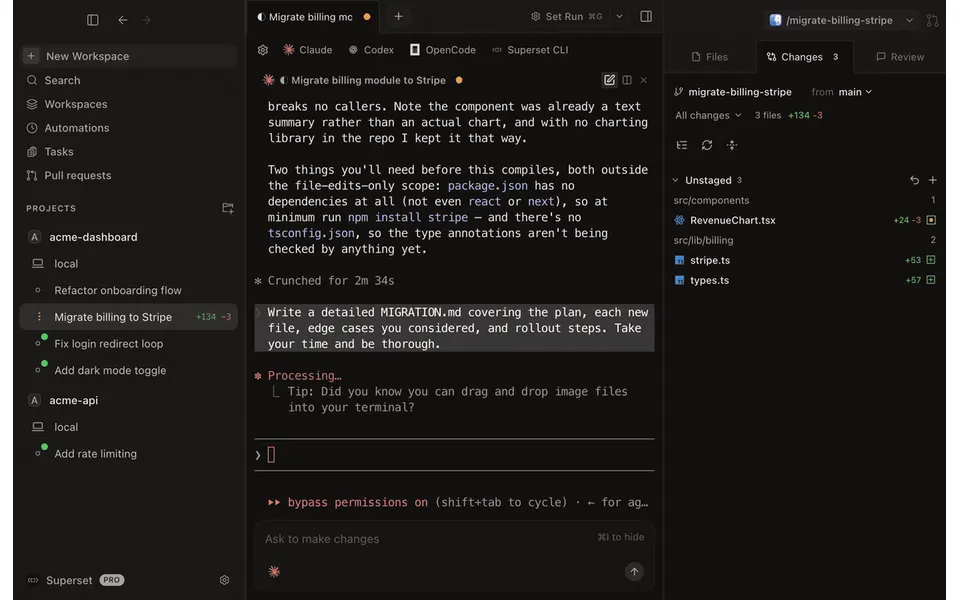
- Desktop app
- Mac and Linux
- Browser
- No
- Phone
- IPhone
- Command line
- Yes
- Agents
- Claude Code, Codex, Cursor Agent, Gemini CLI, OpenCode, Pi, Grok and Antigravity
- Your subscription
- Works with your own plan
- Agents run
- On your computer, on your own server and in the vendor's cloud
- Laptop closed
- Keeps going
- Isolation
- Worktree and VM
- Parallel agents
- Yes
- Scheduled runs
- Yes
- Coordinator agent
- Yes
- Built-in issues
- Yes
- Pull requests
- Yes
- Review screen
- Yes
- Team
- Shared sessions, roles and SSO
- Self-hosting
- Yes
- Licence
- MIT
- Price from
- Free
- How it charges
- Free plan, subscription, per seat, usage-based, per machine or compute and bring your own key
- Paid plans from
- $11–20/month
Measured by ADEMark
ADEMark ran the same tests on 15 ADEs. Results for Paradev 2.0.8, now named Paradev, measured up to 12 November 2026 on a Mac mini M4, 16 GB, macOS 27 · Claude Opus 5.5, effort high. Data CC BY 4.0, shown unchanged.
Speed
- Cold start
- Did not finishADEMark: no turn finished in 4 tries on 2.0.5 and 2.0.8. We have not proven whether the app or our steps cause it
- New thread, ready to type
- Did not finishADEMark: no turn finished in 4 tries on 2.0.5 and 2.0.8. We have not proven whether the app or our steps cause it
- First word on screen
- Did not finishADEMark: no turn finished in 4 tries on 2.0.5 and 2.0.8. We have not proven whether the app or our steps cause it
- Typing lag, 5 agents streaming
- Did not finishADEMark: no turn finished in 4 tries on 2.0.5 and 2.0.8. We have not proven whether the app or our steps cause it
- Open a 2,000-message thread
- Did not finishADEMark: no turn finished in 4 tries on 2.0.5 and 2.0.8. We have not proven whether the app or our steps cause it
Weight
- Memory at rest, 5 threads
- Did not finishADEMark: no turn finished in 4 tries on 2.0.5 and 2.0.8. We have not proven whether the app or our steps cause it
- Idle CPU
- Did not finishADEMark: no turn finished in 4 tries on 2.0.5 and 2.0.8. We have not proven whether the app or our steps cause it
- Memory under load
- Did not finishADEMark: no turn finished in 4 tries on 2.0.5 and 2.0.8. We have not proven whether the app or our steps cause it
Tokens
- Tokens to answer “hi”
- Did not finishADEMark: no turn finished in 4 tries on 2.0.5 and 2.0.8. We have not proven whether the app or our steps cause it
- Tokens for one real question
- Did not finishADEMark: no turn finished in 4 tries on 2.0.5 and 2.0.8. We have not proven whether the app or our steps cause it
Build
- Team build: hidden tests passed
- Not measured
Place counts only apps with a value; lower is better except passed tests. ADEMark publishes no overall score and treats close medians as ties, so read places as an order, not a verdict. The Bare CLI is Claude Code in a terminal, run as an unranked control. Method and every test on ademark.dev · Imported data · How we use it
Receipts
- Checked
- · oldest answer 2026-10-08
- Findings
- 49 published · 38 cross-checked by a second agent · read them all
- Sources
- 141 public pages on 5 sites: superset.sh, docs.superset.sh, github.com, paradev.com and 1 more
- Screenshot
- github.com, retrieved · first party repository · shows appearance, not capability
- Data
- /products/superset.json · .md
- Method
- Same rules for all 103 researched ADEs. How we check · Report wrong data
What it does
Where you use it
Paradev, formerly Superset, has macOS desktop, experimental Linux, CLI and iPhone/iPad clients. Windows and Android remain unavailable. Cloud workspaces are on Team/Ultra; local phone access requires its host online.
Source and scope for Where you use itAgents it runs
Paradev documents 22 built-in terminal agents, custom CLI agents and mixed-harness orchestration. Status and session integration vary by agent; the newer chat interface supports four harnesses and is still labelled experimental in the November 1 changelog. The pinned built-in terminal registry explicitly includes Antigravity agy.
Source and scope for Agents it runsAccounts and subscriptions
Superset does not sell model access: all plans use the user's own agent subscriptions or API keys, and it does not proxy model calls.
Source and scope for Accounts and subscriptionsWhere agents run
Local and user-hosted remote execution plus managed Team/Ultra Cloud workspaces. Cloud is independently available from desktop/iPhone/iPad and uses metered memory-hours.
Source and scope for Where agents runHow work is kept apart
Local workspaces are git worktrees on separate branches; the FAQ states they are not sandboxes and share processes, network and files outside the worktree. Managed Cloud workspaces use Vercel-backed sandbox VMs, as described by the pinned cloud engineering guide and provisioning implementation.
Source and scope for How work is kept apartParallel work
Paradev documents parallel agents in separate local worktrees, with sidebar activity and workspace list/board views. Pricing lists unlimited workspaces; simultaneous-agent throughput was not measured.
Source and scope for Parallel workScheduled runs
Current automations combine schedules and provider-event triggers, up to 25 per automation, on selected hosts or cloud. A created run records workspace creation, not verified task completion.
Source and scope for Scheduled runsGit and pull requests
Built-in diff and Pull Requests views stage, commit, push, create PRs and merge (squash, merge commit or rebase and merge) through the user's GitHub connection; merging shipped per the Aug 23 2026 changelog. Local rebase and conflict handling are not documented.
Source and scope for Git and pull requestsLicence and source
Current desktop-v2.0.5 root repository code is MIT-licensed. This does not establish hosted-service parity or licenses for every component.
Source and scope for Licence and sourcePrice
Per-seat Pro $20 monthly/$192 yearly; Team $60/$648 yearly; Ultra $200 monthly. Team/Ultra include pooled Cloud GB-hours with $0.06/GB-hour extra usage. Model accounts are separate.
Source and scope for PriceTyped filters
Every value links to its receipt below. Read plan and surface restrictions before using a filter to decide.
| Filter | Value |
|---|---|
| Desktop OS: macOS | Yes cross-checked |
| Desktop OS: Windows | No cross-checked |
| Desktop OS: Linux | Yes cross-checked |
| Web client | No cross-checked |
| Phone access: Native iOS | Yes cross-checked |
| Phone access: Native Android | No cross-checked |
| Phone access: Phone browser | No |
| CLI | Yes cross-checked |
| Coding agents: Claude Code | Yes |
| Coding agents: Codex | Yes |
| Coding agents: Cursor Agent | Yes |
| Coding agents: Gemini CLI | Yes |
| Coding agents: OpenCode | Yes |
| Coding agents: Pi | Yes |
| Coding agents: Grok | Yes |
| Coding agents: Aider | Unknown |
| Coding agents: Antigravity | Yes |
| Use my subscription | Yes cross-checked |
| Where agents run: On your computer | Yes cross-checked |
| Where agents run: On your own server | Yes cross-checked |
| Where agents run: In the vendor's cloud | Yes cross-checked |
| Workspace isolation: Git worktree | Yes cross-checked |
| Workspace isolation: Container | Unknown |
| Workspace isolation: VM or microVM | Yes |
| Parallel runs | Yes cross-checked |
| Coordinator | Yes cross-checked |
| Native issue tracking | Yes cross-checked |
| Unattended triggers | Yes cross-checked |
| Shared prompting | Yes |
| Team roles | Yes cross-checked |
| SSO | Yes cross-checked |
| Pull request workflow | Yes cross-checked |
| Review interface | Yes cross-checked |
| Product license: Apache-2.0 | No. MIT cross-checked |
| Product license: MIT | Yes. MIT cross-checked |
| Product license: GPL-3.0 | No. MIT cross-checked |
| Product license: GPL-3.0-or-later | No. MIT cross-checked |
| Product license: AGPL-3.0 | No. MIT cross-checked |
| Product license: AGPL-3.0-or-later | No. MIT cross-checked |
| Product license: Elastic License 2.0 | No. MIT cross-checked |
| Product license: Custom terms | No. MIT cross-checked |
| Product license: Proprietary | No. MIT cross-checked |
| Self-hosting | Yes |
| Telemetry opt-out | No |
| Free access | Yes cross-checked |
| Starting price: Free | Yes. Free cross-checked |
| Starting price: Up to $20/month | No. Free cross-checked |
| Starting price: $21–40/month | No. Free cross-checked |
| Starting price: $41–100/month | No. Free cross-checked |
| Starting price: Over $100/month | No. Free cross-checked |
| Starting price: Contact for pricing | No. Free cross-checked |
| Pricing model: Free, no paid plan | No |
| Pricing model: Free plan | Yes cross-checked |
| Pricing model: Subscription | Yes |
| Pricing model: Per seat | Yes cross-checked |
| Pricing model: Usage-based | Yes cross-checked |
| Pricing model: Per machine or compute | Yes cross-checked |
| Pricing model: Bring your own key | Yes cross-checked |
| Pricing model: One-time purchase | No |
| Paid plans from: No paid plan | No. $11–20/month |
| Paid plans from: $10 or less/month | No. $11–20/month |
| Paid plans from: $11–20/month | Yes. $11–20/month |
| Paid plans from: $21–40/month | No. $11–20/month |
| Paid plans from: $41–100/month | No. $11–20/month |
| Paid plans from: Over $100/month | No. $11–20/month |
| Paid plans from: Contact sales | No. $11–20/month |
| Lifecycle status: Active | Unknown |
| Lifecycle status: Sunsetting | Unknown |
| Keeps going with laptop closed | Yes cross-checked |
| Open-source license | Yes. MIT cross-checked |
| Any desktop app | Yes cross-checked |
| Paid plan up to $20/month | Yes. $11–20/month |
| Paid plan up to $40/month | Yes. $11–20/month |
| Any phone client | Yes cross-checked |
Filter receipts
Desktop OS: macOS: Yes cross-checked
Desktop OS: macOS
Typed value: Yes.
Paradev, formerly Superset, has macOS desktop, experimental Linux, CLI and iPhone/iPad clients. Windows and Android remain unavailable. Cloud workspaces are on Team/Ultra; local phone access requires its host online.
- Desktop os: macOS Apple Silicon and Intel supported; Linux x64 AppImage ships with each release but is experimental; Windows is not yet available.
- Mobile apps: iPhone and iPad app is on the App Store (changelog Sep 28 2026; mobile page; install docs; FAQ) and requires iOS 26 or iPadOS 26 and Paradev Pro. Android is not available (waitlist). Push notifications are coming (FAQ) and are not claimed.
- Browser: FAQ states there is no supported web dashboard for workspaces. Shared Pages links are readable in a browser but are not workspace control.
- Cli: Paradev CLI (superset command) has a standalone installer for macOS (Apple Silicon and Intel) and Linux (x64 and arm64), and manages workspaces, agents, terminals, tasks and automations.
- Notifications: Desktop notification sounds and macOS dock badges for finished/waiting agents; FAQ says iPhone push notifications are coming, so none are documented today.
- No installed client or cross-device scenario run.
- iPhone/iPad requires iOS/iPadOS 26+ and Pro or higher; Android is waitlisted.
- No supported web dashboard; SDK/CLI are separate programmable clients.
-
Finding: Current Paradev homepage is the former Superset site. Desktop macOS and experimental Linux; iPhone/iPad, CLI/SDK/MCP; Windows/Android not available. Local and cloud workspaces are separate. Root license now links MIT; hosted parity not inferred.
-
Finding: Re-read 2026-10-09. iPhone and iPad app on the App Store, requiring iOS 26 or iPadOS 26 or later and Superset Pro. Push notifications are coming. Android not available yet. No supported web dashboard. Windows is planned with no date; Linux x64 AppImage experimental and untested; CLI supports Linux x64 and arm64. Local workspace files live on the host; agents send prompts and context to configured providers; remote access via relay is off by default; Superset never proxies model calls. Worktrees are not sandboxes: agents share processes, network and files outside the worktree. Terminals survive restarts through a background daemon. Every project must be a git repository; GitHub is fully supported through gh; repos with other remotes work locally; cross-machine project identity is tied to GitHub. Account deletion is not self-serve; email support. Pro features live in the v2 interface. Telemetry and licence not covered; no pricing or free-tier wording. Change from the Oct 8 record: iPad now described as on the App Store, not coming.
-
Finding: macOS Apple Silicon or Intel; Linux x64 AppImage experimental; Windows not yet available. iPhone and iPad need iOS or iPadOS 26 or later and Paradev Pro. Android is not available; waitlist. The page carries no early-access label for cloud workspaces.
Desktop OS: Windows: No cross-checked
Desktop OS: Windows
Typed value: No.
Paradev, formerly Superset, has macOS desktop, experimental Linux, CLI and iPhone/iPad clients. Windows and Android remain unavailable. Cloud workspaces are on Team/Ultra; local phone access requires its host online.
- Desktop os: macOS Apple Silicon and Intel supported; Linux x64 AppImage ships with each release but is experimental; Windows is not yet available.
- Mobile apps: iPhone and iPad app is on the App Store (changelog Sep 28 2026; mobile page; install docs; FAQ) and requires iOS 26 or iPadOS 26 and Paradev Pro. Android is not available (waitlist). Push notifications are coming (FAQ) and are not claimed.
- Browser: FAQ states there is no supported web dashboard for workspaces. Shared Pages links are readable in a browser but are not workspace control.
- Cli: Paradev CLI (superset command) has a standalone installer for macOS (Apple Silicon and Intel) and Linux (x64 and arm64), and manages workspaces, agents, terminals, tasks and automations.
- Notifications: Desktop notification sounds and macOS dock badges for finished/waiting agents; FAQ says iPhone push notifications are coming, so none are documented today.
- No installed client or cross-device scenario run.
- iPhone/iPad requires iOS/iPadOS 26+ and Pro or higher; Android is waitlisted.
- No supported web dashboard; SDK/CLI are separate programmable clients.
-
Finding: Current Paradev homepage is the former Superset site. Desktop macOS and experimental Linux; iPhone/iPad, CLI/SDK/MCP; Windows/Android not available. Local and cloud workspaces are separate. Root license now links MIT; hosted parity not inferred.
-
Finding: Re-read 2026-10-09. iPhone and iPad app on the App Store, requiring iOS 26 or iPadOS 26 or later and Superset Pro. Push notifications are coming. Android not available yet. No supported web dashboard. Windows is planned with no date; Linux x64 AppImage experimental and untested; CLI supports Linux x64 and arm64. Local workspace files live on the host; agents send prompts and context to configured providers; remote access via relay is off by default; Superset never proxies model calls. Worktrees are not sandboxes: agents share processes, network and files outside the worktree. Terminals survive restarts through a background daemon. Every project must be a git repository; GitHub is fully supported through gh; repos with other remotes work locally; cross-machine project identity is tied to GitHub. Account deletion is not self-serve; email support. Pro features live in the v2 interface. Telemetry and licence not covered; no pricing or free-tier wording. Change from the Oct 8 record: iPad now described as on the App Store, not coming.
-
Finding: macOS Apple Silicon or Intel; Linux x64 AppImage experimental; Windows not yet available. iPhone and iPad need iOS or iPadOS 26 or later and Paradev Pro. Android is not available; waitlist. The page carries no early-access label for cloud workspaces.
Desktop OS: Linux: Yes cross-checked
Desktop OS: Linux
Typed value: Yes.
Paradev, formerly Superset, has macOS desktop, experimental Linux, CLI and iPhone/iPad clients. Windows and Android remain unavailable. Cloud workspaces are on Team/Ultra; local phone access requires its host online.
- Desktop os: macOS Apple Silicon and Intel supported; Linux x64 AppImage ships with each release but is experimental; Windows is not yet available.
- Mobile apps: iPhone and iPad app is on the App Store (changelog Sep 28 2026; mobile page; install docs; FAQ) and requires iOS 26 or iPadOS 26 and Paradev Pro. Android is not available (waitlist). Push notifications are coming (FAQ) and are not claimed.
- Browser: FAQ states there is no supported web dashboard for workspaces. Shared Pages links are readable in a browser but are not workspace control.
- Cli: Paradev CLI (superset command) has a standalone installer for macOS (Apple Silicon and Intel) and Linux (x64 and arm64), and manages workspaces, agents, terminals, tasks and automations.
- Notifications: Desktop notification sounds and macOS dock badges for finished/waiting agents; FAQ says iPhone push notifications are coming, so none are documented today.
- No installed client or cross-device scenario run.
- iPhone/iPad requires iOS/iPadOS 26+ and Pro or higher; Android is waitlisted.
- No supported web dashboard; SDK/CLI are separate programmable clients.
-
Finding: Current Paradev homepage is the former Superset site. Desktop macOS and experimental Linux; iPhone/iPad, CLI/SDK/MCP; Windows/Android not available. Local and cloud workspaces are separate. Root license now links MIT; hosted parity not inferred.
-
Finding: Re-read 2026-10-09. iPhone and iPad app on the App Store, requiring iOS 26 or iPadOS 26 or later and Superset Pro. Push notifications are coming. Android not available yet. No supported web dashboard. Windows is planned with no date; Linux x64 AppImage experimental and untested; CLI supports Linux x64 and arm64. Local workspace files live on the host; agents send prompts and context to configured providers; remote access via relay is off by default; Superset never proxies model calls. Worktrees are not sandboxes: agents share processes, network and files outside the worktree. Terminals survive restarts through a background daemon. Every project must be a git repository; GitHub is fully supported through gh; repos with other remotes work locally; cross-machine project identity is tied to GitHub. Account deletion is not self-serve; email support. Pro features live in the v2 interface. Telemetry and licence not covered; no pricing or free-tier wording. Change from the Oct 8 record: iPad now described as on the App Store, not coming.
-
Finding: macOS Apple Silicon or Intel; Linux x64 AppImage experimental; Windows not yet available. iPhone and iPad need iOS or iPadOS 26 or later and Paradev Pro. Android is not available; waitlist. The page carries no early-access label for cloud workspaces.
Web client: No cross-checked
Web client
Typed value: No.
Paradev, formerly Superset, has macOS desktop, experimental Linux, CLI and iPhone/iPad clients. Windows and Android remain unavailable. Cloud workspaces are on Team/Ultra; local phone access requires its host online.
- Desktop os: macOS Apple Silicon and Intel supported; Linux x64 AppImage ships with each release but is experimental; Windows is not yet available.
- Mobile apps: iPhone and iPad app is on the App Store (changelog Sep 28 2026; mobile page; install docs; FAQ) and requires iOS 26 or iPadOS 26 and Paradev Pro. Android is not available (waitlist). Push notifications are coming (FAQ) and are not claimed.
- Browser: FAQ states there is no supported web dashboard for workspaces. Shared Pages links are readable in a browser but are not workspace control.
- Cli: Paradev CLI (superset command) has a standalone installer for macOS (Apple Silicon and Intel) and Linux (x64 and arm64), and manages workspaces, agents, terminals, tasks and automations.
- Notifications: Desktop notification sounds and macOS dock badges for finished/waiting agents; FAQ says iPhone push notifications are coming, so none are documented today.
- No installed client or cross-device scenario run.
- iPhone/iPad requires iOS/iPadOS 26+ and Pro or higher; Android is waitlisted.
- No supported web dashboard; SDK/CLI are separate programmable clients.
-
Finding: Re-read 2026-10-09. iPhone and iPad app on the App Store, requiring iOS 26 or iPadOS 26 or later and Superset Pro. Push notifications are coming. Android not available yet. No supported web dashboard. Windows is planned with no date; Linux x64 AppImage experimental and untested; CLI supports Linux x64 and arm64. Local workspace files live on the host; agents send prompts and context to configured providers; remote access via relay is off by default; Superset never proxies model calls. Worktrees are not sandboxes: agents share processes, network and files outside the worktree. Terminals survive restarts through a background daemon. Every project must be a git repository; GitHub is fully supported through gh; repos with other remotes work locally; cross-machine project identity is tied to GitHub. Account deletion is not self-serve; email support. Pro features live in the v2 interface. Telemetry and licence not covered; no pricing or free-tier wording. Change from the Oct 8 record: iPad now described as on the App Store, not coming.
Phone access: Native iOS: Yes cross-checked
Phone access: Native iOS
Typed value: Yes.
Paradev, formerly Superset, has macOS desktop, experimental Linux, CLI and iPhone/iPad clients. Windows and Android remain unavailable. Cloud workspaces are on Team/Ultra; local phone access requires its host online.
- Desktop os: macOS Apple Silicon and Intel supported; Linux x64 AppImage ships with each release but is experimental; Windows is not yet available.
- Mobile apps: iPhone and iPad app is on the App Store (changelog Sep 28 2026; mobile page; install docs; FAQ) and requires iOS 26 or iPadOS 26 and Paradev Pro. Android is not available (waitlist). Push notifications are coming (FAQ) and are not claimed.
- Browser: FAQ states there is no supported web dashboard for workspaces. Shared Pages links are readable in a browser but are not workspace control.
- Cli: Paradev CLI (superset command) has a standalone installer for macOS (Apple Silicon and Intel) and Linux (x64 and arm64), and manages workspaces, agents, terminals, tasks and automations.
- Task actions: The mobile page describes starting agents, following them live and reviewing diffs. Remote Access docs say a phone or tablet can continue terminal sessions, send prompts, review diffs and merge PRs in a workspace. No action-parity test was run.
- Notifications: Desktop notification sounds and macOS dock badges for finished/waiting agents; FAQ says iPhone push notifications are coming, so none are documented today.
- Cross device continuity: Other signed-in devices and the iPhone reach workspaces on a host through the relay; the host computer must stay awake, online and running Superset.
- No installed client or cross-device scenario run.
- iPhone/iPad requires iOS/iPadOS 26+ and Pro or higher; Android is waitlisted.
- No supported web dashboard; SDK/CLI are separate programmable clients.
-
Finding: Re-read 2026-10-09. iPhone and iPad app on the App Store, requiring iOS 26 or iPadOS 26 or later and Superset Pro. Push notifications are coming. Android not available yet. No supported web dashboard. Windows is planned with no date; Linux x64 AppImage experimental and untested; CLI supports Linux x64 and arm64. Local workspace files live on the host; agents send prompts and context to configured providers; remote access via relay is off by default; Superset never proxies model calls. Worktrees are not sandboxes: agents share processes, network and files outside the worktree. Terminals survive restarts through a background daemon. Every project must be a git repository; GitHub is fully supported through gh; repos with other remotes work locally; cross-machine project identity is tied to GitHub. Account deletion is not self-serve; email support. Pro features live in the v2 interface. Telemetry and licence not covered; no pricing or free-tier wording. Change from the Oct 8 record: iPad now described as on the App Store, not coming.
-
Finding: October 25 explicitly announces Superset is now Paradev with existing accounts/workspaces/settings/superset CLI carried over. Plugins on for everyone; November 1 improves panes/workspaces. Released automation event triggers and ticket workflows now appear in current docs/roadmap.
-
Finding: Current mobile page documents native iPhone/iPad app, iOS/iPadOS 26+, included with Pro; Android is a waitlist. No action-parity test.
-
Finding: macOS Apple Silicon or Intel; Linux x64 AppImage experimental; Windows not yet available. iPhone and iPad need iOS or iPadOS 26 or later and Paradev Pro. Android is not available; waitlist. The page carries no early-access label for cloud workspaces.
Phone access: Native Android: No cross-checked
Phone access: Native Android
Typed value: No.
Paradev, formerly Superset, has macOS desktop, experimental Linux, CLI and iPhone/iPad clients. Windows and Android remain unavailable. Cloud workspaces are on Team/Ultra; local phone access requires its host online.
- Desktop os: macOS Apple Silicon and Intel supported; Linux x64 AppImage ships with each release but is experimental; Windows is not yet available.
- Mobile apps: iPhone and iPad app is on the App Store (changelog Sep 28 2026; mobile page; install docs; FAQ) and requires iOS 26 or iPadOS 26 and Paradev Pro. Android is not available (waitlist). Push notifications are coming (FAQ) and are not claimed.
- Browser: FAQ states there is no supported web dashboard for workspaces. Shared Pages links are readable in a browser but are not workspace control.
- Cli: Paradev CLI (superset command) has a standalone installer for macOS (Apple Silicon and Intel) and Linux (x64 and arm64), and manages workspaces, agents, terminals, tasks and automations.
- Task actions: The mobile page describes starting agents, following them live and reviewing diffs. Remote Access docs say a phone or tablet can continue terminal sessions, send prompts, review diffs and merge PRs in a workspace. No action-parity test was run.
- Notifications: Desktop notification sounds and macOS dock badges for finished/waiting agents; FAQ says iPhone push notifications are coming, so none are documented today.
- Cross device continuity: Other signed-in devices and the iPhone reach workspaces on a host through the relay; the host computer must stay awake, online and running Superset.
- No installed client or cross-device scenario run.
- iPhone/iPad requires iOS/iPadOS 26+ and Pro or higher; Android is waitlisted.
- No supported web dashboard; SDK/CLI are separate programmable clients.
-
Finding: Re-read 2026-10-09. iPhone and iPad app on the App Store, requiring iOS 26 or iPadOS 26 or later and Superset Pro. Push notifications are coming. Android not available yet. No supported web dashboard. Windows is planned with no date; Linux x64 AppImage experimental and untested; CLI supports Linux x64 and arm64. Local workspace files live on the host; agents send prompts and context to configured providers; remote access via relay is off by default; Superset never proxies model calls. Worktrees are not sandboxes: agents share processes, network and files outside the worktree. Terminals survive restarts through a background daemon. Every project must be a git repository; GitHub is fully supported through gh; repos with other remotes work locally; cross-machine project identity is tied to GitHub. Account deletion is not self-serve; email support. Pro features live in the v2 interface. Telemetry and licence not covered; no pricing or free-tier wording. Change from the Oct 8 record: iPad now described as on the App Store, not coming.
-
Finding: October 25 explicitly announces Superset is now Paradev with existing accounts/workspaces/settings/superset CLI carried over. Plugins on for everyone; November 1 improves panes/workspaces. Released automation event triggers and ticket workflows now appear in current docs/roadmap.
-
Finding: Current mobile page documents native iPhone/iPad app, iOS/iPadOS 26+, included with Pro; Android is a waitlist. No action-parity test.
-
Finding: macOS Apple Silicon or Intel; Linux x64 AppImage experimental; Windows not yet available. iPhone and iPad need iOS or iPadOS 26 or later and Paradev Pro. Android is not available; waitlist. The page carries no early-access label for cloud workspaces.
Phone access: Phone browser: No
Phone access: Phone browser
Typed value: No.
Paradev, formerly Superset, has macOS desktop, experimental Linux, CLI and iPhone/iPad clients. Windows and Android remain unavailable. Cloud workspaces are on Team/Ultra; local phone access requires its host online.
- Desktop os: macOS Apple Silicon and Intel supported; Linux x64 AppImage ships with each release but is experimental; Windows is not yet available.
- Mobile apps: iPhone and iPad app is on the App Store (changelog Sep 28 2026; mobile page; install docs; FAQ) and requires iOS 26 or iPadOS 26 and Paradev Pro. Android is not available (waitlist). Push notifications are coming (FAQ) and are not claimed.
- Browser: FAQ states there is no supported web dashboard for workspaces. Shared Pages links are readable in a browser but are not workspace control.
- Cli: Paradev CLI (superset command) has a standalone installer for macOS (Apple Silicon and Intel) and Linux (x64 and arm64), and manages workspaces, agents, terminals, tasks and automations.
- Notifications: Desktop notification sounds and macOS dock badges for finished/waiting agents; FAQ says iPhone push notifications are coming, so none are documented today.
- No installed client or cross-device scenario run.
- iPhone/iPad requires iOS/iPadOS 26+ and Pro or higher; Android is waitlisted.
- No supported web dashboard; SDK/CLI are separate programmable clients.
-
Finding: Re-read 2026-10-09. iPhone and iPad app on the App Store, requiring iOS 26 or iPadOS 26 or later and Superset Pro. Push notifications are coming. Android not available yet. No supported web dashboard. Windows is planned with no date; Linux x64 AppImage experimental and untested; CLI supports Linux x64 and arm64. Local workspace files live on the host; agents send prompts and context to configured providers; remote access via relay is off by default; Superset never proxies model calls. Worktrees are not sandboxes: agents share processes, network and files outside the worktree. Terminals survive restarts through a background daemon. Every project must be a git repository; GitHub is fully supported through gh; repos with other remotes work locally; cross-machine project identity is tied to GitHub. Account deletion is not self-serve; email support. Pro features live in the v2 interface. Telemetry and licence not covered; no pricing or free-tier wording. Change from the Oct 8 record: iPad now described as on the App Store, not coming.
CLI: Yes cross-checked
CLI
Typed value: Yes.
Paradev, formerly Superset, has macOS desktop, experimental Linux, CLI and iPhone/iPad clients. Windows and Android remain unavailable. Cloud workspaces are on Team/Ultra; local phone access requires its host online.
- Desktop os: macOS Apple Silicon and Intel supported; Linux x64 AppImage ships with each release but is experimental; Windows is not yet available.
- Mobile apps: iPhone and iPad app is on the App Store (changelog Sep 28 2026; mobile page; install docs; FAQ) and requires iOS 26 or iPadOS 26 and Paradev Pro. Android is not available (waitlist). Push notifications are coming (FAQ) and are not claimed.
- Browser: FAQ states there is no supported web dashboard for workspaces. Shared Pages links are readable in a browser but are not workspace control.
- Cli: Paradev CLI (superset command) has a standalone installer for macOS (Apple Silicon and Intel) and Linux (x64 and arm64), and manages workspaces, agents, terminals, tasks and automations.
- Notifications: Desktop notification sounds and macOS dock badges for finished/waiting agents; FAQ says iPhone push notifications are coming, so none are documented today.
- No installed client or cross-device scenario run.
- iPhone/iPad requires iOS/iPadOS 26+ and Pro or higher; Android is waitlisted.
- No supported web dashboard; SDK/CLI are separate programmable clients.
-
Finding: Re-read 2026-10-09. CLI is in Beta; commands and flags still evolving. Top-level groups: scripts, auth, start, stop, status, update, organization, projects, hosts, workspaces (archive is current; delete is an alias), agents, terminals, browser, pages, tasks, automations, settings, completion, schema, config. Cloud workspace archive stops the sandbox within a minute and deletes it after 7 days; sleep stops the sandbox and ends its terminals and agents. hosts list, set-wake and wake. Global --api-key and SUPERSET_API_KEY. agents read returns the saved agent transcript. No platform list and no dates.
-
Finding: Re-read 2026-10-09. iPhone and iPad app on the App Store, requiring iOS 26 or iPadOS 26 or later and Superset Pro. Push notifications are coming. Android not available yet. No supported web dashboard. Windows is planned with no date; Linux x64 AppImage experimental and untested; CLI supports Linux x64 and arm64. Local workspace files live on the host; agents send prompts and context to configured providers; remote access via relay is off by default; Superset never proxies model calls. Worktrees are not sandboxes: agents share processes, network and files outside the worktree. Terminals survive restarts through a background daemon. Every project must be a git repository; GitHub is fully supported through gh; repos with other remotes work locally; cross-machine project identity is tied to GitHub. Account deletion is not self-serve; email support. Pro features live in the v2 interface. Telemetry and licence not covered; no pricing or free-tier wording. Change from the Oct 8 record: iPad now described as on the App Store, not coming.
-
Finding: Re-read 2026-10-09. Standalone installer auto-detects macOS (Apple Silicon or Intel) and Linux (x64 or arm64) and installs under the home directory. The intro labels the CLI Beta. The Homebrew command is listed separately.
Coding agents: Claude Code: Yes
Coding agents: Claude Code
Typed value: Yes.
Paradev documents 22 built-in terminal agents, custom CLI agents and mixed-harness orchestration. Status and session integration vary by agent; the newer chat interface supports four harnesses and is still labelled experimental in the November 1 changelog. The pinned built-in terminal registry explicitly includes Antigravity agy.
- Harnesses: The current AI Agents page lists 22 built-ins, including Claude Code, Codex, OpenCode and Gemini CLI; custom CLI agents can be added.
- Custom adapters: Settings > Agents > Add agent > Custom agent adds a command with prompt transport and resume/fork args. Custom agents receive a workspace, worktree and terminal; built-in integrations are not implied.
- This source pass establishes only the named atomic answers. Other parts retain their documented source gaps; no hands-on test was performed.
-
Finding: Lists 22 built-in terminal agents, including Claude Code, Codex, OpenCode and Gemini CLI. Settings > Agents > Add agent > Custom agent adds a CLI command, prompt transport and resume/fork args. Multiple workspaces can run agents in parallel. Launch model and effort controls depend on the agent.
Coding agents: Codex: Yes
Coding agents: Codex
Typed value: Yes.
Paradev documents 22 built-in terminal agents, custom CLI agents and mixed-harness orchestration. Status and session integration vary by agent; the newer chat interface supports four harnesses and is still labelled experimental in the November 1 changelog. The pinned built-in terminal registry explicitly includes Antigravity agy.
- Harnesses: The current AI Agents page lists 22 built-ins, including Claude Code, Codex, OpenCode and Gemini CLI; custom CLI agents can be added.
- Custom adapters: Settings > Agents > Add agent > Custom agent adds a command with prompt transport and resume/fork args. Custom agents receive a workspace, worktree and terminal; built-in integrations are not implied.
- This source pass establishes only the named atomic answers. Other parts retain their documented source gaps; no hands-on test was performed.
-
Finding: Lists 22 built-in terminal agents, including Claude Code, Codex, OpenCode and Gemini CLI. Settings > Agents > Add agent > Custom agent adds a CLI command, prompt transport and resume/fork args. Multiple workspaces can run agents in parallel. Launch model and effort controls depend on the agent.
Coding agents: Cursor Agent: Yes
Coding agents: Cursor Agent
Typed value: Yes.
Paradev documents 22 built-in terminal agents, custom CLI agents and mixed-harness orchestration. Status and session integration vary by agent; the newer chat interface supports four harnesses and is still labelled experimental in the November 1 changelog. The pinned built-in terminal registry explicitly includes Antigravity agy.
- Harnesses: The current AI Agents page lists 22 built-ins, including Claude Code, Codex, OpenCode and Gemini CLI; custom CLI agents can be added.
- Custom adapters: Settings > Agents > Add agent > Custom agent adds a command with prompt transport and resume/fork args. Custom agents receive a workspace, worktree and terminal; built-in integrations are not implied.
- This source pass establishes only the named atomic answers. Other parts retain their documented source gaps; no hands-on test was performed.
-
Finding: Lists 22 built-in terminal agents, including Claude Code, Codex, OpenCode and Gemini CLI. Settings > Agents > Add agent > Custom agent adds a CLI command, prompt transport and resume/fork args. Multiple workspaces can run agents in parallel. Launch model and effort controls depend on the agent.
Coding agents: Gemini CLI: Yes
Coding agents: Gemini CLI
Typed value: Yes.
Paradev documents 22 built-in terminal agents, custom CLI agents and mixed-harness orchestration. Status and session integration vary by agent; the newer chat interface supports four harnesses and is still labelled experimental in the November 1 changelog. The pinned built-in terminal registry explicitly includes Antigravity agy.
- Harnesses: The current AI Agents page lists 22 built-ins, including Claude Code, Codex, OpenCode and Gemini CLI; custom CLI agents can be added.
- Custom adapters: Settings > Agents > Add agent > Custom agent adds a command with prompt transport and resume/fork args. Custom agents receive a workspace, worktree and terminal; built-in integrations are not implied.
- This source pass establishes only the named atomic answers. Other parts retain their documented source gaps; no hands-on test was performed.
-
Finding: Lists 22 built-in terminal agents, including Claude Code, Codex, OpenCode and Gemini CLI. Settings > Agents > Add agent > Custom agent adds a CLI command, prompt transport and resume/fork args. Multiple workspaces can run agents in parallel. Launch model and effort controls depend on the agent.
Coding agents: OpenCode: Yes
Coding agents: OpenCode
Typed value: Yes.
Paradev documents 22 built-in terminal agents, custom CLI agents and mixed-harness orchestration. Status and session integration vary by agent; the newer chat interface supports four harnesses and is still labelled experimental in the November 1 changelog. The pinned built-in terminal registry explicitly includes Antigravity agy.
- Harnesses: The current AI Agents page lists 22 built-ins, including Claude Code, Codex, OpenCode and Gemini CLI; custom CLI agents can be added.
- Custom adapters: Settings > Agents > Add agent > Custom agent adds a command with prompt transport and resume/fork args. Custom agents receive a workspace, worktree and terminal; built-in integrations are not implied.
- This source pass establishes only the named atomic answers. Other parts retain their documented source gaps; no hands-on test was performed.
-
Finding: Lists 22 built-in terminal agents, including Claude Code, Codex, OpenCode and Gemini CLI. Settings > Agents > Add agent > Custom agent adds a CLI command, prompt transport and resume/fork args. Multiple workspaces can run agents in parallel. Launch model and effort controls depend on the agent.
Coding agents: Pi: Yes
Coding agents: Pi
Typed value: Yes.
Paradev documents 22 built-in terminal agents, custom CLI agents and mixed-harness orchestration. Status and session integration vary by agent; the newer chat interface supports four harnesses and is still labelled experimental in the November 1 changelog. The pinned built-in terminal registry explicitly includes Antigravity agy.
- Harnesses: The current AI Agents page lists 22 built-ins, including Claude Code, Codex, OpenCode and Gemini CLI; custom CLI agents can be added.
- Custom adapters: Settings > Agents > Add agent > Custom agent adds a command with prompt transport and resume/fork args. Custom agents receive a workspace, worktree and terminal; built-in integrations are not implied.
- This source pass establishes only the named atomic answers. Other parts retain their documented source gaps; no hands-on test was performed.
-
Finding: Lists 22 built-in terminal agents, including Claude Code, Codex, OpenCode and Gemini CLI. Settings > Agents > Add agent > Custom agent adds a CLI command, prompt transport and resume/fork args. Multiple workspaces can run agents in parallel. Launch model and effort controls depend on the agent.
Coding agents: Grok: Yes
Coding agents: Grok
Typed value: Yes.
Paradev documents 22 built-in terminal agents, custom CLI agents and mixed-harness orchestration. Status and session integration vary by agent; the newer chat interface supports four harnesses and is still labelled experimental in the November 1 changelog. The pinned built-in terminal registry explicitly includes Antigravity agy.
- Harnesses: The current AI Agents page lists 22 built-ins, including Claude Code, Codex, OpenCode and Gemini CLI; custom CLI agents can be added.
- Custom adapters: Settings > Agents > Add agent > Custom agent adds a command with prompt transport and resume/fork args. Custom agents receive a workspace, worktree and terminal; built-in integrations are not implied.
- This source pass establishes only the named atomic answers. Other parts retain their documented source gaps; no hands-on test was performed.
-
Finding: Lists 22 built-in terminal agents, including Claude Code, Codex, OpenCode and Gemini CLI. Settings > Agents > Add agent > Custom agent adds a CLI command, prompt transport and resume/fork args. Multiple workspaces can run agents in parallel. Launch model and effort controls depend on the agent.
Coding agents: Antigravity: Yes
Coding agents: Antigravity
Typed value: Yes.
Paradev documents 22 built-in terminal agents, custom CLI agents and mixed-harness orchestration. Status and session integration vary by agent; the newer chat interface supports four harnesses and is still labelled experimental in the November 1 changelog. The pinned built-in terminal registry explicitly includes Antigravity agy.
- This source pass establishes only the named atomic answers. Other parts retain their documented source gaps; no hands-on test was performed.
-
Paradev built-in Antigravity agent
Finding: The shipped built-in agent registry explicitly names Antigravity and launches its agy CLI. Its setup package installs corresponding lifecycle hooks. Other unlisted agents can be configured through the generic custom-agent facility.
Use my subscription: Yes cross-checked
Use my subscription
Typed value: Yes.
Superset does not sell model access: all plans use the user's own agent subscriptions or API keys, and it does not proxy model calls.
- Agent subscriptions: Existing agent subscriptions are used; Superset launches agents and does not replace subscriptions.
- Api accounts: Existing API keys and gateway providers are accepted.
- Vendor credits: FAQ states Superset never proxies model calls and does not bill model usage; the provider bills the user directly, so no Superset-supplied model credits.
- Local models and provider restrictions are not documented.
- Vendor credits are judged from an explicit statement that Superset does not bill model usage.
-
Finding: Current Paradev homepage is the former Superset site. Desktop macOS and experimental Linux; iPhone/iPad, CLI/SDK/MCP; Windows/Android not available. Local and cloud workspaces are separate. Root license now links MIT; hosted parity not inferred.
-
Finding: Free $0 one local user, no card. Pro $20/month or $16 annual-equivalent ($192/year); Team $60 or $54 annual ($648/year); Ultra $200 monthly. Per active seat. Cloud Team 1,200 GB-hours/seat/month, Ultra 4,000; $0.06/GB-hour overage/top-up. Enterprise custom annual; cancellation period-end. User model accounts required.
-
Finding: Re-read 2026-10-09. macOS Apple Silicon and Intel; Linux x64 AppImage experimental; Windows not yet available. Git required; gh CLI optional but needed for PR workflows and offered during onboarding. Onboarding checks prerequisites live: the checklist updates when git, gh or agents are installed or signed in. At least one coding agent needed. iPhone and iPad app: iOS 26 or iPadOS 26 or later and Superset Pro; enable Remote Access to reach agents on your computer; cloud workspaces in early access. Android not available yet; join the waitlist. No dates.
Where agents run: On your computer: Yes cross-checked
Where agents run: On your computer
Typed value: Yes.
Local and user-hosted remote execution plus managed Team/Ultra Cloud workspaces. Cloud is independently available from desktop/iPhone/iPad and uses metered memory-hours.
- Local: Local project workspaces use git worktrees and persistent host terminals.
- No workload, billing or authenticated client test was performed; unestablished details remain unknown.
-
Finding: Current model docs separate workspaces, persistent terminals, agent status and git review. Local worktrees share host processes/network; event/schedule automations target hosts.
-
Finding: Local projects use git worktrees; Cloud uses separate clones and is available on Team/Ultra. Sessions use scratch git folders under ~/.paradev/sessions without a project. Board statuses and archived history documented.
Where agents run: On your own server: Yes cross-checked
Where agents run: On your own server
Typed value: Yes.
Local and user-hosted remote execution plus managed Team/Ultra Cloud workspaces. Cloud is independently available from desktop/iPhone/iPad and uses metered memory-hours.
- Self hosted: A paid Remote Access host can run on Linux in the user own cloud account; data/credentials remain there but discovery and device traffic still depend on Paradev relay/API.
- Hybrid: The desktop/mobile clients open either own-host workspaces or vendor cloud workspaces; those have separate provisioning and billing.
- Provisioning: Create cloud environment with repositories, region and variables, then choose project, branch, environment and size for each cloud workspace. Own servers are installed/configured separately.
- Other device continuation: Cloud workspaces remain running with the laptop closed and can be opened from desktop,iPhone or iPad; own cloud hosts appear in those clients too.
- No workload, billing or authenticated client test was performed; unestablished details remain unknown.
-
Finding: Paid Remote Access runs Linux x64/arm64 hosts in user cloud with git/gh and native agent logins. Repos/signins remain on server; relay carries device traffic. Host bindsloopback/outbound relay, systemd enables reboot persistence; access grants expose host authority.
Where agents run: In the vendor's cloud: Yes cross-checked
Where agents run: In the vendor's cloud
Typed value: Yes.
Local and user-hosted remote execution plus managed Team/Ultra Cloud workspaces. Cloud is independently available from desktop/iPhone/iPad and uses metered memory-hours.
- Managed cloud: Team/Ultra managed cloud, connected GitHub and agent accounts required.
- Payer: Cloud GB-hours consume organization pool and overages; model subscriptions/keys remain user-supplied.
- Resources: Small/Medium/Large: 2/4/8vCPU with 4/8/16GB RAM; all 64GB disk. Larger sizes by request.
- Expiry: Idle stop about one hour with files retained 30 days; archive unarchive window seven days then sandbox deleted.
- Client disconnect: Cloud agents continue with the laptop closed; user-hosted remote work requires its host online.
- No workload, billing or authenticated client test was performed; unestablished details remain unknown.
-
Finding: Team/Ultra managed cloud uses GitHub and agent sign-in, 1-20 repos/environment. Small/Medium/Large 2/4/8 vCPU and 4/8/16GB; 64GB disk. GB-hour metering; running workspace stops about ten minutes after quota limit. Idle stop around one hour, files kept 30 days; archive deletion after seven days. Credentials proxied, not copied to sandbox.
Workspace isolation: Git worktree: Yes cross-checked
Workspace isolation: Git worktree
Typed value: Yes.
Local and user-hosted remote execution plus managed Team/Ultra Cloud workspaces. Cloud is independently available from desktop/iPhone/iPad and uses metered memory-hours.
- Local: Local project workspaces use git worktrees and persistent host terminals.
- No workload, billing or authenticated client test was performed; unestablished details remain unknown.
-
Finding: Local projects use git worktrees; Cloud uses separate clones and is available on Team/Ultra. Sessions use scratch git folders under ~/.paradev/sessions without a project. Board statuses and archived history documented.
Workspace isolation: VM or microVM: Yes
Workspace isolation: VM or microVM
Typed value: Yes.
Local workspaces are git worktrees on separate branches; the FAQ states they are not sandboxes and share processes, network and files outside the worktree. Managed Cloud workspaces use Vercel-backed sandbox VMs, as described by the pinned cloud engineering guide and provisioning implementation.
- Vm: Managed Cloud provisions sandbox VMs through the Vercel Sandbox backend; local worktrees remain unsandboxed.
- This source pass establishes only the named atomic answers. Other parts retain their documented source gaps; no hands-on test was performed.
-
Paradev managed-cloud VM architecture
Finding: The application's cloud engineering guide explicitly describes the sandbox VM, memory limits and swap configuration. The shipped backend provisions and resumes those environments through @vercel/sandbox. This concerns managed Cloud workspaces, not local worktree security.
Parallel runs: Yes cross-checked
Parallel runs
Typed value: Yes.
Paradev documents parallel agents in separate local worktrees, with sidebar activity and workspace list/board views. Pricing lists unlimited workspaces; simultaneous-agent throughput was not measured.
- Concurrent sessions: AI Agents explicitly describes agents running in parallel in multiple workspaces. No observed concurrency count is claimed.
- Unlimited workspaces is a vendor plan allowance, not a measured concurrency limit.
- Status depends on harness hooks; local worktrees do not prevent merge conflicts.
- No installed-client concurrency test.
-
Finding: Lists 22 built-in terminal agents, including Claude Code, Codex, OpenCode and Gemini CLI. Settings > Agents > Add agent > Custom agent adds a CLI command, prompt transport and resume/fork args. Multiple workspaces can run agents in parallel. Launch model and effort controls depend on the agent.
Coordinator: Yes cross-checked
Coordinator
Typed value: Yes.
Paradev bundles the superset:orchestrate skill: a Claude Code or Codex coordinator launches mixed-agent workers via CLI in separate workspaces, reads/sends terminal messages and verifies structured completion or blocked reports.
- Roles: A skill-driven coordinator directs workers in separate workspaces. Provider-native Claude/Codex subagents are a separate integration.
- Messages: The coordinator reads worker terminals and sends prompts or dependency results through CLI terminals read/send.
- Results return: Workers report structured completion or blocked messages for coordinator verification before integration.
- Cross harness: Claude Code or Codex can coordinate any mix of supported worker agents.
- Orchestration owner: An agent using the bundled superset:orchestrate skill drives the CLI; this is skill-based orchestration.
- Live progress: Coordinator monitoring uses terminals read/send. Claude/Codex provider-native subagents appear under the parent; November 1 adds their activity panel. A retained cross-worker relationship view was not verified.
- Retained results: Docs describe a branch and PR per worker. Saved transcripts can be retrieved for Claude/Codex, but complete post-session child findings and their retention period were not tested.
- Followup: Coordinator sends follow-ups through terminals send. Reopening a completed child and following up after completion was not tested.
- Invocation: Docs show natural-language fan-out examples and skills selected from context, including running three refactors in parallel. Neither documented invocation nor the shared natural-language fixture was executed.
- Installed orchestration skill, distinct from provider-native subagents and future orchestration-chat UI.
- No delegated run, child identity check, completed-child reopening or result-retention fixture.
- Model/effort overrides are documented; orchestration selection policy is not.
-
Finding: The bundled superset:orchestrate skill makes Claude Code or Codex coordinate mixed-agent workers. The coordinator creates one branch/workspace per worker, launches bounded prompts, reads/sends terminal messages and verifies structured done/blocked reports before integration. Each worker produces a branch and PR. Natural-language examples are documentation, not observed runs.
Native issue tracking: Yes cross-checked
Native issue tracking
Typed value: Yes.
Native tasks support create, edit, priority, assignee, labels (with label hierarchy), semantic search, project/state/assignee/label filters, list and board views, and explicit dispatch to a workspace. Task-project records beyond the documented project filter are source-inspected only (fc44d327). Comments are evidenced only by the pinned desktop source (fc44d32), not by docs.
- Label: Tasks carry labels; a path-style label (acme/website) creates parent labels, and the Label filter shows a tree that matches sub-labels. The desktop task record screen adds and removes labels (source fc44d32).
- Idea parking: Tasks can be created and edited independently of Run in workspace; their initial status may be backlog. No separate idea inbox is documented.
- Task session separation: Task records exist before a separately invoked Run in workspace creates an agent workspace. Workspaces can link a taskId; a task is not the terminal conversation.
- Metadata: Task fields include title,description,status,priority,assignee,estimate,due date and labels.
- External tracker requirement: Paradev-native tasks can be created directly; Linear is an alternative tracker selected or overridden through the CLI, not a requirement.
- Comments are evidenced by pinned desktop code, not docs or a released-build test.
- Archive/reopen and idea parking not documented; epics unverified.
-
Finding: Early-alpha SDK has apiKey,organizationId, baseURL api.superset.sh,relayURL,timeout/maxRetries. tasks create/update/list/retrieve/soft-delete expose task status,priority,estimate,dueDate,assignee and labels. SUPERSET_TELEMETRY=0 disables SDK method-call telemetry only.
-
Finding: Current CLI reference does not label CLI Beta. Uses same backend as desktop, OAuth or API key; task tracker can be native or Linear. Commands target local/remote/cloud; tasks support create/update/assignee,status,JSON and tracker override.
-
Finding: Native task has editable title/description,status,priority,assignee and labels, alongside connected Linear issues. Run in workspace separately selects a project/agent and one workspace per task, with optional staged auto-run.
Unattended triggers: Yes cross-checked
Unattended triggers
Typed value: Yes.
Current automations combine schedules and provider-event triggers, up to 25 per automation, on selected hosts or cloud. A created run records workspace creation, not verified task completion.
- Schedules: RFC5545 schedules with presets; multiple triggers per automation.
- Events: Current docs describe provider-event triggers such as review requests, issues and channel messages alongside schedules.
- Recurring tasks: Saved automations recur from their configured triggers and target a host or Cloud.
- Completion conditions: Created means a workspace was created, not agent task success.
- Retries: Failed/offline dispatches have Retry all and Run now controls; delivery is at least once.
- No workload, billing or authenticated client test was performed; unestablished details remain unknown.
-
Finding: Current docs describe mixed schedules and provider-event triggers, up to 25 triggers. Pro/Enterprise-labelled automation entitlement in docs; paid higher plans inherit Pro. Delivery at least once; created means workspace creation, not task success. Offline host failures and retries documented.
Shared prompting: Yes
Shared prompting
Typed value: Yes.
Granted organization members can open the same remote host workspaces and send input to their shared agent terminals. Shared prompting uses host access grants and requires the host awake/online; live presence and input-conflict handling remain unestablished.
- Coprompting: Granted users invoke the same host terminal writeInput operation by workspace/terminal ID, without a creator-only restriction.
- This source pass establishes only the named atomic answers. Other parts retain their documented source gaps; no hands-on test was performed.
-
Finding: Remote hosts authenticate and register with Paradev relay; headless API keys are documented. Organization members need explicit host grants. Relay proxies remote terminals/agents/diffs. Mobile access to a user host requires that host awake and online; managed cloud is separate.
-
Paradev shared host terminal instructions
Finding: Host members granted access can open the same remote workspaces and terminal sessions. The authenticated writeInput operation accepts workspace/terminal IDs and writes into that session without a creator-only check. Multiple granted humans can therefore send instructions to the same running agent terminal. The host must remain awake and online.
Team roles: Yes cross-checked
Team roles
Typed value: Yes.
Remote hosts have explicit member grants with owner promotion and removal; Enterprise lists SAML SSO and SCIM.
- Organization roles: Organization owners and device owners can delete projects; hosts have owner and member roles.
- Membership: Owner adds organization members to a host.
- Revocation: Owner can remove members from a host.
- No unauthorized-access test; SSO/SCIM only vendor-listed.
- Project and task roles not documented.
-
Finding: Re-read 2026-10-09. superset start --daemon registers the machine with the relay. Desktop toggle "Allow remote access to this device via relay"; default state not stated. Only the starting user has access until members are added in Settings, Hosts (Add member); owners can promote or remove members. Terminals, agent runs and the diff viewer are proxied through the relay. iPhone or iPad needs the computer awake, online and running Superset. Turning access off restarts the host service and interrupts in-flight terminals. Port forwarding needs a host on host-service 1.26 or newer; TCP only. Owner-offline behaviour, co-prompting and concurrency not described.
-
Finding: Local projects use git worktrees; Cloud uses separate clones and is available on Team/Ultra. Sessions use scratch git folders under ~/.paradev/sessions without a project. Board statuses and archived history documented.
SSO: Yes cross-checked
SSO
Typed value: Yes.
Remote hosts have explicit member grants with owner promotion and removal; Enterprise lists SAML SSO and SCIM.
- Sso: Enterprise lists SAML SSO.
- Provisioning: Enterprise lists SCIM provisioning.
- Plan scope: SSO and SCIM are Enterprise-only; remote access is Pro.
- No unauthorized-access test; SSO/SCIM only vendor-listed.
- Project and task roles not documented.
-
Finding: Free $0 one local user, no card. Pro $20/month or $16 annual-equivalent ($192/year); Team $60 or $54 annual ($648/year); Ultra $200 monthly. Per active seat. Cloud Team 1,200 GB-hours/seat/month, Ultra 4,000; $0.06/GB-hour overage/top-up. Enterprise custom annual; cancellation period-end. User model accounts required.
Pull request workflow: Yes cross-checked
Pull request workflow
Typed value: Yes.
Built-in diff and Pull Requests views stage, commit, push, create PRs and merge (squash, merge commit or rebase and merge) through the user's GitHub connection; merging shipped per the Aug 23 2026 changelog. Local rebase and conflict handling are not documented.
- Commits: Stage and commit.
- Pull requests: Open a pull request on GitHub from the diff viewer; the Pull Requests view merges, closes and reopens the real PR (pull-requests docs; changelog Aug 23 and Oct 4).
- Comments: Review comments can be sent to agents and posted to GitHub.
- Ci response: Check status shown; CI failures fixed by prompting an agent with gh.
- Rebase: Rebase and merge option only.
- Conflict handling not documented; rebase only as a PR merge method.
- Requires gh/GitHub.
- Roadmap read 2026-11-07 lists "In-app PR merge" and "Native PR reviews" under Recently Shipped, both Aug 2026. Answers rely on the cited docs and do not extend to undocumented review features.
-
Finding: Re-read 2026-10-09. Review changes, stage files, commit, push and pull; split and unified layouts; focus mode; open a pull request on GitHub from the viewer. Review tab shows PR review comments, with resolved comments separated from open ones; PR check status appears in the changes sidebar. Selecting lines in a PR Code tab sends feedback to an agent; posting to GitHub is optional. Remote workspace support, image diffs and multiple reviewers are not mentioned on this page.
-
Finding: Re-read 2026-10-09. Pull Requests view: resizable split view; connect GitHub under project settings to sync PRs. Merge options: Squash and merge, Merge commit, Rebase and merge. Close and reopen are header actions. The Merge action acts on the real PR through the user's GitHub connection, "with the same permissions and effects as merging on github.com." Checks show each CI run with a GitHub link; cancelled checks count as failures. Comment thread with reply composer. PR creation is described in the diff viewer. No dates.
-
Finding: October 25 explicitly announces Superset is now Paradev with existing accounts/workspaces/settings/superset CLI carried over. Plugins on for everyone; November 1 improves panes/workspaces. Released automation event triggers and ticket workflows now appear in current docs/roadmap.
-
Superset changelog: event triggers entries (Aug 23 and Oct 4, 2026)
Finding: Current changelog/roadmap and automation docs describe shipped schedule and provider-event triggers; previous exploring/experimental-only claim is superseded. No hands-on event test.
Review interface: Yes cross-checked
Review interface
Typed value: Yes.
Paradev documents split/unified and binary diffs, versioned Pages with workspace lists and retrieval, browser screenshots and local/remote previews. A general retained-evidence gallery, exact code-revision binding and completed-child review retrieval were not verified.
- Diffs: Split/unified diffs are documented. The September 6 changelog documents image before/after views and video/PDF previews behind a Preview button.
- Pages is a browsable document collection, not established as a gallery for every artifact type.
- Recordings, retained test/reviewer outputs, exact code-revision binding and full completed-child findings remain unverified.
- No installed-client retrieval or prompt-leakage fixture was run.
-
Finding: Split/unified diffs, staging, commit/push/PR actions and GitHub-synced review comments are documented. Selected PR lines can be sent to an agent with file, line range and diff side. A PR without a linked workspace gets a checkout workspace.
Product license: Apache-2.0: No. MIT cross-checked
Product license: Apache-2.0
Typed value: No. MIT.
Current desktop-v2.0.5 root repository code is MIT-licensed. This does not establish hosted-service parity or licenses for every component.
- Client license: Root LICENSE.md is MIT at pinned desktop-v2.0.5 commit.
- Source revision: 624219c3c6a5428aec38b5f13f040cc0fc087010 for desktop-v2.0.5.
- No workload, billing or authenticated client test was performed; unestablished details remain unknown.
-
Paradev desktop-v2.0.5 root license
Finding: Root LICENSE.md is MIT, copyright 2025-2026 Superset Inc. Pin is desktop-v2.0.5 tag commit. License covers code under this grant; it does not establish hosted-service parity or every third-party component license.
Product license: MIT: Yes. MIT cross-checked
Product license: MIT
Typed value: Yes. MIT.
Current desktop-v2.0.5 root repository code is MIT-licensed. This does not establish hosted-service parity or licenses for every component.
- Client license: Root LICENSE.md is MIT at pinned desktop-v2.0.5 commit.
- Source revision: 624219c3c6a5428aec38b5f13f040cc0fc087010 for desktop-v2.0.5.
- No workload, billing or authenticated client test was performed; unestablished details remain unknown.
-
Paradev desktop-v2.0.5 root license
Finding: Root LICENSE.md is MIT, copyright 2025-2026 Superset Inc. Pin is desktop-v2.0.5 tag commit. License covers code under this grant; it does not establish hosted-service parity or every third-party component license.
Product license: GPL-3.0: No. MIT cross-checked
Product license: GPL-3.0
Typed value: No. MIT.
Current desktop-v2.0.5 root repository code is MIT-licensed. This does not establish hosted-service parity or licenses for every component.
- Client license: Root LICENSE.md is MIT at pinned desktop-v2.0.5 commit.
- Source revision: 624219c3c6a5428aec38b5f13f040cc0fc087010 for desktop-v2.0.5.
- No workload, billing or authenticated client test was performed; unestablished details remain unknown.
-
Paradev desktop-v2.0.5 root license
Finding: Root LICENSE.md is MIT, copyright 2025-2026 Superset Inc. Pin is desktop-v2.0.5 tag commit. License covers code under this grant; it does not establish hosted-service parity or every third-party component license.
Product license: GPL-3.0-or-later: No. MIT cross-checked
Product license: GPL-3.0-or-later
Typed value: No. MIT.
Current desktop-v2.0.5 root repository code is MIT-licensed. This does not establish hosted-service parity or licenses for every component.
- Client license: Root LICENSE.md is MIT at pinned desktop-v2.0.5 commit.
- Source revision: 624219c3c6a5428aec38b5f13f040cc0fc087010 for desktop-v2.0.5.
- No workload, billing or authenticated client test was performed; unestablished details remain unknown.
-
Paradev desktop-v2.0.5 root license
Finding: Root LICENSE.md is MIT, copyright 2025-2026 Superset Inc. Pin is desktop-v2.0.5 tag commit. License covers code under this grant; it does not establish hosted-service parity or every third-party component license.
Product license: AGPL-3.0: No. MIT cross-checked
Product license: AGPL-3.0
Typed value: No. MIT.
Current desktop-v2.0.5 root repository code is MIT-licensed. This does not establish hosted-service parity or licenses for every component.
- Client license: Root LICENSE.md is MIT at pinned desktop-v2.0.5 commit.
- Source revision: 624219c3c6a5428aec38b5f13f040cc0fc087010 for desktop-v2.0.5.
- No workload, billing or authenticated client test was performed; unestablished details remain unknown.
-
Paradev desktop-v2.0.5 root license
Finding: Root LICENSE.md is MIT, copyright 2025-2026 Superset Inc. Pin is desktop-v2.0.5 tag commit. License covers code under this grant; it does not establish hosted-service parity or every third-party component license.
Product license: AGPL-3.0-or-later: No. MIT cross-checked
Product license: AGPL-3.0-or-later
Typed value: No. MIT.
Current desktop-v2.0.5 root repository code is MIT-licensed. This does not establish hosted-service parity or licenses for every component.
- Client license: Root LICENSE.md is MIT at pinned desktop-v2.0.5 commit.
- Source revision: 624219c3c6a5428aec38b5f13f040cc0fc087010 for desktop-v2.0.5.
- No workload, billing or authenticated client test was performed; unestablished details remain unknown.
-
Paradev desktop-v2.0.5 root license
Finding: Root LICENSE.md is MIT, copyright 2025-2026 Superset Inc. Pin is desktop-v2.0.5 tag commit. License covers code under this grant; it does not establish hosted-service parity or every third-party component license.
Product license: Elastic License 2.0: No. MIT cross-checked
Product license: Elastic License 2.0
Typed value: No. MIT.
Current desktop-v2.0.5 root repository code is MIT-licensed. This does not establish hosted-service parity or licenses for every component.
- Client license: Root LICENSE.md is MIT at pinned desktop-v2.0.5 commit.
- Source revision: 624219c3c6a5428aec38b5f13f040cc0fc087010 for desktop-v2.0.5.
- No workload, billing or authenticated client test was performed; unestablished details remain unknown.
-
Paradev desktop-v2.0.5 root license
Finding: Root LICENSE.md is MIT, copyright 2025-2026 Superset Inc. Pin is desktop-v2.0.5 tag commit. License covers code under this grant; it does not establish hosted-service parity or every third-party component license.
Product license: Custom terms: No. MIT cross-checked
Product license: Custom terms
Typed value: No. MIT.
Current desktop-v2.0.5 root repository code is MIT-licensed. This does not establish hosted-service parity or licenses for every component.
- Client license: Root LICENSE.md is MIT at pinned desktop-v2.0.5 commit.
- Source revision: 624219c3c6a5428aec38b5f13f040cc0fc087010 for desktop-v2.0.5.
- No workload, billing or authenticated client test was performed; unestablished details remain unknown.
-
Paradev desktop-v2.0.5 root license
Finding: Root LICENSE.md is MIT, copyright 2025-2026 Superset Inc. Pin is desktop-v2.0.5 tag commit. License covers code under this grant; it does not establish hosted-service parity or every third-party component license.
Product license: Proprietary: No. MIT cross-checked
Product license: Proprietary
Typed value: No. MIT.
Current desktop-v2.0.5 root repository code is MIT-licensed. This does not establish hosted-service parity or licenses for every component.
- Client license: Root LICENSE.md is MIT at pinned desktop-v2.0.5 commit.
- Source revision: 624219c3c6a5428aec38b5f13f040cc0fc087010 for desktop-v2.0.5.
- No workload, billing or authenticated client test was performed; unestablished details remain unknown.
-
Paradev desktop-v2.0.5 root license
Finding: Root LICENSE.md is MIT, copyright 2025-2026 Superset Inc. Pin is desktop-v2.0.5 tag commit. License covers code under this grant; it does not establish hosted-service parity or every third-party component license.
Self-hosting: Yes
Self-hosting
Typed value: Yes.
The MIT local core can import a repository, run agents and review diffs signed out and offline on the user machine, as explicitly documented in the shipped roadmap. Self-hosting every account/sync/relay/Pages/Cloud service remains unestablished.
- Self hosting: The complete local-core loop runs signed out/offline on user hardware. Hosted-service deployment parity is not established.
- This source pass establishes only the named atomic answers. Other parts retain their documented source gaps; no hands-on test was performed.
-
Paradev README at desktop-v2.0.5
Finding: README says the app is in the repository under MIT and can be forked, modified, self-hosted and redistributed; local parallel agents remain free and paid features are optional services. This is vendor documentation, not an observed self-host deployment.
-
Paradev shipped account-free local core
Finding: The shipped roadmap explicitly says the complete core loop of importing a repository, running an agent and reviewing its diff works signed out and offline. This is usable local core functionality on the user machine, beyond MIT permission alone. Relay, Pages and managed Cloud remain separate vendor services.
Telemetry opt-out: No
Telemetry opt-out
Typed value: No.
Paradev discloses desktop analytics. In desktop-v2.0.5 the telemetry settings procedures are no-ops and desktop analytics uses a true compile-time default, so there is no effective desktop-user opt-out. SUPERSET_TELEMETRY=0 controls SDK method-call events only.
- Telemetry controls: The SDK has an environment switch, but the desktop getTelemetryEnabled always returns true and setTelemetryEnabled changes no state. Desktop analytics uses the true default.
- This source pass establishes only the named atomic answers. Other parts retain their documented source gaps; no hands-on test was performed.
-
Paradev desktop telemetry controls are no-ops
Finding: getTelemetryEnabled always returns true and setTelemetryEnabled returns success without changing state. Main-process analytics checks the compile-time true default, not an end-user setting. The SDK SUPERSET_TELEMETRY=0 control affects SDK method events only, not desktop analytics.
Free access: Yes cross-checked
Free access
Typed value: Yes.
Free covers one local desktop/CLI user without a card. Pro adds remote/mobile/automations/integrations. Managed Cloud requires Team or Ultra.
- Ongoing free: Free plan: 1 user, local workspaces, desktop app, CLI.
- Paid only: Pro includes remote/mobile/automations/integrations; Cloud starts at Team/Ultra.
- Free scenarios: Unlimited local workspaces and projects.
- Card required: No credit card required.
- Usage caps: Free plan limited to one user; workspaces and projects unlimited.
- Trial and paid-evaluation terms not published.
-
Finding: Free $0 one local user, no card. Pro $20/month or $16 annual-equivalent ($192/year); Team $60 or $54 annual ($648/year); Ultra $200 monthly. Per active seat. Cloud Team 1,200 GB-hours/seat/month, Ultra 4,000; $0.06/GB-hour overage/top-up. Enterprise custom annual; cancellation period-end. User model accounts required.
Starting price: Free: Yes. Free cross-checked
Starting price: Free
Typed value: Yes. Free.
Free covers one local desktop/CLI user without a card. Pro adds remote/mobile/automations/integrations. Managed Cloud requires Team or Ultra.
- Ongoing free: Free plan: 1 user, local workspaces, desktop app, CLI.
- Paid only: Pro includes remote/mobile/automations/integrations; Cloud starts at Team/Ultra.
- Free scenarios: Unlimited local workspaces and projects.
- Card required: No credit card required.
- Usage caps: Free plan limited to one user; workspaces and projects unlimited.
- Trial and paid-evaluation terms not published.
-
Finding: Free $0 one local user, no card. Pro $20/month or $16 annual-equivalent ($192/year); Team $60 or $54 annual ($648/year); Ultra $200 monthly. Per active seat. Cloud Team 1,200 GB-hours/seat/month, Ultra 4,000; $0.06/GB-hour overage/top-up. Enterprise custom annual; cancellation period-end. User model accounts required.
Starting price: Up to $20/month: No. Free cross-checked
Starting price: Up to $20/month
Typed value: No. Free.
Free covers one local desktop/CLI user without a card. Pro adds remote/mobile/automations/integrations. Managed Cloud requires Team or Ultra.
- Ongoing free: Free plan: 1 user, local workspaces, desktop app, CLI.
- Paid only: Pro includes remote/mobile/automations/integrations; Cloud starts at Team/Ultra.
- Free scenarios: Unlimited local workspaces and projects.
- Card required: No credit card required.
- Usage caps: Free plan limited to one user; workspaces and projects unlimited.
- Trial and paid-evaluation terms not published.
-
Finding: Free $0 one local user, no card. Pro $20/month or $16 annual-equivalent ($192/year); Team $60 or $54 annual ($648/year); Ultra $200 monthly. Per active seat. Cloud Team 1,200 GB-hours/seat/month, Ultra 4,000; $0.06/GB-hour overage/top-up. Enterprise custom annual; cancellation period-end. User model accounts required.
Starting price: $21–40/month: No. Free cross-checked
Starting price: $21–40/month
Typed value: No. Free.
Free covers one local desktop/CLI user without a card. Pro adds remote/mobile/automations/integrations. Managed Cloud requires Team or Ultra.
- Ongoing free: Free plan: 1 user, local workspaces, desktop app, CLI.
- Paid only: Pro includes remote/mobile/automations/integrations; Cloud starts at Team/Ultra.
- Free scenarios: Unlimited local workspaces and projects.
- Card required: No credit card required.
- Usage caps: Free plan limited to one user; workspaces and projects unlimited.
- Trial and paid-evaluation terms not published.
-
Finding: Free $0 one local user, no card. Pro $20/month or $16 annual-equivalent ($192/year); Team $60 or $54 annual ($648/year); Ultra $200 monthly. Per active seat. Cloud Team 1,200 GB-hours/seat/month, Ultra 4,000; $0.06/GB-hour overage/top-up. Enterprise custom annual; cancellation period-end. User model accounts required.
Starting price: $41–100/month: No. Free cross-checked
Starting price: $41–100/month
Typed value: No. Free.
Free covers one local desktop/CLI user without a card. Pro adds remote/mobile/automations/integrations. Managed Cloud requires Team or Ultra.
- Ongoing free: Free plan: 1 user, local workspaces, desktop app, CLI.
- Paid only: Pro includes remote/mobile/automations/integrations; Cloud starts at Team/Ultra.
- Free scenarios: Unlimited local workspaces and projects.
- Card required: No credit card required.
- Usage caps: Free plan limited to one user; workspaces and projects unlimited.
- Trial and paid-evaluation terms not published.
-
Finding: Free $0 one local user, no card. Pro $20/month or $16 annual-equivalent ($192/year); Team $60 or $54 annual ($648/year); Ultra $200 monthly. Per active seat. Cloud Team 1,200 GB-hours/seat/month, Ultra 4,000; $0.06/GB-hour overage/top-up. Enterprise custom annual; cancellation period-end. User model accounts required.
Starting price: Over $100/month: No. Free cross-checked
Starting price: Over $100/month
Typed value: No. Free.
Free covers one local desktop/CLI user without a card. Pro adds remote/mobile/automations/integrations. Managed Cloud requires Team or Ultra.
- Ongoing free: Free plan: 1 user, local workspaces, desktop app, CLI.
- Paid only: Pro includes remote/mobile/automations/integrations; Cloud starts at Team/Ultra.
- Free scenarios: Unlimited local workspaces and projects.
- Card required: No credit card required.
- Usage caps: Free plan limited to one user; workspaces and projects unlimited.
- Trial and paid-evaluation terms not published.
-
Finding: Free $0 one local user, no card. Pro $20/month or $16 annual-equivalent ($192/year); Team $60 or $54 annual ($648/year); Ultra $200 monthly. Per active seat. Cloud Team 1,200 GB-hours/seat/month, Ultra 4,000; $0.06/GB-hour overage/top-up. Enterprise custom annual; cancellation period-end. User model accounts required.
Starting price: Contact for pricing: No. Free cross-checked
Starting price: Contact for pricing
Typed value: No. Free.
Free covers one local desktop/CLI user without a card. Pro adds remote/mobile/automations/integrations. Managed Cloud requires Team or Ultra.
- Ongoing free: Free plan: 1 user, local workspaces, desktop app, CLI.
- Paid only: Pro includes remote/mobile/automations/integrations; Cloud starts at Team/Ultra.
- Free scenarios: Unlimited local workspaces and projects.
- Card required: No credit card required.
- Usage caps: Free plan limited to one user; workspaces and projects unlimited.
- Trial and paid-evaluation terms not published.
-
Finding: Free $0 one local user, no card. Pro $20/month or $16 annual-equivalent ($192/year); Team $60 or $54 annual ($648/year); Ultra $200 monthly. Per active seat. Cloud Team 1,200 GB-hours/seat/month, Ultra 4,000; $0.06/GB-hour overage/top-up. Enterprise custom annual; cancellation period-end. User model accounts required.
Pricing model: Free, no paid plan: No
Pricing model: Free, no paid plan
Typed value: No.
Per-seat Pro $20 monthly/$192 yearly; Team $60/$648 yearly; Ultra $200 monthly. Team/Ultra include pooled Cloud GB-hours with $0.06/GB-hour extra usage. Model accounts are separate.
- Currency: Dollar-denominated public offer; no exchange/tax assumptions.
- Interval: Pro/Team monthly or annual; Ultra monthly; Enterprise annual custom.
- Seats: Paid per active user seat.
- Included usage: Team 1,200 GB-hours/seat/month; Ultra 4,000. Standard 8GB workspace equivalents 150/500 hours.
- Overages: $0.06/GB-hour for extra/over-pool use; purchased GB-hours do not expire.
- Model cost: Bring own agent subscription/API keys; no model resale.
- Compute cost: Cloud memory-hours metered separately from provider model use.
- No workload, billing or authenticated client test was performed; unestablished details remain unknown.
-
Finding: Free $0 one local user, no card. Pro $20/month or $16 annual-equivalent ($192/year); Team $60 or $54 annual ($648/year); Ultra $200 monthly. Per active seat. Cloud Team 1,200 GB-hours/seat/month, Ultra 4,000; $0.06/GB-hour overage/top-up. Enterprise custom annual; cancellation period-end. User model accounts required.
Pricing model: Free plan: Yes cross-checked
Pricing model: Free plan
Typed value: Yes.
Per-seat Pro $20 monthly/$192 yearly; Team $60/$648 yearly; Ultra $200 monthly. Team/Ultra include pooled Cloud GB-hours with $0.06/GB-hour extra usage. Model accounts are separate.
- Currency: Dollar-denominated public offer; no exchange/tax assumptions.
- Interval: Pro/Team monthly or annual; Ultra monthly; Enterprise annual custom.
- Seats: Paid per active user seat.
- Included usage: Team 1,200 GB-hours/seat/month; Ultra 4,000. Standard 8GB workspace equivalents 150/500 hours.
- Overages: $0.06/GB-hour for extra/over-pool use; purchased GB-hours do not expire.
- Model cost: Bring own agent subscription/API keys; no model resale.
- Compute cost: Cloud memory-hours metered separately from provider model use.
- No workload, billing or authenticated client test was performed; unestablished details remain unknown.
-
Finding: Free $0 one local user, no card. Pro $20/month or $16 annual-equivalent ($192/year); Team $60 or $54 annual ($648/year); Ultra $200 monthly. Per active seat. Cloud Team 1,200 GB-hours/seat/month, Ultra 4,000; $0.06/GB-hour overage/top-up. Enterprise custom annual; cancellation period-end. User model accounts required.
Pricing model: Subscription: Yes
Pricing model: Subscription
Typed value: Yes.
Per-seat Pro $20 monthly/$192 yearly; Team $60/$648 yearly; Ultra $200 monthly. Team/Ultra include pooled Cloud GB-hours with $0.06/GB-hour extra usage. Model accounts are separate.
- Currency: Dollar-denominated public offer; no exchange/tax assumptions.
- Interval: Pro/Team monthly or annual; Ultra monthly; Enterprise annual custom.
- Seats: Paid per active user seat.
- Included usage: Team 1,200 GB-hours/seat/month; Ultra 4,000. Standard 8GB workspace equivalents 150/500 hours.
- Overages: $0.06/GB-hour for extra/over-pool use; purchased GB-hours do not expire.
- Model cost: Bring own agent subscription/API keys; no model resale.
- Compute cost: Cloud memory-hours metered separately from provider model use.
- No workload, billing or authenticated client test was performed; unestablished details remain unknown.
-
Finding: Free $0 one local user, no card. Pro $20/month or $16 annual-equivalent ($192/year); Team $60 or $54 annual ($648/year); Ultra $200 monthly. Per active seat. Cloud Team 1,200 GB-hours/seat/month, Ultra 4,000; $0.06/GB-hour overage/top-up. Enterprise custom annual; cancellation period-end. User model accounts required.
Pricing model: Per seat: Yes cross-checked
Pricing model: Per seat
Typed value: Yes.
Per-seat Pro $20 monthly/$192 yearly; Team $60/$648 yearly; Ultra $200 monthly. Team/Ultra include pooled Cloud GB-hours with $0.06/GB-hour extra usage. Model accounts are separate.
- Currency: Dollar-denominated public offer; no exchange/tax assumptions.
- Interval: Pro/Team monthly or annual; Ultra monthly; Enterprise annual custom.
- Seats: Paid per active user seat.
- Included usage: Team 1,200 GB-hours/seat/month; Ultra 4,000. Standard 8GB workspace equivalents 150/500 hours.
- Overages: $0.06/GB-hour for extra/over-pool use; purchased GB-hours do not expire.
- Model cost: Bring own agent subscription/API keys; no model resale.
- Compute cost: Cloud memory-hours metered separately from provider model use.
- No workload, billing or authenticated client test was performed; unestablished details remain unknown.
-
Finding: Free $0 one local user, no card. Pro $20/month or $16 annual-equivalent ($192/year); Team $60 or $54 annual ($648/year); Ultra $200 monthly. Per active seat. Cloud Team 1,200 GB-hours/seat/month, Ultra 4,000; $0.06/GB-hour overage/top-up. Enterprise custom annual; cancellation period-end. User model accounts required.
Pricing model: Usage-based: Yes cross-checked
Pricing model: Usage-based
Typed value: Yes.
Per-seat Pro $20 monthly/$192 yearly; Team $60/$648 yearly; Ultra $200 monthly. Team/Ultra include pooled Cloud GB-hours with $0.06/GB-hour extra usage. Model accounts are separate.
- Currency: Dollar-denominated public offer; no exchange/tax assumptions.
- Interval: Pro/Team monthly or annual; Ultra monthly; Enterprise annual custom.
- Seats: Paid per active user seat.
- Included usage: Team 1,200 GB-hours/seat/month; Ultra 4,000. Standard 8GB workspace equivalents 150/500 hours.
- Overages: $0.06/GB-hour for extra/over-pool use; purchased GB-hours do not expire.
- Model cost: Bring own agent subscription/API keys; no model resale.
- Compute cost: Cloud memory-hours metered separately from provider model use.
- No workload, billing or authenticated client test was performed; unestablished details remain unknown.
-
Finding: Free $0 one local user, no card. Pro $20/month or $16 annual-equivalent ($192/year); Team $60 or $54 annual ($648/year); Ultra $200 monthly. Per active seat. Cloud Team 1,200 GB-hours/seat/month, Ultra 4,000; $0.06/GB-hour overage/top-up. Enterprise custom annual; cancellation period-end. User model accounts required.
Pricing model: Per machine or compute: Yes cross-checked
Pricing model: Per machine or compute
Typed value: Yes.
Per-seat Pro $20 monthly/$192 yearly; Team $60/$648 yearly; Ultra $200 monthly. Team/Ultra include pooled Cloud GB-hours with $0.06/GB-hour extra usage. Model accounts are separate.
- Currency: Dollar-denominated public offer; no exchange/tax assumptions.
- Interval: Pro/Team monthly or annual; Ultra monthly; Enterprise annual custom.
- Seats: Paid per active user seat.
- Included usage: Team 1,200 GB-hours/seat/month; Ultra 4,000. Standard 8GB workspace equivalents 150/500 hours.
- Overages: $0.06/GB-hour for extra/over-pool use; purchased GB-hours do not expire.
- Model cost: Bring own agent subscription/API keys; no model resale.
- Compute cost: Cloud memory-hours metered separately from provider model use.
- No workload, billing or authenticated client test was performed; unestablished details remain unknown.
-
Finding: Free $0 one local user, no card. Pro $20/month or $16 annual-equivalent ($192/year); Team $60 or $54 annual ($648/year); Ultra $200 monthly. Per active seat. Cloud Team 1,200 GB-hours/seat/month, Ultra 4,000; $0.06/GB-hour overage/top-up. Enterprise custom annual; cancellation period-end. User model accounts required.
Pricing model: Bring your own key: Yes cross-checked
Pricing model: Bring your own key
Typed value: Yes.
Per-seat Pro $20 monthly/$192 yearly; Team $60/$648 yearly; Ultra $200 monthly. Team/Ultra include pooled Cloud GB-hours with $0.06/GB-hour extra usage. Model accounts are separate.
- Currency: Dollar-denominated public offer; no exchange/tax assumptions.
- Interval: Pro/Team monthly or annual; Ultra monthly; Enterprise annual custom.
- Seats: Paid per active user seat.
- Included usage: Team 1,200 GB-hours/seat/month; Ultra 4,000. Standard 8GB workspace equivalents 150/500 hours.
- Overages: $0.06/GB-hour for extra/over-pool use; purchased GB-hours do not expire.
- Model cost: Bring own agent subscription/API keys; no model resale.
- Compute cost: Cloud memory-hours metered separately from provider model use.
- No workload, billing or authenticated client test was performed; unestablished details remain unknown.
-
Finding: Free $0 one local user, no card. Pro $20/month or $16 annual-equivalent ($192/year); Team $60 or $54 annual ($648/year); Ultra $200 monthly. Per active seat. Cloud Team 1,200 GB-hours/seat/month, Ultra 4,000; $0.06/GB-hour overage/top-up. Enterprise custom annual; cancellation period-end. User model accounts required.
Pricing model: One-time purchase: No
Pricing model: One-time purchase
Typed value: No.
Per-seat Pro $20 monthly/$192 yearly; Team $60/$648 yearly; Ultra $200 monthly. Team/Ultra include pooled Cloud GB-hours with $0.06/GB-hour extra usage. Model accounts are separate.
- Currency: Dollar-denominated public offer; no exchange/tax assumptions.
- Interval: Pro/Team monthly or annual; Ultra monthly; Enterprise annual custom.
- Seats: Paid per active user seat.
- Included usage: Team 1,200 GB-hours/seat/month; Ultra 4,000. Standard 8GB workspace equivalents 150/500 hours.
- Overages: $0.06/GB-hour for extra/over-pool use; purchased GB-hours do not expire.
- Model cost: Bring own agent subscription/API keys; no model resale.
- Compute cost: Cloud memory-hours metered separately from provider model use.
- No workload, billing or authenticated client test was performed; unestablished details remain unknown.
-
Finding: Free $0 one local user, no card. Pro $20/month or $16 annual-equivalent ($192/year); Team $60 or $54 annual ($648/year); Ultra $200 monthly. Per active seat. Cloud Team 1,200 GB-hours/seat/month, Ultra 4,000; $0.06/GB-hour overage/top-up. Enterprise custom annual; cancellation period-end. User model accounts required.
Paid plans from: No paid plan: No. $11–20/month
Paid plans from: No paid plan
Typed value: No. $11–20/month.
Per-seat Pro $20 monthly/$192 yearly; Team $60/$648 yearly; Ultra $200 monthly. Team/Ultra include pooled Cloud GB-hours with $0.06/GB-hour extra usage. Model accounts are separate.
- Currency: Dollar-denominated public offer; no exchange/tax assumptions.
- Interval: Pro/Team monthly or annual; Ultra monthly; Enterprise annual custom.
- Seats: Paid per active user seat.
- Included usage: Team 1,200 GB-hours/seat/month; Ultra 4,000. Standard 8GB workspace equivalents 150/500 hours.
- Overages: $0.06/GB-hour for extra/over-pool use; purchased GB-hours do not expire.
- Model cost: Bring own agent subscription/API keys; no model resale.
- Compute cost: Cloud memory-hours metered separately from provider model use.
- No workload, billing or authenticated client test was performed; unestablished details remain unknown.
-
Finding: Free $0 one local user, no card. Pro $20/month or $16 annual-equivalent ($192/year); Team $60 or $54 annual ($648/year); Ultra $200 monthly. Per active seat. Cloud Team 1,200 GB-hours/seat/month, Ultra 4,000; $0.06/GB-hour overage/top-up. Enterprise custom annual; cancellation period-end. User model accounts required.
Paid plans from: $10 or less/month: No. $11–20/month
Paid plans from: $10 or less/month
Typed value: No. $11–20/month.
Per-seat Pro $20 monthly/$192 yearly; Team $60/$648 yearly; Ultra $200 monthly. Team/Ultra include pooled Cloud GB-hours with $0.06/GB-hour extra usage. Model accounts are separate.
- Currency: Dollar-denominated public offer; no exchange/tax assumptions.
- Interval: Pro/Team monthly or annual; Ultra monthly; Enterprise annual custom.
- Seats: Paid per active user seat.
- Included usage: Team 1,200 GB-hours/seat/month; Ultra 4,000. Standard 8GB workspace equivalents 150/500 hours.
- Overages: $0.06/GB-hour for extra/over-pool use; purchased GB-hours do not expire.
- Model cost: Bring own agent subscription/API keys; no model resale.
- Compute cost: Cloud memory-hours metered separately from provider model use.
- No workload, billing or authenticated client test was performed; unestablished details remain unknown.
-
Finding: Free $0 one local user, no card. Pro $20/month or $16 annual-equivalent ($192/year); Team $60 or $54 annual ($648/year); Ultra $200 monthly. Per active seat. Cloud Team 1,200 GB-hours/seat/month, Ultra 4,000; $0.06/GB-hour overage/top-up. Enterprise custom annual; cancellation period-end. User model accounts required.
Paid plans from: $11–20/month: Yes. $11–20/month
Paid plans from: $11–20/month
Typed value: Yes. $11–20/month.
Per-seat Pro $20 monthly/$192 yearly; Team $60/$648 yearly; Ultra $200 monthly. Team/Ultra include pooled Cloud GB-hours with $0.06/GB-hour extra usage. Model accounts are separate.
- Currency: Dollar-denominated public offer; no exchange/tax assumptions.
- Interval: Pro/Team monthly or annual; Ultra monthly; Enterprise annual custom.
- Seats: Paid per active user seat.
- Included usage: Team 1,200 GB-hours/seat/month; Ultra 4,000. Standard 8GB workspace equivalents 150/500 hours.
- Overages: $0.06/GB-hour for extra/over-pool use; purchased GB-hours do not expire.
- Model cost: Bring own agent subscription/API keys; no model resale.
- Compute cost: Cloud memory-hours metered separately from provider model use.
- No workload, billing or authenticated client test was performed; unestablished details remain unknown.
-
Finding: Free $0 one local user, no card. Pro $20/month or $16 annual-equivalent ($192/year); Team $60 or $54 annual ($648/year); Ultra $200 monthly. Per active seat. Cloud Team 1,200 GB-hours/seat/month, Ultra 4,000; $0.06/GB-hour overage/top-up. Enterprise custom annual; cancellation period-end. User model accounts required.
Paid plans from: $21–40/month: No. $11–20/month
Paid plans from: $21–40/month
Typed value: No. $11–20/month.
Per-seat Pro $20 monthly/$192 yearly; Team $60/$648 yearly; Ultra $200 monthly. Team/Ultra include pooled Cloud GB-hours with $0.06/GB-hour extra usage. Model accounts are separate.
- Currency: Dollar-denominated public offer; no exchange/tax assumptions.
- Interval: Pro/Team monthly or annual; Ultra monthly; Enterprise annual custom.
- Seats: Paid per active user seat.
- Included usage: Team 1,200 GB-hours/seat/month; Ultra 4,000. Standard 8GB workspace equivalents 150/500 hours.
- Overages: $0.06/GB-hour for extra/over-pool use; purchased GB-hours do not expire.
- Model cost: Bring own agent subscription/API keys; no model resale.
- Compute cost: Cloud memory-hours metered separately from provider model use.
- No workload, billing or authenticated client test was performed; unestablished details remain unknown.
-
Finding: Free $0 one local user, no card. Pro $20/month or $16 annual-equivalent ($192/year); Team $60 or $54 annual ($648/year); Ultra $200 monthly. Per active seat. Cloud Team 1,200 GB-hours/seat/month, Ultra 4,000; $0.06/GB-hour overage/top-up. Enterprise custom annual; cancellation period-end. User model accounts required.
Paid plans from: $41–100/month: No. $11–20/month
Paid plans from: $41–100/month
Typed value: No. $11–20/month.
Per-seat Pro $20 monthly/$192 yearly; Team $60/$648 yearly; Ultra $200 monthly. Team/Ultra include pooled Cloud GB-hours with $0.06/GB-hour extra usage. Model accounts are separate.
- Currency: Dollar-denominated public offer; no exchange/tax assumptions.
- Interval: Pro/Team monthly or annual; Ultra monthly; Enterprise annual custom.
- Seats: Paid per active user seat.
- Included usage: Team 1,200 GB-hours/seat/month; Ultra 4,000. Standard 8GB workspace equivalents 150/500 hours.
- Overages: $0.06/GB-hour for extra/over-pool use; purchased GB-hours do not expire.
- Model cost: Bring own agent subscription/API keys; no model resale.
- Compute cost: Cloud memory-hours metered separately from provider model use.
- No workload, billing or authenticated client test was performed; unestablished details remain unknown.
-
Finding: Free $0 one local user, no card. Pro $20/month or $16 annual-equivalent ($192/year); Team $60 or $54 annual ($648/year); Ultra $200 monthly. Per active seat. Cloud Team 1,200 GB-hours/seat/month, Ultra 4,000; $0.06/GB-hour overage/top-up. Enterprise custom annual; cancellation period-end. User model accounts required.
Paid plans from: Over $100/month: No. $11–20/month
Paid plans from: Over $100/month
Typed value: No. $11–20/month.
Per-seat Pro $20 monthly/$192 yearly; Team $60/$648 yearly; Ultra $200 monthly. Team/Ultra include pooled Cloud GB-hours with $0.06/GB-hour extra usage. Model accounts are separate.
- Currency: Dollar-denominated public offer; no exchange/tax assumptions.
- Interval: Pro/Team monthly or annual; Ultra monthly; Enterprise annual custom.
- Seats: Paid per active user seat.
- Included usage: Team 1,200 GB-hours/seat/month; Ultra 4,000. Standard 8GB workspace equivalents 150/500 hours.
- Overages: $0.06/GB-hour for extra/over-pool use; purchased GB-hours do not expire.
- Model cost: Bring own agent subscription/API keys; no model resale.
- Compute cost: Cloud memory-hours metered separately from provider model use.
- No workload, billing or authenticated client test was performed; unestablished details remain unknown.
-
Finding: Free $0 one local user, no card. Pro $20/month or $16 annual-equivalent ($192/year); Team $60 or $54 annual ($648/year); Ultra $200 monthly. Per active seat. Cloud Team 1,200 GB-hours/seat/month, Ultra 4,000; $0.06/GB-hour overage/top-up. Enterprise custom annual; cancellation period-end. User model accounts required.
Paid plans from: Contact sales: No. $11–20/month
Paid plans from: Contact sales
Typed value: No. $11–20/month.
Per-seat Pro $20 monthly/$192 yearly; Team $60/$648 yearly; Ultra $200 monthly. Team/Ultra include pooled Cloud GB-hours with $0.06/GB-hour extra usage. Model accounts are separate.
- Currency: Dollar-denominated public offer; no exchange/tax assumptions.
- Interval: Pro/Team monthly or annual; Ultra monthly; Enterprise annual custom.
- Seats: Paid per active user seat.
- Included usage: Team 1,200 GB-hours/seat/month; Ultra 4,000. Standard 8GB workspace equivalents 150/500 hours.
- Overages: $0.06/GB-hour for extra/over-pool use; purchased GB-hours do not expire.
- Model cost: Bring own agent subscription/API keys; no model resale.
- Compute cost: Cloud memory-hours metered separately from provider model use.
- No workload, billing or authenticated client test was performed; unestablished details remain unknown.
-
Finding: Free $0 one local user, no card. Pro $20/month or $16 annual-equivalent ($192/year); Team $60 or $54 annual ($648/year); Ultra $200 monthly. Per active seat. Cloud Team 1,200 GB-hours/seat/month, Ultra 4,000; $0.06/GB-hour overage/top-up. Enterprise custom annual; cancellation period-end. User model accounts required.
Keeps going with laptop closed: Yes cross-checked
Keeps going with laptop closed
Typed value: Yes.
Local and user-hosted remote execution plus managed Team/Ultra Cloud workspaces. Cloud is independently available from desktop/iPhone/iPad and uses metered memory-hours.
- Byo remote: User-provisioned hosts use relay and explicit member grants.
- Managed cloud: Team/Ultra managed cloud, connected GitHub and agent accounts required.
- Payer: Cloud GB-hours consume organization pool and overages; model subscriptions/keys remain user-supplied.
- Resources: Small/Medium/Large: 2/4/8vCPU with 4/8/16GB RAM; all 64GB disk. Larger sizes by request.
- Expiry: Idle stop about one hour with files retained 30 days; archive unarchive window seven days then sandbox deleted.
- Client disconnect: Cloud agents continue with the laptop closed; user-hosted remote work requires its host online.
- No workload, billing or authenticated client test was performed; unestablished details remain unknown.
-
Finding: Re-read 2026-10-09. superset start --daemon registers the machine with the relay. Desktop toggle "Allow remote access to this device via relay"; default state not stated. Only the starting user has access until members are added in Settings, Hosts (Add member); owners can promote or remove members. Terminals, agent runs and the diff viewer are proxied through the relay. iPhone or iPad needs the computer awake, online and running Superset. Turning access off restarts the host service and interrupts in-flight terminals. Port forwarding needs a host on host-service 1.26 or newer; TCP only. Owner-offline behaviour, co-prompting and concurrency not described.
-
Finding: Team/Ultra managed cloud uses GitHub and agent sign-in, 1-20 repos/environment. Small/Medium/Large 2/4/8 vCPU and 4/8/16GB; 64GB disk. GB-hour metering; running workspace stops about ten minutes after quota limit. Idle stop around one hour, files kept 30 days; archive deletion after seven days. Credentials proxied, not copied to sandbox.
Open-source license: Yes. MIT cross-checked
Open-source license
Typed value: Yes. MIT.
Current desktop-v2.0.5 root repository code is MIT-licensed. This does not establish hosted-service parity or licenses for every component.
- Client license: Root LICENSE.md is MIT at pinned desktop-v2.0.5 commit.
- Source revision: 624219c3c6a5428aec38b5f13f040cc0fc087010 for desktop-v2.0.5.
- No workload, billing or authenticated client test was performed; unestablished details remain unknown.
-
Paradev desktop-v2.0.5 root license
Finding: Root LICENSE.md is MIT, copyright 2025-2026 Superset Inc. Pin is desktop-v2.0.5 tag commit. License covers code under this grant; it does not establish hosted-service parity or every third-party component license.
Any desktop app: Yes cross-checked
Any desktop app
Typed value: Yes.
Paradev, formerly Superset, has macOS desktop, experimental Linux, CLI and iPhone/iPad clients. Windows and Android remain unavailable. Cloud workspaces are on Team/Ultra; local phone access requires its host online.
- Desktop os: macOS Apple Silicon and Intel supported; Linux x64 AppImage ships with each release but is experimental; Windows is not yet available.
- Mobile apps: iPhone and iPad app is on the App Store (changelog Sep 28 2026; mobile page; install docs; FAQ) and requires iOS 26 or iPadOS 26 and Paradev Pro. Android is not available (waitlist). Push notifications are coming (FAQ) and are not claimed.
- Browser: FAQ states there is no supported web dashboard for workspaces. Shared Pages links are readable in a browser but are not workspace control.
- Cli: Paradev CLI (superset command) has a standalone installer for macOS (Apple Silicon and Intel) and Linux (x64 and arm64), and manages workspaces, agents, terminals, tasks and automations.
- Notifications: Desktop notification sounds and macOS dock badges for finished/waiting agents; FAQ says iPhone push notifications are coming, so none are documented today.
- No installed client or cross-device scenario run.
- iPhone/iPad requires iOS/iPadOS 26+ and Pro or higher; Android is waitlisted.
- No supported web dashboard; SDK/CLI are separate programmable clients.
-
Finding: Current Paradev homepage is the former Superset site. Desktop macOS and experimental Linux; iPhone/iPad, CLI/SDK/MCP; Windows/Android not available. Local and cloud workspaces are separate. Root license now links MIT; hosted parity not inferred.
-
Finding: Re-read 2026-10-09. iPhone and iPad app on the App Store, requiring iOS 26 or iPadOS 26 or later and Superset Pro. Push notifications are coming. Android not available yet. No supported web dashboard. Windows is planned with no date; Linux x64 AppImage experimental and untested; CLI supports Linux x64 and arm64. Local workspace files live on the host; agents send prompts and context to configured providers; remote access via relay is off by default; Superset never proxies model calls. Worktrees are not sandboxes: agents share processes, network and files outside the worktree. Terminals survive restarts through a background daemon. Every project must be a git repository; GitHub is fully supported through gh; repos with other remotes work locally; cross-machine project identity is tied to GitHub. Account deletion is not self-serve; email support. Pro features live in the v2 interface. Telemetry and licence not covered; no pricing or free-tier wording. Change from the Oct 8 record: iPad now described as on the App Store, not coming.
-
Finding: macOS Apple Silicon or Intel; Linux x64 AppImage experimental; Windows not yet available. iPhone and iPad need iOS or iPadOS 26 or later and Paradev Pro. Android is not available; waitlist. The page carries no early-access label for cloud workspaces.
Paid plan up to $20/month: Yes. $11–20/month
Paid plan up to $20/month
Typed value: Yes. $11–20/month.
Per-seat Pro $20 monthly/$192 yearly; Team $60/$648 yearly; Ultra $200 monthly. Team/Ultra include pooled Cloud GB-hours with $0.06/GB-hour extra usage. Model accounts are separate.
- Currency: Dollar-denominated public offer; no exchange/tax assumptions.
- Interval: Pro/Team monthly or annual; Ultra monthly; Enterprise annual custom.
- Seats: Paid per active user seat.
- Included usage: Team 1,200 GB-hours/seat/month; Ultra 4,000. Standard 8GB workspace equivalents 150/500 hours.
- Overages: $0.06/GB-hour for extra/over-pool use; purchased GB-hours do not expire.
- Model cost: Bring own agent subscription/API keys; no model resale.
- Compute cost: Cloud memory-hours metered separately from provider model use.
- No workload, billing or authenticated client test was performed; unestablished details remain unknown.
-
Finding: Free $0 one local user, no card. Pro $20/month or $16 annual-equivalent ($192/year); Team $60 or $54 annual ($648/year); Ultra $200 monthly. Per active seat. Cloud Team 1,200 GB-hours/seat/month, Ultra 4,000; $0.06/GB-hour overage/top-up. Enterprise custom annual; cancellation period-end. User model accounts required.
Paid plan up to $40/month: Yes. $11–20/month
Paid plan up to $40/month
Typed value: Yes. $11–20/month.
Per-seat Pro $20 monthly/$192 yearly; Team $60/$648 yearly; Ultra $200 monthly. Team/Ultra include pooled Cloud GB-hours with $0.06/GB-hour extra usage. Model accounts are separate.
- Currency: Dollar-denominated public offer; no exchange/tax assumptions.
- Interval: Pro/Team monthly or annual; Ultra monthly; Enterprise annual custom.
- Seats: Paid per active user seat.
- Included usage: Team 1,200 GB-hours/seat/month; Ultra 4,000. Standard 8GB workspace equivalents 150/500 hours.
- Overages: $0.06/GB-hour for extra/over-pool use; purchased GB-hours do not expire.
- Model cost: Bring own agent subscription/API keys; no model resale.
- Compute cost: Cloud memory-hours metered separately from provider model use.
- No workload, billing or authenticated client test was performed; unestablished details remain unknown.
-
Finding: Free $0 one local user, no card. Pro $20/month or $16 annual-equivalent ($192/year); Team $60 or $54 annual ($648/year); Ultra $200 monthly. Per active seat. Cloud Team 1,200 GB-hours/seat/month, Ultra 4,000; $0.06/GB-hour overage/top-up. Enterprise custom annual; cancellation period-end. User model accounts required.
Any phone client: Yes cross-checked
Any phone client
Typed value: Yes.
Paradev, formerly Superset, has macOS desktop, experimental Linux, CLI and iPhone/iPad clients. Windows and Android remain unavailable. Cloud workspaces are on Team/Ultra; local phone access requires its host online.
- Desktop os: macOS Apple Silicon and Intel supported; Linux x64 AppImage ships with each release but is experimental; Windows is not yet available.
- Mobile apps: iPhone and iPad app is on the App Store (changelog Sep 28 2026; mobile page; install docs; FAQ) and requires iOS 26 or iPadOS 26 and Paradev Pro. Android is not available (waitlist). Push notifications are coming (FAQ) and are not claimed.
- Browser: FAQ states there is no supported web dashboard for workspaces. Shared Pages links are readable in a browser but are not workspace control.
- Cli: Paradev CLI (superset command) has a standalone installer for macOS (Apple Silicon and Intel) and Linux (x64 and arm64), and manages workspaces, agents, terminals, tasks and automations.
- Task actions: The mobile page describes starting agents, following them live and reviewing diffs. Remote Access docs say a phone or tablet can continue terminal sessions, send prompts, review diffs and merge PRs in a workspace. No action-parity test was run.
- Notifications: Desktop notification sounds and macOS dock badges for finished/waiting agents; FAQ says iPhone push notifications are coming, so none are documented today.
- Cross device continuity: Other signed-in devices and the iPhone reach workspaces on a host through the relay; the host computer must stay awake, online and running Superset.
- No installed client or cross-device scenario run.
- iPhone/iPad requires iOS/iPadOS 26+ and Pro or higher; Android is waitlisted.
- No supported web dashboard; SDK/CLI are separate programmable clients.
-
Finding: Re-read 2026-10-09. iPhone and iPad app on the App Store, requiring iOS 26 or iPadOS 26 or later and Superset Pro. Push notifications are coming. Android not available yet. No supported web dashboard. Windows is planned with no date; Linux x64 AppImage experimental and untested; CLI supports Linux x64 and arm64. Local workspace files live on the host; agents send prompts and context to configured providers; remote access via relay is off by default; Superset never proxies model calls. Worktrees are not sandboxes: agents share processes, network and files outside the worktree. Terminals survive restarts through a background daemon. Every project must be a git repository; GitHub is fully supported through gh; repos with other remotes work locally; cross-machine project identity is tied to GitHub. Account deletion is not self-serve; email support. Pro features live in the v2 interface. Telemetry and licence not covered; no pricing or free-tier wording. Change from the Oct 8 record: iPad now described as on the App Store, not coming.
-
Finding: October 25 explicitly announces Superset is now Paradev with existing accounts/workspaces/settings/superset CLI carried over. Plugins on for everyone; November 1 improves panes/workspaces. Released automation event triggers and ticket workflows now appear in current docs/roadmap.
-
Finding: Current mobile page documents native iPhone/iPad app, iOS/iPadOS 26+, included with Pro; Android is a waitlist. No action-parity test.
-
Finding: macOS Apple Silicon or Intel; Linux x64 AppImage experimental; Windows not yet available. iPhone and iPad need iOS or iPadOS 26 or later and Paradev Pro. Android is not available; waitlist. The page carries no early-access label for cloud workspaces.
All public findings
Findings may summarize a source. They are not presented as verbatim statements.
superset:ACC-01: Paradev, formerly Superset, has macOS desktop, experimental Linux, CLI and iPhone/iPad clients. Windows and Android remain unavailable. Cloud workspaces are on Team/Ultra; local phone access requires its host online. cross-checked
superset:ACC-01
Paradev, formerly Superset, has macOS desktop, experimental Linux, CLI and iPhone/iPad clients. Windows and Android remain unavailable. Cloud workspaces are on Team/Ultra; local phone access requires its host online.
- No installed client or cross-device scenario run.
- iPhone/iPad requires iOS/iPadOS 26+ and Pro or higher; Android is waitlisted.
- No supported web dashboard; SDK/CLI are separate programmable clients.
-
Finding: Current Paradev homepage is the former Superset site. Desktop macOS and experimental Linux; iPhone/iPad, CLI/SDK/MCP; Windows/Android not available. Local and cloud workspaces are separate. Root license now links MIT; hosted parity not inferred.
-
Finding: Re-read 2026-10-09. superset start --daemon registers the machine with the relay. Desktop toggle "Allow remote access to this device via relay"; default state not stated. Only the starting user has access until members are added in Settings, Hosts (Add member); owners can promote or remove members. Terminals, agent runs and the diff viewer are proxied through the relay. iPhone or iPad needs the computer awake, online and running Superset. Turning access off restarts the host service and interrupts in-flight terminals. Port forwarding needs a host on host-service 1.26 or newer; TCP only. Owner-offline behaviour, co-prompting and concurrency not described.
-
Finding: Re-read 2026-10-09. Lifecycle hooks in each agent config report started, finished and waiting for input; hooks exist only for agents launched through Superset (Settings, Agents toggle removes them). Notifications: sounds and a macOS dock badge for workspaces that need attention. Inline prompts: agents can pause to ask questions, request tool approval or ask for plan review in the chat pane, and the workspace is flagged as needing attention. Running and PR state persist across restarts; Clear Status resets a stale running indicator. Each sidebar workspace shows an activity strip. Waiting-for-input signal varies by agent; some agents trigger completion notifications only. No mobile or push notification described.
-
Finding: Re-read 2026-10-09. CLI is in Beta; commands and flags still evolving. Top-level groups: scripts, auth, start, stop, status, update, organization, projects, hosts, workspaces (archive is current; delete is an alias), agents, terminals, browser, pages, tasks, automations, settings, completion, schema, config. Cloud workspace archive stops the sandbox within a minute and deletes it after 7 days; sleep stops the sandbox and ends its terminals and agents. hosts list, set-wake and wake. Global --api-key and SUPERSET_API_KEY. agents read returns the saved agent transcript. No platform list and no dates.
-
Finding: Re-read 2026-10-09. iPhone and iPad app on the App Store, requiring iOS 26 or iPadOS 26 or later and Superset Pro. Push notifications are coming. Android not available yet. No supported web dashboard. Windows is planned with no date; Linux x64 AppImage experimental and untested; CLI supports Linux x64 and arm64. Local workspace files live on the host; agents send prompts and context to configured providers; remote access via relay is off by default; Superset never proxies model calls. Worktrees are not sandboxes: agents share processes, network and files outside the worktree. Terminals survive restarts through a background daemon. Every project must be a git repository; GitHub is fully supported through gh; repos with other remotes work locally; cross-machine project identity is tied to GitHub. Account deletion is not self-serve; email support. Pro features live in the v2 interface. Telemetry and licence not covered; no pricing or free-tier wording. Change from the Oct 8 record: iPad now described as on the App Store, not coming.
-
Finding: October 25 explicitly announces Superset is now Paradev with existing accounts/workspaces/settings/superset CLI carried over. Plugins on for everyone; November 1 improves panes/workspaces. Released automation event triggers and ticket workflows now appear in current docs/roadmap.
-
Finding: Current mobile page documents native iPhone/iPad app, iOS/iPadOS 26+, included with Pro; Android is a waitlist. No action-parity test.
-
Finding: Latest stable now desktop-v2.0.5. Repository and releases redirect from superset-sh/superset to ParadevAI/Paradev; old v1.37.0 is historical.
-
Finding: Re-read 2026-10-09. Standalone installer auto-detects macOS (Apple Silicon or Intel) and Linux (x64 or arm64) and installs under the home directory. The intro labels the CLI Beta. The Homebrew command is listed separately.
-
Finding: macOS Apple Silicon or Intel; Linux x64 AppImage experimental; Windows not yet available. iPhone and iPad need iOS or iPadOS 26 or later and Paradev Pro. Android is not available; waitlist. The page carries no early-access label for cloud workspaces.
superset:ACC-02: Paradev documents 22 built-in terminal agents, custom CLI agents and mixed-harness orchestration. Status and session integration vary by agent; the newer chat interface supports four harnesses and is still labelled experimental in the November 1 changelog. The pinned built-in terminal registry explicitly includes Antigravity agy.
superset:ACC-02
Paradev documents 22 built-in terminal agents, custom CLI agents and mixed-harness orchestration. Status and session integration vary by agent; the newer chat interface supports four harnesses and is still labelled experimental in the November 1 changelog. The pinned built-in terminal registry explicitly includes Antigravity agy.
- This source pass establishes only the named atomic answers. Other parts retain their documented source gaps; no hands-on test was performed.
-
Finding: Lists 22 built-in terminal agents, including Claude Code, Codex, OpenCode and Gemini CLI. Settings > Agents > Add agent > Custom agent adds a CLI command, prompt transport and resume/fork args. Multiple workspaces can run agents in parallel. Launch model and effort controls depend on the agent.
-
Finding: Agent CLIs run with user subscriptions or API keys; Paradev does not proxy model calls. Status, resume, usage and quota integration vary by harness. Custom agents receive a workspace, worktree and terminal without built-in integrations. Claude/Codex native subagents appear under the parent; cross-agent handoff can carry their structured transcript.
-
Paradev provider configuration
Finding: Provider environment-variable instructions apply to Claude Code in a terminal; other agents such as Codex read their own settings. Named routes are Vercel AI Gateway, OpenRouter, Bedrock, Vertex, Foundry and Anthropic-compatible gateways. The documented chat API-key flow uses Anthropic; this is not a universal provider matrix for every harness.
-
Finding: Chat runs the installed CLI through Agent Client Protocol with the same login, settings and MCP servers. CLI/Chat switching resumes the same session. Chat is documented for Claude Code >=2.1.226, Codex >=0.160.0, OpenCode >=1.15.5 and Pi; other agents use terminals.
-
Paradev Agent Sessions & Forking
Finding: Resume uses native session IDs and configured resume args after unexpected terminal death. Fork copies the conversation, not files, within the same workspace. Cross-agent handoff seeds a fresh session with up to 36,000 context characters; Claude/Codex saved conversations are preferred, otherwise terminal output. Output is not redacted. agents read retrieves Claude/Codex saved transcripts only.
-
Paradev Agent Status & Notifications
Finding: Sidebar activity strips show running agents and ports; running/PR state persists across restarts. Hooks and command wrappers report started, finished and waiting states only for agents launched through Paradev. Waiting-state support varies; inline prompts mark workspaces needing attention.
-
Finding: The bundled superset:orchestrate skill makes Claude Code or Codex coordinate mixed-agent workers. The coordinator creates one branch/workspace per worker, launches bounded prompts, reads/sends terminal messages and verifies structured done/blocked reports before integration. Each worker produces a branch and PR. Natural-language examples are documentation, not observed runs.
-
Finding: November 1 describes saved workspace views, status/host/project filters and list/board grouping. It still labels chat experimental under Settings > Experimental > Chat. September 6 documents image before/after diffs and video/PDF previews behind a Preview button. Read through the current November 1 entry; older dated entries are historical.
-
Paradev desktop-v2.0.5 release
Finding: Latest stable resolves to desktop-v2.0.5, November 5, 2026, at 624219c3c6a5428aec38b5f13f040cc0fc087010. Changes include MIT relicensing and importing worktrees from other tools. Live docs can change independently of this release.
-
Paradev built-in Antigravity agent
Finding: The shipped built-in agent registry explicitly names Antigravity and launches its agy CLI. Its setup package installs corresponding lifecycle hooks. Other unlisted agents can be configured through the generic custom-agent facility.
superset:ACC-03: Superset does not sell model access: all plans use the user's own agent subscriptions or API keys, and it does not proxy model calls. cross-checked
superset:ACC-03
Superset does not sell model access: all plans use the user's own agent subscriptions or API keys, and it does not proxy model calls.
- Local models and provider restrictions are not documented.
- Vendor credits are judged from an explicit statement that Superset does not bill model usage.
-
Finding: Current Paradev homepage is the former Superset site. Desktop macOS and experimental Linux; iPhone/iPad, CLI/SDK/MCP; Windows/Android not available. Local and cloud workspaces are separate. Root license now links MIT; hosted parity not inferred.
-
Finding: Free $0 one local user, no card. Pro $20/month or $16 annual-equivalent ($192/year); Team $60 or $54 annual ($648/year); Ultra $200 monthly. Per active seat. Cloud Team 1,200 GB-hours/seat/month, Ultra 4,000; $0.06/GB-hour overage/top-up. Enterprise custom annual; cancellation period-end. User model accounts required.
-
Finding: Re-read 2026-10-09. macOS Apple Silicon and Intel; Linux x64 AppImage experimental; Windows not yet available. Git required; gh CLI optional but needed for PR workflows and offered during onboarding. Onboarding checks prerequisites live: the checklist updates when git, gh or agents are installed or signed in. At least one coding agent needed. iPhone and iPad app: iOS 26 or iPadOS 26 or later and Superset Pro; enable Remote Access to reach agents on your computer; cloud workspaces in early access. Android not available yet; join the waitlist. No dates.
-
Finding: Usage estimates API-equivalent cost from local session logs across named agents, with model/workspace/session drilldown. Provider quota meters refresh every five minutes. Remote hosts not aggregated. Machine resources every two seconds; not subscription invoices.
-
Finding: Re-read 2026-10-09. Any CLI agent said to work. Named gateways: Vercel AI Gateway, OpenRouter, AWS Bedrock, Google Vertex AI, Microsoft Foundry; Anthropic-compatible endpoints such as LiteLLM. Variables include ANTHROPIC_API_KEY, ANTHROPIC_AUTH_TOKEN and ANTHROPIC_BASE_URL. No local-model or Ollama mention. The only stated requirement is an Anthropic-compatible API for custom endpoints; the page recommends pinning model versions. No dates.
-
Finding: Re-read 2026-10-09. iPhone and iPad app on the App Store, requiring iOS 26 or iPadOS 26 or later and Superset Pro. Push notifications are coming. Android not available yet. No supported web dashboard. Windows is planned with no date; Linux x64 AppImage experimental and untested; CLI supports Linux x64 and arm64. Local workspace files live on the host; agents send prompts and context to configured providers; remote access via relay is off by default; Superset never proxies model calls. Worktrees are not sandboxes: agents share processes, network and files outside the worktree. Terminals survive restarts through a background daemon. Every project must be a git repository; GitHub is fully supported through gh; repos with other remotes work locally; cross-machine project identity is tied to GitHub. Account deletion is not self-serve; email support. Pro features live in the v2 interface. Telemetry and licence not covered; no pricing or free-tier wording. Change from the Oct 8 record: iPad now described as on the App Store, not coming.
superset:ACC-04: Onboarding detects git, gh and installed agents; projects come from a local folder or Git URL and must be git repositories. GitHub is the fully supported host; managed cloud workspaces require Team or Ultra. cross-checked
superset:ACC-04
Onboarding detects git, gh and installed agents; projects come from a local folder or Git URL and must be git repositories. GitHub is the fully supported host; managed cloud workspaces require Team or Ultra.
- Local projects need Git and an installed agent.
- Managed cloud requires Team/Ultra, connected GitHub repos and agent sign-in; no onboarding timing test.
-
Finding: Re-read 2026-10-09. superset start --daemon registers the machine with the relay. Desktop toggle "Allow remote access to this device via relay"; default state not stated. Only the starting user has access until members are added in Settings, Hosts (Add member); owners can promote or remove members. Terminals, agent runs and the diff viewer are proxied through the relay. iPhone or iPad needs the computer awake, online and running Superset. Turning access off restarts the host service and interrupts in-flight terminals. Port forwarding needs a host on host-service 1.26 or newer; TCP only. Owner-offline behaviour, co-prompting and concurrency not described.
-
Finding: Local projects use git worktrees; Cloud uses separate clones and is available on Team/Ultra. Sessions use scratch git folders under ~/.paradev/sessions without a project. Board statuses and archived history documented.
-
Finding: Re-read 2026-10-09. superset start --daemon spawns a background daemon, writes a manifest and binds only to loopback; automatic updates off by default. The systemd example runs superset start without --daemon, requires KillMode=process and a CLI newer than 1.30.2. A headless machine uses the standalone installer; the desktop app starts the host itself. The first machine runs projects create and others run projects setup; projects are host-owned. Wake behaviour not described on this page.
-
Finding: Re-read 2026-10-09. iPhone and iPad app on the App Store, requiring iOS 26 or iPadOS 26 or later and Superset Pro. Push notifications are coming. Android not available yet. No supported web dashboard. Windows is planned with no date; Linux x64 AppImage experimental and untested; CLI supports Linux x64 and arm64. Local workspace files live on the host; agents send prompts and context to configured providers; remote access via relay is off by default; Superset never proxies model calls. Worktrees are not sandboxes: agents share processes, network and files outside the worktree. Terminals survive restarts through a background daemon. Every project must be a git repository; GitHub is fully supported through gh; repos with other remotes work locally; cross-machine project identity is tied to GitHub. Account deletion is not self-serve; email support. Pro features live in the v2 interface. Telemetry and licence not covered; no pricing or free-tier wording. Change from the Oct 8 record: iPad now described as on the App Store, not coming.
-
Finding: Re-read 2026-10-09. Cmd+N creates an isolated git worktree on its own branch. Prompt-first flow: describe the task, pick an agent and create; the agent starts immediately. A project can be added from a local folder or a cloned remote. No dates or versions.
-
Finding: Current public issue list read November 7; prior October counts not reused as current.
-
Finding: Team/Ultra managed cloud uses GitHub and agent sign-in, 1-20 repos/environment. Small/Medium/Large 2/4/8 vCPU and 4/8/16GB; 64GB disk. GB-hour metering; running workspace stops about ten minutes after quota limit. Idle stop around one hour, files kept 30 days; archive deletion after seven days. Credentials proxied, not copied to sandbox.
-
Finding: macOS Apple Silicon or Intel; Linux x64 AppImage experimental; Windows not yet available. iPhone and iPad need iOS or iPadOS 26 or later and Paradev Pro. Android is not available; waitlist. The page carries no early-access label for cloud workspaces.
superset:ACC-05: Current CLI and OAuth HTTP MCP tools cover tasks, workspaces, agents, terminals, pages, automations and hosts. TypeScript SDK is early alpha, explicitly not for production; no stable REST contract is established. cross-checked
superset:ACC-05
Current CLI and OAuth HTTP MCP tools cover tasks, workspaces, agents, terminals, pages, automations and hosts. TypeScript SDK is early alpha, explicitly not for production; no stable REST contract is established.
- SDK is early alpha and explicitly not meant for production; current CLI docs do not label CLI Beta.
- No installed API/CLI or authenticated MCP scenario ran.
- The undated roadmap SDK & public API label is not a stable REST contract.
-
Finding: Current roadmap marks automations/event triggers, ticket intake and iOS as shipped in October. MCP manager, shared team features and broader plugin marketplace remain undated future items. Some roadmap Cloud/SDK labels lag live docs; current scoped docs take precedence.
-
Finding: Current docs describe mixed schedules and provider-event triggers, up to 25 triggers. Pro/Enterprise-labelled automation entitlement in docs; paid higher plans inherit Pro. Delivery at least once; created means workspace creation, not task success. Offline host failures and retries documented.
-
Finding: Re-read 2026-10-09. HTTP endpoint api.superset.sh/mcp with 40 tools across nine groups: tasks 6 (tasks_list, tasks_get, tasks_create, tasks_update, tasks_delete, tasks_statuses_list), workspaces 4, agents 2, terminals 5, pages 9, automations 11 (including automations_logs), projects 1, hosts 1, organization members 1. OAuth 2.1 default, scoped to the active organization; sk_live API keys for headless use grant full organization access. No stability label; versioned URL kept; v1 path returns 410 Gone. No dates. Re-read 2026-10-09 (final review): Chat Integration documents the /mcp slash command in the built-in chat, listing configured MCP servers with names, transport (local or remote) and state (enabled, disabled or invalid), read from .mastracode/mcp.json, .amp/settings.json or .mcp.json.
-
Finding: Re-read 2026-10-09. CLI is in Beta; commands and flags still evolving. Top-level groups: scripts, auth, start, stop, status, update, organization, projects, hosts, workspaces (archive is current; delete is an alias), agents, terminals, browser, pages, tasks, automations, settings, completion, schema, config. Cloud workspace archive stops the sandbox within a minute and deletes it after 7 days; sleep stops the sandbox and ends its terminals and agents. hosts list, set-wake and wake. Global --api-key and SUPERSET_API_KEY. agents read returns the saved agent transcript. No platform list and no dates.
-
Finding: Re-read 2026-10-09. SDK is in early alpha, "not meant for production use and may be removed in the future." Package @superset_sh/sdk for Node, Bun and Deno; browser bundles should not ship API keys. Resource groups: tasks, workspaces, projects, automations, hosts. Options: apiKey, organizationId, timeout (60 seconds default), maxRetries (2 default), logLevel. Client example shows baseURL and relayURL as optional.
-
Finding: Re-read 2026-10-09. Operations documented: tasks (create, list, retrieve, update, delete, statuses.list); workspaces (list, create, update, delete); projects (list); hosts (list); agents (list, create); terminals (create only); automations (list, retrieve, create, update, delete, run, pause and resume, logs, getPrompt and setPrompt); organization members (list). No REST reference and no webhook mention. Stability: early alpha.
-
Superset changelog: event triggers entries (Aug 23 and Oct 4, 2026)
Finding: Current changelog/roadmap and automation docs describe shipped schedule and provider-event triggers; previous exploring/experimental-only claim is superseded. No hands-on event test.
-
Finding: Current HTTP MCP server documents tasks/workspaces/agents/terminals/pages/automations/hosts/projects tools and OAuth. Avoiding an exact tool count prevents a stale inventory from being treated as a contract. Legacy v1 returns410.
-
Finding: Early-alpha SDK has apiKey,organizationId, baseURL api.superset.sh,relayURL,timeout/maxRetries. tasks create/update/list/retrieve/soft-delete expose task status,priority,estimate,dueDate,assignee and labels. SUPERSET_TELEMETRY=0 disables SDK method-call telemetry only.
-
Finding: Current CLI reference does not label CLI Beta. Uses same backend as desktop, OAuth or API key; task tracker can be native or Linear. Commands target local/remote/cloud; tasks support create/update/assignee,status,JSON and tracker override.
superset:ACC-06: Current Paradev plugins supply MCP tools and skills with agent-specific support and a vendor credential proxy. The chat /mcp command separately lists configured servers; broader MCP manager/community marketplace remain roadmap items.
superset:ACC-06
Current Paradev plugins supply MCP tools and skills with agent-specific support and a vendor credential proxy. The chat /mcp command separately lists configured servers; broader MCP manager/community marketplace remain roadmap items.
- No plugin call or credential boundary test.
- MCP manager/community marketplace roadmap scope is broader than the released service-plugin catalog.
-
Finding: Current roadmap marks automations/event triggers, ticket intake and iOS as shipped in October. MCP manager, shared team features and broader plugin marketplace remain undated future items. Some roadmap Cloud/SDK labels lag live docs; current scoped docs take precedence.
-
Finding: Re-read 2026-10-09. HTTP endpoint api.superset.sh/mcp with 40 tools across nine groups: tasks 6 (tasks_list, tasks_get, tasks_create, tasks_update, tasks_delete, tasks_statuses_list), workspaces 4, agents 2, terminals 5, pages 9, automations 11 (including automations_logs), projects 1, hosts 1, organization members 1. OAuth 2.1 default, scoped to the active organization; sk_live API keys for headless use grant full organization access. No stability label; versioned URL kept; v1 path returns 410 Gone. No dates. Re-read 2026-10-09 (final review): Chat Integration documents the /mcp slash command in the built-in chat, listing configured MCP servers with names, transport (local or remote) and state (enabled, disabled or invalid), read from .mastracode/mcp.json, .amp/settings.json or .mcp.json.
-
Finding: Slack @superset creates/updates/searches tasks and starts Cloud workspaces; OAuth setup and connected Linear/GitHub plugins have restricted tools, without delete/merge/bulk writes.
-
Finding: Re-read 2026-10-09. Desktop app provisions skills at launch and keeps them updated. Direct install: npx skills add superset-sh/skills. Claude Code route: /plugin marketplace add superset-sh/superset. Managed copies written to ~/.claude/skills/superset/, ~/.agents/skills/ and ~/.agents/commands/. Listed agents: Claude Code; Codex, Kimi, Vibe and Grok as other agents that read skills; in-app chat, invoked as /superset/feedback. Only the Superset marketplace is named; no community plugins or third-party marketplaces. No dates.
-
Finding: October 25 explicitly announces Superset is now Paradev with existing accounts/workspaces/settings/superset CLI carried over. Plugins on for everyone; November 1 improves panes/workspaces. Released automation event triggers and ticket workflows now appear in current docs/roadmap.
-
Finding: Re-read 2026-10-09: "use the /mcp slash command to see your workspace's configured MCP servers"; the list gives "their names, transport type (local/remote), and current state (enabled/disabled/invalid)"; it reads from .mastracode/mcp.json, .amp/settings.json or .mcp.json.
-
Finding: Plugins supply MCP tools and skills. Claude Code/Codex support both; Kimi/Vibe/Grok skills only; other agents unsupported in this matrix. Credentials stay at Paradev proxy; OAuth tokens not written into local configs. User-owned entries win; managed entries cleaned on uninstall.
-
Paradev: plugins/build-a-plugin
Finding: Users create plugin manifests pointing to existing Streamable HTTP MCP servers, with optional skills/scripts and connector binding. Paradev proxies credentials, no OAuth settings in manifest; it does not bundle the tool server.
-
Paradev: plugins/organization-plugins
Finding: Owners/admins add GitHub plugin repositories. Owner/admin/member plugin access states unavailable/available/installed; unavailable immediately blocks tool use and removes installations on next sync. Sync is manual, changed same-version content refused, last good version survives failure.
-
Finding: At app launch managed skills are provisioned in standard Claude/agents discovery paths, refreshed and removed when no longer shipped; user-authored files at the same path are preserved. Orchestrate and setup skills are available.
superset:ACC-07: At the pinned commit the desktop app is Electron 41 and the mobile app is an Expo / React Native project. cross-checked
superset:ACC-07
At the pinned commit the desktop app is Electron 41 and the mobile app is an Expo / React Native project.
- Default-branch source (package version 1.36.0) may differ from released desktop-v1.37.0 and the App Store binary.
-
Finding: Desktop app uses Electron 41.10.7 at the pinned default-branch commit (package version 1.36.0; latest GitHub release is desktop-v1.37.0, so source is not guaranteed to equal the released binary).
-
Finding: Mobile app in apps/mobile is an Expo / React Native project (expo-router entry, @expo/ui dependency, ios and android run scripts) at the pinned commit; the shipped App Store binary was not inspected.
superset:PLAN-01: Native tasks and connected Linear/GitHub issue lists support workspace intake. A Linear custom script launches local workspaces; separate plugin tools read/update Linear. Sync direction and enforcement are not inferred. cross-checked
superset:PLAN-01
Native tasks and connected Linear/GitHub issue lists support workspace intake. A Linear custom script launches local workspaces; separate plugin tools read/update Linear. Sync direction and enforcement are not inferred.
- No authenticated tracker-write or sync-conflict test.
- The Linear custom-tool script is separate from native task records and plugin issue tools.
-
Finding: Free $0 one local user, no card. Pro $20/month or $16 annual-equivalent ($192/year); Team $60 or $54 annual ($648/year); Ultra $200 monthly. Per active seat. Cloud Team 1,200 GB-hours/seat/month, Ultra 4,000; $0.06/GB-hour overage/top-up. Enterprise custom annual; cancellation period-end. User model accounts required.
-
Finding: Re-read 2026-10-09. New task modal: title, description, status, priority, assignee. Views: sortable table or kanban board grouped by status. Semantic search ("find tasks by meaning"). Run in workspace: pick a project and agent, one workspace per task, with an Auto-run command toggle. Linear source lists issues from the whole connected workspace ("synced from your connected workspace"; no direction stated); filters for project, status and assignee. GitHub issues source with repository filter and Add to workspace. Task projects not covered. Creating tasks from Slack or MCP not stated on this page.
-
Finding: Re-read 2026-10-09 at pinned commit fc44d32, packages/trpc/src/router/task/task.ts (blob unchanged on main). createTask builds a task in a database transaction and anchors description attachments; the router exposes byId, bySlug and byIdOrSlug lookups, update, and soft delete. importLinearIssue sits outside lines 253 to 348 and reads a Linear issue into a local task; the file contains no Linear write-back and no PR merge logic.
-
Finding: Current roadmap marks automations/event triggers, ticket intake and iOS as shipped in October. MCP manager, shared team features and broader plugin marketplace remain undated future items. Some roadmap Cloud/SDK labels lag live docs; current scoped docs take precedence.
-
Finding: Re-read 2026-10-09. HTTP endpoint api.superset.sh/mcp with 40 tools across nine groups: tasks 6 (tasks_list, tasks_get, tasks_create, tasks_update, tasks_delete, tasks_statuses_list), workspaces 4, agents 2, terminals 5, pages 9, automations 11 (including automations_logs), projects 1, hosts 1, organization members 1. OAuth 2.1 default, scoped to the active organization; sk_live API keys for headless use grant full organization access. No stability label; versioned URL kept; v1 path returns 410 Gone. No dates. Re-read 2026-10-09 (final review): Chat Integration documents the /mcp slash command in the built-in chat, listing configured MCP servers with names, transport (local or remote) and state (enabled, disabled or invalid), read from .mastracode/mcp.json, .amp/settings.json or .mcp.json.
-
Finding: Linear custom tool launches a local workspace with two CLI calls. Separate Linear plugin grants tools to read/update issues. This page does not prove bidirectional native tracker sync.
-
Finding: Slack @superset creates/updates/searches tasks and starts Cloud workspaces; OAuth setup and connected Linear/GitHub plugins have restricted tools, without delete/merge/bulk writes.
-
Finding: October 25 explicitly announces Superset is now Paradev with existing accounts/workspaces/settings/superset CLI carried over. Plugins on for everyone; November 1 improves panes/workspaces. Released automation event triggers and ticket workflows now appear in current docs/roadmap.
-
Finding: Re-read 2026-10-09 at pinned commit fc44d32, packages/db/src/schema/schema.ts (blob unchanged on main). Task slugs are "<key>-<number>" with one counter per team; organization-unique slug constraint. Tasks table includes branch and prUrl fields. Task projects table includes state (default planned), leadUserId, startDate and targetDate.
-
Tasks section (tracker selection and --tracker flag)
Finding: Re-read 2026-10-09: "When the organization tracks tasks in Linear (an owner's setting), these commands work on its Linear issues through your own Linear connection; otherwise on Superset tasks." "A command works on one tracker only." "Pass --tracker superset|linear to reach the other one for a single command." tasks delete: "Linear issues are archived."
superset:PLAN-03: Task projects group tasks with state, lead and dates in the default-branch source (source-inspected at fc44d327: schema taskProjects and taskProjectTasks, plus TaskRecordScreen project setters). They are not shown in the docs, and the Tasks page project filter applies to Linear issues. Parent/child and dependency features were not found. cross-checked
superset:PLAN-03
Task projects group tasks with state, lead and dates in the default-branch source (source-inspected at fc44d327: schema taskProjects and taskProjectTasks, plus TaskRecordScreen project setters). They are not shown in the docs, and the Tasks page project filter applies to Linear issues. Parent/child and dependency features were not found.
- Absence of parent or dependency fields in the default-branch schema is not proof of absence in the product.
- Task project fields come from the default-branch schema at fc44d327, not from the released desktop build.
-
Finding: Re-read 2026-10-09. New task modal: title, description, status, priority, assignee. Views: sortable table or kanban board grouped by status. Semantic search ("find tasks by meaning"). Run in workspace: pick a project and agent, one workspace per task, with an Auto-run command toggle. Linear source lists issues from the whole connected workspace ("synced from your connected workspace"; no direction stated); filters for project, status and assignee. GitHub issues source with repository filter and Add to workspace. Task projects not covered. Creating tasks from Slack or MCP not stated on this page.
-
Finding: Re-read 2026-10-09 at pinned commit fc44d32, packages/db/src/schema/schema.ts (blob unchanged on main). Task slugs are "<key>-<number>" with one counter per team; organization-unique slug constraint. Tasks table includes branch and prUrl fields. Task projects table includes state (default planned), leadUserId, startDate and targetDate.
superset:PLAN-04: Bundled Superset skills are installed into agents, and a session can be handed to another agent with its last 36,000 characters of terminal context.
superset:PLAN-04
Bundled Superset skills are installed into agents, and a session can be handed to another agent with its last 36,000 characters of terminal context.
- Project instruction import, memory and provenance are not documented.
- Handoff sends unredacted terminal context.
-
Finding: Re-read 2026-10-09. Resume uses an id-based resume command set in Resume Args; failed resumes show "Failed to resume" with Retry. Sessions whose terminal died unexpectedly auto-resume; sessions closed on purpose or agents that exited cleanly stay stopped. Handoff to another agent seeds it with the last 36,000 characters of terminal context as read-only history and warns that output is not redacted. Fork starts a native copy in the same agent with the same conversation; forks copy conversation, not files. Pausing for questions, tool approval or plan review not covered on this page.
-
Finding: Re-read 2026-10-09. Desktop app provisions skills at launch and keeps them updated. Direct install: npx skills add superset-sh/skills. Claude Code route: /plugin marketplace add superset-sh/superset. Managed copies written to ~/.claude/skills/superset/, ~/.agents/skills/ and ~/.agents/commands/. Listed agents: Claude Code; Codex, Kimi, Vibe and Grok as other agents that read skills; in-app chat, invoked as /superset/feedback. Only the Superset marketplace is named; no community plugins or third-party marketplaces. No dates.
-
Finding: Current roadmap marks automations/event triggers, ticket intake and iOS as shipped in October. MCP manager, shared team features and broader plugin marketplace remain undated future items. Some roadmap Cloud/SDK labels lag live docs; current scoped docs take precedence.
-
Paradev: plugins/organization-plugins
Finding: Owners/admins add GitHub plugin repositories. Owner/admin/member plugin access states unavailable/available/installed; unavailable immediately blocks tool use and removes installations on next sync. Sync is manual, changed same-version content refused, last good version survives failure.
-
Finding: At app launch managed skills are provisioned in standard Claude/agents discovery paths, refreshed and removed when no longer shipped; user-authored files at the same path are preserved. Orchestrate and setup skills are available.
superset:PLAN-05: Design mode sends screenshots and DOM context to agents and the Slack agent searches the web with citations; code indexing was not found.
superset:PLAN-05
Design mode sends screenshots and DOM context to agents and the Slack agent searches the web with citations; code indexing was not found.
- No code search, indexing or conflict detection documented.
-
Finding: Re-read 2026-10-09. The @superset agent can create, update, search and triage tasks; search the web with citations; read thread or channel history; and spin up a cloud workspace to launch a coding agent. Code-change requests default to a workspace and agent. Rich previews unfurl Superset tasks, workspaces and Pages. Limited tool set: plugin tools cannot delete resources, merge pull requests or perform bulk writes. Uses a linked user's connected Linear and GitHub plugins; a Connect button appears when one is missing. Pro requirement not stated on this page. No dates.
-
Finding: Re-read 2026-10-09. Design mode arms an element picker; the agent receives the element DOM, computed styles, React component metadata and a cropped screenshot, plus a note, and can go to an existing terminal or a new session. In-app browser pane for previewing running services, with back, forward, reload, address bar, DevTools pane and detected-port links. Agents can open, read, screenshot and interact with browser panes through superset browser CLI commands. For remote workspaces, detected ports are forwarded while that workspace is selected. No Open Preview button described. No dates.
-
Finding: File search and a search bar across open workspaces are documented; editor detects concurrent disk edits and offers compare/reload/overwrite while retaining buffer. No automatic merge. Exact semantic code indexing remains unestablished.
superset:PLAN-06: Native tasks support create, edit, priority, assignee, labels (with label hierarchy), semantic search, project/state/assignee/label filters, list and board views, and explicit dispatch to a workspace. Task-project records beyond the documented project filter are source-inspected only (fc44d327). Comments are evidenced only by the pinned desktop source (fc44d32), not by docs. cross-checked
superset:PLAN-06
Native tasks support create, edit, priority, assignee, labels (with label hierarchy), semantic search, project/state/assignee/label filters, list and board views, and explicit dispatch to a workspace. Task-project records beyond the documented project filter are source-inspected only (fc44d327). Comments are evidenced only by the pinned desktop source (fc44d32), not by docs.
- Comments are evidenced by pinned desktop code, not docs or a released-build test.
- Archive/reopen and idea parking not documented; epics unverified.
-
Finding: Re-read 2026-10-09. New task modal: title, description, status, priority, assignee. Views: sortable table or kanban board grouped by status. Semantic search ("find tasks by meaning"). Run in workspace: pick a project and agent, one workspace per task, with an Auto-run command toggle. Linear source lists issues from the whole connected workspace ("synced from your connected workspace"; no direction stated); filters for project, status and assignee. GitHub issues source with repository filter and Add to workspace. Task projects not covered. Creating tasks from Slack or MCP not stated on this page.
-
Finding: Re-read 2026-10-09 at pinned commit fc44d32, packages/trpc/src/router/task/task.ts (blob unchanged on main). createTask builds a task in a database transaction and anchors description attachments; the router exposes byId, bySlug and byIdOrSlug lookups, update, and soft delete. importLinearIssue sits outside lines 253 to 348 and reads a Linear issue into a local task; the file contains no Linear write-back and no PR merge logic.
-
Finding: Re-read 2026-10-09. HTTP endpoint api.superset.sh/mcp with 40 tools across nine groups: tasks 6 (tasks_list, tasks_get, tasks_create, tasks_update, tasks_delete, tasks_statuses_list), workspaces 4, agents 2, terminals 5, pages 9, automations 11 (including automations_logs), projects 1, hosts 1, organization members 1. OAuth 2.1 default, scoped to the active organization; sk_live API keys for headless use grant full organization access. No stability label; versioned URL kept; v1 path returns 410 Gone. No dates. Re-read 2026-10-09 (final review): Chat Integration documents the /mcp slash command in the built-in chat, listing configured MCP servers with names, transport (local or remote) and state (enabled, disabled or invalid), read from .mastracode/mcp.json, .amp/settings.json or .mcp.json.
-
Finding: Re-read 2026-10-09 at pinned commit fc44d32, packages/db/src/schema/schema.ts (blob unchanged on main). Task slugs are "<key>-<number>" with one counter per team; organization-unique slug constraint. Tasks table includes branch and prUrl fields. Task projects table includes state (default planned), leadUserId, startDate and targetDate.
-
Finding: Re-read 2026-10-09 at pinned commit fc44d32, apps/desktop task record screen TaskRecordScreen.tsx (read through the GitHub API; main not compared). Uses label add and remove mutations and an addComment mutation that carries parentCommentId for threaded replies.
-
Finding: Early-alpha SDK has apiKey,organizationId, baseURL api.superset.sh,relayURL,timeout/maxRetries. tasks create/update/list/retrieve/soft-delete expose task status,priority,estimate,dueDate,assignee and labels. SUPERSET_TELEMETRY=0 disables SDK method-call telemetry only.
-
Finding: Current CLI reference does not label CLI Beta. Uses same backend as desktop, OAuth or API key; task tracker can be native or Linear. Commands target local/remote/cloud; tasks support create/update/assignee,status,JSON and tracker override.
-
Finding: Native task has editable title/description,status,priority,assignee and labels, alongside connected Linear issues. Run in workspace separately selects a project/agent and one workspace per task, with optional staged auto-run.
-
Finding: Tasks view offers list and status-grouped board views, filters for project, task state, assignee and label that persist, a label hierarchy from path-style names, semantic search and multi-select.
superset:PLAN-07: Agents can list, read, create, update and soft-delete tasks over MCP, CLI and SDK. On a Linear-tracked organization the CLI works on Linear issues unless --tracker superset is passed (CLI reference, Tasks); claiming, dependencies and child tasks were not found. cross-checked
superset:PLAN-07
Agents can list, read, create, update and soft-delete tasks over MCP, CLI and SDK. On a Linear-tracked organization the CLI works on Linear issues unless --tracker superset is passed (CLI reference, Tasks); claiming, dependencies and child tasks were not found.
- Operations not exercised; no per-agent attribution or conflict behavior documented.
- API keys grant full organization access.
-
Finding: Re-read 2026-10-09. HTTP endpoint api.superset.sh/mcp with 40 tools across nine groups: tasks 6 (tasks_list, tasks_get, tasks_create, tasks_update, tasks_delete, tasks_statuses_list), workspaces 4, agents 2, terminals 5, pages 9, automations 11 (including automations_logs), projects 1, hosts 1, organization members 1. OAuth 2.1 default, scoped to the active organization; sk_live API keys for headless use grant full organization access. No stability label; versioned URL kept; v1 path returns 410 Gone. No dates. Re-read 2026-10-09 (final review): Chat Integration documents the /mcp slash command in the built-in chat, listing configured MCP servers with names, transport (local or remote) and state (enabled, disabled or invalid), read from .mastracode/mcp.json, .amp/settings.json or .mcp.json.
-
Finding: Re-read 2026-10-09. CLI is in Beta; commands and flags still evolving. Top-level groups: scripts, auth, start, stop, status, update, organization, projects, hosts, workspaces (archive is current; delete is an alias), agents, terminals, browser, pages, tasks, automations, settings, completion, schema, config. Cloud workspace archive stops the sandbox within a minute and deletes it after 7 days; sleep stops the sandbox and ends its terminals and agents. hosts list, set-wake and wake. Global --api-key and SUPERSET_API_KEY. agents read returns the saved agent transcript. No platform list and no dates.
-
Finding: Re-read 2026-10-09. Operations documented: tasks (create, list, retrieve, update, delete, statuses.list); workspaces (list, create, update, delete); projects (list); hosts (list); agents (list, create); terminals (create only); automations (list, retrieve, create, update, delete, run, pause and resume, logs, getPrompt and setPrompt); organization members (list). No REST reference and no webhook mention. Stability: early alpha.
-
Tasks section (tracker selection and --tracker flag)
Finding: Re-read 2026-10-09: "When the organization tracks tasks in Linear (an owner's setting), these commands work on its Linear issues through your own Linear connection; otherwise on Superset tasks." "A command works on one tracker only." "Pass --tracker superset|linear to reach the other one for a single command." tasks delete: "Linear issues are archived."
-
Finding: Early-alpha SDK has apiKey,organizationId, baseURL api.superset.sh,relayURL,timeout/maxRetries. tasks create/update/list/retrieve/soft-delete expose task status,priority,estimate,dueDate,assignee and labels. SUPERSET_TELEMETRY=0 disables SDK method-call telemetry only.
-
Finding: Current CLI reference does not label CLI Beta. Uses same backend as desktop, OAuth or API key; task tracker can be native or Linear. Commands target local/remote/cloud; tasks support create/update/assignee,status,JSON and tracker override.
-
Finding: Native task has editable title/description,status,priority,assignee and labels, alongside connected Linear issues. Run in workspace separately selects a project/agent and one workspace per task, with optional staged auto-run.
superset:COORD-01: Paradev documents parallel agents in separate local worktrees, with sidebar activity and workspace list/board views. Pricing lists unlimited workspaces; simultaneous-agent throughput was not measured. cross-checked
superset:COORD-01
Paradev documents parallel agents in separate local worktrees, with sidebar activity and workspace list/board views. Pricing lists unlimited workspaces; simultaneous-agent throughput was not measured.
- Unlimited workspaces is a vendor plan allowance, not a measured concurrency limit.
- Status depends on harness hooks; local worktrees do not prevent merge conflicts.
- No installed-client concurrency test.
-
Finding: Lists 22 built-in terminal agents, including Claude Code, Codex, OpenCode and Gemini CLI. Settings > Agents > Add agent > Custom agent adds a CLI command, prompt transport and resume/fork args. Multiple workspaces can run agents in parallel. Launch model and effort controls depend on the agent.
-
Paradev Agent Status & Notifications
Finding: Sidebar activity strips show running agents and ports; running/PR state persists across restarts. Hooks and command wrappers report started, finished and waiting states only for agents launched through Paradev. Waiting-state support varies; inline prompts mark workspaces needing attention.
-
Finding: Local project tasks use separate Git worktrees and branches; cloud workspaces use separate clones and scratch sessions use managed folders. Board docs name Idle, Working, Needs attention, Needs review, Merged and Deleted. Workspace PR badges link pull requests and deployment previews; archived cards can restore committed work if the branch still exists. Existing worktrees can be imported without moving their paths.
-
Finding: The comparison table labels Workspaces and Projects unlimited. This is a plan allowance, not observed simultaneous-agent throughput. Free lists one user; paid tiers differ. Upgrades apply immediately; downgrades and cancellation apply at the current billing period end.
-
Finding: November 1 describes saved workspace views, status/host/project filters and list/board grouping. It still labels chat experimental under Settings > Experimental > Chat. September 6 documents image before/after diffs and video/PDF previews behind a Preview button. Read through the current November 1 entry; older dated entries are historical.
-
Paradev desktop-v2.0.5 release
Finding: Latest stable resolves to desktop-v2.0.5, November 5, 2026, at 624219c3c6a5428aec38b5f13f040cc0fc087010. Changes include MIT relicensing and importing worktrees from other tools. Live docs can change independently of this release.
superset:COORD-02: Tasks have assignees and can be dispatched to a chosen agent; the Linear script reuses an existing workspace per issue. Claims, queues and routing were not found. cross-checked
superset:COORD-02
Tasks have assignees and can be dispatched to a chosen agent; the Linear script reuses an existing workspace per issue. Claims, queues and routing were not found.
- No ownership enforcement or claim mechanism documented.
-
Finding: Re-read 2026-10-09. New task modal: title, description, status, priority, assignee. Views: sortable table or kanban board grouped by status. Semantic search ("find tasks by meaning"). Run in workspace: pick a project and agent, one workspace per task, with an Auto-run command toggle. Linear source lists issues from the whole connected workspace ("synced from your connected workspace"; no direction stated); filters for project, status and assignee. GitHub issues source with repository filter and Add to workspace. Task projects not covered. Creating tasks from Slack or MCP not stated on this page.
-
Finding: Re-read 2026-10-09. The page describes an existing Linear connection and gives no connection steps or per-member wording. Linking an issue in the New Workspace flow or opening a task in a workspace uses Linear's branch name and moves the issue to In Progress. --skip-branch-prefix keeps Linear's branch format so Linear autolinks the branch. A wrapper script runs superset workspaces create then open; re-running on the same issue reuses the existing workspace. Sync direction and the authoritative tracker not stated. Pro requirement not mentioned.
superset:COORD-03: Paradev bundles the superset:orchestrate skill: a Claude Code or Codex coordinator launches mixed-agent workers via CLI in separate workspaces, reads/sends terminal messages and verifies structured completion or blocked reports. cross-checked
superset:COORD-03
Paradev bundles the superset:orchestrate skill: a Claude Code or Codex coordinator launches mixed-agent workers via CLI in separate workspaces, reads/sends terminal messages and verifies structured completion or blocked reports.
- Installed orchestration skill, distinct from provider-native subagents and future orchestration-chat UI.
- No delegated run, child identity check, completed-child reopening or result-retention fixture.
- Model/effort overrides are documented; orchestration selection policy is not.
-
Finding: Agent CLIs run with user subscriptions or API keys; Paradev does not proxy model calls. Status, resume, usage and quota integration vary by harness. Custom agents receive a workspace, worktree and terminal without built-in integrations. Claude/Codex native subagents appear under the parent; cross-agent handoff can carry their structured transcript.
-
Paradev Agent Sessions & Forking
Finding: Resume uses native session IDs and configured resume args after unexpected terminal death. Fork copies the conversation, not files, within the same workspace. Cross-agent handoff seeds a fresh session with up to 36,000 context characters; Claude/Codex saved conversations are preferred, otherwise terminal output. Output is not redacted. agents read retrieves Claude/Codex saved transcripts only.
-
Finding: The bundled superset:orchestrate skill makes Claude Code or Codex coordinate mixed-agent workers. The coordinator creates one branch/workspace per worker, launches bounded prompts, reads/sends terminal messages and verifies structured done/blocked reports before integration. Each worker produces a branch and PR. Natural-language examples are documentation, not observed runs.
-
Finding: Desktop provisions and updates skills at launch; standalone installation uses paradevai/skills or paradevai/paradev marketplace. superset:orchestrate is an installed orchestration skill, selected from context or invoked explicitly. Managed locations include ~/.claude/skills/superset/, ~/.agents/skills/ and ~/.agents/commands/.
-
Finding: CLI authenticates with browser OAuth or an API key and active organization. Workspace and agent creation accept --agent, --model and --effort overrides, subject to harness support. --from-terminal can seed a cross-agent session; terminal read/send monitor and communicate with workers.
-
Finding: Remote hosts authenticate and register with Paradev relay; headless API keys are documented. Organization members need explicit host grants. Relay proxies remote terminals/agents/diffs. Mobile access to a user host requires that host awake and online; managed cloud is separate.
-
Finding: November 1 describes saved workspace views, status/host/project filters and list/board grouping. It still labels chat experimental under Settings > Experimental > Chat. September 6 documents image before/after diffs and video/PDF previews behind a Preview button. Read through the current November 1 entry; older dated entries are historical.
-
Paradev desktop-v2.0.5 release
Finding: Latest stable resolves to desktop-v2.0.5, November 5, 2026, at 624219c3c6a5428aec38b5f13f040cc0fc087010. Changes include MIT relicensing and importing worktrees from other tools. Live docs can change independently of this release.
superset:COORD-04: Current automations combine schedules and provider-event triggers, up to 25 per automation, on selected hosts or cloud. A created run records workspace creation, not verified task completion. cross-checked
superset:COORD-04
Current automations combine schedules and provider-event triggers, up to 25 per automation, on selected hosts or cloud. A created run records workspace creation, not verified task completion.
- No workload, billing or authenticated client test was performed; unestablished details remain unknown.
-
Finding: Current docs describe mixed schedules and provider-event triggers, up to 25 triggers. Pro/Enterprise-labelled automation entitlement in docs; paid higher plans inherit Pro. Delivery at least once; created means workspace creation, not task success. Offline host failures and retries documented.
-
Finding: Re-read 2026-10-09. Host must be awake, online and connected to the relay; enable the relay under Settings, Remote Access, or run superset start --daemon. Mobile app shows "One step left" for a host that never connected, "Offline" with a last-seen time for an unreachable host, and "Can't check" when status fails to load. A scheduled run on an offline device is recorded as failed; retry from the Automations list. Updater race fixed in recent releases; terminals are held by a background daemon, so quit fully and relaunch. No owner or teammate access statement.
-
Superset changelog: event triggers entries (Aug 23 and Oct 4, 2026)
Finding: Current changelog/roadmap and automation docs describe shipped schedule and provider-event triggers; previous exploring/experimental-only claim is superseded. No hands-on event test.
superset:COORD-05: Agents can pause for questions, tool approval and plan review; workspaces needing input are flagged and notified; unexpected terminal deaths auto-resume. Pause/stop controls were not found. cross-checked
superset:COORD-05
Agents can pause for questions, tool approval and plan review; workspaces needing input are flagged and notified; unexpected terminal deaths auto-resume. Pause/stop controls were not found.
- Waiting-for-input signal exists only for some agents.
- No steering or escalation tests.
-
Finding: Re-read 2026-10-09. Local project workspaces use isolated git worktrees at <worktrees path>/<project>/<branch>. Fresh-branch workspaces start from main; existing branch and review-PR options also exist. A session is a workspace without a project, stored under ~/.superset/sessions, with no branch or PR link. Organization owners and device owners can delete a project. Board columns follow workspace state derived from agent status and PR state: Idle, Working, Needs attention, Needs review, Merged, Deleted; Merged and Deleted are history cards. Cloud workspaces are in early access and not generally available; when available, a new working branch is created from the selected base. Filter menu includes Device.
-
Finding: Re-read 2026-10-09. Lists 22 supported agents: Claude Code, Amp, Codex, Gemini CLI, Mastracode, OpenCode, Pi, Oh My Pi, Copilot, Mistral Vibe, Kimi Code, Grok, Cursor Agent, Droid, Polygraph, Hermes, Muse Code, Devin, fx, Antigravity, Kiro and UFO. Settings, Agents customises built-in agents: command with and without prompt, prompt command suffix, task prompt template, resume args, fork args, model override. Adding entirely new adapters not documented. The page does not claim that any CLI agent works; the homepage says any CLI-based coding agent. Codex picker shows GPT-5.5 under "Retiring 2026-10-14."
-
Finding: Re-read 2026-10-09. Resume uses an id-based resume command set in Resume Args; failed resumes show "Failed to resume" with Retry. Sessions whose terminal died unexpectedly auto-resume; sessions closed on purpose or agents that exited cleanly stay stopped. Handoff to another agent seeds it with the last 36,000 characters of terminal context as read-only history and warns that output is not redacted. Fork starts a native copy in the same agent with the same conversation; forks copy conversation, not files. Pausing for questions, tool approval or plan review not covered on this page.
-
Finding: Re-read 2026-10-09. Lifecycle hooks in each agent config report started, finished and waiting for input; hooks exist only for agents launched through Superset (Settings, Agents toggle removes them). Notifications: sounds and a macOS dock badge for workspaces that need attention. Inline prompts: agents can pause to ask questions, request tool approval or ask for plan review in the chat pane, and the workspace is flagged as needing attention. Running and PR state persist across restarts; Clear Status resets a stale running indicator. Each sidebar workspace shows an activity strip. Waiting-for-input signal varies by agent; some agents trigger completion notifications only. No mobile or push notification described.
-
Finding: Re-read 2026-10-09. Schedules stored as RFC 5545 RRules, with Hourly, Daily, Weekdays and Weekly presets and a Custom option; several cadences per automation through Add Trigger. Schedule triggers are the only trigger type described on this page. Run statuses: created (success), creating (handoff in flight), failed (device offline at fire time or handoff broke). Retry all appears when a latest run failed; Run now dispatches immediately. Delivery is at-least-once. A run records only workspace creation, not agent task success. Creating, running or resuming needs Pro or Enterprise. Overlapping-run handling not described.
-
Finding: Re-read 2026-10-09. Sessions survive app restarts: running processes continue, output history and scrollback preserved. If a terminal ends, New shell starts a fresh session in the same pane; recent output stays visible. Agent recovery is covered on a separate page. Host-run terminals, detached-agent behaviour and cloud or remote terminal persistence not described.
-
Finding: Re-read 2026-10-09: "The error shows inline under the run, selectable for copying" (failed status bullet).
superset:COORD-06: A workspace board groups work by agent and PR state; parent/child and dependency fleet views were not found. cross-checked
superset:COORD-06
A workspace board groups work by agent and PR state; parent/child and dependency fleet views were not found.
- No large-fleet fixture test.
-
Finding: Re-read 2026-10-09. Local project workspaces use isolated git worktrees at <worktrees path>/<project>/<branch>. Fresh-branch workspaces start from main; existing branch and review-PR options also exist. A session is a workspace without a project, stored under ~/.superset/sessions, with no branch or PR link. Organization owners and device owners can delete a project. Board columns follow workspace state derived from agent status and PR state: Idle, Working, Needs attention, Needs review, Merged, Deleted; Merged and Deleted are history cards. Cloud workspaces are in early access and not generally available; when available, a new working branch is created from the selected base. Filter menu includes Device.
superset:COORD-07: A quick task takes a prompt and an agent in one step; agents are configurable and skills are discoverable. Growing-epic and live-role views were not found. cross-checked
superset:COORD-07
A quick task takes a prompt and an agent in one step; agents are configurable and skills are discoverable. Growing-epic and live-role views were not found.
- No hands-on workflow test.
-
Finding: Re-read 2026-10-09. The superset:orchestrate skill lets one agent coordinate workers in separate workspaces through the Superset CLI. The coordinator creates workspaces, launches workers and monitors them with terminals read and send. The coordinator can be Claude Code or Codex; workers can be any mix of agents Superset runs. Workers finish with a structured completion or blocked message that the coordinator verifies. Each worker yields one branch and PR. Model or effort selection not covered. Natural-language invocation wording not reproduced in this read. No dates.
-
Finding: Re-read 2026-10-09. macOS Apple Silicon and Intel; Linux x64 AppImage experimental; Windows not yet available. Git required; gh CLI optional but needed for PR workflows and offered during onboarding. Onboarding checks prerequisites live: the checklist updates when git, gh or agents are installed or signed in. At least one coding agent needed. iPhone and iPad app: iOS 26 or iPadOS 26 or later and Superset Pro; enable Remote Access to reach agents on your computer; cloud workspaces in early access. Android not available yet; join the waitlist. No dates.
-
Finding: Re-read 2026-10-09. Lists 22 supported agents: Claude Code, Amp, Codex, Gemini CLI, Mastracode, OpenCode, Pi, Oh My Pi, Copilot, Mistral Vibe, Kimi Code, Grok, Cursor Agent, Droid, Polygraph, Hermes, Muse Code, Devin, fx, Antigravity, Kiro and UFO. Settings, Agents customises built-in agents: command with and without prompt, prompt command suffix, task prompt template, resume args, fork args, model override. Adding entirely new adapters not documented. The page does not claim that any CLI agent works; the homepage says any CLI-based coding agent. Codex picker shows GPT-5.5 under "Retiring 2026-10-14."
-
Finding: Re-read 2026-10-09. Desktop app provisions skills at launch and keeps them updated. Direct install: npx skills add superset-sh/skills. Claude Code route: /plugin marketplace add superset-sh/superset. Managed copies written to ~/.claude/skills/superset/, ~/.agents/skills/ and ~/.agents/commands/. Listed agents: Claude Code; Codex, Kimi, Vibe and Grok as other agents that read skills; in-app chat, invoked as /superset/feedback. Only the Superset marketplace is named; no community plugins or third-party marketplaces. No dates.
-
Finding: Re-read 2026-10-09. Cmd+N creates an isolated git worktree on its own branch. Prompt-first flow: describe the task, pick an agent and create; the agent starts immediately. A project can be added from a local folder or a cloned remote. No dates or versions.
-
Finding: Re-read 2026-10-09. Terminal scripts are reusable terminal launches, each with a label, shell commands, optional working directory and launch mode. They appear in the Scripts bar above terminal tabs. Each script applies to every project or selected projects and runs from any matching workspace. Older versions called them presets; the superset presets add command remains as an alias. Per-agent task prompt templates are not on this page; the Import agent action links an agent configuration.
-
Finding: Re-read 2026-10-09: "You usually don't invoke them; agents pick the right skill from context:"
superset:RUN-01: Local and user-hosted remote execution plus managed Team/Ultra Cloud workspaces. Cloud is independently available from desktop/iPhone/iPad and uses metered memory-hours. cross-checked
superset:RUN-01
Local and user-hosted remote execution plus managed Team/Ultra Cloud workspaces. Cloud is independently available from desktop/iPhone/iPad and uses metered memory-hours.
- No workload, billing or authenticated client test was performed; unestablished details remain unknown.
-
Finding: Free $0 one local user, no card. Pro $20/month or $16 annual-equivalent ($192/year); Team $60 or $54 annual ($648/year); Ultra $200 monthly. Per active seat. Cloud Team 1,200 GB-hours/seat/month, Ultra 4,000; $0.06/GB-hour overage/top-up. Enterprise custom annual; cancellation period-end. User model accounts required.
-
Finding: Re-read 2026-10-09. superset start --daemon registers the machine with the relay. Desktop toggle "Allow remote access to this device via relay"; default state not stated. Only the starting user has access until members are added in Settings, Hosts (Add member); owners can promote or remove members. Terminals, agent runs and the diff viewer are proxied through the relay. iPhone or iPad needs the computer awake, online and running Superset. Turning access off restarts the host service and interrupts in-flight terminals. Port forwarding needs a host on host-service 1.26 or newer; TCP only. Owner-offline behaviour, co-prompting and concurrency not described.
-
Finding: Current model docs separate workspaces, persistent terminals, agent status and git review. Local worktrees share host processes/network; event/schedule automations target hosts.
-
Finding: Local projects use git worktrees; Cloud uses separate clones and is available on Team/Ultra. Sessions use scratch git folders under ~/.paradev/sessions without a project. Board statuses and archived history documented.
-
Finding: Team/Ultra managed cloud uses GitHub and agent sign-in, 1-20 repos/environment. Small/Medium/Large 2/4/8 vCPU and 4/8/16GB; 64GB disk. GB-hour metering; running workspace stops about ten minutes after quota limit. Idle stop around one hour, files kept 30 days; archive deletion after seven days. Credentials proxied, not copied to sandbox.
-
Finding: Paid Remote Access runs Linux x64/arm64 hosts in user cloud with git/gh and native agent logins. Repos/signins remain on server; relay carries device traffic. Host bindsloopback/outbound relay, systemd enables reboot persistence; access grants expose host authority.
-
Finding: Team/Ultra cloud environments clone1-20repos, choose region,variables and machine size2/4,4/8,8/16CPU/GB with64GBdisk. Saved environments snapshot ready files. Idle stop after~hour retains30days; archived disk restorable7days. GB-hour limit stops running workspace~10min later. Credentials are outgoing-proxy placeholders.
superset:RUN-02: Local workspaces are git worktrees on separate branches; the FAQ states they are not sandboxes and share processes, network and files outside the worktree. Managed Cloud workspaces use Vercel-backed sandbox VMs, as described by the pinned cloud engineering guide and provisioning implementation.
superset:RUN-02
Local workspaces are git worktrees on separate branches; the FAQ states they are not sandboxes and share processes, network and files outside the worktree. Managed Cloud workspaces use Vercel-backed sandbox VMs, as described by the pinned cloud engineering guide and provisioning implementation.
- This source pass establishes only the named atomic answers. Other parts retain their documented source gaps; no hands-on test was performed.
-
Finding: Re-read 2026-10-09. A workspace is an isolated git worktree on its own branch. A workspace lives on the machine that hosts its files, terminals and ports, which need not be the machine you are using. Remote access reaches workspaces hosted on another device. Automations dispatch scheduled agent runs to whichever device you pick. Sessions survive restarts. Cloud workspaces, early access and relay are not described on this page; the "Device filter" wording recorded on Oct 8 was not reproduced here.
-
Finding: Re-read 2026-10-09. Local project workspaces use isolated git worktrees at <worktrees path>/<project>/<branch>. Fresh-branch workspaces start from main; existing branch and review-PR options also exist. A session is a workspace without a project, stored under ~/.superset/sessions, with no branch or PR link. Organization owners and device owners can delete a project. Board columns follow workspace state derived from agent status and PR state: Idle, Working, Needs attention, Needs review, Merged, Deleted; Merged and Deleted are history cards. Cloud workspaces are in early access and not generally available; when available, a new working branch is created from the selected base. Filter menu includes Device.
-
Finding: Re-read 2026-10-09. iPhone and iPad app on the App Store, requiring iOS 26 or iPadOS 26 or later and Superset Pro. Push notifications are coming. Android not available yet. No supported web dashboard. Windows is planned with no date; Linux x64 AppImage experimental and untested; CLI supports Linux x64 and arm64. Local workspace files live on the host; agents send prompts and context to configured providers; remote access via relay is off by default; Superset never proxies model calls. Worktrees are not sandboxes: agents share processes, network and files outside the worktree. Terminals survive restarts through a background daemon. Every project must be a git repository; GitHub is fully supported through gh; repos with other remotes work locally; cross-machine project identity is tied to GitHub. Account deletion is not self-serve; email support. Pro features live in the v2 interface. Telemetry and licence not covered; no pricing or free-tier wording. Change from the Oct 8 record: iPad now described as on the App Store, not coming.
-
Finding: Team/Ultra cloud environments clone1-20repos, choose region,variables and machine size2/4,4/8,8/16CPU/GB with64GBdisk. Saved environments snapshot ready files. Idle stop after~hour retains30days; archived disk restorable7days. GB-hour limit stops running workspace~10min later. Credentials are outgoing-proxy placeholders.
-
Paradev managed-cloud VM architecture
Finding: The application's cloud engineering guide explicitly describes the sandbox VM, memory limits and swap configuration. The shipped backend provisions and resumes those environments through @vercel/sandbox. This concerns managed Cloud workspaces, not local worktree security.
superset:RUN-03: Terminals run in a background daemon that survives app restarts and updates; unexpected agent-terminal deaths auto-resume for agents with a resume command. cross-checked
superset:RUN-03
Terminals run in a background daemon that survives app restarts and updates; unexpected agent-terminal deaths auto-resume for agents with a resume command.
- Daemon-crash recovery, log locations and multi-day continuity not documented.
- Host toggle restarts interrupt terminals.
- Transcript reads cover Claude Code and Codex only (agent-sessions docs).
-
Finding: Re-read 2026-10-09. superset start --daemon registers the machine with the relay. Desktop toggle "Allow remote access to this device via relay"; default state not stated. Only the starting user has access until members are added in Settings, Hosts (Add member); owners can promote or remove members. Terminals, agent runs and the diff viewer are proxied through the relay. iPhone or iPad needs the computer awake, online and running Superset. Turning access off restarts the host service and interrupts in-flight terminals. Port forwarding needs a host on host-service 1.26 or newer; TCP only. Owner-offline behaviour, co-prompting and concurrency not described.
-
Finding: Re-read 2026-10-09. A workspace is an isolated git worktree on its own branch. A workspace lives on the machine that hosts its files, terminals and ports, which need not be the machine you are using. Remote access reaches workspaces hosted on another device. Automations dispatch scheduled agent runs to whichever device you pick. Sessions survive restarts. Cloud workspaces, early access and relay are not described on this page; the "Device filter" wording recorded on Oct 8 was not reproduced here.
-
Finding: Re-read 2026-10-09. Resume uses an id-based resume command set in Resume Args; failed resumes show "Failed to resume" with Retry. Sessions whose terminal died unexpectedly auto-resume; sessions closed on purpose or agents that exited cleanly stay stopped. Handoff to another agent seeds it with the last 36,000 characters of terminal context as read-only history and warns that output is not redacted. Fork starts a native copy in the same agent with the same conversation; forks copy conversation, not files. Pausing for questions, tool approval or plan review not covered on this page.
-
Finding: Re-read 2026-10-09. Lifecycle hooks in each agent config report started, finished and waiting for input; hooks exist only for agents launched through Superset (Settings, Agents toggle removes them). Notifications: sounds and a macOS dock badge for workspaces that need attention. Inline prompts: agents can pause to ask questions, request tool approval or ask for plan review in the chat pane, and the workspace is flagged as needing attention. Running and PR state persist across restarts; Clear Status resets a stale running indicator. Each sidebar workspace shows an activity strip. Waiting-for-input signal varies by agent; some agents trigger completion notifications only. No mobile or push notification described.
-
Finding: Re-read 2026-10-09. CLI is in Beta; commands and flags still evolving. Top-level groups: scripts, auth, start, stop, status, update, organization, projects, hosts, workspaces (archive is current; delete is an alias), agents, terminals, browser, pages, tasks, automations, settings, completion, schema, config. Cloud workspace archive stops the sandbox within a minute and deletes it after 7 days; sleep stops the sandbox and ends its terminals and agents. hosts list, set-wake and wake. Global --api-key and SUPERSET_API_KEY. agents read returns the saved agent transcript. No platform list and no dates.
-
Finding: Re-read 2026-10-09. iPhone and iPad app on the App Store, requiring iOS 26 or iPadOS 26 or later and Superset Pro. Push notifications are coming. Android not available yet. No supported web dashboard. Windows is planned with no date; Linux x64 AppImage experimental and untested; CLI supports Linux x64 and arm64. Local workspace files live on the host; agents send prompts and context to configured providers; remote access via relay is off by default; Superset never proxies model calls. Worktrees are not sandboxes: agents share processes, network and files outside the worktree. Terminals survive restarts through a background daemon. Every project must be a git repository; GitHub is fully supported through gh; repos with other remotes work locally; cross-machine project identity is tied to GitHub. Account deletion is not self-serve; email support. Pro features live in the v2 interface. Telemetry and licence not covered; no pricing or free-tier wording. Change from the Oct 8 record: iPad now described as on the App Store, not coming.
-
Finding: Re-read 2026-10-09. Sessions survive app restarts: running processes continue, output history and scrollback preserved. If a terminal ends, New shell starts a fresh session in the same pane; recent output stays visible. Agent recovery is covered on a separate page. Host-run terminals, detached-agent behaviour and cloud or remote terminal persistence not described.
-
Finding: Re-read 2026-10-09: "Superset can read saved transcripts for Claude Code and Codex." No other sentence in the section names agents.
-
Finding: Current docs describe mixed schedules and provider-event triggers, up to 25 triggers. Pro/Enterprise-labelled automation entitlement in docs; paid higher plans inherit Pro. Delivery at least once; created means workspace creation, not task success. Offline host failures and retries documented.
-
Finding: Team/Ultra cloud environments clone1-20repos, choose region,variables and machine size2/4,4/8,8/16CPU/GB with64GBdisk. Saved environments snapshot ready files. Idle stop after~hour retains30days; archived disk restorable7days. GB-hour limit stops running workspace~10min later. Credentials are outgoing-proxy placeholders.
-
Finding: Unexpected terminal death relaunches native resume command; failure offers Retry. Native fork retains conversation but shares workspace files. Cross-agent continuation sends last36000chars read-only context, no redaction, checks actual files; saved transcript reading only Claude/Codex.
superset:RUN-04: Setup and teardown commands run per workspace on create and delete (install dependencies there). Run scripts run on demand from the Run button in a dedicated pane, not on workspace creation. Detected ports are forwarded to the same local port unless busy. Superset does not assign per-workspace port ranges. The overview example config copies the root .env file in setup, which is user-written script content. Duplicate-install warnings were not reproduced in the Oct 9 read. cross-checked
superset:RUN-04
Setup and teardown commands run per workspace on create and delete (install dependencies there). Run scripts run on demand from the Run button in a dedicated pane, not on workspace creation. Detected ports are forwarded to the same local port unless busy. Superset does not assign per-workspace port ranges. The overview example config copies the root .env file in setup, which is user-written script content. Duplicate-install warnings were not reproduced in the Oct 9 read.
- No dependency caching or collision handling documented.
- Only git-tracked files are copied into new workspaces.
-
Finding: Re-read 2026-10-09. superset start --daemon spawns a background daemon, writes a manifest and binds only to loopback; automatic updates off by default. The systemd example runs superset start without --daemon, requires KillMode=process and a CLI newer than 1.30.2. A headless machine uses the standalone installer; the desktop app starts the host itself. The first machine runs projects create and others run projects setup; projects are host-owned. Wake behaviour not described on this page.
-
Finding: Re-read 2026-10-09. Host must be awake, online and connected to the relay; enable the relay under Settings, Remote Access, or run superset start --daemon. Mobile app shows "One step left" for a host that never connected, "Offline" with a last-seen time for an unreachable host, and "Can't check" when status fails to load. A scheduled run on an offline device is recorded as failed; retry from the Automations list. Updater race fixed in recent releases; terminals are held by a background daemon, so quit fully and relaunch. No owner or teammate access statement.
-
Finding: Re-read 2026-10-09. Setup and teardown commands run automatically when a workspace is created or deleted, sequentially in the workspace directory, for each workspace; teardown also runs when deleting through the CLI, SDK or MCP. Terminal scripts are a separate type. Ports, port allocation, a .env copy step and run scripts are not described on this page.
-
Finding: Re-read 2026-10-09. The desktop app forwards detected ports from the selected remote workspace to the local machine. If a local port is busy, choose Use another port, which implies the default keeps the same port number. Relay routing, minimum host-service version and UDP are not stated on this page; it refers readers to remote access for requirements.
-
Overview and Node.js setup examples
Finding: Re-read 2026-10-09: the overview example sets "setup" to ["bun install", "cp \"$SUPERSET_ROOT_PATH/.env\" .env"]; the Node.js example copies the same root .env. The Docker and full-config examples copy no .env files. The SUPERSET_ROOT_PATH table entry describes the variable only.
-
Finding: Re-read 2026-10-09: "Superset does not assign per-workspace port ranges." "If a local port is busy, choose Use another port from its row." Deterministic per-workspace ranges must be implemented in lifecycle scripts.
-
Run Script section; How It Works step 3
Finding: Re-read 2026-10-09: "On-demand: triggered by the Run button, not automatically on workspace creation"; "Dedicated pane: runs in its own terminal pane separate from your shell". The overview example config (not the prose) runs cp "$SUPERSET_ROOT_PATH/.env" .env in setup.
-
Finding: Team/Ultra cloud environments clone1-20repos, choose region,variables and machine size2/4,4/8,8/16CPU/GB with64GBdisk. Saved environments snapshot ready files. Idle stop after~hour retains30days; archived disk restorable7days. GB-hour limit stops running workspace~10min later. Credentials are outgoing-proxy placeholders.
-
Paradev: setup-teardown-scripts
Finding: Setup/teardown run sequentially; Run starts restartable dedicated service terminals. Agents start parallel to setup by default; experimental wait-for-setup starts them only on success. No automatic dependency repair implied.
-
Finding: Paradev discovers listening workspace processes rather than assigning port ranges; user scripts may reserve/release them. Remote forwarding offers Use another port if local binding is busy.
superset:RUN-05: Cloud GB-hour usage limits are checked at start/wake and during execution; a running workspace stops about ten minutes after reaching its limit. Other time/turn/token budgets remain unestablished. cross-checked
superset:RUN-05
Cloud GB-hour usage limits are checked at start/wake and during execution; a running workspace stops about ten minutes after reaching its limit. Other time/turn/token budgets remain unestablished.
- No workload, billing or authenticated client test was performed; unestablished details remain unknown.
-
Finding: Current docs describe mixed schedules and provider-event triggers, up to 25 triggers. Pro/Enterprise-labelled automation entitlement in docs; paid higher plans inherit Pro. Delivery at least once; created means workspace creation, not task success. Offline host failures and retries documented.
-
Finding: Team/Ultra managed cloud uses GitHub and agent sign-in, 1-20 repos/environment. Small/Medium/Large 2/4/8 vCPU and 4/8/16GB; 64GB disk. GB-hour metering; running workspace stops about ten minutes after quota limit. Idle stop around one hour, files kept 30 days; archive deletion after seven days. Credentials proxied, not copied to sandbox.
-
Finding: Unexpected terminal death relaunches native resume command; failure offers Retry. Native fork retains conversation but shares workspace files. Cross-agent continuation sends last36000chars read-only context, no redaction, checks actual files; saved transcript reading only Claude/Codex.
superset:RUN-06: Usage shows local Claude Code and Codex token cost, quotas and per-model/workspace breakdowns; automation run history shows failures; logs and traces beyond that were not found. cross-checked
superset:RUN-06
Usage shows local Claude Code and Codex token cost, quotas and per-model/workspace breakdowns; automation run history shows failures; logs and traces beyond that were not found.
- Usage is local host only and covers Claude Code and Codex only.
-
Finding: Re-read 2026-10-09. Resume uses an id-based resume command set in Resume Args; failed resumes show "Failed to resume" with Retry. Sessions whose terminal died unexpectedly auto-resume; sessions closed on purpose or agents that exited cleanly stay stopped. Handoff to another agent seeds it with the last 36,000 characters of terminal context as read-only history and warns that output is not redacted. Fork starts a native copy in the same agent with the same conversation; forks copy conversation, not files. Pausing for questions, tool approval or plan review not covered on this page.
-
Finding: Re-read 2026-10-09. Lifecycle hooks in each agent config report started, finished and waiting for input; hooks exist only for agents launched through Superset (Settings, Agents toggle removes them). Notifications: sounds and a macOS dock badge for workspaces that need attention. Inline prompts: agents can pause to ask questions, request tool approval or ask for plan review in the chat pane, and the workspace is flagged as needing attention. Running and PR state persist across restarts; Clear Status resets a stale running indicator. Each sidebar workspace shows an activity strip. Waiting-for-input signal varies by agent; some agents trigger completion notifications only. No mobile or push notification described.
-
Finding: Re-read 2026-10-09. Schedules stored as RFC 5545 RRules, with Hourly, Daily, Weekdays and Weekly presets and a Custom option; several cadences per automation through Add Trigger. Schedule triggers are the only trigger type described on this page. Run statuses: created (success), creating (handoff in flight), failed (device offline at fire time or handoff broke). Retry all appears when a latest run failed; Run now dispatches immediately. Delivery is at-least-once. A run records only workspace creation, not agent task success. Creating, running or resuming needs Pro or Enterprise. Overlapping-run handling not described.
-
Finding: Re-read 2026-10-09. Add account creates a second login profile for a provider; Make default picks the account new launches use; a running agent keeps its account until relaunched. Quota cards show account email, plan and one meter per window (Session 5h and Weekly for Claude), refreshed every 5 minutes. Token costs are estimates at API list rates; subscription usage shows "Cost to you: $0." Per-model and per-workspace drilldowns; 7, 30 and 90 day ranges; Cost and Tokens toggle; workspace drilldowns list top sessions by cost. Resources view refreshes CPU and memory every 2 seconds and groups processes by project and pane. No spend or token caps described.
-
Finding: Re-read 2026-10-09. HTTP endpoint api.superset.sh/mcp with 40 tools across nine groups: tasks 6 (tasks_list, tasks_get, tasks_create, tasks_update, tasks_delete, tasks_statuses_list), workspaces 4, agents 2, terminals 5, pages 9, automations 11 (including automations_logs), projects 1, hosts 1, organization members 1. OAuth 2.1 default, scoped to the active organization; sk_live API keys for headless use grant full organization access. No stability label; versioned URL kept; v1 path returns 410 Gone. No dates. Re-read 2026-10-09 (final review): Chat Integration documents the /mcp slash command in the built-in chat, listing configured MCP servers with names, transport (local or remote) and state (enabled, disabled or invalid), read from .mastracode/mcp.json, .amp/settings.json or .mcp.json.
-
Finding: Re-read 2026-10-09: "The error shows inline under the run, selectable for copying" (failed status bullet).
superset:RUN-07: Usage estimates token costs from local session logs across supported agents, with workspace/model/session drilldown and five-minute subscription quota meters. Cloud metering is separately shown in Billing; remote hosts are not aggregated. cross-checked
superset:RUN-07
Usage estimates token costs from local session logs across supported agents, with workspace/model/session drilldown and five-minute subscription quota meters. Cloud metering is separately shown in Billing; remote hosts are not aggregated.
- Local Usage does not aggregate remote hosts.
- Token cost is API-equivalent estimate, not the subscription bill.
- No billing reconciliation or workload test.
-
Finding: Usage estimates API-equivalent cost from local session logs across named agents, with model/workspace/session drilldown. Provider quota meters refresh every five minutes. Remote hosts not aggregated. Machine resources every two seconds; not subscription invoices.
-
Finding: Team/Ultra managed cloud uses GitHub and agent sign-in, 1-20 repos/environment. Small/Medium/Large 2/4/8 vCPU and 4/8/16GB; 64GB disk. GB-hour metering; running workspace stops about ten minutes after quota limit. Idle stop around one hour, files kept 30 days; archive deletion after seven days. Credentials proxied, not copied to sandbox.
superset:RUN-08: A live resources view shows CPU, memory and processes per project and terminal; scheduling and verification controls were not found. cross-checked
superset:RUN-08
A live resources view shows CPU, memory and processes per project and terminal; scheduling and verification controls were not found.
- No queue, backpressure or fairness documentation.
-
Finding: Re-read 2026-10-09. superset start --daemon registers the machine with the relay. Desktop toggle "Allow remote access to this device via relay"; default state not stated. Only the starting user has access until members are added in Settings, Hosts (Add member); owners can promote or remove members. Terminals, agent runs and the diff viewer are proxied through the relay. iPhone or iPad needs the computer awake, online and running Superset. Turning access off restarts the host service and interrupts in-flight terminals. Port forwarding needs a host on host-service 1.26 or newer; TCP only. Owner-offline behaviour, co-prompting and concurrency not described.
-
Finding: Re-read 2026-10-09. Add account creates a second login profile for a provider; Make default picks the account new launches use; a running agent keeps its account until relaunched. Quota cards show account email, plan and one meter per window (Session 5h and Weekly for Claude), refreshed every 5 minutes. Token costs are estimates at API list rates; subscription usage shows "Cost to you: $0." Per-model and per-workspace drilldowns; 7, 30 and 90 day ranges; Cost and Tokens toggle; workspace drilldowns list top sessions by cost. Resources view refreshes CPU and memory every 2 seconds and groups processes by project and pane. No spend or token caps described.
superset:TEAM-01: Granted organization members can open the same remote host workspaces and send input to their shared agent terminals. Shared prompting uses host access grants and requires the host awake/online; live presence and input-conflict handling remain unestablished.
superset:TEAM-01
Granted organization members can open the same remote host workspaces and send input to their shared agent terminals. Shared prompting uses host access grants and requires the host awake/online; live presence and input-conflict handling remain unestablished.
- This source pass establishes only the named atomic answers. Other parts retain their documented source gaps; no hands-on test was performed.
-
Finding: Free $0 one local user, no card. Pro $20/month or $16 annual-equivalent ($192/year); Team $60 or $54 annual ($648/year); Ultra $200 monthly. Per active seat. Cloud Team 1,200 GB-hours/seat/month, Ultra 4,000; $0.06/GB-hour overage/top-up. Enterprise custom annual; cancellation period-end. User model accounts required.
-
Finding: Re-read 2026-10-09. superset start --daemon registers the machine with the relay. Desktop toggle "Allow remote access to this device via relay"; default state not stated. Only the starting user has access until members are added in Settings, Hosts (Add member); owners can promote or remove members. Terminals, agent runs and the diff viewer are proxied through the relay. iPhone or iPad needs the computer awake, online and running Superset. Turning access off restarts the host service and interrupts in-flight terminals. Port forwarding needs a host on host-service 1.26 or newer; TCP only. Owner-offline behaviour, co-prompting and concurrency not described.
-
Finding: Re-read 2026-10-09. Host must be awake, online and connected to the relay; enable the relay under Settings, Remote Access, or run superset start --daemon. Mobile app shows "One step left" for a host that never connected, "Offline" with a last-seen time for an unreachable host, and "Can't check" when status fails to load. A scheduled run on an offline device is recorded as failed; retry from the Automations list. Updater race fixed in recent releases; terminals are held by a background daemon, so quit fully and relaunch. No owner or teammate access statement.
-
Finding: Re-read 2026-10-09. Visibility: only you (private draft); anyone in the organization (default); anyone with the link, who can read without signing in and cannot comment or edit. Teammates pin comments to page elements; the agent republishes and replies; automatic comment delivery needs the host and agent session running. Edit permissions for organization members not stated. Public viewers can report a page.
-
Finding: Remote hosts authenticate and register with Paradev relay; headless API keys are documented. Organization members need explicit host grants. Relay proxies remote terminals/agents/diffs. Mobile access to a user host requires that host awake and online; managed cloud is separate.
-
Paradev shared host terminal instructions
Finding: Host members granted access can open the same remote workspaces and terminal sessions. The authenticated writeInput operation accepts workspace/terminal IDs and writes into that session without a creator-only check. Multiple granted humans can therefore send instructions to the same running agent terminal. The host must remain awake and online.
superset:TEAM-02: Remote hosts have explicit member grants with owner promotion and removal; Enterprise lists SAML SSO and SCIM. cross-checked
superset:TEAM-02
Remote hosts have explicit member grants with owner promotion and removal; Enterprise lists SAML SSO and SCIM.
- No unauthorized-access test; SSO/SCIM only vendor-listed.
- Project and task roles not documented.
-
Finding: Free $0 one local user, no card. Pro $20/month or $16 annual-equivalent ($192/year); Team $60 or $54 annual ($648/year); Ultra $200 monthly. Per active seat. Cloud Team 1,200 GB-hours/seat/month, Ultra 4,000; $0.06/GB-hour overage/top-up. Enterprise custom annual; cancellation period-end. User model accounts required.
-
Finding: Re-read 2026-10-09. superset start --daemon registers the machine with the relay. Desktop toggle "Allow remote access to this device via relay"; default state not stated. Only the starting user has access until members are added in Settings, Hosts (Add member); owners can promote or remove members. Terminals, agent runs and the diff viewer are proxied through the relay. iPhone or iPad needs the computer awake, online and running Superset. Turning access off restarts the host service and interrupts in-flight terminals. Port forwarding needs a host on host-service 1.26 or newer; TCP only. Owner-offline behaviour, co-prompting and concurrency not described.
-
Finding: Local projects use git worktrees; Cloud uses separate clones and is available on Team/Ultra. Sessions use scratch git folders under ~/.paradev/sessions without a project. Board statuses and archived history documented.
-
Paradev: plugins/organization-plugins
Finding: Owners/admins add GitHub plugin repositories. Owner/admin/member plugin access states unavailable/available/installed; unavailable immediately blocks tool use and removes installations on next sync. Sync is manual, changed same-version content refused, last good version survives failure.
superset:TEAM-03: Agents can pause for tool approval in the chat pane. When an agent needs files outside its workspace, Superset prompts in chat so you can approve or deny the request inline (agent-integration docs, Sandbox Access). Policy, network and secret approvals were not found.
superset:TEAM-03
Agents can pause for tool approval in the chat pane. When an agent needs files outside its workspace, Superset prompts in chat so you can approve or deny the request inline (agent-integration docs, Sandbox Access). Policy, network and secret approvals were not found.
- Approver identity, lifetime and enforcement not documented.
-
Finding: Re-read 2026-10-09. Lifecycle hooks in each agent config report started, finished and waiting for input; hooks exist only for agents launched through Superset (Settings, Agents toggle removes them). Notifications: sounds and a macOS dock badge for workspaces that need attention. Inline prompts: agents can pause to ask questions, request tool approval or ask for plan review in the chat pane, and the workspace is flagged as needing attention. Running and PR state persist across restarts; Clear Status resets a stale running indicator. Each sidebar workspace shows an activity strip. Waiting-for-input signal varies by agent; some agents trigger completion notifications only. No mobile or push notification described.
-
Sandbox Access; Inline Prompts
Finding: Re-read 2026-10-09: "When an agent needs access to files outside its workspace," and "it will prompt for permission in chat so you can approve or deny the request inline." Inline Prompts: "Agents can pause and ask questions, request tool approval, and ask for plan review directly in the chat pane."
-
Finding: Lists 22 built-in terminal agents, including Claude Code, Codex, OpenCode and Gemini CLI. Settings > Agents > Add agent > Custom agent adds a CLI command, prompt transport and resume/fork args. Multiple workspaces can run agents in parallel. Launch model and effort controls depend on the agent.
-
Finding: Local CLI works regardless of relay connectivity; remote access is opt-in. Git worktrees are not security sandboxes. Settings > Billing supports cancellation; account deletion, email changes and moving projects between organizations require support.
-
Finding: Remote hosts authenticate and register with Paradev relay; headless API keys are documented. Organization members need explicit host grants. Relay proxies remote terminals/agents/diffs. Mobile access to a user host requires that host awake and online; managed cloud is separate.
-
Paradev: plugins/organization-plugins
Finding: Owners/admins add GitHub plugin repositories. Owner/admin/member plugin access states unavailable/available/installed; unavailable immediately blocks tool use and removes installations on next sync. Sync is manual, changed same-version content refused, last good version survives failure.
-
Finding: Pages retain versions under one link, support pinned comment threads routed to listening agents and explicit shared versions. Publicreaders cannot edit/comment/history. Tool consent is perpage/plugin includingfutureversions/writes; UI revocation unavailable.
superset:TEAM-04: Sessions, run history and task activity persist; export, retention and integrity are not documented. cross-checked
superset:TEAM-04
Sessions, run history and task activity persist; export, retention and integrity are not documented.
- No export or retention documentation.
-
Finding: Re-read 2026-10-09. New task modal: title, description, status, priority, assignee. Views: sortable table or kanban board grouped by status. Semantic search ("find tasks by meaning"). Run in workspace: pick a project and agent, one workspace per task, with an Auto-run command toggle. Linear source lists issues from the whole connected workspace ("synced from your connected workspace"; no direction stated); filters for project, status and assignee. GitHub issues source with repository filter and Add to workspace. Task projects not covered. Creating tasks from Slack or MCP not stated on this page.
-
Finding: Re-read 2026-10-09. Local project workspaces use isolated git worktrees at <worktrees path>/<project>/<branch>. Fresh-branch workspaces start from main; existing branch and review-PR options also exist. A session is a workspace without a project, stored under ~/.superset/sessions, with no branch or PR link. Organization owners and device owners can delete a project. Board columns follow workspace state derived from agent status and PR state: Idle, Working, Needs attention, Needs review, Merged, Deleted; Merged and Deleted are history cards. Cloud workspaces are in early access and not generally available; when available, a new working branch is created from the selected base. Filter menu includes Device.
-
Finding: Re-read 2026-10-09. Schedules stored as RFC 5545 RRules, with Hourly, Daily, Weekdays and Weekly presets and a Custom option; several cadences per automation through Add Trigger. Schedule triggers are the only trigger type described on this page. Run statuses: created (success), creating (handoff in flight), failed (device offline at fire time or handoff broke). Retry all appears when a latest run failed; Run now dispatches immediately. Delivery is at-least-once. A run records only workspace creation, not agent task success. Creating, running or resuming needs Pro or Enterprise. Overlapping-run handling not described.
-
Finding: Re-read 2026-10-09. Sessions survive app restarts: running processes continue, output history and scrollback preserved. If a terminal ends, New shell starts a fresh session in the same pane; recent output stays visible. Agent recovery is covered on a separate page. Host-run terminals, detached-agent behaviour and cloud or remote terminal persistence not described.
-
Finding: Pages retain versions under one link, support pinned comment threads routed to listening agents and explicit shared versions. Publicreaders cannot edit/comment/history. Tool consent is perpage/plugin includingfutureversions/writes; UI revocation unavailable.
superset:TEAM-05: Pull Requests and diff views offer split/unified/focus diffs, check status, review threads and iPhone diff review. cross-checked
superset:TEAM-05
Pull Requests and diff views offer split/unified/focus diffs, check status, review threads and iPhone diff review.
- Request-changes, keyboard and batch review behavior not tested.
-
Finding: Re-read 2026-10-09. Local project workspaces use isolated git worktrees at <worktrees path>/<project>/<branch>. Fresh-branch workspaces start from main; existing branch and review-PR options also exist. A session is a workspace without a project, stored under ~/.superset/sessions, with no branch or PR link. Organization owners and device owners can delete a project. Board columns follow workspace state derived from agent status and PR state: Idle, Working, Needs attention, Needs review, Merged, Deleted; Merged and Deleted are history cards. Cloud workspaces are in early access and not generally available; when available, a new working branch is created from the selected base. Filter menu includes Device.
-
Finding: Re-read 2026-10-09. Review changes, stage files, commit, push and pull; split and unified layouts; focus mode; open a pull request on GitHub from the viewer. Review tab shows PR review comments, with resolved comments separated from open ones; PR check status appears in the changes sidebar. Selecting lines in a PR Code tab sends feedback to an agent; posting to GitHub is optional. Remote workspace support, image diffs and multiple reviewers are not mentioned on this page.
-
Finding: Re-read 2026-10-09. Pull Requests view: resizable split view; connect GitHub under project settings to sync PRs. Merge options: Squash and merge, Merge commit, Rebase and merge. Close and reopen are header actions. The Merge action acts on the real PR through the user's GitHub connection, "with the same permissions and effects as merging on github.com." Checks show each CI run with a GitHub link; cancelled checks count as failures. Comment thread with reply composer. PR creation is described in the diff viewer. No dates.
-
Finding: Re-read 2026-10-09. Requires iOS 26 or iPadOS 26 or later, and Superset Pro. iPhone: available now through the App Store. iPad: available now; runs natively in portrait and landscape. Android: not yet released; waitlist ("Be first to know when it ships"). Features: start agents, follow them live, review the diff from iPhone or iPad. Reply to a waiting agent appears in a testimonial only; notifications not mentioned; "Your code stays on your machines." No launch date. Change from the Oct 8 record: the page now states iPad availability.
-
Finding: Split/unified diffs, staging, commit/push/PR actions and GitHub-synced review comments are documented. Selected PR lines can be sent to an agent with file, line range and diff side. A PR without a linked workspace gets a checkout workspace.
-
Finding: PR list filters state/repository/author/review status and shows CI and diffsize. Summary contains checks/runlinks,reviews,comments/threads/commits and up to3 workspacePages. Line comments can send precise context to existing/new agent; narrowpanes stack; mergeusesGitHubpermissions.
superset:TEAM-06: Granted teammates can open authorized remote workspaces through the relay; separately, a session can be handed to another agent. Co-prompting, human takeover ordering and offline-owner continuity are not documented. cross-checked
superset:TEAM-06
Granted teammates can open authorized remote workspaces through the relay; separately, a session can be handed to another agent. Co-prompting, human takeover ordering and offline-owner continuity are not documented.
- Co-prompting, full takeover and ordering unverified.
- Remote workspace unavailable when the host is offline.
-
Finding: Re-read 2026-10-09. superset start --daemon registers the machine with the relay. Desktop toggle "Allow remote access to this device via relay"; default state not stated. Only the starting user has access until members are added in Settings, Hosts (Add member); owners can promote or remove members. Terminals, agent runs and the diff viewer are proxied through the relay. iPhone or iPad needs the computer awake, online and running Superset. Turning access off restarts the host service and interrupts in-flight terminals. Port forwarding needs a host on host-service 1.26 or newer; TCP only. Owner-offline behaviour, co-prompting and concurrency not described.
-
Finding: Re-read 2026-10-09. Resume uses an id-based resume command set in Resume Args; failed resumes show "Failed to resume" with Retry. Sessions whose terminal died unexpectedly auto-resume; sessions closed on purpose or agents that exited cleanly stay stopped. Handoff to another agent seeds it with the last 36,000 characters of terminal context as read-only history and warns that output is not redacted. Fork starts a native copy in the same agent with the same conversation; forks copy conversation, not files. Pausing for questions, tool approval or plan review not covered on this page.
-
Finding: Re-read 2026-10-09. Host must be awake, online and connected to the relay; enable the relay under Settings, Remote Access, or run superset start --daemon. Mobile app shows "One step left" for a host that never connected, "Offline" with a last-seen time for an unreachable host, and "Can't check" when status fails to load. A scheduled run on an offline device is recorded as failed; retry from the Automations list. Updater race fixed in recent releases; terminals are held by a background daemon, so quit fully and relaunch. No owner or teammate access statement.
superset:SHIP-01: Paradev documents split/unified and binary diffs, versioned Pages with workspace lists and retrieval, browser screenshots and local/remote previews. A general retained-evidence gallery, exact code-revision binding and completed-child review retrieval were not verified. cross-checked
superset:SHIP-01
Paradev documents split/unified and binary diffs, versioned Pages with workspace lists and retrieval, browser screenshots and local/remote previews. A general retained-evidence gallery, exact code-revision binding and completed-child review retrieval were not verified.
- Pages is a browsable document collection, not established as a gallery for every artifact type.
- Recordings, retained test/reviewer outputs, exact code-revision binding and full completed-child findings remain unverified.
- No installed-client retrieval or prompt-leakage fixture was run.
-
Finding: Local project tasks use separate Git worktrees and branches; cloud workspaces use separate clones and scratch sessions use managed folders. Board docs name Idle, Working, Needs attention, Needs review, Merged and Deleted. Workspace PR badges link pull requests and deployment previews; archived cards can restore committed work if the branch still exists. Existing worktrees can be imported without moving their paths.
-
Finding: Detected ports open in browser panes; remote workspace ports forward while selected. CLI browser screenshot writes a PNG. Design Mode sends an element DOM, computed styles, React metadata and cropped screenshot to an agent. This documents capture and preview, not retained recording or a general evidence gallery.
-
Finding: Split/unified diffs, staging, commit/push/PR actions and GitHub-synced review comments are documented. Selected PR lines can be sent to an agent with file, line range and diff side. A PR without a linked workspace gets a checkout workspace.
-
Finding: Pages publish an HTML file or directory and link back to the workspace. The workspace menu lists its pages, pinned pages and All pages. Republishing the same source/workspace preserves a URL and earlier versions; versions can be listed and pulled. Public readers access only the shared version. Agent comment delivery requires a running host/session.
-
Finding: November 1 describes saved workspace views, status/host/project filters and list/board grouping. It still labels chat experimental under Settings > Experimental > Chat. September 6 documents image before/after diffs and video/PDF previews behind a Preview button. Read through the current November 1 entry; older dated entries are historical.
-
Paradev task schema at desktop-v2.0.5
Finding: Pinned schema retains task branch and prUrl fields. Current Tasks docs expose Run in workspace and GitHub issue Add to workspace. Schema fields alone do not establish a task-linked artifact gallery or exact-revision binding.
-
Finding: Run in workspace picks a project and agent and creates a workspace per selected task; GitHub issue rows have Add to workspace. This links work to tasks but does not prove retained child-review findings.
-
Paradev desktop-v2.0.5 release
Finding: Latest stable resolves to desktop-v2.0.5, November 5, 2026, at 624219c3c6a5428aec38b5f13f040cc0fc087010. Changes include MIT relicensing and importing worktrees from other tools. Live docs can change independently of this release.
superset:SHIP-02: Check status is displayed on PRs; configured verification gates were not found. cross-checked
superset:SHIP-02
Check status is displayed on PRs; configured verification gates were not found.
- No enforced or configurable gates documented.
-
Finding: Re-read 2026-10-09. Pull Requests view: resizable split view; connect GitHub under project settings to sync PRs. Merge options: Squash and merge, Merge commit, Rebase and merge. Close and reopen are header actions. The Merge action acts on the real PR through the user's GitHub connection, "with the same permissions and effects as merging on github.com." Checks show each CI run with a GitHub link; cancelled checks count as failures. Comment thread with reply composer. PR creation is described in the diff viewer. No dates.
superset:SHIP-03: Built-in diff and Pull Requests views stage, commit, push, create PRs and merge (squash, merge commit or rebase and merge) through the user's GitHub connection; merging shipped per the Aug 23 2026 changelog. Local rebase and conflict handling are not documented. cross-checked
superset:SHIP-03
Built-in diff and Pull Requests views stage, commit, push, create PRs and merge (squash, merge commit or rebase and merge) through the user's GitHub connection; merging shipped per the Aug 23 2026 changelog. Local rebase and conflict handling are not documented.
- Conflict handling not documented; rebase only as a PR merge method.
- Requires gh/GitHub.
- Roadmap read 2026-11-07 lists "In-app PR merge" and "Native PR reviews" under Recently Shipped, both Aug 2026. Answers rely on the cited docs and do not extend to undocumented review features.
-
Finding: Current roadmap marks automations/event triggers, ticket intake and iOS as shipped in October. MCP manager, shared team features and broader plugin marketplace remain undated future items. Some roadmap Cloud/SDK labels lag live docs; current scoped docs take precedence.
-
Finding: Local projects use git worktrees; Cloud uses separate clones and is available on Team/Ultra. Sessions use scratch git folders under ~/.paradev/sessions without a project. Board statuses and archived history documented.
-
Finding: Re-read 2026-10-09. Review changes, stage files, commit, push and pull; split and unified layouts; focus mode; open a pull request on GitHub from the viewer. Review tab shows PR review comments, with resolved comments separated from open ones; PR check status appears in the changes sidebar. Selecting lines in a PR Code tab sends feedback to an agent; posting to GitHub is optional. Remote workspace support, image diffs and multiple reviewers are not mentioned on this page.
-
Finding: Re-read 2026-10-09. Pull Requests view: resizable split view; connect GitHub under project settings to sync PRs. Merge options: Squash and merge, Merge commit, Rebase and merge. Close and reopen are header actions. The Merge action acts on the real PR through the user's GitHub connection, "with the same permissions and effects as merging on github.com." Checks show each CI run with a GitHub link; cancelled checks count as failures. Comment thread with reply composer. PR creation is described in the diff viewer. No dates.
-
Finding: Re-read 2026-10-09. Cmd+N creates an isolated git worktree on its own branch. Prompt-first flow: describe the task, pick an agent and create; the agent starts immediately. A project can be added from a local folder or a cloned remote. No dates or versions.
-
Clear PR Feedback in the Background
Finding: Re-read 2026-10-09. Steps: Cmd+N, choose Pull request, search or paste the PR URL; prompt an agent to address each comment; check the Changes tab; push from the diff viewer if the agent did not; re-request review on GitHub; delete the workspace once the PR merges. The page does not say whether feedback sent from the Code tab or diff posts replies to GitHub. No dates.
-
Finding: October 25 explicitly announces Superset is now Paradev with existing accounts/workspaces/settings/superset CLI carried over. Plugins on for everyone; November 1 improves panes/workspaces. Released automation event triggers and ticket workflows now appear in current docs/roadmap.
-
Superset changelog: event triggers entries (Aug 23 and Oct 4, 2026)
Finding: Current changelog/roadmap and automation docs describe shipped schedule and provider-event triggers; previous exploring/experimental-only claim is superseded. No hands-on event test.
superset:SHIP-04: PRs can be merged (squash, merge commit, rebase and merge) from Superset on the real PR through the user's GitHub connection; merge shipped per the Aug 23 2026 changelog. Approval action, release and deploy authority were not found. cross-checked
superset:SHIP-04
PRs can be merged (squash, merge commit, rebase and merge) from Superset on the real PR through the user's GitHub connection; merge shipped per the Aug 23 2026 changelog. Approval action, release and deploy authority were not found.
- Approvals, release and deploy flows undocumented.
- Roadmap read 2026-11-07 lists "In-app PR merge" under Recently Shipped, Aug 2026. The PR page shows review status and filters (Approved, Changes requested) but documents no approve action.
-
Finding: Current roadmap marks automations/event triggers, ticket intake and iOS as shipped in October. MCP manager, shared team features and broader plugin marketplace remain undated future items. Some roadmap Cloud/SDK labels lag live docs; current scoped docs take precedence.
-
Finding: Re-read 2026-10-09. Pull Requests view: resizable split view; connect GitHub under project settings to sync PRs. Merge options: Squash and merge, Merge commit, Rebase and merge. Close and reopen are header actions. The Merge action acts on the real PR through the user's GitHub connection, "with the same permissions and effects as merging on github.com." Checks show each CI run with a GitHub link; cancelled checks count as failures. Comment thread with reply composer. PR creation is described in the diff viewer. No dates.
-
Superset changelog: event triggers entries (Aug 23 and Oct 4, 2026)
Finding: Current changelog/roadmap and automation docs describe shipped schedule and provider-event triggers; previous exploring/experimental-only claim is superseded. No hands-on event test.
superset:SHIP-05: PR-based workspaces show pull request state in the sidebar, and an Open Preview button appears when the branch has a deployment preview (workspaces docs, PR Status). PR links and CI check status appear in the PR view, with each check linked to its GitHub run. Rollback and revert were not found. cross-checked
superset:SHIP-05
PR-based workspaces show pull request state in the sidebar, and an Open Preview button appears when the branch has a deployment preview (workspaces docs, PR Status). PR links and CI check status appear in the PR view, with each check linked to its GitHub run. Rollback and revert were not found.
- No retained completion record or rollback documented.
-
Finding: Re-read 2026-10-09. Local project workspaces use isolated git worktrees at <worktrees path>/<project>/<branch>. Fresh-branch workspaces start from main; existing branch and review-PR options also exist. A session is a workspace without a project, stored under ~/.superset/sessions, with no branch or PR link. Organization owners and device owners can delete a project. Board columns follow workspace state derived from agent status and PR state: Idle, Working, Needs attention, Needs review, Merged, Deleted; Merged and Deleted are history cards. Cloud workspaces are in early access and not generally available; when available, a new working branch is created from the selected base. Filter menu includes Device.
-
Finding: Re-read 2026-10-09. Review changes, stage files, commit, push and pull; split and unified layouts; focus mode; open a pull request on GitHub from the viewer. Review tab shows PR review comments, with resolved comments separated from open ones; PR check status appears in the changes sidebar. Selecting lines in a PR Code tab sends feedback to an agent; posting to GitHub is optional. Remote workspace support, image diffs and multiple reviewers are not mentioned on this page.
-
Finding: Re-read 2026-10-09. Pull Requests view: resizable split view; connect GitHub under project settings to sync PRs. Merge options: Squash and merge, Merge commit, Rebase and merge. Close and reopen are header actions. The Merge action acts on the real PR through the user's GitHub connection, "with the same permissions and effects as merging on github.com." Checks show each CI run with a GitHub link; cancelled checks count as failures. Comment thread with reply composer. PR creation is described in the diff viewer. No dates.
-
Finding: Re-read 2026-10-09: "PR-based workspaces show pull request state in the sidebar." "If the branch has a deployment preview, you'll also see an Open Preview button."
-
Finding: PR list filters state/repository/author/review status and shows CI and diffsize. Summary contains checks/runlinks,reviews,comments/threads/commits and up to3 workspacePages. Line comments can send precise context to existing/new agent; narrowpanes stack; mergeusesGitHubpermissions.
superset:SHIP-06: The Pull Requests view lists PRs with check counts, and attention-based board columns (Needs attention, Needs review) group workspaces for review; batch review, risk filters and exact-revision approval were not found.
superset:SHIP-06
The Pull Requests view lists PRs with check counts, and attention-based board columns (Needs attention, Needs review) group workspaces for review; batch review, risk filters and exact-revision approval were not found.
- No batch review features documented.
-
Finding: Re-read 2026-10-09. Local project workspaces use isolated git worktrees at <worktrees path>/<project>/<branch>. Fresh-branch workspaces start from main; existing branch and review-PR options also exist. A session is a workspace without a project, stored under ~/.superset/sessions, with no branch or PR link. Organization owners and device owners can delete a project. Board columns follow workspace state derived from agent status and PR state: Idle, Working, Needs attention, Needs review, Merged, Deleted; Merged and Deleted are history cards. Cloud workspaces are in early access and not generally available; when available, a new working branch is created from the selected base. Filter menu includes Device.
-
Finding: Re-read 2026-10-09. Pull Requests view: resizable split view; connect GitHub under project settings to sync PRs. Merge options: Squash and merge, Merge commit, Rebase and merge. Close and reopen are header actions. The Merge action acts on the real PR through the user's GitHub connection, "with the same permissions and effects as merging on github.com." Checks show each CI run with a GitHub link; cancelled checks count as failures. Comment thread with reply composer. PR creation is described in the diff viewer. No dates.
-
Finding: Re-read 2026-10-09 from the first 100,000 characters of a 222,396-character page, newest first. Oct 4: "Coming Next: Native iPad Support" (next mobile build uses the full iPad screen; watch for the update on the App Store); browse and create Linear issues in Tasks, each member connects their own Linear account; Linear and GitHub integrations require Pro; failed automation runs retried from Automations, All runs; cloud automations in early access with no release date ("A Peek at What's Next"); phone voice mode is an internal prototype not in the App Store; merging from the PR pane shows a pending state. Sep 28: Superset Mobile live on the App Store; Google Calendar triggers removed; Slack page links unfurl. Sep 20: iOS terminal switching; Linux file-watching fix; standalone CLI HTML publishing; Pro setup checklist. Sep 13: PR pane; automations are a Pro feature; iOS feedback reading; notifications name project and workspace; Linux window controls. Sep 6: PR creation and inline review replies; image diffs; per-launch model choice from CLI, SDK and MCP. Aug 30: organization menu, command palette and dock or launcher reachable on Linux and Windows. Aug 27: "Superset has completed its SOC 2 Type II audit"; report available through the trust center. Aug 23: PR merge, close and reopen from the detail header; experimental event triggers (see changelog-events). Entries older than the Aug 2 truncation marker were not read.
-
Finding: Pages retain versions under one link, support pinned comment threads routed to listening agents and explicit shared versions. Publicreaders cannot edit/comment/history. Tool consent is perpage/plugin includingfutureversions/writes; UI revocation unavailable.
-
Finding: PR list filters state/repository/author/review status and shows CI and diffsize. Summary contains checks/runlinks,reviews,comments/threads/commits and up to3 workspacePages. Line comments can send precise context to existing/new agent; narrowpanes stack; mergeusesGitHubpermissions.
superset:OWN-01: Current desktop-v2.0.5 root repository code is MIT-licensed. This does not establish hosted-service parity or licenses for every component. cross-checked
superset:OWN-01
Current desktop-v2.0.5 root repository code is MIT-licensed. This does not establish hosted-service parity or licenses for every component.
- No workload, billing or authenticated client test was performed; unestablished details remain unknown.
-
Finding: Latest stable now desktop-v2.0.5. Repository and releases redirect from superset-sh/superset to ParadevAI/Paradev; old v1.37.0 is historical.
-
Paradev desktop-v2.0.5 root license
Finding: Root LICENSE.md is MIT, copyright 2025-2026 Superset Inc. Pin is desktop-v2.0.5 tag commit. License covers code under this grant; it does not establish hosted-service parity or every third-party component license.
superset:OWN-02: The MIT local core can import a repository, run agents and review diffs signed out and offline on the user machine, as explicitly documented in the shipped roadmap. Self-hosting every account/sync/relay/Pages/Cloud service remains unestablished.
superset:OWN-02
The MIT local core can import a repository, run agents and review diffs signed out and offline on the user machine, as explicitly documented in the shipped roadmap. Self-hosting every account/sync/relay/Pages/Cloud service remains unestablished.
- This source pass establishes only the named atomic answers. Other parts retain their documented source gaps; no hands-on test was performed.
-
Finding: Local project tasks use separate Git worktrees and branches; cloud workspaces use separate clones and scratch sessions use managed folders. Board docs name Idle, Working, Needs attention, Needs review, Merged and Deleted. Workspace PR badges link pull requests and deployment previews; archived cards can restore committed work if the branch still exists. Existing worktrees can be imported without moving their paths.
-
Finding: Pages publish an HTML file or directory and link back to the workspace. The workspace menu lists its pages, pinned pages and All pages. Republishing the same source/workspace preserves a URL and earlier versions; versions can be listed and pulled. Public readers access only the shared version. Agent comment delivery requires a running host/session.
-
Finding: Local CLI works regardless of relay connectivity; remote access is opt-in. Git worktrees are not security sandboxes. Settings > Billing supports cancellation; account deletion, email changes and moving projects between organizations require support.
-
Finding: Remote hosts authenticate and register with Paradev relay; headless API keys are documented. Organization members need explicit host grants. Relay proxies remote terminals/agents/diffs. Mobile access to a user host requires that host awake and online; managed cloud is separate.
-
Finding: The comparison table labels Workspaces and Projects unlimited. This is a plan allowance, not observed simultaneous-agent throughput. Free lists one user; paid tiers differ. Upgrades apply immediately; downgrades and cancellation apply at the current billing period end.
-
Paradev MIT licence at desktop-v2.0.5
Finding: The current stable root licence is MIT, copyright 2025-2026 Superset Inc. It permits use, modification and redistribution subject to its notice requirement. Historical ELv2 text at fc44d32 does not describe this release.
-
Paradev README at desktop-v2.0.5
Finding: README says the app is in the repository under MIT and can be forked, modified, self-hosted and redistributed; local parallel agents remain free and paid features are optional services. This is vendor documentation, not an observed self-host deployment.
-
Paradev desktop-v2.0.5 release
Finding: Latest stable resolves to desktop-v2.0.5, November 5, 2026, at 624219c3c6a5428aec38b5f13f040cc0fc087010. Changes include MIT relicensing and importing worktrees from other tools. Live docs can change independently of this release.
-
Paradev roadmap local-first shipped entry
Finding: The Recently Shipped list says the core loop of importing a repository, running an agent and reviewing the diff works signed out and offline, labelled August 2026. This is a documented local-core scope, not a test of vendor-account-free operation for remote access, Pages or Cloud. Orchestration chat remains Exploring.
-
Finding: Pages retain versions under one link, support pinned comment threads routed to listening agents and explicit shared versions. Publicreaders cannot edit/comment/history. Tool consent is perpage/plugin includingfutureversions/writes; UI revocation unavailable.
-
Finding: Importing worktrees from Conductor keeps their paths, branches and uncommitted changes; new Paradev workspaces go under ~/.paradev/worktrees.
-
Paradev shipped account-free local core
Finding: The shipped roadmap explicitly says the complete core loop of importing a repository, running an agent and reviewing its diff works signed out and offline. This is usable local core functionality on the user machine, beyond MIT permission alone. Relay, Pages and managed Cloud remain separate vendor services.
superset:OWN-03: Paradev discloses desktop analytics. In desktop-v2.0.5 the telemetry settings procedures are no-ops and desktop analytics uses a true compile-time default, so there is no effective desktop-user opt-out. SUPERSET_TELEMETRY=0 controls SDK method-call events only.
superset:OWN-03
Paradev discloses desktop analytics. In desktop-v2.0.5 the telemetry settings procedures are no-ops and desktop analytics uses a true compile-time default, so there is no effective desktop-user opt-out. SUPERSET_TELEMETRY=0 controls SDK method-call events only.
- This source pass establishes only the named atomic answers. Other parts retain their documented source gaps; no hands-on test was performed.
-
Finding: Re-read 2026-10-09. Platform text: macOS desktop (Apple Silicon and Intel) with a Download for macOS button; experimental Linux AppImage; Windows not yet available; iPhone and iPad app on the App Store; no Android or web dashboard listed. Supported-agents list unchanged (Claude Code, Codex, OpenCode, Gemini, Cursor Agent, Mistral Vibe, Kimi Code, Grok CLI, Hermes, Muse Code, Devin, fx, Antigravity, Kiro, and any CLI-based coding agent). Local-first wording: cloud sync covers account and organization metadata only; no API proxying. SOC 2 Type II badge and Source Available, Elastic License 2.0 wording. "100+ agents" remains a vendor claim. Change from the Oct 8 record: iPad is now listed with the iPhone app.
-
Finding: Re-read 2026-10-09. Free: $0, one user, local workspaces, desktop app and CLI, no credit card. Pro: $20 per user per month billed monthly, or $15 per user per month billed yearly ($180 per user billed yearly); billed per active seat; unlimited users, remote access, automations, Linear and Slack integrations, mobile app. Enterprise: custom pricing, annual billing only; SAML SSO, SCIM, audit logs, SOC 2 Type II report, uptime SLA with dedicated support. Workspaces and projects unlimited on all plans. Plan changes take effect at the end of the billing period. No free-for-now, trial or deadline wording. Copyright line 2026 only. The "from $15" header noted on Oct 8 was not reproduced.
-
Finding: Re-read 2026-10-09. superset start --daemon registers the machine with the relay. Desktop toggle "Allow remote access to this device via relay"; default state not stated. Only the starting user has access until members are added in Settings, Hosts (Add member); owners can promote or remove members. Terminals, agent runs and the diff viewer are proxied through the relay. iPhone or iPad needs the computer awake, online and running Superset. Turning access off restarts the host service and interrupts in-flight terminals. Port forwarding needs a host on host-service 1.26 or newer; TCP only. Owner-offline behaviour, co-prompting and concurrency not described.
-
Finding: Re-read 2026-10-09. iPhone and iPad app on the App Store, requiring iOS 26 or iPadOS 26 or later and Superset Pro. Push notifications are coming. Android not available yet. No supported web dashboard. Windows is planned with no date; Linux x64 AppImage experimental and untested; CLI supports Linux x64 and arm64. Local workspace files live on the host; agents send prompts and context to configured providers; remote access via relay is off by default; Superset never proxies model calls. Worktrees are not sandboxes: agents share processes, network and files outside the worktree. Terminals survive restarts through a background daemon. Every project must be a git repository; GitHub is fully supported through gh; repos with other remotes work locally; cross-machine project identity is tied to GitHub. Account deletion is not self-serve; email support. Pro features live in the v2 interface. Telemetry and licence not covered; no pricing or free-tier wording. Change from the Oct 8 record: iPad now described as on the App Store, not coming.
-
Finding: Re-read 2026-10-09. Visibility: only you (private draft); anyone in the organization (default); anyone with the link, who can read without signing in and cannot comment or edit. Teammates pin comments to page elements; the agent republishes and replies; automatic comment delivery needs the host and agent session running. Edit permissions for organization members not stated. Public viewers can report a page.
-
Finding: Re-read 2026-10-09. Policy last updated 2026-09-29. Analytics providers such as PostHog process usage data linked to the account identifier; device identifiers and OS version collected; diagnostics shared only when the user chooses. Cookies used for tracking. Messages sent to AI agents "are transmitted to and stored by our services so they can be delivered to your workspaces." Accounts permanently deleted after a 30-day recovery period. Data retained as long as necessary. Google user data not used to train generalized AI models; AI providers do not train on it. Names PostHog and Apple (speech recognition for dictation); refers to a Subprocessors page not read. No statement about Pages uploads. Desktop app described as running locally; no statement about where cloud workspaces run.
-
Finding: Re-read 2026-10-09 at pinned commit fc44d32, apps/desktop/src/main/lib/analytics/index.ts (blob unchanged on main). Imports PostHog and DEFAULT_TELEMETRY_ENABLED from shared/constants; the PostHog client is created only when a PostHog key is configured; the telemetry-enabled function returns DEFAULT_TELEMETRY_ENABLED (line 33).
-
Superset desktop shared constants (pinned)
Finding: Re-read 2026-10-09 at pinned commit fc44d32: DEFAULT_TELEMETRY_ENABLED is true. Blob unchanged on main. The analytics module imports this constant.
-
setUserId lines 36 to 38; track() lines 40 to 45; isTelemetryEnabled lines 32 to 34
Finding: track() returns without sending when no user ID is set (setUserId) and when isTelemetryEnabled() is false. isTelemetryEnabled() returns DEFAULT_TELEMETRY_ENABLED. A PostHog client is created only when NEXT_PUBLIC_POSTHOG_KEY is set.
-
Finding: Usage estimates API-equivalent cost from local session logs across named agents, with model/workspace/session drilldown. Provider quota meters refresh every five minutes. Remote hosts not aggregated. Machine resources every two seconds; not subscription invoices.
-
Finding: Early-alpha SDK has apiKey,organizationId, baseURL api.superset.sh,relayURL,timeout/maxRetries. tasks create/update/list/retrieve/soft-delete expose task status,priority,estimate,dueDate,assignee and labels. SUPERSET_TELEMETRY=0 disables SDK method-call telemetry only.
-
Paradev: plugins/build-a-plugin
Finding: Users create plugin manifests pointing to existing Streamable HTTP MCP servers, with optional skills/scripts and connector binding. Paradev proxies credentials, no OAuth settings in manifest; it does not bundle the tool server.
-
Finding: Paid Remote Access runs Linux x64/arm64 hosts in user cloud with git/gh and native agent logins. Repos/signins remain on server; relay carries device traffic. Host bindsloopback/outbound relay, systemd enables reboot persistence; access grants expose host authority.
-
Finding: Team/Ultra cloud environments clone1-20repos, choose region,variables and machine size2/4,4/8,8/16CPU/GB with64GBdisk. Saved environments snapshot ready files. Idle stop after~hour retains30days; archived disk restorable7days. GB-hour limit stops running workspace~10min later. Credentials are outgoing-proxy placeholders.
-
Finding: Home page says code and agent sessions in local workspaces stay on the user's machine, cloud workspaces run in a sandbox, model calls go straight to the user's provider and Paradev does not proxy API calls; it no longer states metadata-only cloud sync.
-
Paradev desktop telemetry controls are no-ops
Finding: getTelemetryEnabled always returns true and setTelemetryEnabled returns success without changing state. Main-process analytics checks the compile-time true default, not an end-user setting. The SDK SUPERSET_TELEMETRY=0 control affects SDK method events only, not desktop analytics.
superset:OWN-04: Per-seat Pro $20 monthly/$192 yearly; Team $60/$648 yearly; Ultra $200 monthly. Team/Ultra include pooled Cloud GB-hours with $0.06/GB-hour extra usage. Model accounts are separate. cross-checked
superset:OWN-04
Per-seat Pro $20 monthly/$192 yearly; Team $60/$648 yearly; Ultra $200 monthly. Team/Ultra include pooled Cloud GB-hours with $0.06/GB-hour extra usage. Model accounts are separate.
- No workload, billing or authenticated client test was performed; unestablished details remain unknown.
-
Finding: Free $0 one local user, no card. Pro $20/month or $16 annual-equivalent ($192/year); Team $60 or $54 annual ($648/year); Ultra $200 monthly. Per active seat. Cloud Team 1,200 GB-hours/seat/month, Ultra 4,000; $0.06/GB-hour overage/top-up. Enterprise custom annual; cancellation period-end. User model accounts required.
-
Finding: Team/Ultra managed cloud uses GitHub and agent sign-in, 1-20 repos/environment. Small/Medium/Large 2/4/8 vCPU and 4/8/16GB; 64GB disk. GB-hour metering; running workspace stops about ten minutes after quota limit. Idle stop around one hour, files kept 30 days; archive deletion after seven days. Credentials proxied, not copied to sandbox.
superset:OWN-05: Fixed local/Pro examples: one Free user $0; two Pro users $40/month or $384/year; five $100/month or $960/year. Managed Cloud requires Team/Ultra and separate usage accounting. cross-checked
superset:OWN-05
Fixed local/Pro examples: one Free user $0; two Pro users $40/month or $384/year; five $100/month or $960/year. Managed Cloud requires Team/Ultra and separate usage accounting.
- No workload, billing or authenticated client test was performed; unestablished details remain unknown.
-
Finding: Free $0 one local user, no card. Pro $20/month or $16 annual-equivalent ($192/year); Team $60 or $54 annual ($648/year); Ultra $200 monthly. Per active seat. Cloud Team 1,200 GB-hours/seat/month, Ultra 4,000; $0.06/GB-hour overage/top-up. Enterprise custom annual; cancellation period-end. User model accounts required.
-
Finding: Team/Ultra managed cloud uses GitHub and agent sign-in, 1-20 repos/environment. Small/Medium/Large 2/4/8 vCPU and 4/8/16GB; 64GB disk. GB-hour metering; running workspace stops about ten minutes after quota limit. Idle stop around one hour, files kept 30 days; archive deletion after seven days. Credentials proxied, not copied to sandbox.
superset:OWN-06: Superset became Paradev on October 26, 2026; latest stable desktop-v2.0.5. Desktop macOS and experimental Linux; mobile Pro+ and managed Cloud Team/Ultra have separate requirements. cross-checked
superset:OWN-06
Superset became Paradev on October 26, 2026; latest stable desktop-v2.0.5. Desktop macOS and experimental Linux; mobile Pro+ and managed Cloud Team/Ultra have separate requirements.
- SLA numbers unpublished; status history not read.
-
Finding: Free $0 one local user, no card. Pro $20/month or $16 annual-equivalent ($192/year); Team $60 or $54 annual ($648/year); Ultra $200 monthly. Per active seat. Cloud Team 1,200 GB-hours/seat/month, Ultra 4,000; $0.06/GB-hour overage/top-up. Enterprise custom annual; cancellation period-end. User model accounts required.
-
Finding: Re-read 2026-10-09. CLI is in Beta; commands and flags still evolving. Top-level groups: scripts, auth, start, stop, status, update, organization, projects, hosts, workspaces (archive is current; delete is an alias), agents, terminals, browser, pages, tasks, automations, settings, completion, schema, config. Cloud workspace archive stops the sandbox within a minute and deletes it after 7 days; sleep stops the sandbox and ends its terminals and agents. hosts list, set-wake and wake. Global --api-key and SUPERSET_API_KEY. agents read returns the saved agent transcript. No platform list and no dates.
-
Finding: Re-read 2026-10-09. iPhone and iPad app on the App Store, requiring iOS 26 or iPadOS 26 or later and Superset Pro. Push notifications are coming. Android not available yet. No supported web dashboard. Windows is planned with no date; Linux x64 AppImage experimental and untested; CLI supports Linux x64 and arm64. Local workspace files live on the host; agents send prompts and context to configured providers; remote access via relay is off by default; Superset never proxies model calls. Worktrees are not sandboxes: agents share processes, network and files outside the worktree. Terminals survive restarts through a background daemon. Every project must be a git repository; GitHub is fully supported through gh; repos with other remotes work locally; cross-machine project identity is tied to GitHub. Account deletion is not self-serve; email support. Pro features live in the v2 interface. Telemetry and licence not covered; no pricing or free-tier wording. Change from the Oct 8 record: iPad now described as on the App Store, not coming.
-
Finding: Current mobile page documents native iPhone/iPad app, iOS/iPadOS 26+, included with Pro; Android is a waitlist. No action-parity test.
-
Finding: Latest stable now desktop-v2.0.5. Repository and releases redirect from superset-sh/superset to ParadevAI/Paradev; old v1.37.0 is historical.
-
Finding: Team/Ultra managed cloud uses GitHub and agent sign-in, 1-20 repos/environment. Small/Medium/Large 2/4/8 vCPU and 4/8/16GB; 64GB disk. GB-hour metering; running workspace stops about ten minutes after quota limit. Idle stop around one hour, files kept 30 days; archive deletion after seven days. Credentials proxied, not copied to sandbox.
-
Finding: macOS Apple Silicon or Intel; Linux x64 AppImage experimental; Windows not yet available. iPhone and iPad need iOS or iPadOS 26 or later and Paradev Pro. Android is not available; waitlist. The page carries no early-access label for cloud workspaces.
-
Superset has a new name: Paradev
Finding: The body explicitly gives October 26, 2026 as the effective date when Superset became Paradev. The page has an original October 12 date and an October 27 update date; neither is the effective rename date. Only the name, logo, website and email domain changed; the product, accounts and workspaces continue.
superset:OWN-07: Paradev states it completed a SOC 2 Type II audit (Aug 27, 2026 changelog entry) and lists the SOC 2 Type II report under Enterprise; the report is requested through its trust center. Scope, period and the report itself were not inspected.
superset:OWN-07
Paradev states it completed a SOC 2 Type II audit (Aug 27, 2026 changelog entry) and lists the SOC 2 Type II report under Enterprise; the report is requested through its trust center. Scope, period and the report itself were not inspected.
- Report scope, auditor and period unknown; trust center unreadable.
- Vendor-stated organization-level control; not tied to one product surface.
-
Finding: Re-read 2026-10-09. Free: $0, one user, local workspaces, desktop app and CLI, no credit card. Pro: $20 per user per month billed monthly, or $15 per user per month billed yearly ($180 per user billed yearly); billed per active seat; unlimited users, remote access, automations, Linear and Slack integrations, mobile app. Enterprise: custom pricing, annual billing only; SAML SSO, SCIM, audit logs, SOC 2 Type II report, uptime SLA with dedicated support. Workspaces and projects unlimited on all plans. Plan changes take effect at the end of the billing period. No free-for-now, trial or deadline wording. Copyright line 2026 only. The "from $15" header noted on Oct 8 was not reproduced.
-
Finding: Re-read 2026-10-09 from the first 100,000 characters of a 222,396-character page, newest first. Oct 4: "Coming Next: Native iPad Support" (next mobile build uses the full iPad screen; watch for the update on the App Store); browse and create Linear issues in Tasks, each member connects their own Linear account; Linear and GitHub integrations require Pro; failed automation runs retried from Automations, All runs; cloud automations in early access with no release date ("A Peek at What's Next"); phone voice mode is an internal prototype not in the App Store; merging from the PR pane shows a pending state. Sep 28: Superset Mobile live on the App Store; Google Calendar triggers removed; Slack page links unfurl. Sep 20: iOS terminal switching; Linux file-watching fix; standalone CLI HTML publishing; Pro setup checklist. Sep 13: PR pane; automations are a Pro feature; iOS feedback reading; notifications name project and workspace; Linux window controls. Sep 6: PR creation and inline review replies; image diffs; per-launch model choice from CLI, SDK and MCP. Aug 30: organization menu, command palette and dock or launcher reachable on Linux and Windows. Aug 27: "Superset has completed its SOC 2 Type II audit"; report available through the trust center. Aug 23: PR merge, close and reopen from the detail header; experimental event triggers (see changelog-events). Entries older than the Aug 2 truncation marker were not read.
-
Paradev changelog: SOC 2 Type II (Aug 27, 2026)
Finding: Paradev says it completed its SOC 2 Type II audit with an independent auditor and that the report can be requested via trust.paradev.com; scope and period are not given.
superset:OWN-08: Free covers one local desktop/CLI user without a card. Pro adds remote/mobile/automations/integrations. Managed Cloud requires Team or Ultra. cross-checked
superset:OWN-08
Free covers one local desktop/CLI user without a card. Pro adds remote/mobile/automations/integrations. Managed Cloud requires Team or Ultra.
- Trial and paid-evaluation terms not published.
-
Finding: Free $0 one local user, no card. Pro $20/month or $16 annual-equivalent ($192/year); Team $60 or $54 annual ($648/year); Ultra $200 monthly. Per active seat. Cloud Team 1,200 GB-hours/seat/month, Ultra 4,000; $0.06/GB-hour overage/top-up. Enterprise custom annual; cancellation period-end. User model accounts required.
-
Finding: October 25 explicitly announces Superset is now Paradev with existing accounts/workspaces/settings/superset CLI carried over. Plugins on for everyone; November 1 improves panes/workspaces. Released automation event triggers and ticket workflows now appear in current docs/roadmap.
-
Finding: Team/Ultra managed cloud uses GitHub and agent sign-in, 1-20 repos/environment. Small/Medium/Large 2/4/8 vCPU and 4/8/16GB; 64GB disk. GB-hour metering; running workspace stops about ten minutes after quota limit. Idle stop around one hour, files kept 30 days; archive deletion after seven days. Credentials proxied, not copied to sandbox.
-
Finding: macOS Apple Silicon or Intel; Linux x64 AppImage experimental; Windows not yet available. iPhone and iPad need iOS or iPadOS 26 or later and Paradev Pro. Android is not available; waitlist. The page carries no early-access label for cloud workspaces.
-
Paradev README at desktop-v2.0.5
Finding: The desktop app is described as free forever. The whole app is in the repository under the MIT License: use it, fork it, modify it, self-host it and redistribute it.
superset:OWN-09: Seat prices, pooled Cloud GB-hours and $0.06/GB-hour extras are public. Enterprise is custom annual; cancellation applies at period end. cross-checked
superset:OWN-09
Seat prices, pooled Cloud GB-hours and $0.06/GB-hour extras are public. Enterprise is custom annual; cancellation applies at period end.
- No workload, billing or authenticated client test was performed; unestablished details remain unknown.
-
Finding: Free $0 one local user, no card. Pro $20/month or $16 annual-equivalent ($192/year); Team $60 or $54 annual ($648/year); Ultra $200 monthly. Per active seat. Cloud Team 1,200 GB-hours/seat/month, Ultra 4,000; $0.06/GB-hour overage/top-up. Enterprise custom annual; cancellation period-end. User model accounts required.