T3 Code
Open-source desktop app for Mac, Windows and Linux. Agents run on your computer or on your own server.
Product websitet3.codes Compare with others Missing or wrong data?
- Desktop app
- Mac, Windows and Linux
- Browser
- Yes
- Phone
- IPhone, Android and phone browser
- Command line
- Yes
- Agents
- Claude Code, Codex, Cursor Agent, OpenCode, Pi, Grok and Antigravity
- Your subscription
- Works with your own plan
- Agents run
- On your computer and on your own server
- Laptop closed
- Keeps going
- Isolation
- Worktree
- Parallel agents
- Yes
- Scheduled runs
- Yes
- Coordinator agent
- Yes
- Built-in issues
- No
- Pull requests
- Yes
- Review screen
- Yes
- Team
- Shared sessions
- Self-hosting
- Yes
- Licence
- MIT
- Price from
- Free
- How it charges
- No paid plan and bring your own key
- Paid plans from
- Not listed
Measured by ADEMark
ADEMark ran the same tests on 15 ADEs. Results for T3 Code 0.1.8 beta, measured up to 12 November 2026 on a Mac mini M4, 16 GB, macOS 27 · Claude Opus 5.5, effort high. Data CC BY 4.0, shown unchanged.
Speed
- Cold start
- 2.74 s8th of 12median of 6 runs, 2.7 s to 2.84 s · Bare CLI 0.69 s
- New thread, ready to type
- 202 ms3rd of 10median of 6 runs, 193 ms to 220 ms · Bare CLI 375 ms
- First word on screen
- 1,148 ms11th of 11median of 10 runs, 1,102 ms to 1,542 ms · Bare CLI 220 ms
- Typing lag, 5 agents streaming
- 48 ms1st of 111 run · Bare CLI 79 ms
- Open a 2,000-message thread
- 94 ms4th of 11median of 5 runs, 93 ms to 107 ms · Bare CLI 203 ms
Weight
- Memory at rest, 5 threads
- 1.32 GB7th of 121 run · Bare CLI 0.99 GB
- Idle CPU
- 2.68%11th of 131 run · Bare CLI 0.37%
- Memory under load
- 2.24 GB4th of 101 run · Bare CLI 1.86 GB
Tokens
- Tokens to answer “hi”
- 52.7K tokens10th of 13median of 3 runs, 48.2K tokens to 52.7K tokens · Bare CLI 38.2K tokens
- Tokens for one real question
- 136K tokens8th of 131 run · Bare CLI 168.3K tokens
Build
- Team build: hidden tests passed
- Not measured
Place counts only apps with a value; lower is better except passed tests. ADEMark publishes no overall score and treats close medians as ties, so read places as an order, not a verdict. The Bare CLI is Claude Code in a terminal, run as an unranked control. Method and every test on ademark.dev · Imported data · How we use it
Receipts
- Checked
- · oldest answer 2026-10-09
- Findings
- 48 published · 27 cross-checked by a second agent · read them all
- Sources
- 92 public pages on 3 sites: github.com, t3.codes, api.github.com
- GitHub stars
- 26,336 on · api.github.com · repository attention, not users or capability
- Screenshot
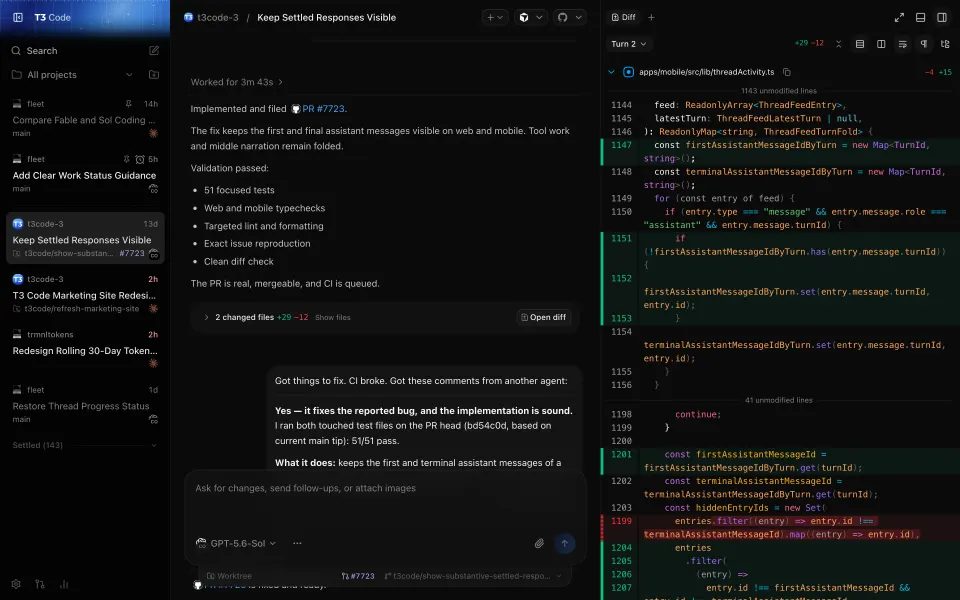
- t3.codes, retrieved · first party marketing · shows appearance, not capability
- Data
- /products/t3-code.json · .md
- Method
- Same rules for all 103 researched ADEs. How we check · Report wrong data
What it does
Where you use it
v0.1.7 documents Mac/Windows/Linux desktop, iOS/Android mobile, web and CLI. Intel Mac has desktop but no t3 executable. Current mobile PR diff review is documented; action parity remains untested.
Source and scope for Where you use itAgents it runs
v0.1.7 documents installed Codex, Claude Code, Cursor, Grok Build, Kiro (beta, Early Access), OpenCode, Antigravity, Pi, Muse Code and fx providers, plus ACP Registry and local ACP commands. Model availability follows provider accounts; mixed-provider execution was not tested. T3 Code v0.1.8 runs Google's official Antigravity ACP agent on the selected environment with managed runtime installation and its own sign-in.
Source and scope for Agents it runsAccounts and subscriptions
T3 Code reuses each provider's own subscription or login, supports multiple accounts per provider and per-instance API keys or base URLs; its README says it sells nothing.
Source and scope for Accounts and subscriptionsWhere agents run
Agents run on the user's own machine or a machine they keep running (SSH, T3 Connect, LAN/tailnet); clients on other devices connect to it. The docs describe no T3-operated compute.
Source and scope for Where agents runHow work is kept apart
T3 Code uses project checkouts or per-thread Git worktrees and launches provider/ACP processes on the environment host. Provider-native sandbox policies are separate; the scoped core has no product container or per-agent VM backend.
Source and scope for How work is kept apartParallel work
Many threads can run at once, including background starts and multi-model fan-out into separate worktrees; sidebar sections and mobile activity cards show thread state, and the opt-in Working section (beta) groups working threads.
Source and scope for Parallel workScheduled runs
Stable v0.1.7 runs server-owned recurring/one-time schedules and webhook tasks with signature, filtering, dedupe/coalescing and optional offline buffering. Execution needs its environment running; task-outcome retry-to-success is not established.
Source and scope for Scheduled runsGit and pull requests
Threads can use per-thread worktrees and branches, commit, push and open pull requests with generated titles and descriptions; auto-merge is documented for GitHub, GitLab and Azure DevOps, and stack merge and rebase for GitHub.
Source and scope for Git and pull requestsLicence and source
The public repository is MIT-licensed (T3 Tools Inc) and includes desktop, mobile, web, server and the T3 Connect relay source; hosted parity is unverified.
Source and scope for Licence and sourcePrice
Terms state no T3 Tools subscription fee currently, unless a feature states otherwise; they do not mention seats or user counts; users pay providers, hosts and app stores. No pricing page, seat or credit model was found in the sources searched. User-supplied provider API keys are explicitly configurable in provider instances.
Source and scope for PriceTyped filters
Every value links to its receipt below. Read plan and surface restrictions before using a filter to decide.
| Filter | Value |
|---|---|
| Desktop OS: macOS | Yes cross-checked |
| Desktop OS: Windows | Yes cross-checked |
| Desktop OS: Linux | Yes cross-checked |
| Web client | Yes cross-checked |
| Phone access: Native iOS | Yes cross-checked |
| Phone access: Native Android | Yes cross-checked |
| Phone access: Phone browser | Yes |
| CLI | Yes cross-checked |
| Coding agents: Claude Code | Yes cross-checked |
| Coding agents: Codex | Yes cross-checked |
| Coding agents: Cursor Agent | Yes cross-checked |
| Coding agents: Gemini CLI | Unknown |
| Coding agents: OpenCode | Yes cross-checked |
| Coding agents: Pi | Yes cross-checked |
| Coding agents: Grok | Yes cross-checked |
| Coding agents: Aider | Unknown |
| Coding agents: Antigravity | Yes cross-checked |
| Use my subscription | Yes cross-checked |
| Where agents run: On your computer | Yes cross-checked |
| Where agents run: On your own server | Yes cross-checked |
| Where agents run: In the vendor's cloud | No |
| Workspace isolation: Git worktree | Yes |
| Workspace isolation: Container | No |
| Workspace isolation: VM or microVM | No |
| Parallel runs | Yes cross-checked |
| Coordinator | Yes |
| Native issue tracking | No |
| Unattended triggers | Yes cross-checked |
| Shared prompting | Yes cross-checked |
| Team roles | No |
| SSO | No |
| Pull request workflow | Yes |
| Review interface | Yes cross-checked |
| Product license: Apache-2.0 | No. MIT cross-checked |
| Product license: MIT | Yes. MIT cross-checked |
| Product license: GPL-3.0 | No. MIT cross-checked |
| Product license: GPL-3.0-or-later | No. MIT cross-checked |
| Product license: AGPL-3.0 | No. MIT cross-checked |
| Product license: AGPL-3.0-or-later | No. MIT cross-checked |
| Product license: Elastic License 2.0 | No. MIT cross-checked |
| Product license: Custom terms | No. MIT cross-checked |
| Product license: Proprietary | No. MIT cross-checked |
| Self-hosting | Yes cross-checked |
| Telemetry opt-out | Yes cross-checked |
| Free access | Yes cross-checked |
| Starting price: Free | Yes. Free cross-checked |
| Starting price: Up to $20/month | No. Free cross-checked |
| Starting price: $21–40/month | No. Free cross-checked |
| Starting price: $41–100/month | No. Free cross-checked |
| Starting price: Over $100/month | No. Free cross-checked |
| Starting price: Contact for pricing | No. Free cross-checked |
| Pricing model: Free, no paid plan | Yes |
| Pricing model: Free plan | No |
| Pricing model: Subscription | No |
| Pricing model: Per seat | No |
| Pricing model: Usage-based | No |
| Pricing model: Per machine or compute | No |
| Pricing model: Bring your own key | Yes |
| Pricing model: One-time purchase | No |
| Paid plans from: No paid plan | Unknown |
| Paid plans from: $10 or less/month | Unknown |
| Paid plans from: $11–20/month | Unknown |
| Paid plans from: $21–40/month | Unknown |
| Paid plans from: $41–100/month | Unknown |
| Paid plans from: Over $100/month | Unknown |
| Paid plans from: Contact sales | Unknown |
| Lifecycle status: Active | Unknown |
| Lifecycle status: Sunsetting | Unknown |
| Keeps going with laptop closed | Yes cross-checked |
| Open-source license | Yes. MIT cross-checked |
| Any desktop app | Yes cross-checked |
| Paid plan up to $20/month | Unknown |
| Paid plan up to $40/month | Unknown |
| Any phone client | Yes cross-checked |
Filter receipts
Desktop OS: macOS: Yes cross-checked
Desktop OS: macOS
Typed value: Yes.
v0.1.7 documents Mac/Windows/Linux desktop, iOS/Android mobile, web and CLI. Intel Mac has desktop but no t3 executable. Current mobile PR diff review is documented; action parity remains untested.
- Desktop os: Desktop builds for macOS, Windows and Linux are listed, with winget, Homebrew, .deb, Arch (yay) and Nix install routes. The install guide says Intel Macs get the desktop app but no t3 executable.
- Mobile apps: iOS (App Store) and Android (Google Play) apps are linked; they connect to a server on another machine.
- Cli: t3 CLI starts the server and provides service, update, pair and connect commands; the install doc says there is no t3 executable for Intel Macs, where only the desktop app is offered.
- No client or cross-device fixture executed.
- Intel Mac has no t3 CLI executable; the desktop app remains available.
- Remote execution requires a running host; Connect has separate machine-count limits.
-
Finding: v0.1.7 guide lists Codex, Claude Code, Cursor, Grok Build, OpenCode, Antigravity, Pi, Muse Code and fx. Desktop Mac/Windows/Linux; no t3 executable for Intel Mac. Mobile/testing channels and first-task steps documented.
Desktop OS: Windows: Yes cross-checked
Desktop OS: Windows
Typed value: Yes.
v0.1.7 documents Mac/Windows/Linux desktop, iOS/Android mobile, web and CLI. Intel Mac has desktop but no t3 executable. Current mobile PR diff review is documented; action parity remains untested.
- Desktop os: Desktop builds for macOS, Windows and Linux are listed, with winget, Homebrew, .deb, Arch (yay) and Nix install routes. The install guide says Intel Macs get the desktop app but no t3 executable.
- Mobile apps: iOS (App Store) and Android (Google Play) apps are linked; they connect to a server on another machine.
- Cli: t3 CLI starts the server and provides service, update, pair and connect commands; the install doc says there is no t3 executable for Intel Macs, where only the desktop app is offered.
- No client or cross-device fixture executed.
- Intel Mac has no t3 CLI executable; the desktop app remains available.
- Remote execution requires a running host; Connect has separate machine-count limits.
-
Finding: v0.1.7 guide lists Codex, Claude Code, Cursor, Grok Build, OpenCode, Antigravity, Pi, Muse Code and fx. Desktop Mac/Windows/Linux; no t3 executable for Intel Mac. Mobile/testing channels and first-task steps documented.
Desktop OS: Linux: Yes cross-checked
Desktop OS: Linux
Typed value: Yes.
v0.1.7 documents Mac/Windows/Linux desktop, iOS/Android mobile, web and CLI. Intel Mac has desktop but no t3 executable. Current mobile PR diff review is documented; action parity remains untested.
- Desktop os: Desktop builds for macOS, Windows and Linux are listed, with winget, Homebrew, .deb, Arch (yay) and Nix install routes. The install guide says Intel Macs get the desktop app but no t3 executable.
- Mobile apps: iOS (App Store) and Android (Google Play) apps are linked; they connect to a server on another machine.
- Cli: t3 CLI starts the server and provides service, update, pair and connect commands; the install doc says there is no t3 executable for Intel Macs, where only the desktop app is offered.
- No client or cross-device fixture executed.
- Intel Mac has no t3 CLI executable; the desktop app remains available.
- Remote execution requires a running host; Connect has separate machine-count limits.
-
Finding: v0.1.7 guide lists Codex, Claude Code, Cursor, Grok Build, OpenCode, Antigravity, Pi, Muse Code and fx. Desktop Mac/Windows/Linux; no t3 executable for Intel Mac. Mobile/testing channels and first-task steps documented.
Web client: Yes cross-checked
Web client
Typed value: Yes.
v0.1.7 documents Mac/Windows/Linux desktop, iOS/Android mobile, web and CLI. Intel Mac has desktop but no t3 executable. Current mobile PR diff review is documented; action parity remains untested.
- Mobile apps: iOS (App Store) and Android (Google Play) apps are linked; they connect to a server on another machine.
- Browser: Running t3 opens a local web app; app.t3.codes is a hosted client that needs an HTTPS endpoint the user operates.
- Cli: t3 CLI starts the server and provides service, update, pair and connect commands; the install doc says there is no t3 executable for Intel Macs, where only the desktop app is offered.
- Cross device continuity: Threads live on the environment server and thread order is saved there, appearing on other connected devices.
- No client or cross-device fixture executed.
- Intel Mac has no t3 CLI executable; the desktop app remains available.
- Remote execution requires a running host; Connect has separate machine-count limits.
-
Finding: v0.1.7 README describes agent control via Electron desktop, web and mobile using installed provider accounts; names fx in addition to earlier harnesses and links outside-agent MCP documentation. Says it sells nothing.
-
Finding: Current remote guide describes Connect/direct/SSH routes and permission grants. Connect links up to three machines; paid T3 Chat raises it to ten with Pro or 100 with Premier. Existing linked machines remain on downgrade; hosts must stay reachable.
Phone access: Native iOS: Yes cross-checked
Phone access: Native iOS
Typed value: Yes.
v0.1.7 documents Mac/Windows/Linux desktop, iOS/Android mobile, web and CLI. Intel Mac has desktop but no t3 executable. Current mobile PR diff review is documented; action parity remains untested.
- Desktop os: Desktop builds for macOS, Windows and Linux are listed, with winget, Homebrew, .deb, Arch (yay) and Nix install routes. The install guide says Intel Macs get the desktop app but no t3 executable.
- Mobile apps: iOS (App Store) and Android (Google Play) apps are linked; they connect to a server on another machine.
- Browser: Running t3 opens a local web app; app.t3.codes is a hosted client that needs an HTTPS endpoint the user operates.
- Cli: t3 CLI starts the server and provides service, update, pair and connect commands; the install doc says there is no t3 executable for Intel Macs, where only the desktop app is offered.
- No client or cross-device fixture executed.
- Intel Mac has no t3 CLI executable; the desktop app remains available.
- Remote execution requires a running host; Connect has separate machine-count limits.
-
Finding: v0.1.7 README describes agent control via Electron desktop, web and mobile using installed provider accounts; names fx in addition to earlier harnesses and links outside-agent MCP documentation. Says it sells nothing.
-
Finding: v0.1.7 guide lists Codex, Claude Code, Cursor, Grok Build, OpenCode, Antigravity, Pi, Muse Code and fx. Desktop Mac/Windows/Linux; no t3 executable for Intel Mac. Mobile/testing channels and first-task steps documented.
Phone access: Native Android: Yes cross-checked
Phone access: Native Android
Typed value: Yes.
v0.1.7 documents Mac/Windows/Linux desktop, iOS/Android mobile, web and CLI. Intel Mac has desktop but no t3 executable. Current mobile PR diff review is documented; action parity remains untested.
- Desktop os: Desktop builds for macOS, Windows and Linux are listed, with winget, Homebrew, .deb, Arch (yay) and Nix install routes. The install guide says Intel Macs get the desktop app but no t3 executable.
- Mobile apps: iOS (App Store) and Android (Google Play) apps are linked; they connect to a server on another machine.
- Browser: Running t3 opens a local web app; app.t3.codes is a hosted client that needs an HTTPS endpoint the user operates.
- Cli: t3 CLI starts the server and provides service, update, pair and connect commands; the install doc says there is no t3 executable for Intel Macs, where only the desktop app is offered.
- No client or cross-device fixture executed.
- Intel Mac has no t3 CLI executable; the desktop app remains available.
- Remote execution requires a running host; Connect has separate machine-count limits.
-
Finding: v0.1.7 README describes agent control via Electron desktop, web and mobile using installed provider accounts; names fx in addition to earlier harnesses and links outside-agent MCP documentation. Says it sells nothing.
-
Finding: v0.1.7 guide lists Codex, Claude Code, Cursor, Grok Build, OpenCode, Antigravity, Pi, Muse Code and fx. Desktop Mac/Windows/Linux; no t3 executable for Intel Mac. Mobile/testing channels and first-task steps documented.
Phone access: Phone browser: Yes
Phone access: Phone browser
Typed value: Yes.
v0.1.7 documents Mac/Windows/Linux desktop, iOS/Android mobile, web and CLI. Intel Mac has desktop but no t3 executable. Current mobile PR diff review is documented; action parity remains untested.
- Mobile apps: iOS (App Store) and Android (Google Play) apps are linked; they connect to a server on another machine.
- Browser: Running t3 opens a local web app; app.t3.codes is a hosted client that needs an HTTPS endpoint the user operates.
- Cli: t3 CLI starts the server and provides service, update, pair and connect commands; the install doc says there is no t3 executable for Intel Macs, where only the desktop app is offered.
- Cross device continuity: Threads live on the environment server and thread order is saved there, appearing on other connected devices.
- No client or cross-device fixture executed.
- Intel Mac has no t3 CLI executable; the desktop app remains available.
- Remote execution requires a running host; Connect has separate machine-count limits.
-
Finding: v0.1.7 README describes agent control via Electron desktop, web and mobile using installed provider accounts; names fx in addition to earlier harnesses and links outside-agent MCP documentation. Says it sells nothing.
-
Finding: Current remote guide describes Connect/direct/SSH routes and permission grants. Connect links up to three machines; paid T3 Chat raises it to ten with Pro or 100 with Premier. Existing linked machines remain on downgrade; hosts must stay reachable.
CLI: Yes cross-checked
CLI
Typed value: Yes.
v0.1.7 documents Mac/Windows/Linux desktop, iOS/Android mobile, web and CLI. Intel Mac has desktop but no t3 executable. Current mobile PR diff review is documented; action parity remains untested.
- Desktop os: Desktop builds for macOS, Windows and Linux are listed, with winget, Homebrew, .deb, Arch (yay) and Nix install routes. The install guide says Intel Macs get the desktop app but no t3 executable.
- Mobile apps: iOS (App Store) and Android (Google Play) apps are linked; they connect to a server on another machine.
- Browser: Running t3 opens a local web app; app.t3.codes is a hosted client that needs an HTTPS endpoint the user operates.
- Cli: t3 CLI starts the server and provides service, update, pair and connect commands; the install doc says there is no t3 executable for Intel Macs, where only the desktop app is offered.
- Cross device continuity: Threads live on the environment server and thread order is saved there, appearing on other connected devices.
- No client or cross-device fixture executed.
- Intel Mac has no t3 CLI executable; the desktop app remains available.
- Remote execution requires a running host; Connect has separate machine-count limits.
-
Finding: Current remote guide describes Connect/direct/SSH routes and permission grants. Connect links up to three machines; paid T3 Chat raises it to ten with Pro or 100 with Premier. Existing linked machines remain on downgrade; hosts must stay reachable.
-
Finding: v0.1.7 guide lists Codex, Claude Code, Cursor, Grok Build, OpenCode, Antigravity, Pi, Muse Code and fx. Desktop Mac/Windows/Linux; no t3 executable for Intel Mac. Mobile/testing channels and first-task steps documented.
-
Running T3 Code in the background (v0.0.45)
Finding: Background service on Linux (systemd user service with lingering) and macOS (launch agent while logged in); Windows background services are not supported.
Coding agents: Claude Code: Yes cross-checked
Coding agents: Claude Code
Typed value: Yes.
v0.1.7 documents installed Codex, Claude Code, Cursor, Grok Build, Kiro (beta, Early Access), OpenCode, Antigravity, Pi, Muse Code and fx providers, plus ACP Registry and local ACP commands. Model availability follows provider accounts; mixed-provider execution was not tested. T3 Code v0.1.8 runs Google's official Antigravity ACP agent on the selected environment with managed runtime installation and its own sign-in.
- Harnesses: Named in the current install guide: Codex, Claude Code, Cursor, Grok Build, Kiro, OpenCode, Antigravity, Pi, Muse Code and fx. The v0.1.7 release notes label Kiro a beta Early Access provider. T3 Code v0.1.8 runs Google's official Antigravity ACP agent on the selected environment with managed runtime installation and its own sign-in.
- Model providers: Models come from each harness; custom model IDs can be added, and Claude instances can route to OpenRouter-style endpoints via environment variables.
- Session integration: First-run import brings recent Claude Code, Codex and (once enabled) Pi projects and conversations: best effort, up to 200 messages, without tool activity or attachments.
- Mixed harness operation: v0.1.7 documents portable context between provider/model choices as a budgeted selection of saved history, not an agent-written summary. It was not exercised as a mixed-provider scenario.
- Provider credentials and compatibility are supplied by each installed tool.
- No mixed-harness execution test.
- The ACP agent has a separate sign-in from the IDE or CLI. Runtime installation supports Apple Silicon macOS, Linux x64/ARM64 and Windows x64/ARM64; Intel Macs need a supported remote environment.
-
Finding: v0.1.7 README describes agent control via Electron desktop, web and mobile using installed provider accounts; names fx in addition to earlier harnesses and links outside-agent MCP documentation. Says it sells nothing.
-
Finding: v0.1.7 guide lists Codex, Claude Code, Cursor, Grok Build, OpenCode, Antigravity, Pi, Muse Code and fx. Desktop Mac/Windows/Linux; no t3 executable for Intel Mac. Mobile/testing channels and first-task steps documented.
-
Messages and context (v0.0.45)
Finding: Attachments (up to 100 files), queued or steered follow-ups, custom model IDs, edit-and-rewind from an earlier prompt, slash commands and $ skills, review-comment and pull-request context chips, mobile offline queueing.
-
Finding: Connects with a ChatGPT plan or an existing Codex CLI login; multiple accounts selectable from the model picker; usage and credits managed in ChatGPT.
-
Finding: Uses Claude Code's own login and configuration; separate accounts through CLAUDE_CONFIG_DIR instances; skills from the config directory and .claude/skills; OpenRouter or router setups through instance environment variables.
-
Antigravity provider (v0.0.45)
Finding: Pinned v0.1.7 Antigravity guide: lists images, PDFs, text and audio as native attachments; plan mode unavailable; skill directories and subagent batching. Main-branch attachment narrowing is in docs-antigravity-main.
-
Finding: First-run flow connects computers, checks Claude Code and Codex install/sign-in, and best-effort imports recent Claude Code and Codex projects and conversations.
-
T3 Code v0.1.7 portable context
Finding: The pinned v0.1.7 handoff guide says a handoff is a budgeted selection of saved history, not an agent-written summary. It sends a bounded selection into a fresh provider conversation if the target lacks room, preserving the request. This transfers context, not colleague ownership.
Coding agents: Codex: Yes cross-checked
Coding agents: Codex
Typed value: Yes.
v0.1.7 documents installed Codex, Claude Code, Cursor, Grok Build, Kiro (beta, Early Access), OpenCode, Antigravity, Pi, Muse Code and fx providers, plus ACP Registry and local ACP commands. Model availability follows provider accounts; mixed-provider execution was not tested. T3 Code v0.1.8 runs Google's official Antigravity ACP agent on the selected environment with managed runtime installation and its own sign-in.
- Harnesses: Named in the current install guide: Codex, Claude Code, Cursor, Grok Build, Kiro, OpenCode, Antigravity, Pi, Muse Code and fx. The v0.1.7 release notes label Kiro a beta Early Access provider. T3 Code v0.1.8 runs Google's official Antigravity ACP agent on the selected environment with managed runtime installation and its own sign-in.
- Model providers: Models come from each harness; custom model IDs can be added, and Claude instances can route to OpenRouter-style endpoints via environment variables.
- Session integration: First-run import brings recent Claude Code, Codex and (once enabled) Pi projects and conversations: best effort, up to 200 messages, without tool activity or attachments.
- Mixed harness operation: v0.1.7 documents portable context between provider/model choices as a budgeted selection of saved history, not an agent-written summary. It was not exercised as a mixed-provider scenario.
- Provider credentials and compatibility are supplied by each installed tool.
- No mixed-harness execution test.
- The ACP agent has a separate sign-in from the IDE or CLI. Runtime installation supports Apple Silicon macOS, Linux x64/ARM64 and Windows x64/ARM64; Intel Macs need a supported remote environment.
-
Finding: v0.1.7 README describes agent control via Electron desktop, web and mobile using installed provider accounts; names fx in addition to earlier harnesses and links outside-agent MCP documentation. Says it sells nothing.
-
Finding: v0.1.7 guide lists Codex, Claude Code, Cursor, Grok Build, OpenCode, Antigravity, Pi, Muse Code and fx. Desktop Mac/Windows/Linux; no t3 executable for Intel Mac. Mobile/testing channels and first-task steps documented.
-
Messages and context (v0.0.45)
Finding: Attachments (up to 100 files), queued or steered follow-ups, custom model IDs, edit-and-rewind from an earlier prompt, slash commands and $ skills, review-comment and pull-request context chips, mobile offline queueing.
-
Finding: Connects with a ChatGPT plan or an existing Codex CLI login; multiple accounts selectable from the model picker; usage and credits managed in ChatGPT.
-
Finding: Uses Claude Code's own login and configuration; separate accounts through CLAUDE_CONFIG_DIR instances; skills from the config directory and .claude/skills; OpenRouter or router setups through instance environment variables.
-
Antigravity provider (v0.0.45)
Finding: Pinned v0.1.7 Antigravity guide: lists images, PDFs, text and audio as native attachments; plan mode unavailable; skill directories and subagent batching. Main-branch attachment narrowing is in docs-antigravity-main.
-
Finding: First-run flow connects computers, checks Claude Code and Codex install/sign-in, and best-effort imports recent Claude Code and Codex projects and conversations.
-
T3 Code v0.1.7 portable context
Finding: The pinned v0.1.7 handoff guide says a handoff is a budgeted selection of saved history, not an agent-written summary. It sends a bounded selection into a fresh provider conversation if the target lacks room, preserving the request. This transfers context, not colleague ownership.
Coding agents: Cursor Agent: Yes cross-checked
Coding agents: Cursor Agent
Typed value: Yes.
v0.1.7 documents installed Codex, Claude Code, Cursor, Grok Build, Kiro (beta, Early Access), OpenCode, Antigravity, Pi, Muse Code and fx providers, plus ACP Registry and local ACP commands. Model availability follows provider accounts; mixed-provider execution was not tested. T3 Code v0.1.8 runs Google's official Antigravity ACP agent on the selected environment with managed runtime installation and its own sign-in.
- Harnesses: Named in the current install guide: Codex, Claude Code, Cursor, Grok Build, Kiro, OpenCode, Antigravity, Pi, Muse Code and fx. The v0.1.7 release notes label Kiro a beta Early Access provider. T3 Code v0.1.8 runs Google's official Antigravity ACP agent on the selected environment with managed runtime installation and its own sign-in.
- Model providers: Models come from each harness; custom model IDs can be added, and Claude instances can route to OpenRouter-style endpoints via environment variables.
- Session integration: First-run import brings recent Claude Code, Codex and (once enabled) Pi projects and conversations: best effort, up to 200 messages, without tool activity or attachments.
- Mixed harness operation: v0.1.7 documents portable context between provider/model choices as a budgeted selection of saved history, not an agent-written summary. It was not exercised as a mixed-provider scenario.
- Provider credentials and compatibility are supplied by each installed tool.
- No mixed-harness execution test.
- The ACP agent has a separate sign-in from the IDE or CLI. Runtime installation supports Apple Silicon macOS, Linux x64/ARM64 and Windows x64/ARM64; Intel Macs need a supported remote environment.
-
Finding: v0.1.7 README describes agent control via Electron desktop, web and mobile using installed provider accounts; names fx in addition to earlier harnesses and links outside-agent MCP documentation. Says it sells nothing.
-
Finding: v0.1.7 guide lists Codex, Claude Code, Cursor, Grok Build, OpenCode, Antigravity, Pi, Muse Code and fx. Desktop Mac/Windows/Linux; no t3 executable for Intel Mac. Mobile/testing channels and first-task steps documented.
-
Messages and context (v0.0.45)
Finding: Attachments (up to 100 files), queued or steered follow-ups, custom model IDs, edit-and-rewind from an earlier prompt, slash commands and $ skills, review-comment and pull-request context chips, mobile offline queueing.
-
Finding: Connects with a ChatGPT plan or an existing Codex CLI login; multiple accounts selectable from the model picker; usage and credits managed in ChatGPT.
-
Finding: Uses Claude Code's own login and configuration; separate accounts through CLAUDE_CONFIG_DIR instances; skills from the config directory and .claude/skills; OpenRouter or router setups through instance environment variables.
-
Antigravity provider (v0.0.45)
Finding: Pinned v0.1.7 Antigravity guide: lists images, PDFs, text and audio as native attachments; plan mode unavailable; skill directories and subagent batching. Main-branch attachment narrowing is in docs-antigravity-main.
-
Finding: First-run flow connects computers, checks Claude Code and Codex install/sign-in, and best-effort imports recent Claude Code and Codex projects and conversations.
-
T3 Code v0.1.7 portable context
Finding: The pinned v0.1.7 handoff guide says a handoff is a budgeted selection of saved history, not an agent-written summary. It sends a bounded selection into a fresh provider conversation if the target lacks room, preserving the request. This transfers context, not colleague ownership.
Coding agents: OpenCode: Yes cross-checked
Coding agents: OpenCode
Typed value: Yes.
v0.1.7 documents installed Codex, Claude Code, Cursor, Grok Build, Kiro (beta, Early Access), OpenCode, Antigravity, Pi, Muse Code and fx providers, plus ACP Registry and local ACP commands. Model availability follows provider accounts; mixed-provider execution was not tested. T3 Code v0.1.8 runs Google's official Antigravity ACP agent on the selected environment with managed runtime installation and its own sign-in.
- Harnesses: Named in the current install guide: Codex, Claude Code, Cursor, Grok Build, Kiro, OpenCode, Antigravity, Pi, Muse Code and fx. The v0.1.7 release notes label Kiro a beta Early Access provider. T3 Code v0.1.8 runs Google's official Antigravity ACP agent on the selected environment with managed runtime installation and its own sign-in.
- Model providers: Models come from each harness; custom model IDs can be added, and Claude instances can route to OpenRouter-style endpoints via environment variables.
- Session integration: First-run import brings recent Claude Code, Codex and (once enabled) Pi projects and conversations: best effort, up to 200 messages, without tool activity or attachments.
- Mixed harness operation: v0.1.7 documents portable context between provider/model choices as a budgeted selection of saved history, not an agent-written summary. It was not exercised as a mixed-provider scenario.
- Provider credentials and compatibility are supplied by each installed tool.
- No mixed-harness execution test.
- The ACP agent has a separate sign-in from the IDE or CLI. Runtime installation supports Apple Silicon macOS, Linux x64/ARM64 and Windows x64/ARM64; Intel Macs need a supported remote environment.
-
Finding: v0.1.7 README describes agent control via Electron desktop, web and mobile using installed provider accounts; names fx in addition to earlier harnesses and links outside-agent MCP documentation. Says it sells nothing.
-
Finding: v0.1.7 guide lists Codex, Claude Code, Cursor, Grok Build, OpenCode, Antigravity, Pi, Muse Code and fx. Desktop Mac/Windows/Linux; no t3 executable for Intel Mac. Mobile/testing channels and first-task steps documented.
-
Messages and context (v0.0.45)
Finding: Attachments (up to 100 files), queued or steered follow-ups, custom model IDs, edit-and-rewind from an earlier prompt, slash commands and $ skills, review-comment and pull-request context chips, mobile offline queueing.
-
Finding: Connects with a ChatGPT plan or an existing Codex CLI login; multiple accounts selectable from the model picker; usage and credits managed in ChatGPT.
-
Finding: Uses Claude Code's own login and configuration; separate accounts through CLAUDE_CONFIG_DIR instances; skills from the config directory and .claude/skills; OpenRouter or router setups through instance environment variables.
-
Antigravity provider (v0.0.45)
Finding: Pinned v0.1.7 Antigravity guide: lists images, PDFs, text and audio as native attachments; plan mode unavailable; skill directories and subagent batching. Main-branch attachment narrowing is in docs-antigravity-main.
-
Finding: First-run flow connects computers, checks Claude Code and Codex install/sign-in, and best-effort imports recent Claude Code and Codex projects and conversations.
-
T3 Code v0.1.7 portable context
Finding: The pinned v0.1.7 handoff guide says a handoff is a budgeted selection of saved history, not an agent-written summary. It sends a bounded selection into a fresh provider conversation if the target lacks room, preserving the request. This transfers context, not colleague ownership.
Coding agents: Pi: Yes cross-checked
Coding agents: Pi
Typed value: Yes.
v0.1.7 documents installed Codex, Claude Code, Cursor, Grok Build, Kiro (beta, Early Access), OpenCode, Antigravity, Pi, Muse Code and fx providers, plus ACP Registry and local ACP commands. Model availability follows provider accounts; mixed-provider execution was not tested. T3 Code v0.1.8 runs Google's official Antigravity ACP agent on the selected environment with managed runtime installation and its own sign-in.
- Harnesses: Named in the current install guide: Codex, Claude Code, Cursor, Grok Build, Kiro, OpenCode, Antigravity, Pi, Muse Code and fx. The v0.1.7 release notes label Kiro a beta Early Access provider. T3 Code v0.1.8 runs Google's official Antigravity ACP agent on the selected environment with managed runtime installation and its own sign-in.
- Model providers: Models come from each harness; custom model IDs can be added, and Claude instances can route to OpenRouter-style endpoints via environment variables.
- Session integration: First-run import brings recent Claude Code, Codex and (once enabled) Pi projects and conversations: best effort, up to 200 messages, without tool activity or attachments.
- Mixed harness operation: v0.1.7 documents portable context between provider/model choices as a budgeted selection of saved history, not an agent-written summary. It was not exercised as a mixed-provider scenario.
- Provider credentials and compatibility are supplied by each installed tool.
- No mixed-harness execution test.
- The ACP agent has a separate sign-in from the IDE or CLI. Runtime installation supports Apple Silicon macOS, Linux x64/ARM64 and Windows x64/ARM64; Intel Macs need a supported remote environment.
-
Finding: v0.1.7 README describes agent control via Electron desktop, web and mobile using installed provider accounts; names fx in addition to earlier harnesses and links outside-agent MCP documentation. Says it sells nothing.
-
Finding: v0.1.7 guide lists Codex, Claude Code, Cursor, Grok Build, OpenCode, Antigravity, Pi, Muse Code and fx. Desktop Mac/Windows/Linux; no t3 executable for Intel Mac. Mobile/testing channels and first-task steps documented.
-
Messages and context (v0.0.45)
Finding: Attachments (up to 100 files), queued or steered follow-ups, custom model IDs, edit-and-rewind from an earlier prompt, slash commands and $ skills, review-comment and pull-request context chips, mobile offline queueing.
-
Finding: Connects with a ChatGPT plan or an existing Codex CLI login; multiple accounts selectable from the model picker; usage and credits managed in ChatGPT.
-
Finding: Uses Claude Code's own login and configuration; separate accounts through CLAUDE_CONFIG_DIR instances; skills from the config directory and .claude/skills; OpenRouter or router setups through instance environment variables.
-
Antigravity provider (v0.0.45)
Finding: Pinned v0.1.7 Antigravity guide: lists images, PDFs, text and audio as native attachments; plan mode unavailable; skill directories and subagent batching. Main-branch attachment narrowing is in docs-antigravity-main.
-
Finding: First-run flow connects computers, checks Claude Code and Codex install/sign-in, and best-effort imports recent Claude Code and Codex projects and conversations.
-
T3 Code v0.1.7 portable context
Finding: The pinned v0.1.7 handoff guide says a handoff is a budgeted selection of saved history, not an agent-written summary. It sends a bounded selection into a fresh provider conversation if the target lacks room, preserving the request. This transfers context, not colleague ownership.
Coding agents: Grok: Yes cross-checked
Coding agents: Grok
Typed value: Yes.
v0.1.7 documents installed Codex, Claude Code, Cursor, Grok Build, Kiro (beta, Early Access), OpenCode, Antigravity, Pi, Muse Code and fx providers, plus ACP Registry and local ACP commands. Model availability follows provider accounts; mixed-provider execution was not tested. T3 Code v0.1.8 runs Google's official Antigravity ACP agent on the selected environment with managed runtime installation and its own sign-in.
- Harnesses: Named in the current install guide: Codex, Claude Code, Cursor, Grok Build, Kiro, OpenCode, Antigravity, Pi, Muse Code and fx. The v0.1.7 release notes label Kiro a beta Early Access provider. T3 Code v0.1.8 runs Google's official Antigravity ACP agent on the selected environment with managed runtime installation and its own sign-in.
- Model providers: Models come from each harness; custom model IDs can be added, and Claude instances can route to OpenRouter-style endpoints via environment variables.
- Session integration: First-run import brings recent Claude Code, Codex and (once enabled) Pi projects and conversations: best effort, up to 200 messages, without tool activity or attachments.
- Mixed harness operation: v0.1.7 documents portable context between provider/model choices as a budgeted selection of saved history, not an agent-written summary. It was not exercised as a mixed-provider scenario.
- Provider credentials and compatibility are supplied by each installed tool.
- No mixed-harness execution test.
- The ACP agent has a separate sign-in from the IDE or CLI. Runtime installation supports Apple Silicon macOS, Linux x64/ARM64 and Windows x64/ARM64; Intel Macs need a supported remote environment.
-
Finding: v0.1.7 README describes agent control via Electron desktop, web and mobile using installed provider accounts; names fx in addition to earlier harnesses and links outside-agent MCP documentation. Says it sells nothing.
-
Finding: v0.1.7 guide lists Codex, Claude Code, Cursor, Grok Build, OpenCode, Antigravity, Pi, Muse Code and fx. Desktop Mac/Windows/Linux; no t3 executable for Intel Mac. Mobile/testing channels and first-task steps documented.
-
Messages and context (v0.0.45)
Finding: Attachments (up to 100 files), queued or steered follow-ups, custom model IDs, edit-and-rewind from an earlier prompt, slash commands and $ skills, review-comment and pull-request context chips, mobile offline queueing.
-
Finding: Connects with a ChatGPT plan or an existing Codex CLI login; multiple accounts selectable from the model picker; usage and credits managed in ChatGPT.
-
Finding: Uses Claude Code's own login and configuration; separate accounts through CLAUDE_CONFIG_DIR instances; skills from the config directory and .claude/skills; OpenRouter or router setups through instance environment variables.
-
Antigravity provider (v0.0.45)
Finding: Pinned v0.1.7 Antigravity guide: lists images, PDFs, text and audio as native attachments; plan mode unavailable; skill directories and subagent batching. Main-branch attachment narrowing is in docs-antigravity-main.
-
Finding: First-run flow connects computers, checks Claude Code and Codex install/sign-in, and best-effort imports recent Claude Code and Codex projects and conversations.
-
T3 Code v0.1.7 portable context
Finding: The pinned v0.1.7 handoff guide says a handoff is a budgeted selection of saved history, not an agent-written summary. It sends a bounded selection into a fresh provider conversation if the target lacks room, preserving the request. This transfers context, not colleague ownership.
Coding agents: Antigravity: Yes cross-checked
Coding agents: Antigravity
Typed value: Yes.
v0.1.7 documents installed Codex, Claude Code, Cursor, Grok Build, Kiro (beta, Early Access), OpenCode, Antigravity, Pi, Muse Code and fx providers, plus ACP Registry and local ACP commands. Model availability follows provider accounts; mixed-provider execution was not tested. T3 Code v0.1.8 runs Google's official Antigravity ACP agent on the selected environment with managed runtime installation and its own sign-in.
- Harnesses: Named in the current install guide: Codex, Claude Code, Cursor, Grok Build, Kiro, OpenCode, Antigravity, Pi, Muse Code and fx. The v0.1.7 release notes label Kiro a beta Early Access provider. T3 Code v0.1.8 runs Google's official Antigravity ACP agent on the selected environment with managed runtime installation and its own sign-in.
- Provider credentials and compatibility are supplied by each installed tool.
- No mixed-harness execution test.
- The ACP agent has a separate sign-in from the IDE or CLI. Runtime installation supports Apple Silicon macOS, Linux x64/ARM64 and Windows x64/ARM64; Intel Macs need a supported remote environment.
-
T3 Code Antigravity support at v0.1.8
Finding: T3 Code v0.1.8 runs Google's official Antigravity ACP agent on the selected environment with managed runtime installation and its own sign-in.
-
T3 Code Antigravity support at v0.1.8
Finding: T3 Code v0.1.8 runs Google's official Antigravity ACP agent on the selected environment with managed runtime installation and its own sign-in.
Use my subscription: Yes cross-checked
Use my subscription
Typed value: Yes.
T3 Code reuses each provider's own subscription or login, supports multiple accounts per provider and per-instance API keys or base URLs; its README says it sells nothing.
- Agent subscriptions: Works with the user's existing subscriptions through the provider CLIs; Codex can connect with a ChatGPT plan.
- Vendor credits: Codex shared usage and credits are managed in ChatGPT; the Usage page estimates API-equivalent cost but is not the subscription bill.
- Account switching: Multiple Codex accounts selectable from the model picker; separate Claude accounts through CLAUDE_CONFIG_DIR instances.
- Provider terms on third-party harness use were not reviewed.
- Local-model support was not established.
- A T3 account is needed only for account-backed features such as T3 Connect.
-
Finding: v0.1.7 README describes agent control via Electron desktop, web and mobile using installed provider accounts; names fx in addition to earlier harnesses and links outside-agent MCP documentation. Says it sells nothing.
-
Finding: Connects with a ChatGPT plan or an existing Codex CLI login; multiple accounts selectable from the model picker; usage and credits managed in ChatGPT.
Where agents run: On your computer: Yes cross-checked
Where agents run: On your computer
Typed value: Yes.
Agents run on the user's own machine or a machine they keep running (SSH, T3 Connect, LAN/tailnet); clients on other devices connect to it. The docs describe no T3-operated compute.
- The host machine must stay running and reachable.
- No hands-on disconnect/reconnect test.
- Managed cloud execution is unknown: no T3-operated compute is documented, and on-demand cloud environments are a feature request (issue #14793, now Ideas discussion #18019).
- Whether idle tunnel cleanup is enabled by default was not established from the user docs.
-
Finding: Agents run on a machine you control that must stay running and reachable; clients connect over T3 Connect, direct pairing or SSH, and several machines can be load balanced. Changes since 322f654 are wording and CLI-command edits; no T3-operated compute is described.
Where agents run: On your own server: Yes cross-checked
Where agents run: On your own server
Typed value: Yes.
Agents run on the user's own machine or a machine they keep running (SSH, T3 Connect, LAN/tailnet); clients on other devices connect to it. The docs describe no T3-operated compute.
- The host machine must stay running and reachable.
- No hands-on disconnect/reconnect test.
- Managed cloud execution is unknown: no T3-operated compute is documented, and on-demand cloud environments are a feature request (issue #14793, now Ideas discussion #18019).
- Whether idle tunnel cleanup is enabled by default was not established from the user docs.
-
Finding: Agents run on a machine you control that must stay running and reachable; clients connect over T3 Connect, direct pairing or SSH, and several machines can be load balanced. Changes since 322f654 are wording and CLI-command edits; no T3-operated compute is described.
Where agents run: In the vendor's cloud: No
Where agents run: In the vendor's cloud
Typed value: No.
Agents run on the user's own machine or a machine they keep running (SSH, T3 Connect, LAN/tailnet); clients on other devices connect to it. The docs describe no T3-operated compute.
- The host machine must stay running and reachable.
- No hands-on disconnect/reconnect test.
- Managed cloud execution is unknown: no T3-operated compute is documented, and on-demand cloud environments are a feature request (issue #14793, now Ideas discussion #18019).
- Whether idle tunnel cleanup is enabled by default was not established from the user docs.
-
Finding: Agents run on a machine you control that must stay running and reachable; clients connect over T3 Connect, direct pairing or SSH, and several machines can be load balanced. Changes since 322f654 are wording and CLI-command edits; no T3-operated compute is described.
Workspace isolation: Git worktree: Yes
Workspace isolation: Git worktree
Typed value: Yes.
T3 Code uses project checkouts or per-thread Git worktrees and launches provider/ACP processes on the environment host. Provider-native sandbox policies are separate; the scoped core has no product container or per-agent VM backend.
- Checkout: Threads can work in the project directory.
- Branch: Each worktree thread uses its own branch; the website describes branch-per-thread.
- Worktree: New worktree gives a thread its own branch and working directory; optional storage cleanup policies (off by default) can remove managed worktrees.
- Code separation: Worktrees separate branch files. Rewind refuses shared or overlapping directories to avoid erasing another session’s changes.
- This source pass establishes only the named atomic answers. Other parts retain their documented source gaps; no hands-on test was performed.
-
Settings and project overrides (v0.0.45)
Finding: Per-environment and per-project setting overrides, project actions, worktree storage cleanup policies, optional automatic default-branch pull.
-
Working with threads (v0.0.45)
Finding: Threads with optional New worktree, project-less threads, background starts, multi-model send via Shift-click, pin/settle/snooze, Working section (beta), automatic settlement, and an Agents view for work delegated to subagents. Thread order is saved on the server.
Workspace isolation: Container: No
Workspace isolation: Container
Typed value: No.
T3 Code uses project checkouts or per-thread Git worktrees and launches provider/ACP processes on the environment host. Provider-native sandbox policies are separate; the scoped core has no product container or per-agent VM backend.
- Container: No product container execution/provisioning backend in the scoped provider launch paths.
- Vm: No product per-agent VM execution/provisioning backend in the scoped provider launch paths.
- This source pass establishes only the named atomic answers. Other parts retain their documented source gaps; no hands-on test was performed.
-
T3 Code provider execution boundary
Finding: T3 Code launches installed coding-agent/ACP processes on the environment host and separates optional worktrees. Native ACP/provider policies own process sandboxing. The scoped core has no product container or per-agent VM provisioning backend.
Workspace isolation: VM or microVM: No
Workspace isolation: VM or microVM
Typed value: No.
T3 Code uses project checkouts or per-thread Git worktrees and launches provider/ACP processes on the environment host. Provider-native sandbox policies are separate; the scoped core has no product container or per-agent VM backend.
- Container: No product container execution/provisioning backend in the scoped provider launch paths.
- Vm: No product per-agent VM execution/provisioning backend in the scoped provider launch paths.
- This source pass establishes only the named atomic answers. Other parts retain their documented source gaps; no hands-on test was performed.
-
T3 Code provider execution boundary
Finding: T3 Code launches installed coding-agent/ACP processes on the environment host and separates optional worktrees. Native ACP/provider policies own process sandboxing. The scoped core has no product container or per-agent VM provisioning backend.
Parallel runs: Yes cross-checked
Parallel runs
Typed value: Yes.
Many threads can run at once, including background starts and multi-model fan-out into separate worktrees; sidebar sections and mobile activity cards show thread state, and the opt-in Working section (beta) groups working threads.
- Concurrent sessions: Cmd/Ctrl+Enter starts a thread in the background and opens another draft; each submission can create its own worktree.
- Concurrent tasks: Shift-clicking several models sends the same prompt to separate threads and worktrees at once.
- Status visibility: Sidebar sections, Working section (beta) and mobile ongoing-activity cards show thread state.
- No concurrency limit or load test was run.
- Working section is labeled beta.
-
Working with threads (v0.0.45)
Finding: Threads with optional New worktree, project-less threads, background starts, multi-model send via Shift-click, pin/settle/snooze, Working section (beta), automatic settlement, and an Agents view for work delegated to subagents. Thread order is saved on the server.
Coordinator: Yes
Coordinator
Typed value: Yes.
Stable v0.1.7 has T3-owned MCP delegation across compatible providers, with role/model selection, scoped credentials, durable child threads/results and follow-up messages. Provider-native subagents remain a separate presentation/lifecycle path.
- Roles: delegate_task accepts an implementation, research, review, design, test or general role instruction for a T3-owned child thread.
- Model harness effort: Delegation selects a compatible provider instance and advertised model, inheriting parent choices when omitted. Independent reasoning-effort controls depend on the provider.
- Messages: Thread tools send or steer follow-ups and read incremental thread history. Child questions and results can notify the parent.
- Results return: Read the durable result with task_status or wait for it. A wait timeout leaves the child running; known child work must finish before result_available.
- Cross harness: T3-owned delegation can choose a different compatible provider instance/model rather than only a native harness child.
- Orchestration owner: T3 MCP and V2 child-thread lifecycle own delegation and durable results; this is distinct from provider-native subagents.
- Activation: Compatible provider sessions receive the app-owned MCP endpoint with session credential; active parent-run authority is required for delegation.
- Authentication: Credentials are scoped to the environment, parent thread, provider instance and provider session. They expire and revoke with session lifecycle; handlers require orchestration capability.
- Retained results: A task published result/summary remains stable after terminal completion; later followups do not rewrite it.
- Followup: Send to childThreadId to continue its conversation. After the original task completes, a follow-up becomes a fresh task without rewriting the published result.
- Invocation: The model calls delegate_task with a prompt, optional role and target. task_status, task_cancel and wait inspect or control the execution.
- Provider-native subagents are a separate path: Antigravity subagent batches can be opened read-only to see each child's role, prompt and recent steps, but individual subagents cannot be messaged or controlled.
- Subagent threads started by an agent cannot take user messages; the user messages the parent thread.
-
T3 Code v0.1.7: docs/orchestration-v2/orchestrator-mcp-server.md
Finding: T3 MCP delegates child threads across compatible providers with roles, models, scoped credentials, idempotency keys and durable task results. Children receive the supplied task and optional role without parent history. Follow-ups preserve the published result and run as a fresh task.
-
T3 Code v0.1.7: apps/server/src/mcp/toolkits/orchestrator/tools.ts
Finding: The stable OrchestratorToolkit registers delegation, status, cancellation, thread and schedule tools, and McpHttpServer registers that toolkit. Tool descriptions expose isolated worktrees and model/role choices, connecting the contract to the shipped path.
Native issue tracking: No
Native issue tracking
Typed value: No.
T3 Code has persistent threads and scheduled automations, but the scoped schema/contracts have no separate native issue/backlog model. Thread settle/archive and automation configuration are not issue lifecycles.
- Task session separation: No native issue/backlog entity distinct from thread sessions and scheduled automation definitions.
- Durable states: Threads retain lifecycle state; there is no independent issue state model in the scoped schema.
- This source pass establishes only the named atomic answers. Other parts retain their documented source gaps; no hands-on test was performed.
-
T3 Code persistent workflow inventory
Finding: The persisted workflow model contains projects, threads, provider sessions, reviews and scheduled-automation definitions/history. It has no separate native issue/backlog entity with an issue state lifecycle. Settled/archived threads and scheduled automation settings are not independent native issues.
Unattended triggers: Yes cross-checked
Unattended triggers
Typed value: Yes.
Stable v0.1.7 runs server-owned recurring/one-time schedules and webhook tasks with signature, filtering, dedupe/coalescing and optional offline buffering. Execution needs its environment running; task-outcome retry-to-success is not established.
- Schedules: Tasks support recurring intervals or fixed times and a one-time date and time, on the selected environment server.
- Events: Webhook tasks accept external requests with optional signatures, filters and deduplication. PR watchers also wake agents on changed checks, comments or conflicts.
- Recurring tasks: Scheduled prompts can post into an existing thread or start a fresh thread per run. Users can edit, pause, resume or delete schedules.
- Scheduler location: The chosen environment owns app scheduler execution even without an active turn. Fixed-time recurrence uses its time zone.
- Overlaps: Webhook keys suppress duplicate requests for seven days; coalescing combines a burst into its latest payload and survives restart. General limits on overlapping recurring runs remain unestablished.
- Retries: One-time runs missed while offline execute when the environment returns. Webhook senders normally redeliver errors; optional T3 Connect buffering lasts up to 24 hours and can skip old requests.
- Scheduled and webhook tasks run only while the chosen environment is running; offline webhook requests fail unless T3 Connect holding is enabled.
- No hands-on test.
-
T3 Code v0.1.7: docs/user/project-settings.md
Finding: Environment-owned tasks support once, recurrence and webhooks. Webhooks offer signatures, filters, seven-day dedupe and restart-persistent coalescing. Optional Connect buffering holds offline requests for up to 24 hours; cleanup controls are separate and default off.
Shared prompting: Yes cross-checked
Shared prompting
Typed value: Yes.
Optional beta guestlinks share recent/live thread history and accept guest messages/files, gated by the owner Send/Dismiss decision. Guest has no model/filesystem/thread-control authority, and the host must remain reachable.
- Visibility: An optional beta guest link lets one browser without an account follow recent thread history and live messages, files and tool output.
- Discussion: Guests can send questions and files that wait for the owner to Send or Dismiss. This is moderated thread input rather than separate issue discussion.
- Coprompting: A guest can submit instructions into the same agent thread, but every message waits for the owner Send decision; simultaneous unrestricted co-steering is not established.
- Ordering: Guest messages appear at the end of the thread and wait for the owner to send or dismiss them. No conflicting-input ordering scenario was tested.
- Permissions: Guests cannot change models, fork, revert, open host files or answer provider requests. The owner explicitly sends each guest prompt.
- Plan restrictions: Guest links are an optional Labs beta and require account-backed T3 Connect. No paid guest-plan requirement is stated.
- Owner online: The host machine must stay running and reachable; guest links work only while the machine stays online.
- Guestlinks are beta and off unless enabled in Labs; T3Connect is required.
- Guest text runs under currentthreadpermissionmode only after owner sends it.
- No two-user conflict or takeover scenario ran.
-
T3 Code v0.1.7: docs/user/guest-links.md
Finding: Optional beta links require Labs and T3 Connect, authorize one browser for 24 hours and stream recent/live thread history. Guest text and files wait for the owner to Send or Dismiss. Guests lack model, file, rewind and provider-answer authority; ending sharing revokes access.
Team roles: No
Team roles
Typed value: No.
T3 Code controls devices with environment pairing credentials, session tokens and scoped grants; administrators can deploy machine policy. The scoped core does not implement organization/project human roles or enterprise SSO.
- Organization roles: Environment capability grants are not an organization-member role model.
- Project roles: No named human project role system in the scoped auth model.
- Sso: The environment auth descriptor has pairing/session methods rather than enterprise SAML/OIDC federation.
- This source pass establishes only the named atomic answers. Other parts retain their documented source gaps; no hands-on test was performed.
-
T3 Code environment access model
Finding: The environment authenticates paired devices using bootstrap credentials, cookies, bearer/DPoP access tokens and scoped grants. Machine management policy is separate. The scoped core has no named organization/project human membership roles or enterprise SAML/OIDC SSO integration.
SSO: No
SSO
Typed value: No.
T3 Code controls devices with environment pairing credentials, session tokens and scoped grants; administrators can deploy machine policy. The scoped core does not implement organization/project human roles or enterprise SSO.
- Organization roles: Environment capability grants are not an organization-member role model.
- Project roles: No named human project role system in the scoped auth model.
- Sso: The environment auth descriptor has pairing/session methods rather than enterprise SAML/OIDC federation.
- This source pass establishes only the named atomic answers. Other parts retain their documented source gaps; no hands-on test was performed.
-
T3 Code environment access model
Finding: The environment authenticates paired devices using bootstrap credentials, cookies, bearer/DPoP access tokens and scoped grants. Machine management policy is separate. The scoped core has no named organization/project human membership roles or enterprise SAML/OIDC SSO integration.
Pull request workflow: Yes
Pull request workflow
Typed value: Yes.
Threads can use per-thread worktrees and branches, commit, push and open pull requests with generated titles and descriptions; auto-merge is documented for GitHub, GitLab and Azure DevOps, and stack merge and rebase for GitHub.
- Ci response: watch_pull_request polls every two minutes and wakes an agent for failed checks, required checks passing, other users’ reviews or comments, and conflicts. Watchers in one project share a poll; repeated non-progress news is bounded.
- No hands-on commit/PR run.
- Documented stack merge and rebase actions are for GitHub stacks (environment support required); GitCafe stacks merge through GitCafe.
-
T3 Code v0.1.7: docs/user/source-control.md
Finding: Stable mobile PR review supports diffs and draft comments. Optional beta guides tour every changed file, group mechanical changes and hide stale excerpts. Server-retained viewed marks show Changed after pushes. Shared PR polling wakes agents for checks, reviews and conflicts; GitHub stack actions are available.
Review interface: Yes cross-checked
Review interface
Typed value: Yes.
Workspace file changes are captured in hidden Git checkpoint refs, and the Terms describe T3 displaying file changes and diffs. Attached files and rendered HTML, Markdown, CSV and TSV previews are documented in the composer guide. Browser captures have retention settings separate from logs; automatic cleanup is optional and off by default, and expired capture links stop working. Durable task and revision review artifacts were not established for v0.1.7.
- Diffs: The stable source-control guide documents per-turn diffs, branch comparison and local commit views in the Diff pane. No immutable task-delivery artifact receipt is claimed.
- Antigravity file diffs are kept but its conversation cannot rewind.
- Device panel streams a simulator but retention was not documented.
-
T3 Code v0.1.7: docs/user/source-control.md
Finding: Stable mobile PR review supports diffs and draft comments. Optional beta guides tour every changed file, group mechanical changes and hide stale excerpts. Server-retained viewed marks show Changed after pushes. Shared PR polling wakes agents for checks, reviews and conflicts; GitHub stack actions are available.
Product license: Apache-2.0: No. MIT cross-checked
Product license: Apache-2.0
Typed value: No. MIT.
The public repository is MIT-licensed (T3 Tools Inc) and includes desktop, mobile, web, server and the T3 Connect relay source; hosted parity is unverified.
- Client license: MIT License covers the repository including desktop, mobile and web clients.
- Server license: Same MIT repository contains the server package.
- Source visibility: Source is public on GitHub.
- Hosted service code could differ from the public repository.
- Hosted parity not verified.
- Pinned manifests at 6c8fed3 read 0.0.44 (desktop, web, server) and 0.0.0 (mobile) while the v0.0.45 tag targets that commit; the release identity rests on the tag.
-
Finding: Describes T3 Code as an agent harness control surface with iOS, Android, web (app.t3.codes) and Electron desktop clients. Lists Codex, Claude Code, Cursor, Grok Build, OpenCode and Antigravity as supported providers that reuse the user's own subscriptions. Gives install.sh/install.ps1, winget, Homebrew, .deb and AUR installs and says "Nothing" is being sold.
-
Finding: MIT License, Copyright (c) 2026 T3 Tools Inc.
Product license: MIT: Yes. MIT cross-checked
Product license: MIT
Typed value: Yes. MIT.
The public repository is MIT-licensed (T3 Tools Inc) and includes desktop, mobile, web, server and the T3 Connect relay source; hosted parity is unverified.
- Client license: MIT License covers the repository including desktop, mobile and web clients.
- Server license: Same MIT repository contains the server package.
- Source visibility: Source is public on GitHub.
- Hosted service code could differ from the public repository.
- Hosted parity not verified.
- Pinned manifests at 6c8fed3 read 0.0.44 (desktop, web, server) and 0.0.0 (mobile) while the v0.0.45 tag targets that commit; the release identity rests on the tag.
-
Finding: Describes T3 Code as an agent harness control surface with iOS, Android, web (app.t3.codes) and Electron desktop clients. Lists Codex, Claude Code, Cursor, Grok Build, OpenCode and Antigravity as supported providers that reuse the user's own subscriptions. Gives install.sh/install.ps1, winget, Homebrew, .deb and AUR installs and says "Nothing" is being sold.
-
Finding: MIT License, Copyright (c) 2026 T3 Tools Inc.
Product license: GPL-3.0: No. MIT cross-checked
Product license: GPL-3.0
Typed value: No. MIT.
The public repository is MIT-licensed (T3 Tools Inc) and includes desktop, mobile, web, server and the T3 Connect relay source; hosted parity is unverified.
- Client license: MIT License covers the repository including desktop, mobile and web clients.
- Server license: Same MIT repository contains the server package.
- Source visibility: Source is public on GitHub.
- Hosted service code could differ from the public repository.
- Hosted parity not verified.
- Pinned manifests at 6c8fed3 read 0.0.44 (desktop, web, server) and 0.0.0 (mobile) while the v0.0.45 tag targets that commit; the release identity rests on the tag.
-
Finding: Describes T3 Code as an agent harness control surface with iOS, Android, web (app.t3.codes) and Electron desktop clients. Lists Codex, Claude Code, Cursor, Grok Build, OpenCode and Antigravity as supported providers that reuse the user's own subscriptions. Gives install.sh/install.ps1, winget, Homebrew, .deb and AUR installs and says "Nothing" is being sold.
-
Finding: MIT License, Copyright (c) 2026 T3 Tools Inc.
Product license: GPL-3.0-or-later: No. MIT cross-checked
Product license: GPL-3.0-or-later
Typed value: No. MIT.
The public repository is MIT-licensed (T3 Tools Inc) and includes desktop, mobile, web, server and the T3 Connect relay source; hosted parity is unverified.
- Client license: MIT License covers the repository including desktop, mobile and web clients.
- Server license: Same MIT repository contains the server package.
- Source visibility: Source is public on GitHub.
- Hosted service code could differ from the public repository.
- Hosted parity not verified.
- Pinned manifests at 6c8fed3 read 0.0.44 (desktop, web, server) and 0.0.0 (mobile) while the v0.0.45 tag targets that commit; the release identity rests on the tag.
-
Finding: Describes T3 Code as an agent harness control surface with iOS, Android, web (app.t3.codes) and Electron desktop clients. Lists Codex, Claude Code, Cursor, Grok Build, OpenCode and Antigravity as supported providers that reuse the user's own subscriptions. Gives install.sh/install.ps1, winget, Homebrew, .deb and AUR installs and says "Nothing" is being sold.
-
Finding: MIT License, Copyright (c) 2026 T3 Tools Inc.
Product license: AGPL-3.0: No. MIT cross-checked
Product license: AGPL-3.0
Typed value: No. MIT.
The public repository is MIT-licensed (T3 Tools Inc) and includes desktop, mobile, web, server and the T3 Connect relay source; hosted parity is unverified.
- Client license: MIT License covers the repository including desktop, mobile and web clients.
- Server license: Same MIT repository contains the server package.
- Source visibility: Source is public on GitHub.
- Hosted service code could differ from the public repository.
- Hosted parity not verified.
- Pinned manifests at 6c8fed3 read 0.0.44 (desktop, web, server) and 0.0.0 (mobile) while the v0.0.45 tag targets that commit; the release identity rests on the tag.
-
Finding: Describes T3 Code as an agent harness control surface with iOS, Android, web (app.t3.codes) and Electron desktop clients. Lists Codex, Claude Code, Cursor, Grok Build, OpenCode and Antigravity as supported providers that reuse the user's own subscriptions. Gives install.sh/install.ps1, winget, Homebrew, .deb and AUR installs and says "Nothing" is being sold.
-
Finding: MIT License, Copyright (c) 2026 T3 Tools Inc.
Product license: AGPL-3.0-or-later: No. MIT cross-checked
Product license: AGPL-3.0-or-later
Typed value: No. MIT.
The public repository is MIT-licensed (T3 Tools Inc) and includes desktop, mobile, web, server and the T3 Connect relay source; hosted parity is unverified.
- Client license: MIT License covers the repository including desktop, mobile and web clients.
- Server license: Same MIT repository contains the server package.
- Source visibility: Source is public on GitHub.
- Hosted service code could differ from the public repository.
- Hosted parity not verified.
- Pinned manifests at 6c8fed3 read 0.0.44 (desktop, web, server) and 0.0.0 (mobile) while the v0.0.45 tag targets that commit; the release identity rests on the tag.
-
Finding: Describes T3 Code as an agent harness control surface with iOS, Android, web (app.t3.codes) and Electron desktop clients. Lists Codex, Claude Code, Cursor, Grok Build, OpenCode and Antigravity as supported providers that reuse the user's own subscriptions. Gives install.sh/install.ps1, winget, Homebrew, .deb and AUR installs and says "Nothing" is being sold.
-
Finding: MIT License, Copyright (c) 2026 T3 Tools Inc.
Product license: Elastic License 2.0: No. MIT cross-checked
Product license: Elastic License 2.0
Typed value: No. MIT.
The public repository is MIT-licensed (T3 Tools Inc) and includes desktop, mobile, web, server and the T3 Connect relay source; hosted parity is unverified.
- Client license: MIT License covers the repository including desktop, mobile and web clients.
- Server license: Same MIT repository contains the server package.
- Source visibility: Source is public on GitHub.
- Hosted service code could differ from the public repository.
- Hosted parity not verified.
- Pinned manifests at 6c8fed3 read 0.0.44 (desktop, web, server) and 0.0.0 (mobile) while the v0.0.45 tag targets that commit; the release identity rests on the tag.
-
Finding: Describes T3 Code as an agent harness control surface with iOS, Android, web (app.t3.codes) and Electron desktop clients. Lists Codex, Claude Code, Cursor, Grok Build, OpenCode and Antigravity as supported providers that reuse the user's own subscriptions. Gives install.sh/install.ps1, winget, Homebrew, .deb and AUR installs and says "Nothing" is being sold.
-
Finding: MIT License, Copyright (c) 2026 T3 Tools Inc.
Product license: Custom terms: No. MIT cross-checked
Product license: Custom terms
Typed value: No. MIT.
The public repository is MIT-licensed (T3 Tools Inc) and includes desktop, mobile, web, server and the T3 Connect relay source; hosted parity is unverified.
- Client license: MIT License covers the repository including desktop, mobile and web clients.
- Server license: Same MIT repository contains the server package.
- Source visibility: Source is public on GitHub.
- Hosted service code could differ from the public repository.
- Hosted parity not verified.
- Pinned manifests at 6c8fed3 read 0.0.44 (desktop, web, server) and 0.0.0 (mobile) while the v0.0.45 tag targets that commit; the release identity rests on the tag.
-
Finding: Describes T3 Code as an agent harness control surface with iOS, Android, web (app.t3.codes) and Electron desktop clients. Lists Codex, Claude Code, Cursor, Grok Build, OpenCode and Antigravity as supported providers that reuse the user's own subscriptions. Gives install.sh/install.ps1, winget, Homebrew, .deb and AUR installs and says "Nothing" is being sold.
-
Finding: MIT License, Copyright (c) 2026 T3 Tools Inc.
Product license: Proprietary: No. MIT cross-checked
Product license: Proprietary
Typed value: No. MIT.
The public repository is MIT-licensed (T3 Tools Inc) and includes desktop, mobile, web, server and the T3 Connect relay source; hosted parity is unverified.
- Client license: MIT License covers the repository including desktop, mobile and web clients.
- Server license: Same MIT repository contains the server package.
- Source visibility: Source is public on GitHub.
- Hosted service code could differ from the public repository.
- Hosted parity not verified.
- Pinned manifests at 6c8fed3 read 0.0.44 (desktop, web, server) and 0.0.0 (mobile) while the v0.0.45 tag targets that commit; the release identity rests on the tag.
-
Finding: Describes T3 Code as an agent harness control surface with iOS, Android, web (app.t3.codes) and Electron desktop clients. Lists Codex, Claude Code, Cursor, Grok Build, OpenCode and Antigravity as supported providers that reuse the user's own subscriptions. Gives install.sh/install.ps1, winget, Homebrew, .deb and AUR installs and says "Nothing" is being sold.
-
Finding: MIT License, Copyright (c) 2026 T3 Tools Inc.
Self-hosting: Yes cross-checked
Self-hosting
Typed value: Yes.
Self-hosted environment servers can use LAN, SSH or optional T3 Connect. The current guide explicitly says there is no whole-thread export command. A stopped userdata backup and V1-to-V2 import preserve selected history; portable handoffs carry bounded text rather than full execution state.
- Self hosting: The server runs directly (t3 serve) with LAN, tailnet or SSH access.
- The v0.1.7 thread-migration guide states there is no whole-thread export command.
- T3 Connect depends on Clerk, Cloudflare and PlanetScale per the privacy policy.
-
Finding: Agents execute on a user-owned machine running the environment; clients connect over T3 Connect, private pairing or SSH. The host must remain running and reachable. A separate remote host continues work when the laptop client disconnects.
Telemetry opt-out: Yes cross-checked
Telemetry opt-out
Typed value: Yes.
The live privacy policy describes anonymous usage data sent by default; the pinned telemetry guide describes a hashed account or installation identifier. Telemetry can be disabled with an environment variable, and prompts go to configured providers. The policy states no model training and names subprocessors. Operational diagnostic traces are configured to expire after 30 days, with longer retention possible in backups or for security, fraud prevention or legal compliance.
- Prompts: Prompts and files go to the providers the user configures under their own terms; telemetry events exclude prompts and file contents.
- Logs: The server retains bounded terminal history. Product events exclude prompt, file and authentication content; separate mobile and relay diagnostics go to Axiom, while operator OTLP export is configurable.
- Telemetry disclosure: Telemetry is disclosed in the docs and privacy policy.
- Telemetry defaults: The live privacy policy says T3 Code sends anonymous usage data by default. The v0.1.7 telemetry guide says events go to ingest.t3.codes and PostHog, associated with hashed account or installation identifiers.
- Telemetry controls: T3CODE_TELEMETRY_ENABLED=false disables product events and relay tracing; a managed policy can also turn them off.
- Policy last updated 2026-10-06 and may change.
- Browser captures and logs have documented retention, and message attachments are kept. Full artifact guarantees and consent prompts were not verified.
- No traffic inspection performed.
- The privacy policy calls usage data anonymous; the v0.1.7 telemetry guide says events carry hashed account or installation identifiers, including hashed T3 Connect, OpenAI and Claude account identifiers. Wording precision, not a conflict in one release.
- Subprocessor and 30-day diagnostic retention statements come from the live privacy policy (updated 2026-10-06), not from the pinned v0.1.7 repository docs.
-
T3 Code v0.1.7: docs/user/telemetry.md
Finding: Server product events exclude prompts, responses, files and authentication data. Mobile crash reports can include handled error values and have an opt-out. Operators can export traces, metrics and logs to their own OTLP receivers; server telemetry and managed-policy controls remain separate.
Free access: Yes cross-checked
Free access
Typed value: Yes.
T3 Code is currently offered without a T3 Tools subscription fee, and the terms allow paid features with prices shown before purchase; users still need provider subscriptions or API keys, a host machine and (for remote use) optionally a T3 Connect account.
- Ongoing free: No T3 Tools subscription fee is currently charged.
- Self host cost: Users bear host costs; T3 Code is MIT-licensed.
- Provider and host costs separate.
- Terms allow future paid features.
- T3 Code terms do not establish prices for paid T3 Chat. Connect links up to three machines; separate paid T3 Chat plans raise that limit.
-
Finding: Terms effective July 15 still state no T3 Tools subscription fee unless a feature states otherwise; third-party costs remain user responsibility; account-backed services and early-stage availability differ. Future paid features show prices before purchase.
Starting price: Free: Yes. Free cross-checked
Starting price: Free
Typed value: Yes. Free.
T3 Code is currently offered without a T3 Tools subscription fee, and the terms allow paid features with prices shown before purchase; users still need provider subscriptions or API keys, a host machine and (for remote use) optionally a T3 Connect account.
- Ongoing free: No T3 Tools subscription fee is currently charged.
- Self host cost: Users bear host costs; T3 Code is MIT-licensed.
- Provider and host costs separate.
- Terms allow future paid features.
- T3 Code terms do not establish prices for paid T3 Chat. Connect links up to three machines; separate paid T3 Chat plans raise that limit.
-
Finding: Terms effective July 15 still state no T3 Tools subscription fee unless a feature states otherwise; third-party costs remain user responsibility; account-backed services and early-stage availability differ. Future paid features show prices before purchase.
Starting price: Up to $20/month: No. Free cross-checked
Starting price: Up to $20/month
Typed value: No. Free.
T3 Code is currently offered without a T3 Tools subscription fee, and the terms allow paid features with prices shown before purchase; users still need provider subscriptions or API keys, a host machine and (for remote use) optionally a T3 Connect account.
- Ongoing free: No T3 Tools subscription fee is currently charged.
- Self host cost: Users bear host costs; T3 Code is MIT-licensed.
- Provider and host costs separate.
- Terms allow future paid features.
- T3 Code terms do not establish prices for paid T3 Chat. Connect links up to three machines; separate paid T3 Chat plans raise that limit.
-
Finding: Terms effective July 15 still state no T3 Tools subscription fee unless a feature states otherwise; third-party costs remain user responsibility; account-backed services and early-stage availability differ. Future paid features show prices before purchase.
Starting price: $21–40/month: No. Free cross-checked
Starting price: $21–40/month
Typed value: No. Free.
T3 Code is currently offered without a T3 Tools subscription fee, and the terms allow paid features with prices shown before purchase; users still need provider subscriptions or API keys, a host machine and (for remote use) optionally a T3 Connect account.
- Ongoing free: No T3 Tools subscription fee is currently charged.
- Self host cost: Users bear host costs; T3 Code is MIT-licensed.
- Provider and host costs separate.
- Terms allow future paid features.
- T3 Code terms do not establish prices for paid T3 Chat. Connect links up to three machines; separate paid T3 Chat plans raise that limit.
-
Finding: Terms effective July 15 still state no T3 Tools subscription fee unless a feature states otherwise; third-party costs remain user responsibility; account-backed services and early-stage availability differ. Future paid features show prices before purchase.
Starting price: $41–100/month: No. Free cross-checked
Starting price: $41–100/month
Typed value: No. Free.
T3 Code is currently offered without a T3 Tools subscription fee, and the terms allow paid features with prices shown before purchase; users still need provider subscriptions or API keys, a host machine and (for remote use) optionally a T3 Connect account.
- Ongoing free: No T3 Tools subscription fee is currently charged.
- Self host cost: Users bear host costs; T3 Code is MIT-licensed.
- Provider and host costs separate.
- Terms allow future paid features.
- T3 Code terms do not establish prices for paid T3 Chat. Connect links up to three machines; separate paid T3 Chat plans raise that limit.
-
Finding: Terms effective July 15 still state no T3 Tools subscription fee unless a feature states otherwise; third-party costs remain user responsibility; account-backed services and early-stage availability differ. Future paid features show prices before purchase.
Starting price: Over $100/month: No. Free cross-checked
Starting price: Over $100/month
Typed value: No. Free.
T3 Code is currently offered without a T3 Tools subscription fee, and the terms allow paid features with prices shown before purchase; users still need provider subscriptions or API keys, a host machine and (for remote use) optionally a T3 Connect account.
- Ongoing free: No T3 Tools subscription fee is currently charged.
- Self host cost: Users bear host costs; T3 Code is MIT-licensed.
- Provider and host costs separate.
- Terms allow future paid features.
- T3 Code terms do not establish prices for paid T3 Chat. Connect links up to three machines; separate paid T3 Chat plans raise that limit.
-
Finding: Terms effective July 15 still state no T3 Tools subscription fee unless a feature states otherwise; third-party costs remain user responsibility; account-backed services and early-stage availability differ. Future paid features show prices before purchase.
Starting price: Contact for pricing: No. Free cross-checked
Starting price: Contact for pricing
Typed value: No. Free.
T3 Code is currently offered without a T3 Tools subscription fee, and the terms allow paid features with prices shown before purchase; users still need provider subscriptions or API keys, a host machine and (for remote use) optionally a T3 Connect account.
- Ongoing free: No T3 Tools subscription fee is currently charged.
- Self host cost: Users bear host costs; T3 Code is MIT-licensed.
- Provider and host costs separate.
- Terms allow future paid features.
- T3 Code terms do not establish prices for paid T3 Chat. Connect links up to three machines; separate paid T3 Chat plans raise that limit.
-
Finding: Terms effective July 15 still state no T3 Tools subscription fee unless a feature states otherwise; third-party costs remain user responsibility; account-backed services and early-stage availability differ. Future paid features show prices before purchase.
Pricing model: Free, no paid plan: Yes
Pricing model: Free, no paid plan
Typed value: Yes.
Terms state no T3 Tools subscription fee currently, unless a feature states otherwise; they do not mention seats or user counts; users pay providers, hosts and app stores. No pricing page, seat or credit model was found in the sources searched. User-supplied provider API keys are explicitly configurable in provider instances.
- Seats: The terms state no T3 Tools subscription fee; they do not mention seats or user counts.
- Workspace fees: No T3 Tools subscription fee is stated.
- Model cost: The user can configure a provider/OpenRouter API key and pays provider usage directly.
- Compute cost: Users bear their own host and cloud infrastructure costs.
- This source pass establishes only the named atomic answers. Other parts retain their documented source gaps; no hands-on test was performed.
-
Finding: Terms effective July 15 still state no T3 Tools subscription fee unless a feature states otherwise; third-party costs remain user responsibility; account-backed services and early-stage availability differ. Future paid features show prices before purchase.
Pricing model: Free plan: No
Pricing model: Free plan
Typed value: No.
Terms state no T3 Tools subscription fee currently, unless a feature states otherwise; they do not mention seats or user counts; users pay providers, hosts and app stores. No pricing page, seat or credit model was found in the sources searched. User-supplied provider API keys are explicitly configurable in provider instances.
- Seats: The terms state no T3 Tools subscription fee; they do not mention seats or user counts.
- Workspace fees: No T3 Tools subscription fee is stated.
- Model cost: The user can configure a provider/OpenRouter API key and pays provider usage directly.
- Compute cost: Users bear their own host and cloud infrastructure costs.
- This source pass establishes only the named atomic answers. Other parts retain their documented source gaps; no hands-on test was performed.
-
Finding: Terms effective July 15 still state no T3 Tools subscription fee unless a feature states otherwise; third-party costs remain user responsibility; account-backed services and early-stage availability differ. Future paid features show prices before purchase.
-
T3 Code user-owned provider keys
Finding: Provider instances can configure the user's OpenRouter API key through ANTHROPIC_AUTH_TOKEN. The README says T3 Code is not selling an app plan, and current terms impose no T3 Tools subscription fee while assigning provider and host charges to the user.
Pricing model: Subscription: No
Pricing model: Subscription
Typed value: No.
Terms state no T3 Tools subscription fee currently, unless a feature states otherwise; they do not mention seats or user counts; users pay providers, hosts and app stores. No pricing page, seat or credit model was found in the sources searched. User-supplied provider API keys are explicitly configurable in provider instances.
- Seats: The terms state no T3 Tools subscription fee; they do not mention seats or user counts.
- Workspace fees: No T3 Tools subscription fee is stated.
- Model cost: The user can configure a provider/OpenRouter API key and pays provider usage directly.
- Compute cost: Users bear their own host and cloud infrastructure costs.
- This source pass establishes only the named atomic answers. Other parts retain their documented source gaps; no hands-on test was performed.
-
Finding: Terms effective July 15 still state no T3 Tools subscription fee unless a feature states otherwise; third-party costs remain user responsibility; account-backed services and early-stage availability differ. Future paid features show prices before purchase.
Pricing model: Per seat: No
Pricing model: Per seat
Typed value: No.
Terms state no T3 Tools subscription fee currently, unless a feature states otherwise; they do not mention seats or user counts; users pay providers, hosts and app stores. No pricing page, seat or credit model was found in the sources searched. User-supplied provider API keys are explicitly configurable in provider instances.
- Seats: The terms state no T3 Tools subscription fee; they do not mention seats or user counts.
- Workspace fees: No T3 Tools subscription fee is stated.
- Model cost: The user can configure a provider/OpenRouter API key and pays provider usage directly.
- Compute cost: Users bear their own host and cloud infrastructure costs.
- This source pass establishes only the named atomic answers. Other parts retain their documented source gaps; no hands-on test was performed.
-
Finding: Terms effective July 15 still state no T3 Tools subscription fee unless a feature states otherwise; third-party costs remain user responsibility; account-backed services and early-stage availability differ. Future paid features show prices before purchase.
-
T3 Code user-owned provider keys
Finding: Provider instances can configure the user's OpenRouter API key through ANTHROPIC_AUTH_TOKEN. The README says T3 Code is not selling an app plan, and current terms impose no T3 Tools subscription fee while assigning provider and host charges to the user.
Pricing model: Usage-based: No
Pricing model: Usage-based
Typed value: No.
Terms state no T3 Tools subscription fee currently, unless a feature states otherwise; they do not mention seats or user counts; users pay providers, hosts and app stores. No pricing page, seat or credit model was found in the sources searched. User-supplied provider API keys are explicitly configurable in provider instances.
- Seats: The terms state no T3 Tools subscription fee; they do not mention seats or user counts.
- Workspace fees: No T3 Tools subscription fee is stated.
- Model cost: The user can configure a provider/OpenRouter API key and pays provider usage directly.
- Compute cost: Users bear their own host and cloud infrastructure costs.
- This source pass establishes only the named atomic answers. Other parts retain their documented source gaps; no hands-on test was performed.
-
Finding: Terms effective July 15 still state no T3 Tools subscription fee unless a feature states otherwise; third-party costs remain user responsibility; account-backed services and early-stage availability differ. Future paid features show prices before purchase.
-
T3 Code user-owned provider keys
Finding: Provider instances can configure the user's OpenRouter API key through ANTHROPIC_AUTH_TOKEN. The README says T3 Code is not selling an app plan, and current terms impose no T3 Tools subscription fee while assigning provider and host charges to the user.
Pricing model: Per machine or compute: No
Pricing model: Per machine or compute
Typed value: No.
Terms state no T3 Tools subscription fee currently, unless a feature states otherwise; they do not mention seats or user counts; users pay providers, hosts and app stores. No pricing page, seat or credit model was found in the sources searched. User-supplied provider API keys are explicitly configurable in provider instances.
- Seats: The terms state no T3 Tools subscription fee; they do not mention seats or user counts.
- Workspace fees: No T3 Tools subscription fee is stated.
- Model cost: The user can configure a provider/OpenRouter API key and pays provider usage directly.
- Compute cost: Users bear their own host and cloud infrastructure costs.
- This source pass establishes only the named atomic answers. Other parts retain their documented source gaps; no hands-on test was performed.
-
Finding: Terms effective July 15 still state no T3 Tools subscription fee unless a feature states otherwise; third-party costs remain user responsibility; account-backed services and early-stage availability differ. Future paid features show prices before purchase.
-
T3 Code user-owned provider keys
Finding: Provider instances can configure the user's OpenRouter API key through ANTHROPIC_AUTH_TOKEN. The README says T3 Code is not selling an app plan, and current terms impose no T3 Tools subscription fee while assigning provider and host charges to the user.
Pricing model: Bring your own key: Yes
Pricing model: Bring your own key
Typed value: Yes.
Terms state no T3 Tools subscription fee currently, unless a feature states otherwise; they do not mention seats or user counts; users pay providers, hosts and app stores. No pricing page, seat or credit model was found in the sources searched. User-supplied provider API keys are explicitly configurable in provider instances.
- Model cost: The user can configure a provider/OpenRouter API key and pays provider usage directly.
- This source pass establishes only the named atomic answers. Other parts retain their documented source gaps; no hands-on test was performed.
-
T3 Code user-owned provider keys
Finding: Provider instances can configure the user's OpenRouter API key through ANTHROPIC_AUTH_TOKEN. The README says T3 Code is not selling an app plan, and current terms impose no T3 Tools subscription fee while assigning provider and host charges to the user.
Pricing model: One-time purchase: No
Pricing model: One-time purchase
Typed value: No.
Terms state no T3 Tools subscription fee currently, unless a feature states otherwise; they do not mention seats or user counts; users pay providers, hosts and app stores. No pricing page, seat or credit model was found in the sources searched. User-supplied provider API keys are explicitly configurable in provider instances.
- Seats: The terms state no T3 Tools subscription fee; they do not mention seats or user counts.
- Workspace fees: No T3 Tools subscription fee is stated.
- Model cost: The user can configure a provider/OpenRouter API key and pays provider usage directly.
- Compute cost: Users bear their own host and cloud infrastructure costs.
- This source pass establishes only the named atomic answers. Other parts retain their documented source gaps; no hands-on test was performed.
-
Finding: Terms effective July 15 still state no T3 Tools subscription fee unless a feature states otherwise; third-party costs remain user responsibility; account-backed services and early-stage availability differ. Future paid features show prices before purchase.
-
T3 Code user-owned provider keys
Finding: Provider instances can configure the user's OpenRouter API key through ANTHROPIC_AUTH_TOKEN. The README says T3 Code is not selling an app plan, and current terms impose no T3 Tools subscription fee while assigning provider and host charges to the user.
Keeps going with laptop closed: Yes cross-checked
Keeps going with laptop closed
Typed value: Yes.
Agents run on the user's own machine or a machine they keep running (SSH, T3 Connect, LAN/tailnet); clients on other devices connect to it. The docs describe no T3-operated compute.
- The host machine must stay running and reachable.
- No hands-on disconnect/reconnect test.
- Managed cloud execution is unknown: no T3-operated compute is documented, and on-demand cloud environments are a feature request (issue #14793, now Ideas discussion #18019).
- Whether idle tunnel cleanup is enabled by default was not established from the user docs.
-
Finding: Agents run on a machine you control that must stay running and reachable; clients connect over T3 Connect, direct pairing or SSH, and several machines can be load balanced. Changes since 322f654 are wording and CLI-command edits; no T3-operated compute is described.
Open-source license: Yes. MIT cross-checked
Open-source license
Typed value: Yes. MIT.
The public repository is MIT-licensed (T3 Tools Inc) and includes desktop, mobile, web, server and the T3 Connect relay source; hosted parity is unverified.
- Client license: MIT License covers the repository including desktop, mobile and web clients.
- Server license: Same MIT repository contains the server package.
- Source visibility: Source is public on GitHub.
- Hosted service code could differ from the public repository.
- Hosted parity not verified.
- Pinned manifests at 6c8fed3 read 0.0.44 (desktop, web, server) and 0.0.0 (mobile) while the v0.0.45 tag targets that commit; the release identity rests on the tag.
-
Finding: Describes T3 Code as an agent harness control surface with iOS, Android, web (app.t3.codes) and Electron desktop clients. Lists Codex, Claude Code, Cursor, Grok Build, OpenCode and Antigravity as supported providers that reuse the user's own subscriptions. Gives install.sh/install.ps1, winget, Homebrew, .deb and AUR installs and says "Nothing" is being sold.
-
Finding: MIT License, Copyright (c) 2026 T3 Tools Inc.
Any desktop app: Yes cross-checked
Any desktop app
Typed value: Yes.
v0.1.7 documents Mac/Windows/Linux desktop, iOS/Android mobile, web and CLI. Intel Mac has desktop but no t3 executable. Current mobile PR diff review is documented; action parity remains untested.
- Desktop os: Desktop builds for macOS, Windows and Linux are listed, with winget, Homebrew, .deb, Arch (yay) and Nix install routes. The install guide says Intel Macs get the desktop app but no t3 executable.
- Mobile apps: iOS (App Store) and Android (Google Play) apps are linked; they connect to a server on another machine.
- Cli: t3 CLI starts the server and provides service, update, pair and connect commands; the install doc says there is no t3 executable for Intel Macs, where only the desktop app is offered.
- No client or cross-device fixture executed.
- Intel Mac has no t3 CLI executable; the desktop app remains available.
- Remote execution requires a running host; Connect has separate machine-count limits.
-
Finding: v0.1.7 guide lists Codex, Claude Code, Cursor, Grok Build, OpenCode, Antigravity, Pi, Muse Code and fx. Desktop Mac/Windows/Linux; no t3 executable for Intel Mac. Mobile/testing channels and first-task steps documented.
Any phone client: Yes cross-checked
Any phone client
Typed value: Yes.
v0.1.7 documents Mac/Windows/Linux desktop, iOS/Android mobile, web and CLI. Intel Mac has desktop but no t3 executable. Current mobile PR diff review is documented; action parity remains untested.
- Desktop os: Desktop builds for macOS, Windows and Linux are listed, with winget, Homebrew, .deb, Arch (yay) and Nix install routes. The install guide says Intel Macs get the desktop app but no t3 executable.
- Mobile apps: iOS (App Store) and Android (Google Play) apps are linked; they connect to a server on another machine.
- Browser: Running t3 opens a local web app; app.t3.codes is a hosted client that needs an HTTPS endpoint the user operates.
- Cli: t3 CLI starts the server and provides service, update, pair and connect commands; the install doc says there is no t3 executable for Intel Macs, where only the desktop app is offered.
- No client or cross-device fixture executed.
- Intel Mac has no t3 CLI executable; the desktop app remains available.
- Remote execution requires a running host; Connect has separate machine-count limits.
-
Finding: v0.1.7 README describes agent control via Electron desktop, web and mobile using installed provider accounts; names fx in addition to earlier harnesses and links outside-agent MCP documentation. Says it sells nothing.
-
Finding: v0.1.7 guide lists Codex, Claude Code, Cursor, Grok Build, OpenCode, Antigravity, Pi, Muse Code and fx. Desktop Mac/Windows/Linux; no t3 executable for Intel Mac. Mobile/testing channels and first-task steps documented.
All public findings
Findings may summarize a source. They are not presented as verbatim statements.
t3-code:ACC-01: v0.1.7 documents Mac/Windows/Linux desktop, iOS/Android mobile, web and CLI. Intel Mac has desktop but no t3 executable. Current mobile PR diff review is documented; action parity remains untested. cross-checked
t3-code:ACC-01
v0.1.7 documents Mac/Windows/Linux desktop, iOS/Android mobile, web and CLI. Intel Mac has desktop but no t3 executable. Current mobile PR diff review is documented; action parity remains untested.
- No client or cross-device fixture executed.
- Intel Mac has no t3 CLI executable; the desktop app remains available.
- Remote execution requires a running host; Connect has separate machine-count limits.
-
Finding: v0.1.7 README describes agent control via Electron desktop, web and mobile using installed provider accounts; names fx in addition to earlier harnesses and links outside-agent MCP documentation. Says it sells nothing.
-
Finding: Current remote guide describes Connect/direct/SSH routes and permission grants. Connect links up to three machines; paid T3 Chat raises it to ten with Pro or 100 with Premier. Existing linked machines remain on downgrade; hosts must stay reachable.
-
Finding: v0.1.7 guide lists Codex, Claude Code, Cursor, Grok Build, OpenCode, Antigravity, Pi, Muse Code and fx. Desktop Mac/Windows/Linux; no t3 executable for Intel Mac. Mobile/testing channels and first-task steps documented.
-
Finding: Current guide documents multiple code hosts including GitCafe, PR/commit diff review and cached mobile diff pages, PR comments, merge and guides. Older claim that mobile cannot show PR diffs is superseded.
-
Working with threads (v0.0.45)
Finding: Threads with optional New worktree, project-less threads, background starts, multi-model send via Shift-click, pin/settle/snooze, Working section (beta), automatic settlement, and an Agents view for work delegated to subagents. Thread order is saved on the server.
-
Messages and context (v0.0.45)
Finding: Attachments (up to 100 files), queued or steered follow-ups, custom model IDs, edit-and-rewind from an earlier prompt, slash commands and $ skills, review-comment and pull-request context chips, mobile offline queueing.
-
Running T3 Code in the background (v0.0.45)
Finding: Background service on Linux (systemd user service with lingering) and macOS (launch agent while logged in); Windows background services are not supported.
-
Mobile notifications (v0.0.45)
Finding: Mobile alerts when an agent finishes, fails, needs approval or asks for input; background delivery requires T3 Connect and a direct or Tailscale connection alone does not enable push.
t3-code:ACC-02: v0.1.7 documents installed Codex, Claude Code, Cursor, Grok Build, Kiro (beta, Early Access), OpenCode, Antigravity, Pi, Muse Code and fx providers, plus ACP Registry and local ACP commands. Model availability follows provider accounts; mixed-provider execution was not tested. T3 Code v0.1.8 runs Google's official Antigravity ACP agent on the selected environment with managed runtime installation and its own sign-in. cross-checked
t3-code:ACC-02
v0.1.7 documents installed Codex, Claude Code, Cursor, Grok Build, Kiro (beta, Early Access), OpenCode, Antigravity, Pi, Muse Code and fx providers, plus ACP Registry and local ACP commands. Model availability follows provider accounts; mixed-provider execution was not tested. T3 Code v0.1.8 runs Google's official Antigravity ACP agent on the selected environment with managed runtime installation and its own sign-in.
- Provider credentials and compatibility are supplied by each installed tool.
- No mixed-harness execution test.
- The ACP agent has a separate sign-in from the IDE or CLI. Runtime installation supports Apple Silicon macOS, Linux x64/ARM64 and Windows x64/ARM64; Intel Macs need a supported remote environment.
-
Finding: v0.1.7 README describes agent control via Electron desktop, web and mobile using installed provider accounts; names fx in addition to earlier harnesses and links outside-agent MCP documentation. Says it sells nothing.
-
Finding: v0.1.7 guide lists Codex, Claude Code, Cursor, Grok Build, OpenCode, Antigravity, Pi, Muse Code and fx. Desktop Mac/Windows/Linux; no t3 executable for Intel Mac. Mobile/testing channels and first-task steps documented.
-
Messages and context (v0.0.45)
Finding: Attachments (up to 100 files), queued or steered follow-ups, custom model IDs, edit-and-rewind from an earlier prompt, slash commands and $ skills, review-comment and pull-request context chips, mobile offline queueing.
-
Finding: Connects with a ChatGPT plan or an existing Codex CLI login; multiple accounts selectable from the model picker; usage and credits managed in ChatGPT.
-
Finding: Uses Claude Code's own login and configuration; separate accounts through CLAUDE_CONFIG_DIR instances; skills from the config directory and .claude/skills; OpenRouter or router setups through instance environment variables.
-
Antigravity provider (v0.0.45)
Finding: Pinned v0.1.7 Antigravity guide: lists images, PDFs, text and audio as native attachments; plan mode unavailable; skill directories and subagent batching. Main-branch attachment narrowing is in docs-antigravity-main.
-
Finding: First-run flow connects computers, checks Claude Code and Codex install/sign-in, and best-effort imports recent Claude Code and Codex projects and conversations.
-
Finding: Latest stable resolves to v0.1.7 displayed November 4. Tag points to commit 322f6544dfad0a3c8a0c8cbecf2c7f7874b14268.
-
T3 Code v0.1.7 portable context
Finding: The pinned v0.1.7 handoff guide says a handoff is a budgeted selection of saved history, not an agent-written summary. It sends a bounded selection into a fresh provider conversation if the target lacks room, preserving the request. This transfers context, not colleague ownership.
-
T3 Code v0.1.7: docs/user/providers-acp.md
Finding: Local commands and registry agents run on the environment host and retain native tools, login and settings. Models and features depend on advertised capabilities. T3 provides its own MCP scheduling and delegation, while native sandbox and rewind behavior vary.
-
T3 Code Antigravity support at v0.1.8
Finding: T3 Code v0.1.8 runs Google's official Antigravity ACP agent on the selected environment with managed runtime installation and its own sign-in.
-
T3 Code Antigravity support at v0.1.8
Finding: T3 Code v0.1.8 runs Google's official Antigravity ACP agent on the selected environment with managed runtime installation and its own sign-in.
t3-code:ACC-03: T3 Code reuses each provider's own subscription or login, supports multiple accounts per provider and per-instance API keys or base URLs; its README says it sells nothing. cross-checked
t3-code:ACC-03
T3 Code reuses each provider's own subscription or login, supports multiple accounts per provider and per-instance API keys or base URLs; its README says it sells nothing.
- Provider terms on third-party harness use were not reviewed.
- Local-model support was not established.
- A T3 account is needed only for account-backed features such as T3 Connect.
-
Finding: v0.1.7 README describes agent control via Electron desktop, web and mobile using installed provider accounts; names fx in addition to earlier harnesses and links outside-agent MCP documentation. Says it sells nothing.
-
Finding: v0.1.7 guide lists Codex, Claude Code, Cursor, Grok Build, OpenCode, Antigravity, Pi, Muse Code and fx. Desktop Mac/Windows/Linux; no t3 executable for Intel Mac. Mobile/testing channels and first-task steps documented.
-
Finding: Stable v0.1.7 usage documentation describes tokens, API-equivalent estimates, basic model breakdowns and environment filtering. Current stable guide now documents trend, cache hit rate and cost-per-million drilldown.
-
Finding: Connects with a ChatGPT plan or an existing Codex CLI login; multiple accounts selectable from the model picker; usage and credits managed in ChatGPT.
-
Finding: Uses Claude Code's own login and configuration; separate accounts through CLAUDE_CONFIG_DIR instances; skills from the config directory and .claude/skills; OpenRouter or router setups through instance environment variables.
-
Finding: Terms effective July 15 still state no T3 Tools subscription fee unless a feature states otherwise; third-party costs remain user responsibility; account-backed services and early-stage availability differ. Future paid features show prices before purchase.
-
T3 Code v0.1.7: docs/user/faq.md
Finding: FAQ explicitly rejects local model support, describes currently free T3 Code and three free T3 Connect machines, and separates provider charges. Code and prompts go from the user host to the provider; Connect sets up a tunnel. Subscription compliance statements are vendor claims.
t3-code:ACC-04: First-task setup needs an installed, signed-in provider on the server machine; projects can start without a repo or remote, hosted Git providers are supported, and no managed cloud environment is documented. cross-checked
t3-code:ACC-04
First-task setup needs an installed, signed-in provider on the server machine; projects can start without a repo or remote, hosted Git providers are supported, and no managed cloud environment is documented.
- No hands-on onboarding run.
- Managed cloud setup is unknown: the docs describe user-operated hosts and an on-demand cloud environment is an open feature request, not a shipped option.
-
Finding: Documents T3 Connect (account-linked tunnel), LAN/tailnet pairing, optional client-side load balancing across machines, Tailscale HTTPS, desktop-managed SSH, app.t3.codes needing an HTTPS endpoint that the user runs, and revoking pairing links and client sessions. The machine hosting the server must stay running and reachable.
-
Finding: Pinned v0.0.45 install guide (commit 6c8fed3): six providers; Intel Mac no-executable note; Mac, Windows and Linux installers; nightly channel. No TestFlight or Android testing groups. Main-branch differences are in docs-install-main.
-
Finding: GitHub, GitLab, Forgejo/Gitea, Bitbucket and Azure DevOps integrations; project creation without Git remote, Publish Repository; generated commit messages and PR text; review, request reviewers, check out, merge, auto-merge, revert PR; linked PRs; GitHub stack merge and rebase. The mobile app shows PR status but not the diff.
-
Working with threads (v0.0.45)
Finding: Threads with optional New worktree, project-less threads, background starts, multi-model send via Shift-click, pin/settle/snooze, Working section (beta), automatic settlement, and an Agents view for work delegated to subagents. Thread order is saved on the server.
-
Running T3 Code in the background (v0.0.45)
Finding: Background service on Linux (systemd user service with lingering) and macOS (launch agent while logged in); Windows background services are not supported.
-
Finding: First-run flow connects computers, checks Claude Code and Codex install/sign-in, and best-effort imports recent Claude Code and Codex projects and conversations.
-
Feature: On-demand cloud task environments through an external sandbox broker
Finding: Open feature request created 2026-10-02 for on-demand cloud task environments through an external sandbox broker; not a shipped capability.
t3-code:ACC-05: The t3 CLI and remote HTTP MCP expose project/thread operations in v0.1.7. MCP needs OAuth and a user-chosen access mode; a separate general REST API/SDK remains unestablished. cross-checked
t3-code:ACC-05
The t3 CLI and remote HTTP MCP expose project/thread operations in v0.1.7. MCP needs OAuth and a user-chosen access mode; a separate general REST API/SDK remains unestablished.
- No workload, billing or authenticated client test was performed; unestablished details remain unknown.
-
Finding: Remote HTTP MCP with OAuth exposes project/thread read, start, message and stop operations. Read-only is default; granted modes cap spawned/steered thread permission. Host t3 thread start/send/show/list uses the same tools. Credentials last 30 days and can be revoked. These are threads, not documented native issues.
-
Finding: Latest stable resolves to v0.1.7 displayed November 4. Tag points to commit 322f6544dfad0a3c8a0c8cbecf2c7f7874b14268.
-
T3 Code v0.1.7: docs/user/project-settings.md
Finding: Environment-owned tasks support once, recurrence and webhooks. Webhooks offer signatures, filters, seven-day dedupe and restart-persistent coalescing. Optional Connect buffering holds offline requests for up to 24 hours; cleanup controls are separate and default off.
t3-code:ACC-06: T3 Code relies on the underlying harness for MCP servers, plugins and skills; it reads skills from harness config directories and asks users to restart the agent session after changes; no T3-level shared MCP registry is documented.
t3-code:ACC-06
T3 Code relies on the underlying harness for MCP servers, plugins and skills; it reads skills from harness config directories and asks users to restart the agent session after changes; no T3-level shared MCP registry is documented.
- Documentation shows harness-side configuration; no T3-level tool permission model was found.
-
Messages and context (v0.0.45)
Finding: Attachments (up to 100 files), queued or steered follow-ups, custom model IDs, edit-and-rewind from an earlier prompt, slash commands and $ skills, review-comment and pull-request context chips, mobile offline queueing.
-
Finding: Uses Claude Code's own login and configuration; separate accounts through CLAUDE_CONFIG_DIR instances; skills from the config directory and .claude/skills; OpenRouter or router setups through instance environment variables.
-
Antigravity provider (v0.0.45)
Finding: Pinned v0.0.45 Antigravity guide: lists images, PDFs, text and audio as native attachments; plan mode unavailable; skill directories and subagent batching. Main-branch attachment narrowing is in docs-antigravity-main.
-
Ideas: Environment-level MCP servers shared by every provider
Finding: Open Ideas discussion, opened 28 September 2026, requesting environment-level MCP servers and later rules or skills shared across providers and accounts. A feature request does not establish the presence or absence of a shipped capability.
-
Messages and context (v0.0.45)
Finding: Attachments (up to 100 files), queued or steered follow-ups, custom model IDs, edit-and-rewind from an earlier prompt, slash commands and $ skills, review-comment and pull-request context chips, mobile offline queueing.
-
Finding: Uses Claude Code's own login and configuration; separate accounts through CLAUDE_CONFIG_DIR instances; skills from the config directory and .claude/skills; OpenRouter or router setups through instance environment variables.
-
Antigravity provider (v0.0.45)
Finding: Pinned v0.1.7 Antigravity guide: lists images, PDFs, text and audio as native attachments; plan mode unavailable; skill directories and subagent batching. Main-branch attachment narrowing is in docs-antigravity-main.
-
T3 Code v0.1.7: docs/user/providers-acp.md
Finding: Local commands and registry agents run on the environment host and retain native tools, login and settings. Models and features depend on advertised capabilities. T3 provides its own MCP scheduling and delegation, while native sandbox and rewind behavior vary.
-
T3 Code v0.1.7: docs/user/outside-agents.md
Finding: OAuth HTTP MCP supports project and thread read/start/send/stop and provider discovery. Read-only is default; approved modes cap operations. Login requires HTTPS or localhost; sign-ins last 30 days and can be revoked. Host CLI scripts can return thread IDs, replies and outcome codes.
t3-code:ACC-07: Source inspection at v0.0.45 shows an Electron desktop client and an Expo/React Native mobile client alongside a web app and server packages. cross-checked
t3-code:ACC-07
Source inspection at v0.0.45 shows an Electron desktop client and an Expo/React Native mobile client alongside a web app and server packages.
- Only package manifests were inspected; whether desktop embeds the web client was not established.
- Pinned manifests at 6c8fed3 read 0.0.44 (desktop, web) and 0.0.0 (mobile) while the v0.0.45 tag targets that commit. The label is not an architecture conflict; the release identity rests on the tag.
-
T3 Code apps/desktop/package.json at v0.0.45
Finding: Desktop package declares dist-electron/boot.cjs as its main entry and an ensure:electron script that prepares the Electron runtime (scripts at v0.0.45: ensure:electron, start, typecheck, test, smoke-test).
-
T3 Code apps/mobile/package.json at v0.0.45
Finding: Mobile package depends on expo 58.0.2 and react-native 0.88.0-rc.3, indicating an Expo/React Native client.
-
T3 Code web package manifest at v0.0.45
Finding: The pinned apps/web/package.json at commit 6c8fed35dded9ff71c5b46807125457acbb76be6 names @t3tools/web, has package version 0.0.44 at the v0.0.45 release commit, and lists client-runtime, contracts and shared workspace dependencies. This record inspects the web manifest only.
t3-code:PLAN-01: Tasks start as prompts in a thread; pull requests can be referenced as context with #. No tracker import or sync is documented in v0.0.45. cross-checked
t3-code:PLAN-01
Tasks start as prompts in a thread; pull requests can be referenced as context with #. No tracker import or sync is documented in v0.0.45.
- Tracker import, synchronization and round-trip updates were not established for v0.0.45.
-
Working with threads (v0.0.45)
Finding: Threads with optional New worktree, project-less threads, background starts, multi-model send via Shift-click, pin/settle/snooze, Working section (beta), automatic settlement, and an Agents view for work delegated to subagents. Thread order is saved on the server.
-
Messages and context (v0.0.45)
Finding: Attachments (up to 100 files), queued or steered follow-ups, custom model IDs, edit-and-rewind from an earlier prompt, slash commands and $ skills, review-comment and pull-request context chips, mobile offline queueing.
-
T3 Code docs on main (commit 9a3070b)
Finding: Main-branch docs/user listing at commit 9a3070b: 35 files, including Pi, Muse Code, ACP and Cursor provider guides absent from the v0.0.45 docs. Source-only, not shipped.
t3-code:PLAN-02: Plan mode and proposed-plan artifacts exist in current stable. Plan cards can copy/download/save Markdown into a workspace; acceptance criteria, formal plan revision and amendment workflow remain unestablished.
t3-code:PLAN-02
Plan mode and proposed-plan artifacts exist in current stable. Plan cards can copy/download/save Markdown into a workspace; acceptance criteria, formal plan revision and amendment workflow remain unestablished.
- Only an incidental mention of Plan mode was found.
-
Messages and context (v0.0.45)
Finding: Attachments (up to 100 files), queued or steered follow-ups, custom model IDs, edit-and-rewind from an earlier prompt, slash commands and $ skills, review-comment and pull-request context chips, mobile offline queueing.
-
Antigravity provider (v0.0.45)
Finding: Pinned v0.0.45 Antigravity guide: lists images, PDFs, text and audio as native attachments; plan mode unavailable; skill directories and subagent batching. Main-branch attachment narrowing is in docs-antigravity-main.
-
Messages and context (v0.0.45)
Finding: Attachments (up to 100 files), queued or steered follow-ups, custom model IDs, edit-and-rewind from an earlier prompt, slash commands and $ skills, review-comment and pull-request context chips, mobile offline queueing.
-
Antigravity provider (v0.0.45)
Finding: Pinned v0.1.7 Antigravity guide: lists images, PDFs, text and audio as native attachments; plan mode unavailable; skill directories and subagent batching. Main-branch attachment narrowing is in docs-antigravity-main.
-
Finding: Remote HTTP MCP with OAuth exposes project/thread read, start, message and stop operations. Read-only is default; granted modes cap spawned/steered thread permission. Host t3 thread start/send/show/list uses the same tools. Credentials last 30 days and can be revoked. These are threads, not documented native issues.
-
T3 Code v0.1.7: apps/web/src/components/chat/ProposedPlanCard.tsx
Finding: The rendered plan card exposes Markdown, copy, download and workspace save guarded by filesystem-write permission. The thread timeline renders these artifacts. This does not establish a maintained spec or approval workflow.
t3-code:PLAN-03: Partly established for T3 Code v0.1.7 at thread level: threads can exist without a project, and settling keeps conversations. No epics, hierarchy, blockers, readiness or state propagation are documented. cross-checked
t3-code:PLAN-03
Partly established for T3 Code v0.1.7 at thread level: threads can exist without a project, and settling keeps conversations. No epics, hierarchy, blockers, readiness or state propagation are documented.
- Hierarchy and dependencies are not described in the v0.1.7 thread and source-control guides.
- Hands-on test not run.
-
Finding: Current guide documents multiple code hosts including GitCafe, PR/commit diff review and cached mobile diff pages, PR comments, merge and guides. Older claim that mobile cannot show PR diffs is superseded.
-
Working with threads (v0.0.45)
Finding: Threads with optional New worktree, project-less threads, background starts, multi-model send via Shift-click, pin/settle/snooze, Working section (beta), automatic settlement, and an Agents view for work delegated to subagents. Thread order is saved on the server.
t3-code:PLAN-04: Skills are discoverable per provider and project; shared memory or provenance features were not documented. cross-checked
t3-code:PLAN-04
Skills are discoverable per provider and project; shared memory or provenance features were not documented.
- Skills live in harness-specific directories; T3 does not provide a shared memory layer in the docs searched.
-
Finding: GitHub, GitLab, Forgejo/Gitea, Bitbucket and Azure DevOps integrations; project creation without Git remote, Publish Repository; generated commit messages and PR text; review, request reviewers, check out, merge, auto-merge, revert PR; linked PRs; GitHub stack merge and rebase. The mobile app shows PR status but not the diff.
-
Messages and context (v0.0.45)
Finding: Attachments (up to 100 files), queued or steered follow-ups, custom model IDs, edit-and-rewind from an earlier prompt, slash commands and $ skills, review-comment and pull-request context chips, mobile offline queueing.
-
Finding: Uses Claude Code's own login and configuration; separate accounts through CLAUDE_CONFIG_DIR instances; skills from the config directory and .claude/skills; OpenRouter or router setups through instance environment variables.
-
Antigravity provider (v0.0.45)
Finding: Pinned v0.0.45 Antigravity guide: lists images, PDFs, text and audio as native attachments; plan mode unavailable; skill directories and subagent batching. Main-branch attachment narrowing is in docs-antigravity-main.
t3-code:PLAN-05: Image, PDF, text and audio attachments are documented; code search, indexing and API-awareness features are not documented as T3 capabilities. cross-checked
t3-code:PLAN-05
Image, PDF, text and audio attachments are documented; code search, indexing and API-awareness features are not documented as T3 capabilities.
- Attachment support depends on provider and model limits.
- The main-branch Antigravity guide says only images are received directly (source-only, not shipped). The v0.0.45 guide lists images, PDFs and audio. Not treated as a conflict: the two are different release scopes.
-
Messages and context (v0.0.45)
Finding: Attachments (up to 100 files), queued or steered follow-ups, custom model IDs, edit-and-rewind from an earlier prompt, slash commands and $ skills, review-comment and pull-request context chips, mobile offline queueing.
-
Antigravity provider (v0.0.45)
Finding: Pinned v0.0.45 Antigravity guide: lists images, PDFs, text and audio as native attachments; plan mode unavailable; skill directories and subagent batching. Main-branch attachment narrowing is in docs-antigravity-main.
-
Antigravity provider guide, main branch
Finding: Main-branch Antigravity guide (source-only, not shipped): images are the only attachment type received directly; PDFs, audio, text and videos go as file paths. The pinned v0.0.45 copy lists PDFs and audio as native.
t3-code:PLAN-06: T3 Code has persistent threads and scheduled automations, but the scoped schema/contracts have no separate native issue/backlog model. Thread settle/archive and automation configuration are not issue lifecycles.
t3-code:PLAN-06
T3 Code has persistent threads and scheduled automations, but the scoped schema/contracts have no separate native issue/backlog model. Thread settle/archive and automation configuration are not issue lifecycles.
- This source pass establishes only the named atomic answers. Other parts retain their documented source gaps; no hands-on test was performed.
-
Working with threads (v0.0.45)
Finding: Threads with optional New worktree, project-less threads, background starts, multi-model send via Shift-click, pin/settle/snooze, Working section (beta), automatic settlement, and an Agents view for work delegated to subagents. Thread order is saved on the server.
-
Messages and context (v0.0.45)
Finding: Attachments (up to 100 files), queued or steered follow-ups, custom model IDs, edit-and-rewind from an earlier prompt, slash commands and $ skills, review-comment and pull-request context chips, mobile offline queueing.
-
Finding: Latest stable release on 2026-10-08, published 2026-10-02; notes list fixes and features as merged pull requests.
-
T3 Code persistent workflow inventory
Finding: The persisted workflow model contains projects, threads, provider sessions, reviews and scheduled-automation definitions/history. It has no separate native issue/backlog entity with an issue state lifecycle. Settled/archived threads and scheduled automation settings are not independent native issues.
t3-code:COORD-01: Many threads can run at once, including background starts and multi-model fan-out into separate worktrees; sidebar sections and mobile activity cards show thread state, and the opt-in Working section (beta) groups working threads. cross-checked
t3-code:COORD-01
Many threads can run at once, including background starts and multi-model fan-out into separate worktrees; sidebar sections and mobile activity cards show thread state, and the opt-in Working section (beta) groups working threads.
- No concurrency limit or load test was run.
- Working section is labeled beta.
-
Working with threads (v0.0.45)
Finding: Threads with optional New worktree, project-less threads, background starts, multi-model send via Shift-click, pin/settle/snooze, Working section (beta), automatic settlement, and an Agents view for work delegated to subagents. Thread order is saved on the server.
-
Mobile notifications (v0.0.45)
Finding: Mobile alerts when an agent finishes, fails, needs approval or asks for input; background delivery requires T3 Connect and a direct or Tailscale connection alone does not enable push.
t3-code:COORD-03: Stable v0.1.7 has T3-owned MCP delegation across compatible providers, with role/model selection, scoped credentials, durable child threads/results and follow-up messages. Provider-native subagents remain a separate presentation/lifecycle path.
t3-code:COORD-03
Stable v0.1.7 has T3-owned MCP delegation across compatible providers, with role/model selection, scoped credentials, durable child threads/results and follow-up messages. Provider-native subagents remain a separate presentation/lifecycle path.
- Provider-native subagents are a separate path: Antigravity subagent batches can be opened read-only to see each child's role, prompt and recent steps, but individual subagents cannot be messaged or controlled.
- Subagent threads started by an agent cannot take user messages; the user messages the parent thread.
-
Working with threads (v0.0.45)
Finding: Threads with optional New worktree, project-less threads, background starts, multi-model send via Shift-click, pin/settle/snooze, Working section (beta), automatic settlement, and an Agents view for work delegated to subagents. Thread order is saved on the server.
-
Antigravity provider (v0.0.45)
Finding: Pinned v0.0.45 Antigravity guide: lists images, PDFs, text and audio as native attachments; plan mode unavailable; skill directories and subagent batching. Main-branch attachment narrowing is in docs-antigravity-main.
-
T3 Code docs/internals/providers.md on main (9a3070b)
Finding: Main-branch internals describe Orchestration v2 with a provider adapter boundary and a thread-scoped T3 MCP connection. These internals are absent from the v0.0.45 tag and are treated as unreleased.
-
Working with threads (v0.0.45)
Finding: Threads with optional New worktree, project-less threads, background starts, multi-model send via Shift-click, pin/settle/snooze, Working section (beta), automatic settlement, and an Agents view for work delegated to subagents. Thread order is saved on the server.
-
Antigravity provider (v0.0.45)
Finding: Pinned v0.1.7 Antigravity guide: lists images, PDFs, text and audio as native attachments; plan mode unavailable; skill directories and subagent batching. Main-branch attachment narrowing is in docs-antigravity-main.
-
T3 Code v0.1.7: docs/orchestration-v2/orchestrator-mcp-server.md
Finding: T3 MCP delegates child threads across compatible providers with roles, models, scoped credentials, idempotency keys and durable task results. Children receive the supplied task and optional role without parent history. Follow-ups preserve the published result and run as a fresh task.
-
T3 Code v0.1.7: apps/server/src/mcp/toolkits/orchestrator/tools.ts
Finding: The stable OrchestratorToolkit registers delegation, status, cancellation, thread and schedule tools, and McpHttpServer registers that toolkit. Tool descriptions expose isolated worktrees and model/role choices, connecting the contract to the shipped path.
t3-code:COORD-04: Stable v0.1.7 runs server-owned recurring/one-time schedules and webhook tasks with signature, filtering, dedupe/coalescing and optional offline buffering. Execution needs its environment running; task-outcome retry-to-success is not established. cross-checked
t3-code:COORD-04
Stable v0.1.7 runs server-owned recurring/one-time schedules and webhook tasks with signature, filtering, dedupe/coalescing and optional offline buffering. Execution needs its environment running; task-outcome retry-to-success is not established.
- Scheduled and webhook tasks run only while the chosen environment is running; offline webhook requests fail unless T3 Connect holding is enabled.
- No hands-on test.
-
Finding: Live iOS Simulator and Android Emulator panel that agents can drive through device tools; simulators run on the machine hosting the environment server.
-
Running T3 Code in the background (v0.0.45)
Finding: Background service on Linux (systemd user service with lingering) and macOS (launch agent while logged in); Windows background services are not supported.
-
Finding: Current guide documents multiple code hosts including GitCafe, PR/commit diff review and cached mobile diff pages, PR comments, merge and guides. Older claim that mobile cannot show PR diffs is superseded.
-
T3 Code v0.1.7: docs/user/project-settings.md
Finding: Environment-owned tasks support once, recurrence and webhooks. Webhooks offer signatures, filters, seven-day dedupe and restart-persistent coalescing. Optional Connect buffering holds offline requests for up to 24 hours; cleanup controls are separate and default off.
-
T3 Code v0.1.7: docs/orchestration-v2/orchestrator-mcp-server.md
Finding: T3 MCP delegates child threads across compatible providers with roles, models, scoped credentials, idempotency keys and durable task results. Children receive the supplied task and optional role without parent history. Follow-ups preserve the published result and run as a fresh task.
-
T3 Code v0.1.7: docs/user/background-service.md
Finding: On Linux and macOS t3 service install runs T3 Code as a per-user service. Linux setup enables lingering so it keeps running after logout; the macOS service stops at logout; Windows background services are not supported.
t3-code:COORD-05: Users can queue follow-ups or steer new messages into a running turn, interrupt the turn with the thread.stop command (no default shortcut), get mobile alerts for finish, failure, approval and input requests, and revisit saved threads. Pause/resume semantics were not established.
t3-code:COORD-05
Users can queue follow-ups or steer new messages into a running turn, interrupt the turn with the thread.stop command (no default shortcut), get mobile alerts for finish, failure, approval and input requests, and revisit saved threads. Pause/resume semantics were not established.
- No hands-on stop/steer test.
- Steering depends on provider support.
- Background mobile alerts require T3 Connect.
- Attention ordering at the top of the active list depends on the beta Working section, which is on by default and can be turned off.
-
Finding: Documents T3 Connect (account-linked tunnel), LAN/tailnet pairing, optional client-side load balancing across machines, Tailscale HTTPS, desktop-managed SSH, app.t3.codes needing an HTTPS endpoint that the user runs, and revoking pairing links and client sessions. The machine hosting the server must stay running and reachable.
-
Working with threads (v0.0.45)
Finding: Threads with optional New worktree, project-less threads, background starts, multi-model send via Shift-click, pin/settle/snooze, Working section (beta), automatic settlement, and an Agents view for work delegated to subagents. Thread order is saved on the server.
-
Messages and context (v0.0.45)
Finding: Attachments (up to 100 files), queued or steered follow-ups, custom model IDs, edit-and-rewind from an earlier prompt, slash commands and $ skills, review-comment and pull-request context chips, mobile offline queueing.
-
Finding: Connects with a ChatGPT plan or an existing Codex CLI login; multiple accounts selectable from the model picker; usage and credits managed in ChatGPT.
-
Finding: Uses Claude Code's own login and configuration; separate accounts through CLAUDE_CONFIG_DIR instances; skills from the config directory and .claude/skills; OpenRouter or router setups through instance environment variables.
-
Mobile notifications (v0.0.45)
Finding: Mobile alerts when an agent finishes, fails, needs approval or asks for input; background delivery requires T3 Connect and a direct or Tailscale connection alone does not enable push.
-
Finding: Pinned v0.0.45 keybindings guide: thread.stop has no default shortcut; shortcuts customizable on web and desktop; no shortcut for sending a queued message. Main-branch shortcuts are in docs-keybindings-main.
-
Finding: Current remote guide describes Connect/direct/SSH routes and permission grants. Connect links up to three machines; paid T3 Chat raises it to ten with Pro or 100 with Premier. Existing linked machines remain on downgrade; hosts must stay reachable.
-
Working with threads (v0.0.45)
Finding: Threads with optional New worktree, project-less threads, background starts, multi-model send via Shift-click, pin/settle/snooze, Working section (beta), automatic settlement, and an Agents view for work delegated to subagents. Thread order is saved on the server.
-
Messages and context (v0.0.45)
Finding: Attachments (up to 100 files), queued or steered follow-ups, custom model IDs, edit-and-rewind from an earlier prompt, slash commands and $ skills, review-comment and pull-request context chips, mobile offline queueing.
-
T3 Code v0.1.7: docs/user/permission-modes.md
Finding: New threads initially use Full access, with user and project overrides. Supervised asks for command and edit approval, Auto-accept edits covers edits, and Auto uses a provider reviewer where available. Child approvals appear in the parent; provider enforcement differs.
-
T3 Code v0.1.7: docs/user/thread-sidebar.md
Finding: Threads support manual Resume and optional reset-time continuation. Parent conversations show child questions and approvals. Side chats can bring context back; saved thread metadata and message search are documented.
-
T3 Code v0.1.7: docs/user/keybindings.md
Finding: Shortcuts are customised in Settings > Keybindings on web and desktop. thread.stop interrupts the running turn and has no default shortcut. mod+f searches a Diff panel or pull request Code tab diff (not configurable); mod+shift+c and mod+shift+k copy a PR URL or number.
-
T3 Code v0.1.7: docs/user/mobile-notifications.md
Finding: With T3 Connect and Device Notifications enabled, phones get alerts when an agent finishes, fails, needs approval or asks for input. Background delivery requires T3 Connect; the app need not keep a connection to the environment.
t3-code:COORD-06: The sidebar groups and searches saved threads; Agents views and cards expose delegated children and retained results on desktop, web and mobile. Dependencies, workload views and the fleet fixture remain unestablished.
t3-code:COORD-06
The sidebar groups and searches saved threads; Agents views and cards expose delegated children and retained results on desktop, web and mobile. Dependencies, workload views and the fleet fixture remain unestablished.
- Working section is beta.
- No fixture-based fleet test.
-
Working with threads (v0.0.45)
Finding: Threads with optional New worktree, project-less threads, background starts, multi-model send via Shift-click, pin/settle/snooze, Working section (beta), automatic settlement, and an Agents view for work delegated to subagents. Thread order is saved on the server.
-
Working with threads (v0.0.45)
Finding: Threads with optional New worktree, project-less threads, background starts, multi-model send via Shift-click, pin/settle/snooze, Working section (beta), automatic settlement, and an Agents view for work delegated to subagents. Thread order is saved on the server.
-
T3 Code v0.1.7: docs/orchestration-v2/orchestrator-mcp-server.md
Finding: T3 MCP delegates child threads across compatible providers with roles, models, scoped credentials, idempotency keys and durable task results. Children receive the supplied task and optional role without parent history. Follow-ups preserve the published result and run as a fresh task.
-
T3 Code v0.1.7: docs/user/thread-sidebar.md
Finding: Threads support manual Resume and optional reset-time continuation. Parent conversations show child questions and approvals. Side chats can bring context back; saved thread metadata and message search are documented.
t3-code:COORD-07: Threads can start without a project and choose model or permission defaults. T3 MCP tools delegate work with role, provider and model choices while preserving child links and results. Growing an issue into an epic and changing a running role were not tested.
t3-code:COORD-07
Threads can start without a project and choose model or permission defaults. T3 MCP tools delegate work with role, provider and model choices while preserving child links and results. Growing an issue into an epic and changing a running role were not tested.
- No coordinator-with-two-reviewer test run.
-
Finding: Four per-thread modes: Supervised, Auto-accept edits, Auto, Full access. The initial default for new threads is Full access. Providers enforce permissions differently; Auto falls back to asking on OpenCode and Antigravity.
-
Working with threads (v0.0.45)
Finding: Threads with optional New worktree, project-less threads, background starts, multi-model send via Shift-click, pin/settle/snooze, Working section (beta), automatic settlement, and an Agents view for work delegated to subagents. Thread order is saved on the server.
-
Messages and context (v0.0.45)
Finding: Attachments (up to 100 files), queued or steered follow-ups, custom model IDs, edit-and-rewind from an earlier prompt, slash commands and $ skills, review-comment and pull-request context chips, mobile offline queueing.
-
Settings and project overrides (v0.0.45)
Finding: Per-environment and per-project setting overrides, project actions, worktree storage cleanup policies, optional automatic default-branch pull.
-
Finding: Uses Claude Code's own login and configuration; separate accounts through CLAUDE_CONFIG_DIR instances; skills from the config directory and .claude/skills; OpenRouter or router setups through instance environment variables.
-
Finding: Latest stable release on 2026-10-08, published 2026-10-02; notes list fixes and features as merged pull requests.
-
Working with threads (v0.0.45)
Finding: Threads with optional New worktree, project-less threads, background starts, multi-model send via Shift-click, pin/settle/snooze, Working section (beta), automatic settlement, and an Agents view for work delegated to subagents. Thread order is saved on the server.
-
Messages and context (v0.0.45)
Finding: Attachments (up to 100 files), queued or steered follow-ups, custom model IDs, edit-and-rewind from an earlier prompt, slash commands and $ skills, review-comment and pull-request context chips, mobile offline queueing.
-
Finding: Uses Claude Code's own login and configuration; separate accounts through CLAUDE_CONFIG_DIR instances; skills from the config directory and .claude/skills; OpenRouter or router setups through instance environment variables.
-
T3 Code v0.1.7: docs/user/permission-modes.md
Finding: New threads initially use Full access, with user and project overrides. Supervised asks for command and edit approval, Auto-accept edits covers edits, and Auto uses a provider reviewer where available. Child approvals appear in the parent; provider enforcement differs.
-
T3 Code v0.1.7: docs/orchestration-v2/orchestrator-mcp-server.md
Finding: T3 MCP delegates child threads across compatible providers with roles, models, scoped credentials, idempotency keys and durable task results. Children receive the supplied task and optional role without parent history. Follow-ups preserve the published result and run as a fresh task.
-
T3 Code v0.1.7: apps/server/src/mcp/toolkits/orchestrator/tools.ts
Finding: The stable OrchestratorToolkit registers delegation, status, cancellation, thread and schedule tools, and McpHttpServer registers that toolkit. Tool descriptions expose isolated worktrees and model/role choices, connecting the contract to the shipped path.
t3-code:RUN-01: Agents run on the user's own machine or a machine they keep running (SSH, T3 Connect, LAN/tailnet); clients on other devices connect to it. The docs describe no T3-operated compute. cross-checked
t3-code:RUN-01
Agents run on the user's own machine or a machine they keep running (SSH, T3 Connect, LAN/tailnet); clients on other devices connect to it. The docs describe no T3-operated compute.
- The host machine must stay running and reachable.
- No hands-on disconnect/reconnect test.
- Managed cloud execution is unknown: no T3-operated compute is documented, and on-demand cloud environments are a feature request (issue #14793, now Ideas discussion #18019).
- Whether idle tunnel cleanup is enabled by default was not established from the user docs.
-
Finding: Describes T3 Code as an agent harness control surface with iOS, Android, web (app.t3.codes) and Electron desktop clients. Lists Codex, Claude Code, Cursor, Grok Build, OpenCode and Antigravity as supported providers that reuse the user's own subscriptions. Gives install.sh/install.ps1, winget, Homebrew, .deb and AUR installs and says "Nothing" is being sold.
-
Finding: Documents T3 Connect (account-linked tunnel), LAN/tailnet pairing, optional client-side load balancing across machines, Tailscale HTTPS, desktop-managed SSH, app.t3.codes needing an HTTPS endpoint that the user runs, and revoking pairing links and client sessions. The machine hosting the server must stay running and reachable.
-
Finding: Vendor page: "The open-source control plane for coding agents"; bring your own subscription; one-click PRs on a per-thread branch; inline diff review plus draft, stacked and amended PRs; MIT; companion iOS/Android apps; says T3 Code does not resell tokens and has no quota caps; no pricing tiers or changelog link in the footer.
-
Finding: Pinned v0.0.45 install guide (commit 6c8fed3): six providers; Intel Mac no-executable note; Mac, Windows and Linux installers; nightly channel. No TestFlight or Android testing groups. Main-branch differences are in docs-install-main.
-
Running T3 Code in the background (v0.0.45)
Finding: Background service on Linux (systemd user service with lingering) and macOS (launch agent while logged in); Windows background services are not supported.
-
Mobile notifications (v0.0.45)
Finding: Mobile alerts when an agent finishes, fails, needs approval or asks for input; background delivery requires T3 Connect and a direct or Tailscale connection alone does not enable push.
-
Finding: Effective 2026-07-15. T3 Code is offered without a T3 Tools subscription fee unless a feature states otherwise; users pay provider, cloud, network and app-store charges; an account may be needed for account-backed features such as T3 Connect; service is as-is with no stated support level, response time or uptime commitment; features may change with reasonable notice.
-
Feature: On-demand cloud task environments through an external sandbox broker
Finding: Open feature request created 2026-10-02 for on-demand cloud task environments through an external sandbox broker; not a shipped capability.
-
Finding: v0.1.7 README describes agent control via Electron desktop, web and mobile using installed provider accounts; names fx in addition to earlier harnesses and links outside-agent MCP documentation. Says it sells nothing.
-
Finding: Current remote guide describes Connect/direct/SSH routes and permission grants. Connect links up to three machines; paid T3 Chat raises it to ten with Pro or 100 with Premier. Existing linked machines remain on downgrade; hosts must stay reachable.
-
Finding: v0.1.7 guide lists Codex, Claude Code, Cursor, Grok Build, OpenCode, Antigravity, Pi, Muse Code and fx. Desktop Mac/Windows/Linux; no t3 executable for Intel Mac. Mobile/testing channels and first-task steps documented.
-
Finding: Agents execute on a user-owned machine running the environment; clients connect over T3 Connect, private pairing or SSH. The host must remain running and reachable. A separate remote host continues work when the laptop client disconnects.
-
T3 Code v0.1.7: docs/user/background-service.md
Finding: On Linux and macOS t3 service install runs T3 Code as a per-user service. Linux setup enables lingering so it keeps running after logout; the macOS service stops at logout; Windows background services are not supported.
-
T3 Code v0.1.7: docs/user/mobile-notifications.md
Finding: With T3 Connect and Device Notifications enabled, phones get alerts when an agent finishes, fails, needs approval or asks for input. Background delivery requires T3 Connect; the app need not keep a connection to the environment.
-
Finding: Agents run on a machine you control that must stay running and reachable; clients connect over T3 Connect, direct pairing or SSH, and several machines can be load balanced. Changes since 322f654 are wording and CLI-command edits; no T3-operated compute is described.
t3-code:RUN-02: T3 Code uses project checkouts or per-thread Git worktrees and launches provider/ACP processes on the environment host. Provider-native sandbox policies are separate; the scoped core has no product container or per-agent VM backend.
t3-code:RUN-02
T3 Code uses project checkouts or per-thread Git worktrees and launches provider/ACP processes on the environment host. Provider-native sandbox policies are separate; the scoped core has no product container or per-agent VM backend.
- This source pass establishes only the named atomic answers. Other parts retain their documented source gaps; no hands-on test was performed.
-
Finding: Vendor page: "The open-source control plane for coding agents"; bring your own subscription; one-click PRs on a per-thread branch; inline diff review plus draft, stacked and amended PRs; MIT; companion iOS/Android apps; says T3 Code does not resell tokens and has no quota caps; no pricing tiers or changelog link in the footer.
-
Working with threads (v0.0.45)
Finding: Threads with optional New worktree, project-less threads, background starts, multi-model send via Shift-click, pin/settle/snooze, Working section (beta), automatic settlement, and an Agents view for work delegated to subagents. Thread order is saved on the server.
-
Settings and project overrides (v0.0.45)
Finding: Per-environment and per-project setting overrides, project actions, worktree storage cleanup policies, optional automatic default-branch pull.
-
Working with threads (v0.0.45)
Finding: Threads with optional New worktree, project-less threads, background starts, multi-model send via Shift-click, pin/settle/snooze, Working section (beta), automatic settlement, and an Agents view for work delegated to subagents. Thread order is saved on the server.
-
Messages and context (v0.0.45)
Finding: Attachments (up to 100 files), queued or steered follow-ups, custom model IDs, edit-and-rewind from an earlier prompt, slash commands and $ skills, review-comment and pull-request context chips, mobile offline queueing.
-
T3 Code v0.1.7: docs/user/providers-acp.md
Finding: Local commands and registry agents run on the environment host and retain native tools, login and settings. Models and features depend on advertised capabilities. T3 provides its own MCP scheduling and delegation, while native sandbox and rewind behavior vary.
-
T3 Code v0.1.7: docs/user/project-settings.md
Finding: Environment-owned tasks support once, recurrence and webhooks. Webhooks offer signatures, filters, seven-day dedupe and restart-persistent coalescing. Optional Connect buffering holds offline requests for up to 24 hours; cleanup controls are separate and default off.
-
T3 Code v0.1.7: docs/user/providers-pi.md
Finding: Pi approval modes apply through a blocking tool hook, explicitly not an OS sandbox. Trusted extension code retains the Pi trust boundary. T3 delegate_task creates durable child threads distinct from an installed native subagent extension.
-
T3 Code provider execution boundary
Finding: T3 Code launches installed coding-agent/ACP processes on the environment host and separates optional worktrees. Native ACP/provider policies own process sandboxing. The scoped core has no product container or per-agent VM provisioning backend.
t3-code:RUN-03: Threads persist on the environment server. Continue threads after restarts is on by default in v0.1.7 and resumes supported active threads after an update, crash or machine restart; server updates can still interrupt active agents and terminal commands, and saved threads, settings and project files remain.
t3-code:RUN-03
Threads persist on the environment server. Continue threads after restarts is on by default in v0.1.7 and resumes supported active threads after an update, crash or machine restart; server updates can still interrupt active agents and terminal commands, and saved threads, settings and project files remain.
- No crash or restart test was run.
- Terminal commands may still be interrupted.
-
Messages and context (v0.0.45)
Finding: Attachments (up to 100 files), queued or steered follow-ups, custom model IDs, edit-and-rewind from an earlier prompt, slash commands and $ skills, review-comment and pull-request context chips, mobile offline queueing.
-
Finding: Server updates restart the connection and can interrupt active agents and terminal commands; saved threads, settings and project files remain. Continue threads after restarts is off by default and can resume supported active threads after an update, crash or machine restart when provider resume state exists. Threads without saved provider resume state need a new message. Update notices identify the server machine and client version to install.
-
Finding: Requires OpenCode 1.14.19+; can start OpenCode locally or connect to an external server URL; follows the shared permission modes.
-
Finding: Stable v0.1.7 usage documentation describes tokens, API-equivalent estimates, basic model breakdowns and environment filtering. Current stable guide now documents trend, cache hit rate and cost-per-million drilldown.
-
Messages and context (v0.0.45)
Finding: Attachments (up to 100 files), queued or steered follow-ups, custom model IDs, edit-and-rewind from an earlier prompt, slash commands and $ skills, review-comment and pull-request context chips, mobile offline queueing.
-
T3 Code v0.1.7: docs/user/providers-acp.md
Finding: Local commands and registry agents run on the environment host and retain native tools, login and settings. Models and features depend on advertised capabilities. T3 provides its own MCP scheduling and delegation, while native sandbox and rewind behavior vary.
-
T3 Code v0.1.7: docs/user/project-settings.md
Finding: Environment-owned tasks support once, recurrence and webhooks. Webhooks offer signatures, filters, seven-day dedupe and restart-persistent coalescing. Optional Connect buffering holds offline requests for up to 24 hours; cleanup controls are separate and default off.
-
T3 Code v0.1.7: docs/orchestration-v2/orchestrator-mcp-server.md
Finding: T3 MCP delegates child threads across compatible providers with roles, models, scoped credentials, idempotency keys and durable task results. Children receive the supplied task and optional role without parent history. Follow-ups preserve the published result and run as a fresh task.
-
T3 Code v0.1.7: docs/user/thread-sidebar.md
Finding: Threads support manual Resume and optional reset-time continuation. Parent conversations show child questions and approvals. Side chats can bring context back; saved thread metadata and message search are documented.
-
T3 Code v0.1.7: docs/user/portable-handoffs.md
Finding: Portable handoff selects bounded original and recent messages and results, excluding reasoning, tool state and attachments. References allow retrieving omitted saved history. A full window can start a fresh provider conversation; the new request is never shortened.
-
T3 Code v0.1.7: docs/user/thread-migration.md
Finding: V1 migration copies SQLite and imports messages, attachments and settings but not the old live process, run/checkpoint, approval or plan state. Continuation starts a fresh provider session with bounded history. No whole-thread export command exists; a stopped userdata backup is the documented recovery path.
-
T3 Code v0.1.7: docs/user/providers-opencode.md
Finding: After lost connection, another prompt reconnects to the same OpenCode session. Restricted modes require approval for environment files. Allow for workspace affects matching requests across sessions; denial does not end the whole turn.
-
T3 Code v0.1.7: docs/user/updating.md
Finding: Server updates can interrupt active agents and terminal commands; saved threads, settings and project files remain. Settings > Maintenance > Continue threads after restarts is on by default and resumes supported active threads after an update, crash or machine restart; threads without saved provider resume state need a new message, and after three automatic resumes in a row a thread waits for the user.
t3-code:RUN-04: Project actions and automatic submodule initialization for new worktrees are documented; desktop-managed SSH relies on provider CLIs on the host PATH. Provider instances accept environment variables, including API keys and custom URLs, with sensitive values redacted after saving. General workspace dependency, cache, port and secret-injection handling were not established.
t3-code:RUN-04
Project actions and automatic submodule initialization for new worktrees are documented; desktop-managed SSH relies on provider CLIs on the host PATH. Provider instances accept environment variables, including API keys and custom URLs, with sensitive values redacted after saving. General workspace dependency, cache, port and secret-injection handling were not established.
- Project actions and submodule settings are documented, but environment dependency and service setup are not.
-
Finding: Documents T3 Connect (account-linked tunnel), LAN/tailnet pairing, optional client-side load balancing across machines, Tailscale HTTPS, desktop-managed SSH, app.t3.codes needing an HTTPS endpoint that the user runs, and revoking pairing links and client sessions. The machine hosting the server must stay running and reachable.
-
Finding: Pinned v0.0.45 install guide (commit 6c8fed3): six providers; Intel Mac no-executable note; Mac, Windows and Linux installers; nightly channel. No TestFlight or Android testing groups. Main-branch differences are in docs-install-main.
-
Settings and project overrides (v0.0.45)
Finding: Per-environment and per-project setting overrides, project actions, worktree storage cleanup policies, optional automatic default-branch pull.
-
Finding: Current remote guide describes Connect/direct/SSH routes and permission grants. Connect links up to three machines; paid T3 Chat raises it to ten with Pro or 100 with Premier. Existing linked machines remain on downgrade; hosts must stay reachable.
-
Finding: v0.1.7 guide lists Codex, Claude Code, Cursor, Grok Build, OpenCode, Antigravity, Pi, Muse Code and fx. Desktop Mac/Windows/Linux; no t3 executable for Intel Mac. Mobile/testing channels and first-task steps documented.
-
T3 Code v0.1.7: docs/user/thread-sidebar.md
Finding: Threads support manual Resume and optional reset-time continuation. Parent conversations show child questions and approvals. Side chats can bring context back; saved thread metadata and message search are documented.
t3-code:RUN-05: Provider usage-limit stops (for example Claude subscription limits, and Codex windows when Codex reports them) are shown in the thread with the reset wait when the provider reports one; T3-enforced time, turn, token or spend limits were not documented. cross-checked
t3-code:RUN-05
Provider usage-limit stops (for example Claude subscription limits, and Codex windows when Codex reports them) are shown in the thread with the reset wait when the provider reports one; T3-enforced time, turn, token or spend limits were not documented.
- Limit behavior is provider-defined.
-
Finding: Connects with a ChatGPT plan or an existing Codex CLI login; multiple accounts selectable from the model picker; usage and credits managed in ChatGPT.
-
Finding: Uses Claude Code's own login and configuration; separate accounts through CLAUDE_CONFIG_DIR instances; skills from the config directory and .claude/skills; OpenRouter or router setups through instance environment variables.
-
T3 Code v0.1.7: docs/user/permission-modes.md
Finding: New threads initially use Full access, with user and project overrides. Supervised asks for command and edit approval, Auto-accept edits covers edits, and Auto uses a provider reviewer where available. Child approvals appear in the parent; provider enforcement differs.
-
T3 Code v0.1.7: docs/user/thread-sidebar.md
Finding: Threads support manual Resume and optional reset-time continuation. Parent conversations show child questions and approvals. Side chats can bring context back; saved thread metadata and message search are documented.
t3-code:RUN-06: The Usage page reports token use, cache savings, model breakdowns and estimated cost over 24 hours to 90 days, with an environment filter. Threads show command output and tool-result status; service-log paths, mobile startup diagnostics, provider usage-limit warnings and failure or input notifications are documented. A unified per-task operations console, traces and usage export were not established.
t3-code:RUN-06
The Usage page reports token use, cache savings, model breakdowns and estimated cost over 24 hours to 90 days, with an environment filter. Threads show command output and tool-result status; service-log paths, mobile startup diagnostics, provider usage-limit warnings and failure or input notifications are documented. A unified per-task operations console, traces and usage export were not established.
- Totals depend on history available on each server; Grok turns without saved records are missing.
- Estimates are not a bill.
-
Finding: Documents T3 Connect (account-linked tunnel), LAN/tailnet pairing, optional client-side load balancing across machines, Tailscale HTTPS, desktop-managed SSH, app.t3.codes needing an HTTPS endpoint that the user runs, and revoking pairing links and client sessions. The machine hosting the server must stay running and reachable.
-
Finding: Pinned v0.0.45 install guide (commit 6c8fed3): six providers; Intel Mac no-executable note; Mac, Windows and Linux installers; nightly channel. No TestFlight or Android testing groups. Main-branch differences are in docs-install-main.
-
Finding: Four per-thread modes: Supervised, Auto-accept edits, Auto, Full access. The initial default for new threads is Full access. Providers enforce permissions differently; Auto falls back to asking on OpenCode and Antigravity.
-
Finding: Stable v0.0.45 usage documentation describes tokens, API-equivalent estimates, basic model breakdowns and environment filtering. Detailed trend, cache-hit-rate and cost-per-million views are documented only on main.
-
Working with threads (v0.0.45)
Finding: Threads with optional New worktree, project-less threads, background starts, multi-model send via Shift-click, pin/settle/snooze, Working section (beta), automatic settlement, and an Agents view for work delegated to subagents. Thread order is saved on the server.
-
Running T3 Code in the background (v0.0.45)
Finding: Background service on Linux (systemd user service with lingering) and macOS (launch agent while logged in); Windows background services are not supported.
-
Finding: Connects with a ChatGPT plan or an existing Codex CLI login; multiple accounts selectable from the model picker; usage and credits managed in ChatGPT.
-
Finding: Uses Claude Code's own login and configuration; separate accounts through CLAUDE_CONFIG_DIR instances; skills from the config directory and .claude/skills; OpenRouter or router setups through instance environment variables.
-
Mobile notifications (v0.0.45)
Finding: Mobile alerts when an agent finishes, fails, needs approval or asks for input; background delivery requires T3 Connect and a direct or Tailscale connection alone does not enable push.
-
Finding: Main-branch usage guide (source-only, not shipped): Breakdown model drilldown shows usage trend, cache hit rate and cost per million tokens. The pinned v0.0.45 copy has no such drilldown text.
-
Finding: Current guide documents multiple code hosts including GitCafe, PR/commit diff review and cached mobile diff pages, PR comments, merge and guides. Older claim that mobile cannot show PR diffs is superseded.
-
Finding: Stable v0.1.7 usage documentation describes tokens, API-equivalent estimates, basic model breakdowns and environment filtering. Current stable guide now documents trend, cache hit rate and cost-per-million drilldown.
-
T3 Code v0.1.7: docs/user/permission-modes.md
Finding: New threads initially use Full access, with user and project overrides. Supervised asks for command and edit approval, Auto-accept edits covers edits, and Auto uses a provider reviewer where available. Child approvals appear in the parent; provider enforcement differs.
-
T3 Code v0.1.7: docs/orchestration-v2/orchestrator-mcp-server.md
Finding: T3 MCP delegates child threads across compatible providers with roles, models, scoped credentials, idempotency keys and durable task results. Children receive the supplied task and optional role without parent history. Follow-ups preserve the published result and run as a fresh task.
-
T3 Code v0.1.7: docs/user/thread-sidebar.md
Finding: Threads support manual Resume and optional reset-time continuation. Parent conversations show child questions and approvals. Side chats can bring context back; saved thread metadata and message search are documented.
-
T3 Code v0.1.7: docs/user/terminal.md
Finding: The environment server retains at most 5,000 lines and 8 MiB of terminal scrollback, dropping oldest output at either limit. Reconnect and restored history share those bounds; retained output can be copied.
-
T3 Code v0.1.7: docs/user/telemetry.md
Finding: Server product events exclude prompts, responses, files and authentication data. Mobile crash reports can include handled error values and have an opt-out. Operators can export traces, metrics and logs to their own OTLP receivers; server telemetry and managed-policy controls remain separate.
t3-code:RUN-07: v0.1.7 Usage shows provider/token estimates and model trend, cache-hit-rate and cost-per-million drilldown. These are API-equivalent estimates, not subscription invoices. cross-checked
t3-code:RUN-07
v0.1.7 Usage shows provider/token estimates and model trend, cache-hit-rate and cost-per-million drilldown. These are API-equivalent estimates, not subscription invoices.
- Costs are estimates from automatic pricing or user-set prices.
- Cursor usage needs a CLI login; Grok missing records are excluded.
- No per-task, per-session or compute cost view found.
-
Finding: Stable v0.1.7 usage documentation describes tokens, API-equivalent estimates, basic model breakdowns and environment filtering. Current stable guide now documents trend, cache hit rate and cost-per-million drilldown.
t3-code:RUN-08: Optional client-side load balancing (Auto balance, off by default) picks a machine for new threads using available CPU and memory with per-machine preferences; check reuse, queues and backpressure were not documented. cross-checked
t3-code:RUN-08
Optional client-side load balancing (Auto balance, off by default) picks a machine for new threads using available CPU and memory with per-machine preferences; check reuse, queues and backpressure were not documented.
- Off by default; preferences are saved per client; mobile keeps manual selection.
- Existing threads stay where they started.
-
Finding: Documents T3 Connect (account-linked tunnel), LAN/tailnet pairing, optional client-side load balancing across machines, Tailscale HTTPS, desktop-managed SSH, app.t3.codes needing an HTTPS endpoint that the user runs, and revoking pairing links and client sessions. The machine hosting the server must stay running and reachable.
t3-code:TEAM-01: Optional beta guestlinks share recent/live thread history and accept guest messages/files, gated by the owner Send/Dismiss decision. Guest has no model/filesystem/thread-control authority, and the host must remain reachable. cross-checked
t3-code:TEAM-01
Optional beta guestlinks share recent/live thread history and accept guest messages/files, gated by the owner Send/Dismiss decision. Guest has no model/filesystem/thread-control authority, and the host must remain reachable.
- Guestlinks are beta and off unless enabled in Labs; T3Connect is required.
- Guest text runs under currentthreadpermissionmode only after owner sends it.
- No two-user conflict or takeover scenario ran.
-
Finding: Documents T3 Connect (account-linked tunnel), LAN/tailnet pairing, optional client-side load balancing across machines, Tailscale HTTPS, desktop-managed SSH, app.t3.codes needing an HTTPS endpoint that the user runs, and revoking pairing links and client sessions. The machine hosting the server must stay running and reachable.
-
Messages and context (v0.0.45)
Finding: Attachments (up to 100 files), queued or steered follow-ups, custom model IDs, edit-and-rewind from an earlier prompt, slash commands and $ skills, review-comment and pull-request context chips, mobile offline queueing.
-
Finding: Current remote guide describes Connect/direct/SSH routes and permission grants. Connect links up to three machines; paid T3 Chat raises it to ten with Pro or 100 with Premier. Existing linked machines remain on downgrade; hosts must stay reachable.
-
T3 Code v0.1.7: docs/user/guest-links.md
Finding: Optional beta links require Labs and T3 Connect, authorize one browser for 24 hours and stream recent/live thread history. Guest text and files wait for the owner to Send or Dismiss. Guests lack model, file, rewind and provider-answer authority; ending sharing revokes access.
t3-code:TEAM-02: T3 Code controls devices with environment pairing credentials, session tokens and scoped grants; administrators can deploy machine policy. The scoped core does not implement organization/project human roles or enterprise SSO.
t3-code:TEAM-02
T3 Code controls devices with environment pairing credentials, session tokens and scoped grants; administrators can deploy machine policy. The scoped core does not implement organization/project human roles or enterprise SSO.
- This source pass establishes only the named atomic answers. Other parts retain their documented source gaps; no hands-on test was performed.
-
Finding: Documents T3 Connect (account-linked tunnel), LAN/tailnet pairing, optional client-side load balancing across machines, Tailscale HTTPS, desktop-managed SSH, app.t3.codes needing an HTTPS endpoint that the user runs, and revoking pairing links and client sessions. The machine hosting the server must stay running and reachable.
-
Finding: Current remote guide describes Connect/direct/SSH routes and permission grants. Connect links up to three machines; paid T3 Chat raises it to ten with Pro or 100 with Premier. Existing linked machines remain on downgrade; hosts must stay reachable.
-
T3 Code v0.1.7: docs/user/managed-policy.md
Finding: Administrators deploy JSON, macOS device profiles or Windows Group Policy. The server enforces locked settings and limits for all clients, rejects invalid policies and reloads only on restart. This is machine management, not organization SSO or SCIM.
-
T3 Code environment access model
Finding: The environment authenticates paired devices using bootstrap credentials, cookies, bearer/DPoP access tokens and scoped grants. Machine management policy is separate. The scoped core has no named organization/project human membership roles or enterprise SAML/OIDC SSO integration.
t3-code:TEAM-03: Thread permission modes expose command, edit and child approvals in the conversation, with provider-specific remembered choices. Managed machine policy caps modes and capabilities; network confinement and a universal approval-expiry policy remain unestablished.
t3-code:TEAM-03
Thread permission modes expose command, edit and child approvals in the conversation, with provider-specific remembered choices. Managed machine policy caps modes and capabilities; network confinement and a universal approval-expiry policy remain unestablished.
- Initial default mode for new threads is Full access.
- Providers enforce permissions differently; OpenCode and Antigravity fall back to asking in Auto.
- Pairing permissions are separate from agent command permissions.
-
Finding: Documents T3 Connect (account-linked tunnel), LAN/tailnet pairing, optional client-side load balancing across machines, Tailscale HTTPS, desktop-managed SSH, app.t3.codes needing an HTTPS endpoint that the user runs, and revoking pairing links and client sessions. The machine hosting the server must stay running and reachable.
-
Finding: Four per-thread modes: Supervised, Auto-accept edits, Auto, Full access. The initial default for new threads is Full access. Providers enforce permissions differently; Auto falls back to asking on OpenCode and Antigravity.
-
Finding: Connects with a ChatGPT plan or an existing Codex CLI login; multiple accounts selectable from the model picker; usage and credits managed in ChatGPT.
-
Finding: Requires OpenCode 1.14.19+; can start OpenCode locally or connect to an external server URL; follows the shared permission modes.
-
Finding: Current remote guide describes Connect/direct/SSH routes and permission grants. Connect links up to three machines; paid T3 Chat raises it to ten with Pro or 100 with Premier. Existing linked machines remain on downgrade; hosts must stay reachable.
-
T3 Code v0.1.7: docs/user/providers-acp.md
Finding: Local commands and registry agents run on the environment host and retain native tools, login and settings. Models and features depend on advertised capabilities. T3 provides its own MCP scheduling and delegation, while native sandbox and rewind behavior vary.
-
T3 Code v0.1.7: docs/user/permission-modes.md
Finding: New threads initially use Full access, with user and project overrides. Supervised asks for command and edit approval, Auto-accept edits covers edits, and Auto uses a provider reviewer where available. Child approvals appear in the parent; provider enforcement differs.
-
T3 Code v0.1.7: docs/user/providers-pi.md
Finding: Pi approval modes apply through a blocking tool hook, explicitly not an OS sandbox. Trusted extension code retains the Pi trust boundary. T3 delegate_task creates durable child threads distinct from an installed native subagent extension.
-
T3 Code v0.1.7: docs/user/providers-opencode.md
Finding: After lost connection, another prompt reconnects to the same OpenCode session. Restricted modes require approval for environment files. Allow for workspace affects matching requests across sessions; denial does not end the whole turn.
-
T3 Code v0.1.7: docs/user/guest-links.md
Finding: Optional beta links require Labs and T3 Connect, authorize one browser for 24 hours and stream recent/live thread history. Guest text and files wait for the owner to Send or Dismiss. Guests lack model, file, rewind and provider-answer authority; ending sharing revokes access.
-
T3 Code v0.1.7: docs/user/managed-policy.md
Finding: Administrators deploy JSON, macOS device profiles or Windows Group Policy. The server enforces locked settings and limits for all clients, rejects invalid policies and reloads only on restart. This is machine management, not organization SSO or SCIM.
t3-code:TEAM-04: Threads retain conversations and tool activity, but supported rewind can remove later conversation history. Terminal history has bounded retention, and the current guide says there is no whole-thread export command; integrity and a full audit-retention model remain unestablished.
t3-code:TEAM-04
Threads retain conversations and tool activity, but supported rewind can remove later conversation history. Terminal history has bounded retention, and the current guide says there is no whole-thread export command; integrity and a full audit-retention model remain unestablished.
- The v0.1.7 thread-migration guide states there is no whole-thread export command; a stopped userdata copy is the documented recovery route.
-
Finding: Documents T3 Connect (account-linked tunnel), LAN/tailnet pairing, optional client-side load balancing across machines, Tailscale HTTPS, desktop-managed SSH, app.t3.codes needing an HTTPS endpoint that the user runs, and revoking pairing links and client sessions. The machine hosting the server must stay running and reachable.
-
Working with threads (v0.0.45)
Finding: Threads with optional New worktree, project-less threads, background starts, multi-model send via Shift-click, pin/settle/snooze, Working section (beta), automatic settlement, and an Agents view for work delegated to subagents. Thread order is saved on the server.
-
Messages and context (v0.0.45)
Finding: Attachments (up to 100 files), queued or steered follow-ups, custom model IDs, edit-and-rewind from an earlier prompt, slash commands and $ skills, review-comment and pull-request context chips, mobile offline queueing.
-
Settings and project overrides (v0.0.45)
Finding: Per-environment and per-project setting overrides, project actions, worktree storage cleanup policies, optional automatic default-branch pull.
-
Finding: Current remote guide describes Connect/direct/SSH routes and permission grants. Connect links up to three machines; paid T3 Chat raises it to ten with Pro or 100 with Premier. Existing linked machines remain on downgrade; hosts must stay reachable.
-
Working with threads (v0.0.45)
Finding: Threads with optional New worktree, project-less threads, background starts, multi-model send via Shift-click, pin/settle/snooze, Working section (beta), automatic settlement, and an Agents view for work delegated to subagents. Thread order is saved on the server.
-
Messages and context (v0.0.45)
Finding: Attachments (up to 100 files), queued or steered follow-ups, custom model IDs, edit-and-rewind from an earlier prompt, slash commands and $ skills, review-comment and pull-request context chips, mobile offline queueing.
-
T3 Code v0.1.7: docs/user/project-settings.md
Finding: Environment-owned tasks support once, recurrence and webhooks. Webhooks offer signatures, filters, seven-day dedupe and restart-persistent coalescing. Optional Connect buffering holds offline requests for up to 24 hours; cleanup controls are separate and default off.
-
T3 Code v0.1.7: docs/user/thread-migration.md
Finding: V1 migration copies SQLite and imports messages, attachments and settings but not the old live process, run/checkpoint, approval or plan state. Continuation starts a fresh provider session with bounded history. No whole-thread export command exists; a stopped userdata backup is the documented recovery path.
-
T3 Code v0.1.7: docs/user/terminal.md
Finding: The environment server retains at most 5,000 lines and 8 MiB of terminal scrollback, dropping oldest output at either limit. Reconnect and restored history share those bounds; retained output can be copied.
t3-code:TEAM-05: Current stable PR review includes mobile diffs/draft comments and optional beta model-written guides with ordered stops, agent questions and retained viewed marks. No timed/shared-fixture usability result or exact-revision acceptance policy is claimed.
t3-code:TEAM-05
Current stable PR review includes mobile diffs/draft comments and optional beta model-written guides with ordered stops, agent questions and retained viewed marks. No timed/shared-fixture usability result or exact-revision acceptance policy is claimed.
- Review queue behavior and batch workflows were not established.
- Code tab is web and desktop only.
- No hands-on review test.
-
Finding: GitHub, GitLab, Forgejo/Gitea, Bitbucket and Azure DevOps integrations; project creation without Git remote, Publish Repository; generated commit messages and PR text; review, request reviewers, check out, merge, auto-merge, revert PR; linked PRs; GitHub stack merge and rebase. The mobile app shows PR status but not the diff.
-
Messages and context (v0.0.45)
Finding: Attachments (up to 100 files), queued or steered follow-ups, custom model IDs, edit-and-rewind from an earlier prompt, slash commands and $ skills, review-comment and pull-request context chips, mobile offline queueing.
-
Finding: Pinned v0.0.45 keybindings guide: thread.stop has no default shortcut; shortcuts customizable on web and desktop; no shortcut for sending a queued message. Main-branch shortcuts are in docs-keybindings-main.
-
Keybindings guide, main branch
Finding: Main-branch keybindings (source-only, not shipped): mod+Shift+Enter sends the first queued message as a steer; mod+f diff search in the PR Code tab (not configurable). The pinned v0.0.45 copy names neither.
-
Finding: Current guide documents multiple code hosts including GitCafe, PR/commit diff review and cached mobile diff pages, PR comments, merge and guides. Older claim that mobile cannot show PR diffs is superseded.
-
Messages and context (v0.0.45)
Finding: Attachments (up to 100 files), queued or steered follow-ups, custom model IDs, edit-and-rewind from an earlier prompt, slash commands and $ skills, review-comment and pull-request context chips, mobile offline queueing.
-
T3 Code v0.1.7: docs/user/source-control.md
Finding: Stable mobile PR review supports diffs and draft comments. Optional beta guides tour every changed file, group mechanical changes and hide stale excerpts. Server-retained viewed marks show Changed after pushes. Shared PR polling wakes agents for checks, reviews and conflicts; GitHub stack actions are available.
-
T3 Code v0.1.7: docs/user/keybindings.md
Finding: Shortcuts are customised in Settings > Keybindings on web and desktop. thread.stop interrupts the running turn and has no default shortcut. mod+f searches a Diff panel or pull request Code tab diff (not configurable); mod+shift+c and mod+shift+k copy a PR URL or number.
t3-code:TEAM-06: Portable provider handoff preserves a bounded selection of saved conversation context and retrieval references. It does not establish colleague ownership transfer or full execution-state takeover.
t3-code:TEAM-06
Portable provider handoff preserves a bounded selection of saved conversation context and retrieval references. It does not establish colleague ownership transfer or full execution-state takeover.
- No colleague takeover scenario ran.
- Outgoing reasoning, tool state and attachments are excluded from portable handoff.
-
Finding: Live iOS Simulator and Android Emulator panel that agents can drive through device tools; simulators run on the machine hosting the environment server.
-
Portable handoffs (main 9a3070b, unreleased)
Finding: Unreleased (main only). Covers handoff of conversation context between AI providers or models. Does not address handing a thread to another person or ownership transfer.
-
T3 Code v0.1.7: docs/user/portable-handoffs.md
Finding: Portable handoff selects bounded original and recent messages and results, excluding reasoning, tool state and attachments. References allow retrieving omitted saved history. A full window can start a fresh provider conversation; the new request is never shortened.
t3-code:SHIP-01: Workspace file changes are captured in hidden Git checkpoint refs, and the Terms describe T3 displaying file changes and diffs. Attached files and rendered HTML, Markdown, CSV and TSV previews are documented in the composer guide. Browser captures have retention settings separate from logs; automatic cleanup is optional and off by default, and expired capture links stop working. Durable task and revision review artifacts were not established for v0.1.7. cross-checked
t3-code:SHIP-01
Workspace file changes are captured in hidden Git checkpoint refs, and the Terms describe T3 displaying file changes and diffs. Attached files and rendered HTML, Markdown, CSV and TSV previews are documented in the composer guide. Browser captures have retention settings separate from logs; automatic cleanup is optional and off by default, and expired capture links stop working. Durable task and revision review artifacts were not established for v0.1.7.
- Antigravity file diffs are kept but its conversation cannot rewind.
- Device panel streams a simulator but retention was not documented.
-
Finding: Vendor page: "The open-source control plane for coding agents"; bring your own subscription; one-click PRs on a per-thread branch; inline diff review plus draft, stacked and amended PRs; MIT; companion iOS/Android apps; says T3 Code does not resell tokens and has no quota caps; no pricing tiers or changelog link in the footer.
-
Messages and context (v0.0.45)
Finding: Attachments (up to 100 files), queued or steered follow-ups, custom model IDs, edit-and-rewind from an earlier prompt, slash commands and $ skills, review-comment and pull-request context chips, mobile offline queueing.
-
Settings and project overrides (v0.0.45)
Finding: Per-environment and per-project setting overrides, project actions, worktree storage cleanup policies, optional automatic default-branch pull.
-
Finding: Live iOS Simulator and Android Emulator panel that agents can drive through device tools; simulators run on the machine hosting the environment server.
-
Antigravity provider (v0.0.45)
Finding: Pinned v0.0.45 Antigravity guide: lists images, PDFs, text and audio as native attachments; plan mode unavailable; skill directories and subagent batching. Main-branch attachment narrowing is in docs-antigravity-main.
-
T3 Code internals overview (v0.0.45)
Finding: Checkpoints use hidden Git refs to capture workspace state without adding commits to the user's branch; a revert coordinates workspace state with the provider conversation and is rejected when the provider cannot roll back.
-
Finding: Effective 2026-07-15. T3 Code is offered without a T3 Tools subscription fee unless a feature states otherwise; users pay provider, cloud, network and app-store charges; an account may be needed for account-backed features such as T3 Connect; service is as-is with no stated support level, response time or uptime commitment; features may change with reasonable notice.
-
Messages and context (v0.0.45)
Finding: Attachments (up to 100 files), queued or steered follow-ups, custom model IDs, edit-and-rewind from an earlier prompt, slash commands and $ skills, review-comment and pull-request context chips, mobile offline queueing.
-
T3 Code v0.1.7: docs/user/project-settings.md
Finding: Environment-owned tasks support once, recurrence and webhooks. Webhooks offer signatures, filters, seven-day dedupe and restart-persistent coalescing. Optional Connect buffering holds offline requests for up to 24 hours; cleanup controls are separate and default off.
-
T3 Code v0.1.7: apps/web/src/components/chat/ProposedPlanCard.tsx
Finding: The rendered plan card exposes Markdown, copy, download and workspace save guarded by filesystem-write permission. The thread timeline renders these artifacts. This does not establish a maintained spec or approval workflow.
-
T3 Code v0.1.7: docs/user/source-control.md
Finding: Stable mobile PR review supports diffs and draft comments. Optional beta guides tour every changed file, group mechanical changes and hide stale excerpts. Server-retained viewed marks show Changed after pushes. Shared PR polling wakes agents for checks, reviews and conflicts; GitHub stack actions are available.
t3-code:SHIP-02: Partly established for T3 Code v0.1.7: pull requests can be reviewed, reviewers requested and merged from T3; GitHub, GitLab and Azure DevOps auto-merge waits while host checks are outstanding, and PR watchers wake the agent when a check fails or required checks pass. No T3-side test, lint, type or spec gate is documented.
t3-code:SHIP-02
Partly established for T3 Code v0.1.7: pull requests can be reviewed, reviewers requested and merged from T3; GitHub, GitLab and Azure DevOps auto-merge waits while host checks are outstanding, and PR watchers wake the agent when a check fails or required checks pass. No T3-side test, lint, type or spec gate is documented.
- Host branch-protection settings not inspected.
- No delivery test run.
-
Finding: GitHub, GitLab, Forgejo/Gitea, Bitbucket and Azure DevOps integrations; project creation without Git remote, Publish Repository; generated commit messages and PR text; review, request reviewers, check out, merge, auto-merge, revert PR; linked PRs; GitHub stack merge and rebase. The mobile app shows PR status but not the diff.
-
Finding: Latest stable release on 2026-10-08, published 2026-10-02; notes list fixes and features as merged pull requests.
-
Finding: Current guide documents multiple code hosts including GitCafe, PR/commit diff review and cached mobile diff pages, PR comments, merge and guides. Older claim that mobile cannot show PR diffs is superseded.
-
T3 Code v0.1.7: docs/user/source-control.md
Finding: Stable mobile PR review supports diffs and draft comments. Optional beta guides tour every changed file, group mechanical changes and hide stale excerpts. Server-retained viewed marks show Changed after pushes. Shared PR polling wakes agents for checks, reviews and conflicts; GitHub stack actions are available.
t3-code:SHIP-03: Threads can use per-thread worktrees and branches, commit, push and open pull requests with generated titles and descriptions; auto-merge is documented for GitHub, GitLab and Azure DevOps, and stack merge and rebase for GitHub.
t3-code:SHIP-03
Threads can use per-thread worktrees and branches, commit, push and open pull requests with generated titles and descriptions; auto-merge is documented for GitHub, GitLab and Azure DevOps, and stack merge and rebase for GitHub.
- No hands-on commit/PR run.
- Documented stack merge and rebase actions are for GitHub stacks (environment support required); GitCafe stacks merge through GitCafe.
-
Finding: Vendor page: "The open-source control plane for coding agents"; bring your own subscription; one-click PRs on a per-thread branch; inline diff review plus draft, stacked and amended PRs; MIT; companion iOS/Android apps; says T3 Code does not resell tokens and has no quota caps; no pricing tiers or changelog link in the footer.
-
Finding: GitHub, GitLab, Forgejo/Gitea, Bitbucket and Azure DevOps integrations; project creation without Git remote, Publish Repository; generated commit messages and PR text; review, request reviewers, check out, merge, auto-merge, revert PR; linked PRs; GitHub stack merge and rebase. The mobile app shows PR status but not the diff.
-
Working with threads (v0.0.45)
Finding: Threads with optional New worktree, project-less threads, background starts, multi-model send via Shift-click, pin/settle/snooze, Working section (beta), automatic settlement, and an Agents view for work delegated to subagents. Thread order is saved on the server.
-
Settings and project overrides (v0.0.45)
Finding: Per-environment and per-project setting overrides, project actions, worktree storage cleanup policies, optional automatic default-branch pull.
-
Finding: Current guide documents multiple code hosts including GitCafe, PR/commit diff review and cached mobile diff pages, PR comments, merge and guides. Older claim that mobile cannot show PR diffs is superseded.
-
Working with threads (v0.0.45)
Finding: Threads with optional New worktree, project-less threads, background starts, multi-model send via Shift-click, pin/settle/snooze, Working section (beta), automatic settlement, and an Agents view for work delegated to subagents. Thread order is saved on the server.
-
T3 Code v0.1.7: docs/user/project-settings.md
Finding: Environment-owned tasks support once, recurrence and webhooks. Webhooks offer signatures, filters, seven-day dedupe and restart-persistent coalescing. Optional Connect buffering holds offline requests for up to 24 hours; cleanup controls are separate and default off.
-
T3 Code v0.1.7: docs/user/source-control.md
Finding: Stable mobile PR review supports diffs and draft comments. Optional beta guides tour every changed file, group mechanical changes and hide stale excerpts. Server-retained viewed marks show Changed after pushes. Shared PR polling wakes agents for checks, reviews and conflicts; GitHub stack actions are available.
t3-code:SHIP-04: Merging a pull request from the Pull requests page is documented, including auto-merge (GitHub, GitLab, Azure DevOps) and GitHub stack merge; release, deployment and exact-revision approval controls were not documented. cross-checked
t3-code:SHIP-04
Merging a pull request from the Pull requests page is documented, including auto-merge (GitHub, GitLab, Azure DevOps) and GitHub stack merge; release, deployment and exact-revision approval controls were not documented.
- Authority is the Git host credential used by the server; no T3-level merge approval policy was found.
-
Finding: GitHub, GitLab, Forgejo/Gitea, Bitbucket and Azure DevOps integrations; project creation without Git remote, Publish Repository; generated commit messages and PR text; review, request reviewers, check out, merge, auto-merge, revert PR; linked PRs; GitHub stack merge and rebase. The mobile app shows PR status but not the diff.
t3-code:SHIP-05: Linked pull requests, PR status badges and GitHub revert-PR creation are documented; rollback via checkpoints and edit-from-earlier-prompt exist for providers that can rewind.
t3-code:SHIP-05
Linked pull requests, PR status badges and GitHub revert-PR creation are documented; rollback via checkpoints and edit-from-earlier-prompt exist for providers that can rewind.
- Antigravity cannot rewind its conversation.
- File restore only for worktree threads and refused if another session shares the directory.
-
Finding: GitHub, GitLab, Forgejo/Gitea, Bitbucket and Azure DevOps integrations; project creation without Git remote, Publish Repository; generated commit messages and PR text; review, request reviewers, check out, merge, auto-merge, revert PR; linked PRs; GitHub stack merge and rebase. The mobile app shows PR status but not the diff.
-
Working with threads (v0.0.45)
Finding: Threads with optional New worktree, project-less threads, background starts, multi-model send via Shift-click, pin/settle/snooze, Working section (beta), automatic settlement, and an Agents view for work delegated to subagents. Thread order is saved on the server.
-
Messages and context (v0.0.45)
Finding: Attachments (up to 100 files), queued or steered follow-ups, custom model IDs, edit-and-rewind from an earlier prompt, slash commands and $ skills, review-comment and pull-request context chips, mobile offline queueing.
-
T3 Code internals overview (v0.0.45)
Finding: Checkpoints use hidden Git refs to capture workspace state without adding commits to the user's branch; a revert coordinates workspace state with the provider conversation and is rejected when the provider cannot roll back.
-
Finding: Current guide documents multiple code hosts including GitCafe, PR/commit diff review and cached mobile diff pages, PR comments, merge and guides. Older claim that mobile cannot show PR diffs is superseded.
-
Working with threads (v0.0.45)
Finding: Threads with optional New worktree, project-less threads, background starts, multi-model send via Shift-click, pin/settle/snooze, Working section (beta), automatic settlement, and an Agents view for work delegated to subagents. Thread order is saved on the server.
-
Messages and context (v0.0.45)
Finding: Attachments (up to 100 files), queued or steered follow-ups, custom model IDs, edit-and-rewind from an earlier prompt, slash commands and $ skills, review-comment and pull-request context chips, mobile offline queueing.
-
T3 Code v0.1.7: docs/user/source-control.md
Finding: Stable mobile PR review supports diffs and draft comments. Optional beta guides tour every changed file, group mechanical changes and hide stale excerpts. Server-retained viewed marks show Changed after pushes. Shared PR polling wakes agents for checks, reviews and conflicts; GitHub stack actions are available.
-
T3 Code v0.1.7: docs/internals/overview.md
Finding: Checkpoints use hidden Git refs to capture workspace state without adding commits to the user's branch. A provider that cannot roll back its conversation must reject a revert before the filesystem changes.
t3-code:SHIP-06: Optional beta PR review guides provide ordered stops, grouped mechanical changes, retained review context and agent questions. GitHub stacks support ordered merge and rebase. No six-task batch fixture or general issue-dependent delivery queue was tested.
t3-code:SHIP-06
Optional beta PR review guides provide ordered stops, grouped mechanical changes, retained review context and agent questions. GitHub stacks support ordered merge and rebase. No six-task batch fixture or general issue-dependent delivery queue was tested.
- PR lists, stack grouping and checkout, merge or rebase actions are documented; a coordinated batch-task review workflow was not established.
-
Finding: GitHub, GitLab, Forgejo/Gitea, Bitbucket and Azure DevOps integrations; project creation without Git remote, Publish Repository; generated commit messages and PR text; review, request reviewers, check out, merge, auto-merge, revert PR; linked PRs; GitHub stack merge and rebase. The mobile app shows PR status but not the diff.
-
Finding: Current guide documents multiple code hosts including GitCafe, PR/commit diff review and cached mobile diff pages, PR comments, merge and guides. Older claim that mobile cannot show PR diffs is superseded.
-
T3 Code v0.1.7: docs/user/source-control.md
Finding: Stable mobile PR review supports diffs and draft comments. Optional beta guides tour every changed file, group mechanical changes and hide stale excerpts. Server-retained viewed marks show Changed after pushes. Shared PR polling wakes agents for checks, reviews and conflicts; GitHub stack actions are available.
t3-code:OWN-01: The public repository is MIT-licensed (T3 Tools Inc) and includes desktop, mobile, web, server and the T3 Connect relay source; hosted parity is unverified. cross-checked
t3-code:OWN-01
The public repository is MIT-licensed (T3 Tools Inc) and includes desktop, mobile, web, server and the T3 Connect relay source; hosted parity is unverified.
- Hosted service code could differ from the public repository.
- Hosted parity not verified.
- Pinned manifests at 6c8fed3 read 0.0.44 (desktop, web, server) and 0.0.0 (mobile) while the v0.0.45 tag targets that commit; the release identity rests on the tag.
-
Finding: Describes T3 Code as an agent harness control surface with iOS, Android, web (app.t3.codes) and Electron desktop clients. Lists Codex, Claude Code, Cursor, Grok Build, OpenCode and Antigravity as supported providers that reuse the user's own subscriptions. Gives install.sh/install.ps1, winget, Homebrew, .deb and AUR installs and says "Nothing" is being sold.
-
Finding: MIT License, Copyright (c) 2026 T3 Tools Inc.
-
GitHub repository metadata for pingdotgg/t3code
Finding: On 2026-10-08 the public repository reported 26,336 stars, SPDX licence MIT and 2,848 open issues+PRs.
-
T3 Code T3 Connect relay source (agent activity publisher)
Finding: The T3 Connect relay Worker, including mobile push (APNs/FCM) delivery code, lives in the public MIT repository under infra/relay at v0.0.45. This shows relay source visibility, not that the hosted deployment matches it.
-
Finding: Latest stable release on 2026-10-08, published 2026-10-02; notes list fixes and features as merged pull requests.
t3-code:OWN-02: Self-hosted environment servers can use LAN, SSH or optional T3 Connect. The current guide explicitly says there is no whole-thread export command. A stopped userdata backup and V1-to-V2 import preserve selected history; portable handoffs carry bounded text rather than full execution state. cross-checked
t3-code:OWN-02
Self-hosted environment servers can use LAN, SSH or optional T3 Connect. The current guide explicitly says there is no whole-thread export command. A stopped userdata backup and V1-to-V2 import preserve selected history; portable handoffs carry bounded text rather than full execution state.
- The v0.1.7 thread-migration guide states there is no whole-thread export command.
- T3 Connect depends on Clerk, Cloudflare and PlanetScale per the privacy policy.
-
Finding: Documents T3 Connect (account-linked tunnel), LAN/tailnet pairing, optional client-side load balancing across machines, Tailscale HTTPS, desktop-managed SSH, app.t3.codes needing an HTTPS endpoint that the user runs, and revoking pairing links and client sessions. The machine hosting the server must stay running and reachable.
-
Finding: Pinned v0.0.45 install guide (commit 6c8fed3): six providers; Intel Mac no-executable note; Mac, Windows and Linux installers; nightly channel. No TestFlight or Android testing groups. Main-branch differences are in docs-install-main.
-
Finding: First-run flow connects computers, checks Claude Code and Codex install/sign-in, and best-effort imports recent Claude Code and Codex projects and conversations.
-
Finding: Last updated 2026-10-06. Anonymous usage data (provider, model, turn success, app version, OS) goes to PostHog by default with opt-out via T3CODE_TELEMETRY_ENABLED=false; diagnostics go to Axiom with 30-day trace expiry; subprocessors named (Clerk, Cloudflare, PlanetScale, Vercel, PostHog, Axiom, Expo, Apple, Google); states no training on personal information, code, prompts or agent responses; prompts go to the providers the user configures; deletion by email request; services operated from the United States.
-
Finding: Effective 2026-07-15. T3 Code is offered without a T3 Tools subscription fee unless a feature states otherwise; users pay provider, cloud, network and app-store charges; an account may be needed for account-backed features such as T3 Connect; service is as-is with no stated support level, response time or uptime commitment; features may change with reasonable notice.
-
Finding: Current remote guide describes Connect/direct/SSH routes and permission grants. Connect links up to three machines; paid T3 Chat raises it to ten with Pro or 100 with Premier. Existing linked machines remain on downgrade; hosts must stay reachable.
-
Finding: First-run flow connects computers, checks Claude Code and Codex install/sign-in, and best-effort imports recent Claude Code and Codex projects and conversations.
-
T3 Code v0.1.7: docs/user/portable-handoffs.md
Finding: Portable handoff selects bounded original and recent messages and results, excluding reasoning, tool state and attachments. References allow retrieving omitted saved history. A full window can start a fresh provider conversation; the new request is never shortened.
-
T3 Code v0.1.7: docs/user/thread-migration.md
Finding: V1 migration copies SQLite and imports messages, attachments and settings but not the old live process, run/checkpoint, approval or plan state. Continuation starts a fresh provider session with bounded history. No whole-thread export command exists; a stopped userdata backup is the documented recovery path.
-
Finding: Agents execute on a user-owned machine running the environment; clients connect over T3 Connect, private pairing or SSH. The host must remain running and reachable. A separate remote host continues work when the laptop client disconnects.
t3-code:OWN-03: The live privacy policy describes anonymous usage data sent by default; the pinned telemetry guide describes a hashed account or installation identifier. Telemetry can be disabled with an environment variable, and prompts go to configured providers. The policy states no model training and names subprocessors. Operational diagnostic traces are configured to expire after 30 days, with longer retention possible in backups or for security, fraud prevention or legal compliance. cross-checked
t3-code:OWN-03
The live privacy policy describes anonymous usage data sent by default; the pinned telemetry guide describes a hashed account or installation identifier. Telemetry can be disabled with an environment variable, and prompts go to configured providers. The policy states no model training and names subprocessors. Operational diagnostic traces are configured to expire after 30 days, with longer retention possible in backups or for security, fraud prevention or legal compliance.
- Policy last updated 2026-10-06 and may change.
- Browser captures and logs have documented retention, and message attachments are kept. Full artifact guarantees and consent prompts were not verified.
- No traffic inspection performed.
- The privacy policy calls usage data anonymous; the v0.1.7 telemetry guide says events carry hashed account or installation identifiers, including hashed T3 Connect, OpenAI and Claude account identifiers. Wording precision, not a conflict in one release.
- Subprocessor and 30-day diagnostic retention statements come from the live privacy policy (updated 2026-10-06), not from the pinned v0.1.7 repository docs.
-
Finding: Pinned v0.0.45 install guide (commit 6c8fed3): six providers; Intel Mac no-executable note; Mac, Windows and Linux installers; nightly channel. No TestFlight or Android testing groups. Main-branch differences are in docs-install-main.
-
Settings and project overrides (v0.0.45)
Finding: Per-environment and per-project setting overrides, project actions, worktree storage cleanup policies, optional automatic default-branch pull.
-
Finding: Server sends product usage events to PostHog (provider, model, effort, permission mode, turn result, duration, main-agent token totals); events exclude prompts, responses, file contents and tokens; disable with T3CODE_TELEMETRY_ENABLED=false.
-
Antigravity provider (v0.0.45)
Finding: Pinned v0.0.45 Antigravity guide: lists images, PDFs, text and audio as native attachments; plan mode unavailable; skill directories and subagent batching. Main-branch attachment narrowing is in docs-antigravity-main.
-
Finding: Last updated 2026-10-06. Anonymous usage data (provider, model, turn success, app version, OS) goes to PostHog by default with opt-out via T3CODE_TELEMETRY_ENABLED=false; diagnostics go to Axiom with 30-day trace expiry; subprocessors named (Clerk, Cloudflare, PlanetScale, Vercel, PostHog, Axiom, Expo, Apple, Google); states no training on personal information, code, prompts or agent responses; prompts go to the providers the user configures; deletion by email request; services operated from the United States.
-
Finding: Policy effective and last updated November 6, 2026, reread November 7. The vendor aims to acknowledge complete security reports within one business day. This is a reporting target, not general support response or an independent assurance certificate.
-
T3 Code v0.1.7: docs/user/faq.md
Finding: FAQ explicitly rejects local model support, describes currently free T3 Code and three free T3 Connect machines, and separates provider charges. Code and prompts go from the user host to the provider; Connect sets up a tunnel. Subscription compliance statements are vendor claims.
-
T3 Code v0.1.7: docs/user/providers-acp.md
Finding: Local commands and registry agents run on the environment host and retain native tools, login and settings. Models and features depend on advertised capabilities. T3 provides its own MCP scheduling and delegation, while native sandbox and rewind behavior vary.
-
T3 Code v0.1.7: docs/user/project-settings.md
Finding: Environment-owned tasks support once, recurrence and webhooks. Webhooks offer signatures, filters, seven-day dedupe and restart-persistent coalescing. Optional Connect buffering holds offline requests for up to 24 hours; cleanup controls are separate and default off.
-
T3 Code v0.1.7: docs/user/terminal.md
Finding: The environment server retains at most 5,000 lines and 8 MiB of terminal scrollback, dropping oldest output at either limit. Reconnect and restored history share those bounds; retained output can be copied.
-
T3 Code v0.1.7: docs/user/telemetry.md
Finding: Server product events exclude prompts, responses, files and authentication data. Mobile crash reports can include handled error values and have an opt-out. Operators can export traces, metrics and logs to their own OTLP receivers; server telemetry and managed-policy controls remain separate.
-
T3 Code v0.1.7: docs/user/guest-links.md
Finding: Optional beta links require Labs and T3 Connect, authorize one browser for 24 hours and stream recent/live thread history. Guest text and files wait for the owner to Send or Dismiss. Guests lack model, file, rewind and provider-answer authority; ending sharing revokes access.
t3-code:OWN-04: Terms state no T3 Tools subscription fee currently, unless a feature states otherwise; they do not mention seats or user counts; users pay providers, hosts and app stores. No pricing page, seat or credit model was found in the sources searched. User-supplied provider API keys are explicitly configurable in provider instances.
t3-code:OWN-04
Terms state no T3 Tools subscription fee currently, unless a feature states otherwise; they do not mention seats or user counts; users pay providers, hosts and app stores. No pricing page, seat or credit model was found in the sources searched. User-supplied provider API keys are explicitly configurable in provider instances.
- This source pass establishes only the named atomic answers. Other parts retain their documented source gaps; no hands-on test was performed.
-
Finding: Current remote guide describes Connect/direct/SSH routes and permission grants. Connect links up to three machines; paid T3 Chat raises it to ten with Pro or 100 with Premier. Existing linked machines remain on downgrade; hosts must stay reachable.
-
Finding: Terms effective July 15 still state no T3 Tools subscription fee unless a feature states otherwise; third-party costs remain user responsibility; account-backed services and early-stage availability differ. Future paid features show prices before purchase.
-
T3 Code user-owned provider keys
Finding: Provider instances can configure the user's OpenRouter API key through ANTHROPIC_AUTH_TOKEN. The README says T3 Code is not selling an app plan, and current terms impose no T3 Tools subscription fee while assigning provider and host charges to the user.
t3-code:OWN-05: The current terms state no T3 Tools subscription fee and do not mention seats or user counts; provider usage and host costs depend on user choices and are not quantified by T3. cross-checked
t3-code:OWN-05
The current terms state no T3 Tools subscription fee and do not mention seats or user counts; provider usage and host costs depend on user choices and are not quantified by T3.
- No cost model or calculator was found in the sources searched; provider costs are unknown.
- T3 Code terms do not establish prices for paid T3 Chat. Connect links up to three machines; separate paid T3 Chat plans raise that limit.
-
Finding: Current remote guide describes Connect/direct/SSH routes and permission grants. Connect links up to three machines; paid T3 Chat raises it to ten with Pro or 100 with Premier. Existing linked machines remain on downgrade; hosts must stay reachable.
-
Finding: Terms effective July 15 still state no T3 Tools subscription fee unless a feature states otherwise; third-party costs remain user responsibility; account-backed services and early-stage availability differ. Future paid features show prices before purchase.
t3-code:OWN-06: Latest stable is v0.1.7, displayed November 4; v0.1.8 nightly builds are separate. Terms describe early-stage availability; no support-response guarantee is established. cross-checked
t3-code:OWN-06
Latest stable is v0.1.7, displayed November 4; v0.1.8 nightly builds are separate. Terms describe early-stage availability; no support-response guarantee is established.
- README says "very very early"; expect bugs.
- Support is Discord and GitHub issues; no general support response commitment is stated. The security-policy target (one business day to acknowledge complete security reports) is not a support commitment.
-
Finding: v0.1.7 README describes agent control via Electron desktop, web and mobile using installed provider accounts; names fx in addition to earlier harnesses and links outside-agent MCP documentation. Says it sells nothing.
-
Finding: Current release list includes v0.1.8 nightlies. GitHub latest resolves to stable v0.1.7, displayed November 4. Old v0.0.45 is historical, not latest.
-
Finding: Policy effective and last updated November 6, 2026, reread November 7. The vendor aims to acknowledge complete security reports within one business day. This is a reporting target, not general support response or an independent assurance certificate.
-
Finding: Terms effective July 15 still state no T3 Tools subscription fee unless a feature states otherwise; third-party costs remain user responsibility; account-backed services and early-stage availability differ. Future paid features show prices before purchase.
-
Finding: Latest stable resolves to v0.1.7 displayed November 4. Tag points to commit 322f6544dfad0a3c8a0c8cbecf2c7f7874b14268.
t3-code:OWN-07: Partly established for T3 Code: first-party policy pages checked 2026-10-09 name no SOC 2 or ISO certification or report. Absence on these pages does not prove that no assurance exists. cross-checked
t3-code:OWN-07
Partly established for T3 Code: first-party policy pages checked 2026-10-09 name no SOC 2 or ISO certification or report. Absence on these pages does not prove that no assurance exists.
- No trust center or assurance page found in the fetch; only policies and home checked.
- No independent verification source available.
-
Finding: Vendor page: "The open-source control plane for coding agents"; bring your own subscription; one-click PRs on a per-thread branch; inline diff review plus draft, stacked and amended PRs; MIT; companion iOS/Android apps; says T3 Code does not resell tokens and has no quota caps; no pricing tiers or changelog link in the footer.
-
Finding: Last updated 2026-10-06. Anonymous usage data (provider, model, turn success, app version, OS) goes to PostHog by default with opt-out via T3CODE_TELEMETRY_ENABLED=false; diagnostics go to Axiom with 30-day trace expiry; subprocessors named (Clerk, Cloudflare, PlanetScale, Vercel, PostHog, Axiom, Expo, Apple, Google); states no training on personal information, code, prompts or agent responses; prompts go to the providers the user configures; deletion by email request; services operated from the United States.
-
Finding: Effective 2026-07-15. Reporting to security@ping.gg; encrypted transport for T3-operated services; no SOC 2, ISO or other certification is mentioned on the page.
-
Finding: Effective 2026-07-15. T3 Code is offered without a T3 Tools subscription fee unless a feature states otherwise; users pay provider, cloud, network and app-store charges; an account may be needed for account-backed features such as T3 Connect; service is as-is with no stated support level, response time or uptime commitment; features may change with reasonable notice.
t3-code:OWN-08: T3 Code is currently offered without a T3 Tools subscription fee, and the terms allow paid features with prices shown before purchase; users still need provider subscriptions or API keys, a host machine and (for remote use) optionally a T3 Connect account. cross-checked
t3-code:OWN-08
T3 Code is currently offered without a T3 Tools subscription fee, and the terms allow paid features with prices shown before purchase; users still need provider subscriptions or API keys, a host machine and (for remote use) optionally a T3 Connect account.
- Provider and host costs separate.
- Terms allow future paid features.
- T3 Code terms do not establish prices for paid T3 Chat. Connect links up to three machines; separate paid T3 Chat plans raise that limit.
-
Finding: Current remote guide describes Connect/direct/SSH routes and permission grants. Connect links up to three machines; paid T3 Chat raises it to ten with Pro or 100 with Premier. Existing linked machines remain on downgrade; hosts must stay reachable.
-
Finding: MIT License, Copyright (c) 2026 T3 Tools Inc.
-
Finding: v0.1.7 guide lists Codex, Claude Code, Cursor, Grok Build, OpenCode, Antigravity, Pi, Muse Code and fx. Desktop Mac/Windows/Linux; no t3 executable for Intel Mac. Mobile/testing channels and first-task steps documented.
-
Finding: Terms effective July 15 still state no T3 Tools subscription fee unless a feature states otherwise; third-party costs remain user responsibility; account-backed services and early-stage availability differ. Future paid features show prices before purchase.
-
T3 Code v0.1.7: docs/user/faq.md
Finding: FAQ explicitly rejects local model support, describes currently free T3 Code and three free T3 Connect machines, and separates provider charges. Code and prompts go from the user host to the provider; Connect sets up a tunnel. Subscription compliance statements are vendor claims.
t3-code:OWN-09: The pricing URL returned HTTP 404 and the homepage was reachable in the November 7 second pass. The terms state no current T3 Tools subscription fee and say a future paid feature will show its price and terms before purchase. This does not establish that no pricing page exists elsewhere. cross-checked
t3-code:OWN-09
The pricing URL returned HTTP 404 and the homepage was reachable in the November 7 second pass. The terms state no current T3 Tools subscription fee and say a future paid feature will show its price and terms before purchase. This does not establish that no pricing page exists elsewhere.
- The /pricing 404 is a bounded URL observation, not proof that no pricing page exists elsewhere.
- T3 Code terms do not establish prices for paid T3 Chat. Connect links up to three machines; separate paid T3 Chat plans raise that limit.
-
Finding: Current remote guide describes Connect/direct/SSH routes and permission grants. Connect links up to three machines; paid T3 Chat raises it to ten with Pro or 100 with Premier. Existing linked machines remain on downgrade; hosts must stay reachable.
-
Finding: Terms effective July 15 still state no T3 Tools subscription fee unless a feature states otherwise; third-party costs remain user responsibility; account-backed services and early-stage availability differ. Future paid features show prices before purchase.
-
T3 Code pricing URL second-pass response
Finding: The /pricing URL returned HTTP 404 on November 7. The homepage was separately reachable with HTTP 200; no absence claim about other pricing routes follows.